How to Make Flashcards Online A Smarter Study Guide
Discover how to make flashcards online using smart AI tools. This guide shares actionable methods to create digital flashcards that boost memory and save time.
Creating your own flashcards online is surprisingly straightforward. You just pick a platform, drop in your notes, and let smart tools do the heavy lifting. Platforms like Zemith, for instance, can take a whole document and spin it into a complete study deck in seconds, cutting out hours of tedious manual effort and getting you straight to studying.
Why Online Flashcards Supercharge Your Learning
Switching from paper flashcards to a digital deck is a genuine upgrade for how you study, not just a matter of convenience. Paper cards are static and unchanging. Online platforms, like Zemith, build a dynamic, intelligent learning system around your study materials, designed to help you learn faster and remember longer.
This is all about making your study sessions more potent and efficient. It's a key idea we cover in our . The entire digital flashcard experience is built to align with how our brains naturally absorb and hold onto information.
The growing preference for these tools is clear. The market for flashcard learning software was valued at USD 1.8 billion in 2023 and is expected to climb to USD 5.1 billion by 2033. This isn't just a trend; it's a fundamental shift in education toward tech that gets real results.
Beyond Simple Memorization
The true magic of online flashcards lies in how they bake proven learning science right into the process. You're not just mindlessly flipping through a stack of cards; you're actively engaging with methods that forge stronger memories.
- Active Recall: Instead of just re-reading your notes, digital platforms force you to actively pull information from your brain. This effort is what cements knowledge.
- Spaced Repetition: Smart algorithms, like those built into Zemith, learn which concepts you find tricky. They'll show you those cards more often, right when you're about to forget them, which is a game-changer for long-term retention.
- Multimedia Engagement: With Zemith, you can add images, diagrams, and audio to your cards. This helps you connect with the material on multiple levels, making tough, abstract ideas much easier to understand.
The biggest win with digital flashcards is how they automate proven study methods. They transform a passive review into an active, adaptive learning session that saves you time and makes information stick.
Paper Flashcards vs Online Flashcards A Quick Comparison
See the key differences and understand why a tool like Zemith offers a significant advantage for modern learners.
In the end, making flashcards online isn't just about going paperless. It’s about embracing a smarter system like Zemith that gives you instant access to your materials, uses AI to automate creation, and applies cognitive science to make sure you actually remember what you study.
Turn Any Document into a Flashcard Deck Instantly
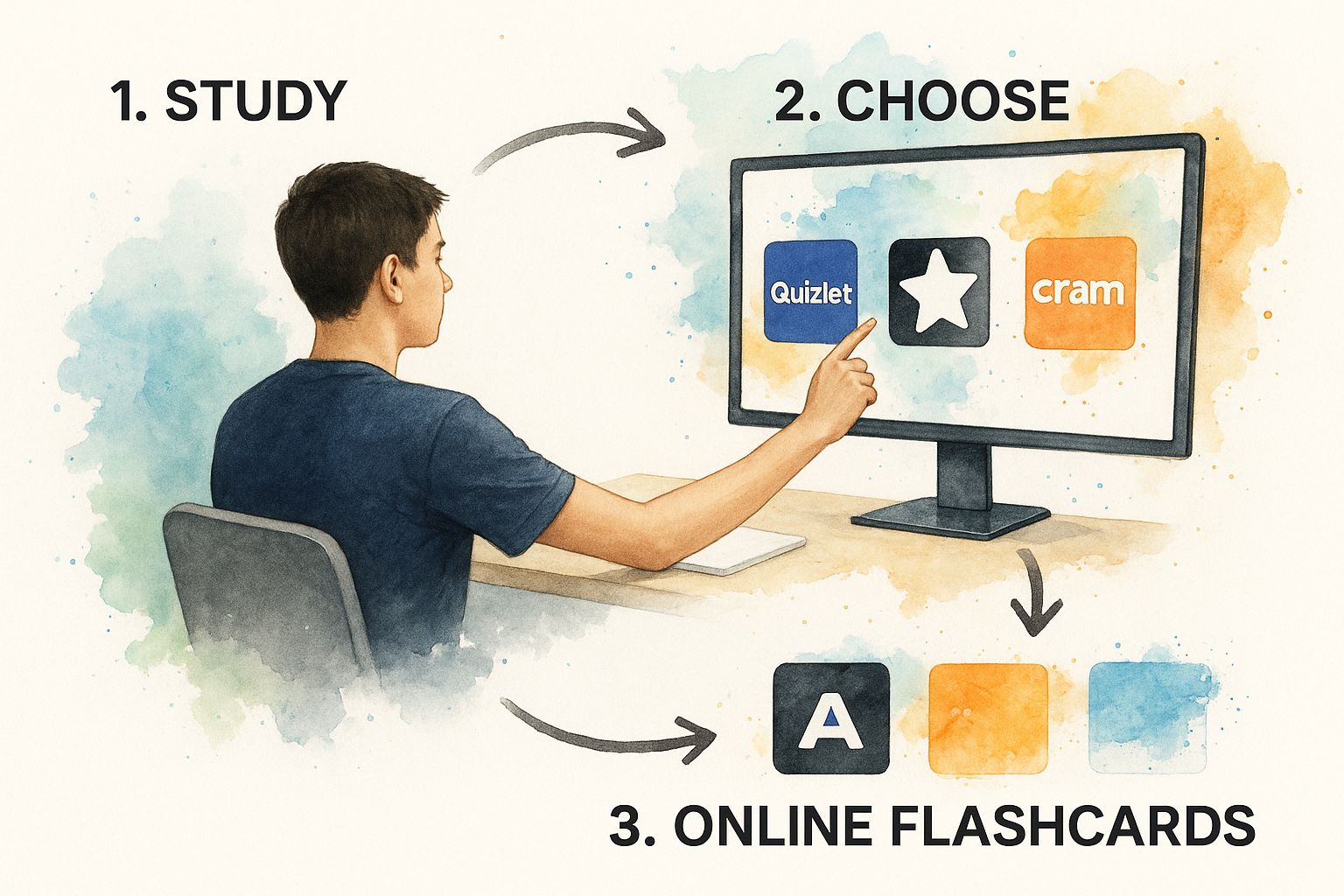
Ever stared at a 50-page PDF for a final exam and felt the dread of turning it into study notes? The old-school way means hours of highlighting, rereading, and manually typing out every single flashcard. Thankfully, AI-powered tools like Zemith are a complete game-changer, slashing that prep time from hours to mere seconds.
The biggest win here is simply uploading a document and letting an intelligent system do the heavy lifting. Platforms like Zemith have a built-in Document Assistant that scans your lecture notes, dense research papers, or entire textbook chapters. It’s smart enough to pinpoint the most important information—pulling out definitions, key concepts, and crucial facts to generate a flashcard deck for you automatically.
From Document Upload to Study Deck
The process itself is refreshingly straightforward. Forget typing everything out. You just feed the system your source material. If you're looking for a quick way to build study materials, consider which can transform documents into ready-to-use flashcard decks. This kind of automation is fantastic because it helps ensure you don't overlook important details buried deep in a wall of text.
The AI Advantage in Practice
This technology is more than just a simple copy-and-paste function. When you're working with tricky file types like PDFs, the first hurdle is always getting the text into a format the tool can actually read. For anyone curious about that part of the process, our guide on breaks down that foundational step.
The real benefit is shifting your focus from tedious creation to active learning. Zemith provides a comprehensive, accurate set of flashcards in a fraction of the time, so you can start memorizing the material that much sooner.
Zemith’s AI is designed to intelligently read the structure and flow of your document, creating relevant question-and-answer pairs that make sense. It not only saves a massive amount of effort but also gives you a solid foundation for your study sessions, making sure nothing from the original document gets left behind.
Manually Crafting Flashcards for Deeper Recall
AI is a fantastic shortcut, but there’s something to be said for the classic, hands-on approach. When you build a flashcard deck yourself, you’re not just copying and pasting—you’re forced to actually think about the material. This process of paraphrasing, summarizing, and deciding what's important is where the real learning happens.
Taking the time to manually create your cards shifts you from being a passive reader to an active learner. You have to engage with the text and ask yourself, "What is the key takeaway here?" That simple act solidifies the information in your mind far better than just letting an algorithm do the work.
Go Beyond Basic Text
Creating great flashcards by hand is an art, and using a flexible platform like Zemith makes it easy. It's about more than just a term on one side and a definition on the other. You're trying to design a learning tool that actually makes you think.
Here are a few ways to make manual cards more effective using Zemith’s features:
- Turn statements into questions. Instead of a card that just says "Mitochondria," frame it as a question: "What is the primary function of mitochondria in a cell?" This forces your brain to retrieve the information, not just recognize a word.
- Add visual anchors. A picture can be a powerful memory aid. Tools like Zemith let you easily add images. If you're studying the storming of the Bastille, why not include a famous painting of the event? It creates a much stronger mental connection.
- Highlight the important stuff. Use bold text or italics to make the most critical parts of an answer pop. Zemith’s editor gives you the formatting tools to break down dense definitions into more manageable chunks.
By putting in this extra effort, you're essentially building a mental hook for every concept.
Manually making a flashcard is like teaching the concept to yourself. The process of summarizing and structuring the information is a study session in itself.
This method ensures you’re truly understanding the ideas, not just memorizing a string of words. If you want to dive deeper, we have a complete guide on that really work. Trust me, the time you invest upfront will pay off big time when you need to recall that information under pressure.
Optimize Your Study Sessions with Smart Features
Just creating a deck of flashcards is only half the battle. The real magic happens in how you use them. This is where a modern platform like Zemith shines, transforming a simple deck into a powerful system for learning and retention. It's the smart organization and intelligent review features that truly lock information into your long-term memory.
First things first, get your digital house in order. Don’t just let your flashcard decks pile up randomly. With Zemith, you can group them into folders that make sense for you, maybe by subject or upcoming exam. For example, you could have a main folder for "Biology 101" with specific decks inside for "Cellular Respiration," "Genetics," and "Ecology." This simple bit of organization makes it so much easier to find what you need and focus your efforts.
Harness the Power of Spaced Repetition
If there's one feature you absolutely need to use, it's a Spaced Repetition System (SRS). This isn't just a gimmick; it's a proven method based on the science of how we forget things. Zemith’s algorithm learns how well you know each card.
Get a card right? The system will wait longer before showing it to you again. Stumble on a card? It'll pop up more frequently in your study sessions. This dynamic scheduling means you stop wasting time on concepts you’ve already mastered and focus your energy on the material that’s about to slip away. It's incredibly efficient.
Spaced repetition basically automates your review schedule. Zemith’s SRS shows you the tough stuff more often and the easy stuff less. Think of it as a personal tutor who knows exactly what you need to review and when.
Mix It Up for True Mastery
Beyond SRS, a couple of other tactics can make a huge difference. Never just flip through your deck in the same order. Zemith’s shuffle feature prevents your brain from cheating by memorizing the sequence of the cards, forcing you to actually recall each answer on its own merit.
Also, be sure to use the self-testing or quiz modes that platforms like Zemith offer. These features hide the answers and make you actively type them out or grade your own response. This kind of active engagement is what really cements your understanding and builds the confidence you need for test day. For more tips on making your study time effective, it's worth looking into .
Dodging the Classic Flashcard Creation Blunders
Let's be honest, not every flashcard deck is a winner. It's easy to fall into the trap of creating a deck that gives you a false sense of security, making you think you know the material when you’re really just recognizing it. The whole point of making flashcards online is to build a powerful tool for active learning, not just another list of things to read.
One of the biggest mistakes I see is cramming way too much information onto a single card. If your flashcard looks like a wall of text, you're not forcing your brain to recall anything. You're just passively reading.
Here's a simple rule I stick to: one core idea per card. If you start writing a whole paragraph, stop. That's your cue to break that big concept down into several smaller, more focused cards.
The Pitfalls of Overload and Vague Answers
Another classic mistake is making cards that are just too simple. Think of a card that says "Mitochondria" on one side and "Powerhouse" on the other. That doesn't really test your understanding. You're not challenged to explain why it's the powerhouse or how it functions. It just encourages surface-level memorization.
To get this right, you need to be more strategic.
Ditch the giant definitions. Instead of copying and pasting a huge definition onto the back of a card, slice it up. If you're studying biology, for example, take a single term and create separate cards for its function, its structure, and where it’s found in a cell.
Avoid one-word answers. Challenge yourself by framing the front of the card as a question that requires a real explanation. Instead of "What is photosynthesis?" try something like, "Briefly explain the two main stages of photosynthesis." This pushes you to give a more complete, thoughtful answer.
This is where a tool like really shines. You can use simple formatting like bolding and bullet points to organize your answers, keeping them easy to scan and focused on the key points. By sidestepping these common errors, you can turn your flashcard decks from a passive review tool into a genuine engine for locking information into your memory.
Got Questions About Online Flashcards? We've Got Answers
You're not alone. When it comes to making and using digital flashcards, a few questions pop up all the time. Here’s some advice from my experience to help you get the most out of your study sessions with Zemith.
How Many Flashcards Should I Actually Make for One Chapter?
This is a classic "quality over quantity" situation. Forget about hitting a specific number and focus instead on covering every core concept, key term, and critical formula. For a standard textbook chapter, this usually lands somewhere between 20 and 50 high-quality cards.
The real goal is to avoid creating pointless busywork. An AI tool like Zemith’s Document Assistant is a game-changer here because it can scan your material and pull out the most important points for you. It helps you build a comprehensive deck without drowning in hundreds of redundant cards.
Is It Okay to Share My Flashcard Decks with Friends?
Absolutely! In fact, you should. Most modern flashcard platforms, including Zemith, are designed with collaboration in mind. Sharing your deck is usually as simple as sending a link.
Think about it this way: if you have a big exam coming up, you can divide and conquer. Have each person in your study group tackle a different chapter, create a solid deck in Zemith, and then share it with everyone else. You all get a complete set of study materials with a fraction of the work.
What’s the Best Way to Review Flashcards Right Before an Exam?
Whatever you do, don't cram. The most proven method is to use a Spaced Repetition System (SRS) for at least a few days leading up to the test. Zemith’s built-in SRS is smart—it automatically shows you the cards you struggle with more often, so your review time is incredibly efficient.
Then, on the day before the exam, switch gears. Put yourself in a self-testing or "quiz" mode. This forces you to actively recall the information under a bit of pressure, which is far more effective than just passively flipping through your cards one last time. It mimics the real test environment and builds your confidence.
Your goal is to move from simply recognizing the answer to actively retrieving it from memory. Zemith’s quiz mode is the perfect way to test if the information is truly locked in.
By combining consistent, spaced-out reviews with a final self-test, you build a much stronger foundation for both understanding and recall. It's a two-step punch that ensures you're ready when it really counts.
Ready to stop wasting time on manual card creation and start studying smarter? Zemith’s AI Document Assistant can turn your notes, PDFs, or any document into a complete flashcard deck in seconds. Try it for free and see the difference. .
استكشف ميزات زميث
كل الذكاء الاصطناعي. اشتراك واحد.
ChatGPT، Claude، Gemini، DeepSeek، Grok و25+ نموذج








ذكاء اصطناعي فوري ومباشر.
صوت + مشاركة شاشة · إجابات فورية
ما أفضل طريقة لتعلم لغة جديدة؟
الانغماس والتكرار المتباعد هما الأفضل. حاول استهلاك وسائط بلغتك المستهدفة يومياً.
صوت + مشاركة شاشة · الذكاء الاصطناعي يجيب في الوقت الفعلي
توليد الصور
Flux، Nano Banana، Ideogram، Recraft + المزيد

اكتب بسرعة الفكر.
إكمال تلقائي، إعادة كتابة وتوسيع بأمر
أي مستند. أي صيغة.
PDF أو رابط أو YouTube → دردشة، اختبار، بودكاست والمزيد
إنشاء الفيديو
Veo، Kling، MiniMax، Sora + المزيد

تحويل النص إلى كلام
أصوات ذكاء اصطناعي طبيعية، 30+ لغة
توليد الأكواد
كتابة، تصحيح وشرح الأكواد
الدردشة مع المستندات
رفع ملفات PDF، تحليل المحتوى
ذكاؤك الاصطناعي في جيبك.
وصول كامل على iOS وAndroid · مزامنة في كل مكان
لوحتك اللامتناهية للذكاء الاصطناعي.
دردشة، صور، فيديو وأدوات حركة — جنبًا إلى جنب

وفر ساعات من العمل والبحث
تسعير بسيط وبأسعار معقولة
موثوق من قبل فرق في






مجاني
لا يتطلب بطاقة ائتمان
- 100 رصيد يومياً
- 3 نماذج ذكاء اصطناعي للتجربة
- دردشة ذكاء اصطناعي أساسية
بلس
- 1,000,000 رصيد/شهر
- أكثر من 25 نموذج ذكاء اصطناعي — GPT-5.2، Claude، Gemini، Grok والمزيد
- Agent Mode مع بحث الويب وأدوات الكمبيوتر والمزيد
- Creative Studio: توليد الصور وتوليد الفيديو
- Project Library: الدردشة مع المستندات والمواقع ويوتيوب، إنشاء البودكاست، البطاقات التعليمية، التقارير والمزيد
- Workflow Studio و FocusOS
احترافي
- كل شيء في بلس، و:
- 2,100,000 رصيد/شهر
- نماذج حصرية للمحترفين (Claude Opus، Grok 4، Sonar Pro)
- Motion Tools و Max Mode
- أول وصول إلى أحدث الميزات
- الوصول إلى عروض إضافية
ماذا يقول مستخدمونا
Great Tool after 2 months usage
"I love the way multiple tools they integrated in one platform. Going in the right direction."
— simplyzubair
Best in Kind!
"The quality of data and sheer speed of responses is outstanding. I use this app every day."
— barefootmedicine
Simply awesome
"The credit system is fair, models are perfect, and the discord is very responsive. Quite awesome."
— MarianZ
Great for Document Analysis
"Just works. Simple to use and great for working with documents. Money well spent."
— yerch82
Great AI site with accessible LLMs
"The organization of features is better than all the other sites — even better than ChatGPT."
— sumore
Excellent Tool
"It lives up to the all-in-one claim. All the necessary functions with a well-designed, easy UI."
— AlphaLeaf
Well-rounded platform with solid LLMs
"The team clearly puts their heart and soul into this platform. Really solid extra functionality."
— SlothMachine
Best AI tool I've ever used
"Updates made almost daily, feedback is incredibly fast. Just look at the changelogs — consistency."
— reu0691