


Every top model, with tools built in.
Search the web, run deep research, read files, create images and run code with GPT, Claude, Gemini, Grok and more.
Discover how using ChatGPT for coding can transform your development workflow. Learn practical tips, prompt strategies, and integration tricks to code smarter.
Yes, you can absolutely use ChatGPT for coding, and it's far from a gimmick. In fact, it’s quickly become the secret weapon for developers everywhere, acting as a trusty sidekick for everything from spitting out boilerplate code to untangling bugs that make you want to throw your monitor out the window. The real question isn't if it works, but how you can get it to work smarter for you.

Let's cut right to it. You’ve seen the buzz, the screenshots, and maybe you've even had it write a quick "Hello, World!" just to see what would happen. But can an AI chatbot really hang in the complex, logical, and often frustrating world of professional programming?
The answer is a loud and clear "yes," and the data backs it up.
This isn't just some passing trend; it’s a fundamental shift in how developers get stuff done. Think of it less as your replacement and more as the ultimate pair programmer—one that’s read just about every line of open-source code ever written and never needs a coffee break. It's here to take the grunt work off your hands so you can do the cool stuff.
The adoption rate among developers has been nothing short of astonishing. Take a look at how it's being used.
These aren't just a few early adopters; this is a mainstream movement. According to a recent Stack Overflow survey, over 70% of developers are already using or planning to use AI tools in their development process this year.
This rapid embrace is happening for a few simple reasons:
The goal isn’t to have AI write all your code. The goal is to have it handle the boring, repetitive parts so you can focus on architecture, logic, and building genuinely cool stuff.
While poking around in the standard ChatGPT interface is a great start, the real magic happens when you bring that power directly into your development workflow. Constantly toggling between your code editor and a browser tab is a surefire way to kill your momentum. Seriously, it's a productivity black hole.
This is where platforms like Zemith come in. Instead of just giving you a single chat model in a clunky web interface, Zemith delivers a complete coding assistant right inside a unified workspace. It’s built for pros. You get access to multiple advanced AI models, so you can always pick the best tool for the job—whether you need raw power or lightning speed.
This integrated approach turns the AI from a simple chatbot into a core part of your toolkit, making you a faster, more efficient, and (dare we say) happier coder. To see just how much the model you choose matters, check out our in-depth comparison of Claude 3.5 Sonnet vs GPT-4o.
So, what does using ChatGPT for coding actually look like on a day-to-day basis? It’s way more than just asking it to "write me a function." Think of it as having a set of new abilities that slot right into your workflow, making tedious jobs feel almost trivial.
It's like having a senior dev, a QA engineer, and an incredibly patient mentor all rolled into one, ready to help 24/7. Let's dig into the four core superpowers you get.
This is the most obvious one, and it's usually the first thing developers mess around with. You can give ChatGPT a request in plain English, and it’ll return a chunk of code. The real trick is to move past simple requests and use it for things that genuinely save you time.
Instead of writing boilerplate from scratch, you can have it ready in seconds. It’s a massive productivity boost.
users, orders, and products tables to find the top 5 customers by total spending in the last quarter."We’ve all been there—staring at some cryptic error message for hours, slowly losing our sanity. ChatGPT is an amazing debugging partner because it can translate that compiler-speak into plain English and suggest what might be wrong.
Just copy-paste your broken code and the error it’s throwing. In a few moments, you’ll often get back an explanation like, "This TypeError is popping up because you're trying to call the .map() method on a variable that's null. You should probably add a check to make sure the data actually exists before trying to loop over it."
Goodbye, endless Stack Overflow rabbit holes. Hello, instant clarity. This superpower alone can give you back hours of your week that used to be lost to pure frustration.
Got some "spaghetti code" that technically works but is a nightmare to maintain? Or maybe you inherited a legacy codebase that makes you want to cry? This is where ChatGPT really shines as a refactoring assistant.
You can hand it a messy, inefficient block of code and just ask it to clean it up. For instance, you could prompt it to:
It helps you stick to best practices without having to manually rewrite every single line yourself.
This is the unsung hero of AI coding help. Whether you're picking up a new language or trying to wrap your head around a complex algorithm, ChatGPT can act as your personal tutor. Just paste in a snippet and ask, "Can you explain what this code does, line by line?"
This ability is a complete game-changer for leveling up your own skills. It breaks down not just the "how" but also the "why" behind the code, which really speeds up the learning process. This back-and-forth style of learning is a core part of modern AI. If you're curious about the mechanics, our guide on what is conversational AI offers a deeper look into how these systems actually work.
To get a full handle on these capabilities, it's worth checking out some broader perspectives on managing software development in the AI era. Understanding the high-level strategy helps you apply these superpowers where they count, especially on platforms like Zemith, which integrate these tools directly into a unified workspace.
If you're still using ChatGPT in a separate browser tab, you're essentially trying to code with one hand tied behind your back. Sure, it kind of works, but it's clumsy, slow, and a surefire way to kill your focus. The real power gets unlocked when you bring the AI directly into your coding environment, transforming it from a simple chatbot into a genuine copilot.
This move—getting the AI integrated into your workflow—is the difference between occasionally asking ChatGPT a question and making it a core part of how you build software. Let’s talk about how to ditch the tab-switching chaos and start coding smarter.
The flow below nails the core loop you want to bake into your daily routine.
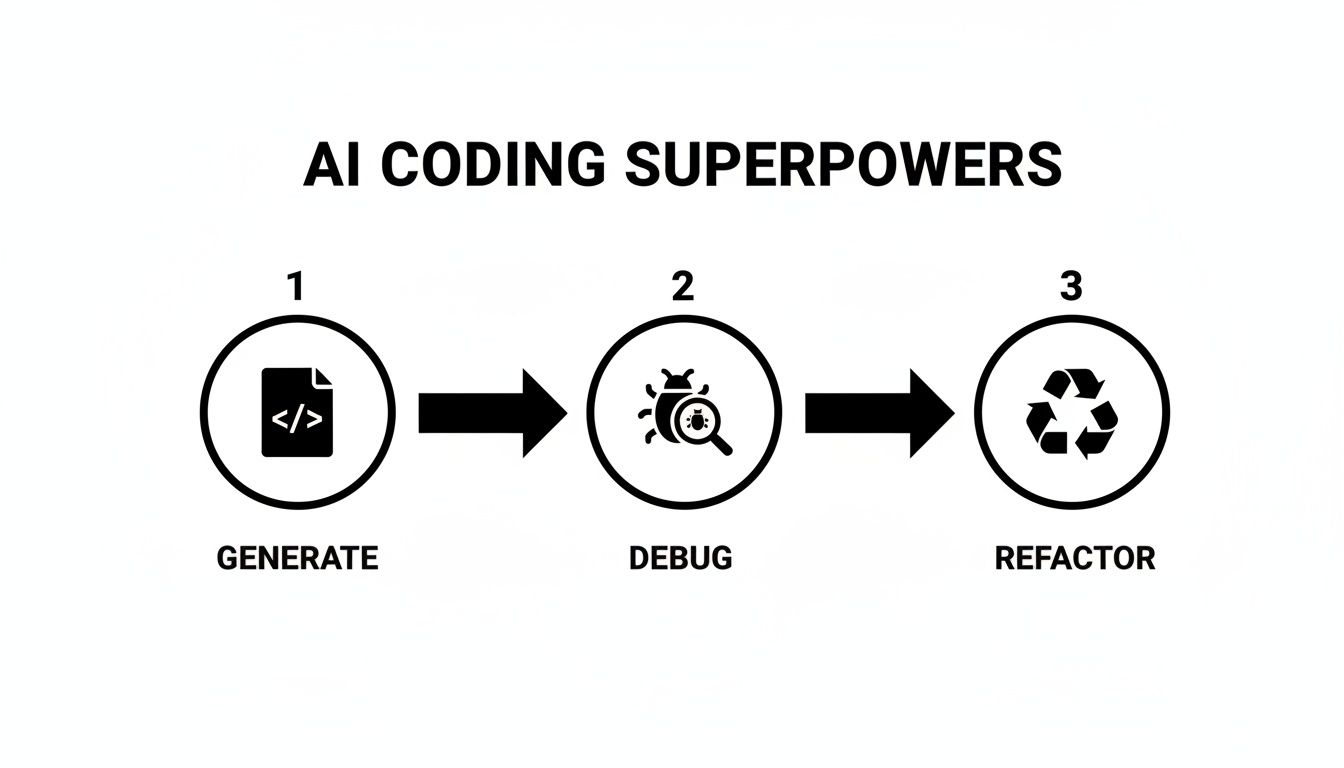
This simple cycle—generate, debug, refactor—becomes lightning-fast when it’s happening right inside your editor, not in some other window.
For most developers, the first stop is installing an extension for their favorite Integrated Development Environment (IDE). The marketplaces for tools like VS Code or JetBrains IDEs (like IntelliJ and PyCharm) are packed with AI plugins.
These are a fantastic starting point. They usually let you:
This is a huge step up from the old copy-and-paste dance. You stay in your zone and can apply fixes or generate new code almost instantly. But honestly, this is just scratching the surface.
The whole point is to reduce friction. The less you have to switch contexts, the more focused and productive you become. Every second you're not flipping tabs is a second you can spend solving actual problems.
While IDE extensions are great, they often lock you into a single AI model and a limited set of tricks. The next level is to use a platform that treats AI as a fundamental part of the development environment, not just a bolt-on feature.
This is where a platform like Zemith completely changes the game.
Instead of just a chat window tacked onto your editor, Zemith offers a fully integrated workspace built from the ground up for developers who want to go all-in on AI. It’s not about just talking to an AI; it's about building with it.
So, what makes an integrated platform like Zemith so much better? It all comes down to features designed to put a developer’s workflow on steroids.
First off, you get access to multiple AI models. You’re not stuck with just one. You might need the sheer brainpower of GPT-4 for a complex algorithm but prefer the speed of Claude for a quick refactoring job. Zemith lets you switch between them on the fly, so you always have the right tool for the task.
But the real showstopper is the Zemith Coding Assistant combined with its Live Preview for React and HTML.
Picture this workflow:
You see your component come to life in real-time as you or the AI tweak the code. No more spinning up a local server, no more refreshing your browser. This instant feedback loop is an absolute game-changer for front-end development, collapsing hours of tedious work into minutes of pure, creative flow.
Exploring different software developer productivity tools is a must for staying ahead, and an integrated AI environment is one of the biggest leaps forward you can make today.
Whether you start with a simple extension or jump straight to a full-blown platform like Zemith, the goal is the same. Get the AI out of the browser tab and into your editor—that’s how you unlock its real potential.
Getting great code out of an AI like ChatGPT is less about what you ask and more about how you ask. Tossing a vague, one-line request at it is like buying a lottery ticket—sure, you might get lucky, but you'll probably end up with something generic and completely useless.
A precise, context-rich prompt, on the other hand, is like handing a detailed blueprint to a brilliant but extremely literal junior developer. It sets them up for success.
This is the heart of prompt engineering, a skill that’s quickly becoming just as vital as writing clean code yourself. It’s the difference between fighting with your AI assistant and actually collaborating with it. When you get your prompts right, you stop getting code that "kinda works" and start getting solutions that are robust, efficient, and built exactly for your project.
One of the most effective—and frankly, fun—ways to instantly level up your results is to give the AI a role to play. Don't just ask for code; tell it who it should be while it's writing that code.
This "persona" trick frames the entire conversation. It primes the model to adopt the conventions, best practices, and even the subtle stylistic habits of that specific role. Just think, you wouldn't ask a graphic designer and a database administrator for the same kind of feedback, would you? The same logic applies here.
Here are a few go-to personas you can steal for your own projects:
The goal is to transform the AI from a general-purpose text machine into a specialized expert. Giving it a persona is the fastest way to get there.
A truly great prompt provides all the necessary context right up front. The more information you feed the AI, the fewer assumptions it has to make. And fewer assumptions mean fewer mistakes and a lot less back-and-forth for you.
A weak prompt like "write a login function" is a recipe for a headache. What language? Which framework? How should it handle errors? The AI has no choice but to guess.
A strong prompt, however, is a detailed spec sheet. It includes:
To really see the night-and-day difference this makes, let's look at a few examples.
The table below shows just how much the quality of your prompt impacts the quality of the AI's output. A little extra effort upfront saves a ton of time on the backend.
See the difference? Vague prompts get you vague, often unusable code. Specific prompts get you specific, targeted solutions.
This skill is absolutely crucial for modern development. If you want to go deeper, check out our complete guide on what is prompt engineering. When you're working inside a platform like Zemith, where you have a dedicated coding assistant, mastering these techniques becomes a superpower. You can save your best prompt templates and reuse them, making your workflow incredibly fast and consistent.

Using ChatGPT for coding is a bit like getting a brand-new power tool. It's incredibly fast and can help you build things you never thought possible, but you have to respect it. Otherwise, you’ll end up with a mess. With great power comes great responsibility... to not ship buggy, insecure code.
While it’s an amazing assistant, it’s not perfect. You are always the final gatekeeper for code quality. The only way to use these tools safely is to live by the "trust, but verify" mantra.
Think of any AI-generated code as a first draft from a really smart intern. It often looks right and might even run, but it absolutely needs a senior developer (that’s you!) to give it a thorough review. This is the most important habit you can build.
Blindly copy-pasting code is a recipe for disaster. That’s how subtle bugs, performance issues, and security vulnerabilities creep into your codebase. At the end of the day, you're the one on the hook for the code, not the AI.
The AI can be confidently wrong, which is a dangerous combination. Keep an eye out for these common slip-ups that can cause major headaches if you aren't paying attention.
Your job isn't just to accept the AI's output, but to challenge it. Ask yourself: Is this efficient? Is this secure? Does this follow our team's coding standards?
This is a huge deal. Never, ever paste sensitive or proprietary company code into the public ChatGPT website. Your prompts can be used to train future models, which is a massive data privacy risk. It's a mistake you only make once.
This is where professional platforms come in. A tool built for developers, like Zemith, gives you a secure, sandboxed environment for your coding assistant. It's designed for professional use, ensuring your company's intellectual property stays right where it belongs. This separation is non-negotiable for any serious development work.
To sharpen your own review process, especially when looking at AI-generated code, check out our guide on how to debug code effectively. For more ideas on how to weave AI assistants into your workflow, resources like a practical guide to accelerating coding with GitHub Copilot are also worth a look.
By treating the AI as a powerful but imperfect partner and sticking to these best practices, you can make it a core part of your workflow, boosting your productivity without sacrificing quality or security.
Alright, we've covered a lot of ground. But I'm sure you still have a few questions rolling around in your head. That's completely normal. Whenever a new tool comes along that could fundamentally change how we work, it's smart to be both curious and a little skeptical.
Let's dig into some of the most common questions developers ask when they first start toying with ChatGPT for coding.
This is the big one, isn't it? It’s a fear I hear all the time, but the honest answer is: it all comes down to how you use it.
If you just blindly copy and paste code without taking a second to understand what it's doing, then yeah, your skills are going to get rusty. Fast. You’re basically outsourcing the most important muscle you have as a developer—your problem-solving brain. Don't use it, and you'll lose it.
But if you flip that perspective and treat the AI as a new kind of pair programmer, it can actually make you a better developer, faster than you ever thought possible.
reduce function here instead of a forEach loop?"When you use it like this, it’s not a crutch. It’s a turbocharger. It handles the grunt work, freeing you up to focus on the things that really matter: architecture, logic, and actually learning the craft.
Not a chance. At least, not yet, and probably not for a good while. You can't just type "Build me a fully functional e-commerce site with Stripe integration" and expect it to work. If only life were that simple!
Think of ChatGPT as a master of small, well-defined tasks. It's brilliant at things like:
Where it falls flat is the big picture. It has no grasp of your application's architecture, your business logic, or the web of dependencies that hold your entire project together.
You are still the architect. The AI is your team of brilliant, lightning-fast builders who can assemble individual bricks, but you're the one who designs the skyscraper. It's an accelerator, not an autonomous replacement.
This is a huge point of confusion for people starting out. What's the real difference between having the ChatGPT website open in a browser tab versus using a tool that plugs right into your coding environment?
In one word: workflow.
Using the website is a constant exercise in context switching. You copy code from your editor, tab over to the browser, paste it, wait for a response, then copy the answer back. It shatters your focus and kills your flow state. It’s like keeping your tools in a shed out back instead of on your toolbelt.
An integrated tool like the Zemith Coding Assistant brings the AI's power directly into your IDE.
The difference is night and day. You can highlight a chunk of code, ask for a refactor, and see the changes applied right there, without ever leaving your editor. But the real magic goes deeper. These specialized tools are built for developers, so they offer more power.
For instance, with Zemith, you aren't stuck with just one AI model. You get access to a whole toolbox of them (like GPT-4, Claude, and others), so you can pick the best brain for the job. You also get features the standard website can't even dream of, like the Live Preview that renders your React and HTML components as you code.
It's the difference between using a generic hammer for everything and having a professional-grade, purpose-built power tool designed for exactly what you need to do.
Ready to stop switching tabs and start supercharging your workflow? The Zemith Coding Assistant integrates multiple AI models, live previews, and a full suite of productivity tools into one seamless workspace. Experience the future of AI-assisted coding at Zemith.com.







Trusted by teams at






The top models, plus image, video and voice tools, in one plan.
Without Zemith
ChatGPT PlusUS$20.00Claude ProUS$20.00Google AI ProUS$19.99SuperGrokUS$30.00Perplexity ProUS$20.00 MidjourneyUS$10.00
 ElevenLabsUS$6.00Le Chat ProUS$14.99
 RunwayUS$15.00Kling StandardUS$8.80
 Gamma PlusUS$12.00
 Otter ProUS$16.99
 QuillBot PremiumUS$19.95
 Photoroom ProUS$12.99
 Quizlet PlusUS$7.99
Total if paying separatelyUS$234.70/mo
"I love the way multiple tools they integrated in one platform. Going in the right direction."
— simplyzubair
"The quality of data and sheer speed of responses is outstanding. I use this app every day."
— barefootmedicine
"The credit system is fair, models are perfect, and the discord is very responsive. Quite awesome."
— MarianZ
"Just works. Simple to use and great for working with documents. Money well spent."
— yerch82
"The organization of features is better than all the other sites — even better than ChatGPT."
— sumore
"It lives up to the all-in-one claim. All the necessary functions with a well-designed, easy UI."
— AlphaLeaf
"The team clearly puts their heart and soul into this platform. Really solid extra functionality."
— SlothMachine
"Updates made almost daily, feedback is incredibly fast. Just look at the changelogs — consistency."
— reu0691
Hand off the research, writing, design and follow-ups. Zemith picks the tools it needs and brings back finished work.
Search the web, run deep research, read files, create images and run code with GPT, Claude, Gemini, Grok and more.
Zemith keeps working in the cloud and pings you when it's done.
Notion, Linear, Canva, Airtable and more. It asks before it creates or changes anything.
Docs, slides, sheets and PDFs, ready to send.
Chain models and tools on a visual canvas, from one prompt to a finished promo video.
Briefings, reports and reminders run on a schedule and are ready when you need them.
Real-time voice that can see your camera or screen.
The best image and video models, in one studio.
Turn PDFs, links and YouTube videos into podcasts, quizzes, flashcards and mind maps.














 Podcast
 Quiz
Quiz Flashcards
 Mind map
 Infographic