Create a Bot in Minutes With This No-Code Guide (Yes, You!)
Want to create a bot but think it's too complicated? This guide shows you how to build powerful AI bots on Zemith, no coding required. Let's get started!
Ever thought about building a bot? It used to sound like something straight out of a sci-fi movie, reserved for a team of developers who drink way too much coffee. Not anymore. It's actually shockingly simple: you figure out a goal, pick a no-code tool like Zemith, teach it how to talk, and set it loose. You can go from a cool idea to a working digital assistant in a few hours, all without touching a single line of code.
Why Is Everyone Suddenly Building Bots?
It feels like bots have appeared out of nowhere, right? One minute they were a futuristic concept, and the next they're handling customer support chats, crunching research data, and even generating hilarious images. This isn't just some passing tech fad—it's a massive shift in how we get things done.
The biggest reason for this bot explosion is that the barriers have vanished. Platforms like Zemith have democratized bot-building, throwing the doors wide open for anyone, not just coders. Got a problem to solve or a wild idea to test? You have the tools to build a bot for it. It's like being handed the keys to your own little automation factory.
The New Digital Workforce (That Never Sleeps)
Think of bots as the perfect assistants. They're on the clock 24/7, they never need a coffee break (or complain about Brenda from accounting microwaving fish again), and they handle the boring, repetitive stuff with perfect accuracy. That's why businesses of all sizes are jumping in.
You'll find them doing all sorts of jobs:
- Customer Support Automation: They instantly tackle common questions, which frees up the human team to handle the really tricky problems.
- Research Assistants: Instead of spending days digging through documents, a bot can pull out the key insights in seconds.
- Creative Partners: They're amazing for brainstorming. Writers, marketers, and artists are using them to break through creative blocks and generate fresh ideas.
This trend is getting incredibly specific, too. People are even learning how to create AI influencers, which just goes to show how versatile this technology has become.
Following the Money
Beyond the sheer convenience, there's some serious money at play. The global AI bot market is on a tear, growing from around $2.47 billion in 2021 to a forecasted $15.6 billion by 2025. With a growth rate clearing 20% year over year, it's obvious that this is a massive business opportunity. For a deeper dive into these numbers, check out this Exploding Topics market analysis. For anyone looking to build a bot, those numbers scream market demand.
The Bottom Line: Building a bot isn't just for tech geeks anymore. It’s a practical, powerful way to automate tasks, spark creativity, and grow a business. The "why" is crystal clear—now let's get into the "how."
This is all possible because of huge leaps in how machines understand human language. Modern bots can figure out what you mean, not just what you type, thanks to some pretty sophisticated AI models. Digging into the world of natural language processing applications reveals just how advanced this tech is. The coolest part? Zemith puts all of that power directly in your hands.
Your Bot-Building Cheatsheet What You Can Build with Zemith
Here's a quick look at the types of bots you can create using Zemith, their common uses, and why they're game-changers.
Whether you want to streamline a business process or just bring a cool idea to life, there's a bot for that.
Your Bot Blueprint: Planning for Success
Alright, before you dive headfirst into building, let's pump the brakes for a second. A truly great bot isn’t born from code; it starts with a solid plan. Think of this as the architectural blueprint for your digital sidekick. Getting this part right now will save you a world of headaches later on.
You wouldn't build a house without a blueprint, right? Unless you enjoy crooked walls and a toilet in your kitchen. The same logic applies here. A little forethought ensures you create something people actually find useful, instead of just a clunky piece of tech.
The first, and most important, step is to nail down your bot's purpose. What specific problem is it going to solve? Who is it for? Don't just say, "it's for my business." Get granular.
This visual really drives home the core value of building a bot, showing how they can fuel everything from growth and automation to brand-new creative solutions.
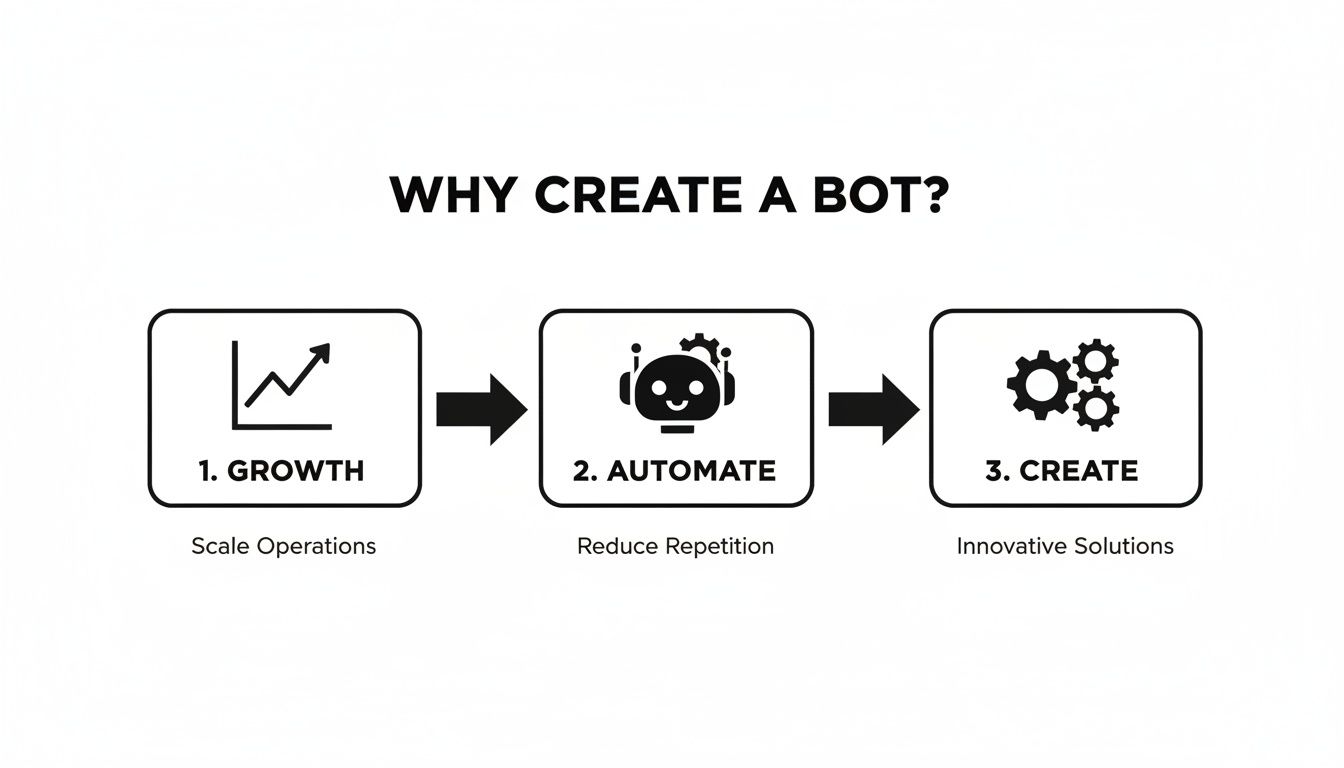
It’s a strategic journey. The whole point is to scale your efforts through smart automation, and that starts with a clear goal.
Define Your Bot's Core Mission
Let's get down to the nitty-gritty. Is your bot going to be a friendly customer service agent for your online store? A hyper-efficient research assistant that digests dense reports for your team? Or maybe a creative muse that spits out hilarious marketing slogans?
To figure this out, ask yourself a few honest questions:
- What's the Pain Point? Pinpoint a repetitive, time-sucking, or just plain boring task that your bot can take off someone's plate. Is your team spending 5 hours a week answering the same five questions? That’s a perfect job for a bot.
- Who Is the User? Are you building for stressed-out customers who need answers now? Or for your internal team that needs data on the fly? Knowing your audience dictates the bot's tone, complexity, and even its personality.
- What Does Success Look Like? Set a clear, measurable goal. For example, success could be "reduce customer support tickets by 30%" or "cut down research time for blog posts by half."
This whole process is surprisingly similar to the early stages of product design. If you want to get serious about structuring your ideas, understanding the basics of the design thinking process can be a huge help in mapping out a bot that truly serves its users.
Outline the Must-Have Functionalities
Once you have a clear mission, it's time to list the absolute essential features. The key here is to avoid "feature creep"—that sneaky desire to add every bell and whistle you can think of. Start small and stay focused.
For a customer service bot, the core functions might look something like this:
- Greet the user and ask how it can help.
- Answer common questions about shipping times.
- Provide a direct link to the return policy.
- Know when to hand off complex queries to a human agent.
That's it. Start there. You can always add more capabilities later as you learn what your users actually need. The great thing about a platform like Zemith is that it lets you start simple and then expand your bot's skills over time, often without writing a single line of code.
Pro Tip: Think of your bot's plan as a living document. The initial blueprint is your starting point, but you should be ready to adapt based on real user feedback. The best bots are the ones that evolve with their audience.
As you lay out your blueprint, having a grasp of the modern AI software development lifecycle can provide a much-needed structure. It helps you think about the entire journey, from that first spark of an idea all the way through to long-term maintenance. Getting this planning phase right is the secret ingredient to building a bot that's a genuinely valuable tool, not just a cool tech demo.
Choosing Your AI Brain Inside Zemith
Every bot needs a brain. In the AI world, that brain is the large language model (LLM) powering its every thought. This is where people often get stuck, hearing a storm of acronyms like GPT-4, Claude, and Llama. Don't sweat it. We’re going to cut through the noise.
Think of it like picking an engine for a car. You wouldn't put a massive V8 in a tiny city car, and you wouldn't expect a scooter engine to power a semi-truck. The same logic applies here. Your bot's "brain" has to fit the job you've designed it for.
The great news is that inside Zemith, you have a whole garage full of these AI engines ready to go. No need to sign up for a dozen different services or juggle a nightmare of API keys. We bring the best models from across the industry right into your workspace so you can get on with building.
Matching the Model to the Mission
So, how do you pick the right one? The secret is to line up the model’s natural strengths with your bot's core purpose. Different models are built for different things. Some are creative wordsmiths, others are stone-cold logicians, and some are just amazing conversationalists.
Let's circle back to the plan you made in the first stage.
Building a Creative Bot? If you're making something to dream up marketing slogans, draft social media content, or even write quirky pirate shanties (we've seen it all), you’ll want a model with creative flair. Look for models known for thinking outside the box.
Need a Data Bot? For a bot that crunches sales numbers, summarizes dense technical reports, or follows complex instructions, you need a brain with serious analytical horsepower. These are the number-crunchers and logicians of the AI world.
Creating a Conversational Bot? If you’re building a friendly customer service agent or an FAQ bot, your priority is a model that excels at natural, human-like dialogue. These models are champs at understanding context and keeping a conversation on track.
Choosing the right model isn't just about raw power; it’s about being smart with your resources. Using a top-of-the-line, expensive model to answer basic "yes/no" questions is total overkill. Zemith lets you easily test different options to find that perfect balance between capability and cost. For a deeper dive, check out our guide to the best LLM models available today.
AI Model Matchmaker: Which Brain Fits Your Bot?
Let's pop the hood on a few of the most popular model families you'll find on Zemith. This should give you a solid starting point for picking the right AI for your project.
Your choice of model directly impacts your bot's personality, accuracy, and operational cost. A thoughtful decision here pays off massively down the line, leading to a smarter, more efficient digital assistant.
Here's a quick comparison table to help you match a model to your mission.
The best part about building on Zemith? You're not locked into your first choice. If you start with one model and find it’s not quite the right fit, you can swap it out for another with just a few clicks. This freedom to experiment is your biggest asset in crafting the perfect bot.
The Art of the Prompt: Teaching Your Bot to Talk
Alright, you've got a mission for your bot and you've picked its brain. Now for the really fun part—teaching it to think, talk, and act exactly the way you want. This is where you, the creator, transform a generic AI model into a specialized, high-performing assistant.
Welcome to the art of the prompt.

Think of a powerful AI like a brilliant but clueless new intern. It has access to nearly all of human knowledge, but it has no idea what you want it to do with that information. Your prompt is the job description, the training manual, and the daily pep talk all rolled into one. A weak prompt gets you vague, unhelpful answers. A great prompt? That's where the magic happens.
Giving Your Bot a Personality
First thing's first: your bot needs a persona. A bot without a personality is just... forgettable. Giving it a distinct voice is the fastest way to make it engaging and effective, and you do this through a simple technique called role-playing.
You literally tell the bot who it is.
It’s as simple as starting your main instruction set—often called a "system prompt" in tools like Zemith—with a clear directive.
- For a customer service bot: "You are a friendly and patient customer support specialist for a company that sells artisan coffee beans. Your goal is to help users track their orders and learn about our products. Never use slang."
- For a creative assistant: "You are 'Sparky,' a witty and slightly eccentric brainstorming partner. You generate unexpected ideas and aren't afraid to be a little weird. You love puns."
- For a research bot: "You are a professional research analyst. You are concise, data-driven, and always cite your sources. Your tone is formal and objective."
This initial instruction sets the stage for every single interaction. It’s the foundation of your bot's entire character.
Setting the Ground Rules
Once your bot has a personality, it needs rules of engagement. What should it do? And maybe more importantly, what should it never do? Clear boundaries are essential to prevent your bot from going off-topic or dishing out bad advice.
Your bot's instructions are its constitution. Define its purpose, its voice, and its limitations with absolute clarity. This single step is the difference between a helpful tool and a frustrating gimmick.
Here’s how you can structure these rules within your prompt on a platform like Zemith:
- Define the Core Task: Be explicit. "Your primary function is to answer questions based only on the provided company knowledge base."
- Establish a Tone of Voice: Get specific. "Use a warm and encouraging tone. Use emojis sparingly. Address the user as 'friend'."
- Create "Always" and "Never" Lists: These are your non-negotiables. "Always end the conversation by asking if there's anything else you can help with. Never attempt to give medical or financial advice."
- Set Escalation Procedures: Tell the bot what to do when it gets stuck. "If a user asks about a topic not in the knowledge base, respond with: 'That's a great question! I'll connect you with a human team member who can help.'"
This level of detail is crucial for anyone looking to create a bot that is reliable and brand-safe.
Few-Shot Prompting: Showing, Not Just Telling
Sometimes, just telling the bot the rules isn't enough. You need to show it what you mean. This technique is called few-shot prompting, and it's incredibly powerful. You just provide a few examples of a perfect interaction directly in your instructions.
For instance, if you're building a bot that summarizes meeting notes into a specific format, your prompt might include something like this:
Example 1:
- User Input: "The meeting was about the Q4 marketing launch. We decided to focus on social media ads. Jen is handling graphics, and Mike is writing copy. The deadline is October 30th."
- Ideal Bot Output:
- Project: Q4 Marketing Launch
- Key Decision: Focus on social media advertising.
- Action Items:
- Jen: Create graphics.
- Mike: Write copy.
- Deadline: October 30
By providing these examples, you're training the AI on the exact structure and style you expect. It learns the pattern far more effectively than it would from just reading a description.
Mastering these techniques is the core of a fascinating field; to learn more, check out our detailed guide on what is prompt engineering. This is the secret sauce to turning a generic AI into your perfect digital employee.
Bringing Your Bot to Life and Setting It Loose
Alright, you've done the hard work. You’ve planned everything out, picked the perfect AI model, and meticulously crafted your prompts. You've essentially built a digital brain. But right now, that brilliant creation is sitting on the shelf, a masterpiece nobody can see.
To get the applause it deserves, you have to get it on stage. This is the deployment phase, and it’s where your bot goes from being a cool side project to a genuinely useful tool. Let's get it out into the world.
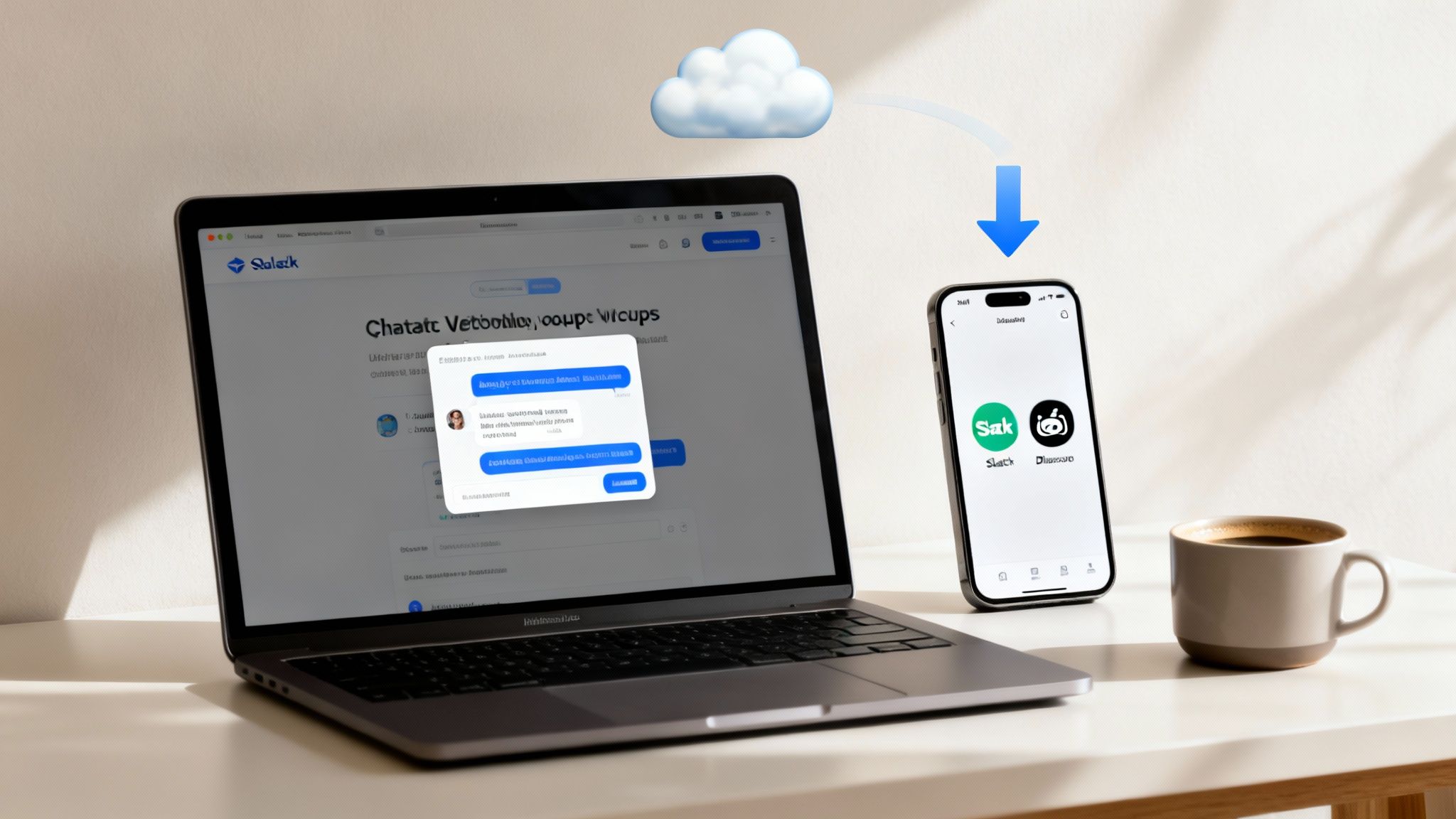
The first big question is simple: where is this bot going to live? The answer always comes down to where your users—whether that’s your customers or your internal team—already spend their time. You have to put the bot directly in their path, not make them go on a scavenger hunt to find it.
Choosing Your Bot's Home Turf
Figuring out where to deploy your bot is a crucial strategic move. You wouldn't open a ski shop in Miami, right? The same logic applies here. Thankfully, a platform like Zemith makes connecting your bot to its new home a simple, click-based process instead of a coding nightmare.
Let’s look at some of the most common places for a new bot:
- Website Chat Widget: This is the classic home for any customer-facing bot. It sits as a little bubble in the corner of your site, ready to help visitors 24/7. It’s perfect for answering sales questions, tracking orders, or capturing leads when your human team is offline.
- Slack or Discord Integration: If you've built an internal tool for your team, this is the way to go. Your bot can live right inside the chat apps your team already uses every single day, whether it's summarizing meeting notes, fetching data from a CRM, or answering common HR questions.
- API Endpoint: For the more technically adventurous, deploying your bot as an API gives you ultimate flexibility. This allows other applications to "call" your bot to perform tasks, essentially turning it into a smart building block you can plug into a larger system.
The Golden Rule of Deployment: Go where your users are. The less friction they have in accessing your bot, the more likely they are to actually use it. Convenience is everything.
Smart placement is a huge factor when you create a bot. Market data shows that the most-used AI platforms are the ones that are easiest to access. When you're planning your launch, it’s helpful to know that North America often leads in enterprise spending (around 30%), while the Asia-Pacific region shows the fastest growth in adoption. This can help you focus your efforts. For a deeper dive, you can explore more insights on AI chatbot statistics.
The Zemith Advantage: Simple and Seamless Deployment
In the old days (like, a couple of years ago), deploying a bot meant messing with servers, managing API keys, and pulling your hair out over cryptic configuration files. It was a whole thing.
Thankfully, platforms like Zemith have completely changed the game. You build your bot in an intuitive, visual interface, and when you’re ready to go live, you just… click a button. Seriously.
Want to pop it onto your website? Zemith will give you a single line of code to copy and paste. Need to integrate with Slack? You just authorize the connection, and you’re done. This completely removes the massive technical barrier that used to stop so many great bot ideas from ever seeing the light of day.
This simplicity is part of a bigger idea: making powerful technology accessible to everyone. By connecting different tools and models into one cohesive system, you can build surprisingly complex things without writing a line of code. If you're curious about how this works on a larger scale, you should check out our guide on AI workflow automation tools. It’s all about making smart connections and letting the AI do the heavy lifting.
Setting your bot loose should be the exciting final step, not another mountain to climb.
Got Questions About Building Your First Bot?
Jumping into the world of AI can feel a little like trying to assemble furniture without instructions—it’s exciting, but you’re bound to have a few questions. That's completely normal.
Let's clear the air and tackle some of the most common things people ask when they start to create a bot, especially on a platform like Zemith.
What’s This Going to Cost Me?
Ah, the million-dollar question. The good news is, it's not going to cost a million dollars. In fact, you can get started on platforms like Zemith for free. The days of needing a massive budget for servers and a team of developers just to test an idea are long gone.
Your actual cost really boils down to three main things:
- The AI Model You Pick: Think of it like a car engine. A high-performance model from OpenAI or Google is going to use more "gas" per query than a smaller, zippier model. You just have to pick the right engine for the job and your budget.
- How Popular Your Bot Becomes: A bot chatting with 10 people a day will cost way less than one handling 10,000. Most pricing is usage-based, so your costs simply scale as you grow.
- The Job You Give It: A simple Q&A bot is incredibly cheap to run. But if you’re asking it to analyze a massive legal document or paint a digital masterpiece, it’s going to need more resources.
The great thing about a platform like Zemith is that it's all transparent. You can see exactly how different models impact your costs and start with a free or low-cost plan. No surprises, no breaking the bank.
Can I Actually Give My Bot a Personality?
Absolutely! In fact, you really, really should. A bot without a personality is just a boring tool. A bot with a personality is an experience. This is where you get to let your brand’s character shine through.
This isn’t about code; it’s about creative writing. You do it all through smart prompting, which we talked about earlier.
A bot's personality is its most underrated feature. It transforms a functional tool into a memorable brand ambassador that users actually enjoy interacting with. This is how you stand out.
In Zemith, you just use the system prompt to define its persona. You can tell it to be anything you want:
- Witty and Playful: "You are a mischievous but helpful gnome who loves riddles."
- Professional and Concise: "You are a corporate librarian. Your tone is formal, precise, and always direct."
- Empathetic and Supportive: "You are a friendly wellness coach. Your tone is always encouraging and calm."
You’re literally just writing a character bio, and the AI will stick to the script. It’s the easiest way to make your bot feel like it’s truly yours.
How Can I Trust My Bot to Give Accurate Answers?
This one is critical. The old programming saying "garbage in, garbage out" has never been more relevant. An AI bot is only as reliable as the information you feed it. Getting accurate answers isn't some dark art; it's about giving your bot a high-quality, curated set of study materials.
On Zemith, you have a few powerful ways to keep your bot on the straight and narrow:
First, and most importantly, you can provide a knowledge base. Upload your own documents—product manuals, company policies, FAQs, research papers—and tell the bot to only answer questions based on what's in those files. This stops it from hallucinating or pulling random, outdated info from the web.
You can also use detailed system prompts to set firm boundaries. A simple instruction like, "If you don't know the answer, you must say 'I don't have that information, but I can connect you with our support team.' Never, ever guess," works wonders.
For more dynamic needs, you can even connect your bot to live data sources through an API. This is perfect for things like checking inventory, pulling order statuses, or getting real-time market data, ensuring your bot is always working with the freshest information.
Do I Need to Be a Coder to Build a Bot?
Nope! Not even a little bit. And that’s the whole point.
The entire reason no-code platforms exist is to tear down that technical wall. If you can write a clear email or a post on social media, you already have every skill you need to create a bot on Zemith.
Everything is visual and intuitive. You’re not digging through Python scripts or trying to debug code at 2 AM. You get to focus on the fun stuff: the big idea, the bot’s personality, and making sure it’s genuinely helpful for your users.
Ready to stop wondering and start building? With Zemith, you get a complete AI toolkit in one place to bring any bot idea to life. From picking the perfect model to deploying with a single click, everything you need is right at your fingertips. Start creating your first bot for free on Zemith today!
Explore Zemith Features
Every top AI. One subscription.
ChatGPT, Claude, Gemini, DeepSeek, Grok & 25+ more








Always on, real-time AI.
Voice + screen share · instant answers
What's the best way to learn a new language?
Immersion and spaced repetition work best. Try consuming media in your target language daily.
Voice + screen share · AI answers in real time
Image Generation
Flux, Nano Banana, Ideogram, Recraft + more

Write at the speed of thought.
AI autocomplete, rewrite & expand on command
Any document. Any format.
PDF, URL, or YouTube → chat, quiz, podcast & more
Video Creation
Veo, Kling, Grok Imagine and more

Text to Speech
Natural AI voices, 30+ languages
Code Generation
Write, debug & explain code
Chat with Documents
Upload PDFs, analyze content
Your AI, in your pocket.
Full access on iOS & Android · synced everywhere
Your infinite AI canvas.
Chat, image, video & motion tools — side by side

Save hours of work and research
Transparent, High-Value Pricing
Trusted by teams at






Free
No credit card required
- 100 credits daily
- 3 AI models to try
- Basic AI chat
Plus
- 1,000,000 credits/month
- 25+ AI models — GPT, Claude, Gemini, Grok & more
- Agent Mode with web search, computer tools and more
- Creative Studio: image generation and video generation
- Project Library: chat with document, website and youtube, podcast generation, flashcards, reports and more
- Workflow Studio and FocusOS
Professional
- Everything in Plus, and:
- 2,100,000 credits/month
- Pro-exclusive models (Claude Opus, Grok 4, Sonar Pro)
- Motion Tools & Max Mode
- First access to latest features
- Access to additional offers
What Our Users Say
Great Tool after 2 months usage
"I love the way multiple tools they integrated in one platform. Going in the right direction."
— simplyzubair
Best in Kind!
"The quality of data and sheer speed of responses is outstanding. I use this app every day."
— barefootmedicine
Simply awesome
"The credit system is fair, models are perfect, and the discord is very responsive. Quite awesome."
— MarianZ
Great for Document Analysis
"Just works. Simple to use and great for working with documents. Money well spent."
— yerch82
Great AI site with accessible LLMs
"The organization of features is better than all the other sites — even better than ChatGPT."
— sumore
Excellent Tool
"It lives up to the all-in-one claim. All the necessary functions with a well-designed, easy UI."
— AlphaLeaf
Well-rounded platform with solid LLMs
"The team clearly puts their heart and soul into this platform. Really solid extra functionality."
— SlothMachine
Best AI tool I've ever used
"Updates made almost daily, feedback is incredibly fast. Just look at the changelogs — consistency."
— reu0691