


Every top model, with tools built in.
Search the web, run deep research, read files, create images and run code with GPT, Claude, Gemini, Grok and more.
Tired of confusing diagrams? Learn how to convert any flowchart to pseudocode with our practical guide, complete with real-world examples and pro tips.
Let's be honest, have you ever stared at a complicated flowchart and felt like you were trying to read a treasure map drawn by a caffeinated spider? You're not alone. While flowcharts are amazing for getting that big-picture view, they can sometimes feel a bit... abstract when it's time to actually build something.
This is exactly why turning a flowchart into pseudocode isn't just some boring, academic task. It's a developer's secret weapon.
Think of it as the crucial bridge between a brilliant visual idea and a solid, working piece of software. It forces you to get down into the nitty-gritty, ironing out all the logical kinks and making sure every single decision path actually leads somewhere sensible. This simple translation step can take a confusing diagram and make it crystal clear to everyone on the team—from a senior developer to the project manager who just needs to understand the flow.
The benefits here aren't just theoretical; they have a real, tangible impact on your workflow and the quality of your final code.
By taking the time to convert your diagrams, you can:
This practice isn't new, by the way. It's been a foundation of good programming since the 1960s. In fact, by the 1980s, surveys showed that over 70% of introductory computer science courses taught translating flowcharts into pseudocode as a non-negotiable step before even thinking about writing code. You can read more about its history over on Dev.to.
Key Takeaway: Turning a flowchart into pseudocode is like creating a detailed blueprint from a concept sketch. The sketch gives you the vision, but the blueprint gives you the precise, unambiguous instructions needed to build something that won't fall over. It’s an essential quality-control step for your logic.
Okay, let's get into the nitty-gritty. This is where we take those ovals, diamonds, and rectangles and translate them into logical, readable instructions. Think of it as decoding a visual map into a simple, text-based recipe. This translation is the heart of the whole process.
The easy wins come first: the ovals. These are your "Start" and "End" markers, the bookends of your entire process. In pseudocode, this is a straight swap for BEGIN and END. That's it. It’s the equivalent of saying, "Here's where we start," and "And... we're done."
This diagram perfectly captures the three-step journey from a visual flowchart to a structured text plan.
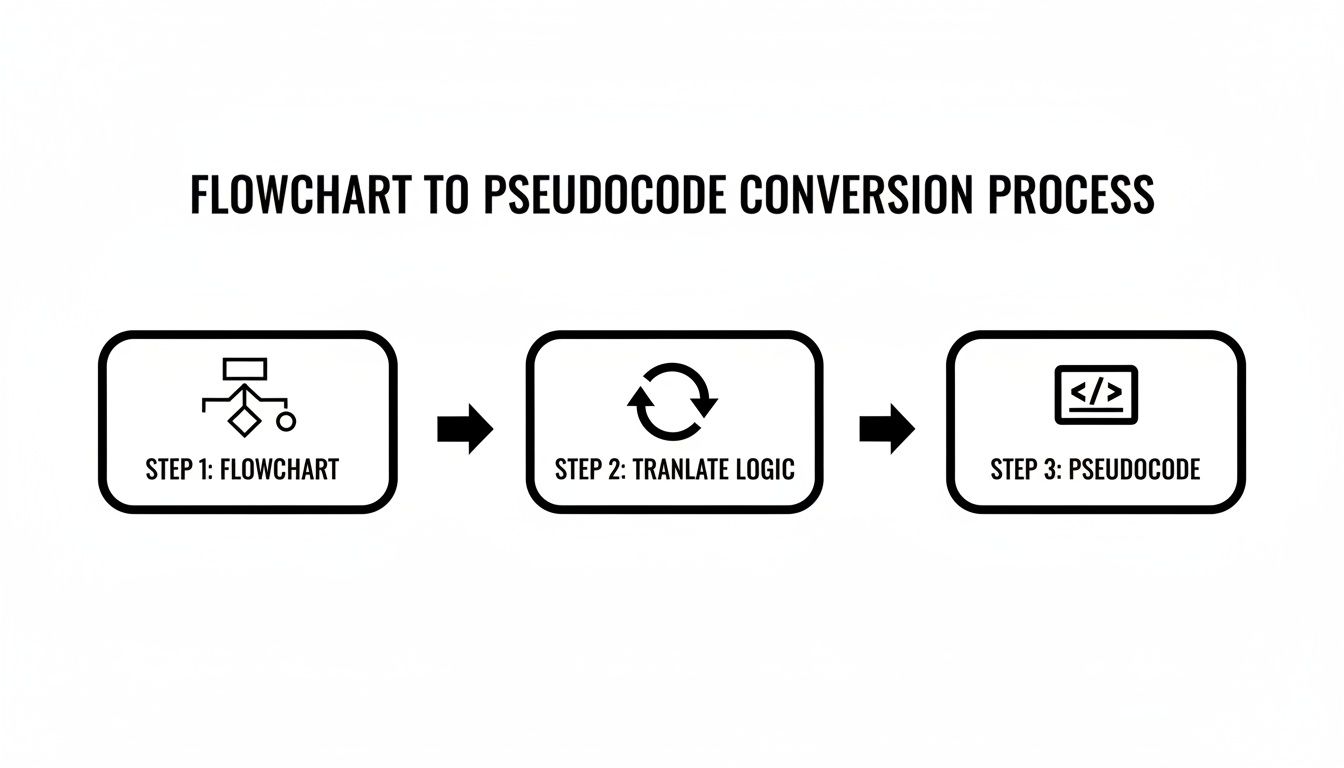
As the visual shows, that middle "translate" step is the crucial bridge, turning abstract shapes into a concrete, step-by-step blueprint.
Now for the workhorses of your flowchart: the rectangles (for processes) and parallelograms (for input/output). These shapes represent the actual doing. A rectangle is an action, like doing a calculation or assigning a value.
SET total TO price * quantity.INPUT user_age.DISPLAY total.These are direct, one-to-one translations that form the sequential core of your pseudocode. They're the basic instructions the computer will follow in order.
Pro Tip: When you're first hashing out these ideas with a team, using one of the great collaborative whiteboard apps is a game-changer. You can visually draw, erase, and move things around before you even think about writing the pseudocode. It gets everyone on the same page, fast.
Here comes the fun part—the diamonds. These decision symbols are what give your algorithm its intelligence. A diamond always asks a yes/no question, creating a fork in the road. In the world of pseudocode, this is your classic IF...THEN...ELSE structure.
Let's say you have a diamond that asks, "Is age >= 18?".
The pseudocode for this is crystal clear:
IF age >= 18 THEN
DISPLAY "Allow entry."
ELSE
DISPLAY "Deny entry."
ENDIF
This direct mapping is incredibly powerful. It takes a visual branching path and turns it into a solid conditional statement that any developer can immediately grasp.
Finally, you'll see arrows that loop back from a later step to an earlier decision diamond. This signifies repetition, which is where you'll bring in WHILE or FOR loops. If your flowchart shows a process repeating as long as a certain condition holds true, you just wrap that section of your pseudocode in a WHILE loop. It's how you avoid writing the same steps a hundred times.
To really nail the translation of more complex logic, having a solid grasp of fundamental algorithms is a huge help. It makes recognizing these patterns second nature. Once you master these shape-to-text conversions, you're not just looking at a diagram anymore—you're reading a clear set of instructions. And if you need a hand turning that logic into real code, Zemith's Coding Assistant can help bridge that gap, turning your 'what if' into 'what is'.
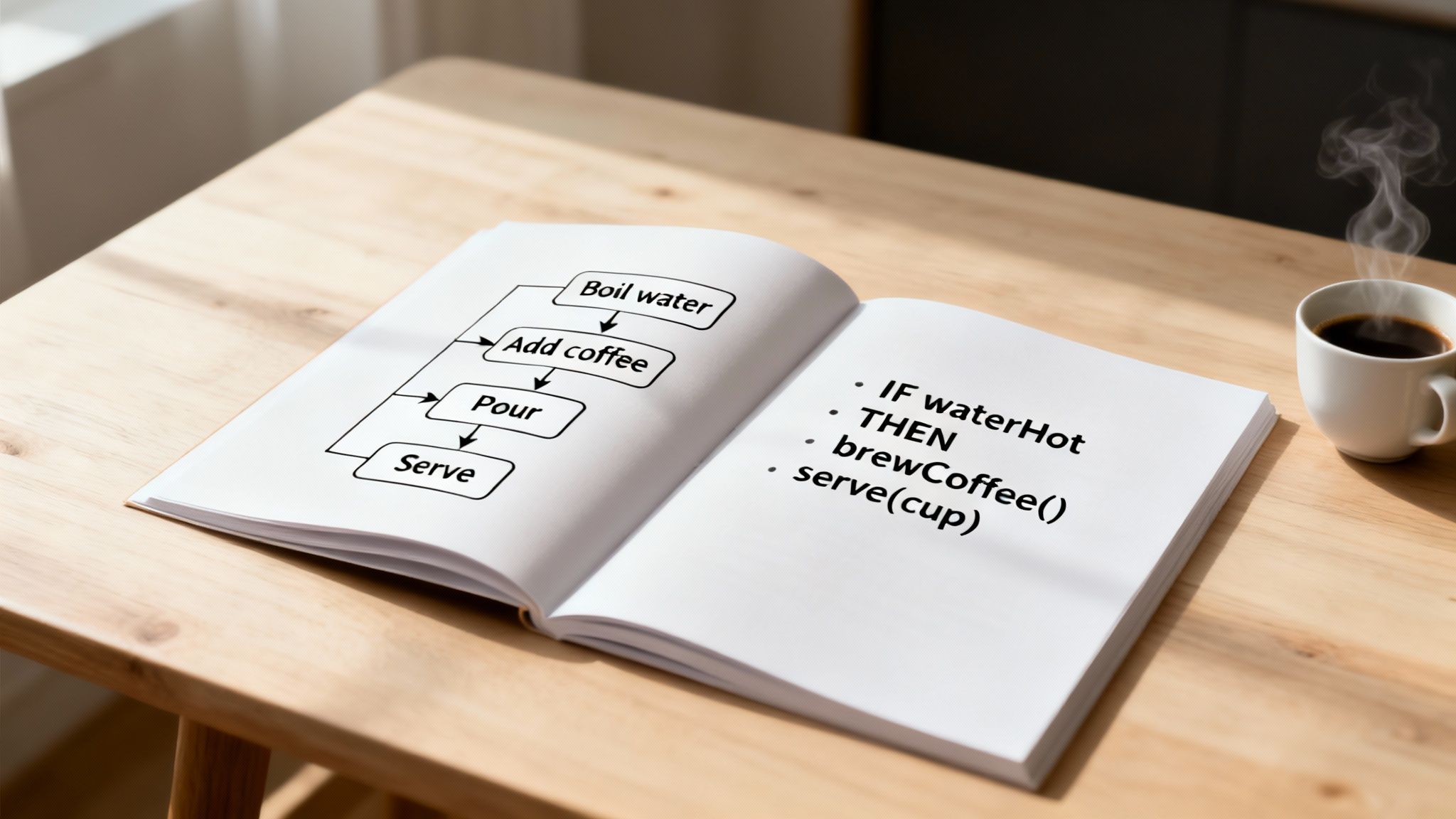
Theory and cheat sheets have their place, but confidence comes from actually doing the work. Seeing the flowchart to pseudocode conversion in action with a few real-world examples is what makes it click. It's a bit like learning to cook—you can read recipes all day, but you don't really get it until you start making a mess in the kitchen.
So, let's roll up our sleeves and start with something everyone can relate to: a morning ritual.
Picture a simple flowchart for making a cup of coffee. It’s about as basic as it gets—a straight, linear process that perfectly shows how direct this translation can be.
The flowchart would be incredibly simple:
Now, let's turn that into pseudocode. It's almost a word-for-word translation.
BEGIN
ADD coffee grounds to filter
POUR hot water over grounds
WAIT for coffee to brew
END
See? Easy. Each process box (the rectangles) just becomes a simple command. This is the foundation—turning sequential steps into a clear, text-based set of instructions. No decisions, no loops, just a straight shot from beginning to end.
Alright, now for something you'll actually see in the tech world: a user login system. This one introduces the most important element we've discussed—the decision diamond.
Our login flowchart has a bit more going on:
That decision point is where the real logic kicks in. The single diamond splits the flow into two separate paths, which is the perfect job for an IF...THEN...ELSE structure. The pseudocode captures this branching logic beautifully.
BEGIN
INPUT username
INPUT password
END
A Quick Tip: This is where things can get messy if you're not careful. Keeping your indentation clean is everything for readability, especially as your logic grows. If you're wondering how to write clean pseudocode from a flowchart, it starts with clean indentation. This simple habit makes the final coding implementation so much smoother.
Let's do one more, this time with multiple decisions—a concept called nested logic. Think about a flowchart for calculating a student's letter grade from a test score.
This flowchart has decisions inside of decisions:
This creates a chain of IF...ELSE IF...ELSE conditions. In the flowchart, each "No" path from a decision diamond leads straight into another one until every possibility is covered.
Here’s how that intricate visual flow gets translated into structured pseudocode:
BEGIN
INPUT student_score
IF student_score >= 90 THEN
    SET grade TO "A"
ELSE IF student_score >= 80 THEN
    SET grade TO "B"
ELSE IF student_score >= 70 THEN
    SET grade TO "C"
ELSE
    SET grade TO "F"
ENDIF
DISPLAY "Final Grade: ", grade
END
Walking through these examples, you can start to feel how the process scales, from a simple recipe to the kind of logic that powers software. The core symbols and structures stay consistent, giving you a reliable method for turning any visual plan into an actionable algorithm. And if you ever get stuck, a tool like Zemith's Coding Assistant can be a real lifesaver, helping you generate code snippets from your pseudocode logic.
So, you've managed to turn that web of arrows and boxes into actual pseudocode. That’s a huge win! But hold on, the journey isn't over. This next part is what really separates a decent plan from a rock-solid one. It's time to talk about sidestepping the common traps that can tangle your clear logic into a confusing mess.
One of the biggest culprits I see is just plain messy formatting. Seriously, think of indentation as the grammar of your pseudocode. Without it, your IF statements and loops bleed into each other, creating a jumbled nightmare that’s nearly impossible to follow. It’s like trying to read a book with zero punctuation. Pure chaos.
Another classic mistake? Forgetting the "else" condition. It's so easy to get caught up in planning the "yes" path that we completely forget what happens if the answer is "no." This leaves a gaping hole in your logic, and when you go to code it, the program just... stops, with no idea what to do next.
Beyond simple formatting blunders, a few sneaky logic errors can completely derail your algorithm before you even write a single line of real code. These are the gremlins that hide in the details.
Here are a few I've learned to watch out for the hard way:
WHILE loop's exit condition is never met. Always, always double-check that something inside the loop is working towards that exit. Otherwise, you’ve basically built a hamster wheel for your program to run on forever.x or temp might feel fast, but it’s a recipe for confusion. What is val1? I have no idea. But user_age? Crystal clear. Be kind to your future self and use descriptive names.Pro Tip: Try reading your pseudocode out loud. If it sounds clunky or you have to stop and think, "Wait, what did I mean here?", that's a red flag. It’s a simple trick that forces you to simplify and clarify your logic.
Writing clean pseudocode isn't just about dodging errors—it's about making your logic so readable that anyone (including you, six months from now) can understand it instantly. Think of it as a form of documentation. If you want to go deeper, many of the same principles from code documentation best practices apply directly here.
The key is consistency. Pick a style and stick to it. I always use all caps for keywords like IF, THEN, ELSE, WHILE, and END. This simple habit makes the control structures pop, so you can scan the logic in seconds.
And if a piece of logic is particularly tricky, don't be a hero—add a comment! A quick note explaining the why behind a certain step can be an absolute lifesaver later on. Remember, clarity is the whole point of this exercise.
Once you have that crystal-clear pseudocode, you're in a great position. If you want to speed things up, a tool like Zemith’s Coding Assistant can take your polished plan and turn it into functional code in just a few clicks.

Look, manually turning a flowchart into pseudocode is a fantastic skill to have in your back pocket. It builds fundamental logic muscles. But what if you could shrink that whole process from minutes down to mere seconds?
That's where modern AI tools are starting to feel a bit like magic. Imagine sketching out your logic visually and having an assistant instantly generate clean, well-structured pseudocode. This isn't some far-off concept anymore; platforms like Zemith are making this a reality, bridging the gap between a visual idea and functional logic almost instantly.
This isn't about replacing your hard-earned skills. Think of it as adding a seriously powerful sidekick to your team.
The most obvious win here is the raw speed. An AI assistant can take a complex flowchart and churn out the pseudocode faster than you can brew a fresh cup of coffee. It frees you up to think about the real problem you're trying to solve instead of getting bogged down in the tedious translation details.
But it’s not just about going faster. AI brings a level of consistency that's tough for humans to match. We all have our little quirks and habits when we write pseudocode. An AI, on the other hand, plays by the same rules every single time. The result? Uniform output that's a breeze for your entire team to read and understand.
The AI Edge: Using an AI doesn't just save you a few minutes. It also acts as an instant quality check, enforcing best practices and making sure every logical branch and loop from your flowchart is accounted for.
One of the coolest—and most underrated—perks of using an AI assistant is what it can teach you. When you feed it a flowchart, you get to see exactly how a machine interprets your logic. It’s like having a senior dev looking over your shoulder, pointing out the most efficient way to structure your IF...ELSE statements or handle nested loops.
This is more than just a time-saver. It's an approach backed by real research. A 2022 study showed that a two-stage process—first flowchart to pseudocode, then pseudocode to actual code—produced much better results than jumping straight from a diagram to a programming language. If you're curious, you can check out the full research on this two-stage model and see the data yourself.
Tools like Zemith's AI-powered coding assistant are built on this exact principle. They don't just hand you the answer; they show you the logical steps in between. This helps you spot weaknesses in your own thinking and ultimately become a sharper problem-solver. You're not just getting work done; you're building your skills with a little help from your new AI partner.
Got a few things still rattling around in your head? Good. That means you're thinking critically about this process. Let's tackle some of the most common questions that pop up when people are first learning to turn a flowchart into pseudocode.
Nope, not a strict one anyway. And honestly, that's one of its biggest strengths. Pseudocode is all about making logic clear for humans, not satisfying a rigid compiler.
As long as you're consistent with your own rules for common commands like IF, ELSE, WHILE, and END, and someone else can read your work and understand the flow, you've succeeded. The goal is communication, not perfect syntax. Just pick a style that feels right for you and your team and run with it.
It's interesting to see this idea evolving. The emerging prompt-to-app workflow is all about AI converting descriptive text directly into working apps. This really proves the value of having clear, structured logic—like pseudocode—as a starting point for today's advanced tools.
You bet. It's a two-way street. Since every flowchart symbol has a pseudocode counterpart, you can easily reverse the process to visualize your logic.
IF...ELSE statement? That’s your classic decision diamond with "true" and "false" paths.WHILE or FOR loop? That's a process block that circles back up to a conditional check.GET user_name? That maps directly to an input/output parallelogram.Doing this is actually a great way to sanity-check your work and make sure both your visual plan and your written logic are telling the same story.
It all comes down to who—or what—is reading it. Real code, whether it's Python, Java, or C++, has to be perfect. One misplaced semicolon or a typo in a variable name, and the whole thing breaks. It's written for a machine.
Pseudocode, however, is written for people. It lets you skip all the nitpicky stuff like data type declarations, specific library imports, or whether you need a semicolon at the end of a line. Its entire purpose is to outline the how of an algorithm without getting lost in the weeds of a specific programming language.
Ready to bridge the gap between your visual ideas and functional code effortlessly? Zemith offers an all-in-one AI workspace, including a Coding Assistant that can help you turn pseudocode into real code in seconds. Stop juggling tools and start creating. Explore the future of productivity at https://www.zemith.com.







Trusted by teams at






The top models, plus image, video and voice tools, in one plan.
Without Zemith
ChatGPT PlusUS$20.00Claude ProUS$20.00Google AI ProUS$19.99SuperGrokUS$30.00Perplexity ProUS$20.00 MidjourneyUS$10.00
 ElevenLabsUS$6.00Le Chat ProUS$14.99
 RunwayUS$15.00Kling StandardUS$8.80
 Gamma PlusUS$12.00
 Otter ProUS$16.99
 QuillBot PremiumUS$19.95
 Photoroom ProUS$12.99
 Quizlet PlusUS$7.99
Total if paying separatelyUS$234.70/mo
"I love the way multiple tools they integrated in one platform. Going in the right direction."
— simplyzubair
"The quality of data and sheer speed of responses is outstanding. I use this app every day."
— barefootmedicine
"The credit system is fair, models are perfect, and the discord is very responsive. Quite awesome."
— MarianZ
"Just works. Simple to use and great for working with documents. Money well spent."
— yerch82
"The organization of features is better than all the other sites — even better than ChatGPT."
— sumore
"It lives up to the all-in-one claim. All the necessary functions with a well-designed, easy UI."
— AlphaLeaf
"The team clearly puts their heart and soul into this platform. Really solid extra functionality."
— SlothMachine
"Updates made almost daily, feedback is incredibly fast. Just look at the changelogs — consistency."
— reu0691
Hand off the research, writing, design and follow-ups. Zemith picks the tools it needs and brings back finished work.
Search the web, run deep research, read files, create images and run code with GPT, Claude, Gemini, Grok and more.
Zemith keeps working in the cloud and pings you when it's done.
Notion, Linear, Canva, Airtable and more. It asks before it creates or changes anything.
Docs, slides, sheets and PDFs, ready to send.
Chain models and tools on a visual canvas, from one prompt to a finished promo video.
Briefings, reports and reminders run on a schedule and are ready when you need them.
Real-time voice that can see your camera or screen.
The best image and video models, in one studio.
Turn PDFs, links and YouTube videos into podcasts, quizzes, flashcards and mind maps.
IF credentials ARE valid THEN DISPLAY "Welcome!"ELSE DISPLAY "Invalid credentials."ENDIF














 Podcast
 Quiz
Quiz Flashcards
 Mind map
 Infographic