


Every top model, with tools built in.
Search the web, run deep research, read files, create images and run code with GPT, Claude, Gemini, Grok and more.
Discover how to use an AI picture animator to turn static photos into dynamic, living videos. Get pro tips, prompt ideas, and tool recommendations.
An AI picture animator is a clever bit of software that breathes life into still photos. Think of it as a magic wand that can make a picture of a waterfall actually flow or add a gentle blink to a family portrait, turning a static image into a captivating little video or GIF. No wizardry school required, I promise.
Ever stare at a photo and wish you could see just a tiny bit of movement? A flicker of a smile, the wind rustling through the leaves, or the steam rising from a coffee cup? That's not just sci-fi anymore. Thanks to some incredible AI advancements, your favorite snapshots can now breathe, shift, and move in ways that feel surprisingly real.
We're talking about making a waterfall cascade down a cliff or adding a subtle, warm smile to an old black-and-white family photo. The best part? You don't need to be a video editor or a visual effects guru. The AI does all the heavy lifting, turning you into a creative powerhouse with just a few clicks. It's like having a Hollywood VFX team in your pocket, but without the diva attitudes.
This isn't just a fleeting trend; it's a real shift in how we create and consume content. Our brains are wired to notice motion, which is why animated images are scroll-stopping gold on a busy social media feed. They just grab your attention in a way a static photo can't. Imagine an e-commerce store showcasing a product with a gentle 360-degree spin instead of a flat, lifeless picture. It's instantly more engaging.
Another huge factor is how easy it's become. A few years ago, this kind of work would have required a team of specialists and expensive software. Now, anyone can do it in minutes. This new accessibility means everyone from small business owners to history buffs can tell more compelling stories with their images.
This technology is way more than just a cool party trick. It's a powerful tool for storytelling, marketing, and even breathing new life into old memories. It bridges the gap between a captured moment and a living experience, making our digital world feel a little more human.
The growth here is absolutely wild. The market for the generative AI that powers these animation tools was valued at $1.75 billion in 2024 and is expected to rocket to $8.24 billion by 2029. That explosion shows just how much people want dynamic, AI-driven content.
If you make any kind of content online, this is a whole new sandbox to play in. Instead of being limited to static visuals, you now have a toolkit for adding a touch of magic and motion to your work.
This is where platforms like Zemith.com come in, giving you access to powerful AI models all in one streamlined workspace. You don't have to jump between different apps for different effects; it's all right there, ready for you to experiment and create something amazing. It's the ultimate creative command center.
This guide is going to walk you through exactly how to do it. Get ready to stop just looking at your pictures and start experiencing them. And if you're hungry for more ways to elevate your creative game, be sure to check out our breakdown of other awesome AI tools for content creators.
Alright, let's get into the good stuff. Before we can bring a still photo to life, we need two things: the right AI "artist" for the job and a high-quality image to work with. Choosing an AI picture animator isn't a one-size-fits-all situation; what you're trying to achieve really dictates the tool you should use.
Are you going for a subtle, looping animation, like steam rising from a coffee cup? Or something more dramatic, like a character in a portrait turning their head to look at you? Different goals call for completely different AI models.
This is where a multi-model platform like Zemith really shines. Instead of juggling a dozen different AI tools and subscriptions, Zemith puts a whole suite of powerful models in one place. You can easily test a few, see which one nails your vision, and stick with it—no more app-switching madness. Think of it as an all-you-can-eat buffet for AI creativity.
Of course, there are also specialized tools out there. Some folks get great results with something like the Avatariq AI platform, which is designed specifically for turning static shots into animated videos. The trick is to find a workflow that clicks for you.
No matter the tool, the basic process is pretty straightforward. You give the AI an image, tell it what to do, and it spits out an animation.
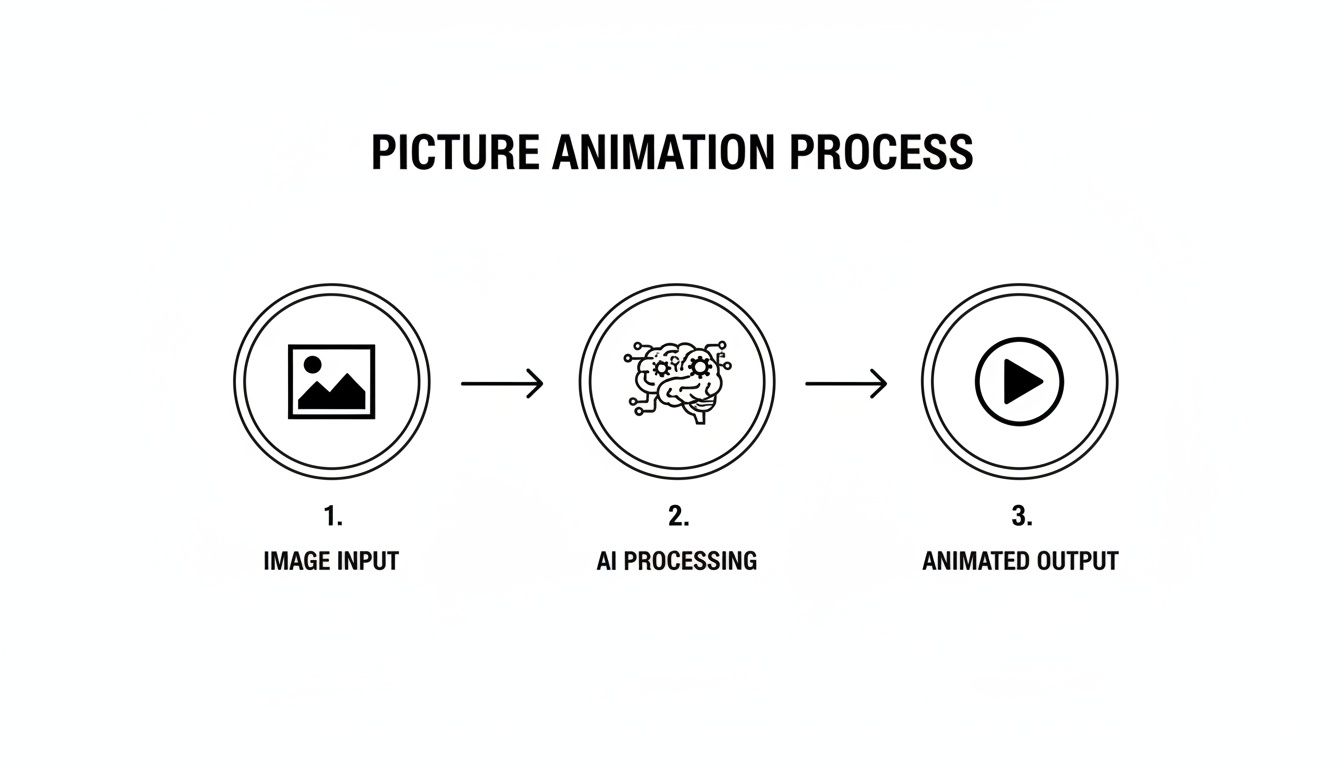
Ultimately, the quality of your animation comes down to two things: the quality of the image you start with and how clearly you can describe the motion you want.
With so many models available in Zemith, it helps to know which one to pick for your specific project. Here’s a quick breakdown to help you decide.
Each model has its own personality, so I always recommend running the same image and prompt through a couple of them. You might be surprised by the different creative interpretations you get back. It's the best way to find the perfect fit for your style.
Now, let's talk about the image itself. This part is crucial if you want a final animation that looks incredible instead of just… weird. The old "garbage in, garbage out" rule definitely applies here.
Pro Tip: I can't stress this enough: always start with the highest-resolution photo you can find. A sharp, detailed image gives the AI more information to work with, which means smoother motion and fewer glitches or artifacts.
Here are a few things I always do before uploading an image:
Taking a few minutes to prep your image is the secret sauce. It’s that little bit of extra effort that separates a decent animation from a truly jaw-dropping one.
This is the moment you stop being a user and become a director. Your prompt is the script you hand the AI, and let's be real—a lazy script gets a lazy performance. If you just tell the AI to "make it move," you're going to get the animation equivalent of a shrug. It’s a recipe for disappointment.
But what if you get specific? Instead of "move it," you write, "steam gently rises and curls from the hot coffee cup." See? Now you're not just asking for movement; you're creating an atmosphere, a feeling. This is the heart of prompting an AI picture animator—using vivid, descriptive language to paint a picture of the motion you have in your head.
You have to think like a filmmaker. What is your subject doing? How are they doing it? And what’s the camera's role in all of this? The more detail you feed the AI, the closer it gets to bringing your vision to life.
Let's break it down with a few real-world examples you can try right now in Zemith:
Notice the difference? We're describing not just the action, but the quality of that action. This little shift is what separates a generic, forgettable GIF from a captivating piece of living art.
The secret to great AI animation isn't about knowing some complicated code; it's about remembering how to describe things like you're telling a really good story. The AI is your artist, and your words are its only instructions.
If you want to get your creative juices flowing, check out our massive collection of AI image prompt examples. They're for still images, but you can easily adapt the descriptive language for animation.
Telling the AI what you want is only half the battle. You also have to tell it what you don’t want. This is where negative prompts become your best friend for avoiding those weird, uncanny valley results. Ever seen an animation with wonky eyes or a background that wobbles like Jell-O? A solid negative prompt could have probably fixed that.
A negative prompt is just a list of things for the AI to avoid. Think of it as putting up guardrails for its creativity.
Here are a few of my go-to negative prompts that I use all the time:
--no blurry, distorted, warped--no extra limbs, weird hands, mutated face--no shaky camera, jarring motion, flickeringAdding these to your prompt helps steer the AI away from common mistakes, giving you a much cleaner and more professional-looking animation. A great way to manage this is by using a tool like Zemith’s Smart Notepad. You can draft and tweak your main prompt and your negative prompts all in one place, getting the script perfect before you hit "generate." It’s like having a co-director to help you find just the right words.
Your prompt is the script, but the settings are where you really get to direct the show. Most AI animation tools have a dashboard full of sliders and toggles that can look a bit much at first glance. But once you get a feel for what each one does, you'll unlock a ton of creative control.
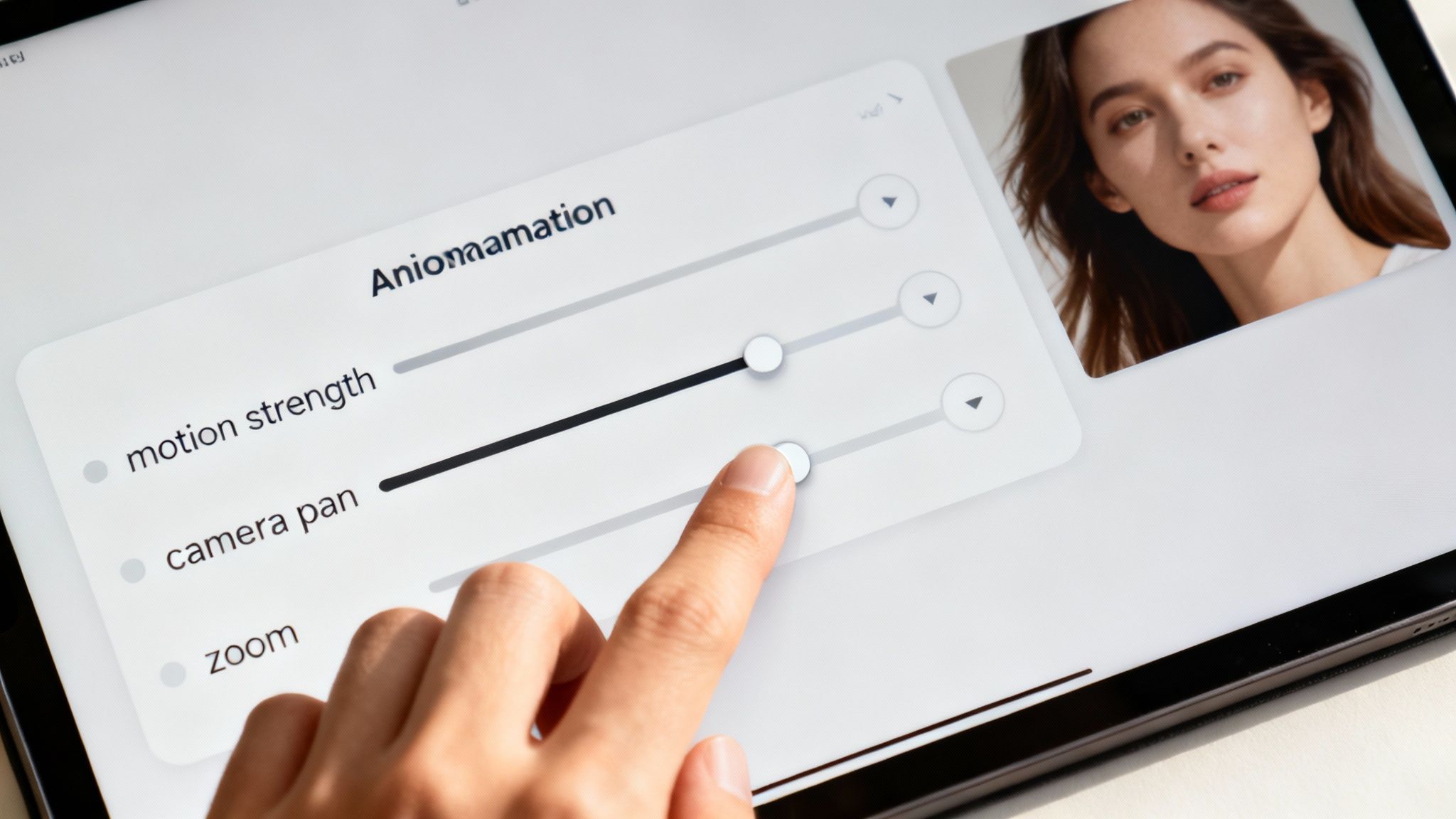
This is where you go from just making an image move to truly crafting an animation. It’s all about fine-tuning the details to transform a good result into something spectacular. Let's break down these controls.
The motion strength setting (you might also see it called 'motion intensity' or 'motion score') is your most important dial. A tiny nudge here can be the difference between a subtle, elegant animation and a scene that looks like it’s been hit by a tidal wave. I’m not kidding—I once turned a serene lake into a raging tsunami by cranking this slider too high.
My advice? Always start low and inch it up. It’s way easier to add more motion than it is to fix an animation that’s gone completely off the rails.
Want your animation to feel like it was shot by a pro? Get comfortable with the camera controls. These settings mimic real filmmaking techniques and can instantly make your work look more polished.
You'll usually find options like:
Using these tools adds a layer of professionalism that really separates your work from basic, static animations. The growth in this tech is wild; the generative AI in animation market hit $652.1 million in 2024 and is expected to soar to $916.6 million in 2025. This boom is happening because AI is getting scarily good at creating realistic physics and character movements. You can read more about this market transformation on technavio.com.
The real magic happens when you start combining these controls. For instance, a slow zoom-in paired with a gentle pan can create a really powerful, dramatic reveal. This is also where Zemith's multi-model workspace becomes a game-changer. You can generate a base animation, then feed that result into another model to add special effects or refine the camera work—all without leaving the platform. It's a fantastic way to experiment and polish your creation. If you want to dig deeper into how AI even understands what it's seeing, you might find our guide on artificial intelligence image analysis interesting.
So you’ve got the hang of the prompts and dialed in the motion controls. Now for the fun part: unleashing your creations on the world. Learning how to use an AI picture animator is cool, but the real magic is in what you do with the final product. This isn't just a nifty tech trick; it's a completely new way to tell stories and get people to pay attention.

If you're in marketing or create content for a living, this is a total game-changer. Let's be honest, static images get lost in the noise of social media feeds. Motion is what stops the scroll. Suddenly, that flat product photo can become a thumb-stopping social clip that people actually watch.
Just think about what this means for your brand. Instead of a plain shot of your new coffee blend, you can animate the steam gently rising from the mug. It’s a tiny detail, but it makes the product feel warm, real, and way more appealing.
Here are a few quick ideas to get the gears turning:
It's all about making your content more engaging. A tool like Zemith makes this dead simple. You can generate a stunning animated visual and then use its integrated AI writer to craft the perfect social media caption to go with it—your whole post, created in one spot.
This tech isn't just for selling things. It's an incredible tool for personal projects, artistic expression, and even bringing history back to life. Giving a still image the breath of life opens up so many creative doors.
It's about shifting from passive viewing to an active experience. When you animate a historical photo, you’re not just showing the past—you're inviting someone to step into that moment. That's a powerful way to tell a story.
Think about trying projects like these:
There’s a reason this technology is blowing up. The generative AI animation space was valued at $812.5 million in 2024 and is expected to rocket to $11,250.8 million by 2031. That kind of growth is driven by real-world uses that simplify creative work and produce incredible results.
After creating your animation in Zemith, you might want to fold it into a bigger video project. To add those finishing touches or make more complex edits, check out some of the best AI video editing tools available. This two-step workflow—generating in Zemith and polishing in an editor—gives you a powerful and professional process from start to finish.
Got that itch of curiosity? I get it. Stepping into the world of AI animation for the first time definitely brings up a lot of questions. I’ve put together the most common ones I hear and laid out some simple, direct answers to help you get amazing results right from the start.
When you're new to this, the "best" tool isn't the one with a million confusing buttons. It's the one that’s intuitive but still gives you room to be creative. Instead of getting lost trying to find a single perfect app, I usually point people toward an all-in-one platform like Zemith.
Here's why: it gives you access to a bunch of different top-tier AI models from one clean dashboard. This means you can play around and discover which model’s "style" you vibe with, all without needing to learn five separate interfaces. Just grab a high-quality photo, start with a simple, direct prompt like, "make the water in the waterfall flow downwards," and get friendly with the motion strength sliders. It's the easiest way to jump in and start creating amazing things immediately.
You absolutely can. Honestly, bringing old family pictures or historical photos to life is one of the most incredible things you can do with this technology. The process itself is the same, but if you want truly stunning results, I’d recommend running the photo through an AI restoration tool first. This can clean up scratches, sharpen details, and even colorize it.
AI animators do a fantastic job with black and white images. Think about taking an old portrait of a great-grandparent and adding a subtle, gentle smile or a slow blink. The trick is to keep the motion small and realistic to honor the photo's original feel. Simple prompts like "a gentle, slow smile appears" or "he blinks slowly, just once" can be incredibly powerful.
Ah, yes—the dreaded "uncanny valley." We've all seen those animations that feel more like a horror movie than a living memory. The secret to sidestepping this is all about one thing: subtlety.
Here’s a quick mental checklist I run through to keep my animations looking natural:
"--no distorted face, --no extra limbs, --no blurry" helps steer it away from making common mistakes.This is a great practical question. Most AI animation tools, including the ones integrated into Zemith, will let you export your work in the most popular video and image formats.
For 99% of what you'll ever need, MP4 and GIF will be your go-to options. An MP4 is your standard video file, perfect for sharing on social media or embedding on a website. A GIF is what you want for those short, looping animations that are easy to drop into emails, articles, or chat messages.
Ready to stop asking questions and start creating? Zemith bundles a whole suite of AI animation models with powerful editing and writing tools in one seamless workspace. Transform your static images into captivating motion today at Zemith.com.







Trusted by teams at






The top models, plus image, video and voice tools, in one plan.
Without Zemith
ChatGPT PlusUS$20.00Claude ProUS$20.00Google AI ProUS$19.99SuperGrokUS$30.00Perplexity ProUS$20.00 MidjourneyUS$10.00
 ElevenLabsUS$6.00Le Chat ProUS$14.99
 RunwayUS$15.00Kling StandardUS$8.80
 Gamma PlusUS$12.00
 Otter ProUS$16.99
 QuillBot PremiumUS$19.95
 Photoroom ProUS$12.99
 Quizlet PlusUS$7.99
Total if paying separatelyUS$234.70/mo
"I love the way multiple tools they integrated in one platform. Going in the right direction."
— simplyzubair
"The quality of data and sheer speed of responses is outstanding. I use this app every day."
— barefootmedicine
"The credit system is fair, models are perfect, and the discord is very responsive. Quite awesome."
— MarianZ
"Just works. Simple to use and great for working with documents. Money well spent."
— yerch82
"The organization of features is better than all the other sites — even better than ChatGPT."
— sumore
"It lives up to the all-in-one claim. All the necessary functions with a well-designed, easy UI."
— AlphaLeaf
"The team clearly puts their heart and soul into this platform. Really solid extra functionality."
— SlothMachine
"Updates made almost daily, feedback is incredibly fast. Just look at the changelogs — consistency."
— reu0691
Hand off the research, writing, design and follow-ups. Zemith picks the tools it needs and brings back finished work.
Search the web, run deep research, read files, create images and run code with GPT, Claude, Gemini, Grok and more.
Zemith keeps working in the cloud and pings you when it's done.
Notion, Linear, Canva, Airtable and more. It asks before it creates or changes anything.
Docs, slides, sheets and PDFs, ready to send.
Chain models and tools on a visual canvas, from one prompt to a finished promo video.
Briefings, reports and reminders run on a schedule and are ready when you need them.
Real-time voice that can see your camera or screen.
The best image and video models, in one studio.
Turn PDFs, links and YouTube videos into podcasts, quizzes, flashcards and mind maps.














 Podcast
 Quiz
Quiz Flashcards
 Mind map
 Infographic