12 Best AI Tools for Productivity in 2026 to Supercharge Your Workflow
Explore the 12 best ai tools for productivity in 2026 with honest use cases, pricing tips, and actionable insights – featuring the all-in-one powerhouse Zemith.
Let's be real: juggling ten different AI subscriptions is about as fun as herding cats—blindfolded. You've got one for writing, another for coding, a third for generating images of squirrels on tiny motorcycles (hey, no judgment!), and before you know it, you're drowning in a sea of tabs and monthly bills. The dream was streamlined efficiency, but the reality feels more like digital chaos. This isn't just another generic list; it's your definitive guide to the best ai tools for productivity, designed to help you reclaim your time and sanity. What are the best free AI tools for productivity, you ask? We'll cover those, too.
We're cutting through the hype with hands-on insights into what actually works. Whether you're a developer debugging at midnight, a content creator battling a blank page, or a student trying to make sense of a dense research paper, this list is for you. We'll explore powerful, specialized platforms for every need, from coding and research to creative work and collaboration. For those who want to dig even deeper into the ever-expanding universe of AI platforms, resources like lunabloomai offer additional insights into the landscape.
In this roundup, we’ll give you the honest pros and cons, clear pricing info, and direct links (with screenshots!) for each tool. We'll show you exactly which platform is best for specific tasks, so you can pick the right one without the trial-and-error headache. And if you’re tired of the constant app-switching, stick around. We'll also reveal how an all-in-one workspace like https://www.zemith.com can consolidate your workflow and turn that digital chaos into a streamlined productivity machine.
1. Zemith
Best All-in-One AI Productivity Hub
If you're tired of juggling a dozen different AI subscriptions just to get your work done, Zemith is the unified command center you've been waiting for. It elegantly solves the "too many tabs" problem by consolidating a massive suite of top-tier AI models (think Gemini 2.5 Pro, Claude 4 Sonnet, GPT variants, Flux, and more) into a single, cohesive workspace. This makes it one of the absolute best AI tools for productivity, allowing you to pick the perfect model for any given task without ever leaving the platform. Think of it as the ultimate AI buffet where you don't have to pay for each individual dish.
Why Zemith Stands Out
Zemith goes far beyond a simple model switcher. It’s an integrated ecosystem designed to streamline complex workflows from start to finish. For researchers and students, the AI Document Assistant is a game-changer. You can upload dense PDFs or documents and instantly chat with them, generate summaries, create quizzes, and even convert the text into an audio podcast. It's like having a research assistant who never sleeps (and doesn't steal your snacks).
Content creators will love the Smart Notepad, which offers intelligent autocomplete, rephrasing, and paragraph generation, while the Coding Assistant provides robust support for developers with code generation, debugging, and live previews. The platform's image generation and editing tools are also incredibly powerful, giving you multi-model creation and advanced features like object removal directly within your projects. This actionable approach means you're not just getting answers; you're creating finished work, all in one place.
Core Features and Use Cases
- Multi-Model Access: Seamlessly switch between the industry’s best models to find the ideal one for your specific need, whether it's creative writing with Claude or logical analysis with Gemini.
- Integrated Workspaces: The Library and Projects features act as a central knowledge base, maintaining context across all your files and tasks to keep you organized.
- Productivity Utilities: Zemith is packed with practical converters (e.g., YouTube video to blog post, CSV to Markdown table) that automate tedious tasks and save you hours.
- Live Mode & Mobile App: Collaborate with AI in real-time using audio and screen sharing, or take your entire AI toolkit on the go with a full-featured mobile app.
Pros & Cons
Pricing: Zemith operates on a credits-based model with a free tier to get you started. The cost varies depending on which AI models you use, offering flexibility for different budgets.
Website: https://www.zemith.com
2. OpenAI – ChatGPT
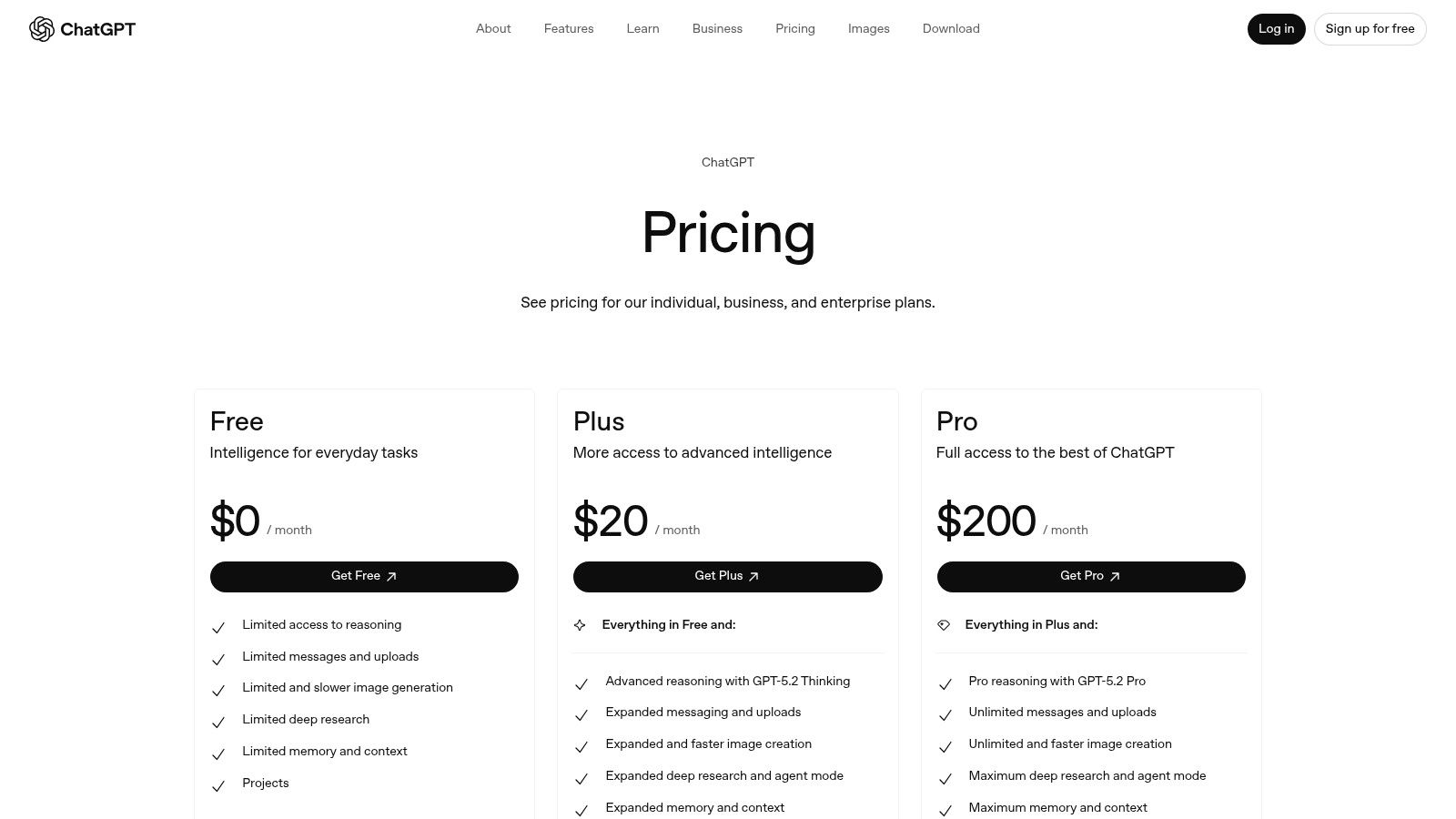
It’s impossible to talk about the best AI tools for productivity without mentioning the one that started it all for most of us. ChatGPT is the Swiss Army knife of AI assistants, capable of handling everything from drafting emails and debugging code to brainstorming marketing campaigns and analyzing complex data sets. It’s the foundational, general-purpose powerhouse that many other tools build upon.
What makes ChatGPT a staple is its direct access to OpenAI's latest models, a massive third-party ecosystem of plugins (now integrated into GPTs), and features like voice mode and advanced data analysis. It’s a fantastic standalone tool for anyone looking to delegate a wide array of digital tasks to a capable AI.
Key Features & Use Cases
- Custom GPTs: You can build your own mini-AI assistants for repeatable tasks without any coding. For example, create a "Blog Post Formatter" GPT that instantly structures your text with perfect Markdown, saving you tons of time.
- Advanced Data Analysis: Upload a spreadsheet, and ask it to find trends, create visualizations, or clean up messy data. It’s like having a data analyst on call 24/7.
- Broadest Functionality: From creative writing and coding assistance to in-depth research, it covers the most ground of any single consumer AI app.
Pros & Cons
Best For: Individuals and teams who need a powerful, do-it-all AI assistant and are willing to pay for premium access to the latest models and features. It's a fantastic tool, but if you find yourself constantly switching between it, a notes app, and a project manager, a consolidated solution like Zemith offers an actionable insight: you can streamline that workflow even further in one place.
Pricing: Starts with a robust free version. Paid plans include Plus, Teams, and Enterprise, offering access to more advanced models like GPT-4o, higher usage limits, and team-focused features.
Website: https://openai.com/chatgpt/pricing
3. Microsoft – Microsoft 365 with Copilot
If your professional life revolves around Word, Excel, and Outlook, then Microsoft 365 with Copilot is a game-changer. Instead of juggling separate AI apps, Copilot brings generative AI directly into the software you already use every day. It’s designed to be the ultimate assistant for anyone deeply embedded in the Microsoft ecosystem, transforming how you create documents, analyze data, and manage emails.
What makes Copilot stand out is its seamless integration. It’s not an add-on you have to remember to open; it’s a core part of the workflow. From summarizing lengthy email chains in Outlook to generating entire presentations from a Word document, it’s one of the best AI tools for productivity simply because it meets you where you already are, eliminating the friction of context switching.
Key Features & Use Cases
- Generative Assistance in Office Apps: Ask Copilot to draft a proposal in Word based on your notes, create a pivot table from raw data in Excel, or design a slide deck in PowerPoint from a simple prompt.
- Email Triage in Outlook: Use it to summarize long conversations, draft polite but firm replies, or schedule meetings based on an email's content. It’s like having an executive assistant for your inbox.
- Microsoft Teams Integration: Get meeting summaries, identify action items, and ask questions about what you missed during a call without having to re-watch the entire recording.
Pros & Cons
Best For: Individuals and businesses heavily invested in the Microsoft 365 ecosystem who want to supercharge their existing workflows without leaving their core applications.
Pricing: Included for individuals with a Microsoft 365 Personal or Family subscription. For businesses, it is available as an add-on to most Microsoft 365 Business and Enterprise plans.
Website: https://www.microsoft.com/microsoft-365
4. Google – Google One AI Pro (Gemini Advanced)
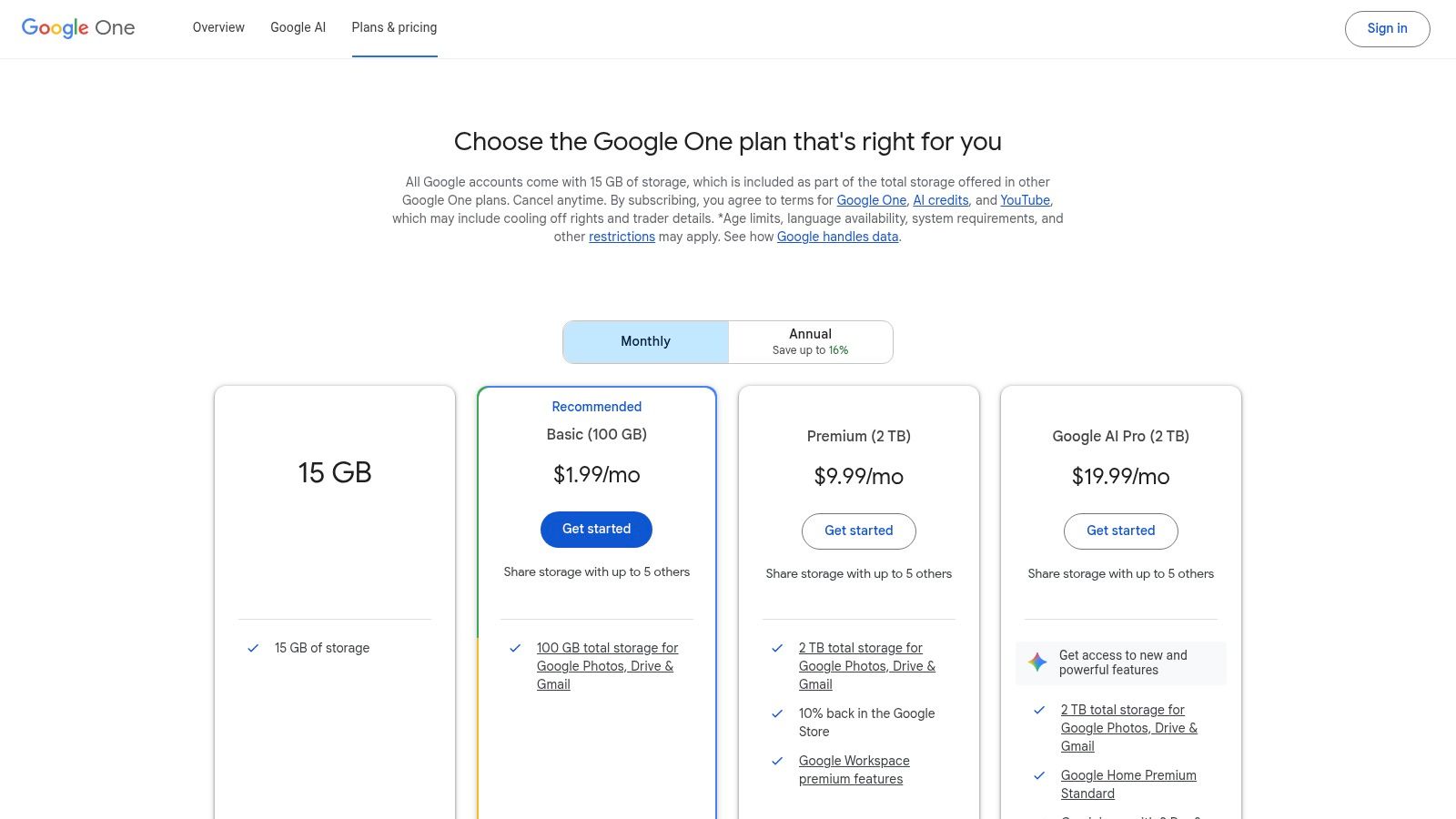
For those already living and breathing in the Google ecosystem, upgrading to the Google One AI Pro plan is a no-brainer. This isn't just about getting access to Gemini Advanced; it's about embedding a powerful AI assistant directly into the tools you use every single day, like Gmail, Docs, and Sheets. It essentially supercharges your existing workflow, turning Google Workspace into an intelligent, collaborative hub.
What makes this one of the best AI tools for productivity is its seamless integration. Instead of toggling between a separate AI chat window and your documents, you can draft emails in Gmail, brainstorm in Docs, or summarize data in Sheets with a simple prompt. It’s the ultimate convenience play for Google-centric users, bundling top-tier AI with a hefty 2 TB of storage and other family-sharing perks.
Key Features & Use Cases
- Integrated AI in Google Apps: Use "Help me write" in Gmail to draft professional emails in seconds or "Help me organize" in Sheets to instantly create project plans. It’s about doing more, right where you already work.
- Gemini Advanced Access: Get priority access to Google's most capable model, Gemini 2.5 Pro, for complex reasoning, coding, and creative collaboration tasks.
- NotebookLM & Creative Credits: Leverage enhanced limits in NotebookLM for source-grounded research and get AI credits for creative tools like Flow/Whisk, expanding your toolkit beyond just text.
Pros & Cons
Best For: Individuals and families deeply embedded in the Google Workspace suite who want AI assistance without leaving their familiar environment. It’s an incredible value if you already use Google Drive for storage, but if you need an AI that also manages your projects and notes in one place, you might find a tool like Zemith offers a more holistic solution.
Pricing: Bundled with Google One storage plans. The AI Pro plan is the primary tier offering Gemini integration in Workspace apps.
Website: https://one.google.com/plans
5. Anthropic – Claude
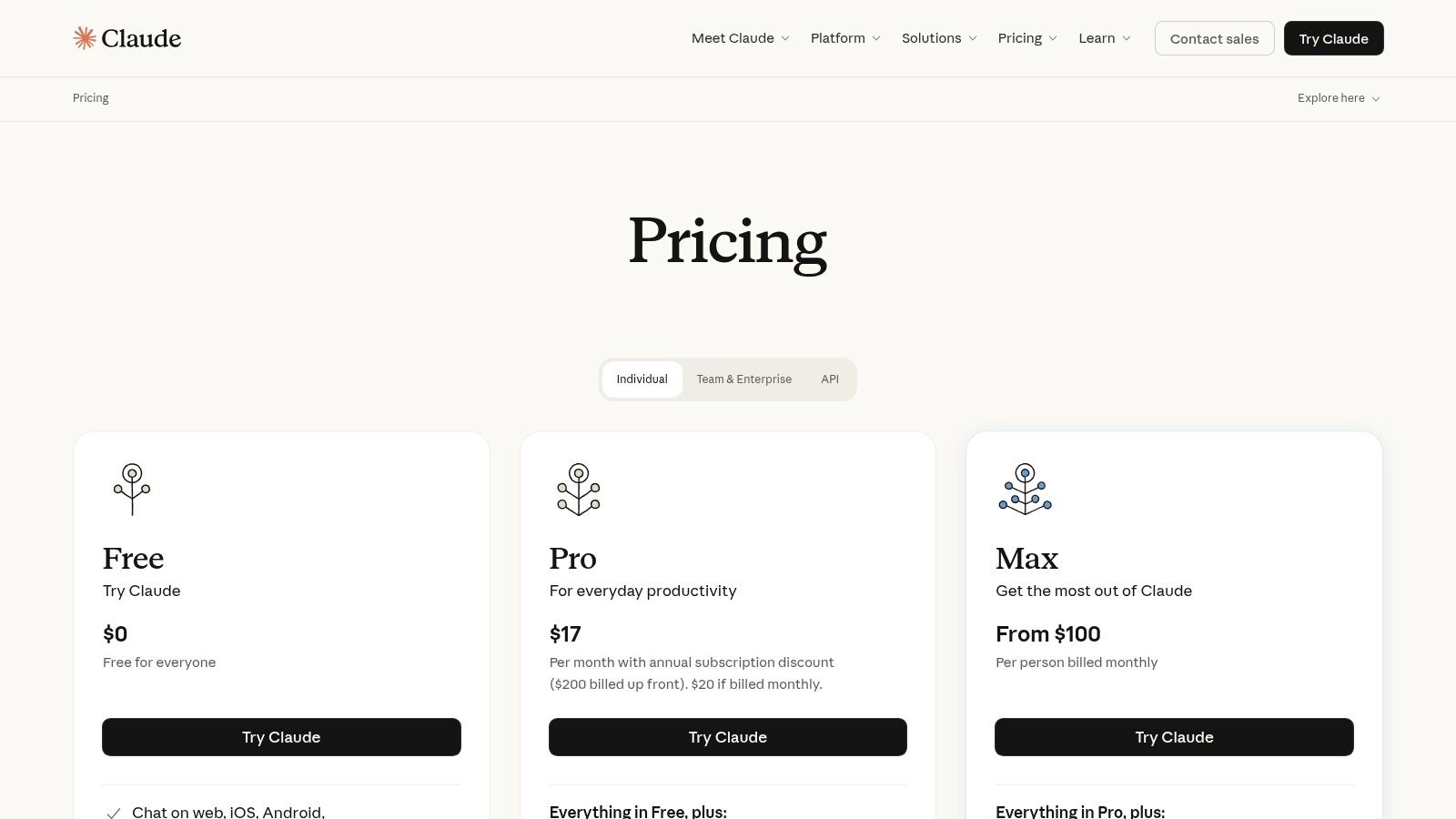
If ChatGPT is the all-around powerhouse, Claude is the thoughtful, meticulous wordsmith. Positioned as a direct competitor, Claude excels in tasks requiring nuanced understanding, sophisticated writing, and handling massive amounts of text. It's particularly strong at summarizing dense documents, drafting long-form content, and acting as a careful, safety-conscious creative partner.
What sets Claude apart is its remarkable ability to process large contexts (like entire novels or codebases) and its more conversational, collaborative tone. For users who find other AIs a bit too robotic, Claude’s natural language generation often feels more refined and human-like, making it one of the best AI tools for productivity in writing-heavy roles.
Key Features & Use Cases
- Massive Context Window: You can upload large documents (PDFs, code files, etc.) and ask Claude to summarize, analyze, or answer questions about them. It’s perfect for reviewing long research papers or legal contracts in seconds.
- Superior Writing & Reasoning: Excels at producing high-quality, coherent long-form content like articles, reports, and creative stories with a consistent voice.
- Projects for Organization: A handy feature that lets you group chats and documents together, creating dedicated workspaces for different tasks or research topics.
Pros & Cons
Best For: Writers, researchers, and professionals who prioritize high-quality text generation and need to work with large documents. Its clean interface and organizational tools are great, but if you need to pull that research into a structured project with tasks and deadlines, a unified platform like Zemith can bridge that gap by connecting your AI-powered brainstorming directly to your workflow.
Pricing: Offers a powerful free version. Paid plans include Pro and Team tiers, providing higher usage limits, access to the latest models, and collaboration features for businesses.
Website: https://www.claude.com/pricing
6. Perplexity AI
If ChatGPT is the Swiss Army knife, Perplexity AI is the razor-sharp scalpel for research. It’s an AI "answer engine" designed to obliterate the time you waste sifting through search engine results. Instead of just giving you a list of links, Perplexity provides direct, conversational answers complete with citations, so you can verify information instantly and dive deeper into sources.
What makes Perplexity a standout among the best AI tools for productivity is its singular focus on verifiable knowledge. It's built for anyone who needs fast, accurate, and sourced answers, from researchers and students to marketers and content creators. It cuts through the noise and delivers concise summaries, making it an indispensable tool for deep-dive research tasks. How can AI tools improve productivity in research? This tool is the answer.
Key Features & Use Cases
- Cited Answers: Every response includes direct links to its sources, allowing you to check the facts and avoid AI "hallucinations." This is perfect for academic research, fact-checking articles, or creating source-backed content.
- File Analysis: Upload PDFs, text files, or even code, and ask Perplexity questions about the content. It's incredibly useful for summarizing long research papers or quickly understanding a complex document.
- Model Choice: The Pro plan lets you switch between different powerful AI models (like GPT-4o and Claude 3 Opus) to find the best one for your specific query.
Pros & Cons
Best For: Researchers, students, content creators, and knowledge workers who need a reliable, fast, and verifiable way to find information and synthesize complex topics. It’s the ultimate research assistant.
Pricing: Offers a generous free tier. The Pro plan unlocks more searches, file uploads, and access to advanced AI models, with Enterprise options for teams needing SSO and private workspaces.
Website: https://www.perplexity.ai
7. Notion (with Notion AI)
Notion has evolved from a beloved all-in-one workspace into a serious contender among the best AI tools for productivity. By integrating AI directly into its docs, wikis, and project boards, it turns your team’s central knowledge hub into an active assistant. It’s designed to be the single source of truth where you not only store information but also use AI to summarize, create, and automate tasks based on that very context.
What sets Notion AI apart is its deep integration with your existing content. It can instantly generate meeting summaries from your notes, draft project plans based on a brainstorming doc, or answer questions by searching across your entire workspace. This makes it less of a standalone tool and more of a deeply embedded productivity partner that understands your team's unique knowledge.
Key Features & Use Cases
- Contextual AI: Highlight any text and ask the AI to improve writing, summarize, translate, or change the tone. It’s perfect for quickly refining a draft or pulling key takeaways from a long report.
- Q&A Enterprise Search: Ask questions in natural language like, "What were our Q3 marketing goals?" and Notion Q&A will search all your team’s pages to find the answer, citing its sources.
- AI Autofill & Automation: Use AI to automatically fill properties in your databases. For example, you can create a rule that automatically summarizes customer feedback entries as they are added.
Pros & Cons
Best For: Teams and individuals who already use Notion or are looking for a unified workspace where their documentation and AI can live together. It’s ideal for centralizing knowledge and streamlining content-heavy workflows. For those who need to connect even more external apps and build truly custom, multi-step automations without leaving their hub, an integrated platform like Zemith could be the next logical step.
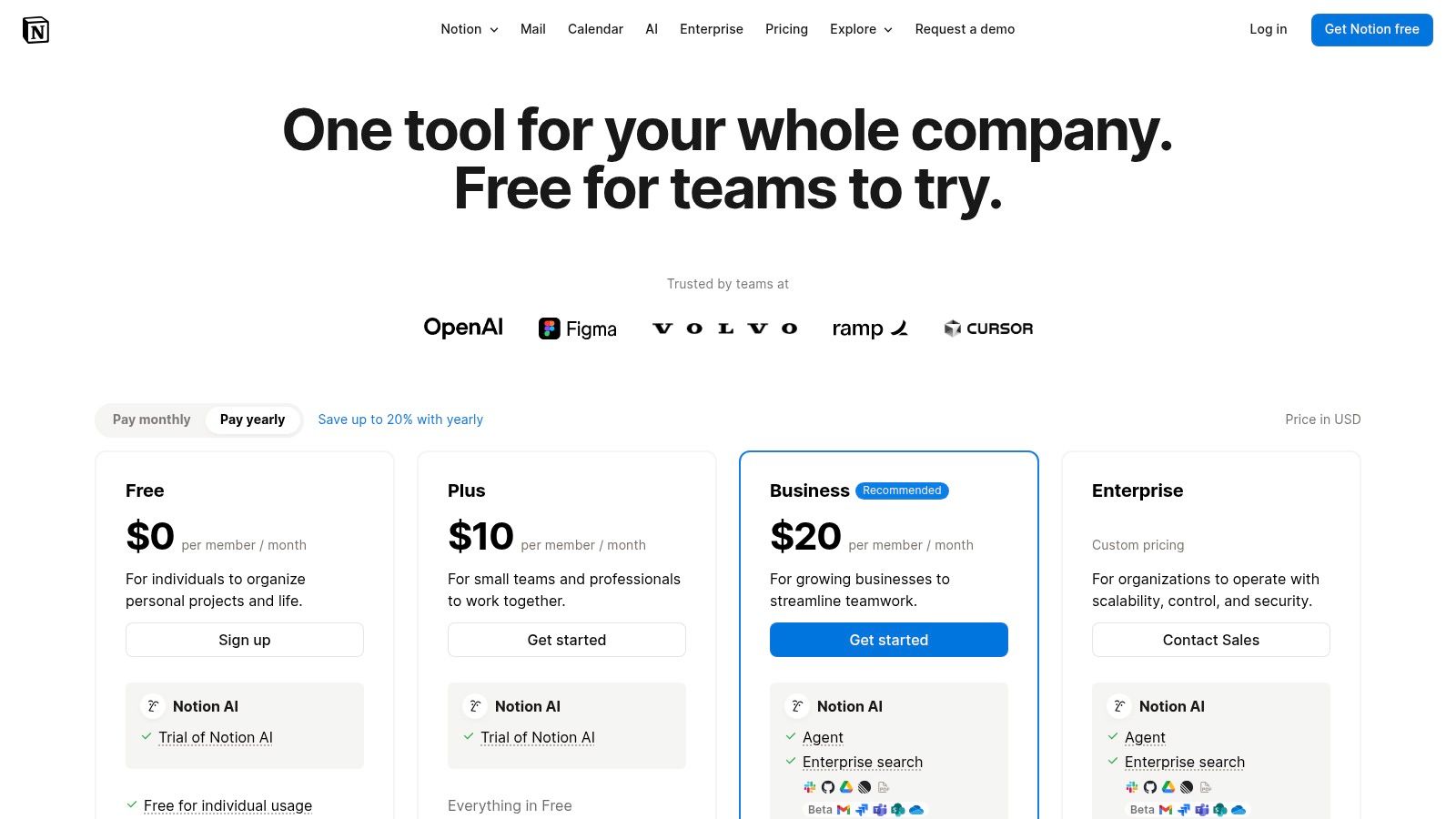
Pricing: Offers a free plan for individuals. Paid plans include Plus, Business, and Enterprise, with the Notion AI add-on available for an additional per-user fee.
Website: https://www.notion.so/pricing
8. GitHub – GitHub Copilot
For developers, GitHub Copilot isn't just one of the best AI tools for productivity; it's a revolutionary pair programmer that lives right inside your code editor. It goes far beyond simple autocomplete, offering intelligent code suggestions, entire function completions, and even a conversational chat interface to debug issues or brainstorm solutions. It’s like having a senior developer whispering helpful hints in your ear, 24/7.
What makes Copilot so indispensable is its deep integration into the developer workflow. It seamlessly plugs into popular IDEs like VS Code and JetBrains, understanding the context of your project to provide relevant, high-quality suggestions. This tight integration minimizes context switching, allowing developers to stay in a state of flow and write better code, faster.

Key Features & Use Cases
- IDE Integrations: Works directly within VS Code, JetBrains, Visual Studio, and more, providing real-time suggestions as you type. No more tabbing over to Stack Overflow for every little thing.
- Copilot Chat: An integrated chat experience where you can ask coding questions, get explanations for complex code blocks, or generate unit tests on the fly.
- CLI Support & Agents: Extends AI assistance to your command line for finding the right commands and automates repository tasks like documentation updates.
Pros & Cons
Best For: Software developers, engineers, and data scientists who spend their days in a code editor. It dramatically reduces the time spent on boilerplate code and routine tasks, freeing up mental energy for complex problem-solving.
Pricing: Offers a free trial. Paid plans for individuals start at a very reasonable price, with options for Businesses and Enterprises that include enhanced security and management features.
Website: https://github.com/features/copilot/plans
9. Canva – Magic Studio
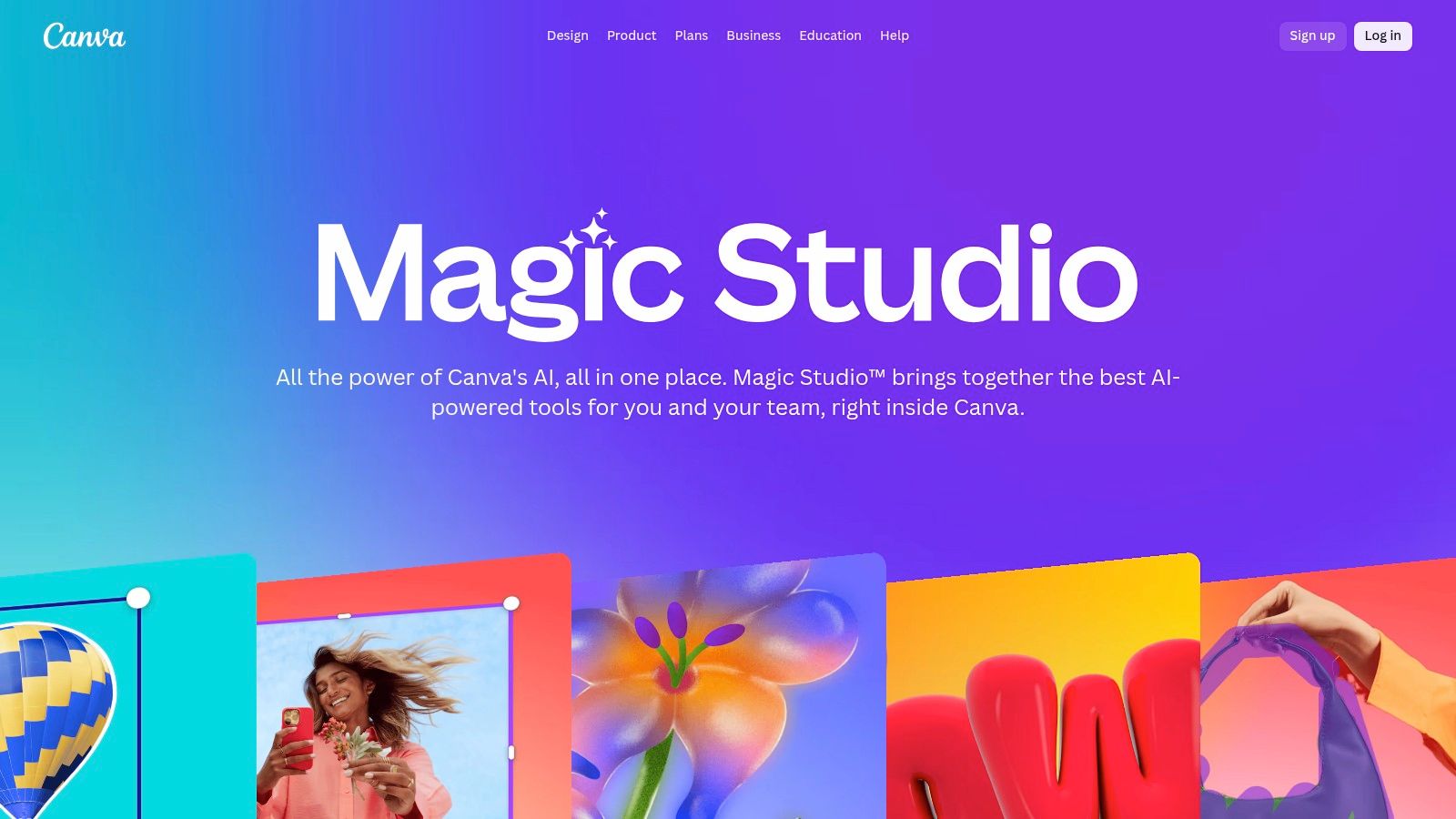
Canva was already a design powerhouse for non-designers, but its Magic Studio suite has supercharged it into one of the best AI tools for productivity in the creative space. It integrates AI directly into the familiar Canva workflow, allowing you to generate everything from social media posts and presentations to videos and marketing copy, all while keeping everything perfectly on-brand. It’s the ultimate shortcut for producing professional-quality visuals without the steep learning curve of traditional design software.
What makes Magic Studio so effective is its seamless integration. You’re not jumping to a separate AI tool and importing assets; you’re generating and editing them right where you need them. This unified approach drastically speeds up content creation, making it an indispensable asset for marketers, creators, and small business owners who wear multiple hats.
Key Features & Use Cases
- Magic Write & Magic Design: Instantly generate entire presentations, social media captions, or video scripts. Just provide a prompt, and it creates a fully designed, editable draft based on your brand kit.
- Generative AI Editing: Use tools like Magic Edit to swap objects in a photo, Magic Eraser to remove unwanted elements, or Text to Image to create custom visuals from scratch directly within your design.
- Magic Switch: Effortlessly transform one content format into another. Turn a presentation into a blog post, a brainstorm document into an email, or a social media graphic into a video with just a few clicks.
Pros & Cons
Best For: Marketing teams, solo entrepreneurs, and content creators who need to produce a high volume of branded visual content quickly and efficiently without deep design expertise. It's a fantastic visual-first tool, but if your projects involve juggling these designs with complex project plans and documents, a tool like Zemith can help centralize that entire creative and management workflow.
Pricing: Offers a free plan with limited Magic Studio features and credits. Canva Pro and Canva for Teams unlock more advanced tools, higher credit limits, and collaboration features.
Website: https://www.canva.com/magic/
10. Zapier (with Zapier AI, Agents, and AI Actions)
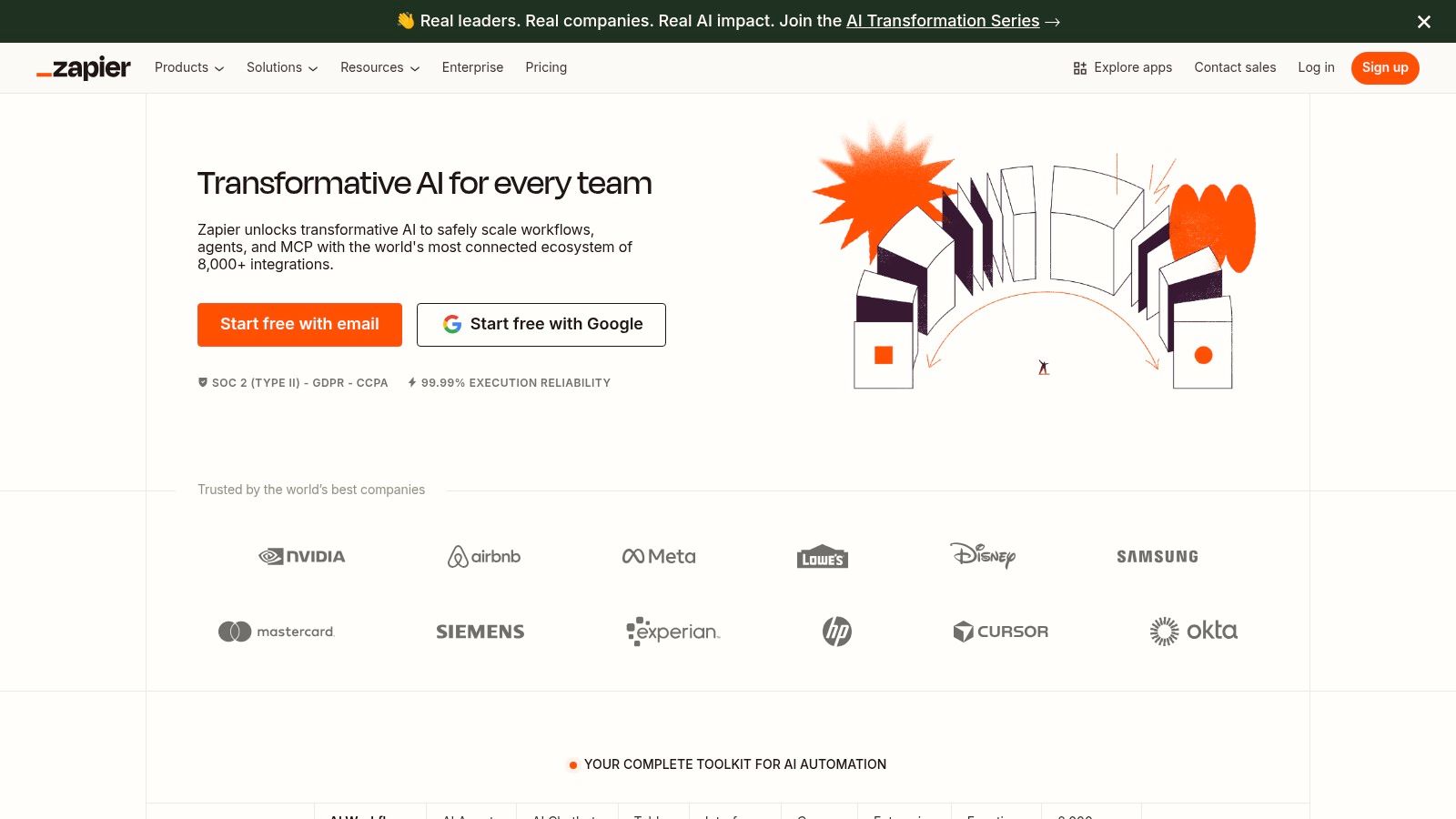
Zapier has long been the king of no-code automation, connecting all your apps so they can talk to each other. Now, it’s infused that powerful platform with AI, turning it from a simple "if this, then that" tool into a "think, decide, and act" engine. It’s one of the best AI tools for productivity because it doesn't just generate content; it puts that AI-generated output to work across your entire software stack.
What makes Zapier’s approach so powerful is its focus on action. You can use its AI features to summarize incoming leads before they’re added to your CRM, draft personalized email responses automatically, and even build custom AI agents that execute multi-step workflows without any manual intervention. It’s the essential bridge between AI insights and real-world business outcomes.
Key Features & Use Cases
- AI Actions & Agents: Build autonomous "agents" that can perform complex tasks, like researching a new lead, updating your project management tool, and drafting a follow-up email, all from a single prompt.
- Massive Integration Library: Connect to over 7,000 apps. You can trigger a workflow from a new Gmail message, use AI to analyze its content, and then post a summary to a specific Slack channel automatically.
- AI Copilot & Builder: Describe the workflow you want in plain English, and Zapier's AI Copilot will build the "Zap" for you, drastically lowering the barrier to entry for complex automation.
Pros & Cons
Best For: Teams and businesses that are already using multiple SaaS tools and want to inject AI into their existing workflows to automate decisions and actions, not just content creation.
Pricing: Offers a free plan with limited tasks. Paid plans scale up based on task volume and access to premium features and apps.
Website: https://zapier.com
11. AppSumo – AI Deals Marketplace
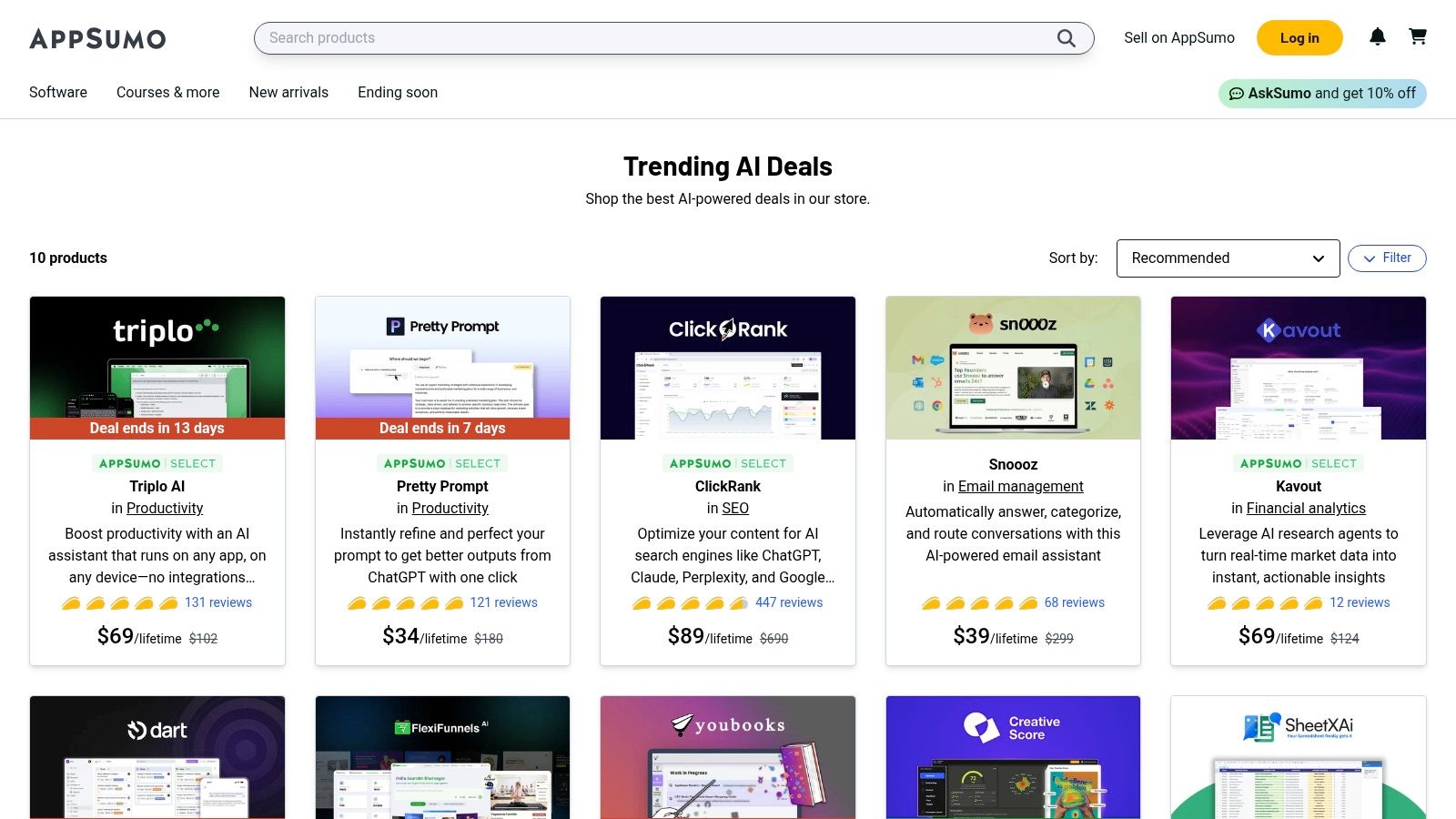
Sometimes the best AI tool for productivity isn't a single platform but a marketplace where you can find the next hidden gem at a steep discount. AppSumo is the digital equivalent of a treasure hunt for entrepreneurs and professionals, offering lifetime deals (LTDs) on a huge variety of up-and-coming AI software. It’s the perfect place to experiment with specialized tools without committing to expensive monthly subscriptions.
From AI-powered video editors to niche content generators, AppSumo curates and vets new tools, giving you a chance to build a powerful, customized AI toolkit on a budget. If you love discovering and trying new software, this is your playground.
Key Features & Use Cases
- Curated AI Deal Collections: AppSumo makes it easy to find what you're looking for with dedicated pages for trending AI tools, helping you quickly spot popular and highly-rated deals.
- Lifetime Deals (LTDs): Pay once and own the software forever. This is fantastic for snagging a powerful transcription, design, or automation tool that you can use for years to come.
- Community Reviews & Vetting: Each deal features extensive reviews and Q&As from other users (called "Sumo-lings"), giving you real-world insight before you buy.
Pros & Cons
Best For: Solopreneurs, small teams, and software enthusiasts looking to build a diverse arsenal of specialized AI tools without breaking the bank. It's an excellent way to patch together a productivity system, but if you find yourself buying multiple tools to solve a single workflow problem, a unified platform like Zemith could offer a more integrated and stable solution.
Pricing: Varies per deal, but many lifetime deals are available for a one-time payment, typically ranging from $39 to $99.
Website: https://appsumo.com/collections/trending-ai/
12. Chrome Web Store – AI Productivity Collection
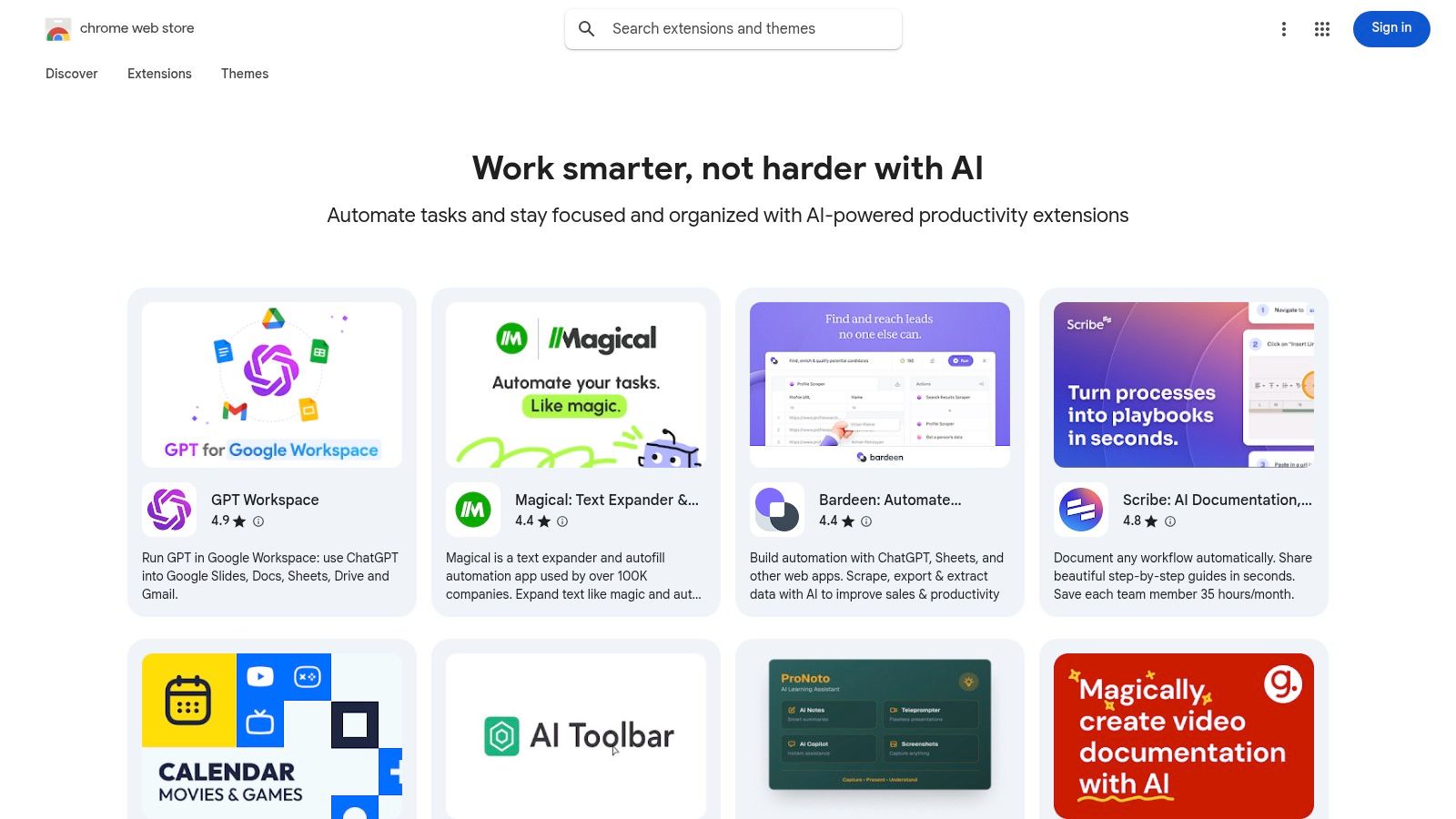
Sometimes the best AI tools for productivity aren't massive standalone apps, but lightweight helpers that live right inside your browser. The Chrome Web Store's curated "Work smarter with AI" collection is a fantastic starting point for discovering these nimble extensions. It's a treasure trove of tools that can summarize articles, draft emails, record SOPs, and enhance your research without ever making you switch tabs.
This approach lets you sprinkle AI capabilities directly into your existing workflow, whether you're in Gmail, Google Docs, or a specific web app. It’s like giving your browser a set of superpowers, one click at a time. The real magic is how these small tools compound to save you minutes on dozens of tasks throughout the day.
Key Features & Use Cases
- Curated Discovery: The 'Work smarter with AI' collection makes it easy to find vetted, high-quality extensions for specific tasks like writing, summarizing, or creating SOPs.
- One-Click Integration: Installing these tools is instantaneous, allowing you to test and adopt new AI helpers with zero friction or complicated setup.
- In-Context Assistance: Get AI help directly where you work. Use a rewriter in Gmail, a summarizer on a news article, or a research assistant on a documentation page.
Pros & Cons
Best For: Individuals who want to add specific AI-powered features to their existing browser workflow without committing to a full-fledged platform. It's perfect for trying before you buy, but if you find yourself juggling five different AI extensions, a unified workspace like Zemith might offer a more cohesive and powerful experience.
Pricing: The collection features a mix of completely free extensions, free tiers with paid upgrades, and premium-only tools.
Website: https://chromewebstore.google.com/collection/ai_productivity
Top 12 AI Productivity Tools Comparison
Next Steps to AI-Powered Productivity
So, you’ve just navigated a whirlwind tour of the AI productivity landscape. We've seen everything from the conversational genius of ChatGPT and Claude to the coding wizardry of GitHub Copilot and the design magic of Canva. It’s a lot to take in, and frankly, it can feel like trying to drink from a firehose. The key takeaway isn't to adopt all twelve tools tomorrow; it's to realize that the "perfect" AI assistant is no longer a single, mythical creature. It’s a team you build.
The real challenge, and the biggest opportunity, lies in crafting your own personal AI "stack." You might use Perplexity AI for deep-dive research, then feed those insights into ChatGPT to draft a blog post, and finally use Canva's Magic Studio to create stunning visuals for it. This multi-tool tango is powerful, but it's also where the dreaded "tab fatigue" and subscription creep can set in. Each new login is another password to forget, and each monthly fee is another line item on your expense report.
This is where a strategic approach becomes non-negotiable and where consolidated platforms like Zemith truly shine. Instead of juggling a dozen different interfaces and billing cycles, you get a unified command center. It’s the difference between hiring a bunch of individual freelancers who don't talk to each other and having a cohesive, in-house team that operates from a single playbook. An actionable insight is to consolidate where you can to save both time and money.
How to Build Your AI Productivity Engine
Feeling overwhelmed? Don't be. Turning this list of the best ai tools for productivity into a tangible workflow is simpler than you think. Here’s a practical, step-by-step game plan to get you started without the headache.
Identify Your Biggest Bottleneck: Don't try to "AI" everything at once. What's the one repetitive, time-sucking task that makes you want to throw your laptop out the window? Is it summarizing meeting notes? Writing initial code drafts? Generating social media captions? Pinpoint that one major pain point first.
Run a "Micro-Pilot": Pick two or three tools from this list that seem like the best fit for that bottleneck. Dedicate one week to a small-scale test. For example, if you’re a developer, try using GitHub Copilot for your next feature and simultaneously experiment with Zemith's coding assistant for brainstorming and documentation. Don't commit long-term; just experiment.
Track Your Time (and Sanity): Before and after your micro-pilot, use a simple timer or just make a note of how long that core task takes. Did the AI tool actually save you time? More importantly, did it reduce your cognitive load? The goal isn't just to be faster; it's to free up brain space for the work that truly matters. Sometimes, the best productivity gain is feeling less drained at the end of the day.
Consider the Integration Factor: As you test, think about how these tools play with your existing ecosystem. A standalone tool might be amazing, but if it doesn't connect to your project management software or cloud storage, you’re just creating new manual work for yourself. This is where tools built on integration, like Zapier or a consolidated workspace like Zemith, offer a massive advantage. For those in specific fields like marketing, understanding how these tools fit into a larger strategy is crucial. If you're looking to apply these concepts directly to business growth, you'll find a focused breakdown in this list of the Top AI Tools for B2B Marketing and Sales.
Iterate and Expand: Once you find a winner for your first bottleneck, lock it in. Then, move on to the next one. By tackling one productivity drain at a time, you'll build a powerful, customized AI stack that feels like an extension of your own mind, not just another piece of software you have to manage.
The era of AI-powered productivity is officially here. It’s no longer a futuristic concept but a practical, daily reality for professionals across every industry. Your next big efficiency breakthrough isn’t waiting for a new-fangled app to be invented; it’s waiting for you to pick a tool from this list and start experimenting.
Tired of juggling a dozen different AI tools and paying for subscriptions you barely use? Zemith combines the best of writing, research, coding, and collaboration into a single, intuitive workspace. Stop switching tabs and start streamlining your workflow by trying Zemith today.
Explore Zemith Features
Every top AI. One subscription.
ChatGPT, Claude, Gemini, DeepSeek, Grok & 25+ more








Always on, real-time AI.
Voice + screen share · instant answers
What's the best way to learn a new language?
Immersion and spaced repetition work best. Try consuming media in your target language daily.
Voice + screen share · AI answers in real time
Image Generation
Flux, Nano Banana, Ideogram, Recraft + more

Write at the speed of thought.
AI autocomplete, rewrite & expand on command
Any document. Any format.
PDF, URL, or YouTube → chat, quiz, podcast & more
Video Creation
Veo, Kling, Grok Imagine and more

Text to Speech
Natural AI voices, 30+ languages
Code Generation
Write, debug & explain code
Chat with Documents
Upload PDFs, analyze content
Your AI, in your pocket.
Full access on iOS & Android · synced everywhere
Your infinite AI canvas.
Chat, image, video & motion tools — side by side

Save hours of work and research
Transparent, High-Value Pricing
Trusted by teams at






Free
No credit card required
- 100 credits daily
- 3 AI models to try
- Basic AI chat
Plus
- 1,000,000 credits/month
- 25+ AI models — GPT, Claude, Gemini, Grok & more
- Agent Mode with web search, computer tools and more
- Creative Studio: image generation and video generation
- Project Library: chat with document, website and youtube, podcast generation, flashcards, reports and more
- Workflow Studio and FocusOS
Professional
- Everything in Plus, and:
- 2,100,000 credits/month
- Pro-exclusive models (Claude Opus, Grok 4, Sonar Pro)
- Motion Tools & Max Mode
- First access to latest features
- Access to additional offers
What Our Users Say
Great Tool after 2 months usage
"I love the way multiple tools they integrated in one platform. Going in the right direction."
— simplyzubair
Best in Kind!
"The quality of data and sheer speed of responses is outstanding. I use this app every day."
— barefootmedicine
Simply awesome
"The credit system is fair, models are perfect, and the discord is very responsive. Quite awesome."
— MarianZ
Great for Document Analysis
"Just works. Simple to use and great for working with documents. Money well spent."
— yerch82
Great AI site with accessible LLMs
"The organization of features is better than all the other sites — even better than ChatGPT."
— sumore
Excellent Tool
"It lives up to the all-in-one claim. All the necessary functions with a well-designed, easy UI."
— AlphaLeaf
Well-rounded platform with solid LLMs
"The team clearly puts their heart and soul into this platform. Really solid extra functionality."
— SlothMachine
Best AI tool I've ever used
"Updates made almost daily, feedback is incredibly fast. Just look at the changelogs — consistency."
— reu0691