


Every top model, with tools built in.
Search the web, run deep research, read files, create images and run code with GPT, Claude, Gemini, Grok and more.
Discover mastering code documentation best practices with practical tips, examples, and templates to boost clarity and maintainability.
Let's be honest, most code documentation is about as useful as a screen door on a submarine. It's either missing, outdated, or written in a dialect that only the original author—who left the company six months ago—can possibly understand. This isn't just a minor annoyance; it's a massive, silent drain on productivity. Developers waste countless hours deciphering cryptic code, which leads to slower development cycles, avoidable bugs, and a collective groan that can be heard from space.
But what if your documentation could be a secret weapon instead of a liability? Imagine onboarding new team members in record time, making complex features easy to maintain, and turning your codebase into a place developers actually enjoy working. It’s not a fantasy, and it’s simpler than you think. Good documentation practices are the foundation of efficient, scalable software development. They create a single source of truth that empowers your entire team to build better, faster, and with less friction—something we're obsessed with at Zemith.
This guide cuts through the noise and ditches the generic advice. We're breaking down 10 essential code documentation best practices that will transform your project from a confusing mess into a clear, maintainable masterpiece. From writing self-documenting code to mastering API specs and crafting READMEs that people actually read, you’ll get actionable strategies that stick. By the end of this list, you'll have a clear roadmap to creating documentation that serves its purpose: helping you and your team spend less time guessing and more time building amazing things.
Before you even think about writing a lengthy README or a novel-sized comment block, the best code documentation practice is to make your code speak for itself. This is the core idea behind self-documenting code: writing your code in such a clear, logical, and expressive way that its purpose and functionality are immediately obvious. Think of it as building the documentation directly into the structure and naming of your program, minimizing the need for external explanations that can quickly become outdated.

The goal is to answer "what is this doing?" just by reading the code itself. Instead of a vague variable like let d; (d for data? days? donuts?), you use let elapsedTimeInDays;. The latter tells a complete story, no comment needed. This principle, championed by legends like Robert C. Martin in his book Clean Code, treats clarity not as a nice-to-have but as a fundamental feature of high-quality software. It’s a key part of the larger philosophy of writing clean, maintainable systems. You can dive deeper into these foundational concepts by checking out our guide on how to write clean code.
Making your code self-documenting isn't about some secret, arcane knowledge; it’s about discipline and applying a few straightforward principles consistently.
usr_rec to "user record," your naming scheme has failed. Go with fetchUserRecord instead.processData() is a nightmare. Breaking it down into smaller functions like validateInput(), calculateSalesTax(), and saveOrderToDatabase() makes the logic transparent.if (userStatus === 2), define a constant like const STATUS_ARCHIVED = 2; and use if (userStatus === STATUS_ARCHIVED). It’s instantly clear what 2 represents.def send_email(to: str, subject: str, body: str) -> bool: is far more informative than def send_email(to, subject, body):.While self-documenting code is the gold standard, sometimes your code needs a little translator to explain the why behind a decision, not just the what. This is where strategic inline comments and code annotations come in. They are brief notes placed directly within the code to illuminate complex logic, tricky workarounds, or business decisions that aren't immediately obvious. Think of them as helpful whispers to the next developer (who might be you in six months) saying, "Hey, I did this for a very specific, non-obvious reason."
The goal is to supplement, not duplicate. If your code says i = i + 1;, a comment like // Increment i is just noise. But a comment like // Increment to account for the zero-based index offset required by the legacy API is a lifesaver. This practice, championed by thought leaders like Steve McConnell and Martin Fowler, is essential for maintaining large, complex systems where context is king. It’s a core component of effective code documentation best practices, ensuring that the rationale behind the code lives alongside the code itself.
Writing good comments is an art form. It’s about adding maximum value with minimum words, ensuring your annotations are a signal, not static.
// TODO: Refactor this to use the new service or // FIXME: This causes a memory leak under high load are instantly searchable and communicate clear intent for future work.If your code is meant to be used by other developers, your API documentation isn't just a "nice-to-have"; it's the user manual for your product. API documentation standards involve creating a comprehensive, predictable, and easy-to-navigate guide for your application programming interfaces. This goes beyond a simple list of endpoints. It's about providing a complete toolkit, including parameters, authentication methods, return types, error codes, and practical usage examples that get developers from zero to "aha!" as quickly as possible.
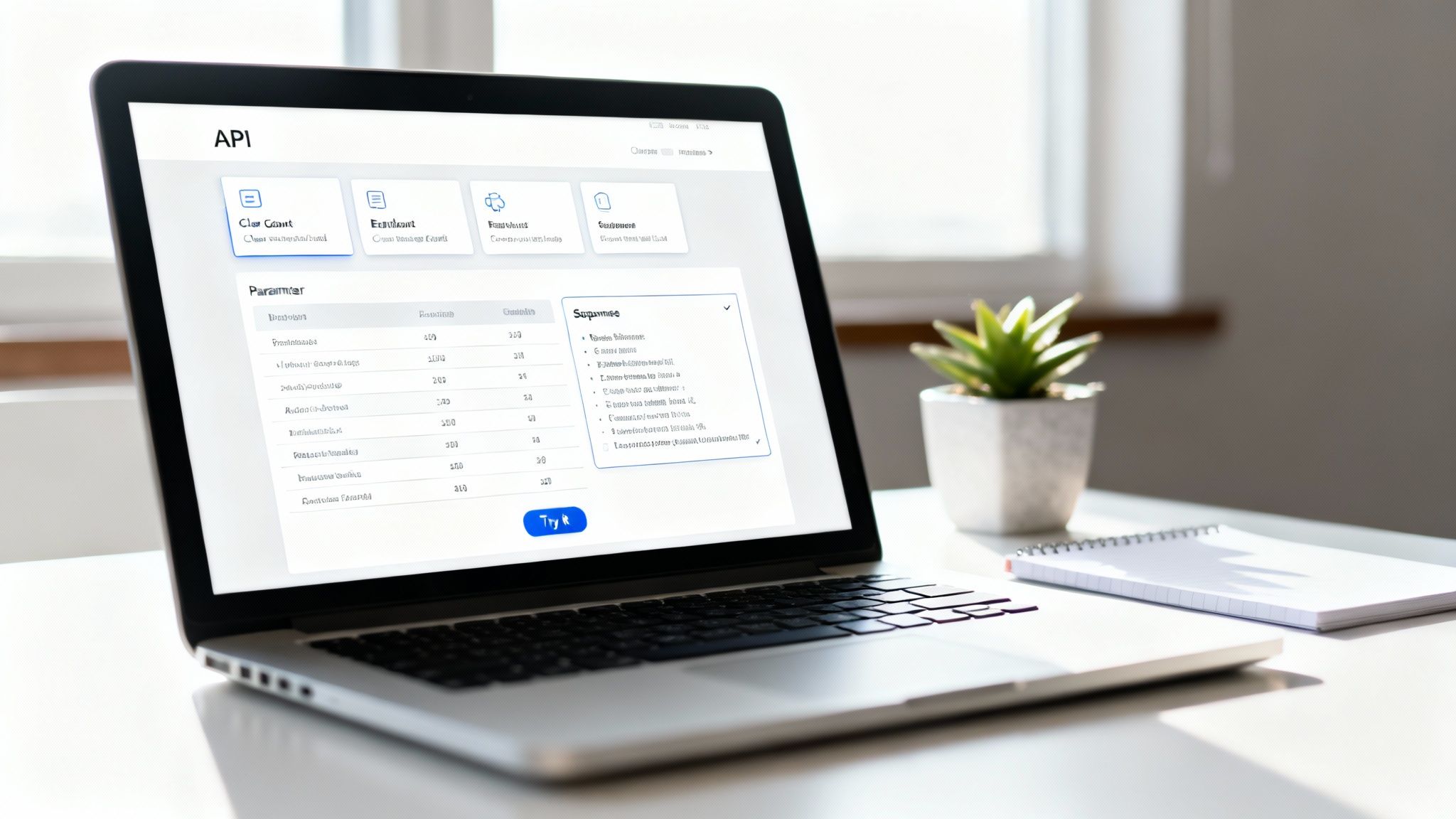
The goal here is to eliminate guesswork and empower developers to integrate with your system confidently and independently. Think of the gold-standard documentation from companies like Stripe or AWS; they don't just tell you what an endpoint does, they show you with code snippets in multiple languages. This approach, popularized by tools like OpenAPI (formerly Swagger), turns your API into a self-service platform, which is a critical part of modern code documentation best practices. Great API docs are intrinsically linked to great API design, a topic we explore further in our guide to API design best practices.
Creating developer-friendly API documentation involves a mix of automation and thoughtful, human-centric design. It's about anticipating the user's questions before they even have to ask them.
401 Unauthorized or 422 Unprocessable Entity), explain what they mean, and suggest how to fix the issue.While self-documenting code lays the foundation, it doesn't always tell the whole story. That’s where docstrings come in. A docstring is a structured block of documentation placed right at the beginning of a function, method, class, or module. It acts as the official user manual for that specific piece of code, explaining what it does, what inputs it needs, what it gives back, and what can go wrong. Think of it as the contract between the code and its user; it sets clear expectations for anyone who calls it.
The concept was popularized by tools like Javadoc for Java and Python's PEP 257, which standardized how to write these helpful blurbs. This approach is a cornerstone of modern code documentation best practices because it keeps the explanation tightly coupled with the code it describes. When you update the function, the documentation is right there, begging to be updated too. This proximity dramatically reduces the chances of documentation rot, where the docs say one thing and the code does another.
Writing a good docstring is an art form that balances brevity with detail. The goal is to give a developer everything they need to use your function correctly without having to read a single line of its implementation.
calculate_user_age() shouldn't say "calculates the user's age." Instead, explain how or any non-obvious details, like "Calculates the user's current age based on their date of birth, handling leap years correctly."If self-documenting code is the micro-level view, then a great README.md is the macro-level welcome mat to your entire project. It's often the very first thing another developer (or your future self) will see. A well-crafted README acts as a project's front door, offering a high-level overview, quick setup instructions, and a map to navigate the rest of the codebase. It’s the single most important piece of high-level project documentation you can write.
The goal is to get someone from zero to "Aha! I get it" as quickly as possible. A good README can mean the difference between a colleague happily contributing to your project and them closing the tab in frustration. This document is your project's elevator pitch, user manual, and quick-start guide all rolled into one. It’s a core component of good code documentation best practices, setting the context for everything else. Effectively, your README is the central index of a larger knowledge base for your project, a concept you can explore further with our guide on a knowledge base management system.
A great README is concise yet comprehensive. It shouldn't be a novel, but it needs to contain all the essential information to get started.
CONTRIBUTING.md file that explains how others can contribute, including coding standards and the pull request process.While self-documenting code explains the "what," high-level architecture documentation explains the "why." This is the blueprint for your entire system, showing how all the different pieces fit together. It's the 30,000-foot view that describes design patterns, component relationships, technology choices, and the rationale behind critical technical decisions. Without it, new team members are left to reverse-engineer the grand plan, a task as fun as finding a needle in a haystack, except the haystack is on fire.
This type of documentation is crucial for scaling teams and complex systems. It ensures that as the system evolves, decisions are made with a clear understanding of the original intent and constraints. Pioneers like Martin Fowler and Michael Nygard have championed structured approaches to this, turning what could be a messy collection of diagrams into a powerful, maintainable knowledge base. For larger projects, understanding how to structure this information is key; you can explore these principles further in this guide on What Is Information Architecture.
Creating effective architecture documentation isn't about writing a novel; it's about providing a clear map for other developers. It should be visual, concise, and focused on decisions.
While inline comments explain the how and README files explain the what, change logs and version documentation answer the critical question: "what has changed since last time?" This is a systematic, human-readable log of every notable change made to a project between releases. It’s the official story of your project’s evolution, detailing new features, bug fixes, performance improvements, and, most importantly, any breaking changes.
A well-maintained change log is a sign of a mature, user-respecting project. It builds trust by providing transparency and allows developers to upgrade dependencies with confidence rather than fear. Instead of forcing users to dig through commit histories to understand the impact of an update, you give them a clear, concise summary. This practice is so fundamental that entire conventions, like Semantic Versioning and Keep a Changelog, have been built around making it a standardized, reliable process.
Maintaining an effective change log is less about writing and more about establishing a consistent process. It’s a habit that pays massive dividends for both your team and your users.
MAJOR.MINOR.PATCH versioning scheme. Increment MAJOR for incompatible API changes, MINOR for new, backward-compatible functionality, and PATCH for backward-compatible bug fixes. It sets clear expectations with a single version number.Added, Changed, Fixed, Removed, and Security. This structure makes it incredibly easy for users to scan for the information they care about.BREAKING CHANGES section. Explain what changed, why it changed, and how users can migrate their code.This practice is deeply intertwined with a robust version control strategy. For a deeper look into how to manage your project's history effectively, check out our guide on version control best practices.
Going beyond simple comments, type hints embed documentation directly into your code's signature. This practice involves annotating your code with explicit types for variables, function parameters, and return values. It's a powerful form of documentation that's both human-readable and machine-verifiable, bridging the gap between a casual note and a compiler-enforced contract. Your Integrated Development Environment (IDE) will love you for it, providing better autocompletion and error-checking on the fly.
This approach was heavily championed by figures like Guido van Rossum for Python and Anders Hejlsberg for TypeScript. The idea is to make your code less ambiguous by explicitly stating your expectations. Instead of guessing what a function returns, the type hint tells you precisely, making your codebase more robust and predictable. It’s one of the most effective code documentation best practices because the documentation is an active, checkable part of the system, not a passive comment that can drift out of sync.
Integrating type hints can feel like a big shift, especially in dynamically-typed languages, but it pays off massively in clarity and bug prevention. It's like giving your future self a detailed map instead of a vague "I think it's over there."
def get_user(user_id: int) -> dict: is instantly more descriptive than def get_user(user_id):.-> dict. Create a type alias to give it a meaningful name. For example, in TypeScript, you could define type UserProfile = { id: number; name: string; email: string; }; and then use UserProfile as your type.any type, generics let you define a relationship between the input and output types, like <T>(items: T[]): T which indicates the function returns an element of the same type as the array it receives.Abstract explanations are great, but nothing beats seeing code in action. Providing complete, working, and even runnable code examples is one of the most powerful code documentation best practices you can adopt. This approach moves beyond telling developers how something works and actively shows them, dramatically reducing the friction of learning a new API, library, or feature. It's the difference between reading a recipe and watching a cooking show where you can see every step.

The goal is to give users a copy-paste-run experience that delivers an "aha!" moment instantly. When a developer can run your example and see the expected output, they gain immediate confidence and a solid foundation to build upon. This is why platforms like Stripe provide interactive code snippets in multiple languages, and why Google Colab notebooks have become a standard for machine learning tutorials. They transform passive reading into active learning, which is exponentially more effective. You can see more great implementations by checking out these code documentation examples.
Crafting effective code examples isn't just about dumping a code block on a page. It's about creating a guided, hands-on experience for your users.
docker-compose up command.npm install a specific package? Don't make them guess what's needed to get the code running.Instead of treating documentation as a chore you rush through at the end of a sprint, what if it was the very thing that guided your development? That’s the core idea behind Documentation-Driven Development (DDD). This approach flips the script by making you write documentation before or alongside the code. It forces you to think through the design, APIs, and user experience upfront, preventing you from coding yourself into a corner. No more "document this later" tickets that haunt your backlog forever.
A key tool in this approach is the Architecture Decision Record (ADR), popularized by Michael Nygard. An ADR is a short, simple document that captures a significant architectural decision, its context, and its consequences. It’s like a time capsule for your team’s thought process, explaining not just what was decided, but why. For instance, why did you choose PostgreSQL over MongoDB for a new service? An ADR provides the answer, saving future developers from having to reverse-engineer your logic or, worse, re-litigate old debates.
Implementing DDD and ADRs introduces a proactive and deliberate documentation culture, which is one of the most effective code documentation best practices you can adopt. It’s about making decisions transparent and building a collective memory for your team.
docs/adr folder in your project's Git repo). This makes them searchable, linkable, and a living part of your codebase.Whew, we've covered a lot of ground. From crafting self-documenting code that speaks for itself to structuring comprehensive READMEs and architectural decision records, it’s clear that great documentation is more of a mindset than a single task. We explored the nitty-gritty of inline comments, the precision of API documentation, the clarity of docstrings, and the storytelling power of change logs. Each of these practices is a powerful tool in your developer arsenal.
The recurring theme here isn't just about writing more documentation; it's about writing smarter documentation. It’s about choosing the right tool for the job. You wouldn't use a hammer to drive a screw, so why would you use a massive architecture document to explain a single, quirky line of code? The secret is to see documentation not as an afterthought, but as an integral part of the development lifecycle, woven directly into your workflow.
So, where do you go from here? The worst thing you can do is try to implement all ten of these practices at once. You'll burn out faster than a laptop running a machine learning model without a fan. Instead, pick one or two that address your team's biggest pain points right now.
The goal is to build momentum. Start small, show the value, and gradually build a culture where documentation is seen as a way to help your future self and your teammates, not as a chore to be avoided. Treat your documentation like you treat your code: refactor it, review it, and keep it clean.
Ultimately, mastering these code documentation best practices is about more than just avoiding confusion. It’s a strategic investment that pays dividends in several key areas. You'll see faster onboarding for new hires, fewer bugs slipping into production, and a dramatic reduction in the time spent deciphering cryptic code. Your team will be able to move faster, collaborate more effectively, and build more robust, maintainable systems.
This isn't just a "nice-to-have." In today's fast-paced development world, clear documentation is a competitive advantage. It's the silent partner that empowers your team to innovate with confidence, knowing they have a reliable map to guide them through the complexities of the codebase. And as projects grow and teams evolve, that map becomes one of your most valuable assets. Don't underestimate the power of a well-documented line of code; it can save hours, prevent headaches, and maybe even inspire the next person who reads it.
For teams looking to automate and streamline their documentation efforts, AI-powered documentation tools like Mintlify can integrate directly with the codebase to keep docs up-to-date. This automated approach helps ensure your documentation never falls out of sync with your code, tackling one of the biggest challenges in maintaining a healthy knowledge base.
Ready to transform your documentation workflow from a tedious task into a creative advantage? Zemith’s AI-powered Coding Assistant can generate docstrings, explain complex code, and help you draft READMEs in seconds. Stop wrestling with documentation and start building a knowledge base that empowers your entire team by visiting Zemith today







Trusted by teams at






The top models, plus image, video and voice tools, in one plan.
Without Zemith
ChatGPT PlusUS$20.00Claude ProUS$20.00Google AI ProUS$19.99SuperGrokUS$30.00Perplexity ProUS$20.00 MidjourneyUS$10.00
 ElevenLabsUS$6.00Le Chat ProUS$14.99
 RunwayUS$15.00Kling StandardUS$8.80
 Gamma PlusUS$12.00
 Otter ProUS$16.99
 QuillBot PremiumUS$19.95
 Photoroom ProUS$12.99
 Quizlet PlusUS$7.99
Total if paying separatelyUS$234.70/mo
"I love the way multiple tools they integrated in one platform. Going in the right direction."
— simplyzubair
"The quality of data and sheer speed of responses is outstanding. I use this app every day."
— barefootmedicine
"The credit system is fair, models are perfect, and the discord is very responsive. Quite awesome."
— MarianZ
"Just works. Simple to use and great for working with documents. Money well spent."
— yerch82
"The organization of features is better than all the other sites — even better than ChatGPT."
— sumore
"It lives up to the all-in-one claim. All the necessary functions with a well-designed, easy UI."
— AlphaLeaf
"The team clearly puts their heart and soul into this platform. Really solid extra functionality."
— SlothMachine
"Updates made almost daily, feedback is incredibly fast. Just look at the changelogs — consistency."
— reu0691
Hand off the research, writing, design and follow-ups. Zemith picks the tools it needs and brings back finished work.
Search the web, run deep research, read files, create images and run code with GPT, Claude, Gemini, Grok and more.
Zemith keeps working in the cloud and pings you when it's done.
Notion, Linear, Canva, Airtable and more. It asks before it creates or changes anything.
Docs, slides, sheets and PDFs, ready to send.
Chain models and tools on a visual canvas, from one prompt to a finished promo video.
Briefings, reports and reminders run on a schedule and are ready when you need them.
Real-time voice that can see your camera or screen.
The best image and video models, in one studio.
Turn PDFs, links and YouTube videos into podcasts, quizzes, flashcards and mind maps.














 Podcast
 Quiz
Quiz Flashcards
 Mind map
 Infographic