


Every top model, with tools built in.
Search the web, run deep research, read files, create images and run code with GPT, Claude, Gemini, Grok and more.
Discover the hidden cost of context switching draining your productivity and budget. Learn how to reclaim up to 40% of your focus with powerful strategies.
The real cost of context switching is a silent tax on your productivity, quietly eating up nearly 9% of your annual work time. Let that sink in for a moment. That's almost five full weeks of work—gone. Vanished. Poof. Every time you toggle between apps, you're not just losing a few seconds; you're chipping away at your capacity for deep, meaningful work.
Ever feel like you're juggling flaming chainsaws while riding a unicycle on a tightrope? That’s your brain trying to keep up with constant context switching. It's the mental version of a computer trying to run too many heavy programs at once. Eventually, the RAM gets overloaded, and everything just… slows… down.
This isn’t a badge of honor for being "busy." It's a hidden thief stealing your best ideas and your most focused moments. Each time you jump from a project brief to answer a "quick" Slack message or check an email, you're paying a mental toll. It feels harmless, but the cumulative effect is staggering.
Think of your working memory as a small whiteboard. When you're locked in on a single task, you’ve got all the important details sketched out right in front of you. But an interruption—like a notification or a new request—forces you to wipe that whiteboard clean and start drawing a completely new diagram for the new thing.
Then, when you try to go back to your original task, you have to painstakingly redraw the first diagram completely from memory. Was that line here, or over there? Crap, what was I even doing?
"The average employee moves between apps and websites nearly 1,200 times every day. That constant toggling fragments our attention, making truly meaningful work feel impossible."
This constant erasing and redrawing is mentally exhausting. It’s the reason you can feel completely drained at the end of the day, even if your to-do list looks suspiciously similar to how it did that morning. And that mental fatigue isn't just a feeling; it has real, measurable consequences. Research shows it can take over 23 minutes to fully get your focus back after just one interruption.
This isn't about blaming you for checking notifications. It's about pulling back the curtain on a massive productivity drain that's baked into how most of us work. The problem isn't a lack of effort; it's a workflow practically designed for distraction.
Hopping between different projects and apps creates a state of perpetual "attention residue," where a part of your brain is still stuck thinking about the last thing you were doing. For a deeper dive, check out our guide on essential productivity hacks for work that can help you start reclaiming that focus.
The goal here is to recognize the pattern. If you’ve ever ended a day wondering where all the time went, you’ve experienced the high cost of context switching firsthand. It’s the invisible force making your to-do list feel like an unconquerable mountain. But once you understand it, you can start to fight back.
Let's move past the abstract feelings of being scattered and talk about what really matters: cold, hard cash. The true cost of context switching isn't just about feeling frazzled; it's a hidden tax that shows up on your bottom line. Every time you flip between apps, check a notification, or get pulled into a different task, you're feeding a massive financial leak.
It’s not a small leak, either. Globally, this constant task-hopping costs the economy an estimated $450 billion annually. That's not a typo. It's a figure bigger than the entire GDP of many countries.
Research shows that the relentless back-and-forth can torpedo productivity by a staggering 40%. Some developers have been observed switching tasks up to 13 times an hour—that's barely enough time to even get started. Imagine trying to get into a deep-work groove when you’re being yanked away every six minutes.
This infographic really drives home how quickly those "little" interruptions add up.
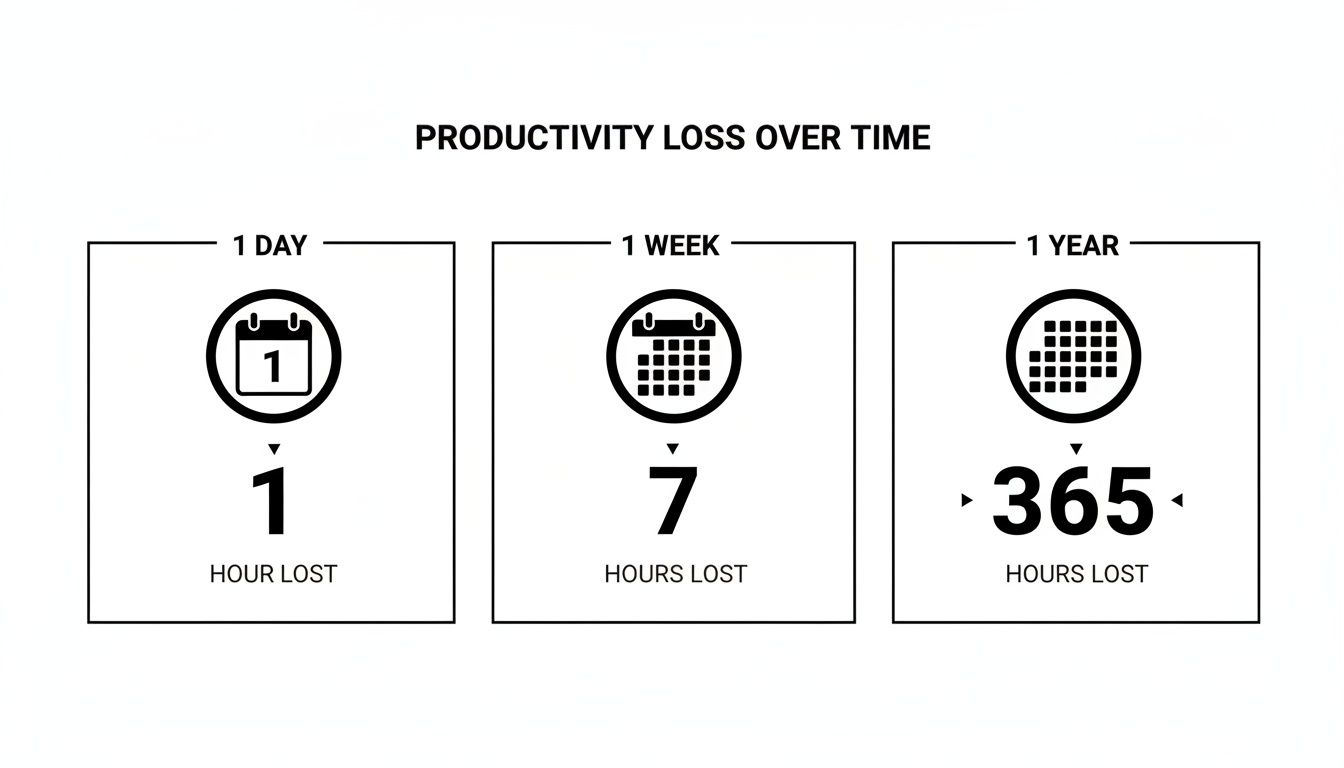
Losing just one focused hour a day doesn't sound like a catastrophe, but over a year, it balloons into weeks of wasted potential.
This isn't just a big-business problem. Freelancers, small teams, entrepreneurs—we all pay what I call the "Toggle Tax." Curious what your bill looks like? Let's crunch some numbers with a simple formula.
Toggle Tax = (Your Hourly Rate) x (Daily App Switches) x (Time Lost Per Switch in Hours)
Even using conservative figures, the result is eye-opening. Let's say you switch apps 25 times a day, and each switch costs you a mere three minutes (0.05 hours) to get your head back in the game.
If your time is worth $60/hour, the math looks like this: $60 x 25 switches x 0.05 hours = $75 lost. Every single day. That's nearly $20,000 a year just vanishing into thin air.
Now, let's zoom out and apply this to a team. Take a single employee earning $120,000 a year. If they can get back just one focused hour each day simply by reducing context switching, the company reclaims $15,000 in productive value. From that one person.
For a team of 20 people, you’re suddenly looking at a $300,000 win for the business. This isn’t about pushing people to work harder; it's about plugging the holes that are draining their focus and your resources.
This is exactly why staying in a unified environment like Zemith makes such a difference. When you can research, write, and create without bouncing between a dozen different tools, you directly fight that financial drain. If you're interested in digging deeper into how to plug these operational leaks, you should check out our guide to improving your workflow efficiency. The numbers don’t lie—cutting down on context switching is one of the most powerful financial moves you can make.
Beyond the numbers on a spreadsheet, the real price of context switching is the quiet war it wages on our brains.
Think of it like trying to read a book while someone keeps changing the font, the language, and the topic every few minutes. You aren't just losing your place; you're actively burning through your cognitive fuel. The result? A thick mental fog, a spike in silly mistakes, and a serious nosedive in creative thinking.
This isn't just a vague feeling of being frazzled. It's a measurable drain on your most valuable asset: your attention.

Imagine your focus is a full tank of gas. According to groundbreaking research by Gerald Weinberg, trying to juggle just two tasks at once isn't a simple 50/50 split of your attention. It's more like 40/40, with 20% of your mental energy just evaporating as a "switching tax."
And it gets worse, fast. By the time you're trying to manage five tasks—a painfully normal scenario for most of us—that switching tax eats up a staggering 75% of your brainpower. You're left running on fumes, with only a quarter of your focus actually going toward the work itself.
"When you're 'multitasking' across five projects, you're not actually working on five things. You're dedicating the brainpower of one focused employee to do the work of five, while four others are busy directing traffic in your head."
This is exactly why that "quick" five-second glance at a Slack notification feels so jarring. Your brain has to slam the brakes on one thought process, load up a completely new one, and then scramble to put the original idea back together. The mental whiplash is real, and the consequences are serious. In fact, studies show that even a five-second interruption can triple your error rate.
This cognitive drain isn't just a personal productivity problem; it’s a business-wide crisis. It shows up as missed deadlines, uninspired work, and widespread burnout. When your team is constantly hopping between apps, they’re not just less productive—they're less engaged, less creative, and more exhausted.
The statistics paint a pretty clear picture of this digital fatigue. A revealing study found that:
Picture a marketing pro using an AI tool to generate images and then analyze them to refine their prompts. If they have to jump to a totally different tool just to rewrite some ad copy, that small hop is enough to shatter their creative flow. If you want to dive deeper into why our brains struggle with this, our guide on how to retain information better is a great resource.
This fragmentation directly tanks team morale and creative output, turning what should be innovative brainstorming sessions into tired, box-ticking meetings. This is the human toll behind the financial cost—the personal fallout of a broken workflow.
Alright, so we've established that context switching is the productivity monster hiding under your desk. It’s scary, it’s real, and it’s munching away at your focus. What are we going to do about it?
Thankfully, you don't have to renounce technology and move into a cabin in the woods to get your sanity back. The real solution isn't about becoming a productivity hermit. It's about being smarter and more intentional with how you design your workflow. It's about taking back control, one deliberate step at a time.
Here's your toolkit for reclaiming your attention without a dramatic life overhaul.
Let’s be honest: your digital workspace is probably a chaotic mess of notifications, blinking icons, and an army of open tabs. It's time to do some serious gardening. The first step is to ruthlessly prune anything that doesn't serve your immediate focus.
This means shutting down non-essential notifications on your phone, your desktop, and especially in chat apps like Slack or Microsoft Teams. If it’s not a five-alarm fire, it can wait. Use "Do Not Disturb" modes as if your life depends on it—because your focus absolutely does.
For more hands-on strategies, these practical tips to improve developer productivity offer some immediate relief from the digital noise.
If you let your day get hijacked by incoming pings and emails, you'll spend all your time reacting instead of actually creating. Two of the most powerful weapons against this chaos are time blocking and task batching. They might sound fancy, but they’re ridiculously simple.
By grouping similar tasks, you keep your brain locked into one "mode" for a longer stretch. This dramatically cuts down the mental whiplash from context switching. You’re not juggling; you’re just focusing on one type of ball at a time.
Most interruptions aren't malicious. They’re usually just a product of unclear expectations. People send you a "quick question" because they assume you're available for an instant response. It's up to you to reset that assumption.
Establish clear rules with your team. Let them know your focus hours and when you'll be available for questions. Encourage asynchronous communication—like sending a detailed message they can read later—over the synchronous pings that demand an immediate reply. If you're struggling to balance all these moving parts, our guide on how to manage multiple projects has some great frameworks to help out.
These strategies aren’t about building a wall around yourself. They’re about creating a workflow where deep, meaningful work can finally happen. And the best part? They become even more powerful when your tools are built to support them—which is where having an integrated workspace becomes your secret weapon.
So, we've talked about all the classic strategies—time blocking, task batching, setting firm boundaries—and they're all great ways to manage the daily chaos. But what if the real win isn't just managing the chaos, but getting rid of it at the source?
What if you could just stop paying the "Toggle Tax" completely?
This is where you have to think differently about your workflow. Instead of just adding another tool to your already-packed digital toolbox, the real answer is pulling your most important work into one unified space. This isn't just for convenience; it’s about rebuilding your workday to stop the cost of context switching before it even starts.
An integrated AI workspace like Zemith isn't just another app you have to learn. It’s a whole new way of working that makes toggling obsolete.
Think about the typical day of a content creator. It’s a mess. Honestly, it probably looks something like this:
Every single one of those steps is a context switch. Each one forces your brain to hit the reset button, drains a little bit of your mental battery, and throws open the door for distractions.
Now, let's reimagine that whole process inside a single, integrated workspace.
In Zemith, a content creator can use built-in research tools with live web access, draft an entire article in the Smart Notepad, generate incredible visuals with multiple AI models, and get feedback—all without ever leaving the platform.
The friction is gone. The mental drain disappears. The "Toggle Tax" is basically zero because you never have to leave the highway and pay a toll.
This is what it looks like in practice. You can see how everything from document editing to AI chat lives in one clean interface, killing the need to juggle a dozen different apps.
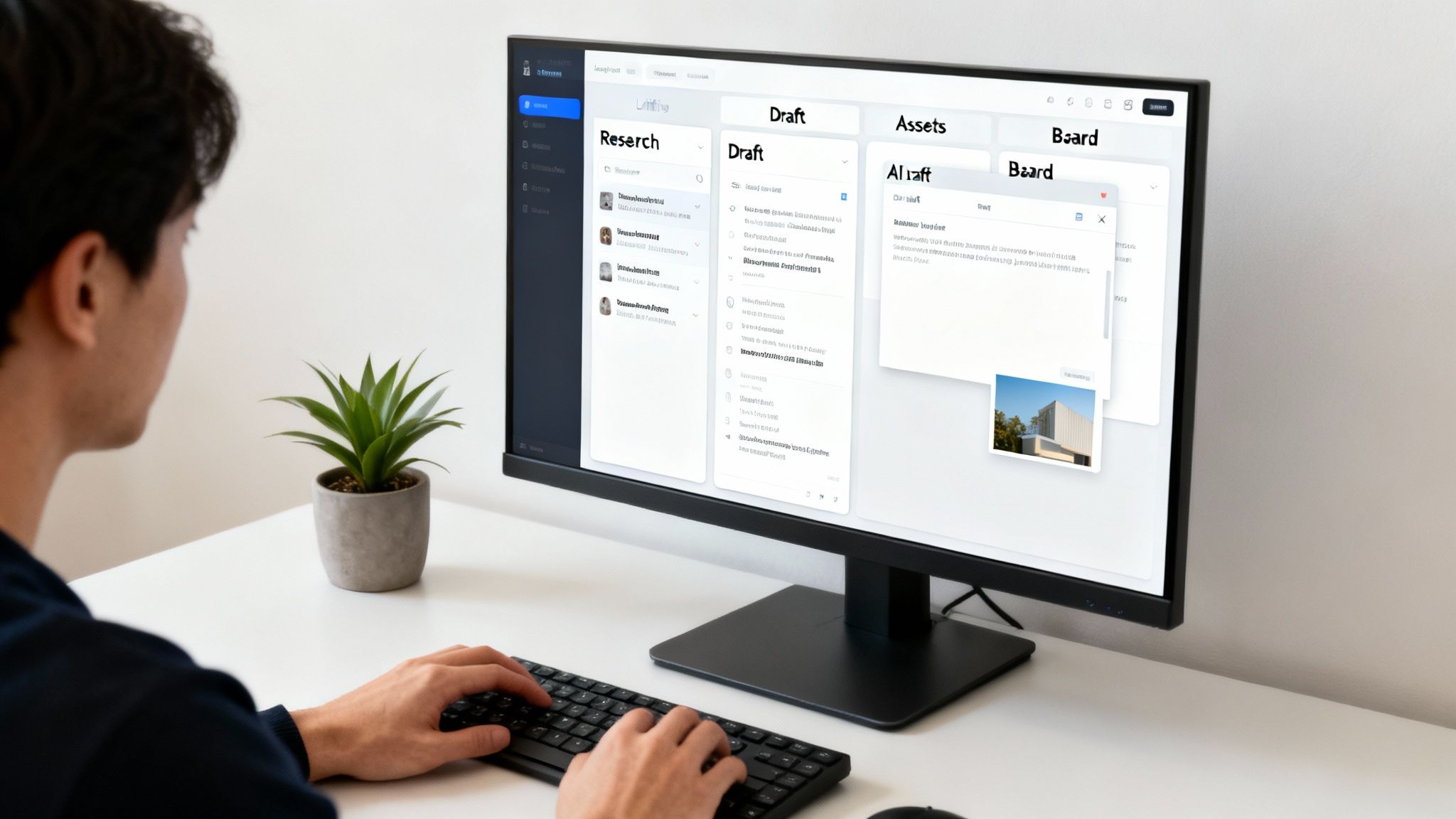
When you centralize your tools like this, your workspace stops being a messy collection of apps and becomes a true command center for your creativity.
This isn't just a nice idea for writers and marketers. The same logic is a lifesaver for developers, who probably pay the highest price of anyone for context switching. A developer's focus is incredibly fragile. One simple interruption can completely derail a complex problem-solving session, and getting back into that groove can take forever.
Just picture a developer's screen: they're constantly bouncing between their code editor, a browser with documentation, a Jira board, a terminal window, and Slack. It's a perfect recipe for a fractured attention span.
Now, imagine that same workflow inside Zemith:
When your coding assistant, project manager, and preview environment are all in the same place, you create a sanctuary for deep work. It’s the difference between constantly fighting for focus and having it be your natural state. If you want to see more examples of this in action, our post on the benefits of an AI assistant for work dives even deeper.
So much of our context switching comes from those little manual, repetitive tasks that force us to jump into different apps. Think about transcribing meeting notes, summarizing a long report, or converting a file. Each of these is a tiny interruption that chips away at your focus.
Using smart technology to automate these chores is a surefire way to lighten the mental load. You can even check out some of the top tools, including an AI that takes meeting notes for you.
Inside an integrated platform, these tasks become trivial. You can turn a document into a podcast, create flashcards from a research paper, or get a summary of a long PDF with a single click. This isn’t just about saving a few minutes—it’s about protecting your most precious resource: your uninterrupted focus.
By bringing your tools together, you’re not just getting a new app. You’re adopting a whole new philosophy of work—one that attacks the root cause of the productivity drain we've been talking about and erases the financial, cognitive, and creative costs of context switching from your day.
Let's pull all of this together. The lost hours, the mental fog, the deadlines that seem to slip through your fingers—these aren't just small frustrations. They add up, stealing your most precious resource: time. And we're not talking about a few minutes here and there. We're talking about getting back nearly 9% of your entire work year.
That's five whole weeks. Think about that. It's a month-long vacation. It's enough time to finally launch that side project you've been dreaming about.
The brutal cost of context switching is a choice, not just a fact of modern work. You can stick with the fragmented, high-tax workflow that drains your focus, or you can opt for a consolidated, high-focus one that lets you get into the zone and stay there.
In our app-for-everything world, the constant switching back and forth creates a "toggle tax" that quietly bleeds businesses dry. Knowledge workers lose almost 4 hours a week just finding their place again after jumping between apps. According to research highlighted in Atlassian's breakdown of these costs, we do this over 1,200 times a day. This is where those five weeks of your life are disappearing.
For people whose jobs depend on deep, concentrated work—like the software engineers and researchers who rely on Zemith—the numbers are even more stark.
This is more than just inefficient; it's a systemic problem that makes truly innovative work feel next to impossible. You're left trying to create something amazing with the leftover scraps of your attention after the Toggle Tax takes its share.
The bottom line is simple: bringing your tools together isn't just about convenience. It’s a core business strategy that directly boosts productivity, protects your team's focus, and strengthens your bottom line.
It’s time to stop paying the ridiculous price of context switching. Stop letting your most valuable, creative hours get shredded into a confetti of shallow micro-tasks.
An integrated AI workspace like Zemith is how you fight back against the Toggle Tax. It’s an invitation to invest in the deep, uninterrupted work that actually pushes your projects—and your career—forward. Why would you settle for a workflow that’s actively working against you?
The choice is yours. Keep paying the tax, or start taking your time back. Let's get started.
Still have a few things bouncing around in your head? Good. Let's tackle some of the most common questions we hear about the real cost of context switching.
Honestly, probably more than you'd guess. Let's do some quick, back-of-the-napkin math to see what's really at stake.
Picture a small team of five people, each earning an average of $80,000 a year. If each person loses just one hour a day to bouncing between apps—and that’s a conservative number—you’re losing five hours of solid, productive time every single day.
At a rough hourly rate of $40, that’s $200 down the drain daily. Annually? You’re looking at a $52,000 hole in your budget. That's the cost of another full-time employee, just vanished into thin air because of a choppy workflow.
That’s the big misconception, isn't it? There's a world of difference between handling a few things at once and destructive context switching. For example, listening to a podcast while you sort through your email inbox? Totally fine. One of those tasks is low-focus.
But trying to write a critical project proposal while you’re also firing off detailed answers in Slack? That's a recipe for burnout and sloppy work. Your brain can't actually give 100% to two demanding tasks at the same time. Instead, it just jumps back and forth between them, burning through focus and energy with every single switch.
While no tool can stop your cat from walking across your keyboard, an integrated workspace like Zemith is designed to fix the root cause of the problem.
Instead of just treating the symptoms, it eliminates the need to switch between your essential apps for research, writing, brainstorming with AI, and collaborating with your team. It massively cuts down on that "Toggle Tax" you pay all day long. The whole idea is to create a space where deep, focused work isn't something you have to constantly fight for—it just becomes the natural way you get things done.
Ready to stop paying the hidden tax on your focus and get your most valuable hours back? Zemith is the all-in-one AI workspace built to end context switching and put you back in the driver's seat. Start your journey to deeper work today.







Trusted by teams at






The top models, plus image, video and voice tools, in one plan.
Without Zemith
ChatGPT PlusUS$20.00Claude ProUS$20.00Google AI ProUS$19.99SuperGrokUS$30.00Perplexity ProUS$20.00 MidjourneyUS$10.00
 ElevenLabsUS$6.00Le Chat ProUS$14.99
 RunwayUS$15.00Kling StandardUS$8.80
 Gamma PlusUS$12.00
 Otter ProUS$16.99
 QuillBot PremiumUS$19.95
 Photoroom ProUS$12.99
 Quizlet PlusUS$7.99
Total if paying separatelyUS$234.70/mo
"I love the way multiple tools they integrated in one platform. Going in the right direction."
— simplyzubair
"The quality of data and sheer speed of responses is outstanding. I use this app every day."
— barefootmedicine
"The credit system is fair, models are perfect, and the discord is very responsive. Quite awesome."
— MarianZ
"Just works. Simple to use and great for working with documents. Money well spent."
— yerch82
"The organization of features is better than all the other sites — even better than ChatGPT."
— sumore
"It lives up to the all-in-one claim. All the necessary functions with a well-designed, easy UI."
— AlphaLeaf
"The team clearly puts their heart and soul into this platform. Really solid extra functionality."
— SlothMachine
"Updates made almost daily, feedback is incredibly fast. Just look at the changelogs — consistency."
— reu0691
Hand off the research, writing, design and follow-ups. Zemith picks the tools it needs and brings back finished work.
Search the web, run deep research, read files, create images and run code with GPT, Claude, Gemini, Grok and more.
Zemith keeps working in the cloud and pings you when it's done.
Notion, Linear, Canva, Airtable and more. It asks before it creates or changes anything.
Docs, slides, sheets and PDFs, ready to send.
Chain models and tools on a visual canvas, from one prompt to a finished promo video.
Briefings, reports and reminders run on a schedule and are ready when you need them.
Real-time voice that can see your camera or screen.
The best image and video models, in one studio.
Turn PDFs, links and YouTube videos into podcasts, quizzes, flashcards and mind maps.














 Podcast
 Quiz
Quiz Flashcards
 Mind map
 Infographic