10 Digital Asset Management Best Practices to Supercharge Your Workflow in 2026

Discover 10 actionable digital asset management best practices to streamline your workflow, boost productivity, and get organized. Your ultimate 2026 guide.

digital asset management best practicesDAM strategyasset organizationworkflow automationZemith productivity

Remember the last time you spent 20 minutes hunting for ‘that one image from the Q3 campaign’? Or maybe it was the final-final-v2_for_real_this_time.psd file you swore you saved somewhere obvious? We’ve all been there. It’s the digital equivalent of rummaging through a junk drawer, except the junk drawer is your entire company's server, and finding the right file feels like a high-stakes scavenger hunt with a very grumpy boss as the final prize.

This digital clutter isn't just annoying; it kills productivity, drains creativity, and costs real money in wasted hours. But what if there was a way to turn that chaos into a well-oiled, searchable, and secure creative machine? That's where solid digital asset management best practices come in. This isn't just about creating more folders. It's about building an intelligent system that makes everyone's job easier, faster, and more collaborative. To ensure your team avoids asset anarchy and implements a successful system, exploring a comprehensive set of Top 8 Digital Asset Management Best Practices can provide a solid foundation for your strategy.

Forget the generic, boring advice. We’re going to dive into 10 practical, game-changing strategies that will transform how you handle every logo, video, and PDF. We'll show you how to build a system that works for you, not against you, especially when you're leveraging a powerful all-in-one workspace like Zemith. We're talking about everything from AI-powered tagging and version control that actually makes sense to setting up workflows that don't make you want to pull your hair out.

Ready to reclaim your sanity, boost your team’s efficiency, and finally put an end to the 'where is that file?' madness? Let's get organized.

1. Implement Centralized Asset Organization with Metadata Tagging

Forget the digital equivalent of that one junk drawer everyone has. One of the most fundamental digital asset management best practices for growing teams is creating a single, organized home for all your creative files, documents, and project materials. A centralized system, powered by smart metadata tagging, ensures your team isn't wasting precious time hunting down the latest version of a logo or that one specific product shot from last quarter's campaign. It’s about building a predictable, searchable library where assets are found in seconds, not hours.

This approach transforms your asset library from a chaotic digital shoebox into a highly efficient, searchable database. By establishing consistent naming conventions, categories, and descriptive tags (metadata), you create a universal language that everyone on the team understands. For platforms like Zemith, this principle is baked into its Library feature, which not only stores documents but also groups them with related project chats, providing rich contextual memory that makes finding anything a breeze.
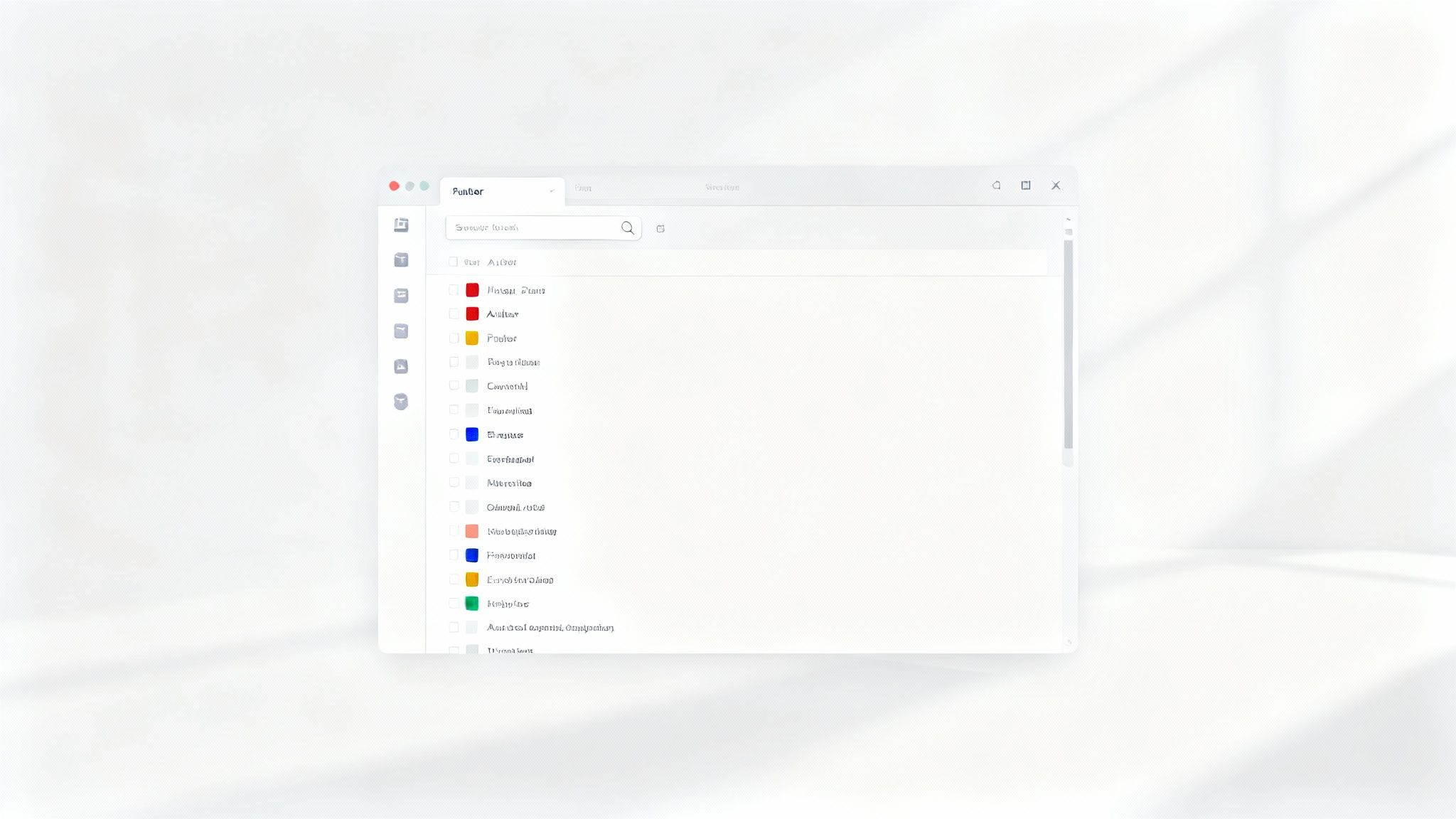
A minimalist white Foobar application window displaying a search interface with color-coded lists.

Actionable Tips for Centralized Organization:

Ready to bring order to the chaos? Here’s how you can implement this practice effectively:

  • Start Small, Scale Smart: Don't try to boil the ocean. Begin with a core set of essential metadata fields like Project Name, Asset Type (e.g., Logo, Blog Image, Video), Campaign, and Date Created. You can always add more detailed tags as your system matures.
  • Document Everything: Create a simple "Tagging Guide" or cheat sheet. This document should outline your naming conventions and define what each metadata tag means, ensuring everyone applies them consistently. Bonus points for making it a living document inside your new system!
  • Leverage AI for Tagging: Manually tagging thousands of assets is a recipe for a headache. Use your DAM’s built-in AI capabilities to automate the process. Platforms like Zemith can often recognize objects, colors, and even text within images to suggest relevant tags, saving you a ton of time.
  • Conduct Regular Audits: Schedule quarterly check-ins to review your asset library. Look for untagged files, inconsistent naming, or outdated assets that can be archived. This keeps your system clean and trustworthy.

2. Establish Version Control and Asset History Tracking

Ever played the nerve-wracking game of "Is this the final-FINAL-v3.2_reviewed.jpg?" A robust version control system ends that chaos. This essential digital asset management best practice involves creating a detailed, transparent history for every file, tracking changes, and allowing you to revert to previous iterations when needed. It's the ultimate undo button for your entire team's creative and collaborative work, ensuring no brilliant idea or critical revision is ever truly lost.

This process is about more than just avoiding mistakes; it's about building institutional memory directly into your assets. Whether it's a designer iterating on a new logo in Figma, a developer pushing code updates via Git, or a writer refining a blog post, version history provides a clear audit trail. It shows who changed what and when, which is critical for accountability and collaborative trust. In Zemith, the Document Assistant tracks every edit in your written content, giving you a clear, chronological story of each document's evolution. No more guessing games!
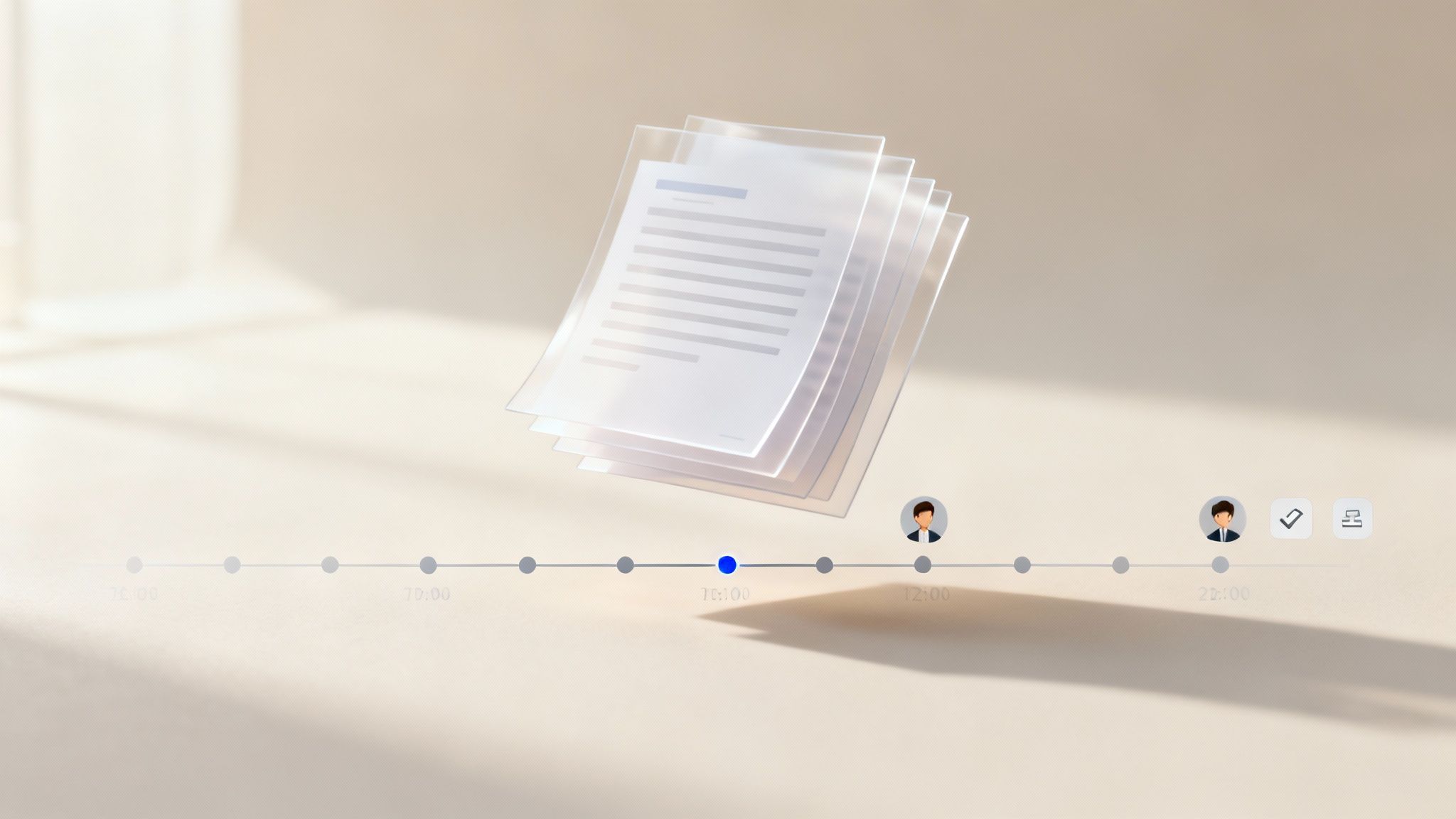
A minimalist graphic of floating digital documents above a timeline with user avatars and time markers.

Actionable Tips for Version Control:

Ready to stop guessing which version is the right one? Here’s how to implement this practice:

  • Define Your Versioning Rules: Create a clear policy for when to create a new version. Is a minor typo fix just an edit, while a full paragraph rewrite becomes v2? Document these rules and share them with the team so everyone is on the same page.
  • Use Descriptive Commit Notes: Don't just save a new version; explain why. A note like "Updated headline for SEO" is infinitely more useful than "v2.1." This context is invaluable when you’re looking back at an asset's history months later.
  • Set Automated Cleanup Rules: You don't need to keep every single iteration forever. Configure your DAM to automatically archive or delete old versions after a certain period (e.g., retain the last 10 major versions or all versions from the past 90 days) to save storage space.
  • Train Your Team: Show your team how and when to use version control features. A little training up front prevents a lot of confusion down the road. This is a key part of how to improve team collaboration with a DAM system.

3. Create and Maintain Asset Governance Policies

Think of your digital asset library as an exclusive club. Not everyone gets a key to the VIP lounge, right? Implementing strong asset governance is one of the most critical digital asset management best practices for brand consistency because it establishes the rules of engagement: who can get in, what they can do, and how long they can stay. This framework of roles, permissions, and usage rights prevents sensitive files from ending up in the wrong hands and stops well-meaning colleagues from accidentally deleting a year's worth of campaign assets. It’s your digital bouncer, ensuring security and compliance.

A solid governance policy transforms your DAM from a free-for-all into a secure, predictable environment. By defining who can upload, edit, share, and delete assets, you protect your brand's integrity and mitigate legal risks associated with licensing and compliance (like GDPR or HIPAA). For instance, within a platform like Zemith, you can use role-based access controls within Projects to create shared knowledge bases where marketing has edit rights, sales has view-only access, and external contractors are cordoned off to specific folders, ensuring everyone has exactly the access they need, and nothing more.

Actionable Tips for Asset Governance:

Ready to lay down the law (in a good way)? Here’s how to build a governance framework that works:

  • Start Simple, Scale as Needed: Begin with a basic framework. Define core roles like Admin, Contributor, and Viewer. As your team and asset library grow, you can introduce more granular permissions for specific projects or asset types.
  • Document Your Policies: Create a clear, accessible governance document. Outline each role's permissions, define usage rights for different asset types, and specify your asset retention schedule. This becomes the single source of truth for your team.
  • Automate Enforcement: Don't rely on manual checks. Use your DAM's features to automatically enforce rules. This could mean applying watermarks to specific collections, setting expiration dates for public share links, or restricting downloads for certain user roles.
  • Conduct Regular Access Audits: Schedule quarterly or bi-annual reviews of user permissions. People change roles, and projects end. Regular audits ensure that access rights remain appropriate, closing potential security gaps from outdated permissions.

4. Implement Automated Asset Tagging and AI-Powered Categorization

Manually tagging hundreds or thousands of assets is nobody's idea of a good time. One of the most powerful digital asset management best practices is to offload this repetitive work to artificial intelligence. By implementing automated tagging and AI-powered categorization, you can transform a tedious, error-prone task into a seamless, intelligent process. This approach uses machine learning to analyze the content of your files, automatically assigning relevant tags, sorting them into categories, and making them instantly discoverable.

This is where your DAM stops being just a storage closet and starts acting like a smart assistant. AI can identify objects, people, and text in images; transcribe audio from video files; and even summarize lengthy documents to pull out key themes for tagging. For a platform like Zemith, which integrates multiple advanced AI models (like Gemini, Claude, and GPT), this becomes incredibly powerful. You can process a vast range of asset types with unprecedented accuracy, ensuring your library is not just organized but intelligently structured with minimal human effort.

Actionable Tips for AI-Powered Categorization:

Ready to let the robots do the heavy lifting? Here’s how to put AI to work in your asset library:

  • Start with High-Confidence Classifications: Begin by letting the AI handle the obvious stuff. Let it tag all your "product shots," "team photos," or "invoices." You can manually review the more nuanced or critical assets, creating a perfect blend of automation and human oversight.
  • Create a Feedback Loop: Your AI model gets smarter with use. When you correct a mistagged asset or add a more specific keyword, you're training the system. Establish a simple process for your team to provide this feedback, constantly improving the model's accuracy over time.
  • Combine AI with a Human Touch: For mission-critical assets like final brand logos or legal documents, use AI to create a baseline of tags. Then, have a team member perform a quick final review to add brand-specific or strategic keywords that the AI might miss.
  • Set Quality Benchmarks: Don't just "set it and forget it." Decide what an acceptable accuracy rate looks like for your automated tagging (e.g., 95% accuracy for product images). Regularly monitor performance metrics and adjust the AI's confidence thresholds to meet your standards.

5. Establish Collaborative Asset Workflows and Review Processes

Having a central library is great, but what happens when assets need to be created, tweaked, and approved? Without a defined process, you get a chaotic mess of endless email chains, conflicting feedback in Slack, and that dreaded question: "Is this the final-final-v3_approved version?" One of the most critical digital asset management best practices is establishing clear, collaborative workflows that guide an asset from its first draft to its final, published state.

This approach brings much-needed structure to the creative process, ensuring every stakeholder provides feedback at the right time. It creates a transparent, accountable system where everyone knows the status of an asset, who needs to review it next, and what changes have been made. For platforms like Zemith, this is built into the fabric of its collaborative tools, allowing teams to comment, iterate, and approve documents directly within the project space, turning a potential bottleneck into a streamlined, efficient part of the workflow.

Actionable Tips for Collaborative Workflows:

Ready to stop herding cats and start shipping amazing work? Here’s how to build effective review processes:

  • Map Your Current Reality: Before you change anything, grab a whiteboard (or a digital one!) and map out how an asset currently moves through your team. Identifying existing bottlenecks and pain points is the first step to designing a better system.
  • Start Simple, Then Iterate: Don't try to build a 20-step approval process on day one. Start with a basic "Create > Review > Approve" workflow. Once your team is comfortable, you can add more sophisticated stages for legal, compliance, or branding checks.
  • Set Clear Review SLAs: Define service-level agreements (SLAs) for feedback. For example, establish a rule that all first-round feedback must be provided within 48 hours. This prevents projects from stalling while waiting for one person's input.
  • Use AI for a First Pass: Speed up reviews by using tools like Zemith's Document Assistant to summarize long documents, check for brand voice consistency, or get initial feedback on drafts. This allows human reviewers to focus on high-level strategic input.

6. Develop Comprehensive Asset Documentation and Knowledge Management

An asset without its story is just a file. One of the most overlooked digital asset management best practices is creating a detailed instruction manual for each asset. This means documenting everything: usage guidelines, licensing information, technical specs, and the original "why" behind its creation. This practice transforms your assets from isolated files into reusable, intelligent resources with a clear purpose and history.

Without proper documentation, your team is flying blind. They might use a print-resolution logo on the web, slowing down your site, or use a stock photo without knowing its license has expired, creating a legal mess. Comprehensive documentation ensures every team member, from designers to marketers, understands an asset’s properties, how to use it correctly, and how it connects to other project materials. In platforms like Zemith, this means your Document Library becomes a true knowledge hub, where assets and their accompanying guides live together.

Actionable Tips for Comprehensive Documentation:

Ready to give your assets a voice? Here's how to build a robust documentation practice:

  • Create Standardized Templates: Don't reinvent the wheel every time. Develop simple templates for different asset types (e.g., Brand Assets, Code Snippets, Research Papers) that cover essential fields like Creator, License Type, Usage Rules, and Technical Specs.
  • Automate First Drafts with AI: Staring at a blank page is the worst. Use a tool like Zemith’s Document Assistant to instantly generate summaries or first drafts of documentation from an existing asset, which you can then refine and finalize.
  • Build Documentation into Your Workflow: Make documentation a non-negotiable step in your asset approval process. An asset isn't "done" until its guide is written and linked. This prevents a backlog of undocumented files.
  • Link Everything for Context: Your documentation should be a web, not a set of isolated islands. Link to related assets, project briefs, and campaign results directly within the document to provide a full 360-degree view. This is a crucial element for building an effective knowledge management system.

7. Optimize Asset Storage, Backup, and Disaster Recovery

Hoping your assets are safe is not a strategy. A core pillar of digital asset management best practices for security is building a rock-solid infrastructure for storage and recovery. This means having a plan B (and C) for when things go wrong, whether it's a server crash, a cyber-attack, or that one intern accidentally deleting a whole campaign folder. It’s about ensuring your valuable assets are protected, backed up, and can be restored quickly to keep your business running smoothly.

A 3D rendering of three modern server units connected to a cloud and a global network.

This robust approach transforms your storage from a single point of failure into a resilient, redundant system. By implementing automated backups and a clear disaster recovery plan, you protect against data loss and meet critical compliance standards. For platforms designed with this in mind, like Zemith, this reliability is foundational. Its cloud-native infrastructure leverages the geographic redundancy of top-tier providers, ensuring that even if one data center has a bad day, your assets remain secure and accessible without missing a beat.

Actionable Tips for Storage and Recovery:

Ready to build a digital fortress around your assets? Here’s how to put this practice into action:

  • Embrace the 3-2-1 Backup Rule: This is the gold standard for a reason. Keep at least three total copies of your data, store them on two different types of media (e.g., local server and cloud), and keep one copy off-site.
  • Automate and Monitor Backups: Manual backups are easily forgotten. Set up an automated schedule for your backups and, more importantly, configure alerts to notify you if a backup fails. A backup you think happened is useless.
  • Run Disaster Recovery Drills: A plan is only good if it works. At least quarterly, run a test to simulate a data loss event and practice your recovery procedures. This helps identify gaps before a real crisis hits.
  • Define Your RTO and RPO: Establish your Recovery Time Objective (RTO), which is how quickly you need to be back online, and your Recovery Point Objective (RPO), which is the maximum amount of data you can afford to lose. These metrics will guide your entire backup strategy.

8. Monitor Asset Usage Analytics and Performance Metrics

Are your brilliant assets actually being used, or are they just collecting digital dust? One of the most insightful digital asset management best practices is tracking how your assets perform in the wild. Monitoring usage analytics tells you which files are downloaded most, who is accessing them, and what your team is searching for, transforming your DAM from a simple storage unit into a source of powerful business intelligence. This data is your secret weapon for optimizing your content strategy and proving creative ROI.

This data-driven approach allows you to stop guessing and start knowing what resonates with your audience and your team. By analyzing download frequencies, engagement rates, and even failed search queries, you can identify your most valuable assets, spot content gaps, and refine your entire creative process. Platforms like Zemith offer a unique advantage by integrating asset storage with project communications, allowing you to see not just if a document was downloaded, but how it was discussed and utilized within the context of a project, providing a much richer performance story.

Actionable Tips for Asset Analytics:

Ready to become an asset analytics wizard? Here’s how to get started:

  • Define Your KPIs: What does success look like? Align your metrics with business goals. Track metrics like Download Count, Asset Engagement Rate on social media, Time to Find Asset, and Search Query Success Rate.
  • Analyze Search Logs: Dive into the search queries within your DAM. What terms are people using? Are they finding what they need? This is a goldmine for understanding user intent and identifying gaps in your metadata or content library.
  • Create Performance Dashboards: Don’t let valuable data get buried. Set up automated dashboards to visualize key metrics in real time. This gives stakeholders a clear, immediate view of asset performance without needing to dig through spreadsheets.
  • Conduct a "Ghost Asset" Audit: Use analytics to identify assets that haven't been touched in a year or more. These "ghost assets" might be outdated, irrelevant, or poorly tagged. Decide whether to update, archive, or delete them to keep your library lean and effective.

9. Implement Integration with Creative and Productivity Tools

A Digital Asset Management (DAM) system that lives on an island is a DAM system that nobody uses. One of the most critical digital asset management best practices is ensuring your asset library seamlessly connects with the creative and productivity tools your team lives in every day. When your DAM talks to your design software, CMS, and project management tools, you eliminate the soul-crushing cycle of downloading, uploading, and re-uploading files, which is a one-way ticket to version control chaos.

This strategy transforms your DAM from a simple storage locker into an active, integrated hub at the center of your creative and operational workflows. By connecting systems, you empower designers to pull approved logos directly into Adobe Illustrator, allow marketers to insert product images into WordPress without leaving their dashboard, and let developers access brand assets right from their coding environment. It’s about meeting your team where they work, reducing friction, and making the “right way” of doing things the easiest way.

Actionable Tips for Seamless Integration:

Ready to build bridges between your apps? Here’s how to connect your DAM to your workflow effectively:

  • Map Your Tool Stack: Before integrating anything, identify the core applications your team relies on daily. Prioritize integrations for the most frequently used tools, like Adobe Creative Cloud, Figma, or your primary CMS, to deliver the biggest impact first.
  • Leverage Native and API-Based Connections: Explore your DAM's built-in integrations. For custom needs, use APIs and webhooks to create automated workflows, such as pushing newly approved assets from your DAM to a specific Slack channel or cloud storage folder.
  • Consolidate Where Possible: Instead of juggling a dozen different subscriptions and their clunky integrations, consider a unified platform. A tool like Zemith brings your document editor, coding assistant, and creative tools under one roof, effectively eliminating the need for external integrations and providing a single source of truth for all assets and projects.
  • Thoroughly Test and Document: Don't just flip the switch and walk away. Rigorously test each integration to ensure it’s stable and reliable. Create simple documentation or a quick video tutorial showing your team how to use the new connected workflow.

10. Establish Regular Training, Adoption, and Change Management Programs

You can roll out the most sophisticated, AI-powered digital asset management system in the world, but if your team doesn't know how to use it, it's just an expensive digital paperweight. This is where many initiatives fail. A core tenet of digital asset management best practices is investing in people through robust training and a thoughtful change management strategy. You’re not just introducing a new tool; you’re changing daily habits and workflows, and that requires buy-in.

This practice is about transforming your team from passive users into active, engaged stakeholders who understand the "why" behind the new system. It’s about showing them how the new processes will make their jobs easier, not harder. For platforms like Zemith, which consolidates tools like chat, project management, and file storage, this is a golden opportunity. You can demonstrate immediate productivity gains by showcasing how one platform eliminates the need to jump between multiple apps, making adoption feel less like a chore and more like a massive upgrade.

Actionable Tips for Training and Adoption:

Ready to turn your team into DAM champions? Here’s how to build a program that sticks:

  • Create Role-Specific Training: A graphic designer needs to know different features than a social media manager. Develop tailored training paths that focus on the specific tools and workflows relevant to each role, making the learning process faster and more impactful.
  • Empower Internal Champions: Identify "super-users" who are enthusiastic about the new system. Empower them to be go-to resources for their colleagues, creating a grassroots support network that eases the burden on IT and project leads.
  • Develop Quick-Reference Materials: Nobody wants to re-watch a one-hour webinar to find a single piece of information. Create short video tutorials, cheat sheets, and quick-reference guides that provide fast answers to common questions.
  • Schedule Regular "Office Hours": Host weekly or bi-weekly drop-in sessions where team members can ask questions and get real-time help. This builds confidence and helps you identify common adoption roadblocks before they become major issues.

10-Point DAM Best Practices Comparison

PracticeImplementation Complexity 🔄Resource Requirements ⚡Expected Outcomes ⭐📊Ideal Use Cases 💡Key Advantages ⭐
Implement Centralized Asset Organization with Metadata Tagging🔄🔄🔄⚡⚡⚡⭐⭐⭐⭐ — faster discovery, fewer duplicatesMarketing, design teams, multi-project orgsConsistency, improved discoverability, audit trails
Establish Version Control and Asset History Tracking🔄🔄🔄⚡⚡⚡⚡⭐⭐⭐⭐ — traceability, recoverability, accountabilitySoftware dev, collaborative documents, iterative designSafe rollbacks, change logs, collaboration confidence
Create and Maintain Asset Governance Policies🔄🔄🔄🔄🔄⚡⚡⚡⭐⭐⭐⭐ — compliance and controlled accessRegulated industries, enterprise, legal/financeRBAC, compliance, IP protection, auditability
Implement Automated Asset Tagging and AI-Powered Categorization🔄🔄🔄🔄⚡⚡⚡⚡⭐⭐⭐⭐ — scalable, consistent categorizationLarge image/text libraries, high-volume contentReduces manual tagging, improves search relevance
Establish Collaborative Asset Workflows and Review Processes🔄🔄🔄⚡⚡⚡⭐⭐⭐⭐ — quality control and clearer approvalsEditorial, marketing campaigns, legal reviewsClear responsibilities, faster approvals, feedback loops
Develop Comprehensive Asset Documentation and Knowledge Management🔄🔄🔄⚡⚡⚡⭐⭐⭐⭐ — faster onboarding, better reuseTechnical teams, research groups, design systemsInstitutional memory, licensing clarity, troubleshooting aid
Optimize Asset Storage, Backup, and Disaster Recovery🔄🔄🔄🔄⚡⚡⚡⚡⚡⭐⭐⭐⭐⭐ — resilience, minimal downtime, complianceMission-critical systems, large enterprisesRedundancy, rapid recovery, regulatory compliance
Monitor Asset Usage Analytics and Performance Metrics🔄🔄🔄⚡⚡⚡⭐⭐⭐⭐ — data-driven optimization of assetsContent strategy, library curation, product teamsIdentifies high-value assets, informs investment
Implement Integration with Creative and Productivity Tools🔄🔄🔄🔄⚡⚡⚡⚡⭐⭐⭐⭐ — reduced context switching, higher adoptionTeams using multiple creative/productivity appsSeamless reuse, automation, single source of truth
Establish Regular Training, Adoption, and Change Management Programs🔄🔄🔄⚡⚡⚡⭐⭐⭐⭐ — sustained adoption and consistent practiceOrganizations adopting new DAM/processesHigher adoption, internal champions, reduced errors

From Asset Anarchy to Zen: Your Next Move

Well, there you have it. We've navigated the wilds of digital chaos and emerged with a clear map: a comprehensive list of digital asset management best practices designed to bring order, efficiency, and a little bit of zen back into your workflow. From the foundational importance of metadata and version control to the game-changing power of AI automation and deep integrations, we’ve covered the core pillars that support a truly modern DAM strategy.

Remember that feeling of spending 20 minutes hunting for a specific logo variation or trying to figure out which version of a report is the actual final one? That’s the "before" picture. The "after" is a world where assets are findable in seconds, feedback cycles are streamlined, and your team spends its energy on high-impact creative and strategic work, not digital housekeeping. Implementing these best practices isn’t about adding more rules; it’s about removing friction.

The Real Takeaway: It's an Ecosystem, Not a To-Do List

The temptation might be to look at this list of ten practices and feel a bit overwhelmed. Don't be. The key isn't to boil the ocean and implement everything overnight. The most important takeaway is to see these strategies not as isolated tasks but as interconnected parts of a living ecosystem.

  • Your governance policies (Practice #3) are useless without the access controls to enforce them.
  • AI-powered tagging (Practice #4) supercharges your metadata strategy (Practice #1), making assets exponentially more discoverable.
  • Seamless integrations (Practice #9) are what make your collaborative workflows (Practice #5) actually feel collaborative instead of clunky.

Think of it like building a championship sports team. You don't just sign one superstar player and expect to win. You need a solid defense (governance, backups), a fast-moving offense (workflows, automation), and a smart coach (analytics, training) to make it all work together. This holistic approach is the secret sauce to mastering long-term digital asset management. To truly transform your workflow, it's crucial to understand what capabilities a modern DAM platform offers; you can explore essential DAM features provided by solutions that bring these concepts to life.

Your Action Plan: Start Small, Win Big

Ready to trade that digital dumpster fire for a well-oiled machine? Here’s how you can start today. Don't try to tackle everything at once. Pick one area that’s causing the most pain and start there.

  1. Identify Your Biggest Bottleneck: Is it finding files? Is it a chaotic review process? Is it the lack of a single source of truth? Pinpoint the number one headache.
  2. Pick One Corresponding Practice: If finding files is the issue, start with Practice #1 (Centralized Organization & Metadata). If reviews are a nightmare, focus on Practice #5 (Collaborative Workflows).
  3. Run a Pilot Program: Grab a small, forward-thinking team or project and implement your chosen practice. Use a tool that makes it easy, like setting up a dedicated, highly organized workspace in a platform like Zemith. Document your process, gather feedback, and demonstrate the "win" to get buy-in from the wider organization.
  4. Iterate and Expand: Once you’ve proven the value on a small scale, use that momentum to roll out the practice more broadly and begin tackling the next biggest bottleneck on your list.

This journey from asset anarchy to operational zen is a marathon, not a sprint. But by embracing these digital asset management best practices and taking a strategic, iterative approach, you'll build a system that not only saves time and money but also empowers your team to do their best work. You'll finally have a digital workspace that works for you, not against you.


Ready to skip the chaos and jump straight to clarity? Zemith is an all-in-one workspace designed to be the central nervous system for your knowledge, research, and creative projects, making these best practices intuitive. Stop juggling apps and start building your single source of truth with Zemith today.

Explore Zemith Features

Introducing Zemith

The best tools in one place, so you can quickly leverage the best tools for your needs.

Zemith showcase

All in One AI Platform

Go beyond AI Chat, with Search, Notes, Image Generation, and more.

Cost Savings

Access latest AI models and tools at a fraction of the cost.

Get Sh*t Done

Speed up your work with productivity, work and creative assistants.

Constant Updates

Receive constant updates with new features and improvements to enhance your experience.

Features

Selection of Leading AI Models

Access multiple advanced AI models in one place - featuring Gemini-2.5 Pro, Claude 4.5 Sonnet, GPT 5, and more to tackle any tasks

Multiple models in one platform
Set your preferred AI model as default
Selection of Leading AI Models

Speed run your documents

Upload documents to your Zemith library and transform them with AI-powered chat, podcast generation, summaries, and more

Chat with your documents using intelligent AI assistance
Convert documents into engaging podcast content
Support for multiple formats including websites and YouTube videos
Speed run your documents

Transform Your Writing Process

Elevate your notes and documents with AI-powered assistance that helps you write faster, better, and with less effort

Smart autocomplete that anticipates your thoughts
Custom paragraph generation from simple prompts
Transform Your Writing Process

Unleash Your Visual Creativity

Transform ideas into stunning visuals with powerful AI image generation and editing tools that bring your creative vision to life

Generate images with different models for speed or realism
Remove or replace objects with intelligent editing
Remove or replace backgrounds for perfect product shots
Unleash Your Visual Creativity

Accelerate Your Development Workflow

Boost productivity with an AI coding companion that helps you write, debug, and optimize code across multiple programming languages

Generate efficient code snippets in seconds
Debug issues with intelligent error analysis
Get explanations and learn as you code
Accelerate Your Development Workflow

Powerful Tools for Everyday Excellence

Streamline your workflow with our collection of specialized AI tools designed to solve common challenges and boost your productivity

Focus OS - Eliminate distractions and optimize your work sessions
Document to Quiz - Transform any content into interactive learning materials
Document to Podcast - Convert written content into engaging audio experiences
Image to Prompt - Reverse-engineer AI prompts from any image
Powerful Tools for Everyday Excellence

Live Mode for Real Time Conversations

Speak naturally, share your screen and chat in realtime with AI

Bring live conversations to life
Share your screen and chat in realtime
Live Mode for Real Time Conversations

AI in your pocket

Experience the full power of Zemith AI platform wherever you go. Chat with AI, generate content, and boost your productivity from your mobile device.

AI in your pocket

Deeply Integrated with Top AI Models

Beyond basic AI chat - deeply integrated tools and productivity-focused OS for maximum efficiency

Deep integration with top AI models
Figma
Claude
OpenAI
Perplexity
Google Gemini

Straightforward, affordable pricing

Save hours of work and research
Affordable plan for power users

openai
sonnet
gemini
black-forest-labs
mistral
xai
Limited Time Offer for Plus and Pro Yearly Plan
Best Value

Plus

1412.99
per month
Billed yearly
~2 months Free with Yearly Plan
  • 10000 Credits Monthly
  • Access to plus features
  • Access to Plus Models
  • Access to tools such as web search, canvas usage, deep research tool
  • Access to Creative Features
  • Access to Documents Library Features
  • Upload up to 50 sources per library folder
  • Access to Custom System Prompt
  • Access to FocusOS up to 15 tabs
  • Unlimited model usage for Gemini 2.5 Flash Lite
  • Set Default Model
  • Access to Max Mode
  • Access to Document to Podcast
  • Access to Document to Quiz Generator
  • Access to on demand credits
  • Access to latest features

Professional

2521.68
per month
Billed yearly
~4 months Free with Yearly Plan
  • Everything in Plus, and:
  • 21000 Credits Monthly
  • Access to Pro Models
  • Access to Pro Features
  • Access to Video Generation
  • Unlimited model usage for GPT 5 Mini
  • Access to code interpreter agent
  • Access to auto tools
Features
Plus
Professional
10000 Credits Monthly
21000 Credits Monthly
Access to Plus Models
Access to Pro Models
Access to FocusOS up to 15 tabs
Set Default Model
Set Default Model
Access to Max Mode
Access to Max Mode
Access to code interpreter agent
Access to auto tools
Access to Live Mode
Access to Live Mode
Access to Custom Bots
Tool usage i.e Web Search
Deep Research Tool
Deep Research Tool
Creative Feature Access
Video Generation
Video Generation
Document Library Feature Access
50 Sources per Library Folder
Prompt Gallery
Prompt Gallery
Set Default Model
Set Default Model
Auto Notes Sync
Auto Notes Sync
Auto Whiteboard Sync
Unlimited Document to Quiz
Access to Document to Podcast
Custom System Prompt
Access to Unlimited Prompt Improver
Access to On-Demand Credits
Access to latest features

What Our Users Say

Great Tool after 2 months usage

simplyzubair

I love the way multiple tools they integrated in one platform. So far it is going in right dorection adding more tools.

Best in Kind!

barefootmedicine

This is another game-change. have used software that kind of offers similar features, but the quality of the data I'm getting back and the sheer speed of the responses is outstanding. I use this app ...

simply awesome

MarianZ

I just tried it - didnt wanna stay with it, because there is so much like that out there. But it convinced me, because: - the discord-channel is very response and fast - the number of models are quite...

A Surprisingly Comprehensive and Engaging Experience

bruno.battocletti

Zemith is not just another app; it's a surprisingly comprehensive platform that feels like a toolbox filled with unexpected delights. From the moment you launch it, you're greeted with a clean and int...

Great for Document Analysis

yerch82

Just works. Simple to use and great for working with documents and make summaries. Money well spend in my opinion.

Great AI site with lots of features and accessible llm's

sumore

what I find most useful in this site is the organization of the features. it's better that all the other site I have so far and even better than chatgpt themselves.

Excellent Tool

AlphaLeaf

Zemith claims to be an all-in-one platform, and after using it, I can confirm that it lives up to that claim. It not only has all the necessary functions, but the UI is also well-designed and very eas...

A well-rounded platform with solid LLMs, extra functionality

SlothMachine

Hey team Zemith! First off: I don't often write these reviews. I should do better, especially with tools that really put their heart and soul into their platform.

This is the best tool I've ever used. Updates are made almost daily, and the feedback process is very fast.

reu0691

This is the best AI tool I've used so far. Updates are made almost daily, and the feedback process is incredibly fast. Just looking at the changelogs, you can see how consistently the developers have ...

Available Models
Plus
Professional
Google
Google: Gemini 2.5 Flash Lite
Google: Gemini 3 Flash
Google: Gemini 2.5 Pro
OpenAI
Openai: Gpt 5 Nano
Openai: Gpt 5 Nano
Openai: Gpt 5 Mini
Openai: Gpt 5 Mini
Openai: Gpt 5
Openai: Gpt 5
Openai: Gpt 5.1
Openai: Gpt 5.1
Openai: Gpt Oss 120b
Openai: Gpt 4o Mini
Openai: Gpt 4o Mini
Openai: Gpt 4o
Openai: Gpt 4o
Anthropic
Anthropic: Claude 4.5 Haiku
Anthropic: Claude 4 5 Sonnet
Anthropic: Claude 4.1 Opus
DeepSeek
Deepseek: V3.1
Deepseek: V3.1
Deepseek: R1
Deepseek: R1
Perplexity
Perplexity: Sonar
Perplexity: Sonar
Perplexity: Sonar Reasoning
Perplexity: Sonar Pro
Mistral
Mistral: Small 3.1
Mistral: Small 3.1
Mistral: Medium
Mistral: Medium
xAI
Xai: Grok 4 Fast
Xai: Grok 4 Fast
Xai: Grok 4
Xai: Grok 4
zAI
Zai: Glm 4.5V
Zai: Glm 4.5V
Zai: Glm 4.6
Zai: Glm 4.6

















