


Every top model, with tools built in.
Search the web, run deep research, read files, create images and run code with GPT, Claude, Gemini, Grok and more.
Learn how to conduct usability testing from start to finish. Our guide provides practical, actionable steps for planning, running, and analyzing user tests.
Ever launched a feature you were sure was a work of genius, only to watch users click around in circles like they're lost in a digital corn maze? We’ve all been there. That sinking feeling is a classic sign that a crucial step was missed somewhere along the way.
The secret sauce that separates beloved products from those that just gather digital dust is, more often than not, usability testing.
Before we get into the nuts and bolts of how to do it, let's unpack why this practice is so essential. Think of it as an insurance policy against bad UX. It’s the only real bridge between what you think your users want and what they actually need to get things done.
Usability testing is all about watching real people try to use your product to accomplish specific goals. The process is pretty straightforward: you define what you want to learn, find people who represent your target audience, give them realistic tasks, and then watch what happens. The magic is in analyzing their feedback to find those golden nuggets of insight that lead to real improvements.
In the past, usability testing might have been seen as a luxury. Not anymore. Today, it’s a core practice for any product that wants to compete. Watching real people interact with your work is the most direct way to save your team from expensive redesigns down the road, make your users happier, and ultimately, grow your business.
For a platform like Zemith, which has to balance powerful tools like an AI Coding Assistant and a Smart Notepad, making sure the user experience is seamless isn't just a goal—it’s everything. Actionable insights from testing are what turn a cool feature into an indispensable tool.
The data backs this up. A whopping 67% of organizations now run usability tests as a standard part of their process. This isn't just a slow trend; adoption jumped by 25-30% after 2020 as teams got comfortable with remote testing. You can see more on this in this breakdown of software testing statistics.
Flying blind is never a good strategy, but that's exactly what you're doing when you ignore user feedback. You might be moving forward, but you have no idea if you're about to fly straight into a mountain. And let's be honest, no one looks good picking product features out of their teeth.
Here’s a look at what you stand to gain by opening your eyes:
Here's a quick summary of why you should never skip usability testing.
Ultimately, it all comes down to grounding your product decisions in what people actually do, not just what they say or what you assume they'll do.
By grounding your product decisions in real user behavior, you move away from guesswork and toward a process of continuous, validated improvement. It’s a foundational element of building products people truly love.
This mindset is the cornerstone of building a product that lasts. To learn more about this approach, read our guide on how to use evidence-based decision making.
Jumping into testing without a plan is like trying to bake a cake by just throwing ingredients in a bowl. It’s messy, unpredictable, and you’ll probably end up with something nobody wants. This section is your recipe for success, helping you build a solid framework so your tests are targeted, efficient, and deliver insights you can act on immediately.
First up: you need a clear goal. What mystery are you actually trying to solve? Vague goals like "see if the website is easy to use" will get you vague, useless feedback. You have to get specific.
For example, if you're working on a platform like Zemith, a good goal might be: "Can a new user successfully create a project, upload a PDF to the Library, and use the Document Assistant to summarize it in under three minutes?" That’s a sharp, measurable question you can actually answer.
Before you even think about recruiting participants, you have to define what success looks like. This means setting clear objectives and picking the right metrics to measure them. Without this, you’re just collecting opinions, not data.
Think about what you truly need to learn. Are you testing a brand-new feature or refining an existing one? Your focus will shift depending on the answer.
A great test plan doesn't just ask, "Do they like it?" It asks, "Can they use it effectively to solve their problem?" The answer to that second question is where the real value lies.
Metrics are your scoreboard. They can be qualitative (the "why") or quantitative (the "how much"). Common metrics include task success rate, time on task, error rate, and user satisfaction scores. Understanding industry benchmarks can also provide crucial context for your results.
For example, it's helpful to know where you stand. The average System Usability Scale (SUS) score, a global benchmark for product intuitiveness, is 68. A newer metric, the Accessibility Usability Scale (AUS), averages 65, but it also reveals a stark reality: 1 in every 2 screen reader users scores 56 or below, highlighting a critical need for more inclusive design.
Once you've nailed down your goals, it's time to pick your method. Don't worry, you don't need a fancy lab with two-way mirrors (unless you want to feel like a secret agent). The best approach really depends on your goals, budget, and timeline.
The core decision usually comes down to two main questions: moderated or unmoderated? Remote or in-person?
To help you decide, here's a quick breakdown of the most common methods.
A comparison of the most common usability testing methods to help you decide which is right for your project goals and resources.
Ultimately, there's no single "best" method. The right choice is the one that best serves your research questions while fitting within your real-world constraints of time and money.
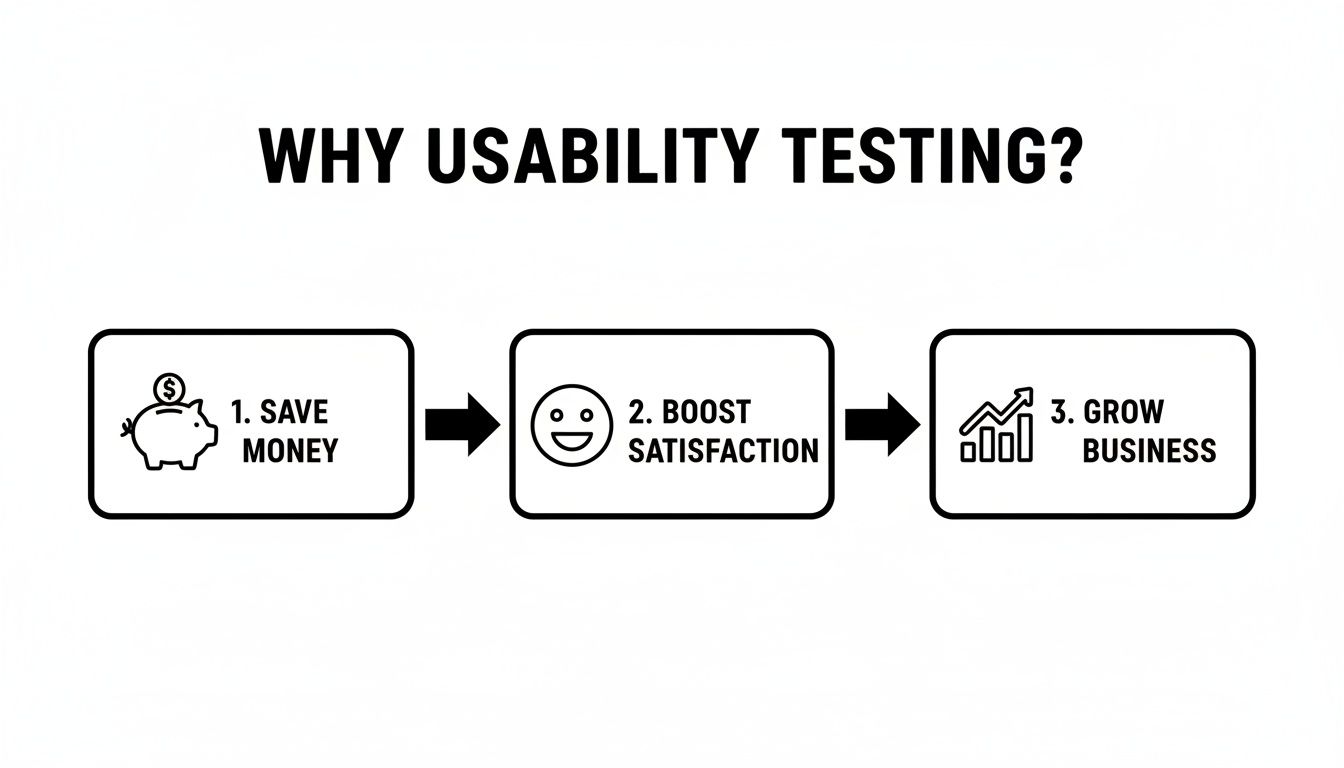
As you can see, these efforts directly tie into core business outcomes, connecting a better user experience with tangible results like saving development costs and boosting customer satisfaction.
Your test plan is the bridge between a vague idea and a structured, insightful study. This document gets everyone on the same page and is a critical part of any successful design process. To learn more about how this fits into the bigger picture, check out our guide on the design thinking process steps. A solid plan is your best defense against wasting time and resources on tests that don't deliver.
So, you've got a brilliant test plan. Your goals are sharp, your methods are chosen, and you're ready to uncover some game-changing insights. But hold on a second. All that careful planning is completely useless if you put it in front of the wrong people.
Testing your super-niche developer tool with your Aunt Carol who still thinks "the cloud" is in the sky? You'll get feedback, sure, but it won't be the feedback you need. Finding participants who actually represent your target audience is probably the most critical part of getting valuable results.

Let's bust a common myth right now: you do not need an army of testers. In fact, research from the Nielsen Norman Group has famously shown that you can uncover about 85% of usability problems with just five users.
That’s right, just five. After that, you start seeing the same issues pop up over and over again.
This "magic number 5" is a lifesaver for teams with tight timelines and budgets. The goal isn't to find every single tiny flaw in one go. It's to identify the biggest roadblocks, fix them, and then test again if needed. This iterative approach is far more effective than one massive, expensive study.
Before you can get that killer feedback, you have to filter out the wrong people. This is where a screener survey comes in. Think of it as a bouncer for your usability test, making sure only the right folks get past the velvet rope.
Your screener should be short and designed to identify key characteristics without giving away what you're really looking for. When defining who you need, understanding powerful audience segmentation strategies can help you zero in on the most relevant groups.
Let’s imagine we’re testing a new Whiteboard feature in Zemith, built for creative collaboration. A good screener might ask:
Notice we aren't asking, "Do you want to test a new whiteboard tool?" That just encourages people to tell you what they think you want to hear. Instead, you're looking for real-world behaviors and traits that match your ideal user persona.
Once your screener is ready, it's time to go fishing. Finding the right participants can seem daunting, but there are plenty of ponds to choose from.
Pro-Tip: Always recruit a few extra participants. Life happens. People get sick, forget appointments, or get abducted by aliens (probably). Having a backup or two ensures your schedule stays on track and you don't lose a valuable session.
Once you’ve found your people, there are two final but crucial steps: consent and compensation.
A consent form is absolutely non-negotiable. It protects both you and the participant by clearly outlining the test's purpose, how their data will be used, and confirming they can stop at any time. Keep it simple and use plain language—not legalese.
Incentives show you value their time. This doesn't have to be cash. Gift cards, a free month of your service, or even a donation to a charity of their choice are all great options. Fair compensation is key to getting thoughtful, engaged participants.
This entire process of finding and preparing participants is a huge part of the overall research effort. We've barely scratched the surface here; there's a whole art and science to how to conduct user research effectively that goes even deeper.
Alright, it's showtime. You've done the planning, found the right people, and now it's time to actually sit down and get the insights that will shape your product. This is where the magic happens, but it's also where a session can go off the rails if you're not careful.
Your role as a moderator is to be a neutral, friendly guide—not a teacher, a salesperson, or a cheerleader. The goal is to create a comfortable space where your participant feels safe enough to think out loud and be brutally honest. Some of the most valuable feedback comes from moments of confusion or frustration, so your job is to make it okay for them to struggle.
Being a great moderator is less about what you say and more about how you create space for the participant to think and act naturally. Your best tools are open-ended questions and a genuine comfort with silence. It's a tricky balance; you have to guide the session without leading the witness.
Always remember: you are not the one being tested. The participant isn't being tested, either. The product is. Kicking off the session by explicitly stating this can completely change the dynamic and put people at ease.
A few key skills will make a world of difference:
This is probably the hardest skill to learn but it's easily the most powerful tool you have. When a participant pauses, every instinct you have will scream, "Jump in! Help them! Fill the silence!"
Don't do it. Just count to five in your head.
That "awkward" pause is often where the real insights are born. It’s the space where users move past their initial reactions and start to verbalize the real reason they're stuck or what truly delights them.
Let them struggle a little. The point isn't for them to complete the task successfully; it's for you to understand all the reasons they might fail. Watching someone hunt for a feature in Zemith's Document Assistant for 30 seconds is a hundred times more valuable than you pointing it out to them in five.
While you absolutely want the conversation to feel natural and unscripted, you should never, ever go into a session without a script. A script is your safety net. It makes sure you cover every key point, treat all participants consistently, and don't forget crucial things like asking for permission to record.
Here’s a simple structure you can borrow and adapt:
Look, you simply can't moderate effectively and take detailed notes at the same time. It's impossible. Your focus needs to be 100% on the participant—their words, their hesitations, their body language.
That's why recording your sessions (with consent!) is a must. It's your backup. But a recording alone isn't enough. The ideal setup involves a dedicated note-taker. This person's job is to be a fly on the wall, capturing key quotes, observing non-verbal cues, and time-stamping critical events. They’re there to document the "why" behind every click. For some great tips on how to structure this, check out our guide on how to take meeting notes effectively.
Your notes should capture observations, not your interpretations. Instead of writing, "The user was confused," write, "User said, 'I'm not sure what this button does' and hesitated for 15 seconds before clicking." That small shift in detail is what turns a messy pile of notes into solid, actionable data.
Alright, the tests are done. You've survived the awkward silences, taken a mountain of notes, and now you’re staring at what looks like a chaotic explosion of observations, quotes, and video clips. It can feel like you've just dumped a 1,000-piece jigsaw puzzle onto the table without the box top. So, now what?
This is where the real work begins. Raw data is just noise; your job is to find the music in it. It’s all about turning that messy feedback into a clear story with actionable next steps that your team can actually get excited about.
Don't sweat it. You don't need a Ph.D. in data science to make sense of your findings. A few simple, powerful synthesis methods are all you need.
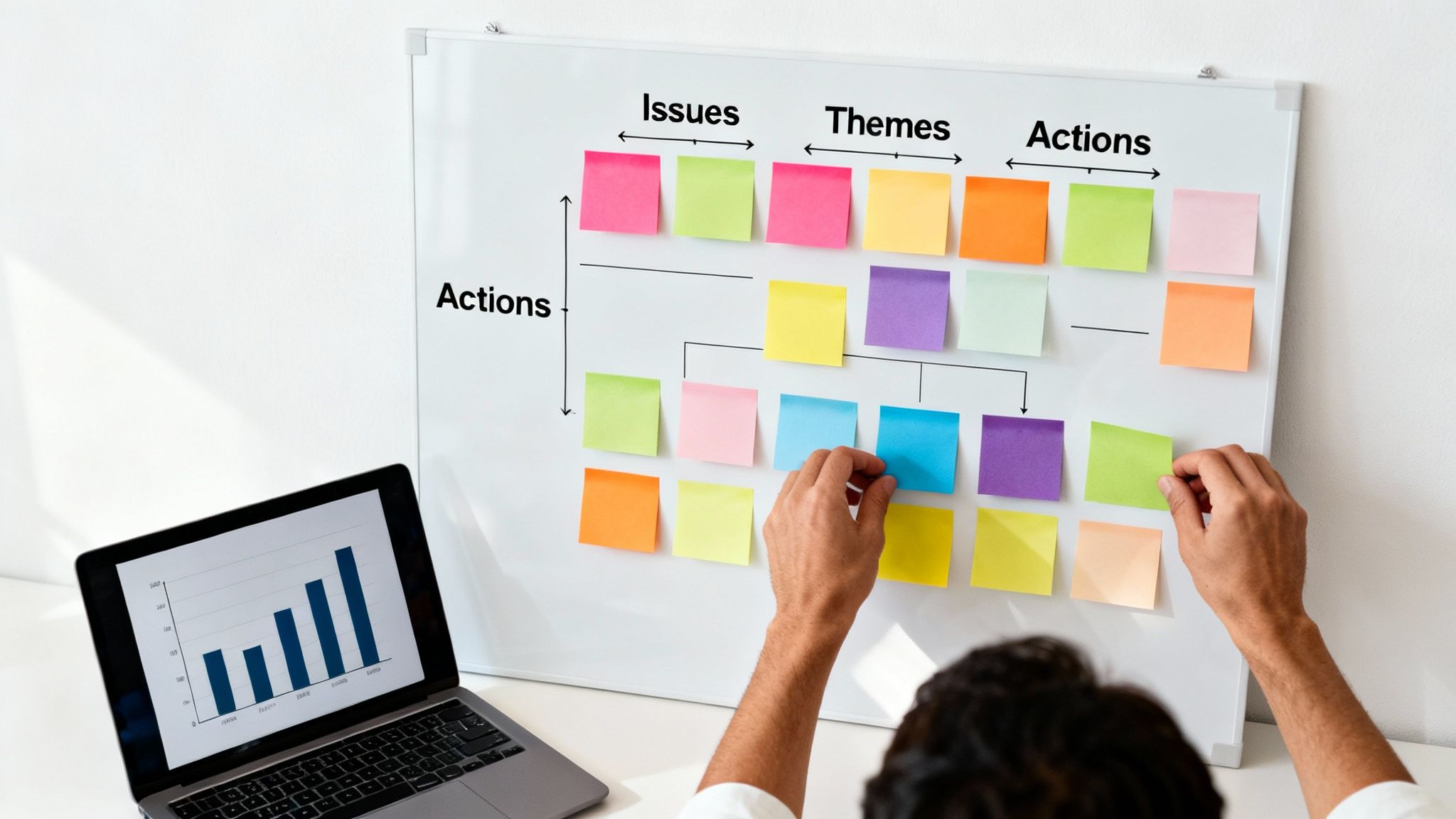
One of the best ways to get started is with affinity mapping—which is really just a fancy term for grouping sticky notes. It’s a beautifully simple, visual way to spot recurring patterns and themes in all that qualitative data you just collected.
Here’s the basic flow:
This whole process forces you to climb out of the weeds and see the bigger picture. It’s a foundational skill for anyone working with user feedback. For a deeper dive, our guide on how to analyze qualitative data is a great place to go next.
The most powerful insights come from combining your qualitative feedback with quantitative metrics. The numbers tell you what happened, but the user quotes and observations tell you why it happened. This one-two punch is your secret weapon for building a rock-solid case for change.
Let’s say your data shows that 75% of users failed to add a new document to a project. That’s an alarming stat, but on its own, it's just a number.
Now, you layer in the qualitative gold from your notes:
The Insight: The numbers flag the fire, but the user quotes tell you exactly where the smoke is coming from. Combining "Task failure rate was 75%" with direct user struggles creates a story that’s impossible for your team to ignore.
This is exactly the kind of analysis that's driving growth everywhere. The usability testing market has blown up, dominating crowdsourced markets with a 25.1% share and an expected 11.6% CAGR to 2030. That growth is fueled by companies realizing this blend of data is the key to building better products. You can read more about this trend in the usability testing service market.
You’ve found the patterns and pieced together the story. The final step is to frame your findings as a prioritized list of recommendations your team can actually do something about. A 50-page report that no one reads is a waste of everyone's time. A one-page summary with clear, prioritized actions? That's gold.
A simple way to prioritize issues is to map them out based on two things: Frequency (how many people ran into this?) and Impact (how badly did it block them?).
Focus your energy on the P1 and P2 issues. These are the showstoppers, the things that are actively costing you users and revenue. The "ugly button" can wait.
When you present your findings, lead with the human element. Kick things off with a powerful video clip of a user struggling or a quote that perfectly captures their frustration. This makes the data feel real and urgent. Then, walk them through your prioritized recommendations and open the floor for a conversation about solutions. Your hard work has just laid the foundation for real improvements that users will actually notice and appreciate.
Even with a solid plan, a few questions always seem to hang in the air. That’s perfectly normal. I've heard these pop up time and time again from teams just starting out with usability testing.
Let's clear the air and tackle some of the most common head-scratchers so you can move forward with confidence.
This is the big one, and the answer almost always surprises people: five.
No, that's not a number I just pulled out of a hat. It comes from foundational research by the Nielsen Norman Group. They discovered that with just five users, you're likely to uncover about 85% of the core usability problems in your design.
Think about it this way: after the fifth person, you'll find yourself watching users trip over the same issues repeatedly. You've hit the point of diminishing returns.
The real pro move is to run small, iterative tests. Grab five users, find the biggest pain points, and fix them. Then, rinse and repeat with another five people on the new-and-improved version. It’s a much smarter (and cheaper) way to work than pinning all your hopes on one massive, expensive test.
This is a fantastic question because on the surface, they sound like they could be cousins. But in reality, their goals are worlds apart. It’s like the difference between a food critic and a health inspector.
Usability Testing is all about the experience. Can someone actually use this thing without getting frustrated? Is it intuitive? This kind of testing should happen all through the design process to make sure you’re building something people will enjoy using.
User Acceptance Testing (UAT) comes at the very end of the line. Its job is to answer one simple question: "Did we build what the business or the contract said we would build?" It's the final sign-off, a last-minute check to ensure all the technical and business requirements have been met before launch.
So, one is asking, "Is it easy to use?" The other is asking, "Does it do what we promised it would do?"
You absolutely can. Don't let anyone tell you that you need a fancy lab with two-way mirrors to get good feedback. A scrappy, well-planned test is a million times better than no test at all.
There are so many affordable remote testing tools that can handle screen and audio recording for you. You can find willing participants in your own network, on social media groups, or in online communities related to your product.
And you don't always need to offer cash. Gift cards, company swag, or even a free subscription to your product can work wonders as an incentive. Seriously, a tight budget is not an excuse to skip talking to your users.
Most of the big slip-ups happen right in the middle of the testing session. They're easy mistakes to make when you're just starting out, but they're also easy to dodge once you know what they are.
Here are the top three I see all the time:
Ready to put these insights into practice and build a product people love? Zemith brings all your AI tools into one seamless workspace. From brainstorming with our AI Whiteboard to analyzing documents with our Document Assistant, we're building the future of productivity—and we need feedback from users like you. Start simplifying your workflow and see how much faster you can work. Explore all the features at https://www.zemith.com.







Trusted by teams at






The top models, plus image, video and voice tools, in one plan.
Without Zemith
ChatGPT PlusUS$20.00Claude ProUS$20.00Google AI ProUS$19.99SuperGrokUS$30.00Perplexity ProUS$20.00 MidjourneyUS$10.00
 ElevenLabsUS$6.00Le Chat ProUS$14.99
 RunwayUS$15.00Kling StandardUS$8.80
 Gamma PlusUS$12.00
 Otter ProUS$16.99
 QuillBot PremiumUS$19.95
 Photoroom ProUS$12.99
 Quizlet PlusUS$7.99
Total if paying separatelyUS$234.70/mo
"I love the way multiple tools they integrated in one platform. Going in the right direction."
— simplyzubair
"The quality of data and sheer speed of responses is outstanding. I use this app every day."
— barefootmedicine
"The credit system is fair, models are perfect, and the discord is very responsive. Quite awesome."
— MarianZ
"Just works. Simple to use and great for working with documents. Money well spent."
— yerch82
"The organization of features is better than all the other sites — even better than ChatGPT."
— sumore
"It lives up to the all-in-one claim. All the necessary functions with a well-designed, easy UI."
— AlphaLeaf
"The team clearly puts their heart and soul into this platform. Really solid extra functionality."
— SlothMachine
"Updates made almost daily, feedback is incredibly fast. Just look at the changelogs — consistency."
— reu0691
Hand off the research, writing, design and follow-ups. Zemith picks the tools it needs and brings back finished work.
Search the web, run deep research, read files, create images and run code with GPT, Claude, Gemini, Grok and more.
Zemith keeps working in the cloud and pings you when it's done.
Notion, Linear, Canva, Airtable and more. It asks before it creates or changes anything.
Docs, slides, sheets and PDFs, ready to send.
Chain models and tools on a visual canvas, from one prompt to a finished promo video.
Briefings, reports and reminders run on a schedule and are ready when you need them.
Real-time voice that can see your camera or screen.
The best image and video models, in one studio.
Turn PDFs, links and YouTube videos into podcasts, quizzes, flashcards and mind maps.














 Podcast
 Quiz
Quiz Flashcards
 Mind map
 Infographic