


Every top model, with tools built in.
Search the web, run deep research, read files, create images and run code with GPT, Claude, Gemini, Grok and more.
Learn how to paraphrase without plagiarizing using our guide on manual techniques, smart AI workflows, and proper citation. Create original, ethical content.
Let's be real: paraphrasing can feel like walking a tightrope. Lean too far one way, and you’re just copying. Lean too far the other, and you sound like you swallowed a thesaurus. The secret to paraphrasing without plagiarizing is to do more than just swap out a few words. It’s about completely digesting an idea from a source, then explaining it in your own unique voice and sentence structure. And—this is the non-negotiable part—you still have to give full credit to the original author.
Think of it as explaining a cool concept you just learned to a friend. You wouldn't just regurgitate the textbook definition, right? You'd make it your own.
Ever find yourself just shuffling words around, crossing your fingers that you’ve changed enough to avoid the plagiarism police? You're not alone. So many writers and students stumble here, mistaking paraphrasing for a simple synonym swap. It's so much more than that.
When you paraphrase correctly, you’re showing that you truly understand the idea, enough to re-explain it with your own authentic voice. It's a skill, and it's a powerful one.
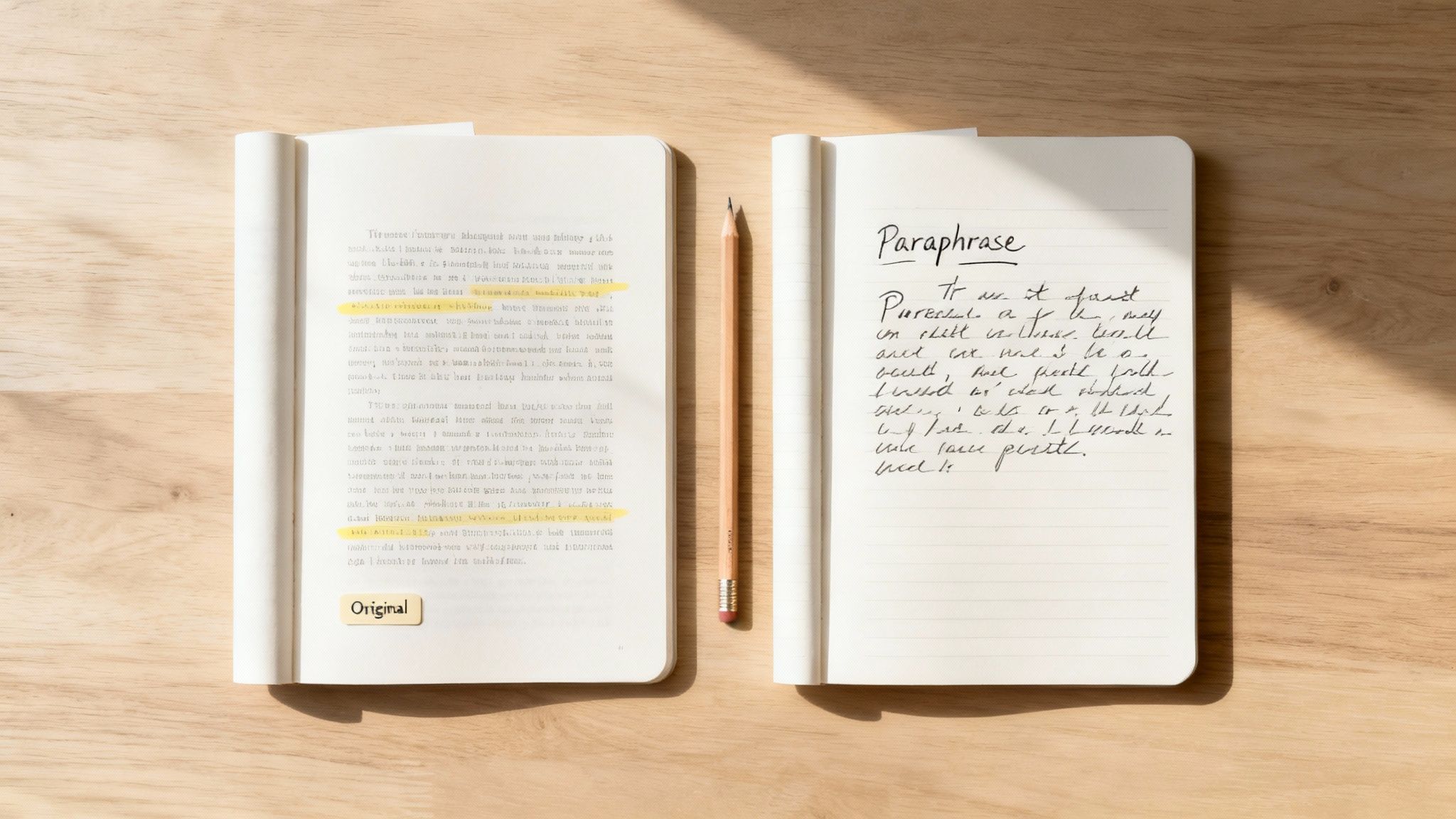
It helps to see how these three techniques fit together. Use this quick reference to see the key differences between these essential writing techniques, helping you choose the right one for any situation.
Each has its place, but blurring the lines is where the problems begin. For example, summarizing an article gives a broad overview, which is a different skill entirely. If you're looking to master that, you might find our guide on how to write a summary of an article helpful.
Accidental plagiarism is a real risk, and it usually starts with a clumsy attempt at paraphrasing. The consequences can be serious, whether you're in a classroom or a boardroom.
It's actually kind of shocking, but paraphrasing is the top reason for academic integrity violations. A massive 44% of all issues come from paraphrasing mistakes, which just shows how easy it is to get it wrong. What’s more, 27% of students admit to using paraphrasing tools to simply reword content, which often results in "patchwriting"—a sloppy, easily detectable form of plagiarism.
The point isn't to scare you; it's to show you what's at stake. Understanding this fine line is the first step toward writing with integrity. It's about respecting other people's work while using their knowledge to build something new and valuable. Your goal is to capture the essence of a source without just copy-pasting its skeleton. Once you get the hang of it, this tricky task will become one of your most valuable writing skills.
Before we get into fancy AI tools, let's roll up our sleeves and get the fundamentals down. Think of manual paraphrasing like learning to cook from scratch—it builds your intuition and makes you a much better writer. This is where you learn to take sentences apart and rebuild them into something new, fresh, and completely yours.
The goal isn't just to dodge a plagiarism checker. It's to build the creative muscle for originality. Once you have this skill, you'll use it in everything you write, from a quick email to a massive research paper.
This classic technique sounds almost too simple, but believe me, it’s gold. It forces your brain to actually process an idea instead of just copying the words. It’s the difference between truly understanding something and just cramming for a test.
Here’s how it works:
This feels like a mental workout at first, but it gets easier with practice. It’s hands-down the best way to make sure an idea has passed through your brain's "originality filter" before it ends up on the page.
If your paraphrasing technique is just right-clicking words to find synonyms, you’re on the fast track to "patchwriting." That's just a fancy term for lazy paraphrasing that can still get you flagged for plagiarism. Real paraphrasing is a total structural overhaul, not just a fresh coat of paint.
My two cents: Good paraphrasing is about changing the DNA of the sentence, not just its clothes. Focus on the structure and flow first, then you can worry about swapping individual words.
Here are a few ways to perform a full sentence renovation:
Let's look at a real-world example of how to paraphrase a sentence from an article.
Original Text: "The rapid proliferation of digital technologies has fundamentally transformed the communication landscape, creating unprecedented opportunities for global connectivity."
Bad Paraphrase (The Synonym Swap Shuffle): "The fast spread of digital tools has basically changed the communication world, making new chances for worldwide connection."
It’s clunky, awkward, and still way too close to the original sentence. A one-way ticket to Plagiarismville.
Good Paraphrase (A Total Renovation): "Global connectivity has reached new heights because of how quickly digital technologies have spread, completely changing the way we communicate."
See the difference? The second version says the same thing but is built from the ground up with a completely different structure and flow. Honing skills like this will also make you much better at building strong arguments. To learn more about that, check out our guide on how to write better paragraphs.
Ready to work smarter, not harder? It's time we talked about using AI as a creative partner, not some autopilot that flies you straight into plagiarism trouble. Let's get past the outdated fear of AI. The real secret is to treat it like a brainstorming buddy—a tool that can help you find new angles and words you might not have thought of on your own.
This isn’t about just pasting a paragraph and hitting a “rephrase” button. That’s like asking a calculator to write your math essay; it does the work, but you don’t learn a thing. A better workflow involves using these tools to generate options, which you then personally shape into something that’s genuinely yours.
Think of a tool like Zemith’s Smart Notepad as a thesaurus on steroids. Instead of just swapping out one word for another, you can highlight a whole sentence and ask it for several different versions. This is a game-changer when you're stuck in a rut, feeling like you’re just reusing the same old phrases.
Let's say you started with this sentence: "The company’s quarterly earnings demonstrated significant growth due to new market expansion strategies."
Instead of just changing "significant" to "big," you could ask Zemith for five different ways to say it. You might get back ideas like:
All of a sudden, you’ve got multiple starting points. You can cherry-pick the best parts, weave in your own analysis, and end up with a sentence that's far more dynamic and completely original. That's how to paraphrase online effectively.
One of the coolest ways to use AI for paraphrasing is to literally have a conversation with your source material. Instead of staring at a dense academic paper until your eyes glaze over, you can use something like Zemith’s Document Assistant to break it all down. Just upload the document and ask simple questions:
This process forces the AI to boil complex information down to its essential meaning—which is the absolute best first step for a solid paraphrase. Once you really get the idea on a fundamental level, rewriting it in your own voice becomes so much easier.
This whole approach is built on a tried-and-true manual paraphrasing process. It’s all about understanding before you even think about writing.
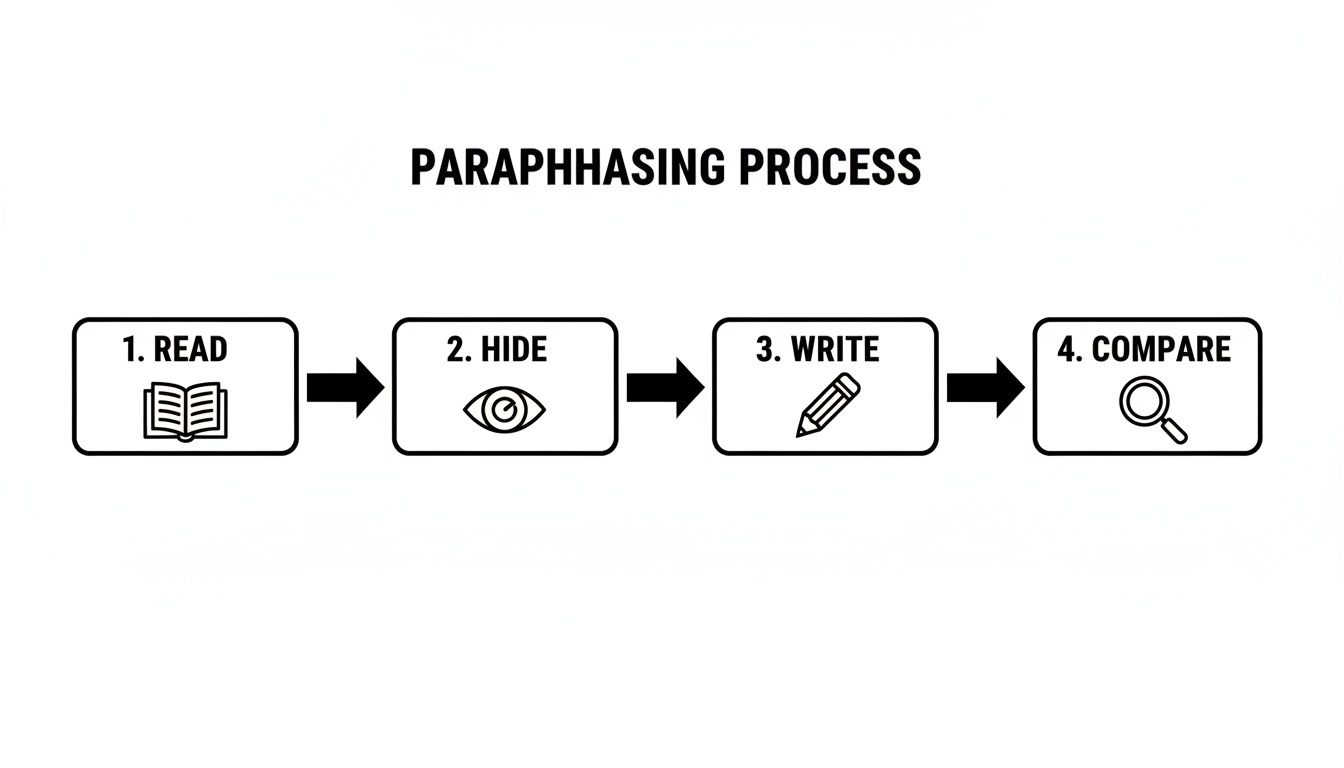
The classic "Read, Hide, Write, and Compare" method is the foundation that makes AI-assisted paraphrasing actually work well.
Recent research even backs this up. One study found that using ChatGPT slashed plagiarism rates on the first pass, but a second round of AI-assisted paraphrasing caused another huge drop in similarity scores. This tells us that an iterative process—using a tool, making your own tweaks, and maybe even running it again—is the key to creating truly original work.
Beyond these specific techniques, knowing how to use AI to rewrite text can be a powerful skill for creating diverse paraphrases, as long as you're the one guiding the process.
Pro Tip: Never just accept the first suggestion an AI gives you. Treat it like a first draft from a new intern—it’s a decent start, but it absolutely needs your expertise to make it shine. Your critical thinking is still the most important tool you have.
Let's be honest, citations often feel like a chore—the boring homework you have to do after finishing the real work. But what if you saw them differently? Think of citations as your secret weapon for building credibility.
Properly citing your sources isn’t just about avoiding plagiarism. It's about showing your audience that you’ve done your homework and giving a respectful nod to the experts whose work you're building on.
When you're making an argument, you're essentially a lawyer presenting a case. Your citations are your expert witnesses. Without them, your claims are just opinions. With them, you’ve got a rock-solid argument that’s tough to poke holes in.
The golden rule is actually pretty simple: if the idea, stat, or quote didn't come directly from your own head, it needs a citation. It doesn't matter if you've rephrased it brilliantly; the original concept still belongs to someone else.
Here's a quick mental checklist to run through:
The only time you get a pass is for "common knowledge"—facts that most people know without having to look them up, like "Paris is the capital of France." But even that line can get fuzzy, so playing it safe is always your best bet.
Ultimately, a good citation habit protects you and makes your work more professional and trustworthy.
You’ve probably run into the alphabet soup of citation styles: APA, MLA, Chicago. Don't let them scare you off. Each one is just a slightly different format for presenting the exact same info: who wrote it, when they wrote it, and where to find it.
The Big Idea: The goal of any citation style is simply to give your reader a clear roadmap back to your original source. The specific format is just a matter of following the rules for your particular field or assignment.
Here's a quick rundown of the big three:
The key isn't to memorize every single comma and period. Just find a reliable guide (the Purdue OWL is a classic for a reason) and keep it handy. This is a fundamental skill in professional writing, and if you're working on academic papers, check out our other research paper writing tips. At the end of the day, consistency is what truly matters.
We've all been there. You spend hours meticulously rephrasing a source, feeling confident you’ve done a great job, only to have a plagiarism checker light up like a Christmas tree. It’s a frustrating moment, but the good news is that it usually comes down to a few common mistakes that are surprisingly easy to fix once you know what you're looking for.
Learning to paraphrase properly means knowing which traps to sidestep. Think of this as your field guide to spotting and avoiding the most common blunders.
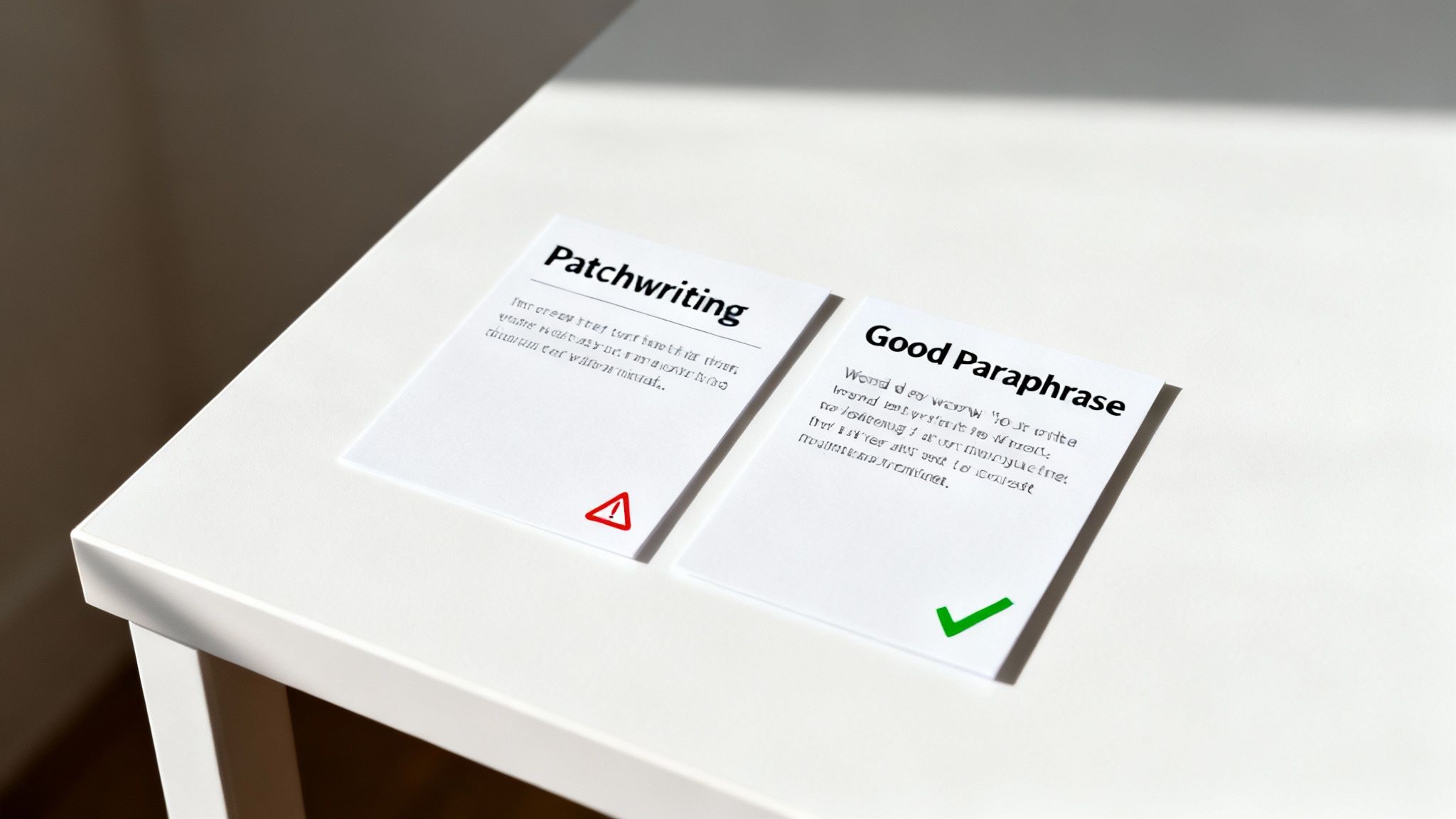
The biggest and most frequent mistake? Believing that paraphrasing is just a word replacement game. It's tempting to take a sentence, pull up a thesaurus for a few key words, and call it a day. But this approach is a one-way ticket to a high similarity score.
Why? Because you’ve preserved the original sentence’s structure and DNA. You’ve basically just changed its clothes. It looks a little different on the surface, but anyone (and any software) can see it’s the same sentence underneath.
Real Talk: True paraphrasing isn't about giving a sentence a new coat of paint; it's about rebuilding it from the studs up. You have to change the structure, not just the words.
This one’s a bit more subtle but just as dangerous. Patchwriting is when you lift phrases and chunks from the original source and then stitch them together with your own connecting words. The result is a Frankenstein paragraph that’s clumsy, disjointed, and easy for plagiarism checkers to flag.
This usually happens when you’re trying to paraphrase as you read, without taking the time to fully digest the information. You’re not processing the idea, you’re just shuffling the author's words around.
A smart way to get around this is by using a tool like Zemith's Document Assistant to "talk" to your source material first. Ask it to explain a tough concept in plain English or summarize a section for you. This forces you to engage with the core meaning before you even think about putting pen to paper.
Before you even think about hitting that "publish" or "submit" button, do a quick gut check. Running through these questions can help you catch those rookie mistakes and ensure your work is 100% yours.
Still have a few questions buzzing around? Good. This is where we get into the nitty-gritty and tackle those common "what ifs" and "how abouts" that always come up. Let's clear up any confusion so you can get back to writing with confidence.
This is a classic mix-up, but the distinction is pretty straightforward once you get it.
A great paraphrase keeps the original detail intact, while a great summary cuts straight to the core message and nothing more.
People often look for a magic number, like "change 50% of the words," but that's not how it works. Instead of counting words, focus on completely changing the sentence structure.
If the original sentence starts with the cause and ends with the effect, try flipping it. Use different transition words. See if you can combine two short sentences into one complex one, or break a long, rambling sentence into two punchy ones.
The real test is simple: Could you explain this concept to a friend without glancing back at the source? If the answer is yes, you've probably changed it enough.
This is where AI can be a genuinely useful assistant. Don't just ask it to "rephrase this." Get more creative. Learning which questions to ask AI can help you see an idea from a completely fresh angle, unlocking more original and helpful responses. That way, the final writing is much more a product of your own thinking.
This one lands in a bit of a gray area, and it really depends on your institution's specific rules. Using a tool like Zemith’s Smart Notepad to brainstorm different ways to phrase something is usually fine; think of it as a creative partner. But simply pasting text and using the output verbatim? That’s a huge red flag for academic integrity. The key is to stay in the driver's seat.
Ready to stop guessing and start writing with conviction? Zemith brings a powerful AI Smart Notepad and a Document Assistant into one place, giving you the tools to brainstorm, understand, and paraphrase ethically. Stop juggling a dozen tabs and start creating original, high-quality work in one seamless workspace. Explore all of Zemith's features today!







Trusted by teams at






The top models, plus image, video and voice tools, in one plan.
Without Zemith
ChatGPT PlusUS$20.00Claude ProUS$20.00Google AI ProUS$19.99SuperGrokUS$30.00Perplexity ProUS$20.00 MidjourneyUS$10.00
 ElevenLabsUS$6.00Le Chat ProUS$14.99
 RunwayUS$15.00Kling StandardUS$8.80
 Gamma PlusUS$12.00
 Otter ProUS$16.99
 QuillBot PremiumUS$19.95
 Photoroom ProUS$12.99
 Quizlet PlusUS$7.99
Total if paying separatelyUS$234.70/mo
"I love the way multiple tools they integrated in one platform. Going in the right direction."
— simplyzubair
"The quality of data and sheer speed of responses is outstanding. I use this app every day."
— barefootmedicine
"The credit system is fair, models are perfect, and the discord is very responsive. Quite awesome."
— MarianZ
"Just works. Simple to use and great for working with documents. Money well spent."
— yerch82
"The organization of features is better than all the other sites — even better than ChatGPT."
— sumore
"It lives up to the all-in-one claim. All the necessary functions with a well-designed, easy UI."
— AlphaLeaf
"The team clearly puts their heart and soul into this platform. Really solid extra functionality."
— SlothMachine
"Updates made almost daily, feedback is incredibly fast. Just look at the changelogs — consistency."
— reu0691
Hand off the research, writing, design and follow-ups. Zemith picks the tools it needs and brings back finished work.
Search the web, run deep research, read files, create images and run code with GPT, Claude, Gemini, Grok and more.
Zemith keeps working in the cloud and pings you when it's done.
Notion, Linear, Canva, Airtable and more. It asks before it creates or changes anything.
Docs, slides, sheets and PDFs, ready to send.
Chain models and tools on a visual canvas, from one prompt to a finished promo video.
Briefings, reports and reminders run on a schedule and are ready when you need them.
Real-time voice that can see your camera or screen.
The best image and video models, in one studio.
Turn PDFs, links and YouTube videos into podcasts, quizzes, flashcards and mind maps.














 Podcast
 Quiz
Quiz Flashcards
 Mind map
 Infographic