


Every top model, with tools built in.
Search the web, run deep research, read files, create images and run code with GPT, Claude, Gemini, Grok and more.
Learn how to refactor code with battle-tested strategies. Go beyond cleanup and discover how to improve velocity, reduce bugs, and manage technical debt.
Refactoring isn't a massive, one-off project. Think of it as a repeatable cycle: spot a problem area, write tests to build a safety net, and then make small, verifiable improvements. Approaching it this way turns code improvement from a daunting overhaul into a manageable, routine part of your workflow.
Let's be honest—refactoring often gets shoved to the bottom of the backlog in favor of shiny new features. But in modern development, it’s not just a cleanup task; it's a critical survival skill. Treating it as a strategic practice is what maintains development velocity, keeps your team in sync, and ensures your project doesn't crumble under its own weight over time.
With AI tools churning out code faster than ever before, the risk of accumulating technical debt has gone through the roof. An actionable insight here is to use a platform that offers visibility into your codebase's health, helping you proactively manage this debt. If you're looking for a deeper dive, these strategies for managing technical debt are a great resource for keeping your project healthy and agile.
The rise of AI-assisted programming has completely changed the game. These tools are incredibly powerful, but they can also introduce subtle, messy issues if you're not paying close attention. The data is already showing a clear trend toward more frequent, smaller-scale code changes.
One analysis of over 153 million lines of code found that code churn—the percentage of code that gets changed or deleted shortly after being added—is on the rise. This tells us that while we're definitely writing code faster, the initial quality isn't always there, forcing us to make quick follow-up fixes. At the same time, code duplication has also increased, which points to more copy-paste solutions instead of thoughtful refactoring. You can find more of these insights in this study on how AI is impacting code quality on arc.dev.
Refactoring is no longer about chasing perfection; it’s about adaptation. It's the disciplined art of improving an existing codebase’s design—making it easier to understand and cheaper to change—without altering what it actually does.
The foundational process of refactoring can be boiled down to a simple, repeatable loop. Understanding these core steps helps anchor your efforts and ensures you're making safe, measurable progress.
This cycle isn't meant to be done once. It’s a continuous loop you run through, making tiny improvements that add up to a much healthier codebase over time.
A clean, well-structured codebase is inherently collaborative. When your team can actually understand and modify the code without fear, everyone moves faster.
Here's how refactoring directly helps:
In the end, consistent refactoring isn't a cost—it's an investment. An actionable takeaway is to integrate tools like Zemith that provide continuous code analysis, turning this investment into a measurable improvement in speed and quality.

Before you touch a single line of code, you need a destination. Diving into a refactor with a vague goal like "improve the code" is a recipe for endless tinkering and wasted effort. How do you know when you're done? How do you prove it was worth it?
The key is to set specific, outcome-driven goals that actually deliver value. Think of it less like a technical chore and more like a strategic project. You wouldn't start a road trip without a destination in mind, and the same logic applies here. Your goals should be concrete and tie directly back to real-world problems affecting users, the business, or your development team.
Let's get specific. Abstract ideas like "better code" don't get you very far. You need goals you can act on and, just as importantly, measure. This is how you turn a messy codebase into a tangible business asset.
Here are a few examples of what a strong, actionable refactoring goal looks like:
The most successful refactoring efforts are those that align technical improvements with clear business objectives. When you can say, "This change will make us faster and save money," you get buy-in. It's no longer just cleaning code; it's driving value.
So, where do you start? You need to do a bit of detective work. Hunt for the real pain points. Look for the performance bottlenecks that are frustrating users, the brittle components that seem to break every time someone looks at them, or those overly complex modules that bring your entire team to a grinding halt.
These areas are your prime candidates.
Once you’ve set your goals, you absolutely have to track your progress. An actionable way to do this is with a platform like Zemith. Its AI-powered Coding Assistant can help you establish a baseline for code health and then monitor improvements over time. This provides the hard data you need to show stakeholders the real-world impact of your refactoring, turning technical debt into a measurable return on investment.
Now that you have your goals locked in, it’s time to go on a hunt for the specific problem areas in your code. We often call these code smells—they're not quite bugs, but they're hints that something deeper is wrong with the structure. Think of them as the creaks and groans of a house settling; they signal that your code is becoming harder to maintain, understand, and build upon.
Learning to spot these smells is a bit like a seasoned mechanic diagnosing an engine just by listening to it. You start to pick up on the subtle signs that something isn’t right long before a catastrophic failure happens. This skill is what separates reactive bug-fixing from proactive, professional code improvement.
This image highlights some of the most common signs to look for, giving you a visual guide for where to focus your attention.
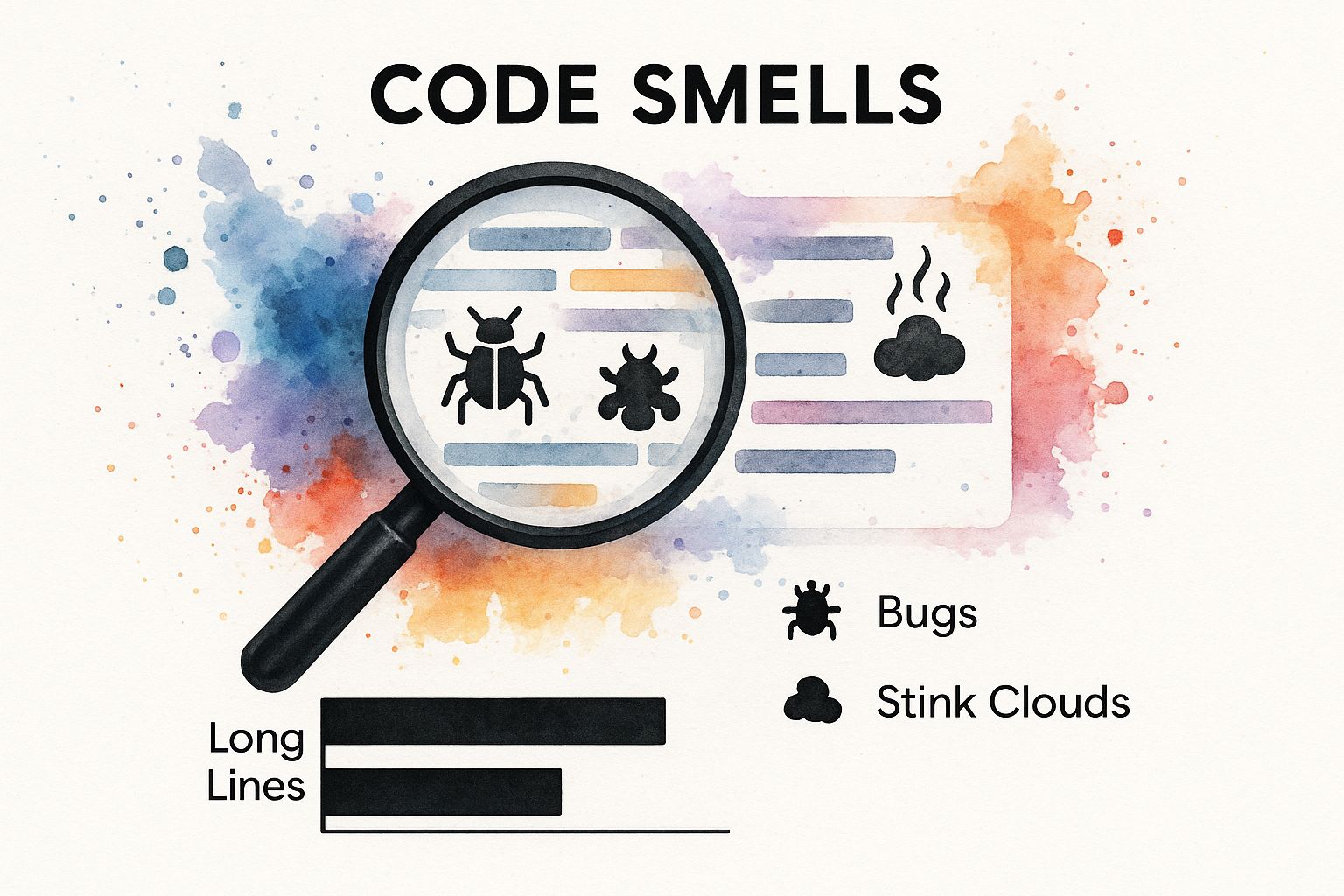
As you can see, things like duplicated logic and monstrously long methods are classic red flags that a part of your codebase needs some love.
While the list of documented code smells is long, a few repeat offenders are usually responsible for the bulk of the technical debt in any project. Keep a sharp eye out for these classic signs of trouble:
The real art of refactoring isn't just finding code smells; it's knowing which ones to fix now and which ones can wait. Not all technical debt is created equal, and prioritizing is key to making a meaningful impact without getting lost in minor tweaks.
Once you’ve got a list of potential code smells, the million-dollar question is: where do I even begin? Trying to fix every little thing is a surefire way to get bogged down. A much better approach is to prioritize based on impact.
Here's a quick reference to help you identify and rank common smells you might encounter.
This matrix isn't a hard-and-fast rule, but it's a solid starting point for triage. High-priority smells directly impact your ability to ship features safely and quickly, so they're usually the best place to start.
To refine your priorities even further, ask yourself three simple questions about each problem area:
An actionable insight is to automate this process. Platforms like Zemith can analyze your codebase to identify high-friction areas based on change frequency and complexity, giving you a data-driven priority list. This ensures your refactoring efforts deliver the most value.
Interestingly, you don't always have to start with the most complex problems. A detailed analysis of refactoring patterns in deep learning projects found that simply removing dead code was the most common refactoring, accounting for 35.16% of all changes. This was followed by renaming elements for clarity (23.78%) and moving code for better organization (14.81%). These small, foundational improvements often have an outsized impact on readability and are a great way to build momentum.

Alright, you've got your goals set and you know which code smells to tackle first. Now comes the fun part: getting your hands dirty and actually refactoring the code. The secret here isn't to reinvent the wheel but to apply established, proven patterns that improve your code’s structure without accidentally breaking everything.
Think of these techniques as a craftsman's toolkit. You have different tools for different jobs, and a big part of becoming an expert is knowing which one to reach for. We'll be focusing on making small, incremental changes and—I can't stress this enough—running our tests after every single one. This is our safety net.
You don't have to start by re-architecting the entire application. In my experience, some of the biggest wins come from incredibly simple changes that make the code easier to read and understand. Two of the most powerful tools in your refactoring arsenal are renaming and extracting.
It sounds almost too basic, but just giving a poorly named variable or method a clear, descriptive name can feel like a revelation to the next developer who reads it. In the same vein, pulling a messy chunk of logic out into its own well-named method is a cornerstone of clean, maintainable code.
calc() is a mystery. calculate_total_price_with_tax tells you exactly what it does. Good names are the bedrock of readable code.Your goal with each step should be to make one thing better, not everything at once. Small, verifiable changes are the safest path to a healthier codebase. It's a marathon, not a sprint.
Once you've cleared out that low-hanging fruit, it's time to look at deeper, more structural improvements. These techniques are aimed at fixing bigger design problems, like tangled conditional logic that makes code fragile and a nightmare to trace. This often means changing how objects relate to each other to build a more flexible system.
A classic example is seeing a massive if/else block or a sprawling switch statement and replacing it with polymorphism. This is a game-changer. It moves the conditional behavior out of one central function and into separate, specialized objects, making the whole system easier to extend.
Let's imagine a function that calculates shipping costs. It probably has a big switch statement to handle different methods: standard, express, overnight, and so on.
This works just fine... until you need to add a new shipping option. Now you have to go back into that central function, add another case, and risk introducing a bug into the existing logic.
A much cleaner way is to use polymorphism. You’d create a common interface, maybe called ShippingMethod, with a calculate method. Then, you create a separate class for each shipping type that implements this interface. Now, adding a new shipping method is as simple as adding a new class. You don't have to touch any of the old, working code. This idea is a core tenet of good software design, which you can read more about in our guide on how to write clean code.
The shift from a giant block of conditionals to a set of distinct, focused objects makes your code far more robust. A great actionable tip is to use a tool like Zemith's Coding Assistant, which can identify complex conditional blocks and suggest refactoring patterns like this, directly accelerating your workflow and improving design quality.
By methodically applying these proven techniques, you start chipping away at your technical debt. Every small change—a clearer name, an extracted method, a simplified conditional—adds up, creating a codebase that’s more resilient, easier to understand, and ultimately, far more valuable.
Trying to pull off a complex refactor by hand is a bit like walking a tightrope without a net. With every change, you're just hoping you don't break something critical. This is exactly why smart automation and modern tooling aren't just nice-to-haves; they're essential for turning a risky overhaul into a controlled, confident process.
Your IDE is your first and best partner in this. Powerhouses like VS Code and IntelliJ come packed with built-in refactoring tools that handle the heavy lifting. Think about renaming a method used across dozens of files or pulling out a messy chunk of logic into its own function. These automated actions get it done in seconds, perfectly, saving you from the kind of tedious, error-prone work that leads to bugs.
Beyond your IDE, a solid test suite is the single most important tool in your arsenal. It's your safety net.
When you have great test coverage, you can make bold, sweeping changes to the code's structure. Why? Because if you accidentally break something, the tests will scream at you immediately. They act as a living specification of what your code should do, giving you the freedom to refactor aggressively without fear of changing the actual functionality.
Automation isn’t about replacing developers; it’s about empowering them. It takes over the repetitive, high-risk tasks so you can focus on the strategic thinking that actually improves the code.
This combination of automated refactoring tools and a robust test suite creates a fantastic feedback loop. You make a small, automated change, run the tests, and get instant verification. This rhythm—change, test, verify—is the absolute foundation of safe and effective refactoring.
So, you've made the changes, and the tests are green. But how do you prove your refactoring work is actually paying off? This is where you need to zoom out and look at overall code health.
This is where a platform like Zemith provides a crucial, actionable insight. Its integrated Coding Assistant gives you a big-picture view, helping you identify areas needing attention and, critically, track key metrics before and after you make changes. Suddenly, you can measure reductions in code complexity and technical debt, turning an invisible chore into a strategic, data-backed win for your team.
AI is also becoming a bigger player here. Recent data shows AI code generators can cut refactoring time by 20% to 30%. Developers feel the difference, too, with 77.8% reporting that these tools help improve code quality.
But here's the reality check: AI-generated code gets the solution right only about 28.7% of the time on its own. This highlights why skilled, human-led refactoring, backed by powerful monitoring tools, is more critical than ever. You can dive deeper into these numbers in this detailed report on AI code generator statistics.
Even when you know the theory, refactoring in the real world throws some curveballs. Let's dig into a few of the most common questions and sticky situations developers run into when they try to put these ideas into practice. The best answers usually blend solid technical know-how with a bit of savvy communication.
Ah, the classic question. The trick here is to stop talking like a developer and start talking like a business owner. Your manager doesn't care about "technical debt" or "clean code" in the abstract. They care about things that affect the bottom line: speed, risk, and cost.
You have to translate your technical goals into business outcomes. Here’s how you build a compelling case:
An actionable tip is to use a platform like Zemith to gather this data. It can help you pinpoint high-bug-rate modules and quantify technical debt, providing the concrete evidence you need to build a business case that gets a "yes."
Getting this right is absolutely critical. They sound similar, but they are worlds apart.
Refactoring is like renovating a house one room at a time. You're making small, controlled changes to improve the internal structure—the plumbing, the wiring—without changing what the house does. It remains a functional house throughout the process. It's a disciplined, low-risk approach.
A rewrite is bulldozing the house and starting over. It’s a massive, high-risk gamble that almost never pays off. People always underestimate how long it will take, and in the process, they throw away years of hidden knowledge and subtle bug fixes that were baked into the original code. Unless the foundation is completely rotten and the system is unsalvageable, always choose to refactor.
The "Boy Scout Rule" is your best guide here: always leave the code a little cleaner than you found it. A series of small, consistent improvements is infinitely better and safer than a massive "refactoring project" that's doomed to get canceled halfway through.
This is the scariest scenario for any developer. Working on a legacy system without a test suite is like performing surgery in the dark. Your first and only priority is to build a safety net. You do this with something called characterization tests.
These aren't your typical TDD-style unit tests. Their purpose isn't to verify correct behavior; it's simply to lock down the current behavior, warts and all. You write tests that document what the code does right now.
Once you have a suite of these tests and they're all passing, you have a baseline. You've captured the system's behavior. Now, you can finally start to refactor. If you make a small change and a test breaks, you know immediately that you’ve accidentally changed something important. For a deeper dive, it's worth exploring some software testing best practices that are a perfect fit for this kind of work.
Ready to make your refactoring efforts safer and more effective? Zemith provides an all-in-one AI platform with a powerful Coding Assistant to help you analyze code, identify improvements, and track quality metrics over time. Stop guessing and start making data-driven improvements to your codebase by visiting https://www.zemith.com today.







Trusted by teams at






The top models, plus image, video and voice tools, in one plan.
Without Zemith
ChatGPT PlusUS$20.00Claude ProUS$20.00Google AI ProUS$19.99SuperGrokUS$30.00Perplexity ProUS$20.00 MidjourneyUS$10.00
 ElevenLabsUS$6.00Le Chat ProUS$14.99
 RunwayUS$15.00Kling StandardUS$8.80
 Gamma PlusUS$12.00
 Otter ProUS$16.99
 QuillBot PremiumUS$19.95
 Photoroom ProUS$12.99
 Quizlet PlusUS$7.99
Total if paying separatelyUS$234.70/mo
"I love the way multiple tools they integrated in one platform. Going in the right direction."
— simplyzubair
"The quality of data and sheer speed of responses is outstanding. I use this app every day."
— barefootmedicine
"The credit system is fair, models are perfect, and the discord is very responsive. Quite awesome."
— MarianZ
"Just works. Simple to use and great for working with documents. Money well spent."
— yerch82
"The organization of features is better than all the other sites — even better than ChatGPT."
— sumore
"It lives up to the all-in-one claim. All the necessary functions with a well-designed, easy UI."
— AlphaLeaf
"The team clearly puts their heart and soul into this platform. Really solid extra functionality."
— SlothMachine
"Updates made almost daily, feedback is incredibly fast. Just look at the changelogs — consistency."
— reu0691
Hand off the research, writing, design and follow-ups. Zemith picks the tools it needs and brings back finished work.
Search the web, run deep research, read files, create images and run code with GPT, Claude, Gemini, Grok and more.
Zemith keeps working in the cloud and pings you when it's done.
Notion, Linear, Canva, Airtable and more. It asks before it creates or changes anything.
Docs, slides, sheets and PDFs, ready to send.
Chain models and tools on a visual canvas, from one prompt to a finished promo video.
Briefings, reports and reminders run on a schedule and are ready when you need them.
Real-time voice that can see your camera or screen.
The best image and video models, in one studio.
Turn PDFs, links and YouTube videos into podcasts, quizzes, flashcards and mind maps.














 Podcast
 Quiz
Quiz Flashcards
 Mind map
 Infographic