


Every top model, with tools built in.
Search the web, run deep research, read files, create images and run code with GPT, Claude, Gemini, Grok and more.
Struggling with how to write a thesis paper? Get our guide full of actionable tips, real timelines, and AI-powered shortcuts to finish faster and better.
Let's be real, the phrase 'thesis paper' can send a shiver down the spine of even the most dedicated student. It feels like climbing a mountain in flip-flops, but you can absolutely conquer it. This is your base camp. We'll skip the generic advice and get right into the nitty-gritty of how to get this done without the overwhelm.
Forget staring at a blank screen for weeks. The journey starts with choosing a topic you won't despise in six months, setting a realistic timeline that accounts for life actually happening, and mastering the mental game. It’s not about instant perfection; it's about building a solid foundation and a positive mindset.
Why did the thesis break up with the dissertation? It said, "You're just too long for me!" Jokes aside, organization is your secret weapon.
Before you even think about writing a single word, you need a plan. The initial brainstorming and proposal stages are where most people get bogged down. Instead of letting panic set in, think of this phase as strategic exploration. Your goal is to find a research question that genuinely interests you and is actually doable within your timeframe and resources.
This is the perfect time to bust out some mind-mapping techniques or use an AI brainstorming tool to get the ideas flowing. Don't censor yourself—just get everything out on the page. You can sift through it and find the gold later.
A successful thesis is really built on three core pillars: a great topic, a realistic plan, and a solid proposal. This simple flow is the key to getting started on the right foot.
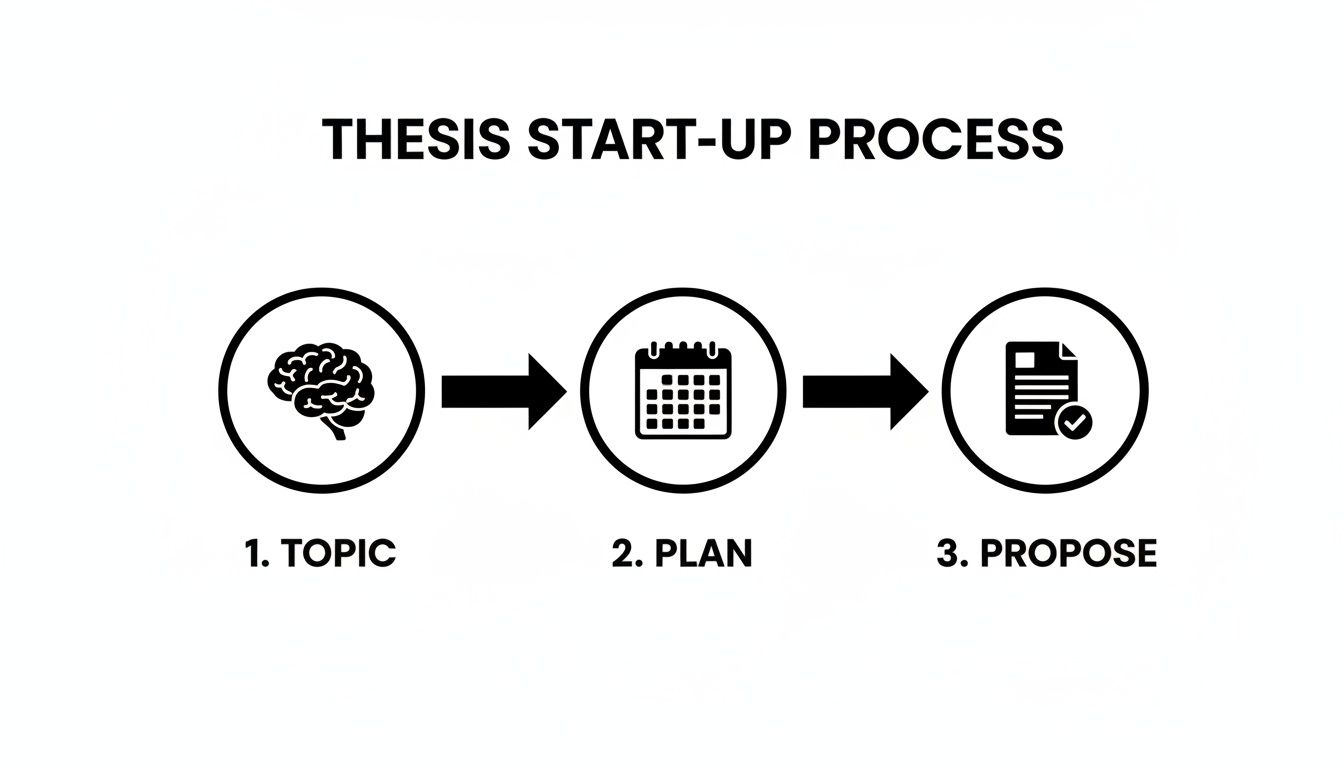
When you nail the topic, the plan almost writes itself. That plan then becomes the backbone of a compelling proposal, setting you up for success right from day one.
The sheer volume of research, notes, and drafts can quickly spiral into a digital mess. This is a massive headache for students. In fact, the demand for structured academic support is booming—the essay and thesis writing services sector was valued at USD 1.97 billion in 2023 and is projected to hit USD 4.35 billion by 2032.
This growth is fueled by a 25% rise in global postgraduate enrollments, with millions of students tackling papers that can stretch past 150 pages. The clear takeaway? Professional-level structure isn't just nice to have; it's essential.
This is where having the right tools can make a world of difference. To avoid the disorganization that plagues an estimated 60% of students, you need a central hub for your work. A tool like Zemith is built for this exact challenge, acting as your project command center. Imagine having one spot to centralize your chats with AI about your topic, all your research documents, and a shared knowledge base for your thesis. No more hunting through a dozen different folders and apps.
A thesis is a project, and the best way to tackle any project is with a system. By treating it like a project manager would, you break it down into smaller, less intimidating tasks, which is crucial for maintaining momentum.
Managing your thesis is just one of many large-scale tasks you'll face. For more tips on juggling complex workloads, check out our guide on how to manage multiple projects. Having a clear system not only keeps you on track but also drastically cuts down on the stress that comes with a project this big.
To help you get started, here's a quick checklist to guide you through the initial setup. Think of it as your launch sequence for crafting a great thesis introduction.
This simple plan for your first month will take you from a blank page to a solid, advisor-approved direction. Now, you're not just thinking about your thesis—you're actively building it.
Ah, the literature review. This is where you'll read more academic papers than you ever thought possible. Drowning in PDFs is a rite of passage for any grad student learning how to write a thesis paper, but it doesn't have to be a miserable one. This section is your lifeline.
Think of it this way: you're walking into a room where a conversation has been going on for years. Before you can add your two cents, you need to listen in. You have to figure out who the major players are, what they've already said, and where the most interesting disagreements are happening. Your goal isn't just to list off summaries; it's to weave a narrative that carves out a space for your own research.

The first hurdle is actually finding the right sources without getting lost in the rabbit hole of academic search engines. Start broad with your main keywords, then get more specific as you go. One of the best pro-tips? Look at the reference lists of the key papers you find—it's like academic gold mining.
Remember to switch up your search terms. A single concept might be described with different jargon across different sub-fields. Don't just look for "climate change adaptation." You should also try "environmental resilience strategies" or "ecological coping mechanisms."
This phase can feel like a flood, but smart strategies make all the difference. For a really deep dive on this crucial stage, a comprehensive guide on how to write a literature review for a dissertation can offer some fantastic insights.
Let's be real: manually sifting through hundreds of papers is a surefire path to burnout. This is where modern tools completely change the game. Instead of spending weeks just reading, you can start synthesizing much, much faster.
This isn't just a niche trick anymore. AI's impact on thesis writing has exploded, with AI-related publications making up 2.2% of all scientific outputs between 2000 and 2021—a figure that shot up 300% after 2022. It's changing how over 40% of students now draft their graduation theses. ProQuest's giant database, which holds over 5 million theses, shows a 28% jump in AI-assisted submissions since 2023. This lines up with shorter completion times, too, dropping from a 9-month average to just 5-6 months.
The takeaway is clear: using AI early on gives you a massive advantage. Zemith builds this power right into your workflow. Its Deep Research feature pulls insights that rival top databases, and the Document Assistant lets you literally 'chat' with a 50-page paper and ask, 'What's your main point?' instead of reading it three times.
Imagine uploading a dozen PDFs and asking Zemith to pinpoint common themes or conflicting arguments. This isn't about cutting corners; it's about augmenting your own intellect so you can focus on what really matters: critical thinking.
Once you have your pile of research, the real work begins. You're not just creating an annotated bibliography here. You need to synthesize all that information—weaving together ideas from different sources to create a new, coherent picture of the research landscape.
This synthesis is the most challenging part, but it's also the most rewarding. A pro-tip for what to include in the literature review for a thesis paper is to show, not just tell, where the gap in the existing research lies.
Trust me on this: there is nothing worse than vaguely remembering a brilliant quote from a paper you can no longer find. Use a reference manager from day one—no exceptions. Tools like Zotero, Mendeley, or EndNote are non-negotiable.
Even better, keep everything in one place. With Zemith's 'Projects' workspace, you can store your papers, notes, and AI-generated summaries all together. This creates an organized, searchable knowledge base for your entire thesis, saving you from that late-night, caffeine-fueled "where did I read that?!" panic. Your future self will thank you.
An amazing idea buried in a confusing structure is like a superhero stuck in traffic—all potential, no impact. This is where we architect your thesis so your brilliant research can actually make a splash. A logical structure doesn't just make your paper easier to read; it makes it a hell of a lot more convincing.
The foundation of it all? A killer thesis statement. This single sentence is your North Star, the guide for every single argument you make. For a deep dive, this guide on how to write a thesis statement is a fantastic place to start. Once that's nailed down, you can start building the house around it.
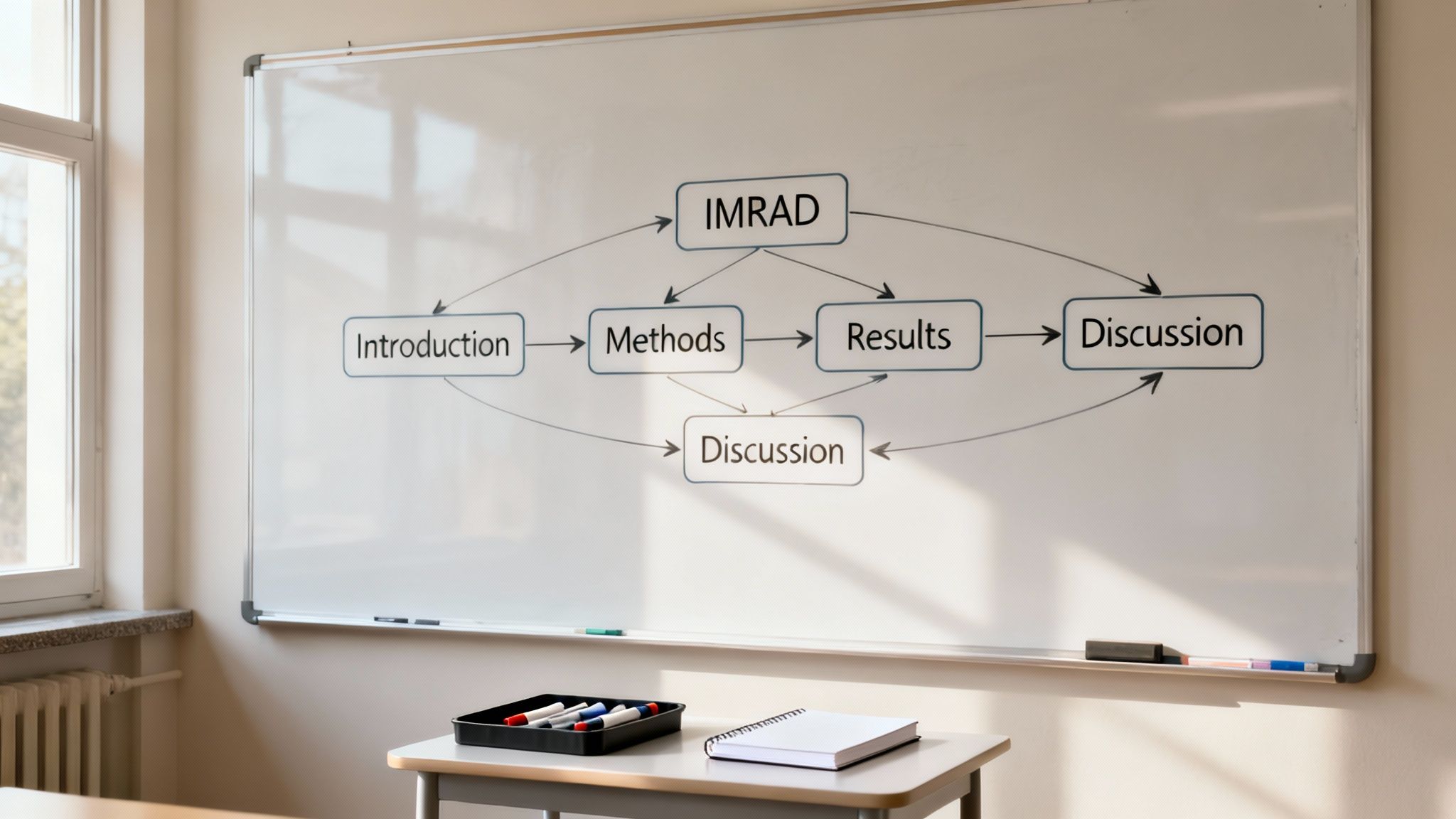
For many folks in the sciences and social sciences, the IMRaD structure is the gold standard. It’s not just a random jumble of letters; it’s a storytelling formula that researchers have honed over decades.
Here’s the breakdown:
Think of IMRaD as telling a good story: you start with a mystery (Introduction), explain how you investigated it (Methods), reveal the clues you found (Results), and finally, solve the case (Discussion).
But what if you're in the humanities, and IMRaD feels like trying to fit a square peg into a round hole? Don't sweat it. Thesis structures are not one-size-fits-all. A humanities thesis, for instance, often follows a more thematic or argumentative path.
Instead of Methods and Results, your chapters might be dedicated to things like:
The most important thing is that your structure has a clear, logical progression. Each chapter has to build on the last, leading the reader on an undeniable journey to your conclusion. If you're struggling to nail this down, it might be time to brush up on the fundamentals. Our guide on how to write a thesis statement is the cornerstone of any great structure.
Pro-Tip: The best structure is the one that best serves your argument. Don't force your research into a box. Chat with your advisor and check out successful theses from your department to see how others have architected their work.
Before you write a single paragraph, you need an outline. A detailed outline is your blueprint; it keeps you from getting lost in the weeds and ensures every section has a purpose. This is where a tool like Zemith's Whiteboard becomes your secret weapon.
Instead of a boring list in a document, you can visually map out your entire thesis. Create a block for each chapter, then use sticky notes for key arguments, evidence, and sources. You can even draw arrows to show connections between ideas. This visual approach helps you see the flow of your logic and spot any gaps before you've sunk hours into writing.
Once your visual map is solid, you can drag those ideas right into Zemith's Smart Notepad. It's the perfect way to turn bullet points and sticky notes into actual paragraphs, moving from high-level architecture to laying the foundational bricks of your draft. This way, you know your masterpiece is being built on a structure that’s both solid and brilliant.
Okay, let's talk about the actual writing. You've done the heavy lifting with the research and you’ve got a solid blueprint. Now it's time to put pen to paper (or, you know, fingers to keyboard), and this is usually when that little goblin of procrastination decides to pay a visit.
But we're going to get through this, I promise. The process doesn't have to be a nightmare.
The biggest secret I can share? You have to fire your internal editor. At least for now. Your one and only job during the first draft is to get the words out. Any words. Good words, bad words, "I can't believe I just wrote that" words—it really doesn't matter. You're aiming for momentum, not a masterpiece.
This is what people call the "crappy first draft," and it’s probably the most liberating idea you can adopt when you're learning how to write a thesis paper. You officially have permission to be imperfect.
Staring at a blank screen for eight hours straight is a fast track to burnout. A much better way to work is in short, super-focused bursts. This is where a technique like the Pomodoro Method is an absolute lifesaver. It’s deceptively simple:
This method works because it breaks down the overwhelming task of writing an 80-page paper into tiny, achievable chunks. You’re not writing a whole thesis right now; you’re just writing for the next 25 minutes. Anyone can do that.
We've all been there. Writer's block feels like a brick wall, but it's usually just decision fatigue wearing a scary mask. When you feel stuck, it’s not because you have nothing to say; it’s because you're not sure what to say next. This is a perfect time to call in your AI writing partner, Zemith, for a little nudge.
Instead of staring into the void, pull up Zemith's Smart Notepad. Stuck on how to transition between two complex ideas? Just highlight your last sentence and ask the AI to "generate a paragraph that connects this to the concept of..." Is a sentence sounding clunky? The rephrase tool can instantly show you five different ways to say it.
This isn't about letting AI write your thesis for you. It's about using it as a creative springboard to get unstuck. Think of it as the ultimate cure for that blank-page paralysis that can throw your entire project off track.
Using smart tools can really help you get words on the page faster. For a few more ideas, check out our guide packed with practical research paper writing tips.
Let me tell you a quick horror story. I had a friend who waited until his entire 120-page draft was "finished" before he even thought about citations. What followed was two solid weeks of pure, soul-crushing panic as he scrambled to track down hundreds of sources.
Don't be that person.
Cite. As. You. Go.
Every single time you bring in an idea, a statistic, or a quote from somewhere else, drop that citation in right then and there. It might feel like it’s slowing you down in the moment, but trust me, it will save you from an absolute catastrophe down the road. Use a reference manager like Zotero or Mendeley from day one and make it a non-negotiable part of your workflow.
This one simple habit is probably the most important thing you can do to keep the drafting process sane and organized. Your future self, frantically prepping for your defense, will thank you profusely.
You did it. You wrestled that mountain of research into a first draft. Take a moment to celebrate—you’ve turned abstract ideas into actual, tangible words on a page. Now, it's time to shape that raw material into something truly impressive.
Revision is so much more than just catching typos. It’s about stepping back, seeing your work with fresh eyes, and making sure your brilliant arguments are impossible to misunderstand. This is where a good paper becomes a great one.
Trying to fix everything at once is a recipe for burnout. The best way to tackle revisions is to break the process down into three distinct passes. Think of it like a deep clean—you handle the big structural issues first before you get down to polishing the details.
Attacking your edits in layers keeps you from wasting an hour perfecting the grammar in a paragraph you end up deleting anyway. It’s simply a smarter way to work.
This is where a tool like Zemith can be a game-changer. Instead of rereading a chapter for the tenth time until your eyes glaze over, you can use Zemith's Document Assistant to generate an instant summary. This gives you an objective, high-level view of your own writing, making it incredibly easy to spot where your argument veers off track or loses focus.
Stuck on a sentence that just sounds... off? Zemith’s rephrasing tools can offer up different ways to say the same thing, helping you land on the perfect phrasing to make your point with absolute clarity. It's like having a professional editor on call, 24/7.
Pro-Tip: One of the best editing hacks I know is to have your computer read your paper back to you. Copy a section into a text-to-speech tool and just listen. Your ears will catch all the clunky sentences, repetitive words, and typos that your eyes have learned to skim over.
You can't edit in a bubble. After spending months buried in your draft, you become blind to its flaws. You need fresh eyes, and that's where your advisor and a few trusted peers come in. They can provide perspectives you’d never find on your own.
When you ask for feedback, be specific. It helps them and it helps you.
This back-and-forth is a vital part of the process. For a deeper dive, we've put together a dedicated guide on how to edit your writing like a professional.
Make no mistake, using smart tools to get this done is becoming the norm. The global academic writing services market hit an estimated $8 billion in 2025 and is projected to grow by 12% each year through 2033. It shows that researchers are actively looking for ways to work more efficiently. A 100-page thesis can easily take a year, but with Zemith's Document Assistant, you can chat with your drafts and generate summaries, potentially cutting your revision time by up to 40%. Since 2020, the move toward online learning has accelerated the adoption of these tools by 30%. You can learn more by checking out the full research on the academic writing market.
Ultimately, polishing your paper is about showing respect—for your research, for your reader, and for all the hard work that got you this far. This final push ensures your thesis doesn't just get finished; it gets remembered.
You’re in the home stretch, but it’s completely normal to have a few questions bouncing around your head as you get closer to the finish line. Let's dig into some of the most common ones we hear from students deep in the thesis-writing trenches. No fluff, just straight talk.
This is the million-dollar question, isn't it? The most honest answer is, "it depends." The required length can swing wildly based on your field of study, your university's specific rules, and whether you're working on a master's or a PhD.
For instance, a master's thesis in the humanities might be expected to land somewhere between 80-120 pages. On the other hand, a PhD dissertation in a hard science could easily push past 200 pages.
Your department's official guidelines are the only source of truth here. Dig them up. Your advisor will also have a realistic number in mind based on their experience. At the end of the day, focus on covering your topic with the depth and rigor it deserves. Quality and thoroughness will always trump chasing a magic page count.
Hands down, the most common—and most costly—mistake is poor time management. A thesis isn't just a long essay you can power through in a few caffeine-fueled all-nighters. It’s a massive project that demands steady, consistent effort over many months.
Running a close second is failing to get feedback early and often. Don't squirrel your work away until you think it’s “perfect,” because that perfect draft will never arrive. Get comfortable sharing your messy, incomplete chapters with your advisor. This is how you stay on track and avoid soul-crushing rewrites down the road.
Your thesis is a marathon, not a sprint. Trying to sprint it will only lead to burnout and a frantic, last-minute scramble. Pace yourself, set small goals, and trust the process.
Absolutely, as long as you’re smart about it. The key is to use AI as a research and productivity partner, not as a ghostwriter. Your university has a strict academic integrity policy, and passing off AI-generated text as your own is a serious violation.
So, how can you use a tool like Zemith the right way?
Think of AI as the world’s most efficient research assistant. It’s there to handle the tedious parts of the process, which frees you up to do the critical thinking, analysis, and writing that only you can do.
The best way to combat nerves is to be over-prepared. Start by rereading your entire thesis—you need to know it inside and out. Next, distill your work into a sharp, focused presentation, usually around 20-30 minutes long. You’ll want to hit the highlights: your research question, methodology, key findings, and contributions to your field.
Try to anticipate the curveball questions your committee might throw at you and practice your answers. Running a mock defense with your lab mates or fellow grad students is an invaluable way to get real-world practice. You can even use Zemith's AI Live Mode to practice responding to tough questions out loud, which is an amazing way to sharpen your arguments and build confidence before the big day.
You've got this. The thesis journey is a tough one, but with the right strategies and tools, it's a mountain you can absolutely climb. When you're ready to organize your research, draft with confidence, and conquer your paper without the chaos, Zemith has your back. Stop juggling a dozen different apps and bring your entire workflow into one powerful workspace.







Trusted by teams at






The top models, plus image, video and voice tools, in one plan.
Without Zemith
ChatGPT PlusUS$20.00Claude ProUS$20.00Google AI ProUS$19.99SuperGrokUS$30.00Perplexity ProUS$20.00 MidjourneyUS$10.00
 ElevenLabsUS$6.00Le Chat ProUS$14.99
 RunwayUS$15.00Kling StandardUS$8.80
 Gamma PlusUS$12.00
 Otter ProUS$16.99
 QuillBot PremiumUS$19.95
 Photoroom ProUS$12.99
 Quizlet PlusUS$7.99
Total if paying separatelyUS$234.70/mo
"I love the way multiple tools they integrated in one platform. Going in the right direction."
— simplyzubair
"The quality of data and sheer speed of responses is outstanding. I use this app every day."
— barefootmedicine
"The credit system is fair, models are perfect, and the discord is very responsive. Quite awesome."
— MarianZ
"Just works. Simple to use and great for working with documents. Money well spent."
— yerch82
"The organization of features is better than all the other sites — even better than ChatGPT."
— sumore
"It lives up to the all-in-one claim. All the necessary functions with a well-designed, easy UI."
— AlphaLeaf
"The team clearly puts their heart and soul into this platform. Really solid extra functionality."
— SlothMachine
"Updates made almost daily, feedback is incredibly fast. Just look at the changelogs — consistency."
— reu0691
Hand off the research, writing, design and follow-ups. Zemith picks the tools it needs and brings back finished work.
Search the web, run deep research, read files, create images and run code with GPT, Claude, Gemini, Grok and more.
Zemith keeps working in the cloud and pings you when it's done.
Notion, Linear, Canva, Airtable and more. It asks before it creates or changes anything.
Docs, slides, sheets and PDFs, ready to send.
Chain models and tools on a visual canvas, from one prompt to a finished promo video.
Briefings, reports and reminders run on a schedule and are ready when you need them.
Real-time voice that can see your camera or screen.
The best image and video models, in one studio.
Turn PDFs, links and YouTube videos into podcasts, quizzes, flashcards and mind maps.














 Podcast
 Quiz
Quiz Flashcards
 Mind map
 Infographic