Chatbot Development Service: Your 2026 Expert Guide
Find a top chatbot development service for 2026. Our guide covers process, costs, tech, and choosing the right partner. Accelerate with new AI tools!
Your team probably didn’t wake up one morning and say, “You know what would be fun? Shopping for a chatbot development service.”
What usually happens is less glamorous. Support queues get messy. Sales asks for instant replies on the website. Operations wants fewer repetitive tickets. Marketing wants lead capture that doesn’t feel like a 2009 popup with a fake smile. Suddenly, “we should probably add a chatbot” becomes “we need this live before the next quarter.”
That’s where a lot of companies make a bad first decision. They treat a chatbot like a widget purchase. It’s not. It’s a workflow decision, a support design decision, a systems integration decision, and sometimes a staffing decision in disguise.
The market growth explains why this category keeps exploding. The global chatbot market reached $7.76 billion in 2024 and is projected to reach $27.27 billion by 2030, according to . The attention isn’t just hype. That same source notes that companies that execute well can see serious upside, including examples of 508% first-year returns with 2 to 3 months payback for mid-sized e-commerce firms.
That kind of upside is why teams keep searching for practical guides, not fluffy vendor pages full of “omnichannel innovation” and other phrases that somehow say nothing while using many syllables.
If you’re also thinking about lead qualification and follow-up flows, this guide to is worth reading alongside your chatbot research because the best bots don’t just answer questions. They move conversations forward.
A good starting point is understanding what you’re trying to build. If you need a hands-on walkthrough, this practical guide on helps clarify the moving parts before you talk to agencies or tools.
So You Need a Chatbot But Not Another Headache
Monday morning. Support has a backlog, sales wants faster lead qualification, and someone in leadership says, “Let’s add a chatbot.” That sounds simple until the project turns into six separate decisions about channels, data access, escalation rules, compliance, and who will maintain it after launch.
That is why chatbot projects create friction so quickly. The hard part is rarely the chat window. The hard part is deciding what work the bot should own, what systems it needs to touch, and whether you should hire an agency, buy software, or build part of it in-house with a platform your team can manage.
A good chatbot development service should reduce operational load, not create a new one.
What businesses need from a bot
Many companies make a common early mistake. They shop for “AI chatbot development” before they define the job.
The useful starting point is simpler. Identify the business outcome first:
- Support deflection: Answer repetitive questions and route edge cases to agents.
- Lead capture: Qualify inbound interest before sales spends time on it.
- Internal help: Handle employee questions about policy, onboarding, or IT requests.
- Workflow assistance: Trigger scheduling, status updates, form collection, or basic account actions.
Teams that get this right usually discover they are not buying a bot. They are redesigning a service workflow.
That distinction matters more now because the old agency model is no longer the only serious option. A few years ago, if you wanted custom flows, AI behavior, integrations, and analytics, you usually hired a development shop. Now platforms such as Zemith let internal teams build a meaningful share of that stack themselves, then bring in outside help only for the hard parts like custom integrations, security review, or enterprise rollout. That changes the decision from a straight purchase into a build versus buy calculation.
If your team is still defining scope, this guide on is a useful way to map requirements before you commit budget.
What early bot failures taught buyers
The first wave of bots trained buyers to be skeptical, and for good reason. Scripted flows broke the moment users asked questions in plain language. AI demos looked impressive until they had to pull order status, update a CRM record, or hand off a frustrated customer without losing context.
Those failures clarified a few things:
- Scripts without flexibility fail in messy conversations.
- Language models without system access stay stuck at the FAQ layer.
- Fast deployment without fallback paths creates support debt.
The cost is likely just hidden. It shows up in agent rework, poor handoffs, abandoned conversations, and a bot that gets ignored by customers and staff.
The better question is no longer “Should we launch a chatbot?” It is “Which conversations are worth automating, and which parts should remain human?” That is also why chatbot planning often overlaps with sales and lifecycle work. A support bot may need to capture buying signals, and a lead bot may need to continue the conversation after the first touch. If that is part of your scope, the guide to is worth reviewing alongside your chatbot plan.
Buyers who treat chatbot work as product design, systems design, and service design usually avoid the expensive mistakes. Buyers who treat it like a widget purchase usually pay for the shortcut later.
The Chatbot Menu Types and Core Technologies
A support lead asks for “an AI chatbot,” procurement asks for three vendor quotes, and six weeks later nobody agrees on what is being bought. That confusion starts with the category itself. “Chatbot” is not one product. It is a stack of design choices about how the bot should answer, what systems it should access, and where you need control instead of guesswork.

The menu
The first decision is the bot type. That choice drives scope, cost, and whether you can build parts of it in-house with a platform like Zemith or need outside engineering help for deeper integrations.
A rule-based bot fits narrow jobs. It works well for password reset steps, store hours, appointment booking, or triage flows where the company already knows the valid paths. These bots are cheaper to approve and easier to audit, but they get brittle fast once users stop following the script.
An AI-powered bot handles messier language. It is useful when customers ask the same thing in ten different ways or when the bot needs to summarize policy, search documentation, or draft a first response. The trade-off is operational, not cosmetic. If the knowledge base is weak or the guardrails are lazy, the bot sounds fluent while giving bad answers.
A hybrid bot is what many teams end up needing. Use fixed flows where mistakes are expensive. Use AI where language variation is the problem. That mix used to push companies toward agencies because orchestration was harder, but all-in-one AI products are changing that. A product team can now prototype intents, connect knowledge sources, test prompts, and own more of the workflow internally before paying a service partner for custom backend work.
That shift matters. It changes the buying decision from “Which agency should build this for us?” to “Which parts should we build ourselves, and where do we need specialists?”
The core tech in plain English
Vendor calls get crowded with acronyms. The useful question is simpler: what job does each layer do?
- NLP: processes the text or speech itself
- NLU: identifies what the user is trying to do
- Intent recognition: maps a message to a known goal such as checking order status
- Entity extraction: pulls details like names, dates, order numbers, locations, or product types
- RAG or knowledge retrieval: fetches relevant content from your documents, help center, or internal systems so answers stay grounded
For a plain-language breakdown of the terminology, this guide on is useful.
A lot of buyers still treat these as separate product categories. In real deployments, they work together. The language model handles phrasing. Retrieval pulls approved information. Business rules decide what the bot is allowed to say or do. APIs connect the conversation to order systems, CRMs, calendars, or ticketing tools.
That last part is where projects either become useful or stay stuck at demo level.
What actually works
The strongest chatbot setups are usually less ambitious than the sales pitch and more disciplined in design.
A practical pattern looks like this:
- Use rules for regulated, billing, and account-specific actions
- Use AI for intent detection, rewriting, summarization, and broader language handling
- Use retrieval for policy, product, and support answers tied to approved content
- Use human handoff when confidence is low or the user is clearly frustrated
Practical rule: If a wrong answer can create a legal issue, payment problem, or trust hit, keep that flow deterministic or require human review.
This is also where modern AI super-apps are changing the economics. A few years ago, teams often paid an agency to wire every step together. Now internal teams can handle a meaningful share of bot setup themselves, especially content structuring, prompt testing, workflow design, and first-pass evaluation. External partners still matter for security, integrations, and scale, but the old fully outsourced model is no longer the default.
Your Chatbot's Journey From Idea to Launch
The build process looks simple from the outside. Ask questions, get answers, launch the bot. In reality, most of the work happens before the chatbot says a single useful sentence.
Start with the process map below. It helps non-technical stakeholders understand why the timeline isn’t just “connect model, ship widget.”

Discovery is where good projects stop being vague
A serious chatbot development service starts with discovery. Not branding. Not fancy demo screens. Discovery.
The team needs to know what conversations matter, what systems the bot must touch, which channels matter first, and where human agents should stay in the loop. If nobody can answer those questions, the project isn’t ready for development. It’s still in wish-list mode.
I’ve seen teams save themselves weeks just by forcing one uncomfortable meeting around scope. Which customer questions are in scope? Which are out? What can the bot answer from approved content? What requires login, verification, or agent review?
For early planning, collaborative methods help a lot. A design framework like the is useful here because chatbot projects fail less from bad code than from bad framing.
Conversation design is where the bot becomes usable
This is the part buyers underestimate. They assume the model will “figure it out.” It won’t.
Effective conversation design involves mapping user pathways and setting NLP confidence thresholds, typically 0.70 or higher, according to . That threshold matters because it determines when the system should answer, when it should clarify, and when it should escalate.
Containment rate also comes from this stage. If your bot can’t resolve common requests without awkward dead ends, the containment rate suffers and your support team inherits the mess anyway.
A bot with strong language skills and weak fallback design feels smart right up until the first real customer problem.
Here’s what competent conversation design usually includes:
- Primary intents: The most common reasons people start the chat.
- Fallback paths: What happens when the bot isn’t confident.
- Escalation rules: When a human takes over, and with what context.
- Brand voice: Not because “personality” is trendy, but because tone affects trust.
- Error handling: The difference between a recoverable interaction and a rage-close.
A short explainer is useful here, especially for internal stakeholders who think the bot is “just an FAQ box.”
Development is less glamorous and more important
Once flows are approved, the heavy lifting starts. Developers wire the bot into CRMs, knowledge bases, helpdesk tools, scheduling systems, auth layers, and analytics. This phase is also where teams decide whether to support one channel first or launch across web, app, and messaging environments.
Testing should be broader than “did the bot answer correctly once.” You want variant phrasing, broken inputs, ambiguous requests, strange user behavior, and edge cases that nobody remembered until the QA person asked the annoying but necessary question.
A practical launch checklist looks like this:
- Intent coverage is reviewed against actual support logs, not assumptions.
- Knowledge sources are approved by the teams that own the content.
- Escalation paths are tested with real handoff scenarios.
- Analytics are configured so post-launch decisions aren’t based on vibes.
- Ownership is assigned for updates, retraining, and transcript review.
Launch is the beginning, not the finish line
The bot goes live. Then users immediately do things nobody predicted. That’s normal.
The first live phase usually reveals gaps in language patterns, missing knowledge articles, weak routing, and overconfident answers. Teams that treat launch as the final milestone end up with stale bots. Teams that review transcripts and tune flows turn the chatbot into a real service channel.
Decoding the Price Tag Pricing Models and SLAs
The quickest way to misunderstand chatbot pricing is to assume you’re paying for “the bot.” You’re mostly paying for the work around the bot.

According to , successful enterprise projects follow an 80/20 rule where 80% of the effort goes into engineering infrastructure such as data pipelines, CRM and ERP integrations, security, and monitoring. That’s why a chatbot that looks simple on the front end can come with a serious price tag.
The three pricing models you’ll actually see
A fixed-price project works when the use cases are narrow and the requirements are stable. If the vendor says “yes” to every new request without revisiting scope, expect trouble later.
Time and materials fits projects where the team is still learning what the bot should do, or where integrations are likely to reveal surprises. It’s often the honest model for complex work, but only if the vendor shares detailed reporting.
A retainer makes sense after launch, especially when the bot needs iterative improvements, transcript review, prompt adjustments, and new integrations over time.
What a useful SLA should cover
A weak service agreement is how teams end up paying for ambiguity. An SLA should spell out what support looks like when things go wrong.
At minimum, check for these items:
- Uptime expectations: What availability target is promised for the production service.
- Response windows: How quickly the vendor acknowledges critical issues.
- Resolution approach: Who owns triage, debugging, and rollback decisions.
- Support hours: Business hours only, extended coverage, or something in between.
- Change process: How enhancements, bug fixes, and emergency patches are handled.
- Data and access rules: Who can access logs, transcripts, prompts, and admin settings.
If your team struggles to define what belongs in that document, a template-oriented primer on can sharpen the handoff between buyer and builder.
Buyer check: If a proposal makes the build sound cheap and the maintenance sound fuzzy, the real cost probably hasn’t disappeared. It’s just hiding.
Where buyers get fooled
Suspiciously low pricing often means one of three things. Minimal integration. Minimal QA. Minimal post-launch support.
A reality often overlooked is that “cheaper chatbot” sometimes means “more work transferred back to your internal team later.” That’s not savings. That’s deferred pain with a cleaner invoice.
How to Choose a Partner Without Getting Burned
A polished homepage doesn’t tell you much. Every chatbot agency claims strategy, customization, and smooth integration. Of course they do. Nobody puts “we launch half-scoped bots and disappear during QA” on the site.
The useful question is whether this team can handle your operational reality. Not whether they can produce a nice Figma mockup with rounded corners and a smiling assistant avatar named Ava.
Questions worth asking in the first call
Ask direct questions and pay attention to how specifically they answer.
- What kinds of chatbot projects have you shipped that resemble ours? You want similarity in use case, systems, and constraints.
- How do you handle low-confidence answers and escalation? If they wave this off, that’s a problem.
- Who exactly is on the delivery team? Not just sales, not just “our AI experts.”
- How do you test with real transcript patterns? Generic QA talk isn’t enough.
- Who maintains prompts, flows, and integrations after launch? Ownership matters.
- How do you define success? If they can’t name operational metrics, they’re probably selling a demo.
This is similar to how technical buyers vet infrastructure partners. If you want a parallel checklist, this guide on is useful because many of the same partnership signals apply. Delivery discipline, observability, support clarity, and depth of engineering talent all matter here too.
Red flags that deserve skepticism
Some warning signs are obvious. Others are disguised as confidence.
- “We don’t need much from your team.” False. Good chatbot projects need input from support, ops, product, and content owners.
- “Our platform handles everything automatically.” Maybe for a demo. Not for your actual business rules.
- Very low pricing with broad promises. Integration and maintenance don’t become easy just because someone says they are.
- No curiosity about your data sources. If they don’t ask where the answers come from, they’re not thinking seriously.
- No mention of fallback logic, escalation, or governance. That’s how messy launches happen.
“A great partner sounds curious, slightly skeptical, and operationally specific. They ask awkward questions early so customers don’t face awkward failures later.”
What a strong partner usually does
Strong teams don’t oversell simplicity. They show you where the complexity lives and how they’ll manage it.
They also tend to:
- Challenge weak requirements instead of blindly accepting them
- Separate prototype goals from production goals
- Document assumptions clearly
- Propose phased rollout plans
- Explain trade-offs without jargon theater
That last one matters. If every answer sounds magical, the delivery probably won’t be.
The Zemith Advantage When to DIY Your Chatbot Dev
A common pattern looks like this. A team hires an agency for a chatbot, then realizes half the bill is tied to work they could have handled internally. Content cleanup. FAQ structuring. Early prompt testing. Basic flow drafts. The expensive part is not always the model or the interface. It is often the hours wrapped around them.
Hiring a full-service agency is no longer the default smart move. Modern AI platforms have changed the economics. The better decision is usually to split the work: keep discovery, knowledge preparation, and early prototyping in-house, then buy specialist help only for the parts that carry real delivery risk.

What you can reasonably insource now
A few years ago, the menu was simple. Build from scratch with your own technical team, or outsource the whole project. That gap has narrowed because platforms such as Zemith now cover a meaningful part of the chatbot lifecycle in one workspace.
That matters in practice. Internal teams can turn manuals, support articles, policy documents, and product notes into a usable knowledge base without waiting on an agency to repackage material the company already knows. They can compare model behavior, draft prompts, test retrieval quality, and generate starter code for integrations before a vendor ever enters the picture. Teams that need better grounding on language behavior can also review , because many chatbot failures start with weak interpretation rather than bad intent.
The result is a different sourcing decision. It is less "buy a chatbot" and more "decide which layers to build yourself and which ones to buy."
A practical split between internal work and external help
The line is usually clearer than teams expect.
Modern AI super-apps disrupt the old agency model. The client no longer has to buy every hour of experimentation. Product, support, and operations teams can do a surprising amount of the early work themselves, then bring in specialists for architecture, security, and hard integrations. That reduces cost, shortens feedback loops, and keeps more knowledge inside the business.
I have seen this split work well when one internal owner is accountable for the bot. Without that owner, DIY turns into scattered experiments. With one, the team can move quickly and still know when to call for help.
Why this matters now
Chatbots are expanding beyond question answering. They are increasingly expected to trigger actions, pull from multiple systems, and support workflow automation. That raises the value of owning more of the setup internally. Teams can test use cases earlier, learn where the failures are, and avoid paying outside partners to discover obvious problems in public documentation or messy internal content.
The most expensive version of chatbot development is paying specialists to do work your own team could have completed with the right platform, a defined use case, and access to the source material.
When DIY is a bad idea
DIY is a poor choice when the bot touches regulated data, mission-critical operations, or complex backend systems from day one. Tool access does not replace production engineering judgment.
Internal ownership tends to work best when:
- The use case is narrow and well defined
- The source content already exists
- Someone on the team can review outputs for accuracy
- Engineering can support integration once the prototype proves value
If those conditions are missing, keep the internal work focused on prototype learning. Use the platform to clarify requirements, test conversations, and expose content gaps. Then hire outside specialists for production architecture and rollout. That is usually a much better use of budget than outsourcing the entire lifecycle before the team even knows what the bot should do.
Responsible Bots Building for Trust and the Future
A chatbot can be fast and still be a problem. If it gives biased answers, mishandles sensitive context, or confuses users across languages, the brand damage arrives faster than the productivity gains.
Responsible development starts with a few plain questions. What data can the bot access? What should it never infer? Who reviews problematic conversations? How do you test answers across different user groups, languages, and phrasing styles?
Trust is built in the details
The most practical trust checklist includes:
- Data boundaries: Limit what the bot can retrieve and expose.
- Escalation for sensitive cases: Don’t force users through automation when the issue needs judgment.
- Bias review: Compare outputs across prompts and user contexts.
- Language quality checks: Translation isn’t enough. Meaning, tone, and clarity matter.
- Auditability: Keep logs and review paths for high-impact interactions.
For teams working on language understanding and nuanced meaning, this primer on is useful because many trust failures start with shallow interpretation, not bad intent.
Inclusion has a business case too
Ethical development is often framed like a compliance burden. It’s not. It’s also market reach, comprehension, and customer confidence.
One cited project using culturally sensitive multilingual GenAI chatbots reported a 92% increase in non-English speaker engagement and a 300% expansion in language support, according to . The lesson is simple. Building for underserved populations isn’t a side quest. It improves access and expands usefulness.
Responsible bots don’t just avoid mistakes. They serve more people, more clearly, with fewer invisible barriers.
The teams that will win here won’t be the ones with the flashiest demo. They’ll be the ones that combine capability with restraint, good retrieval with good review, and automation with clear human accountability.
If you're weighing a chatbot development service against an internal build, start by mapping what your team can own now and what still needs specialist help. is one practical option for teams that want to prototype knowledge workflows, compare AI models, organize source material, and speed up early chatbot work without stitching together a pile of separate tools.
Explorer les fonctionnalités de Zemith
Toute l'IA top. Un abonnement.
ChatGPT, Claude, Gemini, DeepSeek, Grok et 25+ modèles








Toujours active, IA en temps réel.
Voix + partage d'écran · réponses instantanées
Quelle est la meilleure façon d'apprendre une nouvelle langue ?
L'immersion et la répétition espacée fonctionnent le mieux. Essayez de consommer des médias dans votre langue cible quotidiennement.
Voix + partage d'écran · L'IA répond en temps réel
Génération d'images
Flux, Nano Banana, Ideogram, Recraft + plus

Écrivez à la vitesse de la pensée.
Auto-complétion IA, réécriture et expansion sur commande
Tout document. Tout format.
PDF, URL ou YouTube → chat, quiz, podcast et plus
Création vidéo
Veo, Kling, MiniMax, Sora + plus

Synthèse vocale
Voix IA naturelles, 30+ langues
Génération de code
Écrire, déboguer et expliquer du code
Chat avec documents
Téléchargez des PDF, analysez le contenu
Votre IA dans votre poche.
Accès complet sur iOS et Android · synchronisé partout
Votre canevas IA infini.
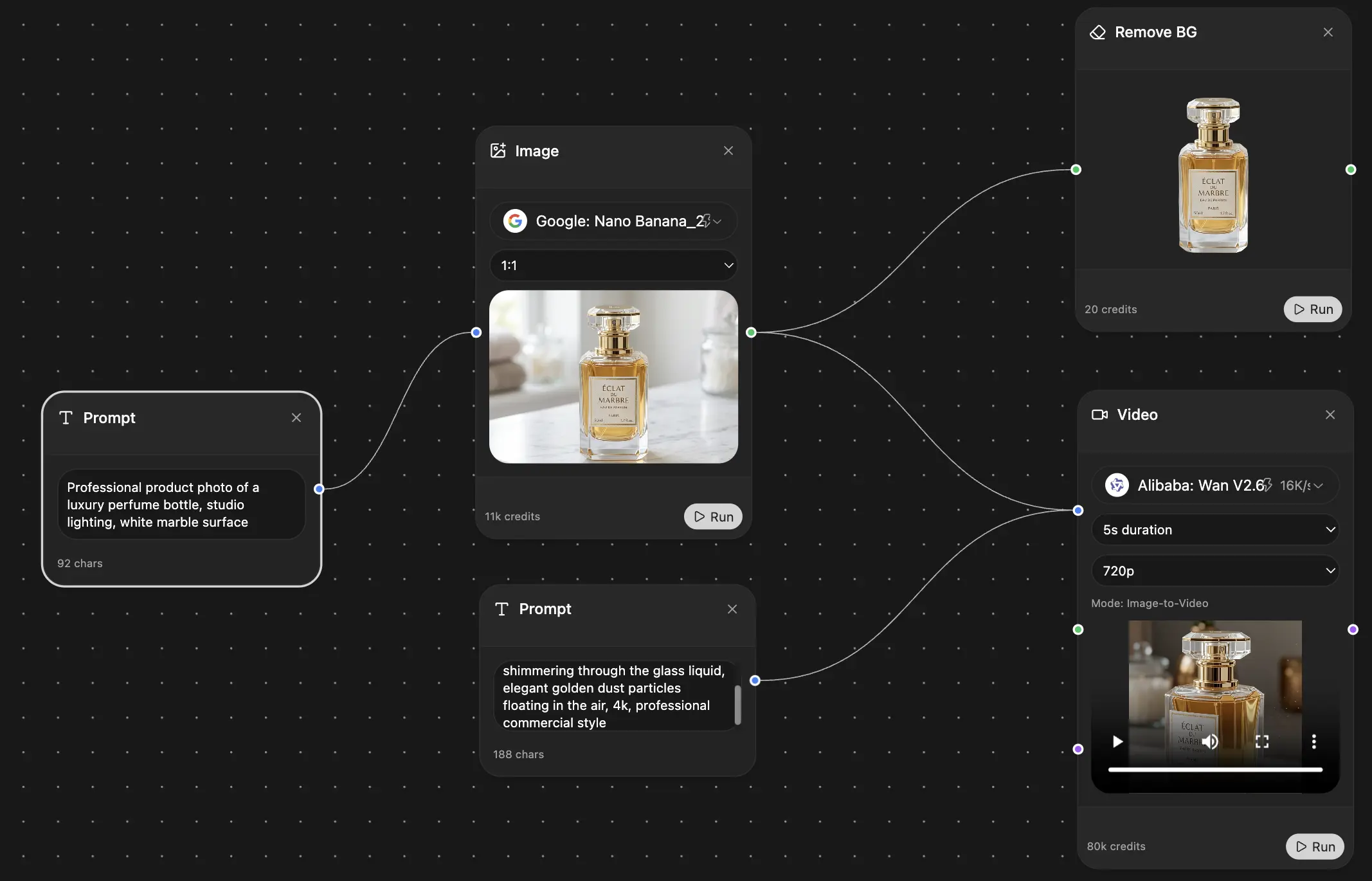
Chat, image, vidéo et outils de mouvement — côte à côte
Économisez des heures de travail et de recherche
Tarification simple et abordable
Adopté par des équipes chez






Gratuit
Aucune carte de crédit requise
- 100 crédits par jour
- 3 modèles d'IA à essayer
- Chat IA basique
Plus
- 1 000 000 crédits/mois
- 25+ modèles d'IA — GPT, Claude, Gemini, Grok et plus
- Agent Mode avec recherche web, outils informatiques et plus
- Creative Studio : génération d'images et de vidéos
- Project Library : discutez avec des documents, sites web et YouTube, génération de podcasts, fiches de révision, rapports et plus
- Workflow Studio et FocusOS
Professionnel
- Tout ce qui est dans Plus, plus :
- 2 100 000 crédits/mois
- Modèles exclusifs Pro (Claude Opus, Grok 4, Sonar Pro)
- Motion Tools et Max Mode
- Premier accès aux dernières fonctionnalités
- Accès aux offres supplémentaires
Ce que disent nos utilisateurs
Great Tool after 2 months usage
"I love the way multiple tools they integrated in one platform. Going in the right direction."
— simplyzubair
Best in Kind!
"The quality of data and sheer speed of responses is outstanding. I use this app every day."
— barefootmedicine
Simply awesome
"The credit system is fair, models are perfect, and the discord is very responsive. Quite awesome."
— MarianZ
Great for Document Analysis
"Just works. Simple to use and great for working with documents. Money well spent."
— yerch82
Great AI site with accessible LLMs
"The organization of features is better than all the other sites — even better than ChatGPT."
— sumore
Excellent Tool
"It lives up to the all-in-one claim. All the necessary functions with a well-designed, easy UI."
— AlphaLeaf
Well-rounded platform with solid LLMs
"The team clearly puts their heart and soul into this platform. Really solid extra functionality."
— SlothMachine
Best AI tool I've ever used
"Updates made almost daily, feedback is incredibly fast. Just look at the changelogs — consistency."
— reu0691