Turn Any Screenshot to Code Instantly and Stop Crying Into Your Keyboard
Stop wasting time on tedious UI coding. Learn how to use AI-powered screenshot to code tools to turn any design into clean, production-ready code.
Turning a screenshot to code isn't some far-off, sci-fi future tech anymore; it's about using ridiculously smart AI tools to instantly generate HTML, CSS, and even JavaScript from a simple image. This completely changes the game by obliterating that initial setup time, taking a visual mockup and turning it into a working code foundation in seconds.
The Magic Behind Screenshot to Code (Spoiler: It's Just Really Smart AI)
Ever stared at a beautiful UI mockup and felt that familiar dread, knowing you’re about to spend hours meticulously translating every pixel into HTML and CSS? We've all been there. It's the frontend equivalent of being told to dig a tunnel with a teaspoon. But what if you could skip that entire tedious process? That’s the promise of "screenshot to code" technology, and it's less magic and more a massive leap forward for frontend development.
This isn't just a gimmick; it's a fundamental shift in how we work. Powerful AI models, like the brainiacs inside Zemith, can now analyze a static image, understand its structure, identify components, and spit out clean, responsive code. The goal isn't to replace developers—it's to give us superpowers. You know, like turning coffee into code, but faster.
Why Is This Catching On So Fast?
The momentum behind this technology is undeniable because it solves a huge pain point in the development cycle: the soul-crushingly slow, manual conversion of design to code. Imagine slashing your initial UI build time by up to 80%. Instead of wrestling with divs and flexbox for hours, you get a solid first draft instantly.
The entire industry is feeling this shift. Just look at the projected growth of the AI code tools market, which is a core part of this ecosystem.
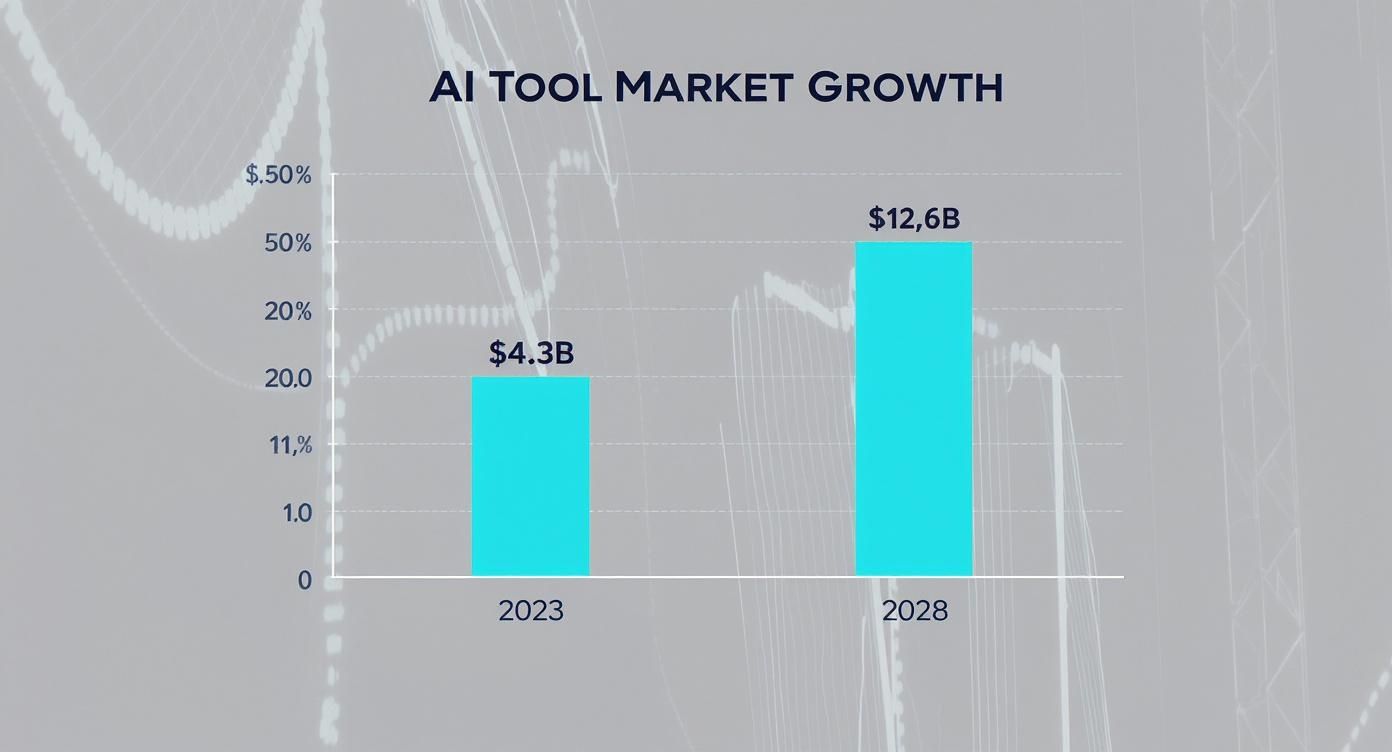
This surge is all about the growing need for developers to work faster and more efficiently without burning out. We're seeing a massive push for tools that handle the grunt work so we can focus on the complex, brain-melting stuff. You can dive deeper into this trend with detailed market projections and .
To put the time savings into perspective, here's a quick breakdown of how a typical landing page build compares with and without an AI-powered tool that actually gets it.
Manual vs AI-Powered UI Development Time
The numbers speak for themselves. What used to take the better part of a week can now be knocked out in an afternoon, leaving more time for what really matters: building great functionality (or finally playing that video game you bought six months ago).
From Inspiration to Implementation
Think of it as having a junior developer who is a wizard at HTML/CSS, never needs coffee, and delivers a pixel-perfect first draft in seconds. This lets you:
- Prototype Faster: Turn ideas into interactive mockups in minutes, not days.
- Achieve Pixel Perfection: Ditch the guesswork and get code that perfectly matches the design.
- Focus on Logic: Spend less time on styling and more on the actual application functionality.
As you start turning designs into code this way, a solid understanding of becomes even more important. The AI handles the "how," freeing you up to focus on the "why" behind your design choices. Ready to see how AI image analysis makes this possible? The magic behind converting a visual design to code with AI is something we explore deeply at Zemith.
How to Pick the Right AI Coding Tool Without Losing Your Mind

Let's be real—not all screenshot-to-code tools are created equal. Some will happily churn out a chaotic mess of nested divs that’ll make you question your life choices. Others, like Zemith, deliver clean, component-based code you can actually use without wanting to cry.
This section is your field guide to telling the good from the bad. Think of it as a survival guide for navigating the wild west of AI code generators. The real question is, how can I convert a screenshot to code without wanting to throw my computer out the window?
Code Quality Is Non-Negotiable
The absolute number one thing to look for is the quality of the output. Does the tool generate semantic HTML, or is it just a soup of meaningless <div> tags? A good tool understands structure and produces code that is maintainable and accessible right out of the box.
If you spend more time refactoring the AI's output than it would have taken to write it yourself, the tool has failed. It's supposed to be a time-saver, not a time-vampire. The goal is to get a solid foundation, not a digital house of cards.
Key Takeaway: A top-tier tool provides code that feels like it was written by a competent developer who just had way too much coffee—fast, clean, and ready for you to add the finishing touches. With Zemith, that's exactly the standard we aim for.
The tech behind these tools is growing fast. The global market for website screenshot software is projected to hit about $500 million by 2025, with a 12% annual growth rate expected after that. This boom means more tools are popping up, making it crucial to pick one that prioritizes quality. You can and see why visual-to-code tech is becoming so important.
Does It Fit Your Framework and Workflow?
A great screenshot-to-code tool needs to speak your language. Does it support the modern frameworks and libraries you actually use every day?
You’ll want to check for a few things:
- Framework Support: Look for options like React, Vue, Svelte, or whatever your team's flavor of the month is.
- Styling Solutions: Does it generate code with Tailwind CSS, Styled Components, or plain CSS? The more options, the better.
- Workflow Fit: How easily can you get the code from the tool into your IDE? A simple copy-paste is good, but direct integration or export options are even better.
The tool should slot into your existing process, not force you to build a new one around its quirks. A truly helpful AI assistant makes your life easier, not more complicated. For a broader look, you might be interested in our guide on the to see how different tools stack up.
How Smart Is the AI, Really?
Finally, you need to assess the AI's "eyesight." Can it handle complex, real-world designs, or does it get confused by anything more complicated than a simple button? Test it out with screenshots that have overlapping elements, tricky gradients, and unconventional layouts.
A basic AI might just draw boxes around things. A sophisticated AI, like the one powering Zemith, understands visual hierarchy, recognizes reusable components, and interprets the design intent behind the pixels. This is the difference between a glorified code generator and a true AI development partner.
Your First Project with Zemith AI
Alright, enough with the theory. Let's get our hands dirty and see how this actually works. I'm going to walk you through turning a real-world design into working code using Zemith, showing you exactly how to go from screenshot to code in just a few minutes.
Here’s a situation every developer knows: a client slacks you a screenshot of a hero section they love. The message is simple: "I want this." Instead of sighing and blocking out your afternoon to write boilerplate, you can have a working prototype ready before your coffee gets cold.
From Vague Request to Working Component
This workflow honestly feels like a superpower. We’re going to take that screenshot, let Zemith’s AI do the heavy lifting, and then review the React and Tailwind CSS code it spits out.
The whole thing is refreshingly simple. You just drag and drop the client’s screenshot into the Zemith interface, and the AI immediately starts parsing the layout, colors, fonts, and overall structure. It’s like having a junior dev who can instantly translate a picture into a coded component, but without the endless questions about webpack configs.
Here's a look at the Zemith interface doing its thing. On the left is the design image, and on the right is the functional code it just generated.
The side-by-side view is perfect. You can immediately see how the AI's output stacks up against the original design.
Quick Tweaks Before You Export
Now, here's the best part: you're not just stuck with a static block of code. You can make little adjustments right there in the Zemith editor before you export anything. Did the AI pick a hex code that's just a little off-brand for that button? Fix it in two seconds. Want to change the <h1> copy? Just type it in.
This interactive step is what makes it so practical. It saves you from that annoying cycle of exporting code, firing up VS Code, and then starting the cleanup process. By handling these small tweaks upfront, the code you finally grab is way closer to being production-ready.
Pro Tip: Keep an eye on the tricky stuff like complex gradients or custom fonts. The AI is shockingly accurate, but these are often the areas that benefit from a quick manual touch-up. Zemith’s editor makes that fine-tuning super easy.
This whole approach gives you a massive head start. Instead of building from zero, you’re starting at the 90% mark. If you're serious about boosting your efficiency, learning little tricks like this is a great first step. We actually have an entire article with more tips on .
At the end of the day, this workflow delivers real, tangible results. It solves a common developer headache by turning a simple image into a functional component faster than you ever could by hand.
Weaving AI-Generated Code into Your Project
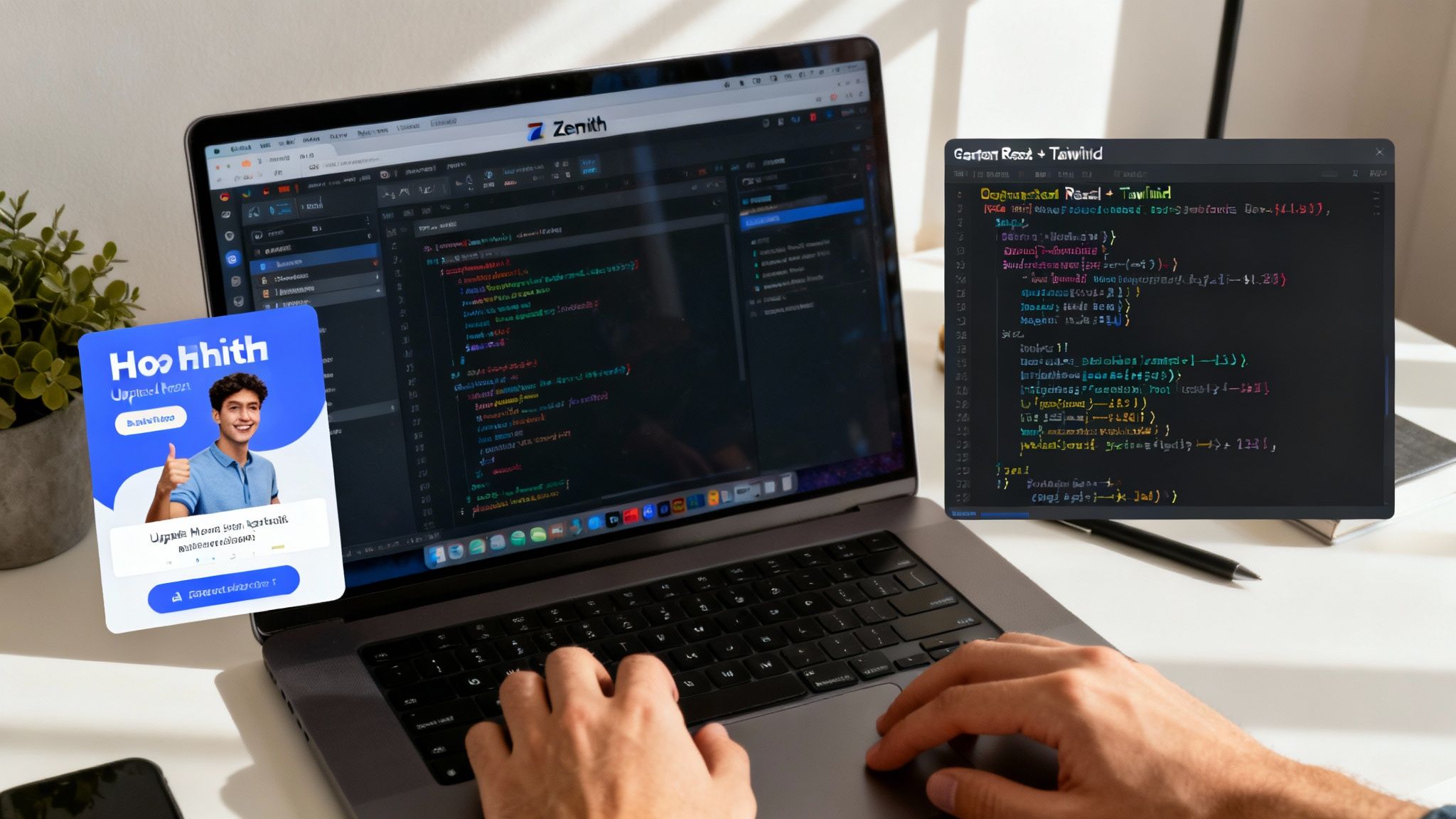
Alright, so the AI has worked its magic and handed you a beautiful chunk of code. Now what? You’re about 90% of the way there, but that last 10% is where a good developer becomes a great one. This is where you take that impressive AI output and make it truly production-ready.
Think of the AI’s code as a fantastic first draft from a junior developer who never sleeps. It's clean, it's fast, but it doesn’t have the full context of your project. Your job is to step in as the senior dev, reviewing the work and adding that crucial human touch. Your expertise is the bridge between AI speed and production-grade reliability.
The Human Touch: Your Expert Review
Before you even think about committing this code, you need to give it a quick but thorough once-over. This isn't about nitpicking; it's about making sure the code is solid, scalable, and built for the long haul.
- Look for Semantic HTML: Did the AI use a proper
<button>for that button, or did it get a bit lazy and just style a<div>? Make sure the structure is logical for both developers and screen readers. - Check for Accessibility (a11y): Scan for the easy-to-miss essentials like ARIA attributes, alt text on images, and correctly associated labels. An AI can build a pretty component, but it’s on you to make it usable for everyone.
- Review the Component Structure: Does this new piece fit into your project's existing architecture? Tools like Zemith are fantastic at creating self-contained components, but you’re the one who needs to make sure they slot into your design system correctly.
This review process is more than just a box-ticking exercise. To really get the most out of AI, you have to see where it fits within . The AI absolutely crushes the initial coding phase, but you're still captain of the ship for testing, integration, and deployment.
Bringing It to Life: Wiring It All Up
Once you’ve given the structure your stamp of approval, it’s time to breathe some life into the component. This is the fun part—the logic and problem-solving that the AI freed you up to focus on.
You'll need to hook the static UI into your application's brain. For me, that usually breaks down into a few key actions:
- Dropping it into the project: Get the component into your codebase and make sure it plays nicely with your bundler and file structure.
- Connecting the state: This is where you wire it up with React hooks like
useStateanduseEffector plug it into your global state manager like Redux or Zustand. - Plugging in dynamic data: Swap out all that placeholder text and static images with real data fetched from your APIs. This is the moment a static design truly becomes a living part of your app.
Treat AI-generated code as a massive head start. It’s an incredible accelerator that takes care of the tedious, repetitive parts of building UIs, letting you pour your energy into the logic, interactivity, and performance that really make a difference. Just remember to manage these additions carefully; brushing up on will keep your AI-assisted workflow clean and manageable.
Creative Ways to Use Screenshot to Code (That Aren't Obvious)

So, you’ve nailed the basics of turning a single screenshot into a slick, usable component. But what if I told you that’s just scratching the surface? Using screenshot to code isn't just for building new UIs from scratch. If you get a little creative, it can become a secret weapon that supercharges your entire workflow.
Ready to think outside the box? Let's dive into some pro-level moves that transform a cool tool into an indispensable part of your development process. This is where you go from just using the tech to truly owning it. How to convert UI design to code for mobile apps is another avenue where this tech shines.
Rapid Prototyping for Faster Feedback
Picture this: your designer drops a static mockup from into the chat. Instead of just nodding along, you can snap a screenshot, feed it to an AI tool like Zemith, and have a working, interactive HTML prototype ready in minutes.
Suddenly, you can send your product manager a live link instead of just a flat image. This lets them actually click the buttons, see the hover effects, and get a genuine feel for the user experience. It’s the difference between describing a joke and actually telling it—you get much better feedback, much faster.
Ethically "Borrowing" Inspiration
We’ve all been there. You're browsing a site and spot a UI element so slick you just have to have it. Instead of trying to rebuild it from memory or sifting through the inspector panel, just grab a screenshot.
- Capture the Component: Snap a picture of that killer card layout or that buttery-smooth navigation bar.
- Generate the Bones: Let the AI do the heavy lifting and spit out the foundational HTML and CSS. Zemith excels at this.
- Make It Your Own: Now, the fun part. Put on your developer hat, tweak the styles, adjust the structure, and inject your own unique flavor.
This isn't about plagiarism; it's about smart inspiration. The AI handles the tedious task of replicating the basic layout, freeing you up to focus on adapting and improving the design for your own project.
The shift toward visual-first development is undeniable. By 2025, an estimated 70% of new applications will be built using low-code or no-code technologies, a huge leap from less than 25% back in 2020. This trend really highlights the value of tools that can turn visual ideas into functional code quickly. You can to get a clearer picture of where things are headed.
Advanced Image Prep for Flawless Results
Garbage in, garbage out—that old programming adage is especially true for AI. If you want the best possible code, you need to give the AI the best possible image. This means going a step beyond a quick, messy screenshot.
Before you upload anything, take a minute to prep your image. Crop out any unnecessary browser chrome, distracting sidebars, or cluttered background elements. If you’re tackling a full page, you can even stitch multiple screenshots together into a single, clean composite image for the AI to analyze.
The cleaner your input, the cleaner and more accurate your code output will be. It's a small step that makes a massive difference in the final result. If you're looking for more ways to get the most out of your visuals, check out our guide on .
Common Screenshot to Code Questions
If you're anything like me, you've probably got a few questions buzzing around your head about this whole screenshot-to-code thing. Let's tackle some of the most common ones I hear from other devs.
Is the Generated Code Actually Good Enough for Production?
Okay, let's be real: it completely depends on the tool you're using. Some of the early or less sophisticated platforms churn out a tangled mess of divs and inline styles that you wouldn't let anywhere near your production server. That's why picking the right tool is everything.
A seriously good tool like is built from the ground up to generate clean, semantic code. We're talking modern stuff—React with Tailwind CSS, for instance. The whole point isn't to give you a first draft that needs a total rewrite. It's to hand you a component that's already 90-95% of the way there, ready for you to drop in after a quick once-over. Think of it as a massive head start, not a finished product.
Can I Use Screenshots of Mobile Apps to Generate Web Code?
Absolutely! This is where things get really interesting. Most of the advanced screenshot to code AI models have been trained on an incredible variety of UI components, and that includes both web and mobile designs.
You can feed it a screenshot of a slick native mobile app UI, and it will spit out the web equivalent using HTML/CSS and a framework like React. This is a game-changer for quickly building web components that need to mirror the vibe of your mobile app, keeping your brand looking sharp and consistent across the board.
Pro Tip: This has been a huge time-saver for teams I've worked with. It helps maintain a cohesive design language between web and mobile products without having to painstakingly rebuild every single element from scratch.
Will Screenshot to Code AI Replace Frontend Developers?
Not a chance. And I'm not just saying that to make us feel better. These tools are assistants, not replacements. They automate the most tedious part of our job: turning a static picture into initial code. I mean, who really enjoys coding the same basic layout for the tenth time?
This frees you up to focus on the stuff that actually requires a brain:
- Wrestling with state management and tricky logic.
- Hooking up API integrations and handling data.
- Nailing down accessibility and fine-tuning performance.
- Crafting those complex user interactions and animations that make an app feel alive.
It’s a tool that amplifies your skills, making you faster and more efficient. It’s about human creativity working with AI efficiency, not one kicking the other out the door. So no, your job is safe... unless you enjoy the boring parts.
How Do I Get the Best Results from the AI?
Great question. Garbage in, garbage out, right? For the best results, start with a clean, high-resolution screenshot. Don't just grab your whole screen. Crop the image to focus only on the specific component or section you want to turn into code.
Make sure to cut out any browser chrome (like the URL bar or your million open tabs) and any other visual noise in the background. While the AI behind a tool like Zemith is getting scarily good at interpreting complex images, the fundamental principle holds true: the cleaner your input, the cleaner your output will be.
Ready to stop wasting hours on boilerplate and start building faster? Give Zemith a try and see how our AI can completely change your design-to-code workflow in seconds. Check out the future of frontend development by visiting today.
Explorer les fonctionnalités de Zemith
Toute l'IA top. Un abonnement.
ChatGPT, Claude, Gemini, DeepSeek, Grok et 25+ modèles








Toujours active, IA en temps réel.
Voix + partage d'écran · réponses instantanées
Quelle est la meilleure façon d'apprendre une nouvelle langue ?
L'immersion et la répétition espacée fonctionnent le mieux. Essayez de consommer des médias dans votre langue cible quotidiennement.
Voix + partage d'écran · L'IA répond en temps réel
Génération d'images
Flux, Nano Banana, Ideogram, Recraft + plus

Écrivez à la vitesse de la pensée.
Auto-complétion IA, réécriture et expansion sur commande
Tout document. Tout format.
PDF, URL ou YouTube → chat, quiz, podcast et plus
Création vidéo
Veo, Kling, MiniMax, Sora + plus

Synthèse vocale
Voix IA naturelles, 30+ langues
Génération de code
Écrire, déboguer et expliquer du code
Chat avec documents
Téléchargez des PDF, analysez le contenu
Votre IA dans votre poche.
Accès complet sur iOS et Android · synchronisé partout
Votre canevas IA infini.
Chat, image, vidéo et outils de mouvement — côte à côte

Économisez des heures de travail et de recherche
Tarification simple et abordable
Adopté par des équipes chez






Gratuit
Aucune carte de crédit requise
- 100 crédits par jour
- 3 modèles d'IA à essayer
- Chat IA basique
Plus
- 1 000 000 crédits/mois
- 25+ modèles d'IA — GPT, Claude, Gemini, Grok et plus
- Agent Mode avec recherche web, outils informatiques et plus
- Creative Studio : génération d'images et de vidéos
- Project Library : discutez avec des documents, sites web et YouTube, génération de podcasts, fiches de révision, rapports et plus
- Workflow Studio et FocusOS
Professionnel
- Tout ce qui est dans Plus, plus :
- 2 100 000 crédits/mois
- Modèles exclusifs Pro (Claude Opus, Grok 4, Sonar Pro)
- Motion Tools et Max Mode
- Premier accès aux dernières fonctionnalités
- Accès aux offres supplémentaires
Ce que disent nos utilisateurs
Great Tool after 2 months usage
"I love the way multiple tools they integrated in one platform. Going in the right direction."
— simplyzubair
Best in Kind!
"The quality of data and sheer speed of responses is outstanding. I use this app every day."
— barefootmedicine
Simply awesome
"The credit system is fair, models are perfect, and the discord is very responsive. Quite awesome."
— MarianZ
Great for Document Analysis
"Just works. Simple to use and great for working with documents. Money well spent."
— yerch82
Great AI site with accessible LLMs
"The organization of features is better than all the other sites — even better than ChatGPT."
— sumore
Excellent Tool
"It lives up to the all-in-one claim. All the necessary functions with a well-designed, easy UI."
— AlphaLeaf
Well-rounded platform with solid LLMs
"The team clearly puts their heart and soul into this platform. Really solid extra functionality."
— SlothMachine
Best AI tool I've ever used
"Updates made almost daily, feedback is incredibly fast. Just look at the changelogs — consistency."
— reu0691