
5 Ways AI Enhances Your Writing Style
AI writing tools are revolutionizing how we create content. Here's a quick rundown of how they can boost your writing:
- Zemith: Your AI writing coach, catching errors and improving clarity
- Grammarly: Polishes grammar, style, and tone across platforms
- ProWritingAid: Offers in-depth reports and custom style guides
- Hemingway Editor: Pushes for simpler, clearer writing
- Wordtune: Rewrites sentences and adds AI-generated content
These tools help with:
- Fixing grammar and spelling
- Improving readability
- Enhancing style and tone
- Generating ideas
- Saving time
But remember: AI assists, not replaces. Use it to enhance your unique voice, not drown it out.
| Tool | Key Feature | Best For |
|---|---|---|
| Zemith | Writing coach | Overall improvement |
| Grammarly | Grammar and style | Everyday writing |
| ProWritingAid | In-depth analysis | Long-form content |
| Hemingway | Simplification | Clear, concise writing |
| Wordtune | Rewriting | Exploring different tones |
AI writing tools are game-changers, but they're not perfect. Use them wisely to level up your writing while keeping your personal touch.
Related video from YouTube
How AI Helps with Writing
AI writing tools have changed the game. They use smart algorithms to help writers work faster and better.
Here's what AI can do:
- Catch mistakes
- Make writing clearer
- Boost SEO
- Spark new ideas
- Save time
Joanna Penn, a bestselling author, says:
"AI tools help me come up with ideas faster and branch out into new ones."
AI isn't just for writers. It helps businesses too:
| Benefit | How It Helps |
|---|---|
| Always On | Works 24/7 for global teams |
| Consistent Voice | Keeps brand style the same |
| Multiple Languages | Creates content in different languages |
| Saves Money | Needs fewer editors |
But AI isn't perfect. Writers still need to check and edit AI content. The human touch is key for great, original work.
AI writing tools are becoming more common. 12% of businesses use AI to create content, and 37% use AI in some way.
Remember: AI is a helper, not a replacement. Use it wisely to boost your writing game.
1. Zemith
Zemith is an AI writing assistant that helps you level up your writing game. While we don't have all the nitty-gritty details, it's probably packing some pretty cool features.
Think of Zemith as your personal writing coach. It's likely keeping an eye out for those pesky grammar mistakes and typos. But it doesn't stop there. Zemith's probably got your back when it comes to making your writing pop.
Here's what Zemith might be bringing to the table:
- Catching errors you might miss
- Suggesting ways to make your writing clearer
- Helping you find just the right word
- Making your sentences flow better
Zemith's secret sauce? Natural language processing (NLP). It's the tech that helps Zemith understand your writing and offer smart suggestions.
Let's say you've written a sentence that's a bit... wordy. Zemith might step in and say, "Hey, how about we trim this down?" Or if you're using passive voice, it could nudge you towards a more active, engaging style.
But here's the thing: Zemith's not here to write for you. It's more like a really smart brainstorming buddy. Use its suggestions as a jumping-off point, then put your own spin on things.
Want to make the most of Zemith? Try these tips:
- Use it early in your writing process
- Don't just accept every suggestion blindly
- Keep your unique voice front and center
- Learn from Zemith's suggestions to improve your skills
2. Grammarly

Grammarly isn't just another spell-checker. It's an AI-powered writing sidekick that helps you polish your prose across the board.
Here's what Grammarly brings to the table:
1. Error Zapper
Grammarly hunts down spelling slip-ups, grammar gaffes, and punctuation problems. No more embarrassing typos in your emails!
2. Clarity Booster
It helps you cut the fluff and get to the point. For example:
Before: "Needless to say, I personally would recommend prepaying in advance to ensure no disruption of your future plans."
After: "I'd recommend prepaying to avoid disrupting your plans."
3. Tone Tuner
Grammarly helps you sound more confident and active. It flags wishy-washy language and passive voice, pushing you to make bolder statements.
4. Word Wizard
Double-click any word in the Grammarly Editor, and boom – you've got definitions and synonyms at your fingertips. Level up your vocabulary game!
5. Custom Coach
Set your writing goals based on who you're writing for and why. Grammarly tailors its advice to fit your needs.
Grammarly comes in free and paid flavors. The free version covers the basics, while Premium (starting at $12/month) unlocks advanced features like tone adjustment and plagiarism detection.
Pro tips for Grammarly:
- Use it AFTER your first draft. Don't let it stifle your creative flow.
- Don't blindly accept every suggestion. Sometimes Grammarly misses the mark.
- Tweak your settings to match your style. You're the boss, not the AI.
Remember, Grammarly's a tool, not a replacement for your brain. As one user put it:
"Grammarly is only a tool. It doesn't know everything and will occasionally make suggestions that aren't actually grammatically correct."
So use it wisely, and watch your writing soar!
3. ProWritingAid
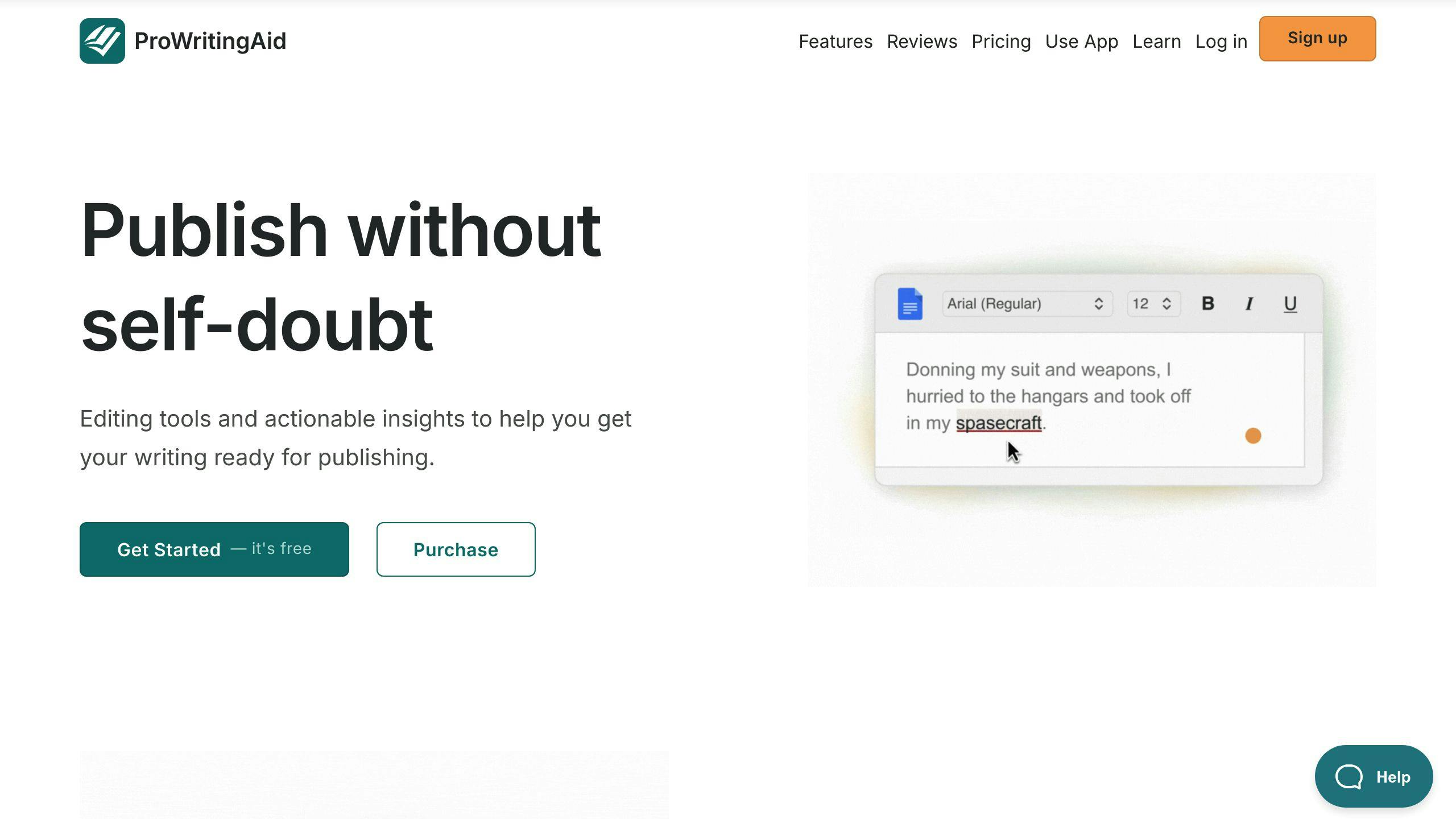
ProWritingAid isn't just a grammar checker. It's your personal writing coach.
Here's what makes it stand out:
- 20+ in-depth reports
- Custom style guides
- Integrates with Word, Google Docs, and Scrivener
- Teaches you as you edit
- AI tools for rephrasing and idea generation (Premium Pro)
Key features:
| Feature | What it does |
|---|---|
| Sentence Length Check | Helps you mix up sentence lengths |
| Dialogue Tags | Makes your fiction dialogue sound real |
| Contextual Thesaurus | Suggests better words based on context |
| Consistency Checker | Spots spelling and style inconsistencies |
| Readability Analysis | Helps you write clearer content |
Pricing:
- Premium: $30/month, $120/year, or $399 lifetime
- Premium Pro (with AI): $36/month, $144/year, or $699 lifetime
"ProWritingAid makes my writing better." - Leeanna Morgan, USA Today Bestselling Author
Heads up: It can be slow with big chunks of text. No mobile apps yet.
Pro tip: Use it AFTER your first draft. Don't let it kill your creativity - use it to polish your work.
sbb-itb-4f108ae
4. Hemingway Editor

Hemingway Editor is your digital writing coach. It's like having Ernest Hemingway himself push you to cut the fluff and get to the point.
Here's what it does:
- Flags long, complex sentences
- Highlights passive voice
- Points out adverb overuse
- Suggests simpler word choices
- Gives your writing a readability score
The tool comes in two flavors:
| Version | Cost | Features |
|---|---|---|
| Online | Free | Basic editing tools |
| Desktop | $19.99 | Offline use, Word imports |
| Hemingway Plus | $10/month | AI-powered rewrites |
"I believe the road to hell is paved with adverbs." - Stephen King
Hemingway would agree. The tool aims to slash adverbs for clearer writing.
Quick Tips:
- Draft elsewhere, then paste into Hemingway.
- Use the desktop version for offline work.
- Read your edited work aloud to check flow.
5. Wordtune
Wordtune is more than just a grammar checker. It's an AI writing buddy that helps you sound better.
What can Wordtune do for you?
- Rewrite sentences (and let you pick the tone)
- Make your text longer or shorter
- Suggest smarter synonyms
- Add AI-generated bits (they call these "Spices")
The rewriting tool is where Wordtune shines. Highlight a sentence, hit "Rewrite", and boom - you've got options. Want to sound casual? Formal? No problem. It's like having a style chameleon at your fingertips.
And those "Spices"? They're pretty cool. Need an example or a stat? Wordtune's got your back. It's like having a fact-dispensing robot on standby.
Here's what Wordtune costs:
| Plan | Price | What You Get |
|---|---|---|
| Free | $0 | 10 rewrites/day, 3 AI prompts/day, 3 summaries/day |
| Plus | $24.99/month | 30 rewrites/day, 5 AI prompts/day, 5 summaries/day |
| Unlimited | $37.50/month | All you can eat, VIP support |
Is Wordtune perfect? Nah. It won't catch plagiarism, and its summaries don't come with citations. So, academic writers, take note.
Want to make the most of Wordtune?
- Grab the browser extension. It works everywhere.
- Play with different tones. Find your voice.
- Use "Spices" to add flavor, but double-check the facts.
Using AI While Keeping Your Own Voice
AI writing tools can help, but they shouldn't take over your style. Here's how to use AI and still sound like you:
1. Pick the right AI tool
Test a few to find one that fits your style. Some, like Jasper, can even mimic your writing.
2. Train the AI
Feed it your best work. Here's a quick method:
- Choose a popular piece you've written
- Ask ChatGPT to analyze its style
- Give ChatGPT the full text (up to 4,000 words)
This creates a guide for future AI-assisted writing.
3. Use AI as a starting point
Get ideas from AI, then add your personal touch. As Kate Cullen, a coach and photographer, puts it:
"Use AI to generate ideas, not replace thinking. To save time and money, not erase individuality."
4. Mix AI and human elements
Blend AI-generated content with your own stories and insights. This keeps your writing real and engaging.
5. Refine AI output
Always edit AI-generated text. Rephrase sentences and cut repetitive words. This helps avoid sounding robotic.
6. Add personal flair
Include your own anecdotes and unique style. These make your writing stand out.
7. Be transparent
If you use AI, tell your readers. It builds trust.
Conclusion
AI writing tools have shaken up content creation. They're fast, efficient, and help with common writing problems. But they're not here to kick human writers to the curb.
Here's the scoop on AI's role in upping our writing game:
1. Speed demon: AI tools crank out content WAY faster than we can. We're talking a 500-word piece in under a minute.
2. Quality boost: They catch grammar slip-ups, spelling oopsies, and style no-nos. Result? Cleaner, sharper writing.
3. Idea factory: Need inspiration? Tools like HubSpot's Blog Ideas Generator spit out topic ideas based on keywords. Creativity, unlocked.
4. Personal touch: AI helps tailor content to specific audiences. More engagement? Yes, please.
5. Writing buddy: Think of AI as your writing partner, not your replacement. It's here to amp up your creativity, not squash it.
What's next? Expect smarter AI writing assistants, smoother integration into writing workflows, and a bigger spotlight on using AI ethically in writing.
But here's the thing: AI isn't perfect. We still need humans to fact-check, add emotional oomph, and keep that unique voice alive.
"AI in writing isn't just about the tools. It's about opening new doors for how we express ourselves and get creative", says Jenni AI, a big name in the field.
The future? It's all about finding that sweet spot between AI help and human creativity. Use AI tools wisely, and you'll level up your style, get more done, and zero in on what really matters: creating killer content that hits home with readers.
FAQs
What is the best AI tool for writing essays?
Yomu AI is a top choice for academic writing. Here's why:
It's built for academics, helping with essays and papers. You can use it for ideas or full paragraphs. And it's a real time-saver, especially for tricky topics.
But remember:
"AI tools are helpers, not replacements. Always add your own touch and follow your school's rules."
Use Yomu AI to boost your writing, not do it for you. And ALWAYS check what it gives you.
Related posts
Zemith की विशेषताओं का अन्वेषण करें
जो चाहिए वो सब। जो नहीं चाहिए वो नहीं।
एक सब्सक्रिप्शन पाँच की जगह लेता है। हर टॉप AI मॉडल, हर क्रिएटिव टूल, और हर प्रोडक्टिविटी फीचर, एक फोकस्ड वर्कस्पेस में।
हर टॉप AI। एक सब्सक्रिप्शन।
ChatGPT, Claude, Gemini, DeepSeek, Grok और 25+ मॉडल








हमेशा ऑन, रियल-टाइम AI।
वॉइस + स्क्रीन शेयर · तुरंत जवाब
नई भाषा सीखने का सबसे अच्छा तरीका क्या है?
इमर्शन और स्पेस्ड रिपीटिशन सबसे अच्छे काम करते हैं। रोज़ाना अपनी लक्ष्य भाषा में मीडिया देखने का प्रयास करें।
वॉइस + स्क्रीन शेयर · AI रियल टाइम में जवाब देता है
इमेज जनरेशन
Flux, Nano Banana, Ideogram, Recraft + और भी

सोच की गति से लिखें।
AI ऑटोकम्पलीट, रीराइट और कमांड पर एक्सपैंड
कोई भी डॉक्यूमेंट। कोई भी फॉर्मेट।
PDF, URL या YouTube → चैट, क्विज़, पॉडकास्ट और बहुत कुछ
वीडियो क्रिएशन
Veo, Kling, MiniMax, Sora + और भी

टेक्स्ट टू स्पीच
प्राकृतिक AI आवाज़ें, 30+ भाषाएँ
कोड जनरेशन
कोड लिखें, डीबग करें और समझाएं
डॉक्यूमेंट्स से चैट
PDF अपलोड करें, कंटेंट का विश्लेषण करें
आपका AI, आपकी जेब में।
iOS और Android पर पूरा एक्सेस · हर जगह सिंक
आपका अनंत AI कैनवास।
चैट, इमेज, वीडियो और मोशन टूल्स — साथ-साथ

काम और अनुसंधान के घंटों की बचत करें
सीधा, किफायती मूल्य निर्धारण
इन कंपनियों की टीमें भरोसा करती हैं






मुफ्त
क्रेडिट कार्ड की आवश्यकता नहीं
- 100 क्रेडिट प्रतिदिन
- 3 AI मॉडल आज़माने के लिए
- बुनियादी AI चैट
प्लस
- 1,000,000 क्रेडिट/माह
- 25+ AI मॉडल — GPT, Claude, Gemini, Grok और अधिक
- Agent Mode वेब सर्च, कंप्यूटर टूल्स और अधिक के साथ
- Creative Studio: इमेज जनरेशन और वीडियो जनरेशन
- Project Library: दस्तावेज़, वेबसाइट और YouTube के साथ चैट, पॉडकास्ट निर्माण, फ्लैशकार्ड, रिपोर्ट और अधिक
- Workflow Studio और FocusOS
प्रोफेशनल
- प्लस में सब कुछ, और:
- 2,100,000 क्रेडिट/माह
- Pro-एक्सक्लूसिव मॉडल (Claude Opus, Grok 4, Sonar Pro)
- Motion Tools और Max Mode
- नवीनतम सुविधाओं तक पहली पहुँच
- अतिरिक्त ऑफ़र तक पहुँच
हमारे उपयोगकर्ता क्या कहते हैं
Great Tool after 2 months usage
simplyzubair
I love the way multiple tools they integrated in one platform. So far it is going in right dorection adding more tools.
Best in Kind!
barefootmedicine
This is another game-change. have used software that kind of offers similar features, but the quality of the data I'm getting back and the sheer speed of the responses is outstanding. I use this app ...
simply awesome
MarianZ
I just tried it - didnt wanna stay with it, because there is so much like that out there. But it convinced me, because: - the discord-channel is very response and fast - the number of models are quite...
A Surprisingly Comprehensive and Engaging Experience
bruno.battocletti
Zemith is not just another app; it's a surprisingly comprehensive platform that feels like a toolbox filled with unexpected delights. From the moment you launch it, you're greeted with a clean and int...
Great for Document Analysis
yerch82
Just works. Simple to use and great for working with documents and make summaries. Money well spend in my opinion.
Great AI site with lots of features and accessible llm's
sumore
what I find most useful in this site is the organization of the features. it's better that all the other site I have so far and even better than chatgpt themselves.
Excellent Tool
AlphaLeaf
Zemith claims to be an all-in-one platform, and after using it, I can confirm that it lives up to that claim. It not only has all the necessary functions, but the UI is also well-designed and very eas...
A well-rounded platform with solid LLMs, extra functionality
SlothMachine
Hey team Zemith! First off: I don't often write these reviews. I should do better, especially with tools that really put their heart and soul into their platform.
This is the best tool I've ever used. Updates are made almost daily, and the feedback process is very fast.
reu0691
This is the best AI tool I've used so far. Updates are made almost daily, and the feedback process is incredibly fast. Just looking at the changelogs, you can see how consistently the developers have ...