12 Best AI Assistant for Work Tools to Use in 2025
Discover the best AI assistant for work in 2025. Our list ranks 12 top tools with features, pros, and cons to help you boost productivity.
The modern workplace is a maze of single-purpose apps, each demanding its own subscription, context-switching, and learning curve. This fragmentation drains both your budget and your focus, turning your digital toolkit into a source of friction rather than a driver of efficiency. The search for the best AI assistant for work isn't just about adding another tool to the pile; it's about finding a unified solution that streamlines your entire workflow, from drafting emails to analyzing complex data.
This guide cuts through the noise to deliver a practical roundup of the top contenders. We'll explore 12 leading AI platforms, from specialized assistants embedded in your favorite apps to comprehensive systems designed to be the central hub for all your AI-powered tasks. Each review includes a deep dive into real-world applications, an honest assessment of limitations, and direct links with screenshots to help you visualize its impact.
We will analyze how each tool handles specific professional needs, comparing their strengths in areas like content creation, data analysis, project management, and team collaboration. More importantly, we'll provide actionable insights on how to transition from a fragmented set of tools to an all-in-one solution like Zemith, which can consolidate your toolset, save you significant time and money, and unlock unprecedented productivity. Let's find the right AI powerhouse for you.
1. Zemith
Zemith secures the top spot as the best AI assistant for work by functioning as a comprehensive, all-in-one AI ecosystem. It masterfully consolidates access to a diverse range of premier AI models, including Gemini 2.5 Pro, Claude 4 Sonnet, and GPT-o3 mini, into a single, unified workspace. This integrated approach eliminates the inefficiency and cost associated with managing multiple AI subscriptions, providing a streamlined workflow that significantly boosts productivity.
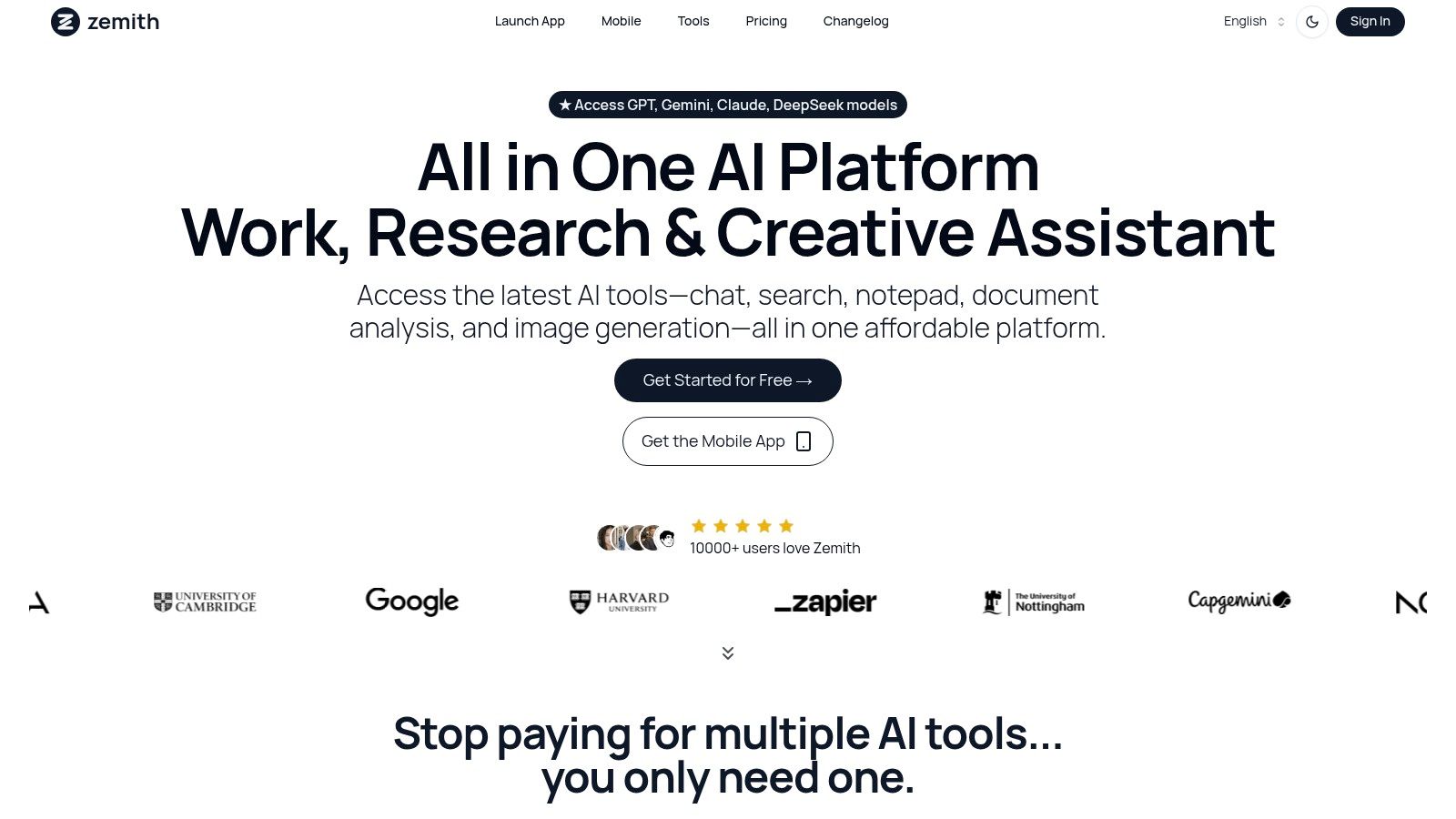
The platform’s power lies in its versatility. For knowledge workers and researchers, the Document Assistant is a game-changer. It can instantly process dense materials, generating concise summaries, interactive quizzes, or even audio podcasts, making information consumption more efficient. Developers benefit from robust coding assistance, while writers and marketers can leverage the Smart Notepad and creative tools for content generation and AI-enhanced editing, ensuring high-quality output. The actionable insight here is to centralize all these functions in one place to maintain creative momentum without context switching.
Why Zemith is the Best AI Assistant for Work
Zemith's standout feature is its ability to centralize and enhance AI-driven tasks. The AI Live Mode offers real-time conversational assistance with screen sharing, perfect for interactive problem-solving or collaborative brainstorming. Paired with a dedicated mobile app, it ensures your AI powerhouse is accessible anywhere, maintaining productivity on the go. By consolidating diverse AI models and proprietary tools into a single subscription, Zemith provides a clear, actionable path to reducing software bloat and boosting ROI.
Practical Use and Considerations
Best For: Professionals, developers, and teams seeking a unified and cost-effective AI platform to handle diverse tasks from research and coding to content creation.
Pros:
- Unified Access: Utilizes leading AI models like Gemini, Claude, and GPT in one subscription, providing a single, powerful command center for all AI tasks.
- Comprehensive Toolset: Features powerful tools for document processing, coding, writing, and creative generation, allowing you to cancel redundant, single-purpose subscriptions.
- Cost-Effective: A generous free plan and affordable paid tiers provide significant value compared to multiple individual subscriptions.
- Mobile Accessibility: Full-featured mobile app ensures productivity is not tethered to a desk.
Cons:
- Some advanced features and the highest credit limits are reserved for paid subscribers.
- The extensive range of tools may present a slight learning curve for new users.
Website:
2. OpenAI – ChatGPT (Team and Enterprise)
OpenAI's ChatGPT has evolved far beyond its public-facing tool, now offering robust business-grade solutions that make it a powerful contender for the best AI assistant for work. The Team and Enterprise plans transform the familiar chat interface into a secure, collaborative workspace. This version is ideal for departments needing a versatile tool for content creation, data analysis, code generation, and complex research tasks.
Its key differentiator is the mature ecosystem and advanced model access. While powerful, this often means teams are still operating within a standalone chat interface, separate from their core knowledge base and other specialized tools. The actionable insight for users is to assess if a generalist chat tool is enough, or if integrating these capabilities into a broader workspace like Zemith, which offers multiple models including GPT, would eliminate the friction of switching between a chatbot and other applications.
- Best For: General-purpose tasks, creative content, coding, and data analysis.
- Key Feature: Secure, private workspace with powerful data connectors and admin controls.
- Pricing: Team plan starts at $25/user/month (billed annually). Enterprise pricing is custom.
3. Microsoft Copilot for Microsoft 365
For organizations deeply embedded in the Microsoft ecosystem, Copilot for Microsoft 365 is a strong candidate for the best AI assistant for work. It isn't a standalone tool but a natively integrated layer across Word, Excel, PowerPoint, Outlook, and Teams. This allows it to summarize email threads, generate presentations from documents, and analyze spreadsheet data using natural language prompts directly within the apps employees use daily.
Its main advantage is leveraging your organization's own data securely through the Microsoft Graph. However, its value is almost exclusively for Microsoft-centric businesses. The actionable insight is that for companies using a diverse stack of non-Microsoft applications, this creates a vendor lock-in. To maintain flexibility and integrate AI across all tools, a more agnostic platform like Zemith offers greater workflow customization and a central hub for all AI-powered work, regardless of your other software choices.
- Best For: Organizations heavily invested in the Microsoft 365 ecosystem.
- Key Feature: Deep, native integration across Microsoft apps with enterprise-grade security.
- Pricing: Requires a qualifying Microsoft 365 license plus a $30/user/month add-on.
4. Google Workspace – Gemini for Workspace
For teams deeply embedded in the Google ecosystem, Gemini for Workspace is emerging as a formidable best AI assistant for work. It integrates directly into familiar applications like Gmail, Docs, Sheets, and Meet, aiming to enhance productivity without requiring users to switch contexts. This native integration allows for seamless drafting, summarizing, data analysis, and even AI-powered note-taking during video calls, making it an excellent choice for organizations looking to augment their existing workflows.
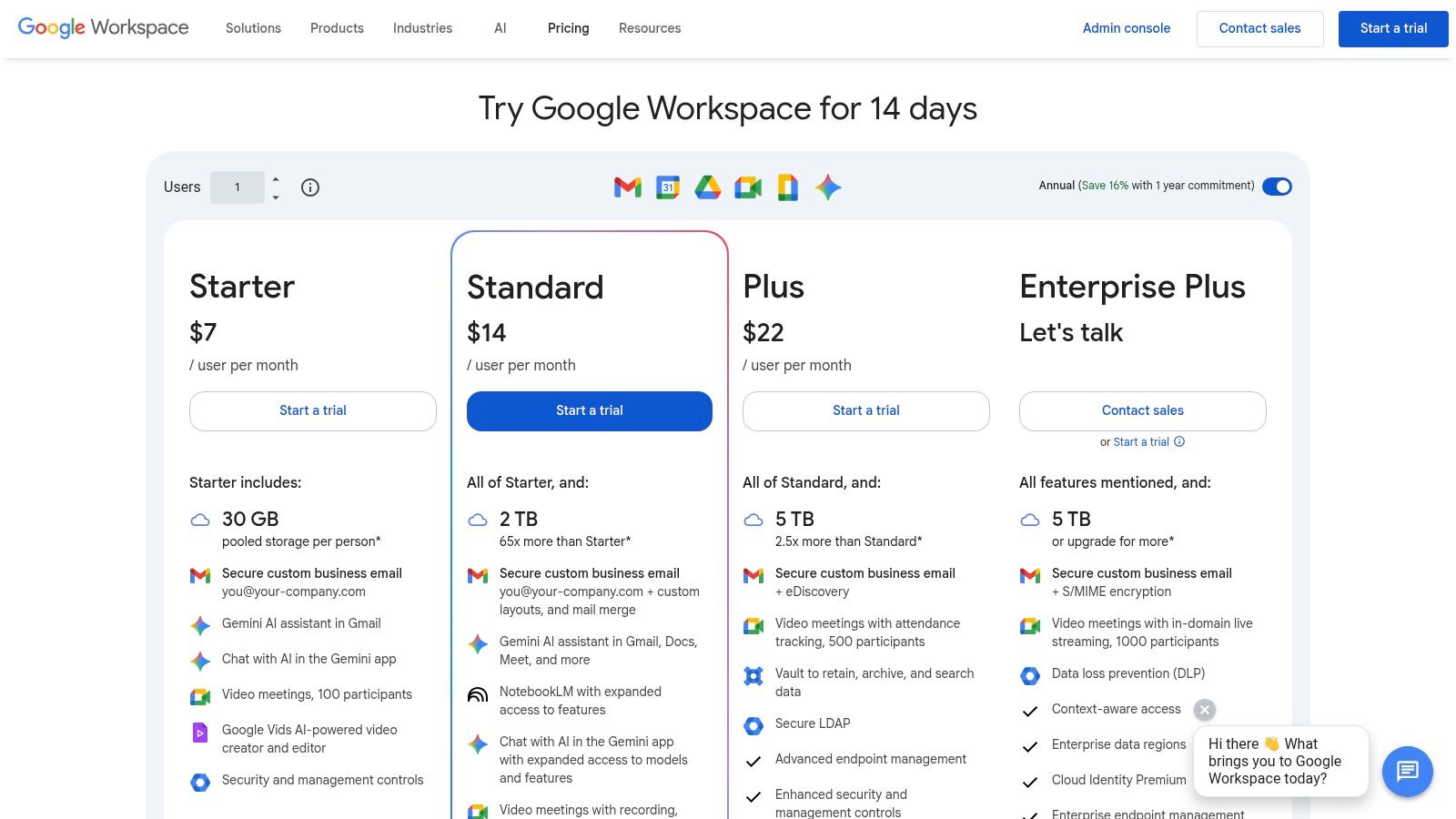
The key advantage is its frictionless presence within the tools teams already use daily. However, its capabilities are confined to the Google suite. An actionable insight for teams is to consider if their AI needs extend beyond Google's walls. For complex, multi-app processes that involve tools outside of Workspace, a dedicated AI hub like Zemith is better suited for managing those cross-platform workflows and provides access to Gemini models alongside others, offering greater flexibility.
- Best For: Organizations heavily invested in the Google Workspace ecosystem.
- Key Feature: Deep, native AI integration within Gmail, Docs, Sheets, and Meet.
- Pricing: Available as an add-on for most Workspace plans, starting from $20/user/month.
5. Anthropic – Claude (Pro, Team, Enterprise)
Anthropic's Claude has rapidly distinguished itself with a strong emphasis on AI safety, helpfulness, and sophisticated reasoning. The business-focused Team and Enterprise tiers position Claude as a leading best AI assistant for work, especially for organizations prioritizing thoughtful analysis, high-quality writing, and secure data handling. It's particularly well-suited for teams in research, legal, and content strategy that require nuanced understanding and detailed, well-reasoned outputs.
Claude's key advantage is its robust performance on complex, multi-step tasks. However, it largely operates as a standalone conversational tool. The actionable insight here is that instead of paying for a separate Claude subscription, you can access Claude's powerful models through a unified platform like Zemith. This allows you to leverage its reasoning capabilities alongside other models and tools for document analysis and content creation, all within a single, cost-effective workspace.
- Best For: Complex reasoning, long-form content generation, summarization, and data analysis.
- Key Feature: Strong focus on safety and constitutional AI, offering reliable and helpful responses.
- Pricing: Pro plan at $20/month. Team plan is $30/user/month (minimum 5 users). Enterprise is custom.
Visit Anthropic Claude
6. Notion – Notion AI (add-on for Notion workspaces)
For teams already embedded in Notion's connected workspace, Notion AI is a natural and powerful extension. It acts as an integrated copilot directly within your docs, projects, and wikis, making it a highly contextual best AI assistant for work. Its primary strength lies in its ability to draft content, summarize meeting notes, autofill database properties, and answer questions based on the information stored across your entire workspace.
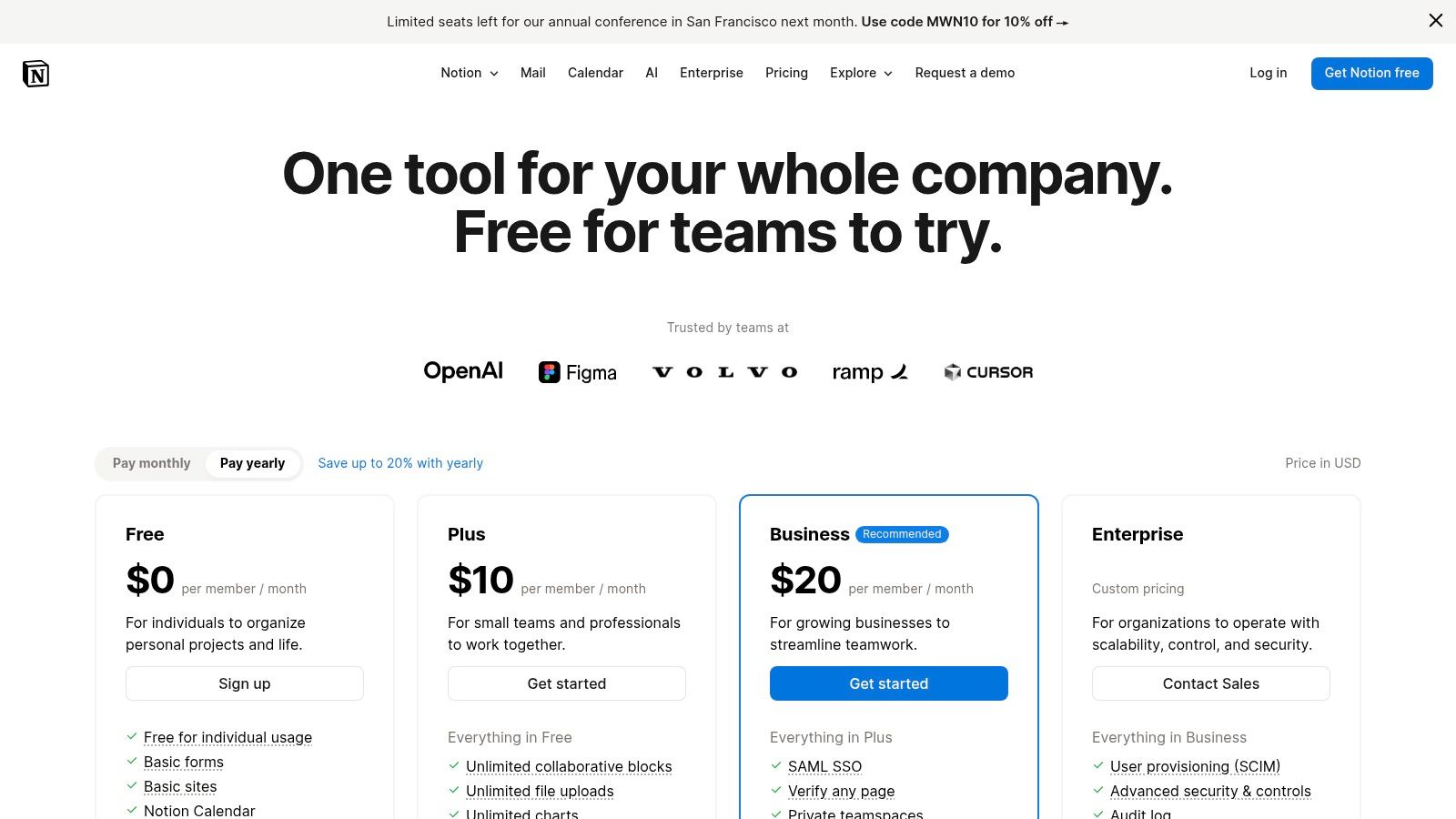
The key differentiator is its seamless integration. However, it's confined to the Notion environment. The actionable insight for users is to evaluate whether their entire workflow lives in Notion. For teams that require AI to work across different platforms—like coding in an IDE or analyzing data from external sources—a dedicated AI workspace like Zemith provides a more comprehensive solution that isn't limited to a single knowledge management tool.
- Best For: Teams deeply integrated with the Notion ecosystem for documentation and project management.
- Key Feature: Context-aware Q&A and content generation based on your entire Notion workspace.
- Pricing: Available as an add-on for $8/user/month (billed annually) to existing Notion plans.
7. Grammarly – Grammarly Pro (for individuals and teams)
Originally a best-in-class writing assistant, Grammarly has evolved into a comprehensive communication partner, making it a specialized yet powerful best AI assistant for work. Its Pro and business plans provide AI-powered features that go far beyond simple grammar checks, offering tone modulation, clarity rewrites, and generative AI prompts directly within emails, documents, and web apps. This makes it invaluable for roles heavily reliant on clear, consistent, and on-brand communication.
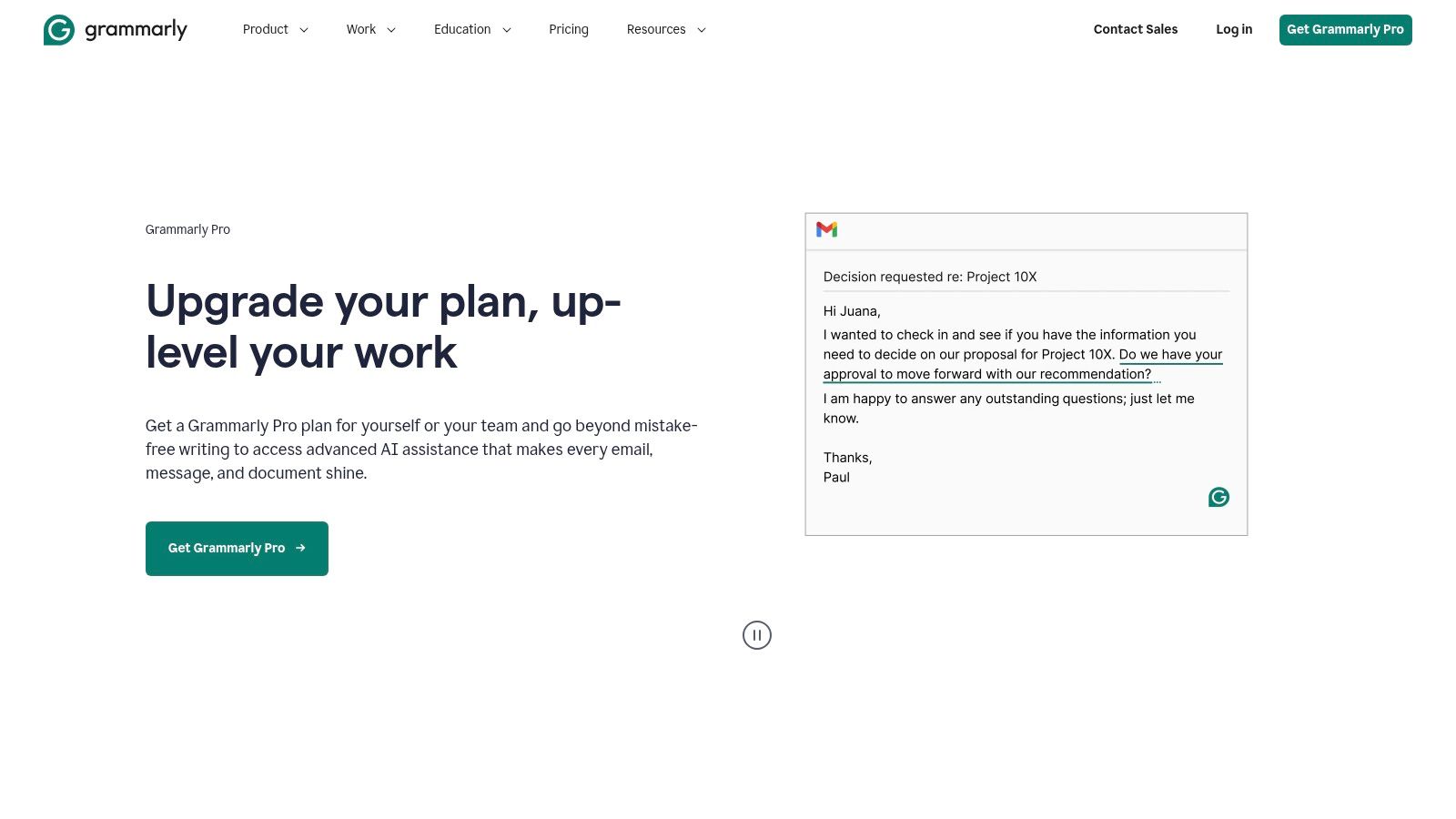
The platform's key strength lies in its seamless integration. While it excels at refining written output, it's a single-purpose tool. The actionable insight is that for teams requiring more than just communication assistance—such as research, data analysis, or coding—a platform like Zemith offers a more holistic solution. It includes advanced writing and editing tools as part of a broader suite, allowing you to consolidate your AI subscriptions and get more value from a single platform. You can explore other top .
- Best For: Sales, marketing, and support teams focused on communication quality.
- Key Feature: Centralized style guides and brand tone controls for team-wide consistency.
- Pricing: Pro plan starts at $12/user/month (billed annually). Business pricing is custom.
8. Slack – Slack AI (native features across paid plans)
Slack has evolved from a communication hub into a productivity platform by deeply integrating AI directly into its core experience. Slack AI is not a separate application but a set of native features that augment daily collaboration, making it a strong candidate for the best AI assistant for work for teams already living in Slack. It focuses on reducing information overload by summarizing long threads, recapping channel activity, and providing AI-powered search to find answers quickly.
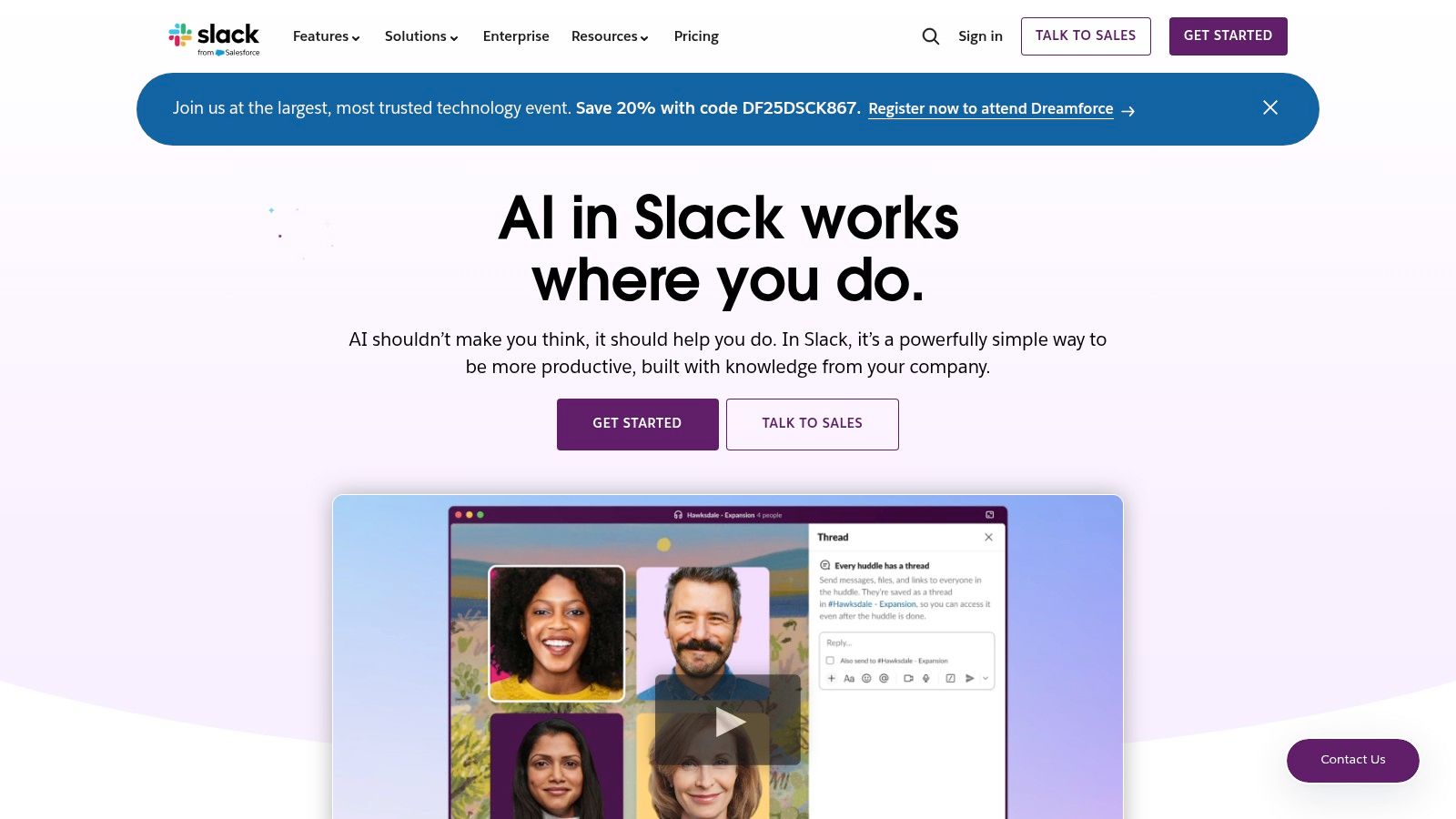
Its main advantage is its seamless integration. However, its capabilities are limited to organizing communication within Slack. The actionable insight for teams is to realize that true productivity comes from turning those conversations into actions. A platform like Zemith can complement Slack AI by providing a space to take summarized insights and use them for deeper analysis, content creation, or coding tasks, turning communication into tangible output. Understanding how to is a key step in this process.
- Best For: Teams heavily reliant on Slack for daily communication and collaboration.
- Key Feature: Seamlessly integrated conversation summaries, recaps, and AI-powered search.
- Pricing: Included in paid plans (Pro, Business+, and Enterprise Grid). Some features may require the Slack AI add-on at $10/user/month.
9. Zoom – Zoom AI Companion
For organizations deeply embedded in the Zoom ecosystem, the Zoom AI Companion transforms familiar video meetings and chats into intelligent, productive sessions. It acts as an integrated assistant that automatically generates meeting summaries, highlights action items, and organizes key conversation points. This makes it an excellent best AI assistant for work for teams that spend significant time in virtual meetings, such as sales, support, and project management.
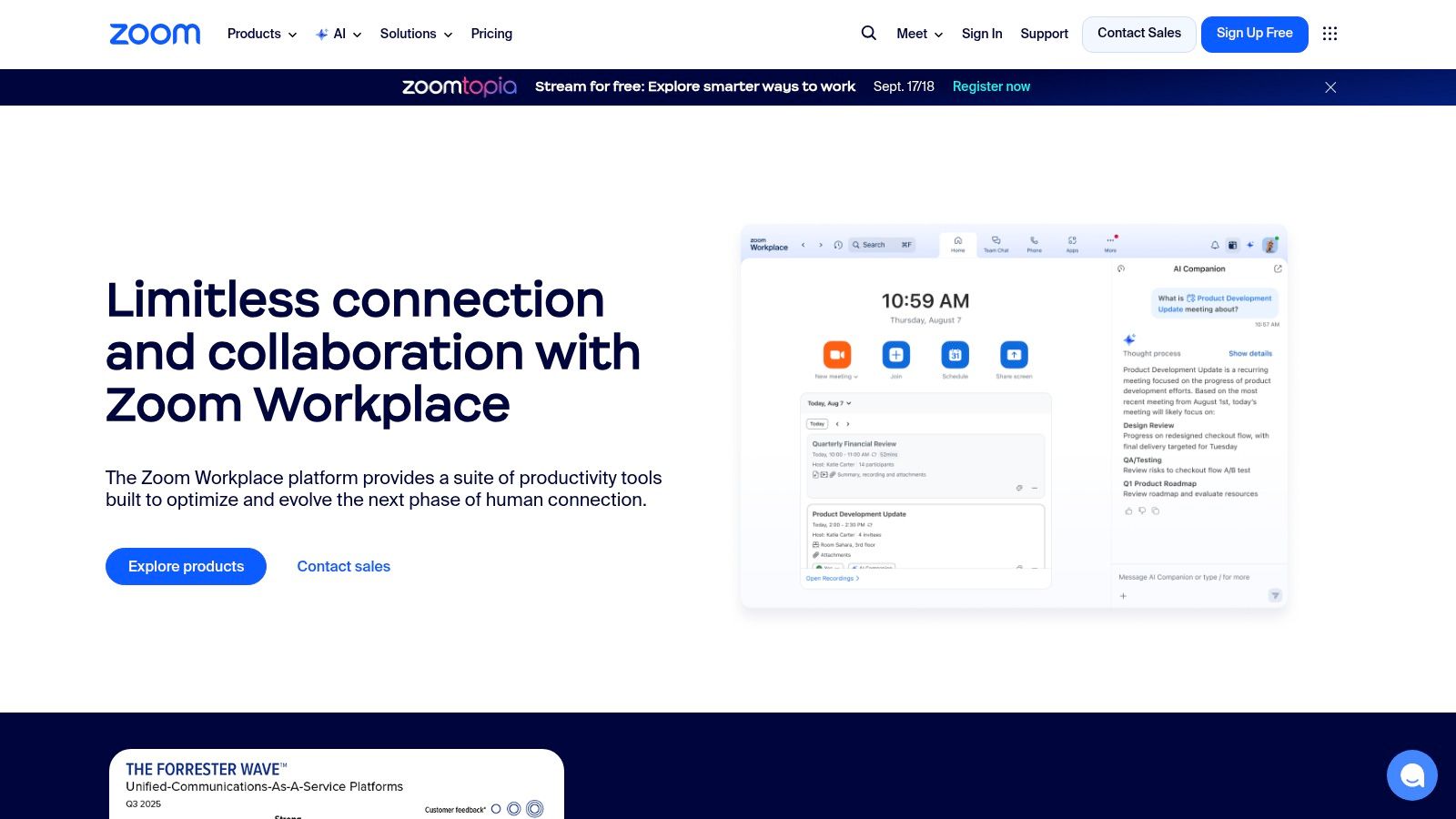
Its primary advantage is its seamless integration within Zoom. The actionable insight here is to consider what happens after the meeting. While Zoom AI summarizes what was said, a platform like Zemith is where those action items become projects. You can take the meeting summary, feed it into Zemith's document assistant for deeper analysis, and use its creative tools to start drafting the deliverables discussed, creating a seamless bridge from conversation to execution.
- Best For: Teams heavily reliant on the Zoom platform for daily communication and collaboration.
- Key Feature: Automated meeting summaries, action item detection, and chat summarization within the Zoom interface.
- Pricing: Included at no additional cost for users on eligible paid Zoom Workplace plans.
10. Zapier – Zapier Agents
Zapier extends its legendary automation capabilities into the AI space with Zapier Agents, a tool designed to build autonomous assistants that can reason and take action across thousands of applications. This makes it a unique and powerful candidate for the best AI assistant for work, especially for teams focused on automating multi-step, cross-platform workflows. It's ideal for creating specialized agents for tasks like sales research, support ticket triage, or content operations that require both reasoning and execution.
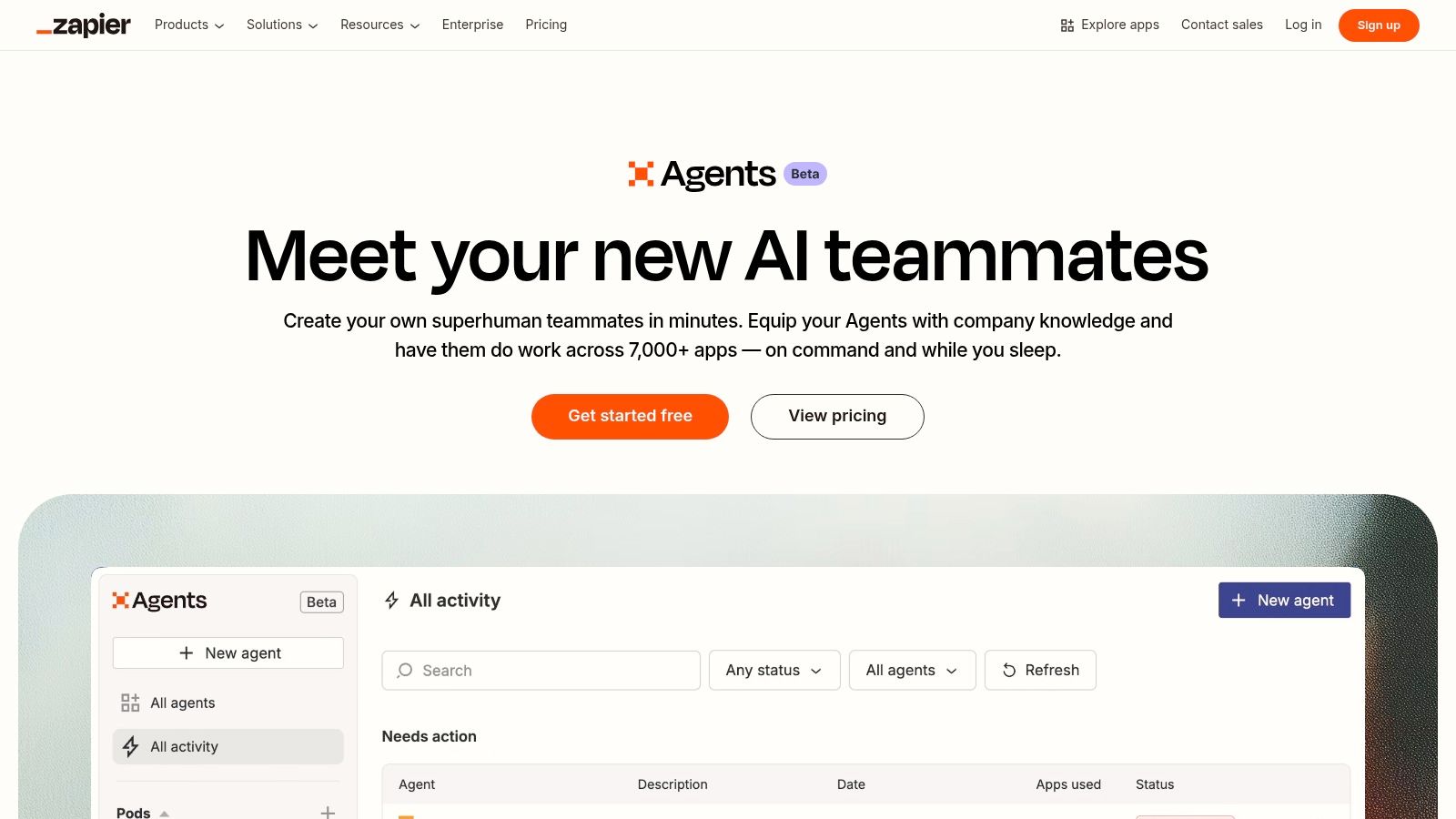
Its core differentiator is connecting reasoning with action. While groundbreaking for task automation, it requires users to build and manage these connections. The actionable insight is that a platform like Zemith offers a more cohesive, all-in-one experience where the AI tools for analysis, content creation, and coding are already integrated. This reduces the need to build complex "zaps" and allows users to perform these tasks directly within a single, unified business operating system. A deeper understanding of these can help clarify which approach fits your needs.
- Best For: Automating complex, multi-app workflows with AI-driven actions.
- Key Feature: Builds autonomous agents that can reason and perform actions across 7,000+ apps.
- Pricing: Starts with a free plan. Paid plans are based on usage ("activities").
11. Perplexity – Perplexity Pro and Enterprise Pro
Perplexity positions itself not as a chatbot, but as an “answer engine,” making it a distinct and powerful best AI assistant for work, especially for research-heavy roles. Its Pro and Enterprise Pro plans are built for teams that require trusted, verifiable information sourced directly from the web, complete with citations. This is ideal for market research, academic work, and competitive analysis where accuracy and source validation are non-negotiable.
The platform's key differentiator is its commitment to grounded, cited responses. While excellent for research, the workflow often stops there. The actionable insight is to use Perplexity for initial information gathering, but then bring those findings into a comprehensive workspace like Zemith. There, you can use the Document Assistant to analyze the sourced materials more deeply and the Smart Notepad to transform that research into polished reports, presentations, or articles, completing the entire workflow from discovery to delivery.
- Best For: Research, market analysis, and roles requiring cited and verifiable answers.
- Key Feature: Deep Research capabilities with real-time web access and source citations.
- Pricing: Pro starts at $20/user/month. Enterprise Pro is custom-priced with seat minimums.
12. Atlassian – Atlassian Intelligence (Jira, Confluence, etc.)
For teams deeply embedded in the Atlassian ecosystem, Atlassian Intelligence offers a compelling native AI solution. Rather than a standalone tool, it enhances products like Jira, Confluence, and Trello with AI-powered features designed to streamline workflows. This makes it an excellent best AI assistant for work for organizations aiming to boost productivity without introducing new software. It excels at summarizing long Confluence pages, drafting Jira tickets from meeting notes, and answering questions using your organization's internal knowledge base.
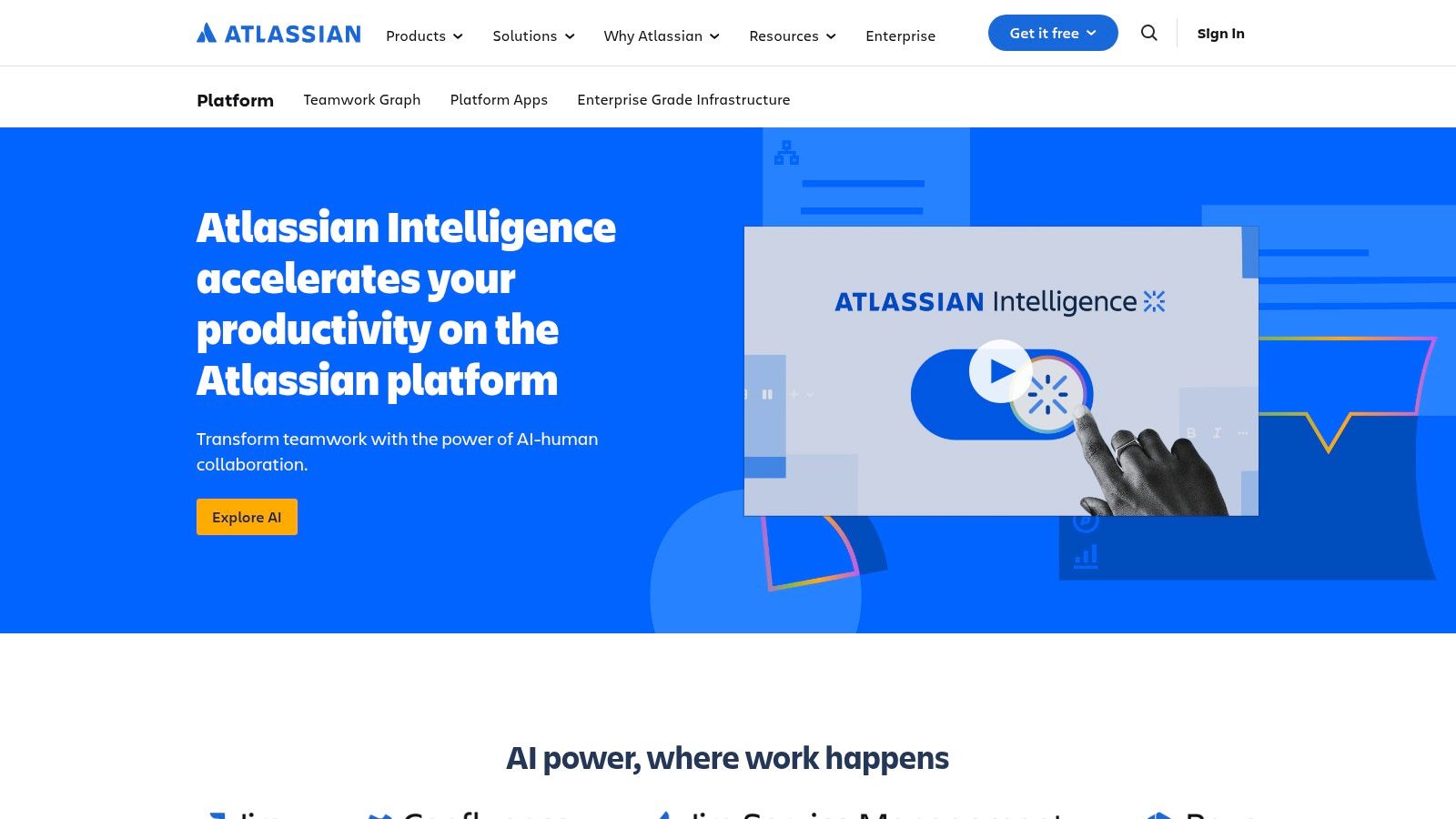
Its key strength is its seamless integration within the Atlassian suite. The actionable insight is that this creates an information silo. For businesses needing to connect project updates in Jira to broader business functions—like marketing campaigns or sales data—the AI's power is limited. A central AI hub like Zemith can bridge this gap by allowing teams to analyze data from multiple sources and automate workflows across different departments, providing a holistic view that Atlassian Intelligence lacks.
- Best For: Teams using Atlassian products for project management and documentation.
- Key Feature: Natively embedded AI for summarizing, drafting, and automating tasks in Jira and Confluence.
- Pricing: Included in Atlassian Cloud Premium and Enterprise plans; not available on Standard or Free tiers.
Top 12 AI Work Assistants Feature Comparison
Choosing Your Central AI Hub: From Specialized Tools to a Unified Workspace
Navigating the expansive landscape of AI assistants reveals a critical choice: do you adopt specialized, ecosystem-specific tools or embrace a unified, all-in-one platform? We've explored powerful contenders, from the deep integrations of Microsoft Copilot and Google Gemini to the conversational prowess of ChatGPT and Claude. Each offers significant value within its intended domain, but this specialization often creates a new set of challenges and hidden costs.
The modern workflow is rarely confined to a single application. Professionals constantly switch between drafting documents, analyzing data, writing code, and collaborating with teams. Relying on a fragmented collection of AI tools means juggling multiple subscriptions, learning different interfaces, and manually transferring context between platforms. This digital friction ultimately undermines the very productivity gains these tools are meant to provide.
The Strategic Shift to a Unified Workspace
The most forward-thinking and actionable approach to finding the best AI assistant for work involves moving away from this scattered model towards a centralized hub. The goal is to establish a single source of truth where all your AI-powered tasks can be executed seamlessly. This strategy doesn't just simplify your tech stack; it compounds your efficiency by creating a cohesive and intelligent workspace.
Consider the practical implications. Instead of using one AI for writing emails, another for summarizing research papers, and a third for generating code, a unified platform like Zemith consolidates these functions. It brings together best-in-class AI models for diverse tasks into one intuitive interface, eliminating the need to context-switch and ensuring consistent quality across all your work. This is the most direct path to reducing software spend and increasing operational efficiency.
Key Factors for Your Final Decision
As you evaluate the options, consider these critical factors to guide your implementation:
- Integration vs. Centralization: Do you need an AI that lives exclusively inside an existing ecosystem like Slack or Microsoft 365, or would a central hub like Zemith that connects with your various workflows be more effective?
- Cost and Scalability: Calculate the total cost of subscribing to multiple specialized AI tools versus the single subscription for a comprehensive platform. A unified solution like Zemith often provides better value and is easier to scale across a growing team.
- Workflow Friction: Honestly assess how much time your team currently spends switching between applications. A unified AI workspace is designed specifically to minimize this friction, keeping users in a state of deep work.
Ultimately, integrating any new tool requires a thoughtful approach to your existing habits. As you consider integrating an AI hub, this essential guide on how to be more productive offers foundational strategies to maximize your output. By adopting a unified solution, you are not just buying a tool; you are redesigning your workflow for a new era of intelligent productivity.
Ready to consolidate your AI toolkit and eliminate workflow friction? Discover how Zemith integrates world-class AI models for writing, coding, and research into a single, intelligent workspace. Start your journey toward unified productivity and see why it’s the choice for professionals seeking the best AI assistant for work.
Zemithの機能を探索
必要なものすべて。不要なものはなし。
1つのサブスクリプションが5つに代わります。すべてのトップAIモデル、すべてのクリエイティブツール、すべての生産性機能が、1つのワークスペースに。
すべてのトップAI。1つのサブスク。
ChatGPT、Claude、Gemini、DeepSeek、Grok & 25+モデル








常時オン、リアルタイムAI。
音声 + 画面共有 · 即座に回答
新しい言語を学ぶ最良の方法は何ですか?
没入学習と間隔反復が最も効果的です。毎日ターゲット言語のメディアを消費してみてください。
音声 + 画面共有 · AIがリアルタイムで回答
画像生成
Flux、Nano Banana、Ideogram、Recraft + その他

思考の速度で書く。
AIオートコンプリート、リライト&コマンドで展開
あらゆるドキュメント。あらゆる形式。
PDF、URL、YouTube → チャット、クイズ、ポッドキャスト等
動画作成
Veo、Kling、MiniMax、Sora + その他

テキスト読み上げ
自然なAI音声、30以上の言語
コード生成
コードの作成、デバッグ、説明
ドキュメントとチャット
PDFをアップロード、コンテンツを分析
ポケットの中のAI。
iOS & Androidでフルアクセス · どこでも同期
無限のAIキャンバス。
チャット、画像、動画&モーションツール — 並べて表示

作業と研究の時間を節約
シンプルで手頃な料金設定
信頼される企業チーム






無料
クレジットカード不要
- 毎日100クレジット
- 3つのAIモデルをお試し
- 基本AIチャット
Plus
- 1,000,000クレジット/月
- 25以上のAIモデル — GPT、Claude、Gemini、Grokなど
- Agent Mode:ウェブ検索、コンピュータツールなどを搭載
- Creative Studio:画像生成と動画生成
- Project Library:ドキュメント・ウェブサイト・YouTubeとチャット、ポッドキャスト生成、フラッシュカード、レポートなど
- Workflow StudioとFocusOS
Professional
- Plusのすべてと、
- 2,100,000クレジット/月
- Pro限定モデル(Claude Opus、Grok 4、Sonar Pro)
- Motion ToolsとMax Mode
- 最新機能への優先アクセス
- 追加特典へのアクセス
ユーザーの声
Great Tool after 2 months usage
simplyzubair
I love the way multiple tools they integrated in one platform. So far it is going in right dorection adding more tools.
Best in Kind!
barefootmedicine
This is another game-change. have used software that kind of offers similar features, but the quality of the data I'm getting back and the sheer speed of the responses is outstanding. I use this app ...
simply awesome
MarianZ
I just tried it - didnt wanna stay with it, because there is so much like that out there. But it convinced me, because: - the discord-channel is very response and fast - the number of models are quite...
A Surprisingly Comprehensive and Engaging Experience
bruno.battocletti
Zemith is not just another app; it's a surprisingly comprehensive platform that feels like a toolbox filled with unexpected delights. From the moment you launch it, you're greeted with a clean and int...
Great for Document Analysis
yerch82
Just works. Simple to use and great for working with documents and make summaries. Money well spend in my opinion.
Great AI site with lots of features and accessible llm's
sumore
what I find most useful in this site is the organization of the features. it's better that all the other site I have so far and even better than chatgpt themselves.
Excellent Tool
AlphaLeaf
Zemith claims to be an all-in-one platform, and after using it, I can confirm that it lives up to that claim. It not only has all the necessary functions, but the UI is also well-designed and very eas...
A well-rounded platform with solid LLMs, extra functionality
SlothMachine
Hey team Zemith! First off: I don't often write these reviews. I should do better, especially with tools that really put their heart and soul into their platform.
This is the best tool I've ever used. Updates are made almost daily, and the feedback process is very fast.
reu0691
This is the best AI tool I've used so far. Updates are made almost daily, and the feedback process is incredibly fast. Just looking at the changelogs, you can see how consistently the developers have ...