7 AI Image Prompt Examples to Master in 2025
Unlock stunning visuals with our top AI image prompt examples. Learn actionable techniques for Midjourney, DALL-E, and more to elevate your creative projects.
The right words can transform a simple idea into a stunning visual reality. In AI image generation, the prompt is your primary tool, acting as the instruction, the paintbrush, and the creative director all in one. A well-crafted prompt is the difference between a generic, muddled output and a breathtaking, precise image that perfectly captures your intent. This guide moves beyond basic descriptions to provide a comprehensive collection of actionable ai image prompt examples, designed to give you immediate, replicable results.
We will break down the anatomy of effective prompts across various styles and use cases, from cinematic scenes and detailed character designs to abstract concepts and architectural renderings. You'll learn not just what to write, but why specific keywords, structures, and modifiers work. Each example is a mini-lesson in prompt engineering, offering strategic insights and tactical takeaways.
This curated list is your shortcut to mastering the art of the prompt. Whether you're a content creator needing compelling visuals, a designer exploring new concepts, or a developer integrating AI into your workflow, these examples will equip you with the skills to consistently generate high-quality images. By understanding these techniques, you can enhance your creative projects and streamline your production process. Platforms like Zemith are built to manage this creative workflow, helping you organize your prompts and visual assets into a powerful, accessible knowledge hub. Let's dive into the examples that will elevate your AI-generated art from simple outputs to masterpieces.
1. Detailed Descriptive Prompts
Detailed descriptive prompts are the bedrock of generating precise and high-fidelity AI images. This technique involves crafting a comprehensive text description that leaves little to the AI's imagination, guiding it toward a specific outcome. By layering in specifics about the subject, environment, lighting, composition, and even camera settings, you gain maximum control over the final image.
This method is particularly powerful for creating photorealistic results or replicating a very specific artistic vision. It's the go-to approach for professionals in commercial advertising, stock photography, and character design who require consistency and accuracy. Instead of a simple request like "a woman in an office," a detailed prompt specifies her age, hair, the office's architecture, the lighting's direction, and the exact lens style.
Strategic Breakdown and Examples
The core strategy is to build your prompt from the general to the specific. Start with the main subject and then add layers of detail.
- Subject First:
A professional portrait of a 30-year-old woman with curly auburn hair... - Add Environment:
...sitting in a modern office with floor-to-ceiling windows... - Define Lighting & Mood:
...natural lighting from the left, warm color grading... - Include Technical Specs:
...shot with an 85mm lens, shallow depth of field, hyperrealistic.
This layered approach systematically reduces ambiguity, ensuring the AI model aligns closely with your creative intent. It’s one of the most reliable ai image prompt examples for achieving predictable, high-quality outputs.
Key Considerations for Detailed Prompts
The following infographic summarizes the trade-offs of using this highly controlled prompting method.
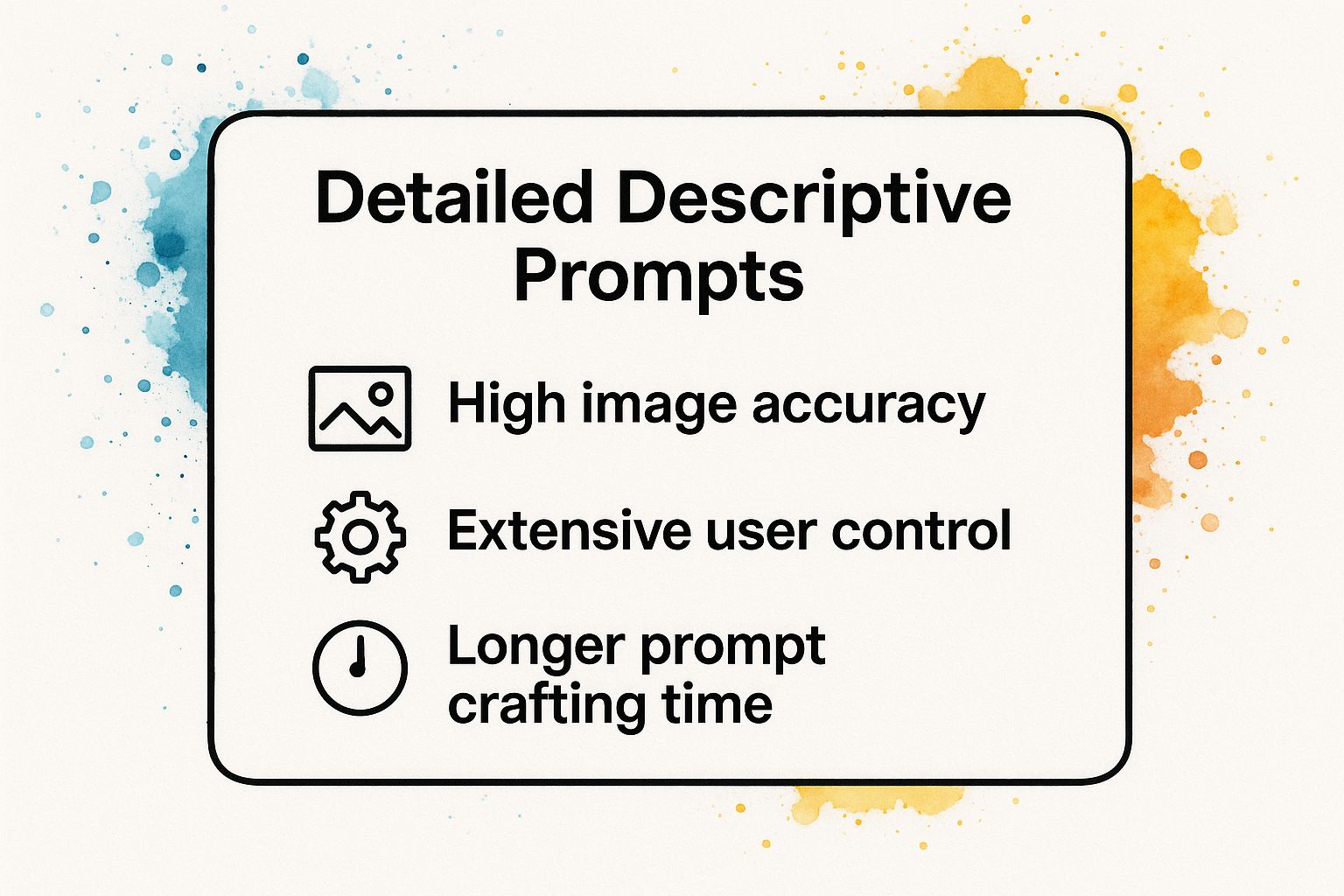
As the visualization shows, while you gain significant accuracy and control, the investment is a longer and more thoughtful prompt creation process. This level of detail is ideal for final project assets rather than initial brainstorming. To make this process more efficient, you can save your best detailed prompts in a centralized workspace like Zemith, creating a reusable template library. For those looking to deconstruct existing images into detailed prompts, you can explore tools that help with that process. Learn more about how to for your own projects.
Video: Mastering Prompt Engineering
For a deeper dive into how subtle changes in your descriptive prompts can dramatically alter the output, this video provides excellent visual examples and techniques.
2. Artistic Style Transfer Prompts
Artistic style transfer prompts blend a subject with the distinct visual language of a specific artist, movement, or medium. This technique instructs the AI to reinterpret a concept through a well-known aesthetic lens, such as impressionism, cubism, or even the signature style of a particular painter. The result is a fusion of modern ideas with classical or contemporary art forms.
This approach is highly effective for creating visually striking and conceptually rich images. It’s a favorite among digital artists, designers, and content creators looking to evoke a specific mood or historical context. Instead of generating a generic "cyberpunk cityscape," you can request it be rendered "as a Renaissance fresco," instantly creating a unique juxtaposition that captures attention and tells a deeper story.
Strategic Breakdown and Examples
The core strategy involves clearly pairing a subject with an artistic style modifier. This combination guides the AI to apply the textural, compositional, and color palette characteristics of the chosen style to your core idea.
- Subject First:
A still life of modern technology items, a smartphone, a VR headset, and a drone... - Add Artistic Style:
...in the style of a Monet impressionist painting... - Define Stylistic Details:
...with soft, dappled lighting, visible brushstrokes, and a pastel color palette. - Specify Medium (Optional):
...emulating an oil on canvas texture.
This layered method provides one of the most creative ai image prompt examples, allowing for endless combinations of subject and style. It empowers you to generate truly original artwork by merging disparate concepts into a cohesive, artistically-driven visual.
Key Considerations for Artistic Style Prompts
To achieve authentic-looking results, it's crucial to understand the key elements of the style you're referencing. Researching the artist or movement will help you add specific keywords like "swirling brushstrokes" for Van Gogh or "geometric shapes" for Cubism, which significantly improves the output.
This technique is ideal for concept art, editorial illustrations, and social media content where a strong aesthetic is paramount. For creators who want to build a consistent artistic brand, using a tool like Zemith to manage and refine these style prompts can be invaluable. You can learn more about how to organize your creative AI workflows to maintain a cohesive visual identity across projects. This method transforms the AI from a simple image generator into a sophisticated artistic collaborator.
3. Negative Prompting Techniques
Negative prompting is a powerful technique that improves image generation by subtraction rather than addition. This method involves explicitly telling the AI what not to include in the final image, helping to refine results, remove common artifacts, and steer the generation away from unwanted concepts. By providing a list of exclusions, you clean up the output and gain more precise control over the final composition.
This approach is invaluable for quality control and stylistic consistency. For instance, if you're creating a professional product shot, you can use negative prompts to exclude shadows, reflections, or watermarks that might distract from the main subject. It acts as a filter, removing the noise and allowing the AI to focus more accurately on your core request. This technique is a staple for users of platforms like Midjourney and Stable Diffusion who need clean, predictable outputs.
Strategic Breakdown and Examples
The strategy behind negative prompting is to identify and preemptively remove common issues or elements that conflict with your vision. This is often done using a --no parameter or a dedicated negative prompt field in the AI tool.
- Remove Common Objects:
Beautiful landscape photography --no people, buildings, cars - Improve Quality Control:
A photorealistic apple --no blurry, low quality, bad anatomy, text, watermark - Refine Subject Appearance:
Professional headshot of a businessman --no glasses, jewelry, smiling - Enforce a Style:
Minimalist logo design --no gradients, shadows, 3D effects
This subtractive method is one of the most effective ai image prompt examples for troubleshooting and enhancing image purity. It allows you to systematically eliminate potential flaws before they even appear.
Key Considerations for Negative Prompts
The following infographic illustrates the advantages and potential drawbacks of using negative prompts.
As shown, while negative prompts offer superior quality control, overuse can sometimes over-constrain the AI, leading to less creative or unexpected results. The key is to use them strategically to solve specific problems. For those looking to discover which negative terms work best, analyzing existing images can be a great start. Learn more about how to to identify elements you might want to exclude in your own creations.
Video: The Power of Negative Prompting
This video provides a practical demonstration of how adding just a few negative keywords can drastically improve the quality and focus of your AI-generated images.
4. Cinematic and Film-Inspired Prompts
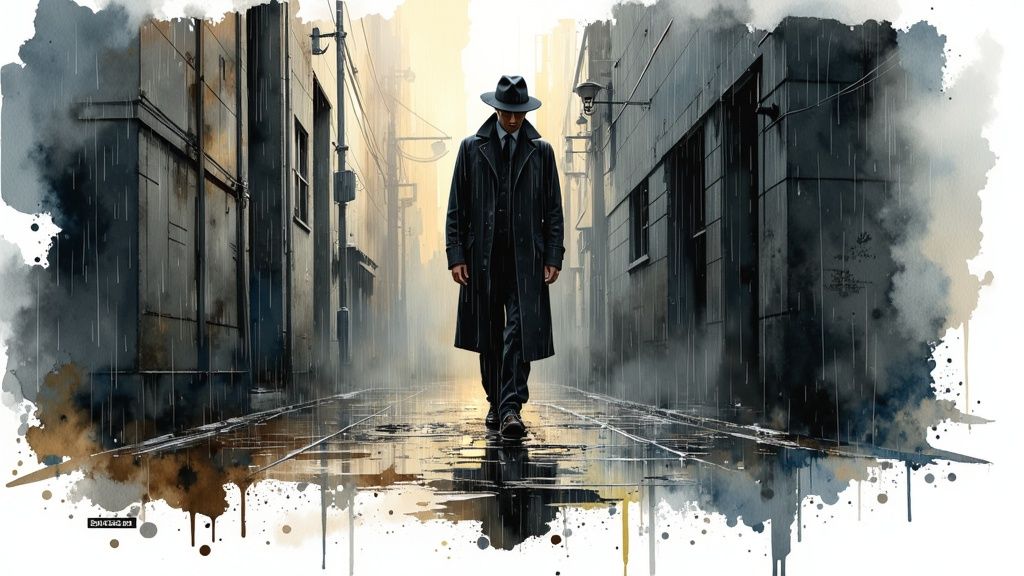
Cinematic prompts leverage the language of film to create images rich with mood, drama, and narrative depth. This technique involves using terms from cinematography, referencing specific film genres, directors, and aesthetic movements to guide the AI in generating a scene that feels like a still from a movie. It’s an incredibly effective way to produce images with professional-grade lighting, composition, and emotional weight.
This method is a favorite among concept artists, advertisers, and content creators who need to evoke a specific feeling or story in a single frame. Instead of just describing a scene, you instruct the AI on how to shoot it. A simple prompt for a "detective in an alley" becomes a compelling narrative moment when infused with cinematic language specifying film noir lighting, a low-angle shot, and a 1940s aesthetic.
Strategic Breakdown and Examples
The core strategy is to think like a director. Start with the genre or director's style, then add specific camera, lighting, and set design details.
- Genre or Director First:
A Wes Anderson style symmetrical composition of a quirky coffee shop... - Add Set & Color Details:
...pastel color palette, centered framing, whimsical details... - Define Lighting & Mood:
...Blade Runner inspired cyberpunk street scene, neon lighting, moody atmospheric lighting... - Include Technical Specs:
...rain-slicked surfaces, wide establishing shot, anamorphic lens flare, aspect ratio 2.35:1.
This approach transforms a basic idea into a visually stunning narrative piece. By referencing established visual languages, you provide the AI with a powerful shorthand for complex aesthetics, making these some of the most potent ai image prompt examples for storytelling.
Key Considerations for Cinematic Prompts
To master this technique, it's crucial to build a vocabulary of film terms. Referencing specific directors like Wes Anderson or Denis Villeneuve provides a consistent aesthetic, while using terms like "chiaroscuro lighting" or "dutch angle" gives you precise control over the mood and composition. You can also specify film stocks like "Kodachrome" for vintage color grading.
For those looking to create more advanced narrative visuals, learning how to blend these cinematic elements is key. A platform like Zemith allows you to organize your cinematic prompts, link them to reference images, and build a directorial playbook for your AI projects. Learn more about how to analyze and build complex prompts to elevate your own creative projects and bring your cinematic visions to life.
5. Character Design and Concept Art Prompts
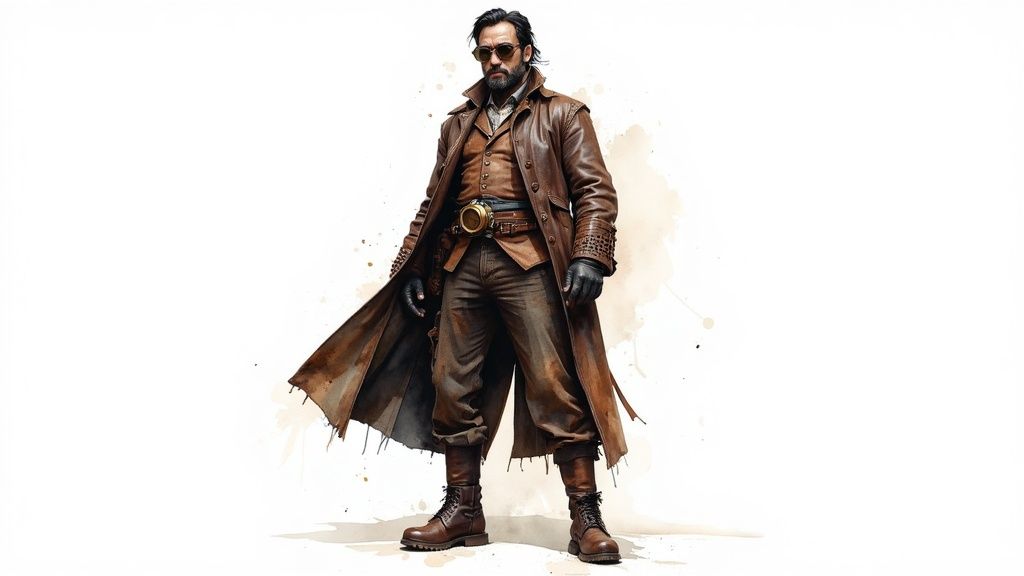
Character design and concept art prompts are specialized for creating detailed character visuals for media like gaming, animation, and comics. This method focuses on translating abstract ideas of personality, backstory, and function into concrete visual designs. It moves beyond simple descriptions to incorporate elements of storytelling, pose, costume, and even technical layouts like character sheets.
This approach is invaluable for artists, writers, and designers who need to rapidly visualize characters for projects. Instead of just "an elf," a concept art prompt specifies their role, attire, expression, and the specific art style, such as "D&D art style" or "manga illustration style." This technique streamlines the creative process, allowing for quick iteration and exploration of different character concepts before committing to a final design. These powerful ai image prompt examples bridge the gap between imagination and a tangible visual asset.
Strategic Breakdown and Examples
The strategy for character prompts involves blending narrative elements with visual specifications. Define the character's archetype first, then layer in design details and stylistic direction.
- Define Archetype & Setting:
Concept art of a steampunk airship captain... - Add Costume & Props:
...weathered leather coat, brass goggles, holding a brass astrolabe... - Specify Pose & Personality:
...confident pose, wise expression, standing on the deck of an airship... - Request Specific Format & Style:
...detailed character sheet, front and side view, trending on Artstation.
This systematic construction ensures the AI generates not just a picture, but a piece of concept art that tells a story and serves a functional purpose in a creative pipeline.
Key Considerations for Character Prompts
Effective character design prompts require a balance between creative storytelling and precise technical instruction. The goal is to give the AI enough narrative context to infer design choices while providing specific visual anchors.
Incorporating personality traits like "confident" or "wise" directly influences the generated pose and facial expression, adding critical depth. For practical use in animation or modeling, requesting multiple views (front, side, back) in a "character sheet" or "T-pose" format is essential. This approach is a cornerstone of modern pre-production workflows, and many creators integrate these outputs with other to build entire worlds. An actionable step is to use a tool like Zemith to create a visual database of your characters, linking prompts to the generated images and character notes.
6. Architectural and Interior Design Prompts
Architectural and interior design prompts empower creators to generate detailed visualizations of buildings and interior spaces. This technique involves specifying architectural styles, materials, lighting conditions, and spatial layouts to produce everything from photorealistic renders to conceptual design sketches. It's a powerful tool for visualizing ideas before they are built.
This approach is invaluable for architects, interior designers, and real estate marketers who need to communicate a vision effectively. Instead of a simple prompt like "a modern house," a detailed architectural prompt specifies elements like "A modern minimalist living room with floor-to-ceiling windows, white walls, and Scandinavian furniture," guiding the AI toward a professional-grade concept.
Strategic Breakdown and Examples
The core strategy is to layer architectural and design principles. Begin with the overall style and space, then add materials, lighting, and camera perspective to refine the vision.
- Style and Space:
An Art Deco skyscraper exterior with geometric patterns... - Add Materials & Details:
...brass details, intricate facade ornamentation... - Define Lighting & Mood:
...dramatic upward angle, golden hour lighting creating long shadows... - Include Technical Specs:
...urban photography, sharp focus, cinematic quality.
This structured method translates abstract design ideas into concrete, visually compelling ai image prompt examples. It allows for rapid iteration on concepts that would otherwise require hours in traditional rendering software.
Key Considerations for Architectural Prompts
This prompting style is highly effective for pre-visualization and concept development in the design industry. By specifying styles (e.g., Victorian, Mid-Century Modern), materials (e.g., oak flooring, marble countertops), and lighting (e.g., warm lamp lighting, natural afternoon sun), designers can quickly explore different aesthetic directions.
This method serves as a crucial first step in the creative process, bridging the gap between imagination and a tangible design. For professionals looking to integrate this into a larger workflow, combining AI image generation with other software is key. You can find out more about how these tools fit into a professional toolkit by exploring the available for creative workflows.
7. Abstract and Surreal Concept Prompts
Abstract and surreal concept prompts are designed to push the boundaries of literal representation, inviting the AI to explore dreamscapes, emotions, and impossible ideas. This technique involves combining concrete objects with abstract themes or creating scenarios that defy the laws of physics, resulting in deeply artistic and thought-provoking imagery. By leveraging metaphorical language and referencing surrealist art movements, you can generate visuals that are both unique and conceptually rich.
This method is invaluable for digital artists, concept designers, and creative professionals looking to break free from conventional aesthetics. Instead of generating a straightforward image, these prompts aim to visualize feelings, sounds, or philosophical ideas. A simple request like "a clock" becomes an exploration of time itself, with melting clocks or temporal anomalies, making it a powerful tool for visual storytelling and experimental art.
Strategic Breakdown and Examples
The core strategy for surreal prompts is to create a deliberate contradiction or an impossible fusion. You start with a recognizable concept and then introduce an abstract or physically impossible element to transform it.
- Start with a Concept:
An abstract representation of the feeling of nostalgia... - Introduce Concrete but Illogical Imagery:
...visualized as faded polaroid photos dissolving into a sea of swirling stardust... - Define Artistic Style & Mood:
...in the style of Salvador Dali and Man Ray, soft ethereal lighting, muted color palette... - Add Technical & Compositional Details:
...highly detailed, intricate patterns, wide-angle view, dreamlike.
This layered approach guides the AI away from a literal interpretation and toward a symbolic one. These kinds of ai image prompt examples are perfect for generating unique artworks that communicate complex emotions or ideas, making them highly effective for album covers, book illustrations, or fine art prints.
Key Considerations for Abstract Prompts
Using this method grants immense creative freedom but can lead to unpredictable results, which is often part of its appeal. The goal isn't photorealism but rather conceptual and emotional resonance.
This approach is best suited for the ideation and artistic exploration phases of a project, where the aim is to discover novel visual directions. For those seeking to craft more structured or thematic conceptual art, services that help organize and manage creative assets can be invaluable. You can explore how to build a visual knowledge base to streamline your artistic workflow and keep your surreal creations organized.
Video: Crafting Surreal and Conceptual AI Art
For a closer look at how artists use AI to bring abstract concepts to life, this video offers a fantastic overview of techniques for creating surreal and emotionally resonant imagery.
AI Image Prompt Examples Comparison Table
Your AI Creative Hub: Unify Your Prompting Workflow
We've journeyed through a diverse landscape of creative possibilities, exploring a wide array of ai image prompt examples that serve as a launchpad for your visual projects. From crafting highly detailed descriptive scenes to mastering the subtle art of negative prompting, the core lesson is clear: precision, creativity, and strategic structure are the pillars of effective AI image generation.
The examples in this guide demonstrate that a prompt is far more than a simple command. It is a detailed blueprint. By understanding how to layer artistic styles, invoke cinematic lighting, and articulate abstract concepts, you transition from a passive user to a confident creative director, guiding the AI toward your exact vision.
Key Takeaways for Mastering Your Prompts
Reflecting on the prompts we've analyzed, several strategic principles stand out as universally applicable:
- Specificity is Power: Vague requests yield generic results. The most compelling images arise from prompts rich with detail, specifying everything from camera angles and lighting (like "god rays" or "dramatic backlighting") to emotional tone and material textures.
- Style is Your Signature: Explicitly defining an artistic movement (e.g., "Art Nouveau," "Bauhaus"), a specific artist's influence ("in the style of Van Gogh"), or a medium ("watercolor and ink sketch") is the fastest way to achieve a consistent and professional aesthetic.
- Structure Unlocks Complexity: A well-organized prompt, often broken down into subject, action, environment, and stylistic modifiers, helps the AI model process your instructions more accurately. This structured approach is crucial for complex scenes and character designs.
These principles transform prompting from a guessing game into a repeatable, strategic process. The ultimate goal is to build a reliable workflow where your creative ideas are consistently translated into high-quality visuals, saving you time and unlocking new avenues for expression. To truly streamline your AI creative process and achieve stunning visual outcomes, consider exploring a wide range of that can complement your newfound prompting skills.
From Inspiration to Integrated Workflow
The true value of mastering these ai image prompt examples lies in building an efficient, unified creative hub. Instead of treating each image generation as a separate task, think of it as part of a larger, interconnected project. Store your most successful prompts, create templates for different styles or use cases, and continuously refine your techniques.
This methodical approach is invaluable for marketing professionals needing consistent brand visuals, developers creating assets for a project, or content creators building a unique visual identity. A platform like Zemith is designed for this exact purpose, acting as a central hub for your prompts, generated images, and project notes. It transforms your collection of tested prompts into a powerful asset, a private creative playbook that allows you to produce stunning, on-demand visuals with predictable excellence. As you continue to experiment, you are not just making pictures; you are building an indispensable skill set for the future of digital creation.
Ready to unify your creative workflow and supercharge your productivity? Zemith is a powerful AI knowledge hub that helps you organize, manage, and instantly access all your best prompts, notes, and creative assets in one intelligent workspace. Stop searching and start creating by visiting to build your centralized creative engine.
Zemith 기능 탐색
모든 최고 AI. 하나의 구독.
ChatGPT, Claude, Gemini, DeepSeek, Grok & 25+ 모델








항상 켜진 실시간 AI.
음성 + 화면 공유 · 즉각적인 답변
새로운 언어를 배우는 가장 좋은 방법은 무엇인가요?
몰입과 간격 반복이 가장 효과적입니다. 매일 목표 언어의 미디어를 소비해 보세요.
음성 + 화면 공유 · AI가 실시간으로 답변
이미지 생성
Flux, Nano Banana, Ideogram, Recraft + 더보기

생각의 속도로 쓰세요.
AI 자동완성, 다시쓰기 & 명령으로 확장
모든 문서. 모든 형식.
PDF, URL 또는 YouTube → 채팅, 퀴즈, 팟캐스트 등
영상 제작
Veo, Kling, MiniMax, Sora + 더보기

텍스트 음성 변환
자연스러운 AI 음성, 30개 이상 언어
코드 생성
코드 작성, 디버그 및 설명
문서와 채팅
PDF 업로드, 콘텐츠 분석
주머니 속의 AI.
iOS & Android 전체 이용 · 어디서나 동기화
무한한 AI 캔버스.
채팅, 이미지, 영상 & 모션 도구 — 나란히

업무 및 연구 시간을 절약하세요
간단하고 합리적인 가격
신뢰하는 기업 팀






무료
신용카드 불필요
- 매일 100 크레딧
- 3개의 AI 모델 체험
- 기본 AI 채팅
플러스
- 1,000,000 크레딧/월
- 25개 이상의 AI 모델 — GPT, Claude, Gemini, Grok 등
- Agent Mode: 웹 검색, 컴퓨터 도구 등 포함
- Creative Studio: 이미지 생성 및 비디오 생성
- Project Library: 문서, 웹사이트, YouTube와 채팅, 팟캐스트 생성, 플래시카드, 리포트 등
- Workflow Studio 및 FocusOS
프로페셔널
- 플러스의 모든 것, 그리고:
- 2,100,000 크레딧/월
- Pro 전용 모델 (Claude Opus, Grok 4, Sonar Pro)
- Motion Tools & Max Mode
- 최신 기능 우선 이용
- 추가 혜택 이용 가능
사용자 후기
Great Tool after 2 months usage
"I love the way multiple tools they integrated in one platform. Going in the right direction."
— simplyzubair
Best in Kind!
"The quality of data and sheer speed of responses is outstanding. I use this app every day."
— barefootmedicine
Simply awesome
"The credit system is fair, models are perfect, and the discord is very responsive. Quite awesome."
— MarianZ
Great for Document Analysis
"Just works. Simple to use and great for working with documents. Money well spent."
— yerch82
Great AI site with accessible LLMs
"The organization of features is better than all the other sites — even better than ChatGPT."
— sumore
Excellent Tool
"It lives up to the all-in-one claim. All the necessary functions with a well-designed, easy UI."
— AlphaLeaf
Well-rounded platform with solid LLMs
"The team clearly puts their heart and soul into this platform. Really solid extra functionality."
— SlothMachine
Best AI tool I've ever used
"Updates made almost daily, feedback is incredibly fast. Just look at the changelogs — consistency."
— reu0691