chat gpt paraphrasing: Your Secret Writing Weapon (That Doesn't Sound Like a Robot)
chat gpt paraphrasing: Master prompts and techniques to deliver human-like results, avoid plagiarism, and craft original content.
When you ask ChatGPT to paraphrase something, you're essentially asking it to rephrase a piece of text in a new way. It's an incredibly useful trick for breaking down complicated topics, switching up the tone of your writing, or just busting through a nasty case of writer's block. That's why it's become a go-to for everyone from students trying to make sense of a dense textbook to seasoned professionals trying to make their emails sound less... corporate.
The Reality of AI Paraphrasing
Let's be honest. Hitting 'paraphrase' on an AI tool feels like a magic button. But sometimes the result is less "abracadabra" and more... awkward. You can end up with content that's clunky, strangely formal, or just plain incorrect. It's like asking a robot to tell a joke—it knows the structure, but the soul is missing.
Here, we're going to get real about the good, the bad, and the genuinely helpful sides of using AI for paraphrasing. We’ll dig into why millions of people are using tools like ChatGPT for everything from emails to essays and how it’s fundamentally changing how we work. The numbers don't lie—these tools are now a core part of our professional lives.
Why Is Everyone Using ChatGPT for This?
The explosion of ChatGPT's popularity isn't just a fleeting trend. We're seeing a massive shift in how people get writing done. In fact, 71% of users rely on it professionally for writing and research, using it to create everything from long-form articles to everyday emails. This huge adoption points to a universal need: creating high-quality content, faster.
Think of it less as a ghostwriter and more as a really, really fast research assistant. The AI does the heavy lifting of restructuring sentences, but you're still the director, guiding the final performance to make sure it gets a standing ovation.
A well-prompted AI can do much more than just swap out a few words. It can:
- Simplify jargon: It can take a dense, academic text and turn it into something anyone can grasp. Perfect for when you need to explain what "quantum entanglement" is to your grandma.
- Adapt tone: Need to go from a formal report to a casual social media post? It can do that in seconds.
- Boost creativity: It offers fresh ways of phrasing things, helping you get unstuck when the words just won't come.
The Hidden Risks and How to Navigate Them
But relying too much on ChatGPT for paraphrasing has its pitfalls. The most glaring one is that robotic tone—writing that's grammatically flawless but has zero personality. Even worse is the risk of accidental plagiarism if the tool just shuffles words around without truly changing the sentence structure.
To get a better sense of the bigger picture, it helps to look at , which show how these tools are shaping the future of content. The secret is to always be the human in the loop—the one who takes a decent draft and polishes it into a brilliant final piece.
AI Paraphrasing At a Glance
So, what's the bottom line? AI paraphrasing is a powerful tool, but it's not a silver bullet. Here’s a quick breakdown to keep in mind.
Ultimately, the best approach is to use AI as a collaborator. Let it handle the initial grunt work, but always bring your own expertise and voice to the final product.
How to Craft Prompts That Actually Work
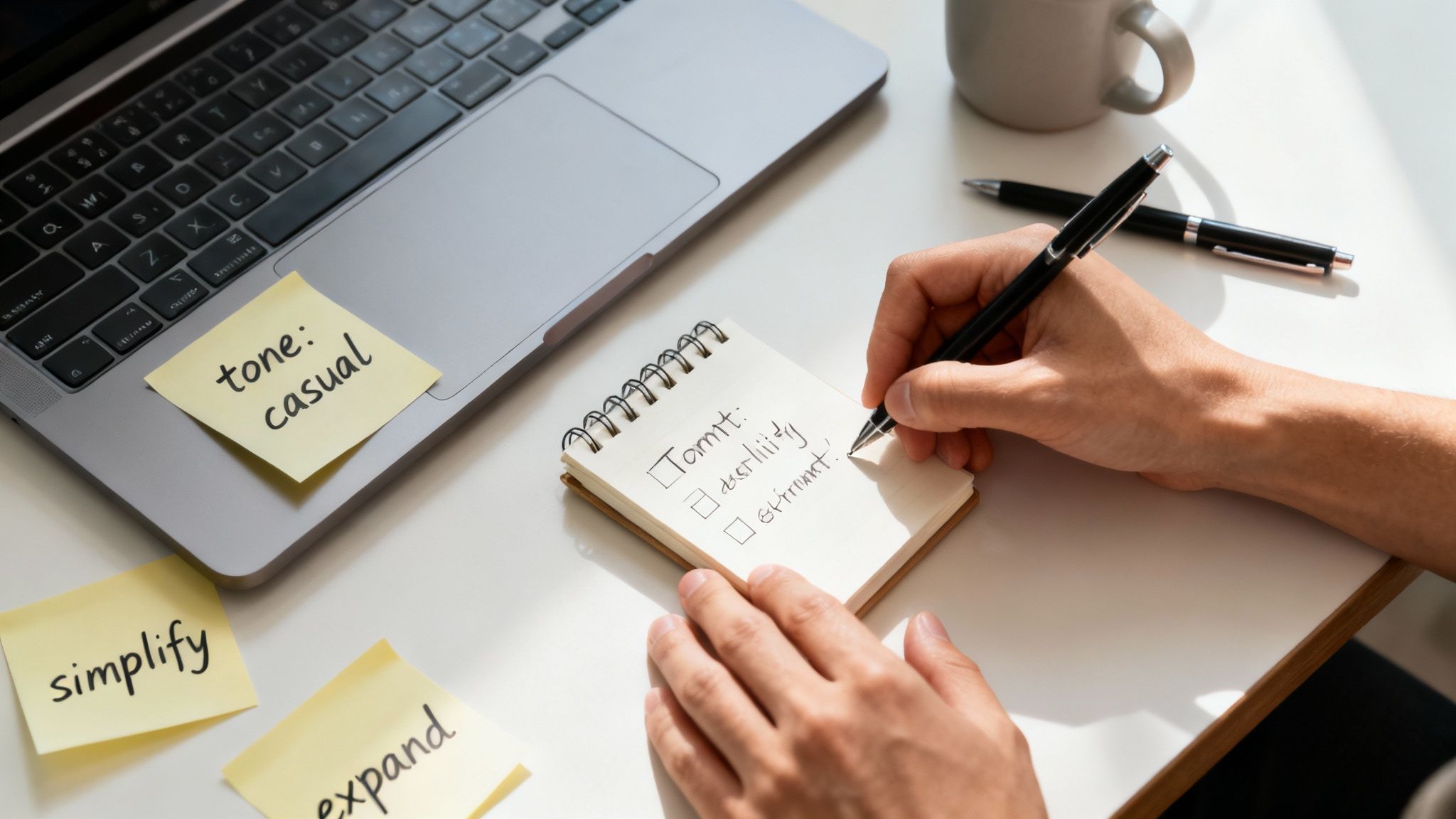
The difference between getting generic mush and sharp, insightful content from a tool like ChatGPT comes down to one thing: your prompt. A lazy "rephrase this" command gets you a lazy, uninspired rewrite.
Think of it like this: you wouldn't ask a chef to just "make food." You'd ask for a medium-rare steak with a side of garlic mashed potatoes. Specificity is everything, and this is your playbook for becoming a prompt master. We'll get into the weeds of crafting specific, goal-oriented instructions that force the AI to deliver exactly what you need.
Start with Role and Goal
Before you even think about pasting your text, give the AI a job and a purpose. This is a game-changer. It frames the entire interaction and drastically improves the output. Are you a marketer? A scientist explaining a complex theory? A fifth-grade teacher? Tell the AI who to be.
Then, tell it what success looks like. Don't just say "rewrite." Get explicit about the outcome you're aiming for.
- For clarity: "Act as an expert editor. Your goal is to simplify this dense paragraph for a general audience that knows nothing about this topic."
- For engagement: "You're a witty copywriter. Rewrite this dry product description to make it pop on social media."
- For formality: "Assume the role of an academic researcher. I need you to rephrase this casual statement so it sounds formal and scholarly enough for a research paper."
This whole approach of providing context is a core idea in prompt engineering. If you want to go deeper, our guide on breaks down how it unlocks better AI results. Essentially, you're priming the AI to pull from the right mental library of words and sentence structures for the job.
The secret to great paraphrasing isn't some magic prompt. It's about giving the AI guardrails. Hand it a role, a goal, a target audience, and specific constraints. The more rules you set, the less room it has to drift into generic territory.
Layer on Specific Constraints
Once you’ve set the stage, it's time to add more specific instructions. This is where you really take the driver's seat. Think of these as knobs and dials you can turn to fine-tune the final text.
Here are a few of my go-to constraints to add to prompts:
- Specify the Reading Level: "Rewrite this for a 5th-grade reading level." This is incredibly useful for simplifying jargon.
- Control the Length: "Condense this 200-word paragraph into two punchy sentences." Or, you can go the other way: "Expand this single bullet point into a full, descriptive paragraph."
- Demand a Tone: "Use a casual, witty, and slightly humorous tone."
- Forbid Certain Words: "Paraphrase this but avoid corporate buzzwords like 'leverage,' 'synergy,' or 'streamline'."
A great place to experiment with this is inside a tool like Zemith's Smart Notepad. It lets you keep your original text and your prompts side-by-side, which makes it super easy to tweak your instructions without losing your place. This iterative process is key to landing on the perfect paraphrase.
Avoiding The Plagiarism Trap
Here’s a scary thought that keeps way too many writers and students up at night: just because you asked ChatGPT to paraphrase something doesn't mean the text is original. It's a huge misconception. You think the AI is creating something from scratch, but a lot of the time, it's just shuffling the words around in a sentence that still belongs to someone else.
That puts you squarely in the danger zone for accidental plagiarism. The fallout can be serious, from academic penalties for students to a trashed reputation for professional writers. So, how do you use this powerful tool without unintentionally stealing someone else's work?
The Iterative Paraphrasing Method
The secret is to treat paraphrasing like a conversation with the AI, not a single command you bark at it. I call this the iterative paraphrasing method. It’s all about feeding your text to the AI multiple times, tweaking your goal with each pass. Never, ever settle for the first thing it spits out.
Here’s how it works in practice:
- Round 1: Start with a basic prompt. Something simple like, "Rephrase this paragraph to be more concise and clear." This is just your starting point.
- Round 2: Now, take that output and feed it right back in with a different angle. Try, "Okay, now rewrite this version for a high school audience using a more casual tone."
- Round 3: Let's get even more creative. "Take this casual version and explain the main idea using an analogy."
With each step, you're forcing the AI to move further and further away from the source text's original structure and vocabulary. It's about building layers of originality.
Don't Trust Blindly—Verify Everything
Even after a few rounds of iterative paraphrasing, you can't just call it a day. The final, absolute must-do step is a manual check and a scan with a good plagiarism checker. This is your safety net, so don't skip it.
It's pretty shocking, but one study on medical research texts found that ChatGPT's first paraphrase attempt had an average plagiarism rate of 45%. But here's the kicker: the same research showed a massive improvement on the second try, with a huge drop in plagiarism when the process was repeated. You can to see just how critical that second pass really is.
Think of AI paraphrasing as a launchpad for your own ideas, not a copy-paste machine. To make the output truly your own, it helps to understand how the AI "thinks" about meaning, which is where things like come in handy for creating high-quality, unique content.
The last touch should always be yours. Get in there and manually edit the AI's best effort. Add your own voice, smooth out any clunky phrasing, and make it sound like you. For more on this final, crucial stage, our guide on has you covered. That human element is what makes content feel authentic, not robotic.
Ready to move past the basic "make this shorter" or "make this sound professional" prompts? If you want rewrites that are genuinely creative and fundamentally different while keeping the original meaning, you need to upgrade your prompting game.
These are the kinds of techniques people use to get truly impressive results when chat gpt paraphrasing. It's less about giving simple commands and more about teaching the AI how to reason through the task.
Think Step-by-Step with Chain-of-Thought
One of the most powerful ways to improve your rewrites is with Chain-of-Thought (CoT) prompting. Instead of just asking for the final output, you ask the AI to "think step-by-step"—to show its work.
It’s like asking a consultant for their strategy, not just their final report. You want to see their reasoning. This forces the AI to break down the original text, analyze its components, and then rebuild it according to your rules. The result is almost always more logical, nuanced, and less of a simple synonym-swap.
Here’s a practical way to frame a CoT prompt:
"I need you to paraphrase the following text. First, pull out the single most important message. Second, list the three key supporting arguments. Finally, using only that information, write a new version with a persuasive and confident tone for a room full of executives."
See how that works? The AI can't just skim and rephrase. It has to actually understand the text's structure and purpose before it even starts writing your new version.
Teach by Example with Few-Shot Prompting
Another go-to technique is Few-Shot Prompting. Think of this as giving the AI a quick style guide before you hand over your actual text. You provide a couple of "shots"—or examples—of the 'before' and 'after' you're looking for.
This method is a game-changer for hitting a very specific tone or maintaining a consistent voice across multiple rewrites. For a deeper dive into guiding AI effectively, our article on how to use offers some great pointers.
Here’s what a few-shot prompt looks like in action:
Your Prompt:Paraphrase the following examples to be witty and concise.
**Example 1 Input:** "The latest quarterly earnings report indicates a significant downturn in revenue, which has caused concern among our stakeholders and investors."**Example 1 Output:** "Our latest earnings report was a dud, and investors are getting nervous."
**Example 2 Input:** "Our team is working diligently to synergize our core competencies and leverage emergent technologies to drive innovation."**Example 2 Output:** "We're using cool new tech to get better at what we do."
Now, do the same for this:[Your text here]
By showing the AI exactly what you mean, you're giving it a clear pattern to follow. This dramatically cuts down on generic, uninspired outputs and gives you much finer control over the final product.
Build a Smarter Paraphrasing Workflow with Zemith
Let’s be honest, toggling between your source material, a ChatGPT tab, and your actual draft is a productivity nightmare. It's clunky, distracting, and pulls you right out of your creative flow. You can do better by building your entire paraphrasing process inside a single, unified workspace—and this is exactly where a tool like Zemith shines.
Think about it. You’re in the Smart Notepad, tweaking your prompts right alongside the text you want to rewrite. No more alt-tabbing chaos. Then, with a click, the Document Assistant runs your prompt and delivers perfectly paraphrased options without you ever having to leave the page. This isn't just a small tweak; it's a completely different, smarter way to work.
An Integrated System in Action
Let's walk through a real-world example. Say you've got a paragraph from a dense academic paper, packed with jargon, and you need to make it accessible for a blog post. Instead of just throwing a "rewrite this" prompt at the AI, you can tap into Zemith's multi-model selection.
This feature is a game-changer. It lets you run the same prompt across different AI models—maybe Claude, Gemini, and a couple of GPT versions—all at once. You can see which one nails the tone you're going for.
You might discover that one model is fantastic at keeping things formal and precise, while another is a genius at spinning up clever analogies. Having all those outputs side-by-side makes it ridiculously easy to compare them. You can then pull the best sentences from each one to craft something truly exceptional.
The real aim here is to ditch the clunky, stop-and-start process for a smooth, cohesive system. When all your tools are in one place, you stay focused on the writing, not on managing your windows.
This infographic breaks down the journey from a basic rewrite to a truly professional-grade paraphrase using more sophisticated techniques.
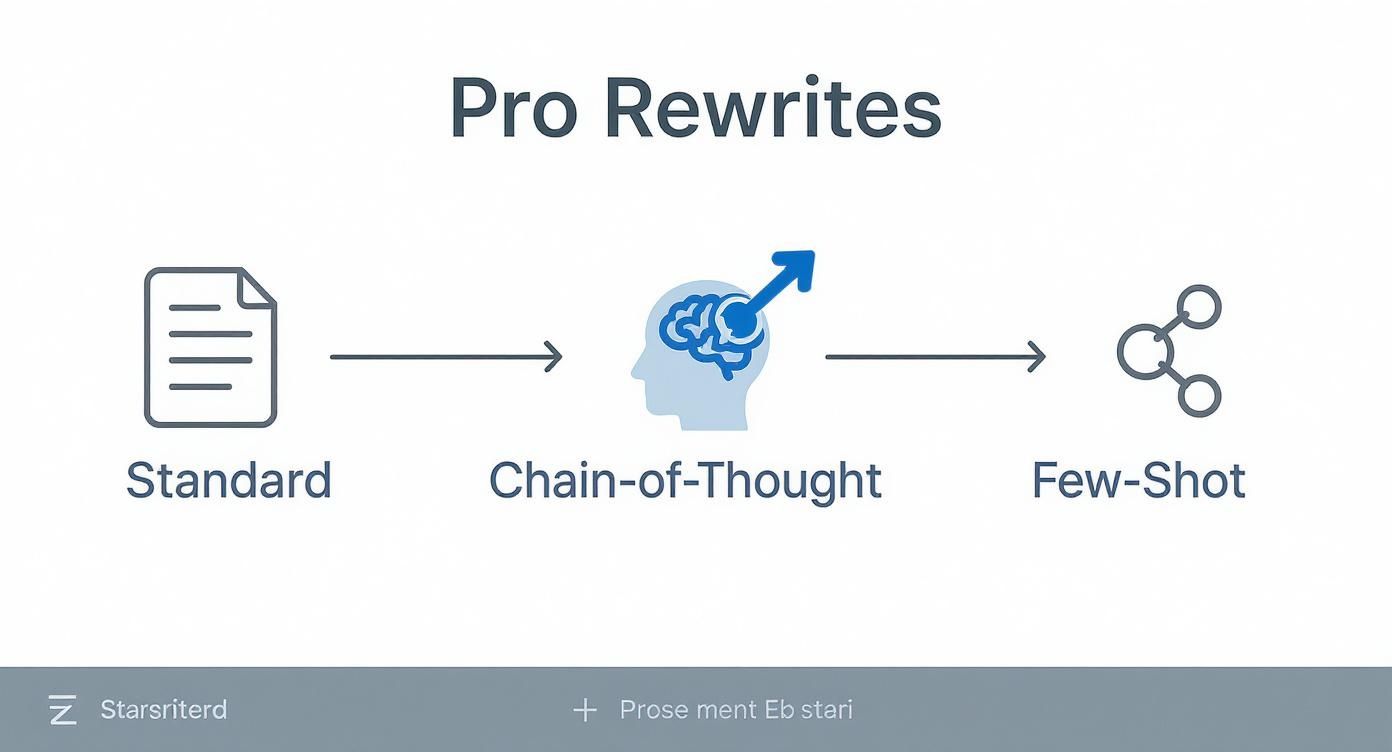
As you can see, moving past simple commands and into methods like Chain-of-Thought or Few-Shot prompting gives you a much deeper and more nuanced result.
Beyond Single Paragraphs
And it gets better. Once you've dialed in a prompt that works perfectly, you can use features like batch processing to apply that same instruction across dozens of sections in your document. For long-form content, this is an incredible time-saver.
This kind of streamlined approach makes your chat gpt paraphrasing tasks not just faster, but also more consistent and systematic. If you're looking for more ways to speed up your process, we've got a great guide on that's full of practical tips.
Ultimately, this is what a truly integrated workflow feels like. It’s smart, it’s fast, and it lets you concentrate on what really matters: creating amazing content.
Got Questions About AI Paraphrasing? We've Got Answers
Alright, so we've walked through how to paraphrase with AI, but you've probably still got some questions bouncing around in your head. That’s normal. Let's dig into a few of the big ones that come up all the time.
Can Teachers Actually Detect ChatGPT Paraphrasing?
This is the one everyone asks. The honest answer? It's complicated, but a good teacher often can. Sure, there are AI detection tools out there, but they're notoriously unreliable and can flag human writing just as easily as AI-generated text.
The real giveaway isn't a piece of software. It’s the human touch—or lack thereof. An experienced educator will notice when your writing suddenly shifts in tone, uses oddly sophisticated vocabulary that’s not your usual style, or just feels a little… hollow. Those are the red flags.
The smartest way to use chat gpt paraphrasing is to treat it like a brainstorming session. Use it to get a fresh perspective on a sentence, then take that suggestion and rewrite it in your own words. It's a stepping stone, not the final destination.
Is It Cheating To Paraphrase With AI?
This is a massive gray area right now, and the rules are still being written. The ethics of it all really boil down to your intent and how you use the tool.
Here's a simple way to think about it:
- Totally Fine: Using AI to untangle a complex sentence, find a better word, or bust through writer's block is perfectly okay. It's the 21st-century version of using a thesaurus.
- Definitely Not Fine: Taking the AI's output, copying it word-for-word, and passing it off as your own is just plain plagiarism. Don't do it.
Think of AI as your writing assistant, not your ghostwriter. It’s there to help you improve your work, not do the work for you. And before you start, always double-check the specific academic integrity policies at your school or company.
How Do I Make My Paraphrased Text Sound Less Like A Robot?
This is the most crucial skill of all. The goal is for no one to ever suspect a machine was involved. Thankfully, a few simple techniques can make all the difference.
First up, read your text out loud. Seriously. Your ears are amazing at catching clunky phrases and awkward rhythms that your eyes just slide right over. If it sounds unnatural when you say it, it will feel just as weird to your reader.
Next, inject a bit of yourself into the writing. Add a quick anecdote, a personal opinion, or a unique example that only you could provide. AI can't replicate your personal experience, and that's what makes your writing authentic.
Finally, don't be afraid to simplify things. AI models often try to sound smart by using overly formal or obscure words. Swap them out for simpler, clearer language. You’re not just editing the text; you're molding it to fit your voice.
Ready to stop the copy-paste-edit cycle and build a smarter workflow? Zemith puts powerful AI models right inside your notes and documents. You can focus on creating incredible work without all the digital clutter. See how a unified workspace can change your entire process. Start streamlining your writing at .
Zemith 기능 탐색
모든 최고 AI. 하나의 구독.
ChatGPT, Claude, Gemini, DeepSeek, Grok & 25+ 모델








항상 켜진 실시간 AI.
음성 + 화면 공유 · 즉각적인 답변
새로운 언어를 배우는 가장 좋은 방법은 무엇인가요?
몰입과 간격 반복이 가장 효과적입니다. 매일 목표 언어의 미디어를 소비해 보세요.
음성 + 화면 공유 · AI가 실시간으로 답변
이미지 생성
Flux, Nano Banana, Ideogram, Recraft + 더보기

생각의 속도로 쓰세요.
AI 자동완성, 다시쓰기 & 명령으로 확장
모든 문서. 모든 형식.
PDF, URL 또는 YouTube → 채팅, 퀴즈, 팟캐스트 등
영상 제작
Veo, Kling, MiniMax, Sora + 더보기

텍스트 음성 변환
자연스러운 AI 음성, 30개 이상 언어
코드 생성
코드 작성, 디버그 및 설명
문서와 채팅
PDF 업로드, 콘텐츠 분석
주머니 속의 AI.
iOS & Android 전체 이용 · 어디서나 동기화
무한한 AI 캔버스.
채팅, 이미지, 영상 & 모션 도구 — 나란히

업무 및 연구 시간을 절약하세요
간단하고 합리적인 가격
신뢰하는 기업 팀






무료
신용카드 불필요
- 매일 100 크레딧
- 3개의 AI 모델 체험
- 기본 AI 채팅
플러스
- 1,000,000 크레딧/월
- 25개 이상의 AI 모델 — GPT, Claude, Gemini, Grok 등
- Agent Mode: 웹 검색, 컴퓨터 도구 등 포함
- Creative Studio: 이미지 생성 및 비디오 생성
- Project Library: 문서, 웹사이트, YouTube와 채팅, 팟캐스트 생성, 플래시카드, 리포트 등
- Workflow Studio 및 FocusOS
프로페셔널
- 플러스의 모든 것, 그리고:
- 2,100,000 크레딧/월
- Pro 전용 모델 (Claude Opus, Grok 4, Sonar Pro)
- Motion Tools & Max Mode
- 최신 기능 우선 이용
- 추가 혜택 이용 가능
사용자 후기
Great Tool after 2 months usage
"I love the way multiple tools they integrated in one platform. Going in the right direction."
— simplyzubair
Best in Kind!
"The quality of data and sheer speed of responses is outstanding. I use this app every day."
— barefootmedicine
Simply awesome
"The credit system is fair, models are perfect, and the discord is very responsive. Quite awesome."
— MarianZ
Great for Document Analysis
"Just works. Simple to use and great for working with documents. Money well spent."
— yerch82
Great AI site with accessible LLMs
"The organization of features is better than all the other sites — even better than ChatGPT."
— sumore
Excellent Tool
"It lives up to the all-in-one claim. All the necessary functions with a well-designed, easy UI."
— AlphaLeaf
Well-rounded platform with solid LLMs
"The team clearly puts their heart and soul into this platform. Really solid extra functionality."
— SlothMachine
Best AI tool I've ever used
"Updates made almost daily, feedback is incredibly fast. Just look at the changelogs — consistency."
— reu0691