How to Generate Error Messages That Don't Suck
Stop frustrating users. Learn how to generate error message alerts that are clear, helpful, and actionable with practical tips and AI-powered workflows.
So, you want to write a truly helpful error message? It's simple, really. You just need to do two things: explain what went wrong in plain English, then give the user a clear, actionable next step. A great error message transforms a "d'oh!" moment of failure into a guided opportunity for success. It skips the techy gobbledegook and never, ever blames the user.
Why Most Error Messages Are a Total Disaster

Let's be honest, we've all been there—staring at a screen that just says, "Error: An unknown error occurred." Gee, thanks. Super helpful. This isn't just a minor annoyance; it's a genuine business problem that quietly chips away at your brand's reputation, one confused user at a time.
Vague alerts send users scrambling, spike your support ticket numbers, and leave people feeling frustrated and, frankly, a bit stupid. It's a lose-lose situation. The user is stuck, and your team is left trying to solve a mystery with zero clues.
The Real Cost of Bad Errors
A poorly written error doesn't just annoy users; it also torpedoes developer productivity. A vague message like "Operation Failed" turns what could be a quick fix into an all-day treasure hunt through endless logs. This inflates the time it takes to resolve issues, a critical metric known as Mean Time to Resolution (MTTR).
In fact, industry data shows that structured, contextual error reporting can slash MTTR by an incredible 30–70%. This isn’t just about saving a few minutes here and there; it’s about freeing up your best people to work on what really matters—building awesome stuff.
The goal is to shift your mindset. Stop seeing errors as dead ends and start viewing them as golden opportunities for clear communication and a better user experience.
From Frustration to Guidance
A good error message respects the user’s time and intelligence. It doesn't assume they know what a null_pointer_exception is (and why would they?). Instead, it gently guides them toward a solution. This requires getting inside your audience's head, and our guide on is a great place to start learning what your users actually need when they hit a snag.
The ripple effects of bad error messages are significant:
- Increased User Churn: People get fed up and simply leave. Buh-bye.
- Higher Support Costs: Vague errors mean more support tickets and a swamped, unhappy customer service team.
- Damaged Brand Perception: Consistently bad experiences make your brand feel unreliable and amateurish.
- Wasted Developer Time: Ambiguous messages turn debugging into a nightmare, grinding development cycles to a halt.
Ultimately, learning how to generate a user-friendly error message isn't just a "nice-to-have" skill—it's essential for anyone building software or creating digital experiences.
The Anatomy of a Bad vs. Good Error Message
To really see the difference, let's break down what separates a terrible error from a truly helpful one. It often comes down to a few key components that either create a dead end or a clear path forward.
As you can see, the "good" examples don't just state a problem; they offer context, a solution, and a respectful tone. They empower the user instead of just stopping them in their tracks.
The Three Pillars of a Perfect Error Message
Crafting a great error message isn't some dark art; it's a simple formula built on three core ideas. Get these right, and you can transform a user's moment of frustration into a guided, even productive, experience.
Think of it like giving directions. You wouldn’t just yell “Wrong turn!” at a lost driver. You’d tell them what went wrong, where they are now, and exactly how to get back on track.
Clarity: The No-Jargon Zone
First up is clarity, and honestly, it’s the most important one. Your error message needs to explain what happened in plain, simple language that a real human can actually understand. This means zero developer-speak, no database error codes, and no cryptic abbreviations.
Forget things like NullPointerException or ERR_CONNECTION_TIMED_OUT. That’s for your logs, not for your user. Your job is to translate that technical-ese into something useful.
- Bad:
Authentication failed: Token expired. - Good:
Your session has expired. Please log in again to continue.
See the difference? The second one is instantly understandable. It avoids the jargon and gets straight to the point, respecting the user's time and attention.
Helpfulness: Show the Way Forward
Next, your message has to be helpful. Just telling someone what broke is a dead end. Their immediate thought is always going to be, "Okay... so what now?" A good error message answers that question before they even have to ask.
You need to provide a clear, actionable next step. This is your chance to guide the user toward a solution and get them moving again. This guidance can be anything from:
- A suggestion to check their spelling or password format.
- A link to a relevant help article or a system status page.
- A "Try Again" button for when a network connection hiccups.
A truly helpful error message never just points out a failure; it illuminates the path to success. It turns a moment of "I can't" into "Oh, I see, I just need to..."
This idea ties directly into writing good documentation. You’re anticipating what the user needs and giving them clear instructions right when they need them most. If you want to go deeper on this, our guide on is a fantastic resource.
Context: The Right Amount of Detail
Finally, there's context. A solid error message gives just enough information for the user to understand the problem without getting overwhelmed. Too little context is confusing, but too much is just noise.
For a user, context might mean reminding them of a specific rule, like, "Your username can only contain letters and numbers."
For a developer digging through logs, context is everything. This is where a unique error ID becomes a lifesaver. You can show a simple, friendly message to the user while logging all the granular details on the backend. Something like: "Sorry, something went wrong on our end. Please try again in a moment. (Error ID: F8B2-1A9Z)" This gives your support team a specific breadcrumb to follow, letting them diagnose the root cause in minutes, not hours.
Let's be real: manually writing every single error message is a soul-crushing task. After you’ve typed out your tenth variation of "Invalid Email Format," your creative spark is gone. You just start defaulting to whatever’s quickest, not what's best for the user.
This is exactly where AI tools like Zemith step in and completely change the game. It turns a tedious, repetitive chore into a genuinely creative process. Instead of just churning out code, you can instantly get error messages that are clear, helpful, and actually match your brand's voice. It’s all about working smarter, not harder.
This diagram breaks down what makes a great error message. It's a simple flow: start with clarity, add helpfulness, and finish with context.
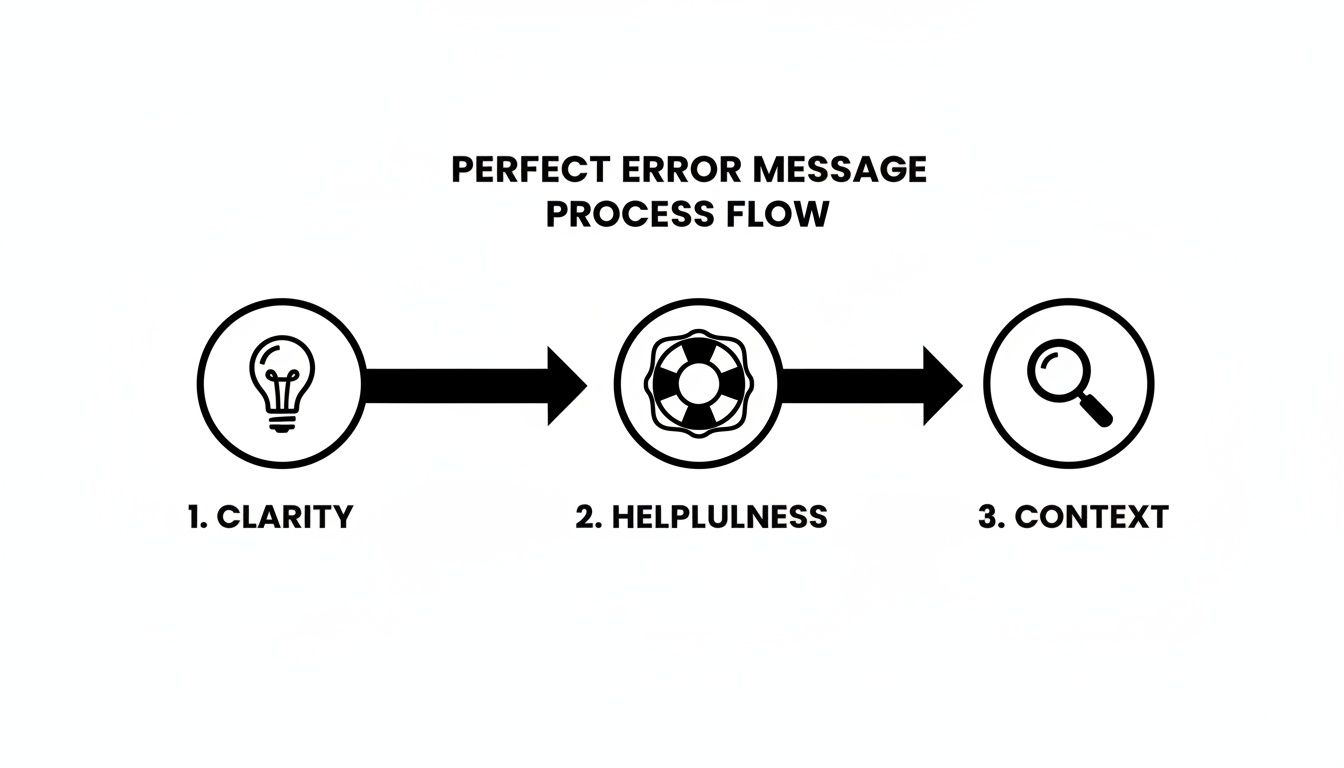
Stick to this, and you'll be guiding users toward a solution instead of just flagging a problem.
Generate Messages Without Leaving Your Code
Picture this: you're deep in your IDE, building a file upload feature. You know you need to handle cases for files that are too big or the wrong format, but breaking your concentration to wordsmith the perfect message is the last thing you want to do.
With a tool like Zemith’s Coding Assistant, you don’t have to. You can just highlight the relevant block of code and ask the AI directly.
Here's a prompt I'd use:
"Based on this Python function, generate two user-facing error messages: one for a file exceeding 10MB and another for an invalid file type (only JPG or PNG allowed). Keep the tone friendly and helpful."
The AI looks at your code's logic and spits out context-aware text you can drop right in. This keeps you in the zone and makes sure your messages are directly tied to the function, so they're less likely to become outdated. If you want to get really good at these kinds of requests, check out our guide on .
Create and A/B Test Message Variations in Seconds
Sometimes, one message just doesn't cut it. You might want to test different tones or levels of detail to see what actually helps your users and reduces support tickets. Manually writing all those versions is a total drag.
This is where a feature like Zemith's Multi-Model generation comes in handy. You can ask for a bunch of options at once. For UI/UX designers and marketers who live and breathe copy testing, this is an absolute lifesaver.
- Prompt Idea: "Generate three variations for a 'payment failed' error. Make one super direct, one more empathetic, and one that includes a link to contact support."
Just like that, you have a whole palette of options to work with. It helps you find that perfect message that lowers user frustration and maybe even saves a sale. It’s like having a team of copywriters on call, 24/7.
Keep Your Brand's Voice Consistent Everywhere
Nothing breaks the user experience like an app that sounds like it was written by ten different people. One error message is formal, the next is full of emojis, and another is just cold, robotic text. This is where an AI Document Assistant becomes your secret weapon.
You can feed Zemith’s Document Assistant your company’s brand guidelines, style guides, or even a bunch of your existing documentation. The AI learns your voice and tone. From that point on, you can ask it to generate new error messages that sound exactly like you, making every user interaction feel intentional and cohesive.
Writing Messages for a Global Audience
It’s tempting to write error messages that make perfect sense to you and your team. But here’s the thing: your users aren’t you. They come from all over the world, speak dozens of different languages, and interact with your product in ways you might not expect.
If your error messages only resonate with a tiny slice of your audience, you're unintentionally putting up a wall. A truly great user experience is inclusive from the ground up, and that means getting two things right: localization and accessibility.
Speak Their Language—Literally
Localization isn't just about dumping your text into a translation app and calling it a day. Real localization starts with writing source text that's actually easy to translate. That means ditching the slang, inside jokes, and cultural references that won't make sense to anyone outside your immediate circle.
Think about it. A phrase like "you'll have to bite the bullet" might be common in English, but its literal translation can be bizarre or downright confusing in other languages. Your goal should always be clear, universal communication.
Here are a few pointers I've learned for writing translation-friendly errors:
- Keep it simple. Short sentences with straightforward grammar are your best friend. They leave less room for translation errors.
- Ditch the jargon. Instead of "Hang tight," try something more direct like, "Please be patient."
- Never trap text in images. It’s a dead end for translators and screen readers alike.
- Give your translators context. A simple note explaining where the message appears and what the user was doing can make a world of difference in getting the translation right.
Thinking about localization from day one will save you from a mountain of rework later. It’s what separates a smooth global launch from a clunky, frustrating experience for your international users.
If you want to sharpen your writing, check out our guide on for some practical tips on making every word count.
Making Errors Accessible to Everyone
Accessibility, or a11y as it's known in the industry, isn't an optional add-on. It's a must-have. An error message is completely useless if a user can't see, hear, or understand it. This is especially critical for people who use assistive technologies like screen readers.
Just splashing some red text on the screen won't cut it. For someone with color blindness, that red text might as well be invisible.
An accessible error message needs to be:
- Perceivable: Use more than just color to signal an error. An icon works wonders. And crucially, it must be announced by screen readers.
- Understandable: The language has to be simple and direct, just like we've been discussing.
- Operable: A user needs to be able to get to the error—and fix it—using only a keyboard or another assistive device.
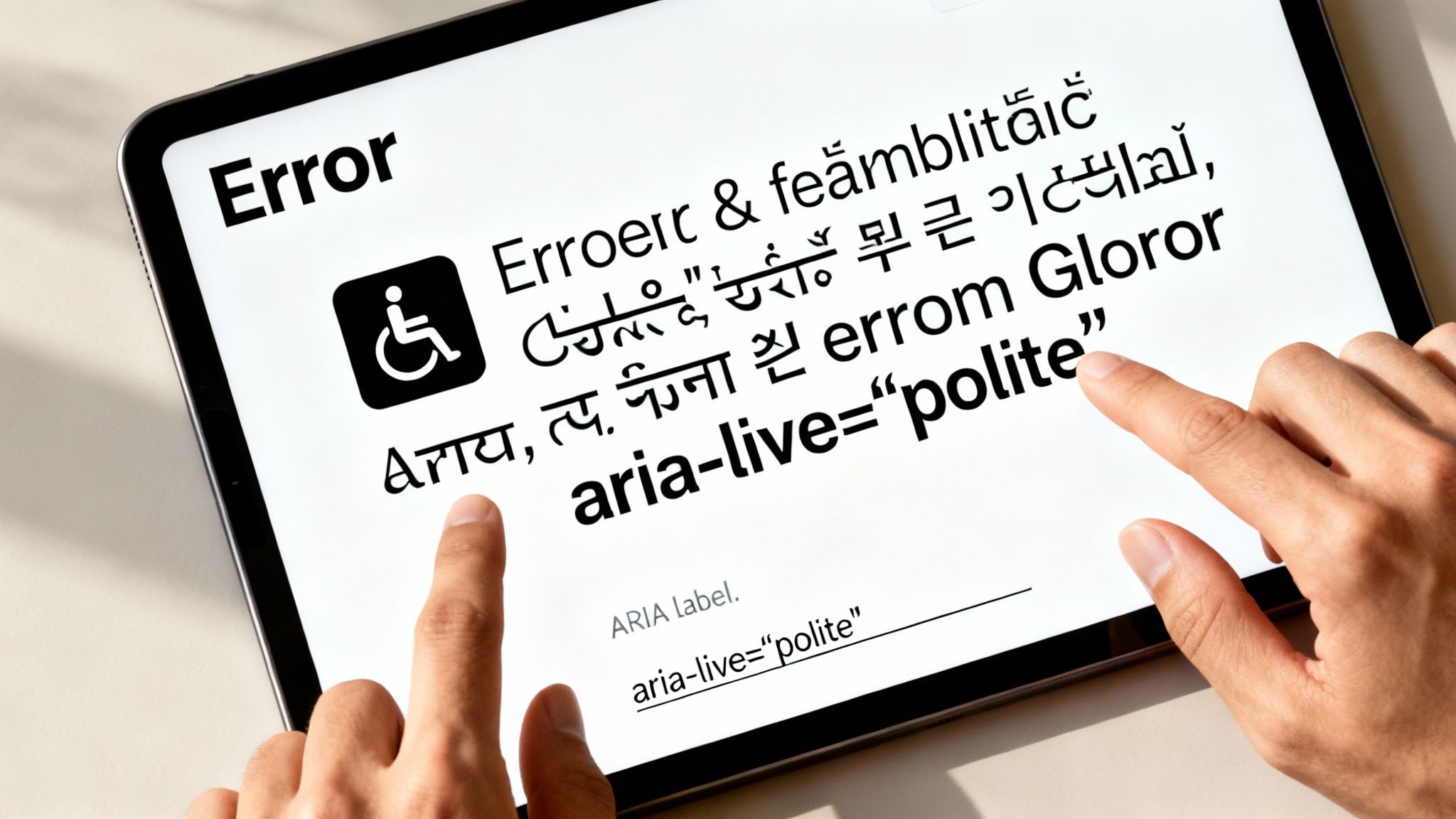
One of the most powerful tools in your accessibility toolkit is ARIA (Accessible Rich Internet Applications). The aria-live attribute, in particular, is a game-changer. When you set it to polite, you're telling screen readers to wait for a natural pause in the user's activity before announcing the error.
It’s a tiny piece of code, but it makes an enormous difference. It ensures every single user, no matter how they access your product, gets the info they need to move forward.
How to Test and Refine Your Error Messages
So you've crafted what feels like the perfect error message. It's concise, helpful, and maybe even has a little personality. But how do you know if it actually works for real people under pressure?
You have to test it. This is where theory meets reality, and trust me, it’s where you’ll learn the most. You don't need a huge budget or a formal research team to get valuable insights, either.
Putting Your Messages to the Test
One of the quickest ways to get feedback is with some simple usability testing. Grab a teammate who isn’t familiar with your project (or bribe a friend with pizza), pull up a prototype, and trigger an error. Then, ask one powerful question: “What would you do next?”
Their answer—or their confused silence—will tell you everything you need to know about how clear your message really is.
Another great source of truth is your analytics. Watch what happens right after a specific error pops up.
- Do people immediately bounce from the page or ditch the app? That's a huge red flag.
- Or do they follow your instructions and nail it on the next try? That’s what success looks like.
This whole process is about creating a feedback loop. You observe real user behavior, refine your messages, and repeat. If you're new to this, learning the basics of is a great starting point. For a deeper dive into quality assurance, check out our guide on .
Using Data to Drive Improvements
Watching how users react to errors is so important that an entire industry has sprung up around it. The market for tools that help teams spot and fix runtime errors is exploding, projected to grow from USD 228 million in 2025 to over USD 683.2 million by 2035. That growth is all about keeping up with the complexity of modern applications.
These tools aren't just for developers hunting down bugs. They offer a goldmine of data on how real people experience failures, helping you zero in on the messages that cause the most headaches so you can fix them first.
Think of your error messages as living things, not just static text. Every test, every metric, and every piece of user feedback is a chance to make them better. It's an opportunity to generate error message copy that keeps people engaged instead of pushing them away.
This is where a tool like Zemith really shines. You can instantly create new variations of a message to A/B test, keeping your refinement cycle moving fast and making sure you're always improving the user experience.
Your Most Common Error Message Questions
As you start looking at error messages with fresh eyes, a few questions always seem to pop up. I've heard these a ton over the years, so let's tackle some of the most common head-scratchers and get you some practical answers.
How Much Technical Detail Is Too Much?
Honestly? The user needs almost none.
The golden rule here is to speak their language, not the server's. When a regular person sees "NullPointerException" or "Database Connection Timeout," it’s just noise—intimidating jargon that doesn't help them one bit.
Your real job is to be a translator. Take that technical glitch and turn it into a human-friendly problem with a clear solution. That "Database Connection Timeout" message? It becomes something simple like, "We're having trouble reaching our servers. Can you check your internet connection and try again in a moment?" See the difference? It's clear, it's actionable, and it doesn't make someone feel like they need a computer science degree to use your app.
That said, you absolutely should log all those nerdy details on the backend for your developers. A fantastic middle-ground is to give the user a unique reference ID in the message, like "Error ID: XZ-123." This gives your support team a specific breadcrumb to follow if the user needs more help, perfectly bridging the gap between a simple message and a complex technical issue.
What Is the Best Way to Use Humor?
My advice? Tread very, very carefully.
A little bit of humor can do wonders for your brand's voice—we've all seen a clever 404 page that gets a smile. But it's a huge risk when the user is in a high-stakes situation, like losing unsaved work or trying to make a payment.
Just imagine your credit card gets declined, and the error message pops up with a joke about being broke. You wouldn't be laughing; you'd be furious. That joke lands like a lead balloon and completely shatters their trust in your product.
Before you even think about adding a punchline, ask yourself this one critical question: "Could the user have just lost progress, money, or time?" If the answer is even a remote "yes," ditch the joke. Stick to being clear, direct, and helpful.
Save the witty stuff for low-stakes, non-critical errors where the user’s frustration level is likely to be hovering right around zero.
Can AI Tools Like Zemith Help Localize Error Messages?
Absolutely. In fact, this is one of their superpowers.
Instead of just writing a message in English and then passing it down a long chain of manual translators, you can prompt an AI tool to generate the same core message in multiple languages at once. For teams building global products, this is a total game-changer.
For instance, you could give Zemith's Multi-Model generation a simple prompt like: "Create a clear, polite error message for a failed login, and provide versions in English, Spanish, German, and Japanese."
This approach saves an incredible amount of time and helps ensure your tone stays consistent across different regions. It's still a smart move to have a native speaker do a final review to catch any cultural quirks, but the AI gives you a massive head start on your localization efforts.
Ready to stop writing boring, unhelpful error messages and start actually guiding your users? Zemith is your all-in-one AI powerhouse, with a Coding Assistant, Multi-Model generation, and a Document Assistant to help you create, refine, and test your copy in seconds. Start building a better user experience and streamline your workflow by visiting today.
Zemith 기능 탐색
모든 최고 AI. 하나의 구독.
ChatGPT, Claude, Gemini, DeepSeek, Grok & 25+ 모델








항상 켜진 실시간 AI.
음성 + 화면 공유 · 즉각적인 답변
새로운 언어를 배우는 가장 좋은 방법은 무엇인가요?
몰입과 간격 반복이 가장 효과적입니다. 매일 목표 언어의 미디어를 소비해 보세요.
음성 + 화면 공유 · AI가 실시간으로 답변
이미지 생성
Flux, Nano Banana, Ideogram, Recraft + 더보기

생각의 속도로 쓰세요.
AI 자동완성, 다시쓰기 & 명령으로 확장
모든 문서. 모든 형식.
PDF, URL 또는 YouTube → 채팅, 퀴즈, 팟캐스트 등
영상 제작
Veo, Kling, MiniMax, Sora + 더보기

텍스트 음성 변환
자연스러운 AI 음성, 30개 이상 언어
코드 생성
코드 작성, 디버그 및 설명
문서와 채팅
PDF 업로드, 콘텐츠 분석
주머니 속의 AI.
iOS & Android 전체 이용 · 어디서나 동기화
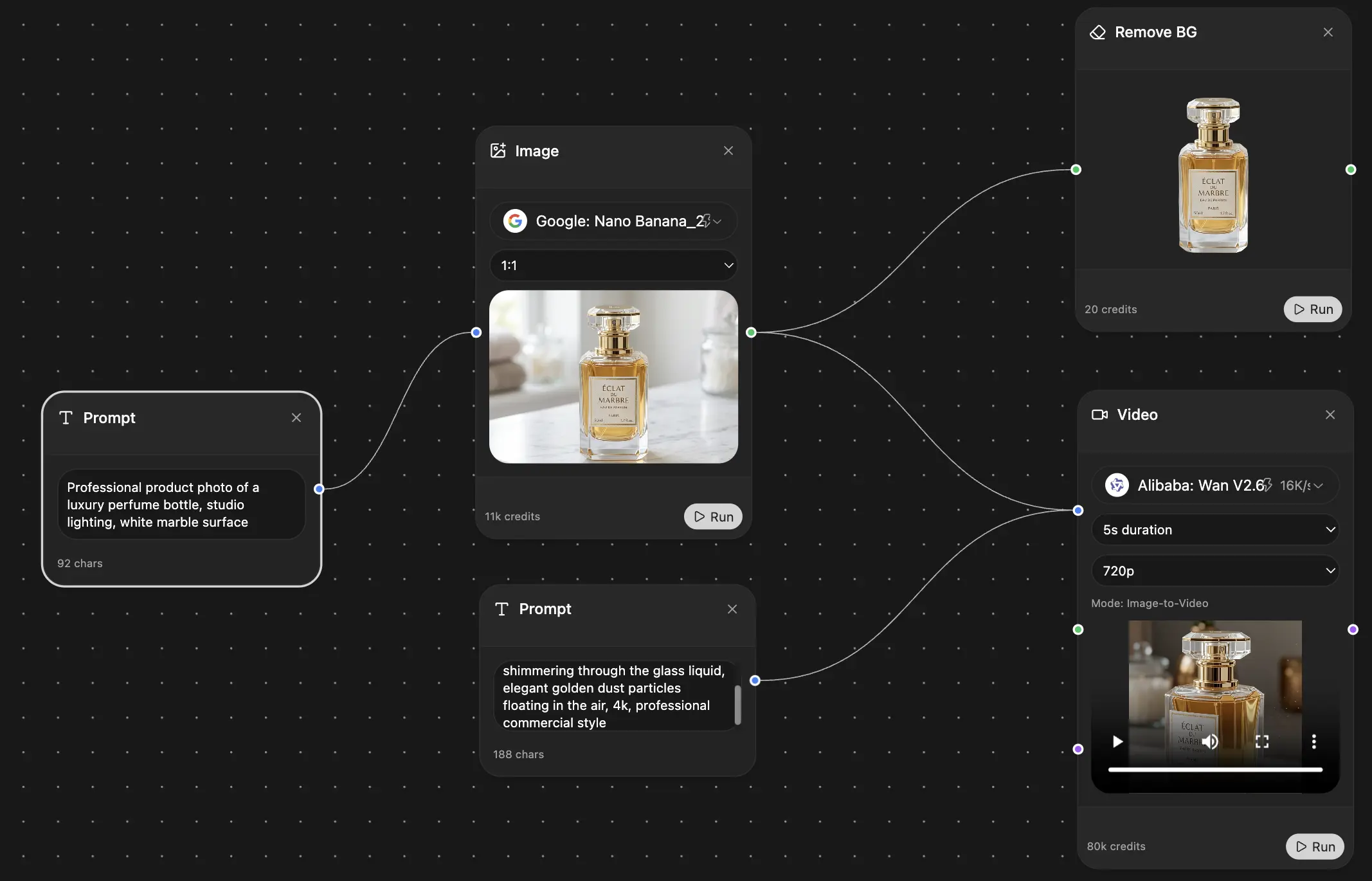
무한한 AI 캔버스.
채팅, 이미지, 영상 & 모션 도구 — 나란히
업무 및 연구 시간을 절약하세요
간단하고 합리적인 가격
신뢰하는 기업 팀






무료
신용카드 불필요
- 매일 100 크레딧
- 3개의 AI 모델 체험
- 기본 AI 채팅
플러스
- 1,000,000 크레딧/월
- 25개 이상의 AI 모델 — GPT, Claude, Gemini, Grok 등
- Agent Mode: 웹 검색, 컴퓨터 도구 등 포함
- Creative Studio: 이미지 생성 및 비디오 생성
- Project Library: 문서, 웹사이트, YouTube와 채팅, 팟캐스트 생성, 플래시카드, 리포트 등
- Workflow Studio 및 FocusOS
프로페셔널
- 플러스의 모든 것, 그리고:
- 2,100,000 크레딧/월
- Pro 전용 모델 (Claude Opus, Grok 4, Sonar Pro)
- Motion Tools & Max Mode
- 최신 기능 우선 이용
- 추가 혜택 이용 가능
사용자 후기
Great Tool after 2 months usage
"I love the way multiple tools they integrated in one platform. Going in the right direction."
— simplyzubair
Best in Kind!
"The quality of data and sheer speed of responses is outstanding. I use this app every day."
— barefootmedicine
Simply awesome
"The credit system is fair, models are perfect, and the discord is very responsive. Quite awesome."
— MarianZ
Great for Document Analysis
"Just works. Simple to use and great for working with documents. Money well spent."
— yerch82
Great AI site with accessible LLMs
"The organization of features is better than all the other sites — even better than ChatGPT."
— sumore
Excellent Tool
"It lives up to the all-in-one claim. All the necessary functions with a well-designed, easy UI."
— AlphaLeaf
Well-rounded platform with solid LLMs
"The team clearly puts their heart and soul into this platform. Really solid extra functionality."
— SlothMachine
Best AI tool I've ever used
"Updates made almost daily, feedback is incredibly fast. Just look at the changelogs — consistency."
— reu0691