How to Write Technical Documentation That Drives User Success
Learn how to write technical documentation that engages your audience. Discover expert tips on how to write technical documentation effectively.
Great technical documentation doesn't start with writing. It starts with a simple but crucial question: who am I writing this for, and what do they need to accomplish? Before you ever type a word or take a screenshot, laying this groundwork is what separates documentation that helps from documentation that frustrates.
Think of it this way: writing without knowing your audience is like giving directions without knowing the destination. You might provide a lot of information, but it won't get anyone where they need to go. This leads to confused users, more support tickets, and a product that feels harder to use than it actually is. With the right tools and approach, you can turn documentation from a cost center into a powerful asset for user activation and retention.
Building Your Documentation on a User-First Foundation
The best technical writers are obsessed with the end-user. They understand that their job isn't just to describe features, but to guide real people toward successful outcomes. An API reference for a seasoned developer needs a completely different approach, tone, and level of detail than a "getting started" guide for a customer who has never used a tool like yours before.
Pinpoint Your Audience and Their Needs
To really nail this, you have to get specific. Forget vague user personas. Instead, dig into the practical details that will shape every decision you make.
Start by asking a few key questions:
- What's their technical comfort level? Are they a developer who breathes code, or a beginner who needs you to define basic terms and walk them through every single click?
- What are they trying to do right now? Are they trying to troubleshoot a specific error message, learn how a new feature works, or figure out how to connect your product to another tool?
- What’s their biggest frustration? Knowing what drives them crazy helps you anticipate their needs and proactively give them the information they're desperately looking for.
For instance, a developer wrestling with your API doesn't want a fluffy introduction. They need precise endpoint descriptions, copy-paste-ready code samples, and a clear breakdown of error codes. On the other hand, a brand-new user just wants a friendly, step-by-step guide with plenty of visuals to get them from zero to their first small win.
The most effective technical documentation is built on a foundation of empathy. It requires you to step into the user's shoes, see the product from their perspective, and anticipate the exact moment they'll get stuck.
Define Clear and Actionable Goals
Once you have a sharp picture of your user, you need to define what success looks like for your document. A goal like "explain the product" is far too vague to be useful. Good goals are specific and, ideally, measurable. Are you trying to cut down support questions about a certain feature by 20%? Or maybe your goal is to help new users successfully complete onboarding in under 10 minutes.
Every piece of documentation should have one primary job:
- Quick-Start Guides are all about fast, successful onboarding.
- API References must provide comprehensive, accurate technical details.
- Troubleshooting Manuals are laser-focused on solving common problems.
Before you start writing, it helps to map out these core elements. A clear plan ensures every piece of content you create is directly tied to a user need and a business goal.
Here’s a simple table to help you structure your thinking:
Core Elements of User-Centric Documentation
Laying this out makes the writing process so much smoother.
This planning phase is also where a modern platform can give you a serious edge. For example, gives you a unified space to map out these goals, define your user profiles, and build the project structure right from the start. When your planning lives inside the same tool you use for writing, that user-first mindset is baked into every step of the process.
Structuring Content for Effortless Navigation
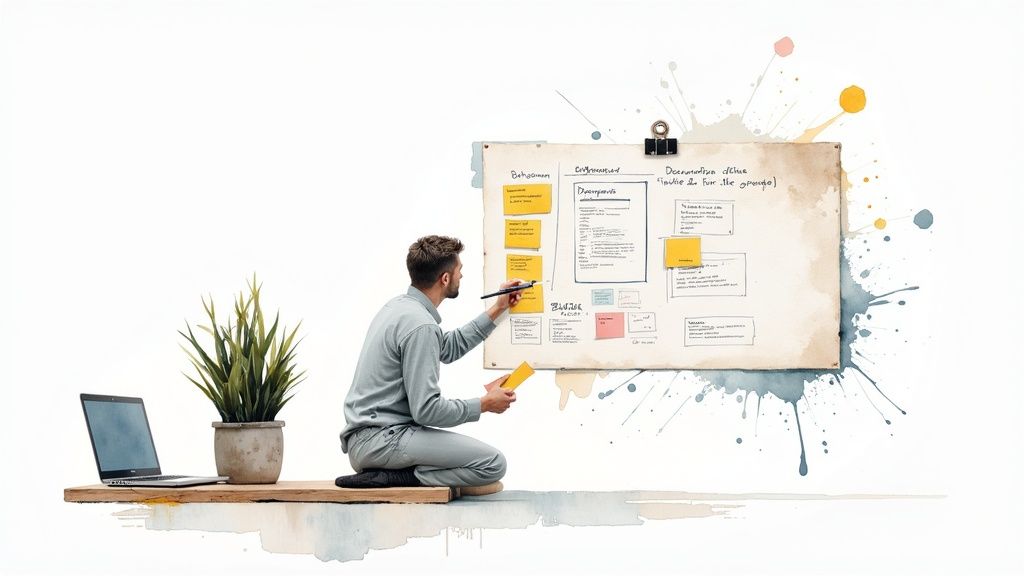
So, you’ve figured out who you're writing for. The next make-or-break task is building a structure that users can navigate without thinking. Think of it this way: great documentation is less like a single, long article and more like a well-organized library of solutions. If a user can’t find the answer they need in a few clicks, the quality of your writing simply doesn't matter.
A confusing information architecture is the fastest way to frustrate someone and lose their trust. What you’re aiming for is a logical flow that feels intuitive, guiding users from their problem to a clear resolution with as little friction as possible.
Building a Logical Hierarchy
The bedrock of any good documentation is a solid hierarchy. I like to picture it as a pyramid. At the very top, you have broad, high-level categories—think "Getting Started," "API Reference," or "Troubleshooting." As you drill down, the topics get more specific, using a smart system of H2, H3, and even H4 headings to slice complex processes into digestible, scannable pieces.
This kind of organized hierarchy does two critical things:
- It makes the content scannable. Research shows a stunning 79% of people scan web pages instead of reading them word-for-word. Clear headings let their eyes jump right to what they need.
- It builds a mental map. The structure itself shows users how different concepts are related, which helps them understand your product or system as a whole.
A great model for this is a help center, which is built entirely around navigation and findability. Spending some time looking at best practices for can give you some fantastic, practical ideas for organizing your own content.
Deconstructing Complex Topics
Nothing sends a user running faster than a massive wall of text. The secret to making documentation approachable is to break down big, intimidating topics into smaller, self-contained articles. Each piece should tackle just one idea or one step in a process.
Your primary goal is to make information findable. A user should never have to read an entire document to find one specific answer. The structure itself should be the guide.
For instance, instead of one giant page called "How to Set Up Your Account," you could split that into several focused articles:
- Creating Your Initial Login
- Configuring User Permissions
- Integrating with Third-Party Apps
- Setting Up Billing Information
This modular approach doesn't just help the reader; it also makes your life infinitely easier when it's time to update or maintain the documentation down the road.
This is where an AI-powered platform becomes a game-changer. Rather than painstakingly mapping everything out by hand, Zemith’s Document Assistant can analyze your draft and suggest smart structural improvements. It’s brilliant at spotting overly dense paragraphs, recommending logical places to create new sections, and ensuring your heading hierarchy is consistent. Think of it as an architectural consultant, helping you build a framework that makes finding information second nature for your users.
Crafting Prose with Absolute Clarity

With a solid structure in place, it's time to zoom in on the words themselves. This is where the real craft of technical writing shines—transforming complex concepts into something anyone can understand. Absolute clarity isn't just a nice-to-have; it's the entire point.
Your mission is to stamp out any chance of misunderstanding. Every sentence must be precise, direct, and serve a distinct purpose. Think about your user: they're probably stuck or frustrated. The last thing they need is to decipher ambiguous instructions or stare down a wall of text.
Write for Action and Confidence
So, how do you achieve this clarity? Your two most powerful tools are active voice and concise language. Using the active voice immediately puts the user in control, making your instructions feel direct and empowering.
Let's look at an example. Which of these feels more helpful?
- Passive Voice: The "Save" button should be clicked after the configuration is complete.
- Active Voice: Click the "Save" button after you complete the configuration.
The active voice version is shorter, clearer, and tells the user exactly what to do. It builds confidence. I also make it a rule to keep sentences short and to the point. If a sentence creeps past 20-25 words, I immediately look for ways to break it into two.
Great technical writing is invisible. It doesn't draw attention to itself with fancy words or complicated sentences. It just works, guiding the user to their goal with zero friction. The less a user has to think about your writing, the better you've done your job.
Eliminate Jargon and Maintain Consistency
Technical fields are swimming in acronyms and specialized terms. While you can't always avoid them, you absolutely must define them. Never assume your reader knows what "API" or "SDK" stands for. Spell it out the first time you use it, and then you can use the abbreviation.
Consistency is just as crucial. If you call a feature the "User Management Dashboard" on page one, don't suddenly call it the "Admin Panel" on page five. Little inconsistencies like this chip away at a user's trust and create needless confusion.
This is one area where having an AI-powered assistant can make a huge difference. For instance, Zemith's Smart Notepad can be configured with your project's style guide to review your writing for clarity, offer simpler phrasing, and even transform messy bullet points into polished, consistent instructions.
This lets you focus on the technical details while the AI helps with the craft of writing. If you're serious about honing your skills, exploring different ways to will give you a strong foundation. It's not about replacing your expertise, but augmenting it with Zemith to create documentation that is both flawless and effortless to follow.
Using Visuals to Enhance Comprehension
Sometimes, no matter how carefully you craft a sentence, a single picture tells a better story. While words are essential for explaining the why behind a process, visuals are unbeatable at showing the how. Adding images, diagrams, and videos isn't just about making your documents look nice; it’s a smart way to help people understand things faster and with less frustration.
Think about it from your own experience. Would you rather read a 500-word paragraph detailing a complex software interface, or look at a single screenshot with arrows pointing to the exact buttons you need to click? Most of us would pick the screenshot in a heartbeat. The right visual can break up intimidating blocks of text, give immediate context, and walk a user through a process far more effectively than words ever could on their own.
Choosing the Right Visual for the Job
Of course, not all visuals are created equal. The trick is to pick the one that gets your point across without adding more confusion. A messy, complicated diagram can actually make things worse.
Here’s a quick rundown of what to use and when:
- Annotated Screenshots: These are your best friends for walking someone through a user interface. Use simple arrows, circles, and short text labels to highlight exactly where to click or what to look for.
- Simple Diagrams: Perfect for illustrating how a system is structured, how data moves from one point to another, or the relationship between different components. The key here is to keep them clean and uncluttered.
- Flowcharts: When you need to explain a process with multiple branching paths or decision points, a flowchart is the clearest way to map it out.
- Short Videos or GIFs: Incredibly useful for showing a process in action. If you need to demonstrate a few quick steps, like a specific configuration setting, a short video clip can show it perfectly.
Your goal with any visual is instant clarity. If someone has to spend more than a few seconds trying to figure out what your diagram means, it’s not doing its job. When in doubt, simplify.
Creating and Managing Visual Assets
You don't need a Hollywood budget to create good visuals. For most screenshots and diagrams, basic tools get the job done. The real challenge, I've found, is keeping all those visual assets organized and, more importantly, up-to-date.
A major driver for this is the push toward more accessible, media-rich documentation, partly influenced by regulations like the European Accessibility Act (EAA). This is especially true when you consider that 99.5% of field technicians use mobile devices at work. They need documentation that works seamlessly on their phones, tablets, or even AR goggles. To meet these needs, you have to and understand why responsive design with integrated video and diagrams is no longer optional.
This is where a modern platform like provides a clear advantage. Its built-in creative tools let you capture, annotate, and edit images right inside your document. This kind of integrated workflow makes it so much easier to manage your visuals and ensure they stay perfectly aligned with your text, no matter what device your audience is using.
Supercharging Your Workflow with AI
Let's be honest: creating technical documentation used to be a grind. The process was almost entirely manual, from the first draft to the final polish. But that's changing fast. Artificial intelligence isn't some far-off concept anymore; it's a practical tool that’s reshaping how we work.
Think of AI not as a replacement for technical writers, but as a powerful assistant. It’s here to handle the repetitive, time-sucking tasks, freeing you up to focus on what humans do best: ensuring technical accuracy, crafting clear explanations, and understanding the user's needs.
This isn't just a niche trend. A recent global survey found that 70% of organizations are already trying out automation in their daily operations. On top of that, nearly 90% have plans to expand these AI-driven efforts across their entire company. At the heart of this shift is a technology called Intelligent Document Processing (IDP), which is brilliant at taking unstructured chaos—like old project notes or legacy files—and turning it into organized, usable content.
From Manual Tedium to Automated Precision
Remember all the time you've spent on tasks that have nothing to do with actual writing? Things like reformatting tables, checking for consistent terminology across a massive document suite, or just staring at a blank page, wondering where to begin. This is exactly where AI shines.
An AI assistant like Zemith can be a game-changer:
- It can take a simple outline or a handful of your raw notes and generate a first draft in seconds. No more blank-page paralysis.
- Need a high-level overview? It can summarize complex technical sections into clear, concise abstracts perfect for introductions or executive summaries.
- It can act as a tireless editor, scanning your entire knowledge base to enforce style guides and consistent terminology, catching subtle errors you might have overlooked.
The real win with AI in technical writing isn't just about speed—it's about elevating quality. When you automate the grunt work, you reclaim valuable time for deep thinking, collaborating with subject matter experts, and refining the content to be truly user-centric.
This is where platforms like Zemith come into play. They build these AI capabilities right into your writing environment. Instead of jumping between different apps, you can use Zemith’s Document Assistant to instantly structure your scattered thoughts or its Smart Notepad to sharpen your writing for maximum clarity. This isn’t just about working faster; it's about producing better, more consistent, and compliant documentation.
A Practical Look: Manual vs. AI-Powered Workflows
The difference between the old way and the new, AI-assisted way is striking. It’s one thing to talk about it, but another to see the impact on day-to-day tasks.
Here’s a simple table that breaks down the effort involved in common documentation tasks, comparing a traditional manual approach to an AI-powered one using a tool like Zemith.
Manual vs AI-Powered Documentation Workflows
As you can see, the time savings are massive. This reclaimed time allows you to focus on high-value activities like user testing and content strategy, ultimately leading to a much better end product.
Visualizing the AI Advantage
It’s not just about saving time. AI-powered tools also dramatically improve accuracy. This image breaks down the efficiency gains when comparing a traditional peer review process with modern automated editing tools.
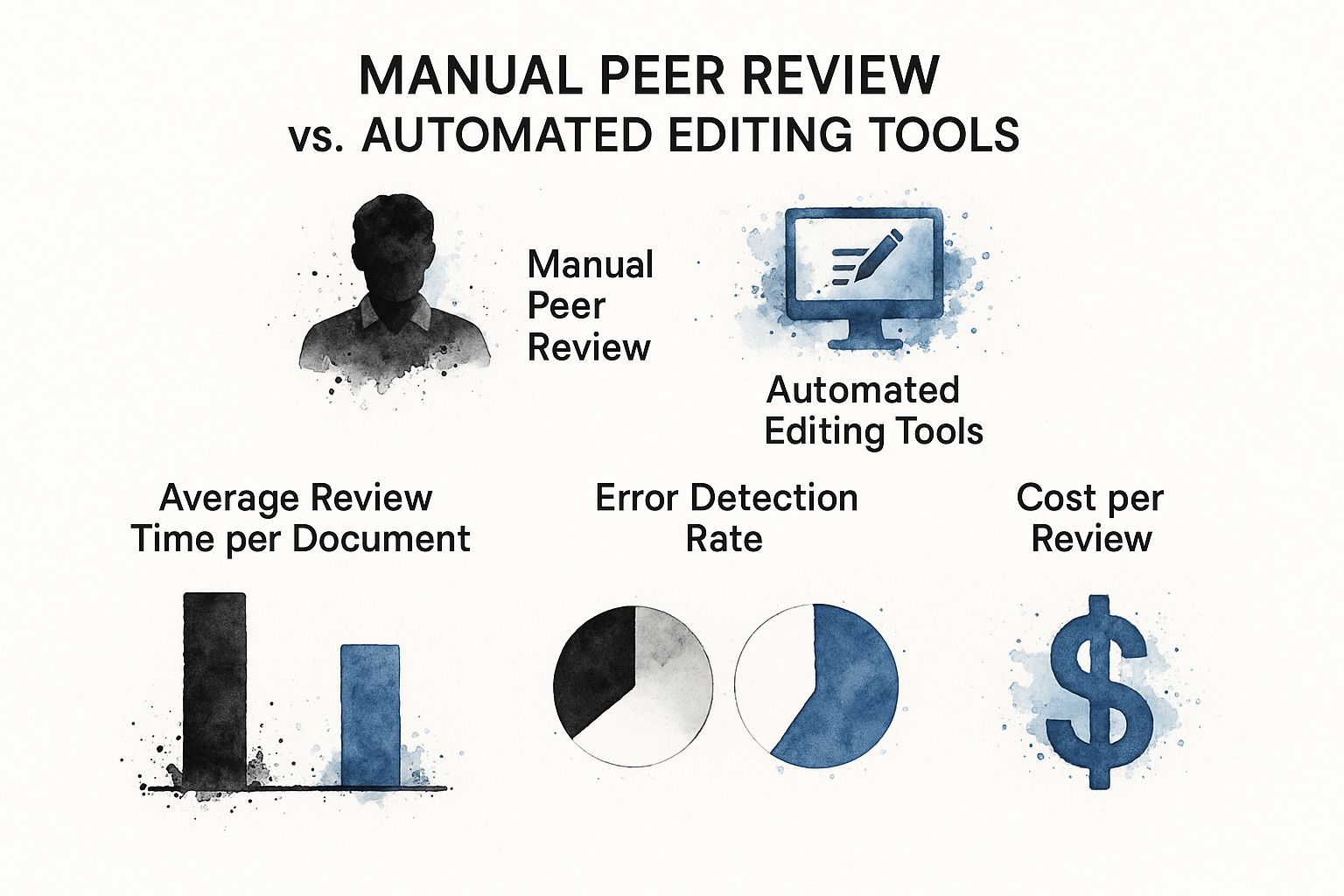
The data is clear: AI tools don't just speed up the review cycle—they catch more errors and reduce the overall cost of producing high-quality documentation.
Expanding Your AI Toolkit
And AI’s role in documentation doesn’t stop with text. Visuals are a huge part of effective technical content. To take your work to the next level, you can explore the to quickly turn complex procedures into easy-to-follow video tutorials.
For projects that require deep investigation, it's also worth looking into specialized . These tools can help you gather and analyze information much faster, ensuring your documentation is built on a solid foundation of accurate, well-vetted knowledge.
Keeping Your Documentation Alive and Accurate
You’ve finished writing, and the documentation is live. Time to celebrate, right? Well, yes, but don't pop the champagne just yet. Publishing your work isn’t the finish line; it’s the starting block.
The moment your documentation goes public, the clock starts ticking. Your product will evolve—features get added, UIs get a facelift, and best practices change. If your documentation doesn't keep pace, it quickly becomes a liability. Outdated guides don't just confuse users; they actively erode trust in your product.
A proactive maintenance plan is what separates great documentation from a pile of outdated files. It shows you’re committed to your users' success long after the initial launch. The trick is to build a simple, repeatable system for gathering feedback, reviewing content, and rolling out updates without causing a massive headache for your team.
Establish a System for Updates and Revisions
To stop your docs from going stale, you need a process. It doesn't have to be complicated, but it absolutely has to be consistent.
I've found a few core practices make all the difference:
- Schedule Regular Audits: Put a recurring event on the calendar—quarterly works well for most teams—to sweep through your entire documentation library. Your mission is to hunt down and fix inaccuracies, broken links, and screenshots that no longer match the UI.
- Create a Feedback Loop: Make it dead simple for your users to tell you when something is wrong. A "Was this helpful?" widget or a "Suggest an edit" link at the bottom of each page is a goldmine for catching issues you might have missed.
- Tie Docs to Releases: This one is non-negotiable. Make documentation updates a required part of your development cycle. If a new feature ships or an old one changes, the docs must be updated at the same time. No exceptions.
Your documentation is never truly "done." Treat it like a garden that needs regular weeding and care. A little maintenance goes a long way in keeping it healthy and useful for your audience.
To keep everything straight, especially with multiple people involved, you absolutely need solid . Clear versioning stops people from accidentally overwriting each other's work and makes it obvious which version is the source of truth.
This is where a tool like Zemith really shines. Its Document Management System (DMS) is built for this kind of collaborative work, giving writers, editors, and engineers a single place to track changes and manage revisions. The process stays efficient and, more importantly, transparent.
The demand for these kinds of tools is exploding. The global DMS market, currently valued at $8.96 billion, is expected to more than double, hitting $17.03 billion by 2029. This growth is all about the need for secure, collaborative tools that can keep up.
Seeing how different teams manage their living documents can spark ideas for your own workflow. Check out our guide on to see how this works in the real world. This commitment to maintenance is what keeps a knowledge base accurate and shows your users you're truly invested in their success.
Frequently Asked Questions About Technical Documentation
No matter how well you plan, you're bound to run into a few tricky questions when you're in the thick of a documentation project. I’ve been there. Getting clear answers to these common hurdles helps you keep moving forward without sacrificing quality. Here are a few questions that come up time and time again.
What’s the Most Important Skill for a Technical Writer?
Good writing skills are table stakes. The one skill that truly separates great technical writers from the rest is user empathy. You have to be able to put yourself in the user’s headspace and see the product from their perspective—their goals, what they already know (and what they don’t), and where they’re likely to get stuck.
Empathy is the foundation for every decision you make. It dictates the document’s structure, the language you choose, and even the kind of screenshots you take. A platform like Zemith is designed around this principle, with features that help you map audience needs directly to your content strategy, ensuring empathy is at the core of your workflow.
How Do I Make Technical Docs Less Boring?
Let's be honest, nobody wants to read a wall of text. The trick is to break things up and make your content easy to scan and digest. Think clear headings, short paragraphs, and plenty of bullet points.
The best documentation I've seen always anticipates the user's needs by offering information in different ways. A mix of short text, clear visuals, and relatable examples is always more powerful than just words on a page.
Make visuals your best friend. Annotated screenshots, simple diagrams, and even short video clips can clarify a complex step far better than a long paragraph ever could. And always, always base your examples on real-world problems your users are actually trying to solve. Zemith's integrated asset management allows you to drag and drop these visuals directly into your documents, making it seamless to create engaging, multi-format guides.
How Often Should I Update My Documentation?
Your documentation isn't a "one and done" project; it’s a living part of your product. A good rule of thumb is to update it with every single product change. This includes:
- New feature releases
- Significant software updates
- Changes to existing processes
On top of that, I highly recommend scheduling regular audits—maybe quarterly—to hunt down outdated screenshots, broken links, or minor inaccuracies that have slipped through. This is also a great time to incorporate user feedback you've collected.
This is exactly where having a solid system in place makes a huge difference. A platform like is built for this. It gives you the tools to easily drop in multimedia, manage different content types, and handle the entire update cycle, ensuring your docs are always accurate and genuinely helpful.
Ready to build a documentation process that helps your users succeed? See how the AI-powered tools from Zemith can change how you work, from the first draft to the final published guide. .
Zemith 기능 탐색
모든 최고 AI. 하나의 구독.
ChatGPT, Claude, Gemini, DeepSeek, Grok & 25+ 모델








항상 켜진 실시간 AI.
음성 + 화면 공유 · 즉각적인 답변
새로운 언어를 배우는 가장 좋은 방법은 무엇인가요?
몰입과 간격 반복이 가장 효과적입니다. 매일 목표 언어의 미디어를 소비해 보세요.
음성 + 화면 공유 · AI가 실시간으로 답변
이미지 생성
Flux, Nano Banana, Ideogram, Recraft + 더보기

생각의 속도로 쓰세요.
AI 자동완성, 다시쓰기 & 명령으로 확장
모든 문서. 모든 형식.
PDF, URL 또는 YouTube → 채팅, 퀴즈, 팟캐스트 등
영상 제작
Veo, Kling, MiniMax, Sora + 더보기

텍스트 음성 변환
자연스러운 AI 음성, 30개 이상 언어
코드 생성
코드 작성, 디버그 및 설명
문서와 채팅
PDF 업로드, 콘텐츠 분석
주머니 속의 AI.
iOS & Android 전체 이용 · 어디서나 동기화
무한한 AI 캔버스.
채팅, 이미지, 영상 & 모션 도구 — 나란히

업무 및 연구 시간을 절약하세요
간단하고 합리적인 가격
신뢰하는 기업 팀






무료
신용카드 불필요
- 매일 100 크레딧
- 3개의 AI 모델 체험
- 기본 AI 채팅
플러스
- 1,000,000 크레딧/월
- 25개 이상의 AI 모델 — GPT, Claude, Gemini, Grok 등
- Agent Mode: 웹 검색, 컴퓨터 도구 등 포함
- Creative Studio: 이미지 생성 및 비디오 생성
- Project Library: 문서, 웹사이트, YouTube와 채팅, 팟캐스트 생성, 플래시카드, 리포트 등
- Workflow Studio 및 FocusOS
프로페셔널
- 플러스의 모든 것, 그리고:
- 2,100,000 크레딧/월
- Pro 전용 모델 (Claude Opus, Grok 4, Sonar Pro)
- Motion Tools & Max Mode
- 최신 기능 우선 이용
- 추가 혜택 이용 가능
사용자 후기
Great Tool after 2 months usage
"I love the way multiple tools they integrated in one platform. Going in the right direction."
— simplyzubair
Best in Kind!
"The quality of data and sheer speed of responses is outstanding. I use this app every day."
— barefootmedicine
Simply awesome
"The credit system is fair, models are perfect, and the discord is very responsive. Quite awesome."
— MarianZ
Great for Document Analysis
"Just works. Simple to use and great for working with documents. Money well spent."
— yerch82
Great AI site with accessible LLMs
"The organization of features is better than all the other sites — even better than ChatGPT."
— sumore
Excellent Tool
"It lives up to the all-in-one claim. All the necessary functions with a well-designed, easy UI."
— AlphaLeaf
Well-rounded platform with solid LLMs
"The team clearly puts their heart and soul into this platform. Really solid extra functionality."
— SlothMachine
Best AI tool I've ever used
"Updates made almost daily, feedback is incredibly fast. Just look at the changelogs — consistency."
— reu0691