A Guide to ChatGPT Image Analysis
Unlock the power of ChatGPT image analysis. A practical guide to crafting better prompts, interpreting results, and leveraging AI for real-world tasks.
Have you ever looked at a picture and wished you could just ask it what’s going on? Well, stop wishing, because that's pretty much what ChatGPT image analysis lets you do. It's not just a cool party trick—it's a seriously powerful tool that can describe complex scenes, rip text from a photo, or even brainstorm ad copy from a single visual. We're essentially giving AI a sense of sight, and it's about to become your new favorite assistant.
Seeing the World Through AI's Eyes
The whole idea of an AI "seeing" an image sounds like pure sci-fi, I get it. But using it is surprisingly simple and genuinely helpful. You pop in a picture, ask a question, and get an answer. The real magic, though, is in what you can ask and the kinds of insights you can get back.
Forget just identifying objects. You can ask about the mood of a photograph, get a recipe based on a sad-looking picture of the random stuff in your fridge (we've all been there), or even get it to write marketing copy from a product shot. This kind of tech is a huge shortcut for all sorts of tasks.
Unlocking Visual Data
At its heart, this is all about turning a messy pile of pixels into clean, usable data. Think about what that opens up:
- For the creatives: You can break down the style of an artist you love or get instant social media captions from a photo you just took.
- For getting things done: Snap a picture of a whiteboard after a marathon meeting and instantly get all the notes in text form. No more typing everything out by hand.
- For making things accessible: It can automatically generate really descriptive alt-text for images on a website, which is a massive win for inclusivity.
If you want to go a bit deeper and really get a feel for what's happening under the hood, checking out the is a great place to start. It’ll help you write better prompts and make sense of the AI's answers.
The real power isn't just about spotting what's in a picture. It's about understanding the context, the feeling, and the story that image is telling. It’s the difference between saying "that's a car" and analyzing its design for a marketing campaign.
For a lot of day-to-day stuff, ChatGPT is fantastic. But when you hit a wall and need something with more professional muscle—like spotting tiny defects on a production line or sifting through thousands of medical images—you’ll want a more specialized platform. For those bigger, professional-grade challenges, taking a look at a full suite of tools like the ones on Zemith is the right move. You get the precision you need without the guesswork.
From Upload to Insight: Running Your First Analysis
Alright, let's get our hands dirty and walk through the process. Getting your image into the chat is usually a breeze—just look for that little paperclip icon on your phone or desktop. The real skill, and where you'll see the biggest difference in results, is in how you ask your question.
There's a world of difference between a vague prompt and a specific one. If you drop in a picture of a bustling cafe and just ask, "What is this?" you'll get a painfully obvious answer: "This is a photo of a cafe." We can do better than that, people.
The Art of a Great Visual Prompt
Think of a good prompt as giving clear directions to a very literal-minded assistant. You need to give the AI context and tell it exactly what to look for. Your goal is to zero in on the details that actually matter for your task.
Instead of that lazy question, let's try something with more meat. For that same cafe photo, how about this: "Describe the atmosphere of this cafe based on the decor, lighting, and what the people are doing. Then, give me a bulleted list of all the food and drink items you can see on the tables." Now you're talking. You're guiding the AI from a simple label to a detailed analysis.
This infographic breaks down that exact process.
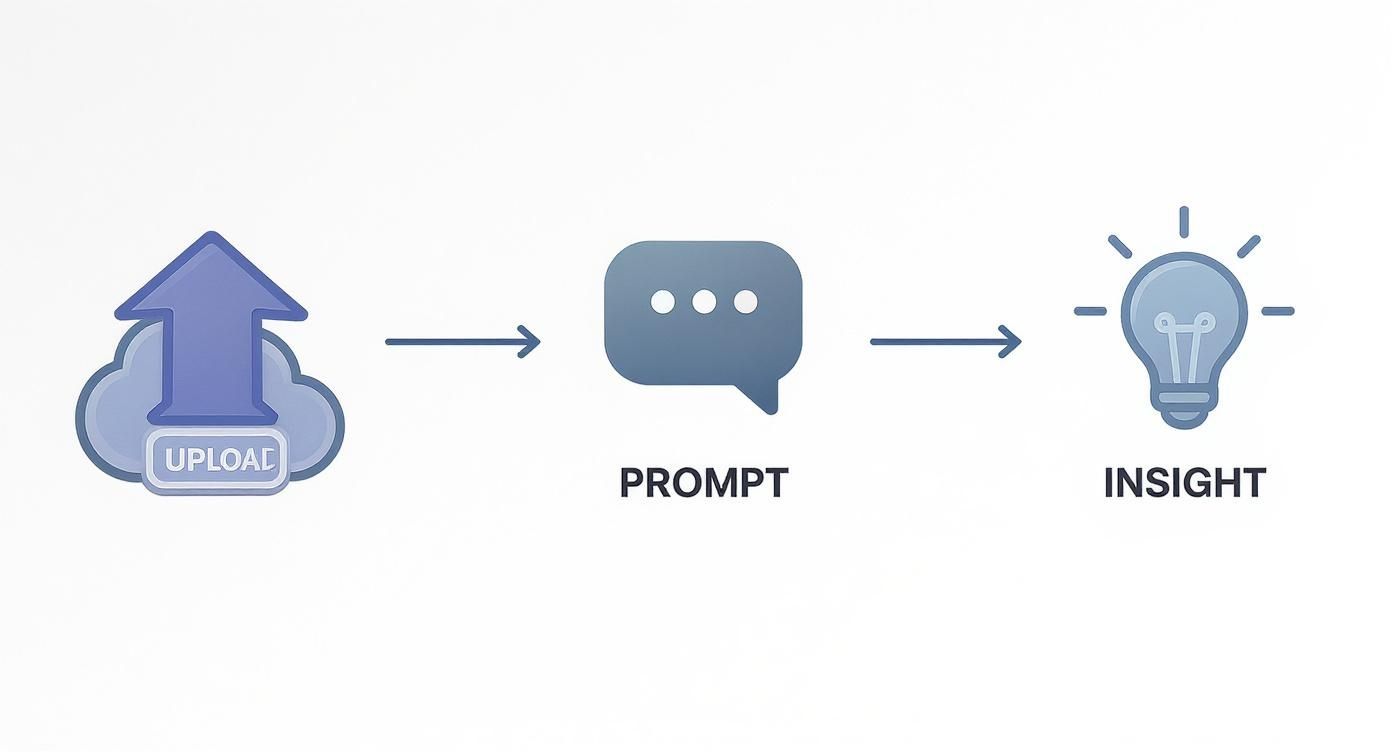
It really comes down to this: the quality of your prompt dictates the quality of your answer.
Copy-and-Paste Prompts to Get You Started
To make things even easier, here are a few templates you can steal and tweak for your own projects. I've used variations of these countless times.
For Scene Description:
"Analyze this image and describe the overall mood. Pay close attention to the time of day, the weather, and any emotions you can infer from the people in it. Give me the answer as a short, descriptive paragraph."
For Object Detection:
"Scan this photo of my workspace. Create a simple bulleted list of every electronic device you can spot on the desk."
For Optical Character Recognition (OCR):
"Extract all the text from this image of a restaurant menu. Please ignore any logos or stylized fonts and format the output as clean, plain text."
That last one, OCR, is a game-changer. It can turn photos of receipts, whiteboard scribbles, or book pages into text you can actually use.
If you find yourself doing a lot of document work, our guide on is a great next step. While ChatGPT is fantastic for a one-off image, dedicated tools on a platform like Zemith are built to handle messy layouts and big batches with far greater precision, saving you a ton of time.
Getting Good at Visual Prompts
Okay, you’ve sent your first image to the AI. Cool, right? But now it's time to move beyond just asking "What is this?" and start having a real conversation. A basic prompt gets a basic answer. A great prompt, on the other hand, can uncover details and ideas you hadn't even thought of. This is how you turn a neat party trick into a serious tool for getting things done.

The real game-changer is to stop treating the AI like a search engine and start treating it like a creative partner. Start a dialogue. Refine its understanding with follow-up questions. This back-and-forth is how you dig deep.
For example, I once uploaded a photo of an old building and just asked the AI to identify it. It did. But then I pushed further: "Okay, based on that architectural style, what era is this building likely from?" and "What were buildings like this usually used for back then?" See? You’re guiding the AI down a specific rabbit hole.
Beyond Just "Describe This Image"
To really level up, you need to get more specific. Way more specific. Instead of asking what's in a picture, you can tell the AI exactly what kind of analysis to perform. It's a subtle shift, but it makes all the difference.
Here are a few ways I like to add that expert touch:
- For artistic shots: "Analyze the composition of this photograph. Point out where you see the rule of thirds and any leading lines."
- For marketing content: "Give me three potential LinkedIn post captions for this conference photo. Focus the tone on networking and innovation."
- For design feedback: "Look at this UI screenshot and describe the user experience flow. Can you spot any potential friction points for a new user?"
Why did the AI break up with the JPEG? It felt too compressed.
But seriously, getting detailed with your prompts is your secret weapon. For more ideas to get you started, check out our collection of advanced .
Try Giving the AI a Job Title
One of my favorite tricks is to ask the AI to adopt a persona. It's so simple, but it completely changes the lens through which the image is analyzed. This gives you specialized feedback without you needing to be an expert in that field.
Pro Tip: Assigning a role to the AI unlocks entirely new perspectives. An art historian will see an image very differently than a structural engineer, and both will give you far more valuable insights than a generic description ever could.
You could try prompts like:
- "You are a marketing strategist. Analyze this ad. Who is the target audience? What emotional triggers are they trying to pull?"
- "Act as a historian. Look at this old black-and-white photo and describe the historical context, based on the clothing and technology you can see."
This method is incredibly powerful. The global explosion in AI adoption proves its versatility. As of September 2025, ChatGPT's user base hit a staggering 800 million weekly active users, a surge heavily influenced by its visual skills. Queries involving image analysis jumped from just 2% to 7% of all user questions, showing just how central this feature has become. You can dig into more of these to see the trend for yourself.
For really complex visual tasks, a single prompt just won't cut it. That's when I start "prompt chaining"—breaking a big analysis into smaller, sequential steps. For workflows like this, using a dedicated environment like the Zemith workspace makes managing these conversations much easier and keeps your projects from getting messy.
So, How Can You Actually Use This Stuff?
Alright, enough with the theory. Let's get down to brass tacks and talk about how analyzing images with models like ChatGPT can solve some real-world problems. This is about more than just asking an AI to describe a photo of your dog; it's about saving you time, sparking genuine creativity, and automating the kind of tedious tasks nobody wants to do.

We're going to jump into a few powerful ways you can put this technology to work right now. From marketing deep-dives to handy developer shortcuts, this is where the pixels meet the pavement.
For Marketers and Creatives
Ever stare at a competitor's ad and just know it's working, but you can't quite put your finger on why? Now you can get an instant second opinion.
Just upload their ad creative and ask the AI to break it down for you.
- Ad Deconstruction: Prompt it to analyze the color psychology at play, guess the target demographic based on the people and setting, or even critique the call-to-action's effectiveness.
- Instant Social Media Content: Take a quick photo of a new product and ask for five different Instagram caption ideas, complete with relevant hashtags and emojis. Boom, content sorted.
- Style Replication: Find an image with a visual style you absolutely love? Upload it and ask the AI to write a detailed prompt you can pop right into Midjourney or DALL-E. It’s like having a creative director on standby, 24/7.
This isn't just a gimmick. Industries like real estate and fashion are already using AI-generated visuals to shorten sales cycles by as much as 26%. We're also seeing this tech influence the purchase decisions of nearly half (48%) of all online shoppers. When you see models hitting 95% accuracy in turning a prompt into the right image, you start to see just how big this is.
For Developers and Builders
For anyone writing code, visual analysis can be a massive timesaver, shaving hours off tedious tasks. It’s especially brilliant for bridging that frustrating gap between a beautiful design mockup and the actual code that makes it work.
One of the biggest time-sinks in front-end development is translating a static design file into code. Image analysis tools can give you a massive head start by generating the initial boilerplate.
For instance, you can take a screenshot of a user interface and ask the AI to spit out the basic HTML and CSS structure. It's not going to be pixel-perfect, but it gets the foundational stuff out of the way so you can focus on the logic and functionality. Our team actually wrote a whole guide on this, which you can check out for a step-by-step walkthrough: .
For Everyday Productivity
Even if you're not a marketer or a developer, this tech is a powerhouse for day-to-day tasks. The most common and immediately useful application is Optical Character Recognition (OCR)—a fancy term for its ability to read text from an image.
Suddenly, a bunch of annoying tasks get a whole lot easier:
- Invoice Processing: Snap a photo of a receipt or invoice, and you can instantly pull out the vendor name, date, and total amount without any manual typing.
- Digitizing Notes: After a big brainstorming session, just take a picture of the whiteboard. You’ll get a clean, digital transcript of all those scribbles in seconds.
- Translating Signs: Traveling abroad? A quick photo can translate a menu or a street sign in a language you don’t understand.
While ChatGPT is fantastic for these general uses, some high-stakes situations demand more specialized models. For a truly fascinating example, check out to see how finely-tuned AI is changing healthcare. For business-critical work where accuracy is everything, a dedicated platform like Zemith provides specialized tools that go way beyond what a general-purpose model can offer.
Knowing When You Need a Specialized Tool
Let's be real—using a general AI for image analysis is incredibly powerful, but it’s not a magic bullet. Think of it like a Swiss Army knife: it’s fantastic for a huge range of tasks, but you wouldn't use it to perform open-heart surgery. Knowing the limits is the key to avoiding frustration and getting results you can actually trust.
General-purpose models like ChatGPT are trained on a staggering amount of internet images. This makes them absolute champs at recognizing everyday objects, describing scenes, or even spotting a golden retriever photobombing a wedding picture. But they can start to get shaky when the stakes are high and precision is non-negotiable.
When General AI Hits Its Limits
So, where do these models typically fall short? It's usually in tasks that demand deep, domain-specific knowledge or extreme accuracy. Ask it to count a few cars in a photo, and it’ll probably nail it. But ask it to count thousands of tiny ball bearings on a factory floor with perfect recall? You're asking for trouble.
Here are a few classic scenarios where a general model just isn't the right tool for the job:
- Medical Image Analysis: You absolutely need a model trained specifically on medical scans to spot subtle anomalies a general AI would easily miss. There's no room for error here.
- Industrial Quality Control: Finding microscopic cracks or nearly invisible defects in manufactured parts requires purpose-built precision that a generalist model simply doesn't have.
- Complex Schematics: Interpreting a dense engineering blueprint or electrical diagram is way outside the scope of a model trained on cat photos and vacation pics.
This is exactly where specialized AI models, like the ones available on a platform like , come into play. While the mainstream adoption of ChatGPT's visual tools is impressive—with over 220 million monthly active users and 31 percent of business users integrating its API—this popularity highlights its strength in broad, creative applications, not mission-critical analysis. You can dig into more of these to see where it truly shines.
The Power of a Purpose-Built Tool
Zemith is designed from the ground up for those professional-grade challenges where "good enough" just won't cut it. It gives you the power to fine-tune models on your specific data, essentially creating an expert system trained to do one job and do it exceptionally well.
This means you can build a model that does nothing but detect your brand's logo in user-generated content or process a specific type of invoice with near-perfect accuracy, every single time.
Think of it this way: ChatGPT is a brilliant liberal arts graduate who knows a little about everything. A specialized Zemith model is the seasoned surgeon with 20 years of experience in a single, complex procedure. You choose the right one for the task at hand.
So, how do you decide which to use? Run through this quick mental checklist:
- Is the cost of a mistake low? (e.g., generating a funny caption for a photo) -> ChatGPT is great.
- Is the cost of a mistake high? (e.g., a medical diagnosis, financial data extraction) -> You need a specialized tool like Zemith.
- Is the task general and creative? -> Go with ChatGPT.
- Does the task require high-volume, repetitive, and precise analysis? -> Zemith is built for this.
When accuracy, reliability, and scale are your top priorities, moving to a dedicated AI workspace isn't just a nice-to-have—it's essential.
A Few Lingering Questions
Got a few more questions rattling around? Perfect. Let's tackle some of the most common ones we hear about using AI for image analysis. Getting these details straight can save you a ton of headaches down the road.
Can ChatGPT Identify People in Photos?
This is a big one, and the answer is a firm no. For very important privacy reasons, ChatGPT is explicitly designed not to identify specific, private individuals.
It might describe general characteristics like "a person smiling" or "a group of people at a park," but it will flat-out refuse any request to name someone from a photo. This is a crucial safety feature to prevent the model from being misused, so you can't upload a wedding photo and ask it to tag all your cousins. And frankly, that’s a good thing.
What’s the Best Image Format for Accurate Results?
While the model handles common formats like JPG, PNG, and WEBP just fine, the real secret isn't the file type—it's the image quality.
For the best results, you need to feed it clear, well-lit photos where your subject is in sharp focus. The old programmer’s saying "garbage in, garbage out" has never been more true. If you're trying to pull text from a document (OCR), a high-resolution, flat scan will always outperform a blurry photo you snapped at a weird angle. It’s like trying to read a book in a dark room versus under a bright lamp; you have to give the AI the best possible view.
How Can I Use ChatGPT Image Analysis in My Business?
For developers, the official is the most direct path to embedding these capabilities into custom applications. But what if you don't have a whole dev team on standby? That's where a platform like Zemith comes in.
We provide pre-built tools and workflows that let you plug advanced image analysis directly into your business operations without writing a line of code. This is how you move from a few one-off experiments to automating tasks at a massive scale. It’s the difference between building a car from scratch and just getting in and driving.
For instance, if you're looking to generate powerful text prompts from an image, our guide on the is a fantastic starting point.
Are There Limits on Image Uploads and Analysis?
Absolutely. There are always usage limits, and they vary between the free and paid versions of ChatGPT. The paid tiers obviously offer much higher caps on messages and uploads, but even those can become a serious bottleneck for real business applications.
When your workflow involves analyzing hundreds or thousands of images daily, relying on a consumer-grade chat interface is simply not practical. You need a system built for volume, reliability, and predictable performance.
For any kind of high-volume analysis, using a dedicated platform like Zemith is far more efficient. These systems are engineered for scalable operations, giving you the power you need without hitting those frustrating daily limits.
Ready to move past the limitations and unlock professional-grade AI power? Zemith integrates the best AI models into a single, seamless workspace designed for serious productivity. Stop juggling subscriptions and start creating, analyzing, and building faster. and see what you can accomplish.
探索 Zemith 功能
所有顶级AI。一个订阅。
ChatGPT、Claude、Gemini、DeepSeek、Grok 及25+模型








始终在线,实时AI。
语音 + 屏幕共享 · 即时回答
学习一门新语言的最佳方式是什么?
沉浸式学习和间隔重复效果最好。尝试每天消费目标语言的媒体内容。
语音 + 屏幕共享 · AI 实时回答
图像生成
Flux、Nano Banana、Ideogram、Recraft + 更多

以思维的速度书写。
AI自动补全、改写和按命令扩展
任何文档。任何格式。
PDF、URL或YouTube → 聊天、测验、播客等
视频创作
Veo、Kling、MiniMax、Sora + 更多

文字转语音
自然AI语音,30+语言
代码生成
编写、调试和解释代码
与文档对话
上传PDF,分析内容
口袋里的AI。
iOS和Android完整访问 · 随处同步
你的无限AI画布。
聊天、图像、视频和动态工具 — 并排展示

节省数小时的工作和研究时间
简单、经济实惠的定价
受信赖的企业团队






免费
无需信用卡
- 每日100积分
- 3个AI模型试用
- 基础AI聊天
增强版
- 1,000,000积分/月
- 25+个AI模型 — GPT、Claude、Gemini、Grok等
- Agent Mode:网页搜索、计算机工具等
- Creative Studio:图像生成和视频生成
- Project Library:与文档、网站和YouTube对话,播客生成、闪卡、报告等
- Workflow Studio和FocusOS
专业版
- 包含增强版所有功能,以及:
- 2,100,000积分/月
- Pro专属模型(Claude Opus、Grok 4、Sonar Pro)
- Motion Tools和Max Mode
- 优先使用最新功能
- 访问额外优惠
用户评价
Great Tool after 2 months usage
"I love the way multiple tools they integrated in one platform. Going in the right direction."
— simplyzubair
Best in Kind!
"The quality of data and sheer speed of responses is outstanding. I use this app every day."
— barefootmedicine
Simply awesome
"The credit system is fair, models are perfect, and the discord is very responsive. Quite awesome."
— MarianZ
Great for Document Analysis
"Just works. Simple to use and great for working with documents. Money well spent."
— yerch82
Great AI site with accessible LLMs
"The organization of features is better than all the other sites — even better than ChatGPT."
— sumore
Excellent Tool
"It lives up to the all-in-one claim. All the necessary functions with a well-designed, easy UI."
— AlphaLeaf
Well-rounded platform with solid LLMs
"The team clearly puts their heart and soul into this platform. Really solid extra functionality."
— SlothMachine
Best AI tool I've ever used
"Updates made almost daily, feedback is incredibly fast. Just look at the changelogs — consistency."
— reu0691