Voice to Text AI: Your Ultimate Guide to Smarter Workflows
Discover how voice to text AI transforms your workflow. This guide breaks down how it works, its real-world impact, and how to use it for ultimate productivity.
Ever wish you had a personal scribe who could type as fast as you think? Well, stop wishing. Voice to text AI is here to make that a reality, turning your spoken words into perfectly formatted text in real-time. It’s like magic, but for productivity—no caffeine required.
What Is Voice To Text AI, Really?
At its core, voice to text AI is a clever bit of tech that listens to spoken language and converts it into written text. Think of it as a virtual stenographer that works at lightning speed, never asks for a coffee break, and actually enjoys transcribing that marathon two-hour meeting.
This isn't just about sending hands-free texts while you're trying to parallel park. You can capture brilliant brainstorming ideas, get instant transcripts of interviews, or draft entire reports just by talking. It’s about working faster and smarter, not harder.
The Voice Technology Boom
The adoption of speech-to-text tools isn't just growing; it's exploding. Just look at the market projections:
Healthcare alone makes up 29% of that growth, mostly because it saves clinicians from the soul-crushing task of manual documentation.
- Doctors can spend more time with patients, not paperwork.
- Researchers can automatically index hours of lectures.
- Support teams can get instant summaries of customer calls.
Voice to text AI transforms messy, unstructured speech into organized, searchable data. It’s a productivity superpower that makes information useful and accessible.
Why It's a Game-Changer Right Now
Did you know the average person speaks about four times faster than they can type? This means you can get your ideas down the moment they strike, without losing them to the slow crawl of your keyboard.
It's also a massive win for accessibility, allowing individuals with limited mobility to interact with the digital world just by speaking.
And let's be honest, automating manual transcription frees up hours for the strategic, creative work that actually moves the needle. For more on its impact in medicine, check out this deep dive into . Ready to see this in action? Actionable insight: An AI-powered tool like Zemith can turn your live conversations into precise, organized notes, so you never miss a beat.
How AI Learns to Understand Your Voice
Ever wonder what’s happening behind the scenes when you ask your phone for the weather and it just… tells you? It’s not magic (mostly). It's a sophisticated process where a voice to text AI meticulously deciphers the beautiful chaos of human speech.
It all begins with the physics of sound. Your voice creates vibrations in the air (sound waves), which your device’s microphone picks up. The AI’s first job is to convert this analog signal into a digital one it can play with. Step one: translate your voice into computer-speak.
But that digital audio is a mess. It's got the hum of your air conditioner, the dog barking at a suspicious-looking leaf, and the car alarm from down the street. The AI has to act like a pro sound engineer, filtering out all that background noise to isolate just your voice.
From Sounds to Words
With a clean audio signal, the AI breaks your speech down into the smallest units of sound, called phonemes. For example, the word "chat" has three phonemes: "ch," "a," and "t." An Acoustic Model then matches these sounds to a huge library it learned from analyzing thousands of hours of speech data.
Think of it like putting a puzzle together. The Acoustic Model finds the sound pieces, and then a Language Model steps in to figure out how they connect to form real words and sentences that actually make sense. This model is all about probability, predicting the most likely word sequence. It's how the AI knows the difference between "Let's eat, Grandma" and "Let's eat Grandma." A comma can save a life, people! Context is everything.
This infographic breaks down the journey from spoken word to transcribed text.
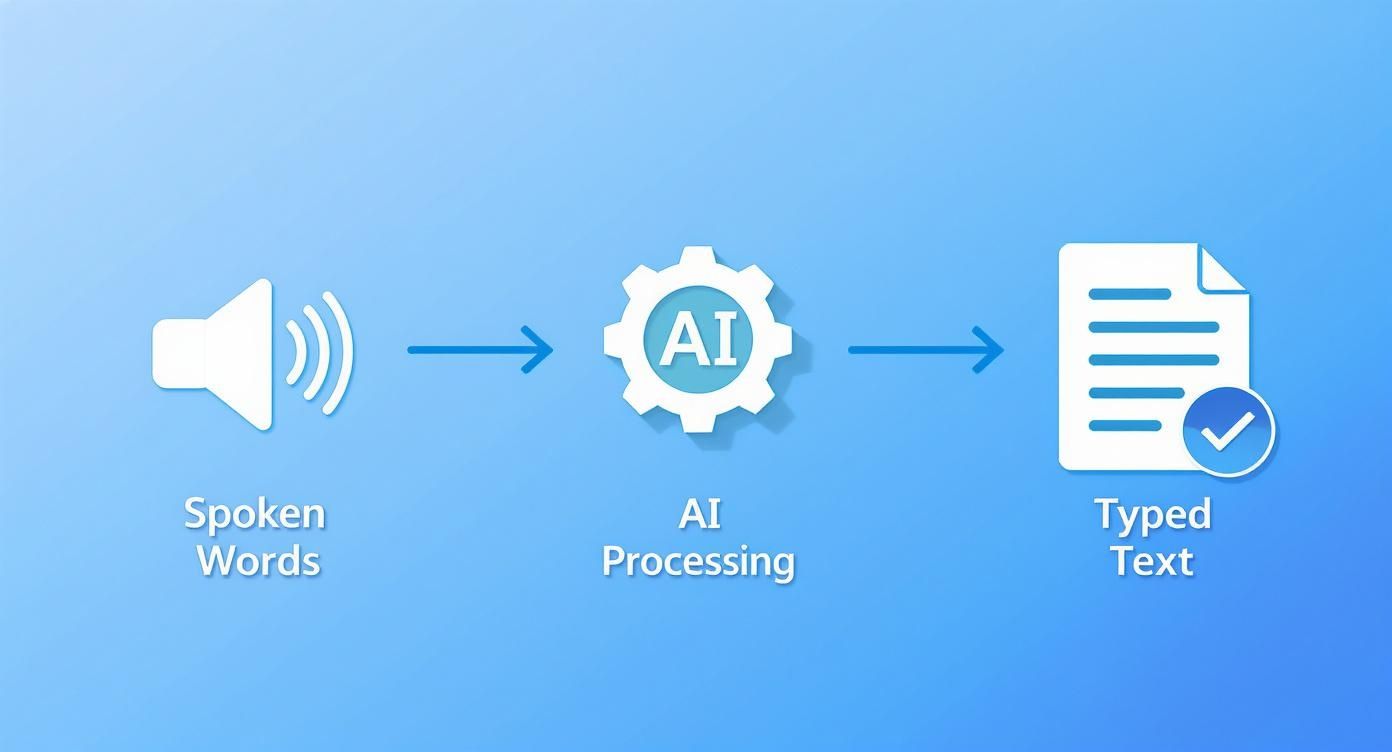
As you can see, it's a methodical flow where raw audio is processed and refined until it becomes accurate, readable text.
The Brains of the Operation
The engine powering all of this is Natural Language Processing (NLP), a field of AI dedicated to teaching computers to understand human language. NLP gives the AI its grasp of grammar, syntax, and nuance, which is why modern transcriptions are so scarily accurate.
By blending acoustic and language models, a voice to text AI can tell the difference between "their," "there," and "they're," and it gets better over time at understanding your specific accent and speaking style.
This is the core tech behind tools that simplify our lives. Actionable insight: Zemith, for instance, applies these principles to deliver real-time transcriptions and summaries, capturing conversations with incredible accuracy. To see how widespread this technology is, dive into the and witness its impact across dozens of industries.
Seeing Voice to Text AI in Action
Okay, enough tech talk. Let's see where the rubber meets the road. Voice to text AI isn't just a neat party trick for sending texts while you're juggling groceries; it's a serious productivity engine reshaping some of the world's most demanding professions.

This shift isn't a fluke—it's backed by serious market momentum. The speech and voice recognition market was valued at USD 8.49 billion in 2024 and is projected to hit USD 23.11 billion by 2030. That kind of growth means industries are betting big on voice to get things done better and faster.
Transforming Demanding Professions
Healthcare is one of the fields feeling the biggest impact. Doctors are finally getting a break from typing up patient notes late into the night. Now, they can dictate observations directly into a patient's record, freeing them up to focus on what matters: patient care. There's a whole world of specialized medical voice to text applications built for this.
And it’s not just doctors. Check out how other industries are putting this tech to work.
This table just scratches the surface, but the pattern is clear: turning spoken words into structured, searchable data is a universal win.
In the media world, for example:
- Journalists can turn a one-hour interview into a searchable transcript in minutes, finding that perfect quote without re-listening to the whole thing.
- Podcasters can instantly generate show notes, blog posts, or social media captions. A task that used to take hours now takes less time than it takes to brew a pot of coffee.
- Legal pros rely on it to dictate complex case notes and transcribe depositions with a level of precision that holds up in court.
Actionable insight: Tools like Zemith are built for this. It captures the flow of a meeting in real time, so no brilliant idea gets lost in the shuffle and everyone leaves with clear action items.
The real power of voice to text AI is its ability to give you back your time. It handles the drudgery of manual transcription, freeing up your brain for the creative and strategic work that only humans can do.
Powering Accessibility and Creativity
Beyond the boardroom, voice to text AI is a game-changer for accessibility. For individuals with physical disabilities that make typing a challenge, this technology is a vital bridge to communication and digital independence. It empowers them to write emails, search the web, and engage with the world using only their voice.
This isn't some far-off, futuristic concept. It's a practical, powerful tool delivering real results right now, making our world more productive, inclusive, and creative.
Choosing Your Ideal Voice to Text AI Tool
With so many options out there, picking the right voice to text AI can feel like trying to find a needle in a haystack. How do you find a true co-pilot for your work, not just another piece of software that collects digital dust? It all boils down to a few key features that separate the good from the truly game-changing.
First and foremost: accuracy. A tool that constantly misunderstands you is worse than no tool at all. You need a solution with a stellar reputation for high accuracy, especially when dealing with background noise or multiple speakers. Top-tier systems can hit up to 99% accuracy in ideal conditions, but what really counts is how well they perform in your real-world environment.
And it’s not just about getting the words right—it's about getting them right in the right language. Does the tool support the languages and dialects your team or clients use? The best platforms offer a wide range of global languages so you can communicate clearly with anyone, anywhere.
Must-Have Features for Modern Teams
When you start comparing tools, look beyond basic transcription to find a smarter assistant.
Here’s your checklist:
- Custom Vocabulary: This is a biggie. It lets you teach the AI specific jargon, acronyms, or names common in your industry. If you’re a doctor, lawyer, or engineer, you need the AI to recognize your specialized language without tripping over every other word.
- Real-Time Transcription: Seeing text appear as you speak is incredibly powerful. Actionable insight: A tool like Zemith captures notes during meetings as they happen, which is a lifesaver for live collaboration and ensures no one misses a critical detail.
- Speaker Diarization: Can the tool tell who said what? This feature identifies and labels each speaker in a conversation. The result is a clean transcript that reads like a movie script, not an intimidating wall of text.
The goal is to find a solution that melts into your workflow. A great voice to text AI should feel like a natural extension of how you work, not another clunky app you have to fight with.
Cloud vs. On-Device Software
You'll also need to decide between cloud-based services and on-device software. Cloud solutions offer immense processing power and are constantly updated with the latest AI models, but they require a stable internet connection. On-device tools provide more privacy and work offline, but they may lack the horsepower of their cloud counterparts.
For most businesses, a cloud-based tool like Zemith delivers the perfect blend of performance, flexibility, and advanced features. By keeping these key elements in mind, you can confidently choose a tool that truly fits your needs.
To see how these tools can supercharge your other systems, check out our guide on the best .
Putting Your AI Transcription Tool to Work
Alright, you’ve chosen a solid voice to text AI tool. Now it's time to go from just having the software to actually mastering it. Getting pristine transcriptions isn't about luck—it's about setting your AI up for success with a few simple habits.
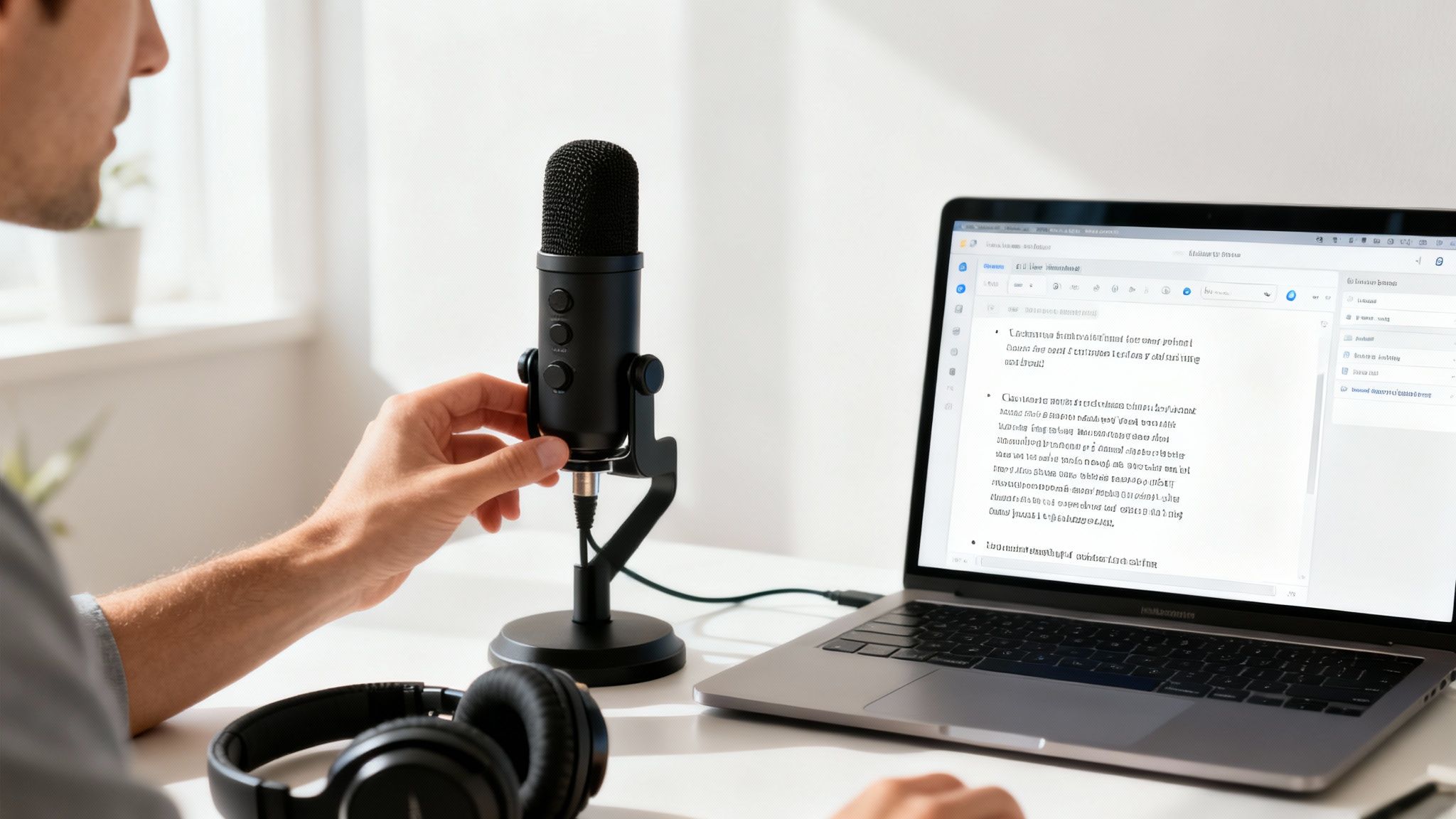
Think of your AI as a brilliant assistant that just happens to be really sensitive to noise. The golden rule is simple: garbage in, garbage out. Feed it messy, unclear audio, and even the smartest AI is going to give you a messy transcript.
Optimizing Your Audio Input
Your laptop’s built-in mic might be convenient, but it's probably sabotaging your audio quality. It picks up everything—your keyboard clicks, the fan whirring, and that dog barking two houses down. A small investment in a decent external microphone makes a world of difference.
Here are a few pro tips for clean audio:
- Kill the Background Noise: Find a quiet space. Close the door, shut the window, and gently inform your dog that the mail carrier is not, in fact, a threat to national security.
- Keep Your Distance: Try to maintain a consistent distance from your mic as you talk. This gives the AI a steady volume level to work with, improving accuracy.
- Speak Naturally: Don't talk like a robot. Just speak clearly at a normal, conversational pace. This helps the AI distinguish between words that sound alike.
A cleaner audio signal means higher transcription accuracy. Taking one minute to optimize your setup can save you thirty minutes of editing a messy transcript later.
Training Your AI for Peak Performance
A great voice to text AI doesn't just transcribe; it learns. This is how you turn a good tool into your most valuable one. Dig into features that let you build a custom vocabulary.
Actionable insight: Start adding your industry-specific jargon, unique product names, and internal acronyms. With a platform like Zemith, you can fine-tune the system to recognize your specialized terms from day one. This is especially crucial for getting accurate meeting notes. Learn more in our guide on .
If your business is thinking about building voice capabilities directly into its own apps, an API is your next step. This lets you create custom voice features that fit your exact workflow, taking you from simply using a tool to making it a core part of your tech stack.
The Future of Talking to Your Tech
Simple transcription is just the opening act. The real magic of voice to text AI is what comes next. We're moving beyond simple dictation and toward having genuine, intelligent conversations with our technology.
The future isn't about creating a faster typist—it's about building a smarter partner in your work.

This shift is part of a much bigger trend. The conversational AI market, which uses voice-to-text as its ears, is exploding. Valued at USD 12.24 billion in 2024, it’s projected to hit an incredible USD 61.69 billion by 2032. That kind of growth signals a seismic shift in how we interact with our digital world. If you love the numbers, you can .
Beyond Simple Transcription
Imagine a meeting where your AI does more than just take notes. The next wave of these tools will provide a level of support that feels almost human, all because they can understand the context and nuance of a conversation.
We're rapidly heading toward a reality where your AI assistant can:
- Pinpoint Action Items: It will listen to an hour-long call and instantly pull out every task, deadline, and who's responsible. No more scrubbing through recordings.
- Gauge Speaker Sentiment: By analyzing tone and word choice, the AI can tell you if a client sounded thrilled, concerned, or just confused.
- Draft Your Follow-Up: Based on the discussion, it will generate a summary email outlining key decisions and next steps, ready for you to review and send.
The ultimate goal is a seamless partnership between human ideas and AI execution. Talking to your tech will feel as natural as chatting with a colleague, making everything we do more intuitive and efficient.
A World of Intelligent Interaction
This future isn't a sci-fi dream; it's already taking shape. Actionable insight: With platforms like Zemith, you’re not just transcribing. You're working with an AI that can analyze information, create content, and actively help you get your job done.
This move from passive recording to active participation is where voice to text AI truly shines. We're on the cusp of a new era where speaking to your technology isn't just a command—it's the start of a productive dialogue.
Frequently Asked Questions
Still have questions? We get it. Diving into the world of voice to text AI can bring up a few things. Here are quick, no-nonsense answers to the most common questions we hear.
How Accurate Is Voice To Text AI?
Honestly? It's shockingly good. Modern systems often hit 95-99% accuracy under the right conditions—that means clear audio, a decent mic, and minimal background noise.
Of course, heavy accents or niche industry jargon can throw it for a loop. That’s why actionable tools like Zemith let you build a custom vocabulary. You can teach the AI your unique lingo, pushing that accuracy even higher.
Is My Data Secure?
Any reputable provider makes security priority number one. Your data should be locked down with strong encryption, both when it's being sent to the server and while it's stored there.
Always take a minute to review the privacy policy of any service you consider. For business use, look for enterprise-grade solutions that offer advanced security to meet strict compliance standards like HIPAA or GDPR.
Choosing a trusted provider is non-negotiable. Your conversations are sensitive, and your AI tool should be built to protect them.
Can These Tools Handle Multiple Speakers?
Absolutely. The best tools are designed for this. They use a smart feature called speaker diarization to figure out who is speaking and when, then label the transcript automatically so it's easy to read.
This is what turns a messy wall of text into a clean, organized script. Actionable insight: It's how platforms like Zemith can capture multi-person conversations flawlessly, making it perfect for team meetings or group brainstorming. Think of it as a personal stenographer for the whole room.
Ready to stop typing and start talking? Zemith integrates powerful, real-time voice-to-text capabilities directly into your workflow, turning conversations into actionable notes, summaries, and content instantly. .
探索 Zemith 功能
所有顶级AI。一个订阅。
ChatGPT、Claude、Gemini、DeepSeek、Grok 及25+模型








始终在线,实时AI。
语音 + 屏幕共享 · 即时回答
学习一门新语言的最佳方式是什么?
沉浸式学习和间隔重复效果最好。尝试每天消费目标语言的媒体内容。
语音 + 屏幕共享 · AI 实时回答
图像生成
Flux、Nano Banana、Ideogram、Recraft + 更多

以思维的速度书写。
AI自动补全、改写和按命令扩展
任何文档。任何格式。
PDF、URL或YouTube → 聊天、测验、播客等
视频创作
Veo、Kling、MiniMax、Sora + 更多

文字转语音
自然AI语音,30+语言
代码生成
编写、调试和解释代码
与文档对话
上传PDF,分析内容
口袋里的AI。
iOS和Android完整访问 · 随处同步
你的无限AI画布。
聊天、图像、视频和动态工具 — 并排展示

节省数小时的工作和研究时间
简单、经济实惠的定价
受信赖的企业团队






免费
无需信用卡
- 每日100积分
- 3个AI模型试用
- 基础AI聊天
增强版
- 1,000,000积分/月
- 25+个AI模型 — GPT、Claude、Gemini、Grok等
- Agent Mode:网页搜索、计算机工具等
- Creative Studio:图像生成和视频生成
- Project Library:与文档、网站和YouTube对话,播客生成、闪卡、报告等
- Workflow Studio和FocusOS
专业版
- 包含增强版所有功能,以及:
- 2,100,000积分/月
- Pro专属模型(Claude Opus、Grok 4、Sonar Pro)
- Motion Tools和Max Mode
- 优先使用最新功能
- 访问额外优惠
用户评价
Great Tool after 2 months usage
"I love the way multiple tools they integrated in one platform. Going in the right direction."
— simplyzubair
Best in Kind!
"The quality of data and sheer speed of responses is outstanding. I use this app every day."
— barefootmedicine
Simply awesome
"The credit system is fair, models are perfect, and the discord is very responsive. Quite awesome."
— MarianZ
Great for Document Analysis
"Just works. Simple to use and great for working with documents. Money well spent."
— yerch82
Great AI site with accessible LLMs
"The organization of features is better than all the other sites — even better than ChatGPT."
— sumore
Excellent Tool
"It lives up to the all-in-one claim. All the necessary functions with a well-designed, easy UI."
— AlphaLeaf
Well-rounded platform with solid LLMs
"The team clearly puts their heart and soul into this platform. Really solid extra functionality."
— SlothMachine
Best AI tool I've ever used
"Updates made almost daily, feedback is incredibly fast. Just look at the changelogs — consistency."
— reu0691