AI Tone Rewriter How to Sound Exactly How You Mean To
Master your AI tone rewriter with prompt recipes, before/after examples and workflow tips to keep your voice intact using Zemith.
You send a short email meant to sound efficient. The recipient reads it as annoyed. You revise a LinkedIn post until every sentence is grammatically tidy, then realize it sounds like it was written by a committee trapped in an airport lounge. The words are correct. The message still lands wrong.
That's the problem an AI tone rewriter should solve. Not by swapping “good” for “excellent,” but by changing the relationship between the writer, the reader, and the message while protecting the original intent. A useful rewrite preserves whether you're certain, cautious, skeptical, warm, or authoritative. It also knows that “make this professional” is not a complete brief. Professional for whom, and for what purpose?
Tone tools now sit inside a crowded writing category. In June 2026, G2 listed 1,227 AI writing assistant products, compared with 68 in 2024, and the category had more than 165,300 verified reviews. G2's AI writing assistant category overview puts the scale in perspective. The broader market estimates vary widely, from USD 1.95 billion in 2026 to USD 3.40 billion, depending on the report's definition, with projections reaching USD 5.12 billion or USD 20.78 billion by 2034. One market estimate makes the same practical point: rewriting, tone adjustment, and style editing are no longer fringe features.
Why Your Message Lands Wrong and How an AI Tone Rewriter Fixes It
Tone is the part of writing readers feel before they consciously analyze it. A sentence can be factually accurate and still sound cold, evasive, smug, uncertain, or oddly enthusiastic. That's why “Please send this today” can be a reasonable deadline reminder in one context and a tiny workplace grenade in another.
Voice is your recurring identity on the page. It includes your preferred rhythm, vocabulary, humor, level of directness, and the phrases you tend to avoid. Tone is the setting for this particular moment. Your voice might stay recognizable while your tone shifts from friendly in a customer email to measured in a research note.
Meaning lives below the synonyms
A shallow rewriter sees words. A useful one sees stance, which is the degree of certainty, authority, caution, or commitment expressed by the writer. “The results prove” and “the results suggest” don't carry the same claim, even if both sentences discuss the same results. “We can fix this” is different from “we may be able to address this.”
Academic and professional writing make this especially tricky. Research on contextual tone drift reports that paraphrasing systems can preserve surface meaning while changing rhetorical stance, softening hedges and boosters, or producing contextually inappropriate output. The ERIC-hosted study on paraphrasing and academic voice supports a rule worth keeping close: readability is not the same as intent preservation.
Marketers, students, founders, and office teams all run into the same failure from different directions. A marketer wants a campaign to feel confident without making unsupported promises. A student wants clearer prose without accidentally sounding more certain than the evidence allows. A founder wants warmth in a difficult update without turning a hard fact into fog.
Practical rule: Change the reader's experience, not the factual commitment.
What a capable rewriter should actually do
A strong rewrite usually works across several layers:
- Detect the current tone: Identify whether the draft is blunt, tentative, formal, defensive, enthusiastic, or mixed.
- Define the target audience: A customer, professor, investor, colleague, or public reader expects different signals.
- Preserve stance: Keep words that express certainty, probability, limits, and evidence at the same strength.
- Reshape structure: Adjust sentence order, rhythm, transitions, and emphasis instead of polishing isolated synonyms.
- Respect constraints: Keep technical terms, figures, names, calls to action, and required caveats intact.
For clearer principles on controlling meaning before polishing style, keep this guide to writing clearly nearby. If your next destination is LinkedIn, it also helps to separate tone rewriting from post generation. A resource on how to generate LinkedIn posts with AI can help with platform structure, while you use a rewriter to make the finished draft sound like you.
The key distinction is simple. “Make it sound better” invites the tool to improvise. “Make it warmer for existing customers, keep the recommendation cautious, preserve every product term, and don't add claims” gives it a job it can perform.
Tone Presets That Actually Work and Prompt Recipes to Steal
Tone presets work best when they include audience, intent, boundaries, and stance. A label alone is too fuzzy. “Casual” can mean friendly and concise, chatty and humorous, or “I have abandoned punctuation and possibly civilization.”
Use this base formula:
Rewrite the text for [audience] with a [target tone]. Preserve [intent, certainty level, terminology, and required details]. Change [structure, rhythm, or warmth]. Do not [specific failure modes]. Return [format].
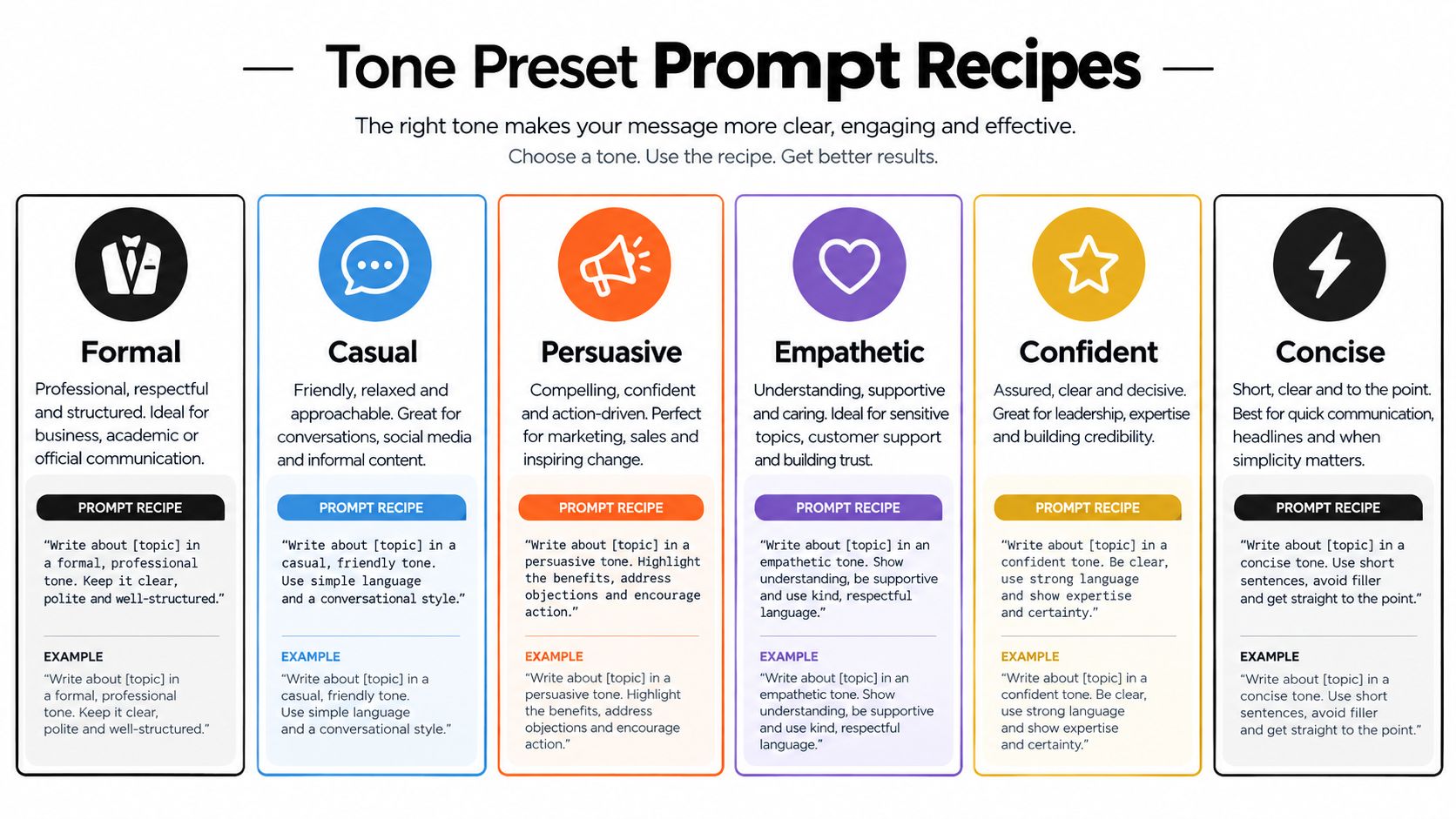
Formal
Prompt:
Rewrite this update for a senior operations audience. Use a formal, precise tone. Preserve the original recommendation and its cautious certainty level. Keep all technical terms unchanged. Remove conversational filler, jokes, and emotional language. Do not add evidence or imply a decision has already been made.
Before: “We're probably going to push the launch because testing is taking longer than expected.”
After: “The launch may need to be postponed because testing is taking longer than expected.”
The improvement isn't the fancy vocabulary. It's the cleaner structure and preserved uncertainty. For how to sound professional but not robotic, specificity beats corporate seasoning.
Casual
Prompt:
Rewrite this for a smart colleague in Slack. Sound relaxed, clear, and friendly. Keep the request and deadline unchanged. Use contractions and short sentences. Don't use slang, emojis, exaggerated enthusiasm, or vague reassurance.
Before: “Please provide your feedback regarding the proposed changes at your earliest convenience.”
After: “Could you share your feedback on the proposed changes when you get a chance?”
Persuasive
Prompt:
Rewrite this landing-page paragraph for small business owners. Make it persuasive through clear benefits and a direct next step. Preserve every factual limitation. Don't use pressure tactics, unsupported results, or words such as “guaranteed” and “effortless.”
Before: “The tool organizes your notes and helps you find information.”
After: “Keep your notes organized and find the information you need without digging through scattered documents.”
Empathetic
Prompt:
Rewrite this support reply for a frustrated customer. Acknowledge the inconvenience without accepting blame for facts not established in the original. Explain the next step plainly. Keep the resolution and timing accurate. Don't sound scripted or overly cheerful.
Before: “Your request is still being processed.”
After: “I know waiting is frustrating. Your request is still being processed, and we'll update you as soon as there's a change.”
Confident
Prompt:
Rewrite this proposal for a decision-maker. Use a confident, direct tone. Keep the recommendation and evidence exactly as stated. Remove apologetic phrasing, but preserve all uncertainty markers. Don't turn a possibility into a promise.
Before: “We think this approach could help reduce the coordination problems.”
After: “This approach addresses the coordination problems identified in the current process.”
Concise
Prompt:
Shorten this message for a busy reader. Keep the decision, reason, action, and deadline. Remove repetition and throat-clearing. Don't delete caveats or change the certainty level. Return one paragraph and a clear action sentence.
For platform-specific writing, this resource on how to write better on X with custom writing styles is useful context. For reusable prompt structures, save the AI prompt templates alongside your own examples.
Chain prompts when the tone needs nuance. First ask the tool to identify the current tone and stance. Then ask it to rewrite with a target tone. Finally, ask it to compare the versions and list any changes to certainty, audience relationship, or implied promise. That last pass catches the sneaky edits that make prose smoother while making your claim riskier.
Rewriting Inside Zemith Smart Notepad Without Losing Context
A prompt library helps, but the productivity gain comes from keeping the draft, context, revisions, and final versions in one working space. Start with the material you have, not the polished version you wish you had. Paste the messy bullets, half-written sentences, meeting notes, and awkward phrase that has been haunting the document since Tuesday.
Zemith Smart Notepad supports autocomplete, rephrasing, style adjustments, custom paragraph generation, and transformation from bullet points into polished content. The useful sequence is to clarify first, tune tone second, and polish last. If you ask for “warm, persuasive, concise, professional” before the idea is stable, the tool has to solve content, structure, audience, and style in one leap. That's how you get a paragraph that sounds lovely and says almost nothing.
A practical repurposing flow
Say you've written this rough note:
- The rollout is delayed.
- Testing found problems in the import process.
- We need customer support to prepare an update.
- Don't promise a new date yet.
First, use autocomplete or paragraph generation to turn the bullets into a factual base draft. Don't optimize for charm. You're creating a source of truth that contains the event, cause, audience action, and constraint.
Next, use rephrasing for clarity. Ask for shorter sentences, explicit subject-verb relationships, and no new information. Then apply a tone adjustment for each destination:
- Email: Calm, transparent, and empathetic. Explain the delay without sounding defensive.
- Slack: Direct and operational. State what support needs to do next.
- Client proposal: Formal and controlled. Mention the testing issue without oversharing internal details.
The content should remain anchored while the presentation changes. An AI tone rewriter earns its keep here. It shouldn't invent a new position for every channel.
Keep context attached to the project
Store the source draft and approved versions in Zemith's Library, then group related notes and conversations in Projects. That makes it easier to preserve product terminology, audience details, and previous decisions across documents instead of copying the same background into every prompt.
A Smart Notepad workflow guide can help you set up that writing habit. It also saves you from the classic knowledge-worker ritual of opening twelve tabs, forgetting which one contains the approved wording, and eventually naming a file “final_final_really-final.”
Use the Prompt Gallery to save tone recipes once they've survived real edits. Give each preset a useful name, such as “Customer delay, calm and direct” or “Research summary, cautious authority.” Add a short note describing what must never change. Your future self will thank you, probably while drinking the coffee your past self forgot to make.
Workflow check: Source facts first, audience second, tone third, human approval last.
For a visual walkthrough of an AI writing workspace, this video provides another way to see the process in action:
How to Tell If the Rewrite Nailed the Tone
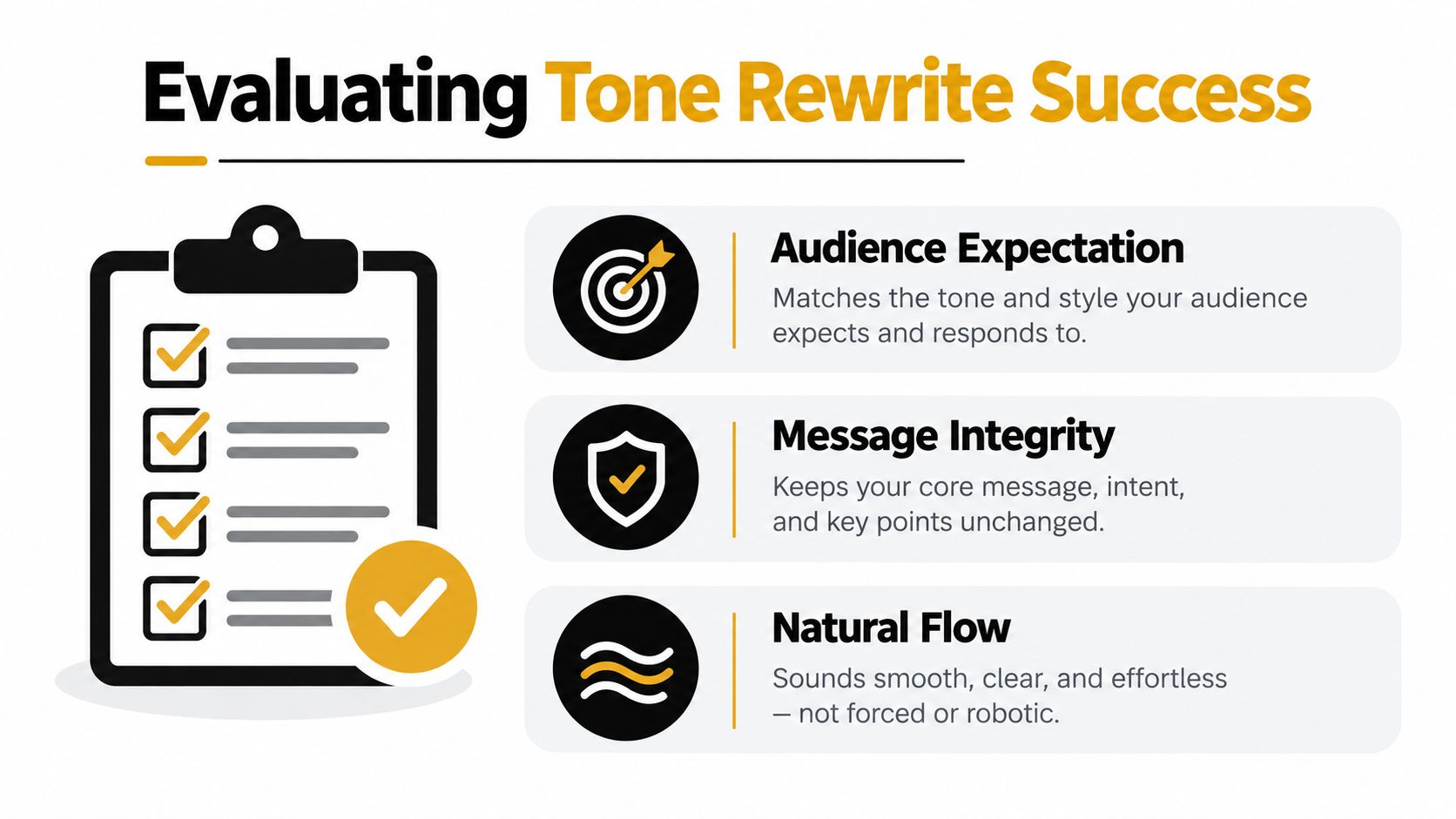
A rewrite can sound polished and still fail. Judge it against three separate questions: Does the audience receive the intended signal? Does the message remain intact? Does the prose sound natural?
Research on tone-transfer evaluation commonly separates detection quality from generation quality. Detectors may be assessed with accuracy, precision, recall, and F1, while generated text can be checked with BLEU, ROUGE, and BERTScore for different aspects of fluency and semantic alignment. The research summary on tone-preservation metrics also describes human review of 100 randomly selected input-output pairs, reinforcing a practical truth: automated similarity can't replace judgment.
Compare shallow edits with structural rewrites
Take a sentence that says, “We're disappointed that the feature isn't ready, but we're working on it.”
A word-swap rewrite might produce, “We're concerned that the feature isn't available, but we're actively addressing it.” The vocabulary is tidier, yet the sentence remains stiff and vague.
A structural rewrite for customers could be: “The feature isn't ready yet. We know that affects your plans, so we're fixing the remaining issues before we share a release date.” This version changes rhythm and emphasis while preserving the core fact. It also avoids pretending that “actively addressing” tells the reader anything useful.
Use a lightweight human check. Ask three reviewers, or rate the draft yourself from 1 to 3 on each dimension:
- Tone accuracy: Does it sound appropriate for the audience and situation?
- Message integrity: Did the intent, certainty, caveats, and terminology survive?
- Natural flow: Would a real person say or publish this?
A benchmark design for tone rewriting recommends at least 200 unique author samples across informal, technical, and brand-editorial groups, with 600 or more paragraphs, then calculating a per-sample Tone Preservation Score, reporting the mean with confidence intervals, and comparing models with pairwise Wilcoxon tests. It also adds 3 human ratings on a validation subset. The benchmark methodology is more rigorous than needed for a single email, but its logic is useful for repeated evaluation.
Quick Tone Check Matrix for AI Rewrites
Fluent wording is not proof of tone accuracy. A smooth rewrite can still make a cautious claim sound certain.
When the source is emotionally mixed or technically sensitive, use a two-stage workflow. Detect the current tone first, then rewrite toward the target. If the first pass identifies conflicting signals, resolve those explicitly instead of asking for a vague “better” version. Tools for analyzing the original text, such as Zemith's text analysis workflow, are most useful before the rewrite, not after a questionable sentence has already escaped into the wild.
Keeping Your Voice Human While Letting AI Do the Heavy Lifting
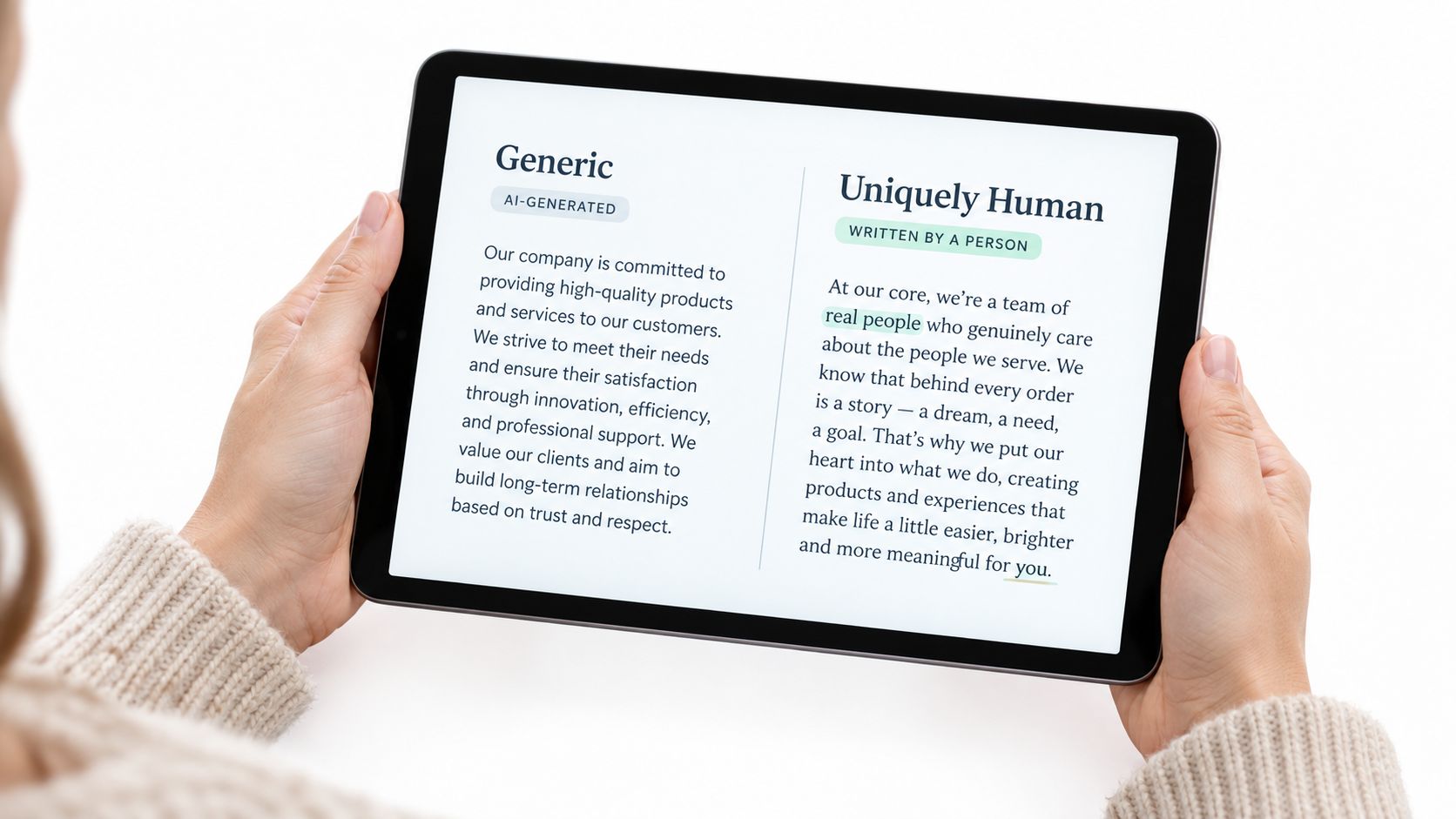
The risk isn't only that an AI rewrite sounds robotic. It can sound generically polished, which is a quieter problem because nobody can point to one obviously bad sentence. A 2026 study reported that AI rewriting reduced variation in writing complexity by 21% to 50% across conditions, creating a real risk of style homogenization. The reported findings matter whenever your distinctive rhythm is part of the value.
The fix is to give the tool boundaries, not just adjectives. Feed it a few strong paragraphs that represent your voice, then describe what must remain stable. “Conversational” is weak guidance. “Short sentences, occasional dry humor, direct openings, no inflated claims, and careful use of technical terms” gives the rewriter something it can follow.
Build a voice guardrail
Create a short voice file with four parts:
- Keep: Sentence rhythm, preferred level of directness, recurring types of examples, and words that feel natural.
- Avoid: Clichés, inflated claims, filler transitions, excessive headings, or jokes that aren't yours.
- Lock: Hedges, boosters, legal wording, product names, technical terminology, and statements that require evidence.
- Sample: A few paragraphs from your own published or approved work, preferably on similar subjects.
Structural rewriting usually beats synonym replacement because voice often lives in sequencing, pacing, and emphasis. Ask the AI to preserve your paragraph shape when the shape carries meaning, but allow it to reorder ideas when the current structure buries the point. Then read the result aloud. Your ear catches fake warmth, suspiciously balanced sentences, and phrases you'd never say to another human.
A 2024 observational study of 27 writing sessions found that intermediate AI suggestions significantly increased how much writers rewrote generated text. The study of writers working with AI suggestions suggests a healthier workflow than passive copying. The tool generates movement. You supply taste, judgment, and the final weird little phrase that makes the paragraph yours.
For a broader tool comparison before you build your stack, taap.bio's writer tool guide offers useful context. For your own reusable voice rules, start with a writing style guide template.
Be especially careful with high-stakes publishing, customer messaging, and detection-sensitive workflows. Product coverage describes a move toward multiple tone selections, tone analyzers, and structural controls, but surface-level edits can still sound artificial or remain identifiable as AI-assisted text. Naturalness improves when the rewrite changes rhythm and structure, then receives a human pass. It doesn't arrive because you clicked “humanize” and hoped for the best.
Your Next Draft Made Effortless
Pick one draft today that already contains the right ideas but the wrong delivery. It might be a blunt internal message, a stiff product announcement, a cautious academic paragraph, or a customer reply that sounds like it was assembled by a printer manual.
Run two versions, not ten. Use a prompt that changes the tone while locking the original intent and certainty level, then use a second prompt that changes the structure and rhythm without adding claims. Compare both against the three checks: audience expectation, message integrity, and natural flow.
A 2025 study on improving AI writing described a fully automatic pipeline that drafts text, identifies problematic spans, and rewrites those spans to improve clarity and correctness. The study on iterative AI writing improvement points toward a sensible division of labor. Let AI find and reshape the clumsy parts, but keep a person responsible for whether the message still means what it meant.
AI-assisted reformulation research in writing education reaches a similar practical conclusion. Feedback can improve writing, but the outcome depends on context and on how human intervention is integrated. Research on AI-assisted reformulation supports using tone rewriting as guided editing, not as a button that removes responsibility.
The most useful setup keeps your source notes, style anchors, prompts, and approved versions together. That reduces tab-hopping and makes iteration easier. It also turns tone into a repeatable editorial practice instead of a last-minute request to “make this nicer.”
Start small. Choose one paragraph, preserve its certainty, test two tones, and read the result aloud. If the rewrite sounds more like your intention and less like a synonym machine wearing a blazer, you're on the right track.
Zemith brings AI rewriting, Smart Notepad, saved prompts, document context, and related writing tools into one workspace, so you can adjust tone without losing the surrounding project. Visit Zemith with one stubborn draft, test a couple of stance-aware rewrites, and keep the version that still sounds like you.
Explore Zemith Features
Every top AI. One subscription.
ChatGPT, Claude, Gemini, DeepSeek, Grok & 25+ more








Always on, real-time AI.
Voice + screen share · instant answers
What's the best way to learn a new language?
Immersion and spaced repetition work best. Try consuming media in your target language daily.
Voice + screen share · AI answers in real time
Image Generation
Flux, Nano Banana, Ideogram, Recraft + more

Write at the speed of thought.
AI autocomplete, rewrite & expand on command
Any document. Any format.
PDF, URL, or YouTube → chat, quiz, podcast & more
Video Creation
Veo, Kling, Grok Imagine and more

Text to Speech
Natural AI voices, 30+ languages
Code Generation
Write, debug & explain code
Chat with Documents
Upload PDFs, analyze content
Your AI, in your pocket.
Full access on iOS & Android · synced everywhere
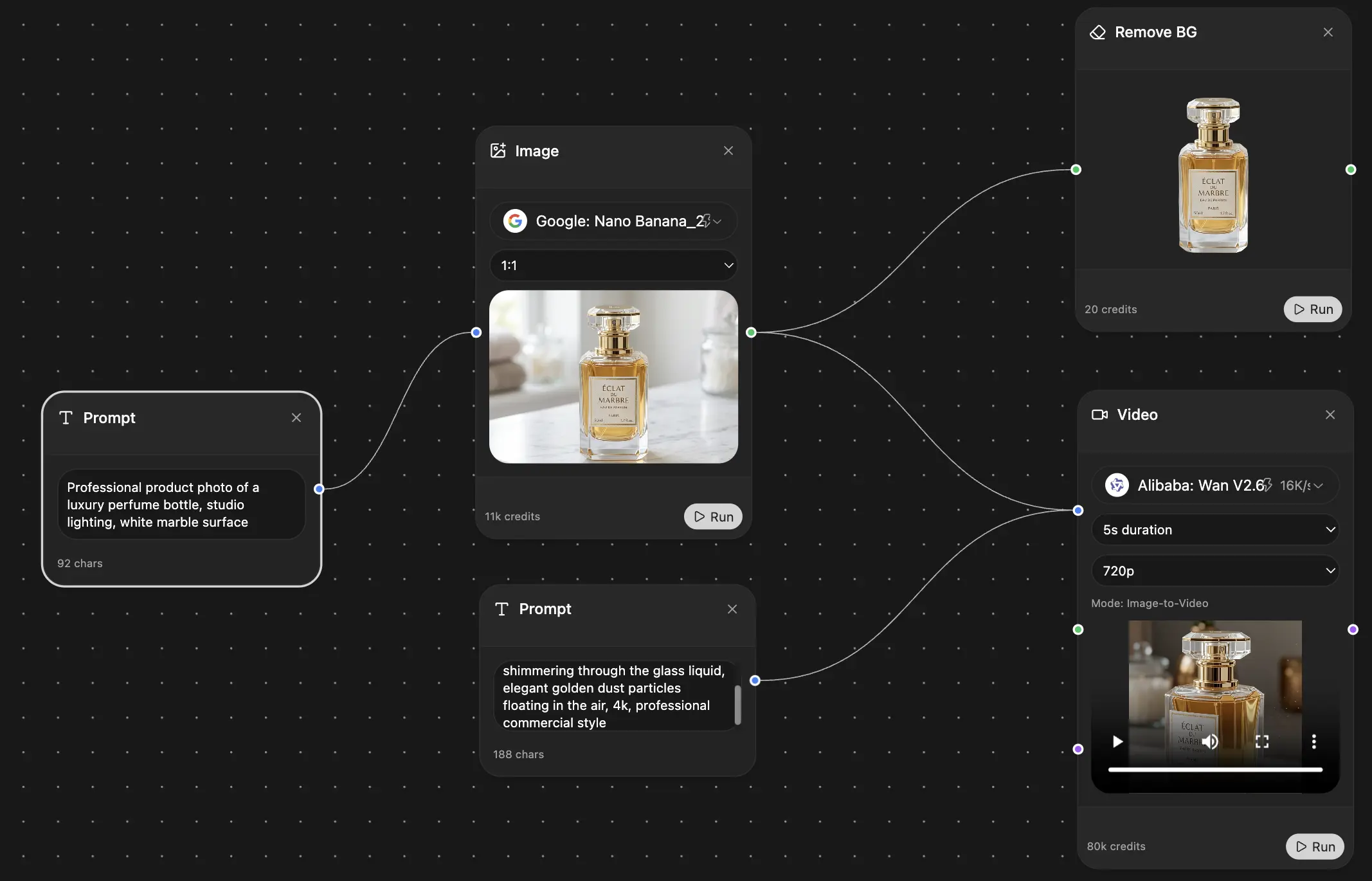
Your infinite AI canvas.
Chat, image, video & motion tools — side by side
Save hours of work and research
Transparent, High-Value Pricing
Trusted by teams at






Free
No credit card required
- 100 credits daily
- 3 AI models to try
- Basic AI chat
Plus
- 1,000,000 credits/month
- 25+ AI models — GPT, Claude, Gemini, Grok & more
- Agent Mode with web search, computer tools and more
- Creative Studio: image generation and video generation
- Project Library: chat with document, website and youtube, podcast generation, flashcards, reports and more
- Workflow Studio and FocusOS
Professional
- Everything in Plus, and:
- 2,100,000 credits/month
- Pro-exclusive models (Claude Opus, Grok 4, Sonar Pro)
- Motion Tools & Max Mode
- First access to latest features
- Access to additional offers
What Our Users Say
Great Tool after 2 months usage
"I love the way multiple tools they integrated in one platform. Going in the right direction."
— simplyzubair
Best in Kind!
"The quality of data and sheer speed of responses is outstanding. I use this app every day."
— barefootmedicine
Simply awesome
"The credit system is fair, models are perfect, and the discord is very responsive. Quite awesome."
— MarianZ
Great for Document Analysis
"Just works. Simple to use and great for working with documents. Money well spent."
— yerch82
Great AI site with accessible LLMs
"The organization of features is better than all the other sites — even better than ChatGPT."
— sumore
Excellent Tool
"It lives up to the all-in-one claim. All the necessary functions with a well-designed, easy UI."
— AlphaLeaf
Well-rounded platform with solid LLMs
"The team clearly puts their heart and soul into this platform. Really solid extra functionality."
— SlothMachine
Best AI tool I've ever used
"Updates made almost daily, feedback is incredibly fast. Just look at the changelogs — consistency."
— reu0691