


Every top model, with tools built in.
Search the web, run deep research, read files, create images and run code with GPT, Claude, Gemini, Grok and more.
Stop drowning in emails. Learn how to use a Chat GPT email writer to draft better replies, automate follow-ups, and save hours every week. Let's get started!
Let's be real, your inbox is a battlefield. Between the endless follow-ups, client requests, and internal memos, it can feel like a full-time job just keeping your head above water. But what if you had a secret weapon? A Chat GPT email writer that acts as your personal communications sidekick, helping you reclaim hours every single week.
This isn't just another empty productivity promise. We're talking about turning powerful AI into a practical, everyday tool that actually helps you get stuff done. So, how can a ChatGPT email writer help me with my overflowing inbox? Let's dive in.
Feeling swamped by your inbox is a universal pain. It's a constant stream of demands that yanks you away from the work that truly moves the needle. You're not just answering messages; you're carefully crafting responses, chasing down information, and trying to sound polished and professional—even when you're on your third coffee of the day and secretly wishing you were a professional cat herder instead.
This is where the conversation around productivity is finally changing. We're moving beyond simple tips and tricks and into an era where AI becomes an active partner in our workflow. The goal isn't just to hit "inbox zero"—it's to make a real impact with every email you send, but with far less time and effort.
This isn't some far-off future concept; millions of professionals are already using AI to manage their daily communications. In fact, writing emails has quietly become one of the most common ways people use tools like ChatGPT at work. Recent surveys show that around 13.8% of all ChatGPT use cases are specifically for email composition.
Business owners are definitely taking notice. A whopping 70% say ChatGPT’s biggest benefit is how quickly it can generate content, and 46% expect it to specifically help with email correspondence. The proof is in the numbers.
This is exactly what an AI-powered workspace like Zemith is designed for—to help you organize, prioritize, and conquer your email tasks, turning all that chaos into clarity.

Think of that little lifebuoy on the keyboard. It's the perfect symbol for the support an AI email writer provides when you're lost in a sea of digital messages.
Let's take a quick look at some everyday email frustrations and see how an AI writer like Zemith flips the script.
This table just scratches the surface of how AI transforms one of the most tedious parts of our workday into something manageable and even strategic.
Platforms like Zemith are leading this charge, giving you access to multiple AI models all in one place. Instead of juggling different apps for drafting, researching, and editing, you can do it all within a single, unified workspace. This is the new, smarter way to work.
And if you want to brush up on the fundamentals before you dive in, our guide on how to write professional emails is a great place to start.
Let’s get one thing straight: the quality of your AI-generated emails has very little to do with the AI itself. The real secret? It’s all in the prompt. You wouldn't ask a chef to "just cook something," would you?
We’ve all been there—typing a lazy "write an email about X" and getting a bland, robotic response. That’s because the golden rule of AI writing still holds true: garbage in, garbage out.
To stop getting garbage, you need to become a master director, not just a passive user. It’s time to learn how to give your Chat GPT email writer the clear, detailed instructions it needs to produce something genuinely useful. Think of it like giving a brilliant intern a detailed brief instead of just pointing them at a desk and hoping for the best.

To make this easy, I use a simple but powerful framework called PATT. It stands for Persona, Audience, Task, and Tone. By defining these four elements in your prompt, you give the AI the critical context it needs to nail the email every single time. It's the secret sauce for what makes a good AI email prompt.
Think of how this works inside a tool like Zemith. You can use the Smart Notepad to quickly jot down your PATT points as messy bullet notes. Then, with a simple command, you can ask Zemith to transform those notes into a perfectly polished email that reflects all four elements. It's like turning your chicken scratch into a Michelin-star meal.
Let's see this in action. A weak prompt is simply "Write a sales email." A strong prompt using the PATT framework looks completely different.
Example Sales Prompt:
Act as a senior account executive (Persona). Write a cold outreach email to a Marketing Director at a mid-sized tech company (Audience). The goal is to introduce our project management software and book a 15-minute demo (Task). The tone should be confident, professional, and slightly informal (Tone). Mention their recent article on LinkedIn about team productivity as a personalized hook. Keep it under 150 words.
See the difference? The AI now has a character to play, a target to aim for, a mission to accomplish, and a specific voice to use. This level of detail is how you get emails that actually convert. The same logic applies to any scenario, from customer support to internal project updates.
For a deeper dive, check out our guide on the best questions to ask AI to get more specific and useful answers.
And if you ever need a little jumpstart, exploring pre-designed, high-converting email templates can be a huge help. They provide a solid foundation that you can then customize with your own PATT instructions.
Getting that first draft from a tool like ChatGPT is a great feeling, isn't it? You've skipped the worst part of writing—staring at that blinking cursor on a blank page. But let's be real, that first draft is the starting line, not the finish. The real magic happens when you step in as the editor.
Think of your AI as a brilliant but slightly clueless intern. It gets the core task done fast, but it needs your guidance to really make the message land. This is where you transform a generic AI response into a polished, personalized email that actually sounds like you.
The good news? You can use AI to supercharge the editing process, too.
Your role isn't just to generate content; it's to refine it. This means looking at the AI's output with a critical eye. Does the tone feel right? Are the sentences a bit clunky or long-winded? Could a technical point be explained more simply?
This human oversight is non-negotiable. Globally, the scale at which these models touch email is massive. Workplace data shows around 40% of work-related messages involve some form of AI assistance. Yet, quality control remains firmly in human hands. Recent studies reveal that 93% of marketing experts and over 94% of students still edit AI-generated content before hitting send. If you're curious, you can dig into more of these ChatGPT statistics and trends.
Bottom line: You are always the final boss. Your job is to add the nuance, personality, and context that only a human can.
Instead of manually rewriting everything, you can give your AI writer specific editing commands. This is where you can get really creative and save a ton of time.
Here are a few of my go-to prompts for refining drafts:
I've even asked the AI to "Simplify this technical explanation for my grandma." It sounds silly, but it’s a surprisingly effective way to get rid of jargon and make your point crystal clear.
Pro Tip: Don't be afraid to have a conversation with your AI. If a rewrite isn't quite right, tell it what you didn't like and ask it to try again with new instructions. The more feedback you give, the better the results. "No, make it funnier!" is a perfectly valid command.
This back-and-forth editing process can get messy if you’re juggling different apps. That's where an integrated workspace like Zemith becomes so powerful. You can manage everything—from brainstorming to the final draft—all in one place.
Picture this workflow in Zemith:
This connected approach keeps everything organized and ensures the AI has all the context it needs to help you edit effectively. If you're looking for more ways to polish your text, check out our deep dive on how to edit your writing. It's packed with tips that work for both human and AI-assisted content.
Alright, so getting AI to help you write a single email faster is a decent win. But the real magic happens when you build an entire system around your communications. This is where you graduate from simply using a chat gpt email writer to actually architecting your own productivity engine.
It’s all about creating a repeatable process for those common email tasks that suck up your day—think webinar follow-ups, new client onboarding, or even just touching base with your network. The whole point is to stop reinventing the wheel every single time you need to send a similar message.
Imagine having a go-to stash of your best, most effective prompts ready to fire off at a moment's notice. Instead of trying to remember the perfect instructions for every scenario, you just grab a proven template, plug in the new details, and get a nearly-perfect draft in seconds. This is how you really start to scale your outreach without sacrificing that personal touch.
This is where a unified platform like Zemith really shines. You can use the Library feature to save all your killer email prompts. For instance, you could start a new marketing campaign 'Project,' use Deep Research to see what your competitors are saying, save your best email prompts to the Library, and then draft the whole campaign sequence in the Smart Notepad—all with shared context.
It's a clean, simple flow: draft an idea, refine it with AI, and then send the polished final version.
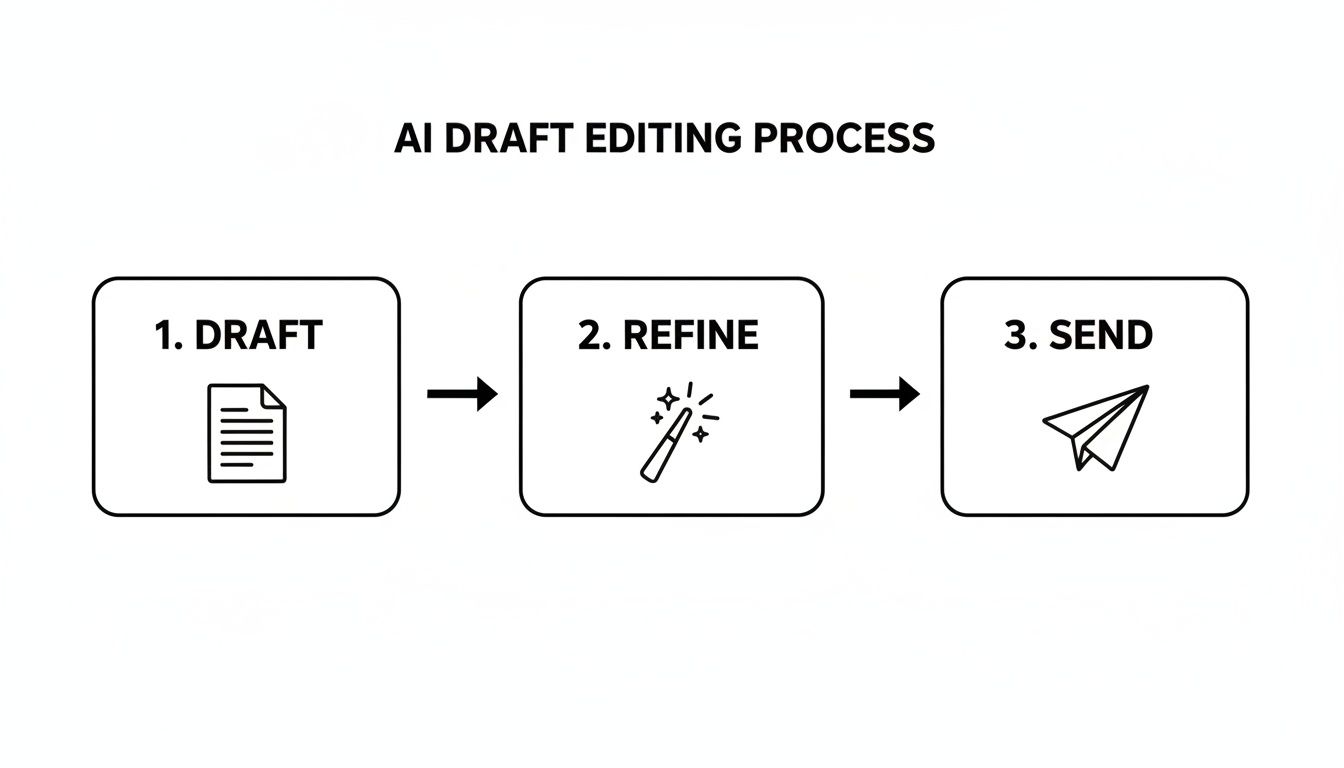
This workflow shows how AI becomes more of a partner in the process, not just a blind generator. It keeps you in the driver's seat at the most important stages.
Let's be real: "automation" can often feel cold and robotic. But it doesn't have to be. The trick is to let AI handle the grunt work so you can spend your energy on the human connection. You can build out templates with placeholders for things like names, companies, and their specific pain points.
A prompt could look something like this:
"Write a follow-up email to
[Name]from[Company]. I really enjoyed our chat about[Specific Pain Point]. Suggest we take[Action Item]as the next step."
This little trick lets you send highly relevant messages to dozens of people without typing out each one from scratch. It’s smart, it’s fast, and it respects the other person's time by getting straight to the point.
The data backs this up. In workplace studies using GPT-4, people finished complex writing tasks 12.2% faster and produced work that was about 40% higher in quality. And in marketing, adoption is through the roof—over 80–85% of marketers now use AI assistants to crank out email campaigns and nurture sequences. If you want to nerd out on the numbers, you can read the full research about these AI trends.
The biggest shift is thinking of AI not just as a writer, but as a system builder. By creating templates, workflows, and integrated projects, you’re building a communication machine that works for you 24/7, freeing you up to focus on strategy and relationships.
This is the core idea behind building smarter systems. For those who want to go deeper, we've put together a full guide on the best AI workflow automation tools to help you get started.
Alright, so you’re sold on using AI to handle your emails. It’s a massive time-saver, right? But here’s the thing: if that's all you're doing, you're leaving a ton of productivity on the table. The real magic happens when your chat gpt email writer is baked into a bigger, connected workspace.
Think about it. Constantly jumping between a chatbot, a PDF summarizer, maybe an image generator, and then back to your email client? That's the new productivity killer.
It’s a digital juggling act that drains your mental energy. Every time you switch tabs, you break your focus and lose a little bit of your flow. That context-switching is exhausting and a huge roadblock to getting any real, deep work done.
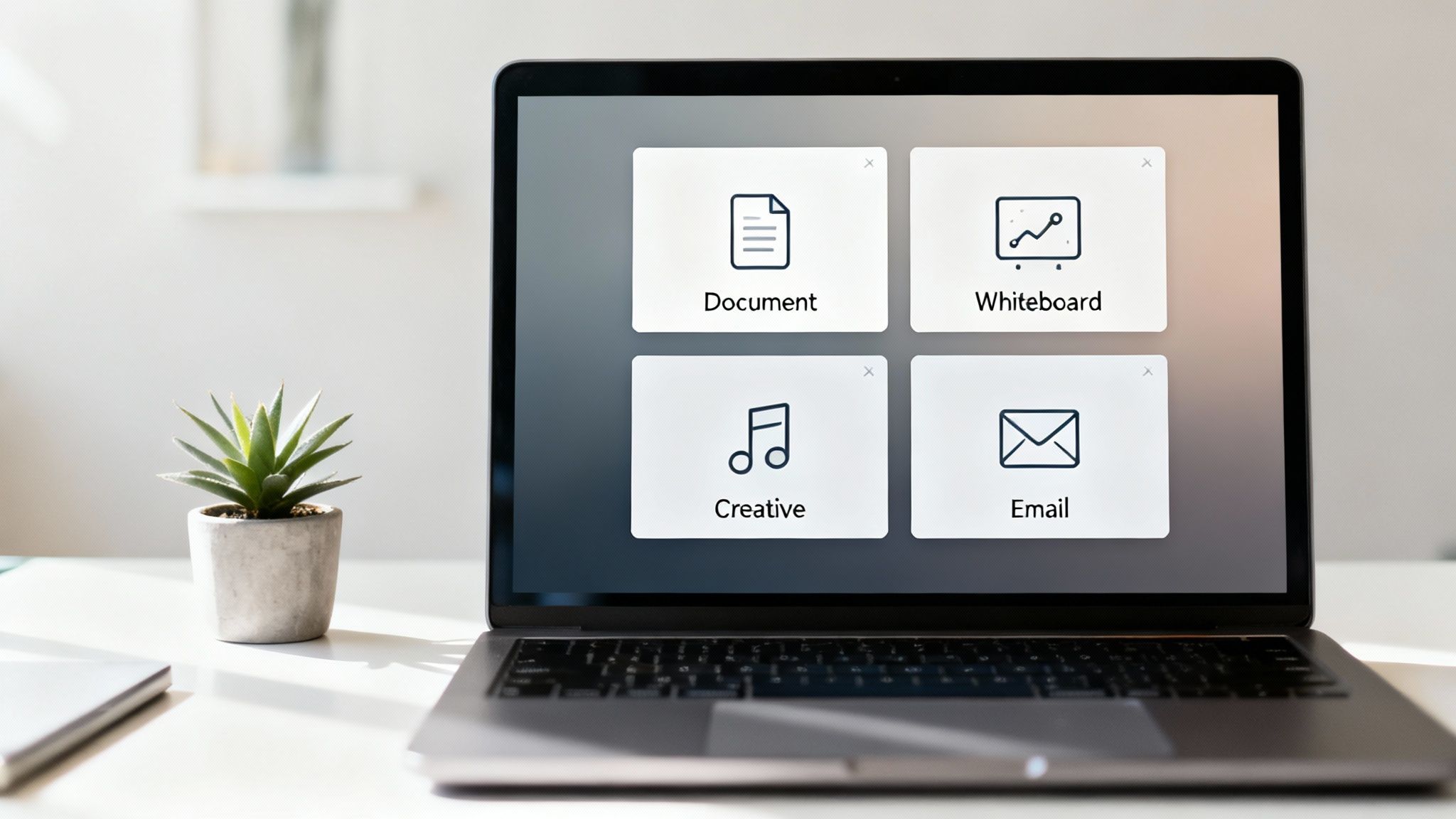
The fix is an all-in-one workspace—a "Super App" where all your tools are in one place and actually communicate with each other. This is how you get rid of the friction and build a workflow that just… flows. A platform like Zemith is designed around this idea, connecting all those separate tasks into one smooth process.
Let me paint you a picture of what this looks like in practice with Zemith:
This all happens inside a single platform. No more tab-switching chaos. The AI understands the entire project, from research to final draft, which means you get smarter, more relevant suggestions every step of the way.
When you bring all your tools under one roof, you’re not just writing emails faster—you’re making your entire workflow more intelligent. The AI becomes a real partner that gets the big picture, not just one isolated task.
Having one AI model is great. But having access to several is a total game-changer.
Different AI models excel at different things. You might find that Claude has a more creative voice that’s perfect for a marketing email, while GPT is better for nailing the technical details when you’re explaining a new feature.
An integrated workspace like Zemith lets you switch between them whenever you want. You can pick the best tool for the specific job you're doing, without juggling a bunch of different subscriptions. This multi-model approach means you’re always getting top-tier results, no matter the task, giving you a real competitive advantage.
If you’re ready to rethink your entire workflow, the next logical step is to see how an AI assistant for work can bring all these pieces together.
Jumping into AI for your email workflow is bound to bring up a few questions. That's a good thing! Let's get them out in the open and tackle some of the most common concerns people have when they start using a Chat GPT email writer for their day-to-day work.
This is the big one, isn't it? Nobody wants their emails to have the personality of a toaster. The great news is, you're the one in the driver's seat.
Think of the AI's first draft as a fantastic starting point. The real magic happens when you feed it a detailed prompt that dictates the exact tone you're aiming for. You can specify "friendly and casual," "formal and direct," or anything in between. But the most important step? Always give it a final read-through yourself. A quick tweak here and there adds your personal touch and ensures the email truly sounds like it came from you.
I like to think of AI as a super-talented assistant. It gets the first 90% of the work done in seconds, but you're still the boss who gives it that final polish and signs off.
A very smart question. Anytime you use a new online tool, you should be thinking about data privacy. A solid rule of thumb is to avoid pasting highly confidential client information or sensitive internal company data directly into any public AI prompt.
While reputable platforms like Zemith are built with security as a top priority, it’s always a good habit to glance over the privacy policy of any tool you’re considering. It's also wise to set some clear internal guidelines for your team about what kind of information is okay to use with AI and what should be kept private. Safety first, people!
Oh, absolutely. In fact, this is where an AI writer can be a game-changer. You can throw all your technical specs, industry jargon, and dense data points at it.
From there, you can instruct the AI to organize that mess of information into a logical, easy-to-digest email. I've even used prompts like, "Explain this concept to someone who has never heard of it before," which is incredibly useful for communicating with different stakeholders who have varying levels of expertise.
It's fascinating to see how this technology is evolving. If you're interested in the financial side of things, you can even check out lists of the top Artificial Intelligence investors in Brazil to see who's backing the next generation of these tools.
Ready to stop wasting time switching between a dozen different tabs? Zemith puts a powerful AI email writer right alongside all your research, creative, and productivity tools in one clean workspace. Start your free trial today and see what an all-in-one platform can do for your workflow.







Trusted by teams at






The top models, plus image, video and voice tools, in one plan.
Without Zemith
ChatGPT PlusUS$20.00Claude ProUS$20.00Google AI ProUS$19.99SuperGrokUS$30.00Perplexity ProUS$20.00 MidjourneyUS$10.00
 ElevenLabsUS$6.00Le Chat ProUS$14.99
 RunwayUS$15.00Kling StandardUS$8.80
 Gamma PlusUS$12.00
 Otter ProUS$16.99
 QuillBot PremiumUS$19.95
 Photoroom ProUS$12.99
 Quizlet PlusUS$7.99
Total if paying separatelyUS$234.70/mo
"I love the way multiple tools they integrated in one platform. Going in the right direction."
— simplyzubair
"The quality of data and sheer speed of responses is outstanding. I use this app every day."
— barefootmedicine
"The credit system is fair, models are perfect, and the discord is very responsive. Quite awesome."
— MarianZ
"Just works. Simple to use and great for working with documents. Money well spent."
— yerch82
"The organization of features is better than all the other sites — even better than ChatGPT."
— sumore
"It lives up to the all-in-one claim. All the necessary functions with a well-designed, easy UI."
— AlphaLeaf
"The team clearly puts their heart and soul into this platform. Really solid extra functionality."
— SlothMachine
"Updates made almost daily, feedback is incredibly fast. Just look at the changelogs — consistency."
— reu0691
Hand off the research, writing, design and follow-ups. Zemith picks the tools it needs and brings back finished work.
Search the web, run deep research, read files, create images and run code with GPT, Claude, Gemini, Grok and more.
Zemith keeps working in the cloud and pings you when it's done.
Notion, Linear, Canva, Airtable and more. It asks before it creates or changes anything.
Docs, slides, sheets and PDFs, ready to send.
Chain models and tools on a visual canvas, from one prompt to a finished promo video.
Briefings, reports and reminders run on a schedule and are ready when you need them.
Real-time voice that can see your camera or screen.
The best image and video models, in one studio.
Turn PDFs, links and YouTube videos into podcasts, quizzes, flashcards and mind maps.














 Podcast
 Quiz
Quiz Flashcards
 Mind map
 Infographic