How to Overcome Writer's Block: Proven Tips & Tricks
Learn how to overcome writer's block with effective strategies. Discover actionable tips to boost your creativity and write fearlessly today!
Let's be honest, the quickest way to beat writer's block is to stop trying to create from scratch. Forget staring at that blinking cursor. The real trick is to switch your brain from "creator" mode to "editor" mode. An AI partner like Zemith can generate those first ideas, build a solid outline, or even write a rough first draft, turning an intimidating chore into a simple, manageable task.
This guide will walk you through exactly how to use Zemith to make that switch and get words on the page, right now.
The True Cost of a Blank Page
We’ve all been there. That sinking feeling as you stare at a blank screen, the cursor mocking you with every blink. It’s a universal pain that hits everyone from students wrestling with an essay to seasoned marketing pros on a tight deadline for a new campaign. This isn't just a minor annoyance; it's a genuine bottleneck that kills productivity, stifles creativity, and can even hurt your income. For many of us, writing isn't just a passion—it's how we pay the bills.
The professional fallout from writer's block is huge, yet it's something people don't talk about enough. A 2017 study pointed out that for the over 40,000 professional writers in fields like advertising and journalism, writer's block can be a "devastating" career obstacle. You can dig into the specifics in the study about how writer's block impacts professional writers, but the takeaway is clear: the stakes are incredibly high.
Reframing the Problem with an AI Partner
The old advice to "just push through it" or "just start writing" usually falls flat. It completely misses the psychological hurdle—the immense pressure of starting from absolute zero. A much better approach is to change the game entirely. Instead of trying to force creativity out of thin air, you can use a tool like Zemith to build momentum first.
The idea isn’t to let AI replace your unique voice. It's about enhancing your process. Think of it as a junior assistant who instantly handles the grunt work of writing. With Zemith, you can take these actions:
- Brainstorm Ideas: Feed Zemith a single keyword and get a list of dozens of angles and topics to explore.
- Build an Outline: Pick a topic you like and watch Zemith transform it into a structured outline in seconds.
- Draft the First Pass: Let Zemith flesh out your outline with initial paragraphs, giving you something tangible to work with.
Here’s a quick look at how Zemith's AI Writer can take a simple prompt and instantly generate structured content, completely bypassing the blank page problem.

As you can see, the AI gives you a solid foundation. From there, you can step in to edit, expand, and inject your own expertise and personality.
If you're feeling stuck right now, here are a few immediate actions you can take in Zemith to get the ball rolling.
Zemith's Quick-Start Block Breakers
These simple steps are designed to generate immediate momentum, shifting you from a state of inaction to having a clear path forward.
The real problem with writer’s block isn’t a lack of ideas—it’s a lack of momentum. A tool like Zemith gives you an instant launchpad, letting you skip the friction and jump straight into the creative work of refining and polishing.
By bringing an AI writing assistant into your workflow, you completely sidestep the most paralyzing part of the entire process. That blank page is no longer an intimidating void. Instead, it becomes a canvas with the first few strokes already on it, just waiting for you to bring it to life. This simple shift is the key to breaking through the block for good and seriously ramping up your writing output.
Pinpointing the Source of Your Creative Stall

Before you can bust through writer's block, you have to get real about what’s actually stopping you. Just calling it "writer's block" is like telling a doctor you feel "unwell"—it’s a symptom, not a diagnosis. The fix for feeling totally drained is a world away from the strategy you'd use to tackle a deep-seated fear of failure.
This feeling isn't new, though our label for it is. The idea of a creative block really took hold with French Symbolist writers in the late 1800s and has been a recognized struggle ever since. You can actually dive into the history of writer's block and see how our understanding of it has changed over the centuries.
By figuring out what’s really going on, you can stop throwing generic solutions at the wall and start applying a targeted fix. Let's break down the usual suspects.
Unmasking Psychological Roadblocks
More often than not, the block is coming from inside the house. These mental hurdles are sneaky—they can sabotage your writing before you even type a single word, trapping you in a nasty loop of anxiety and avoidance.
- Perfectionism: This is that nagging voice demanding every word be flawless right out of the gate. Think of a marketer trying to craft a new slogan. They write and delete the same phrase over and over, convinced it's not good enough. The result? A blank page.
- Fear of Judgment: This is pure, simple worry about what people will think. Will they find your work boring? Unoriginal? A new blogger might sit on their first post for weeks, terrified of negative comments or, worse, crickets.
- Imposter Syndrome: This is that sinking feeling that you have no right to be writing about your topic, no matter how much experience you have. A seasoned expert might freeze up while writing a white paper, thinking, “Who am I to be an authority on this?”
The root of so many creative blocks isn't a lack of ideas or skill. It’s an overdose of self-criticism. Your inner editor gets so loud it completely drowns out your creative voice.
This is where a tool like Zemith can be a game-changer. It gives you a judgment-free space to just get words down. You can ask it to generate a messy first draft without any pressure for it to be "perfect." This simple act can silence that inner critic and give you some raw material to work with.
Identifying Situational Hurdles
Sometimes, the block isn't in your head—it's in your environment. The circumstances surrounding your project can create so much friction that finding a creative flow feels impossible.
- Vague Briefs or Goals: An assignment like "write a blog post about marketing" is a recipe for paralysis. It’s just too broad. Without a clear direction, you’re left wondering where to even start or who you’re writing for.
- Crushing Deadlines: A little pressure can be a great motivator, but an impossibly tight deadline just induces panic. The stress hijacks the creative part of your brain, shifting your focus from producing great work to just avoiding disaster.
- Creative Burnout: This is just plain old overwork. If you've been churning out content for weeks on end, your creative well is going to run dry. It happens to every creator who pushes too hard for too long—eventually, you just feel empty.
For these situational snags, Zemith can act as a fantastic creative partner. Its AI brainstorming features can take that vague topic and instantly spit out specific angles, outlines, and key questions to answer. It turns a massive, intimidating task into a clear, manageable roadmap, giving you the structure you need to get moving again.
Generating Endless Ideas with Your AI Partner
Let's be honest, the best way to beat writer’s block isn't to stare at a blank screen and force the words out. It's about building a system that makes finding ideas almost second nature. The blank page is only intimidating when you feel like you have nothing to say. But what if you could take one hazy thought and spin it into a dozen clear, exciting angles?
That's where working with an AI like Zemith completely changes the game. You don't need a perfectly polished idea to start writing anymore. A single keyword, a nagging question, or even just a broad concept is all it takes for Zemith's brainstorming features to spark a fire.
From Vague Concept to Concrete Plan
Picture this: you're a content marketer, and your boss just told you to write about "sustainable fashion." That's a massive topic. The sheer number of potential directions is enough to cause analysis paralysis. Instead of getting stuck in your own head, you can turn to Zemith to give you instant structure.
You can pop that broad topic into Zemith and immediately get back a list of focused, specific ideas. This simple action takes you from a state of overwhelming possibility to having clear, actionable choices right in front of you. You can get super specific with your prompts to get exactly what you need.
Generate 10 blog post ideas about sustainable fashion for millennials.Create an outline for an article about the benefits of upcycling clothing.List five common questions people have about ethical clothing brands.
See how simple those are? They aren't complex commands. They’re straightforward requests that turn a huge task into something manageable. Suddenly, you're not a writer staring into the abyss; you're a strategist picking the best option from a list of solid contenders.
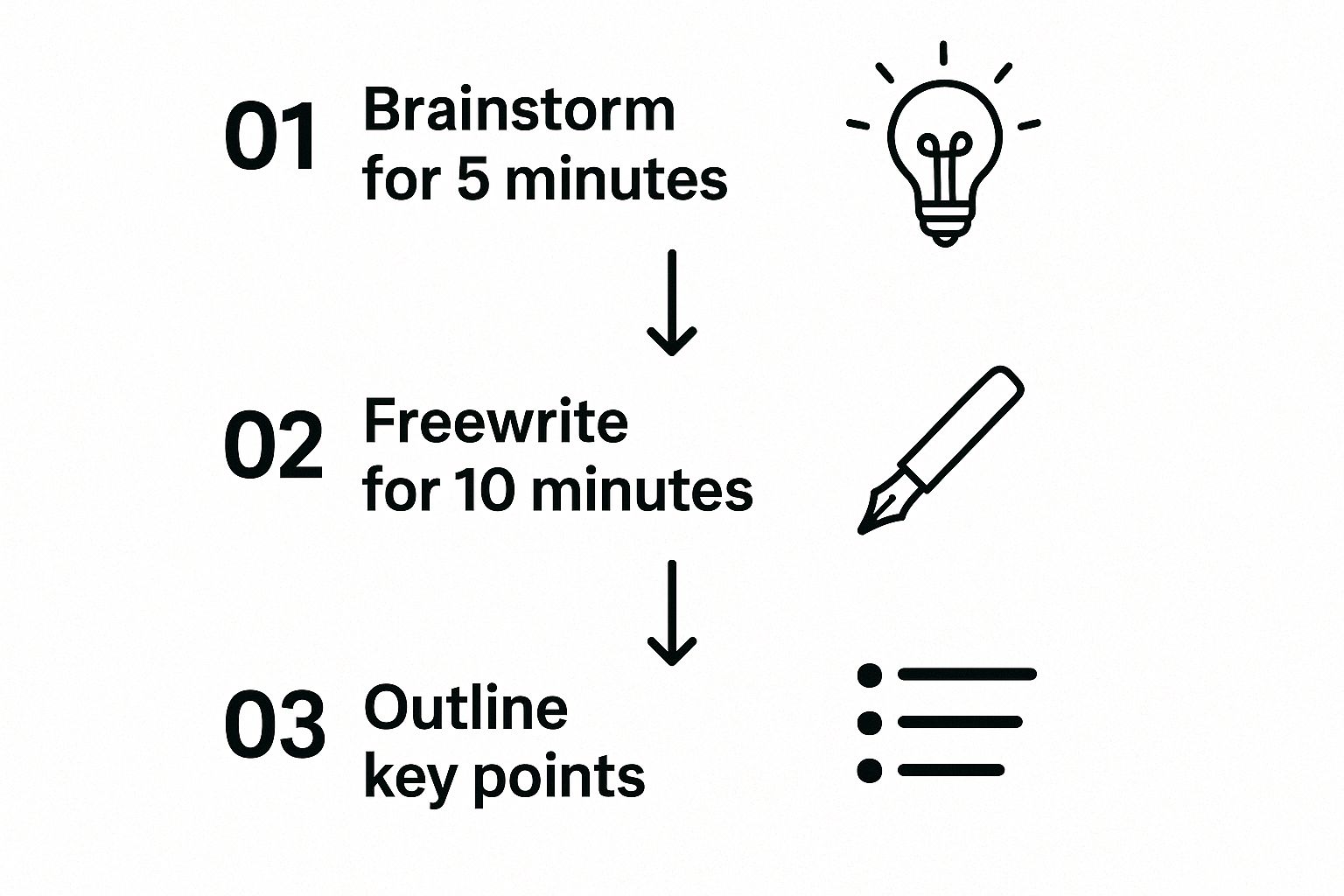
This process shows how quickly you can gain momentum. The key is to break down the big, scary task of "writing" into smaller, more approachable steps, a strategy that's far easier with an AI assistant like Zemith.
Putting AI Brainstorming Into Practice
Let's walk through a real-world example. You need to write something about remote work, but every angle feels stale. So, you fire up Zemith’s brainstorming tool.
Within seconds of entering "remote work," the tool gives you more than just a few ideas. It essentially maps out the entire topic, showing you what people are actually searching for and which angles have the most juice.
You might get suggestions like:
- Catchy Titles: "The Ultimate Guide to Setting Up a Productive Home Office" or "Is Asynchronous Communication the Future of Remote Work?"
- Target Keywords: "remote work burnout," "virtual team building," "hybrid work models."
- Audience Questions: "How do you maintain company culture with a remote team?" or "What are the best tools for remote collaboration?"
This isn't just a list; it's a content strategy blueprint. You can grab the most compelling title, weave in the keywords for your SEO strategy, and structure the entire article around answering those real-world questions. You've just gone from a single vague idea to a full-blown content brief in less than a minute.
Expanding Your Idea Arsenal
One of the biggest strengths of using Zemith is its knack for divergent thinking. It can connect concepts in ways you might not have, acting as a creative sounding board that never gets tired or runs out of steam.
Actionable Insight: Don't wait for inspiration to strike. Use Zemith to create it on demand. The goal is to get something on the page that you can react to, tweak, and build on.
To take it a step further, try feeding the AI’s own ideas back into it. Take one of the blog titles it generated and ask it to create an outline for that specific topic.
Here's how that feedback loop works in Zemith:
- Your Initial Spark: "AI in marketing"
- Zemith's Title Idea: "How AI Is Personalizing the Customer Journey"
- Your Follow-Up Prompt: "Create a detailed outline for a blog post titled 'How AI Is Personalizing the Customer Journey,' including sections on data collection, predictive analytics, and real-world examples."
This back-and-forth process builds momentum with every step. If you find yourself constantly hitting a wall when it comes to new topics, exploring a dedicated blog post ideas generator can give you a near-endless stream of fresh angles for your niche.
Ultimately, this approach fundamentally changes your relationship with writing. The blank page stops being an adversary. It becomes a collaborative space where you and your AI partner can build something great, one idea at a time.
Alright, you've got a solid outline. That's a huge win. But now comes the part where many of us hit a wall: turning that skeleton into a living, breathing piece of content. This is where the dread of the blank page can start to creep back in.
Good news, though. With an AI tool like Zemith, you can bridge that gap between structure and substance almost instantly. It's not about letting a robot take over; it's about creating a powerful writing duo. You supply the expertise and unique voice, while Zemith handles the heavy lifting of sentence construction, getting your ideas onto the page.
How to Actually Work with an AI Writer
The best way to use Zemith's AI writer is to think of it as a very capable, very fast junior assistant. You're still the creative director. You provide the essential insights, the hard-to-find data, and the personal stories that make your content connect with people. The AI’s job is simply to assemble those parts into clean prose, freeing you up to focus on the big picture.
Instead of battling with every single sentence, you can just drop a section of your outline into Zemith and let it get the ball rolling.
Here’s what that looks like in practice. You can feed Zemith your key points, and it will start building out the draft right away, pulling you past that initial inertia.

This collaborative approach is a massive time-saver. We all know that perfectionism is one of the biggest reasons we get stuck. By letting the AI handle the messy, imperfect first draft, you sidestep that mental block completely.
From Bullet Points to Paragraphs in a Flash
Let’s walk through a real-world example. Say you have a section in your outline that looks something like this:
- Benefits of Remote Work:
- Gives employees more flexibility
- Expands the talent pool for companies
- Saves money on office overhead
Instead of staring at those points and trying to write the perfect opening line, you give Zemith a simple instruction: "Expand on these bullet points about the benefits of remote work for a blog post."
In a few seconds, you’ll have a complete paragraph to work with. Your job instantly shifts from creator to editor—a much less daunting task. From here, you can start refining the text:
- Inject your voice: Is your brand’s tone more corporate or conversational? Tweak the wording to make it sound like you.
- Add specific data: Weave in a compelling stat. For instance, you could mention that some companies save an average of $11,000 per year for each employee who works from home just half the time.
- Share a personal story: Add a relatable touch. "I'll never forget when our team went remote. Our hiring pool went from a 30-mile radius to a global one overnight."
Actionable Insight: The magic of AI-assisted writing isn't that it creates a final, polished piece. It's that Zemith gives you a workable draft instantly, letting you jump straight to the most important part: adding your human expertise and creative flair.
This method can turn a task that used to take hours into something you can knock out in minutes. The difference between the old way and this AI-assisted workflow is night and day.
Manual Writing vs. AI-Assisted Writing with Zemith
To really see the difference, let's compare the two approaches. One often leads to frustration, while the other gets you into a state of flow.
Adopting this kind of partnership is a game-changer for anyone who creates content regularly. You spend less time wrestling with the tedious parts and more time on what actually matters—crafting content that truly resonates with your audience. If you're curious about what else is out there, this comparison of the best AI content generators can help you find the right fit for your needs.
Ultimately, bringing a tool like Zemith into your process means you can say goodbye to the blank page for good. You'll move from a clear outline to a 1,000-word draft with incredible speed, letting you focus on being the strategist while your AI partner handles the initial legwork. This is how you beat writer's block—not by forcing creativity, but by building a smarter, faster system.
Building Habits to Maintain Creative Flow
https://www.youtube.com/embed/PnX8aJMkBCc
Getting past a creative slump feels great, but the real win is making sure it doesn't happen again. That means shifting from one-off fixes to building consistent habits that keep your ideas flowing. It’s less about a magic cure and more about creating a sustainable practice that combines smart tools with proven personal routines.
A huge part of this is making idea generation a regular thing—daily or weekly. Instead of staring at a blank page when a project is due, you can use a tool like Zemith to build a backlog of fresh ideas. This turns a high-pressure, on-demand task into a low-stress, creative habit.
Turn Research into a Creative Spark
One of the best ways to keep ideas coming is to stay curious. If you treat research as a regular activity instead of a pre-deadline scramble, you’ll have a constant stream of new angles and insights. Zemith's research features are perfect for this.
Actionable Insight: Set aside just 15 minutes a day to explore topics in your field with Zemith's Research Assistant. You can feed it an article, a keyword, or even a competitor's website, and it will quickly pull out summaries, key takeaways, and relevant stats. The point isn't just to gather data; it’s about sparking those "aha!" moments and connecting dots you hadn't seen before.
Here's an example of how you can use Zemith’s Research Assistant to pull actionable insights from a web source. It gives you instant material to work with.
A simple query like this can uncover a single statistic or a unique perspective that becomes the seed for your next big article. Suddenly, you've sidestepped the panic of the blank page.
Maximize Your Output by Repurposing Content
A sustainable content habit isn't about constantly reinventing the wheel. It's about working smarter. A single, well-researched blog post is a content goldmine. You can spin it into multiple formats, keeping your calendar full without burning out.
With Zemith, this process is incredibly efficient. Take a blog post you’ve already finished and ask the AI to:
- Create a social media series: Pull out five key takeaways and turn them into snappy tweets or LinkedIn posts.
- Draft an email newsletter: Summarize the article for your subscribers, hitting the most valuable points.
- Outline a video script: Use the post's structure to generate an outline for a quick YouTube or TikTok video.
This strategy keeps fresh content flowing across all your channels, all stemming from one core piece of research. You save time, but you also reinforce your message by hitting your audience from different angles.
Actionable Insight: The most productive writers don't just overcome writer's block; they build systems to sidestep it entirely. By integrating tools like Zemith into a routine of research and repurposing, you create a self-sustaining engine for content creation.
Adopt Proven, Non-Tool Based Habits
Technology is a fantastic partner, but it works best when paired with time-tested personal habits that feed your creative mind. While countless courses claim to solve writer's block, many focus on cognitive strategies without hard data to back them up. In fact, research shows there's little published information quantifying how effective these programs really are long-term.
Ultimately, building your own effective habits is what counts. For a fantastic guide on establishing routines that work, check out this article on how to build good habits that actually stick.
Here are a few practical habits you can start today:
- Set tiny, achievable writing goals. Instead of a whole chapter, commit to just 200 words a day. Small wins build momentum and make the task feel way less daunting.
- Change your environment. If you're stuck at your desk, move. Try a coffee shop, the library, or even just another room. A new setting can jolt your brain out of its rut.
- Read widely and voraciously. Reading is fuel for writing. Don't just stick to your niche; explore different genres, topics, and styles to fill your head with new ideas and vocabulary.
When you combine these personal routines with the efficiency of a tool like Zemith, you create a powerful system for maintaining your creative flow. And if you're looking to sharpen your craft even further, our guide on how to improve your writing ability can help. This holistic approach tackles both the practical and psychological sides of writing, helping you not just beat writer's block but keep it from coming back.
Got Questions About AI and Writing? We've Got Answers
Bringing a new tool into your creative workflow always raises a few questions. That’s especially true when the tool is AI, sparking concerns about originality, authenticity, and what it even means to be a writer anymore. It’s smart to be deliberate about how you work, so let’s dig into some of the most common questions we hear about using an AI partner like Zemith.
Think of it this way: AI is your co-pilot, not the autopilot. It's here to boost your own skills and help you leap over hurdles like writer's block, not to replace the unique spark that only you have.
Will Using an AI Writer Make My Content Sound Robotic?
This is a huge—and totally fair—concern. The short answer? Not if you’re using it right. The secret is to treat AI-generated text as a starting point. It’s the raw clay, not the finished pot. A tool like Zemith is fantastic for getting a structured first draft down, but the final piece needs to be filtered through your own expertise and voice.
You’re the one who injects the unique insights, the brand personality, and the final polish.
- You set the tone. You can tell Zemith to write in a "witty and informal" style or a "professional and academic" one. You're the director.
- You add the personality. This is where you weave in your own stories, experiences, and opinions to make the content truly resonate.
- You're the final editor. Ultimately, you have the last say, ensuring every word aligns with your message and meets your standards.
It’s like having a brilliant assistant who gets your initial thoughts on the page in a fraction of the time. This frees you up to do the high-level work: making the content exceptional and unmistakably yours.
Is It Cheating to Use AI to Beat Writer's Block?
It’s not cheating; it’s being resourceful. Let’s be honest, professionals in every field use tools to work more efficiently. Graphic designers start with templates, developers use code libraries, and accountants rely on powerful software. Using an AI writing assistant is just the modern writer's equivalent. It's about working smarter.
The old idea that great writing has to come from solitary struggle is just that—old. Today's writer uses every advantage available to produce high-quality work consistently and without the burnout.
Actionable Insight: Writer's block is really just another name for fear or perfectionism. Using a tool like Zemith is simply a practical strategy to get past that mental friction. It lets you focus on what really matters: communicating your message. The final work is still guided by your knowledge and creativity.
The creative process is always evolving, and so are the tools we use. AI's impact goes far beyond just writing, too. For instance, have a look at how AI for B2B Lead Generation is reshaping how businesses connect with new customers. Embracing these kinds of tools is what keeps you moving forward.
Can Zemith Help If I Don't Even Have a Topic?
Absolutely. This is honestly one of its best uses for beating writer's block right at the source. We’ve all been there—staring at a blinking cursor on a blank page with no clue where to even begin. This is where Zemith’s brainstorming and research tools really shine. You don’t need a fully-formed idea; you just need a single, broad keyword to get started.
For example, just plugging in a term like "healthy lifestyle" into Zemith can instantly give you:
- Dozens of potential blog post titles
- Common questions your target audience is searching for
- Specific angles and subtopics you could explore
Suddenly, the intimidating task of "coming up with an idea" becomes the much easier task of picking from a list of great options. It's the perfect jumpstart when you're starting from scratch.
Ready to finally put an end to the frustration of writer's block? Zemith combines brainstorming, research, and AI writing into one fluid platform, giving you everything you need to go from a blank page to a polished draft in record time. Try it today and get your creative flow back. Find out more at https://www.zemith.com.
Explore Zemith Features
Every top AI. One subscription.
ChatGPT, Claude, Gemini, DeepSeek, Grok & 25+ more








Always on, real-time AI.
Voice + screen share · instant answers
What's the best way to learn a new language?
Immersion and spaced repetition work best. Try consuming media in your target language daily.
Voice + screen share · AI answers in real time
Image Generation
Flux, Nano Banana, Ideogram, Recraft + more

Write at the speed of thought.
AI autocomplete, rewrite & expand on command
Any document. Any format.
PDF, URL, or YouTube → chat, quiz, podcast & more
Video Creation
Veo, Kling, Grok Imagine and more

Text to Speech
Natural AI voices, 30+ languages
Code Generation
Write, debug & explain code
Chat with Documents
Upload PDFs, analyze content
Your AI, in your pocket.
Full access on iOS & Android · synced everywhere
Your infinite AI canvas.
Chat, image, video & motion tools — side by side

Save hours of work and research
Transparent, High-Value Pricing
Trusted by teams at






Free
No credit card required
- 100 credits daily
- 3 AI models to try
- Basic AI chat
Plus
- 1,000,000 credits/month
- 25+ AI models — GPT, Claude, Gemini, Grok & more
- Agent Mode with web search, computer tools and more
- Creative Studio: image generation and video generation
- Project Library: chat with document, website and youtube, podcast generation, flashcards, reports and more
- Workflow Studio and FocusOS
Professional
- Everything in Plus, and:
- 2,100,000 credits/month
- Pro-exclusive models (Claude Opus, Grok 4, Sonar Pro)
- Motion Tools & Max Mode
- First access to latest features
- Access to additional offers
What Our Users Say
Great Tool after 2 months usage
"I love the way multiple tools they integrated in one platform. Going in the right direction."
— simplyzubair
Best in Kind!
"The quality of data and sheer speed of responses is outstanding. I use this app every day."
— barefootmedicine
Simply awesome
"The credit system is fair, models are perfect, and the discord is very responsive. Quite awesome."
— MarianZ
Great for Document Analysis
"Just works. Simple to use and great for working with documents. Money well spent."
— yerch82
Great AI site with accessible LLMs
"The organization of features is better than all the other sites — even better than ChatGPT."
— sumore
Excellent Tool
"It lives up to the all-in-one claim. All the necessary functions with a well-designed, easy UI."
— AlphaLeaf
Well-rounded platform with solid LLMs
"The team clearly puts their heart and soul into this platform. Really solid extra functionality."
— SlothMachine
Best AI tool I've ever used
"Updates made almost daily, feedback is incredibly fast. Just look at the changelogs — consistency."
— reu0691