


Every top model, with tools built in.
Search the web, run deep research, read files, create images and run code with GPT, Claude, Gemini, Grok and more.
Learn how to prioritize tasks at work effectively. Boost your productivity and manage your workload with our expert tips. Click to improve today!
Learning how to prioritize tasks at work is all about sorting your to-do list by what's truly urgent and important. It’s the secret to focusing your best energy on high-impact activities while strategically delaying or handing off the rest. This simple shift is what moves you from a reactive, chaotic workflow to a proactive one, helping you manage your time and sanity.
If you’ve ever stared at a to-do list that feels like a mountain you can't climb, you're not alone. That overwhelming feeling is a classic symptom of a reactive work culture, where the cost of poor prioritization goes way beyond just feeling stressed. It leads to lost focus, blown deadlines, and, frankly, it can stall your career.
When every new email, Slack message, or meeting invite feels like a five-alarm fire, you’ve lost control of your day. You end up draining all your energy just switching from one small thing to another, never making real progress on the goals that matter. Often, this chaos is rooted in bigger issues like fuzzy team communication. Taking steps toward improving team communication and collaboration can clear up a lot of the confusion that makes prioritization so difficult in the first place.
Let's be honest, the modern workday is practically designed for distraction. Recent work trends highlight a messy relationship between how we manage tasks and the constant barrage of interruptions we face. The numbers are staggering—employees get interrupted roughly every two minutes during the workday. That adds up to about 275 interruptions a day.
Think about that. With emails, team chats, and impromptu meetings, it's a miracle anything gets done. And since it can take over 20 minutes to get back into a deep state of focus after each interruption, sustained, meaningful work becomes a real challenge.
The constant battle against distractions is why learning how to prioritize tasks at work is no longer a soft skill—it's an essential survival mechanism for any professional aiming for high performance and career advancement.
The infographic below really captures the overwhelming flood of tasks most of us are swimming in every day.
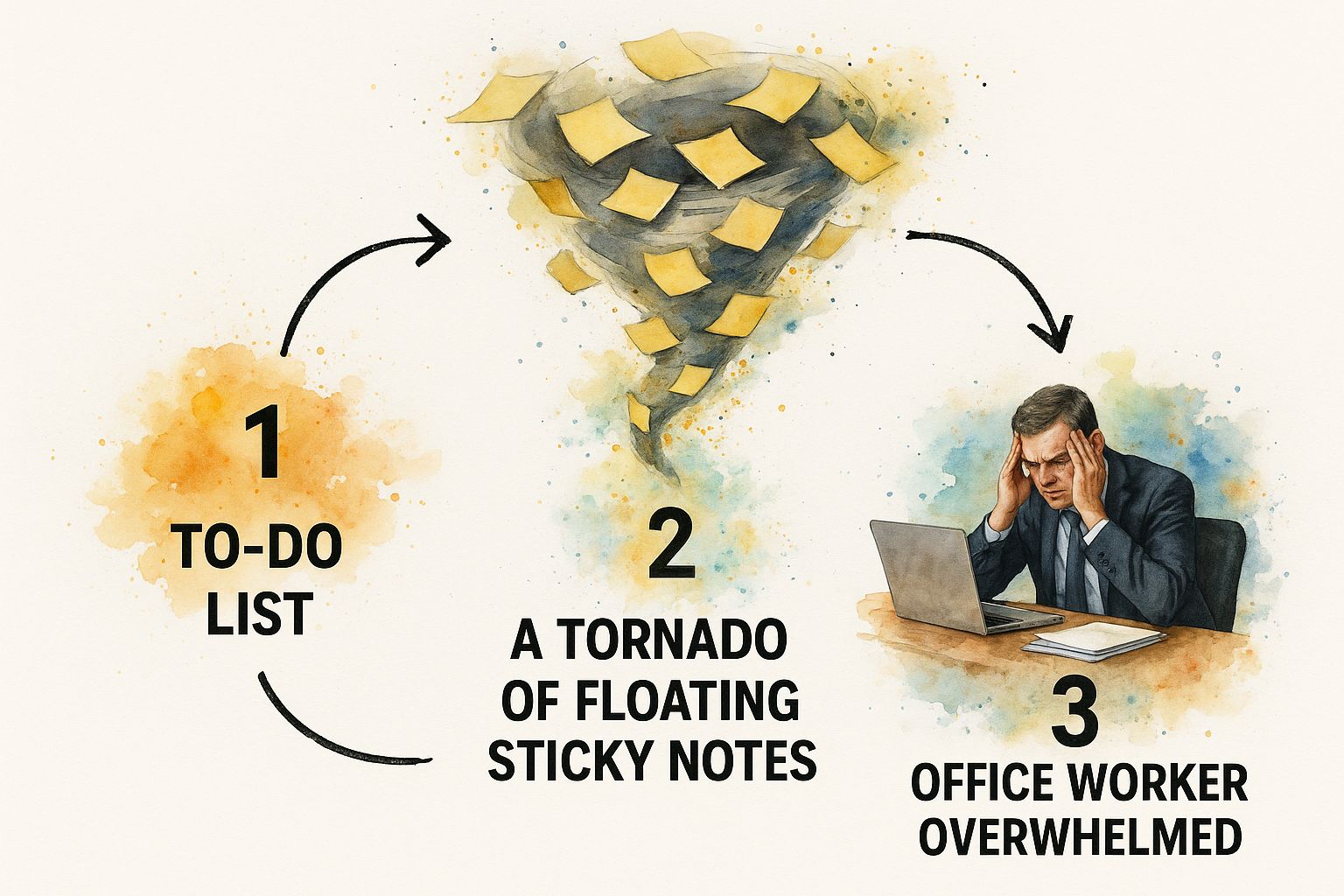
It’s a perfect visual for that feeling of being caught in a whirlwind of responsibilities, unsure of where to even begin.
So, how do you break the cycle? You need an actionable system. Moving from that chaotic, reactive state to one of proactive achievement is all about having a strategy for your workload.
A great place to start is with a proven framework for sorting your tasks, which is something AI-powered platforms like Zemith can help automate. For example, Zemith analyzes your workload to suggest a daily focus plan, freeing you up to put your best thinking and energy into the work that actually moves the needle. Juggling this becomes even more crucial when you’re handling multiple big initiatives; our guide on how to manage multiple projects dives deeper into that.
By putting a clear system in place, you can turn that impossible to-do list into a clear, manageable plan for success.
Even with the best intentions, it's easy to fall into common traps when trying to prioritize. Recognizing these pitfalls is the first step toward building a more effective system. Here’s a quick look at some frequent mistakes and how to solve them with actionable insights.
Avoiding these common mistakes doesn't just make you more organized; it fundamentally changes how you approach your work, turning chaos into clarity.

When your to-do list feels like pure chaos, it helps to move from abstract ideas to a proven framework. I’ve found the Eisenhower Matrix to be one of the most effective tools for sorting tasks not just by deadline, but by their actual value. It forces you to ask a simple but powerful question for every single item on your list: is this urgent, is it important, is it both, or is it neither?
This framework, which gets its name from President Dwight D. Eisenhower, is so much more than just another way to organize your day. It’s a decision-making model that helps you separate the tasks that feel productive from the ones that truly move the needle. The whole thing hinges on understanding the crucial difference between urgency (it needs attention right now) and importance (it contributes to your long-term goals).
Getting a handle on these two concepts is the key to making the matrix work for you. They sound similar, but they steer your actions in completely different directions.
Once you can instinctively tell the difference, you can start slotting your tasks into the four quadrants. This is where the magic happens, giving you a clear-cut action plan.
The matrix is broken down into four boxes, and each one gives you a direct command, taking the guesswork out of what to do next.
Do First (Urgent and Important): These are your fires and your non-negotiable priorities. This quadrant is for finishing a proposal that’s due by 5 PM today or handling a customer emergency that could cost you the account. You drop everything and do these.
Schedule (Important, Not Urgent): This is where the real growth happens. It’s for the strategic work—planning for the next quarter, building a new marketing funnel, or networking to generate future leads. These tasks are critical for your success, so get them on the calendar and protect that time fiercely.
Delegate (Urgent, Not Important): Welcome to the land of interruptions. These are the things that feel urgent but don't actually require your specific skills to get done. Think transcribing meeting notes, booking travel, or answering routine customer emails. Find someone else to handle them so you can focus on higher-value work.
Delete (Not Urgent, Not Important): This quadrant is for all the time-wasters and bad habits. Mindlessly scrolling through social media, sitting in meetings with no clear agenda, or obsessively organizing old emails all belong here. Be ruthless and just eliminate them.
By consistently using this matrix, you’ll shift your mindset from constantly fighting fires to executing on a clear strategy. It trains you to consciously decide where your energy goes instead of just reacting to the loudest notification.
Modern tools can give you a leg up here. For instance, the Zemith AI platform can analyze your tasks, identify patterns based on your project history, and suggest which quadrant each item belongs in. This saves you the mental energy of sorting everything manually, letting you get right to the work that matters most.
https://www.youtube.com/embed/WVG3p6ysSxQ
Once you’ve sorted your tasks with a framework like the Eisenhower Matrix, it's time to zero in on the work that actually moves the needle. This is where the Pareto Principle—better known as the 80/20 rule—comes into play.
The idea is straightforward: roughly 80% of your results come from only 20% of your efforts. Think about that for a second. Most of what we do isn't what gets us to the finish line.
Your job is to pinpoint that critical 20% of your work. These are the "vital few" activities that genuinely drive success. By pouring your energy into them, you can achieve massive results without simply working longer. It’s all about working smarter.
So, how do you find your high-impact work? Start with an actionable audit.
List out everything you do in a typical week. Don't judge or filter, just write it all down. Once you have your master list, draw a direct line from each task to a specific, measurable outcome. Which activities helped you close a deal, complete a project, or hit a critical KPI?
This simple exercise forces you to stop thinking about the effort you're putting in and start focusing on the results you're getting out.
Pinpointing your highest-value activities isn’t just about efficiency; it’s a strategic shift that lets you multiply your impact by focusing on what truly matters to your role and the business's bottom line.
This can feel a bit like guesswork at first, but this is where a tool like Zemith really helps. Its analytics dashboard can give you a clear view of task outcomes and project progress, so you can use actual data to see which of your efforts are paying the biggest dividends.
Let's make this less abstract. The principle applies everywhere, even if the tasks themselves look different from one job to the next.
A Sales Representative might discover that 80% of their commission is generated by just 20% of their clients. The high-impact work here isn't making hundreds of cold calls; it's nurturing those key relationships and finding more leads just like them.
A Content Marketer could find that a few deep-dive articles are responsible for the vast majority of website traffic and new leads. Their critical 20% is creating more of that foundational content, not just posting daily social media updates with little to no engagement.
A Software Developer might realize that fixing a handful of core bugs resolves most user-reported issues. Their most impactful work becomes tackling those critical problems, not getting sidetracked by minor feature requests that don't meaningfully improve the user experience.
When you start applying the 80/20 rule, you stop treating every task as equal. You learn to spot the activities that give you the most leverage and make every hour count.
Manual frameworks like the Eisenhower Matrix and the 80/20 rule are great starting points for learning how to prioritize. They teach you the fundamentals. But let's be honest—consistently applying them takes a ton of mental energy. That's energy you should be pouring into high-impact, strategic work, not just organizing it.
This is where smart platforms like Zemith completely change the game. You move beyond basic lists and into a world of intelligent, automated prioritization. Instead of you having to manually sort and schedule every single item, Zemith’s AI does the heavy lifting. Think of it less as another to-do app and more as your dedicated productivity partner.
Zemith doesn't just store your tasks; it analyzes your work patterns, deadlines, and even the context behind your projects to figure out the most logical next step. Over time, it learns what’s truly important for hitting your goals.
This AI-driven approach offers actionable insights that traditional methods just can't compete with:
Here’s a look at how the Zemith dashboard brings all your work together in one place.
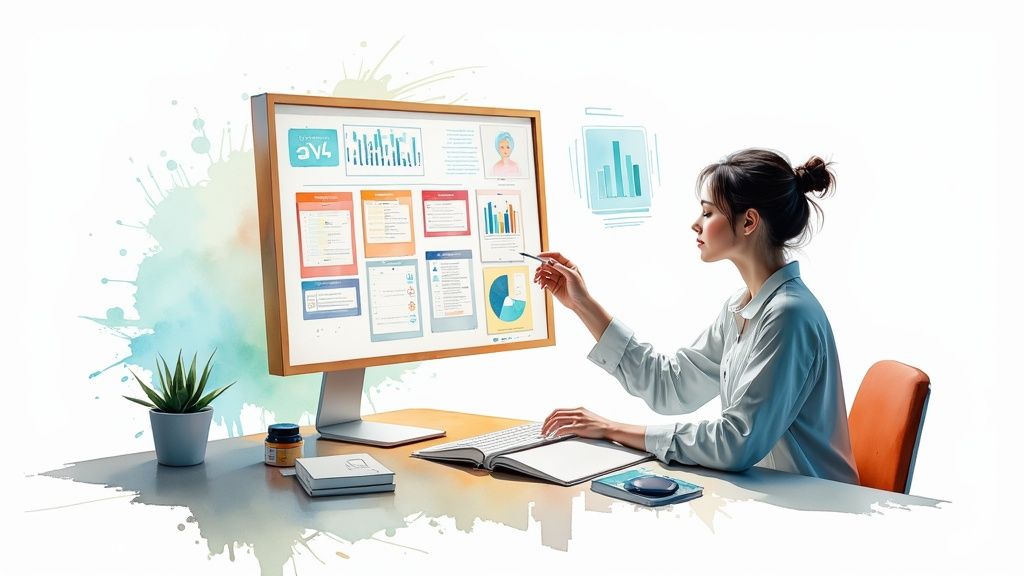
This kind of centralized view is so important for connecting your daily to-dos to your bigger objectives, making sure everything you do has a clear purpose.
The real magic happens when you start connecting your existing tools. When you link your project management apps, calendar, and documents inside Zemith, its AI gets the full picture of your responsibilities. It takes over the tedious admin work of organizing everything, freeing you up for the creative and strategic thinking that only a human can do. You can find more practical ways to integrate AI tools for productivity in our detailed guide.
When you let AI handle the logistics of prioritization, you’re not just saving time. You’re redirecting your most valuable resource—your focus—towards work that creates real, measurable results.
This is more important than ever. With only 21% of workers feeling actively engaged on the job, we have to find smarter ways to manage our workloads. This widespread disengagement is a huge drain, costing an estimated $438 billion in lost productivity, which shows a direct link between how we feel about our work and what we produce. You can discover more insights about employee productivity on archieapp.co to see the full scope of the issue. By automating the grunt work of prioritization, tools like Zemith can help people get back to feeling focused and engaged.
Knowing frameworks like the Eisenhower Matrix or the 80/20 rule is a great start, but making them stick is the real game-changer. Prioritization isn't a one-and-done task; it’s a system you build for the long haul. It's about creating routines that become so ingrained you can handle new demands without ever losing sight of what's truly important.
Think of it like building muscle. You can't just go to the gym once and expect results. Real strength comes from consistent effort over time. The same exact principle applies here. Sustainable productivity is born from weaving these prioritization practices into your daily and weekly flow until they feel as natural as breathing.
To keep your priorities from going stale, you need to build in regular check-ins. A simple review habit can be the difference between a plan that works and one that’s obsolete by Tuesday afternoon.
The Daily Huddle (5-10 minutes): First thing every morning, take a quick look at your prioritized list. Ask yourself one simple question: "What is the one thing I must get done today to move the needle?" The Zemith AI Focus Plan automates this for you, so you start your day with total clarity.
The Weekly Wrap-Up (30 minutes): Set aside a bit of time on Friday to look back. What got done? What fell through the cracks? This isn't about beating yourself up; it's about spotting patterns. Use this time to recalibrate for the week ahead, making sure your daily grind still aligns with your bigger goals.
This is where the Zemith dashboard really shines, giving you a crystal-clear visual of your progress. You can instantly see where your time went and what you accomplished, making these reviews much more insightful. If you're looking for more ways to build smart routines, check out these other productivity hacks for work.
One of the biggest obstacles to staying on track is the never-ending stream of new requests. A crucial habit is learning how to professionally say "no" to things that don't align with your most critical work.
This doesn't mean being difficult. It's about framing it as a trade-off. You could say something like, "I'm happy to help with that, but it would mean pushing back the Q3 report. Which one should be the priority right now?" This simple shift turns a potential conflict into a collaborative decision about what truly matters most.
Protecting your time isn't about being unhelpful. It's about preserving your focus for the work that delivers the most value, so you can make a real impact instead of just being busy.
Another game-changing habit is carving out and protecting time for deep work. These are the focused, uninterrupted blocks where you tackle your most challenging tasks. Schedule them in your calendar like you would any important meeting, and then guard that time fiercely. Silence notifications, close extra tabs, and let your team know you're in the zone. Zemith helps here by intelligently scheduling these deep work blocks for you, finding the optimal times in your calendar automatically.
Even with a solid game plan, work has a way of throwing curveballs. You're bound to run into unique situations and nagging questions as you figure out what really works for you. Let's tackle some of the most common hurdles people face when trying to get a new prioritization system off the ground.
When a fire drill task lands on your desk, the first rule is: don't panic. Take a breath and run it through a quick mental Eisenhower Matrix. Is this new task truly urgent and important, or is it just someone else's emergency?
If it genuinely has to be done now, you'll need to be flexible. Ask yourself a few key questions:
This is exactly where having a dynamic tool can save your skin. With Zemith, for example, you can instantly drag and drop tasks to reorder them. The AI can then help you recalibrate the rest of your day, so one disruption doesn't derail your entire week's goals.
Feeling totally swamped is a clear sign to simplify, not over-organize. Forget about creating the perfect system right away. Your first move is a "brain dump."
Seriously, just grab a notebook or a blank document and write down every single thing on your mind—tasks, projects, deadlines, worries, you name it. Don't filter or organize. Just get it all out. The simple act of externalizing all that noise immediately frees up mental bandwidth.
Once you have that master list, do a quick and dirty sort using the Eisenhower Matrix. Don't get bogged down in the details; just toss each item into one of the four quadrants. Now, pick just one thing from your "Do First" (Urgent & Important) pile and get it done. That single win is often all it takes to build the momentum you need to tackle the rest. For a deeper look at other powerful methods, check out these top strategies for task prioritization.
The goal isn't a perfect plan from the start; it's to create just enough clarity to take the first effective step forward. Action creates momentum.
Getting your team on board comes down to clear communication and being transparent. If nobody knows what you're working on, you can't really expect them to respect your focus.
Make your priorities visible. Use a shared calendar, a status in Slack, or your team’s project management tool to show what your main focus is for the day or week. By integrating these tools with Zemith, you create a single source of truth for your workload that's easily shareable.
When someone comes to you with a request that conflicts with your plan, don't just say "no." Frame it as a trade-off. Try saying something like, "I can definitely help with that, but it means pushing back the client report. Are we all good with that shift?"
This approach changes the dynamic. It's no longer about you saying no to them; it's a shared, strategic decision about what's best for the team and the business goals. It invites them into the process and builds mutual respect for everyone's time.
Ready to stop guessing and start prioritizing with AI-powered precision? Zemith is your all-in-one platform to automate task management, generate daily focus plans, and connect all your tools into a single, intelligent workspace. Try Zemith today and reclaim your focus.







Trusted by teams at






The top models, plus image, video and voice tools, in one plan.
Without Zemith
ChatGPT PlusUS$20.00Claude ProUS$20.00Google AI ProUS$19.99SuperGrokUS$30.00Perplexity ProUS$20.00 MidjourneyUS$10.00
 ElevenLabsUS$6.00Le Chat ProUS$14.99
 RunwayUS$15.00Kling StandardUS$8.80
 Gamma PlusUS$12.00
 Otter ProUS$16.99
 QuillBot PremiumUS$19.95
 Photoroom ProUS$12.99
 Quizlet PlusUS$7.99
Total if paying separatelyUS$234.70/mo
"I love the way multiple tools they integrated in one platform. Going in the right direction."
— simplyzubair
"The quality of data and sheer speed of responses is outstanding. I use this app every day."
— barefootmedicine
"The credit system is fair, models are perfect, and the discord is very responsive. Quite awesome."
— MarianZ
"Just works. Simple to use and great for working with documents. Money well spent."
— yerch82
"The organization of features is better than all the other sites — even better than ChatGPT."
— sumore
"It lives up to the all-in-one claim. All the necessary functions with a well-designed, easy UI."
— AlphaLeaf
"The team clearly puts their heart and soul into this platform. Really solid extra functionality."
— SlothMachine
"Updates made almost daily, feedback is incredibly fast. Just look at the changelogs — consistency."
— reu0691
Hand off the research, writing, design and follow-ups. Zemith picks the tools it needs and brings back finished work.
Search the web, run deep research, read files, create images and run code with GPT, Claude, Gemini, Grok and more.
Zemith keeps working in the cloud and pings you when it's done.
Notion, Linear, Canva, Airtable and more. It asks before it creates or changes anything.
Docs, slides, sheets and PDFs, ready to send.
Chain models and tools on a visual canvas, from one prompt to a finished promo video.
Briefings, reports and reminders run on a schedule and are ready when you need them.
Real-time voice that can see your camera or screen.
The best image and video models, in one studio.
Turn PDFs, links and YouTube videos into podcasts, quizzes, flashcards and mind maps.














 Podcast
 Quiz
Quiz Flashcards
 Mind map
 Infographic