


Every top model, with tools built in.
Search the web, run deep research, read files, create images and run code with GPT, Claude, Gemini, Grok and more.
Learn how to use AI for writing the smart way — from prompts to polishing. A practical workflow to draft faster, edit better, and keep your voice.
You've got a blank document open, a deadline getting uncomfortably close, and an AI chat window sitting there like an eager intern who says “Absolutely” before hearing the assignment. You type, “Write a blog post about productivity,” and seconds later you have 1,200 words of polished fog. Nothing is technically wrong, but it could've been written by anyone, for anyone, at any time.
That's the genuine challenge with learning how to use AI for writing. The hard part isn't making words appear. It's using AI to move faster without handing over your judgment, your facts, or the little quirks that make your writing recognizable. The workflow below treats AI as a collaborative writing partner, with you responsible for the ideas, meaning, evidence, and final voice.
The most useful AI writing session usually starts before the prompt. You know the point you want to make, the reader you're trying to help, and the experience behind your opinion. The AI helps you sort those ingredients into an outline, test different openings, and produce a rough draft you can react to.
That distinction matters. A landmark 2023 experiment published in Science found that access to ChatGPT reduced the time workers needed for writing-related tasks by 40% and increased output quality by 18%. The result is discussed in the published overview of the experiment, and its practical lesson is straightforward: AI can improve speed and quality when people use it inside a real writing workflow, rather than ask it to generate finished text.
A later 2024 study on graduate student writing reported a 64.5% reduction in writing time when generative AI was used with proper instructions, while quality rose from a B+ to an A, as documented in the study's SSRN record. That doesn't mean every vague prompt produces academic magic. It suggests that task framing, context, and human oversight make a major difference.
AI is handy for the parts of writing that create friction:
You still need to decide whether the argument is true, useful, ethical, and worth publishing. AI doesn't know which customer story you're allowed to share, whether your joke is genuinely funny, or whether a confident sentence slipped in a change to your meaning.
Practical rule: Ask AI to help you think and edit before you ask it to impersonate a finished author.
A good starting point is to collect examples of prompts that include audience, purpose, tone, and constraints. This guide to AI prompts for brand content can help you build that habit without starting from “make it engaging” and hoping for the best. You can also keep your working notes, drafts, and conversations together through Zemith's AI writing assistant, rather than scattering the project across a parade of browser tabs.
The partnership model also makes failure useful. A bland draft shows you what context is missing. A strangely formal paragraph reveals a tone problem. A sentence that sounds plausible but isn't supported sends you back to your sources. The AI creates material to respond to, while you remain the person making the call.
Model choice affects the writing you get. Research comparing generative AI models on writing tasks found that proprietary systems such as GPT and Gemini consistently produced higher-scoring essays than open-source models, including stronger performance in scientific accuracy, scientific detail, and context across biomedical assessments, according to the comparative research. The practical takeaway isn't “always use one model.” It's to match the model to the job and verify important output.
A fast model can be useful for headline variations, rough ideas, or turning notes into possible structures. A model that handles nuanced context well is more suitable for a research summary, technical explanation, or voice-sensitive revision. A creative model may help with story angles, but you'll still need to check whether its cleverness serves the reader or merely wears a tiny hat.
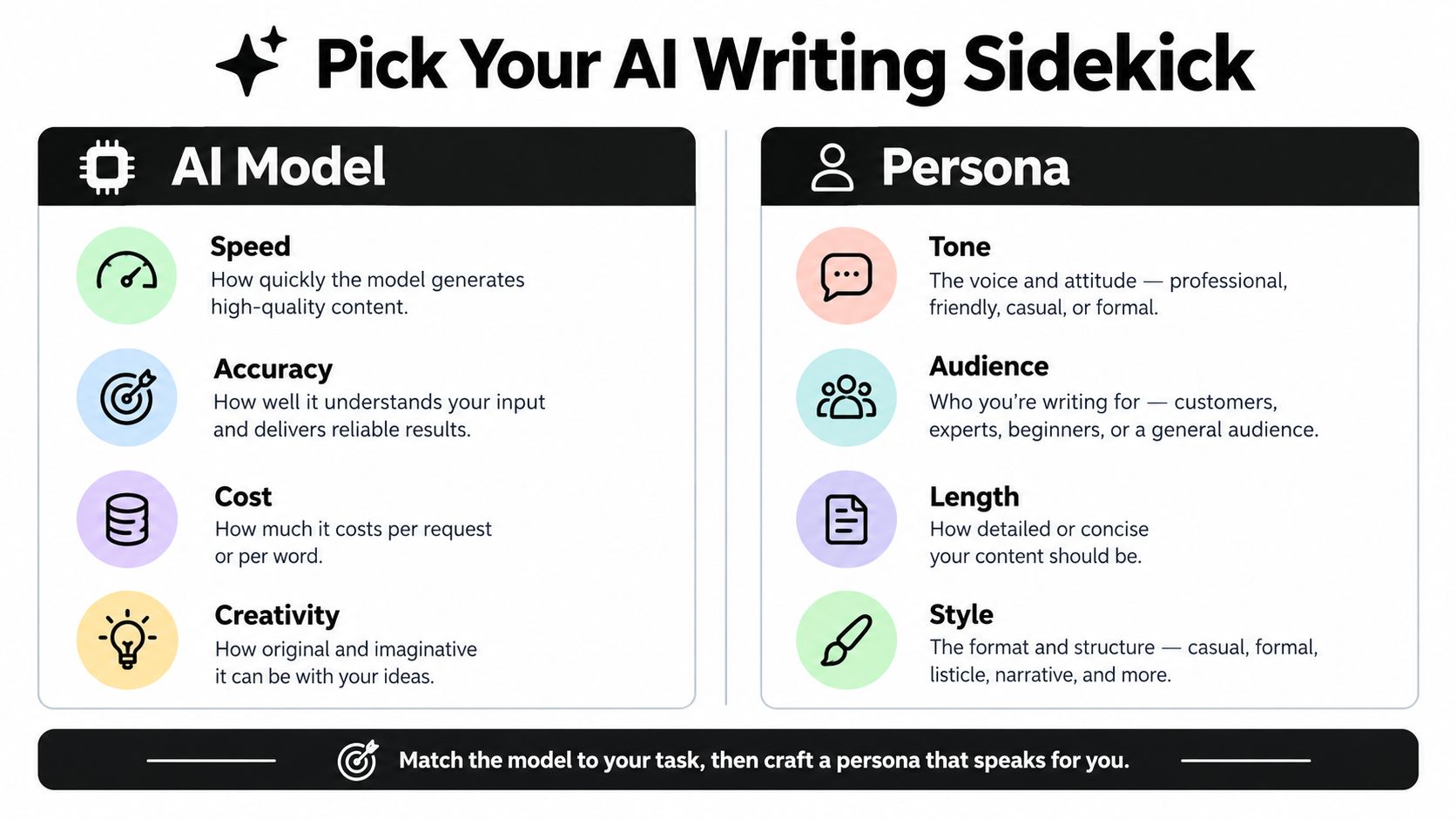
A persona isn't a costume. It's a working brief that tells the AI how to make decisions.
Give the persona a point of view about the work. “You're a helpful editor for beginner developers” is more useful than “You're an expert writer.” Add the audience, the reader's existing knowledge, the desired outcome, and the style you want preserved.
Before prompting, write down:
A unified workspace such as Zemith can be useful when you want multi-model access alongside Library and Projects for keeping related documents and conversations organized. For a broader side-by-side look at options, top AI content creation tools offers additional context for comparing tool categories. Zemith's AI model comparison guide is another place to think through model fit before you settle into a workflow.
The important part is consistency. If you give the AI a new personality every morning, don't be surprised when your blog post sounds like three departments fought over the same adjective.
A weak prompt describes the output. A useful prompt describes the thinking conditions around the output.
“Write a friendly blog post about remote work” leaves the AI to invent the audience, argument, examples, structure, and definition of friendly. That's why the result often lands somewhere between a brochure and a motivational poster.
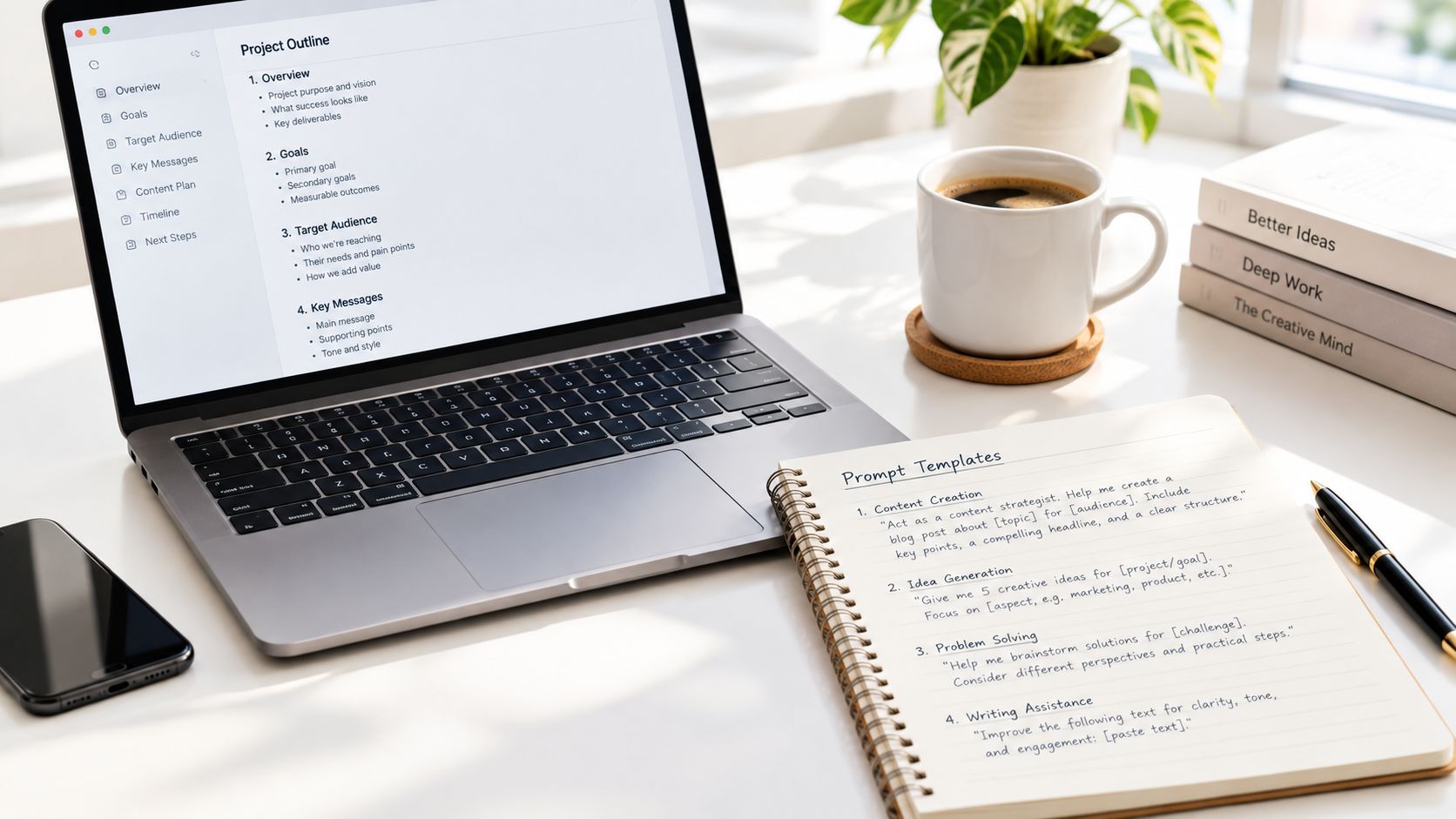
Use this sequence when you're figuring out how to use AI for writing blog posts:
A practical outline prompt might look like this:
You're a developmental editor helping me plan a blog post for beginner freelance writers. The main idea is that AI should support drafting without replacing personal experience. Use the notes below. Propose three possible angles, then create one outline with a clear reader problem, practical examples, objections, and a final action step. Don't invent statistics, testimonials, or named sources. Flag anything that needs verification.
Notice what this does. It asks for alternatives before commitment, defines the reader, and blocks the most annoying kind of AI confidence, the made-up fact delivered in a calm voice.
For how to use AI for writing emails, try a prompt that includes the relationship and the action:
Act as a concise email editor. Rewrite the draft below for an existing customer who has asked for an update. Keep the facts unchanged, state the next step clearly, sound warm but not gushy, and preserve my direct tone. Give me one polished version and briefly identify any sentence whose meaning might have changed.
For expanding notes into prose:
Turn these bullet points into two short paragraphs for a practical guide. Keep the order of ideas, add only connective language, and don't introduce examples, claims, or evidence that aren't in the notes. Leave brackets around any place where a concrete detail is missing.
For revision:
Review this section for clarity and repetition. Suggest edits in a table with the original sentence, proposed revision, and reason. Don't change the argument, emotional tone, point of view, or level of certainty.
That final instruction is especially useful for voice preservation. “Make it better” gives the model permission to rewrite your personality. “Tighten repetition while keeping meaning and rhythm” gives it a smaller, safer job.
Start with structure. Then draft one section. Then ask for a critique. Then revise. Tools such as Zemith Smart Notepad and Document Assistant fit naturally into this process because you can work with autocomplete, rephrasing, paragraph expansion, and document-based revisions without treating the first generated passage as sacred. A collection of AI prompt templates for writing can give you reusable starting points for recurring assignments.
Use follow-up prompts that force the AI to explain its choices:
The last one matters more than it looks. AI tends to sand down anything unusual, including the detail that makes the story worth reading.
For a visual walkthrough of a writing workspace and prompt-led drafting, use the video below as a companion to the process:
Before accepting a draft, compare it with your original notes. If the AI added a claim, softened an opinion, removed a caveat, or made your experience sound more dramatic than it was, revise the prompt or delete the sentence. The goal is not maximum output. It's a draft that gives you an advantage without creating a second job called “repair the robot.”
AI can organize research quickly, but it shouldn't become your source of record. Treat every factual claim as something that needs a trail back to a document, page, paper, or official statement you can inspect yourself.
The cleanest process separates finding, extracting, drafting, and checking. If you ask the AI to perform all four steps in one breath, it may blur a real source with its own reconstruction of that source. That's where polished hallucinations enter the room wearing a name tag.
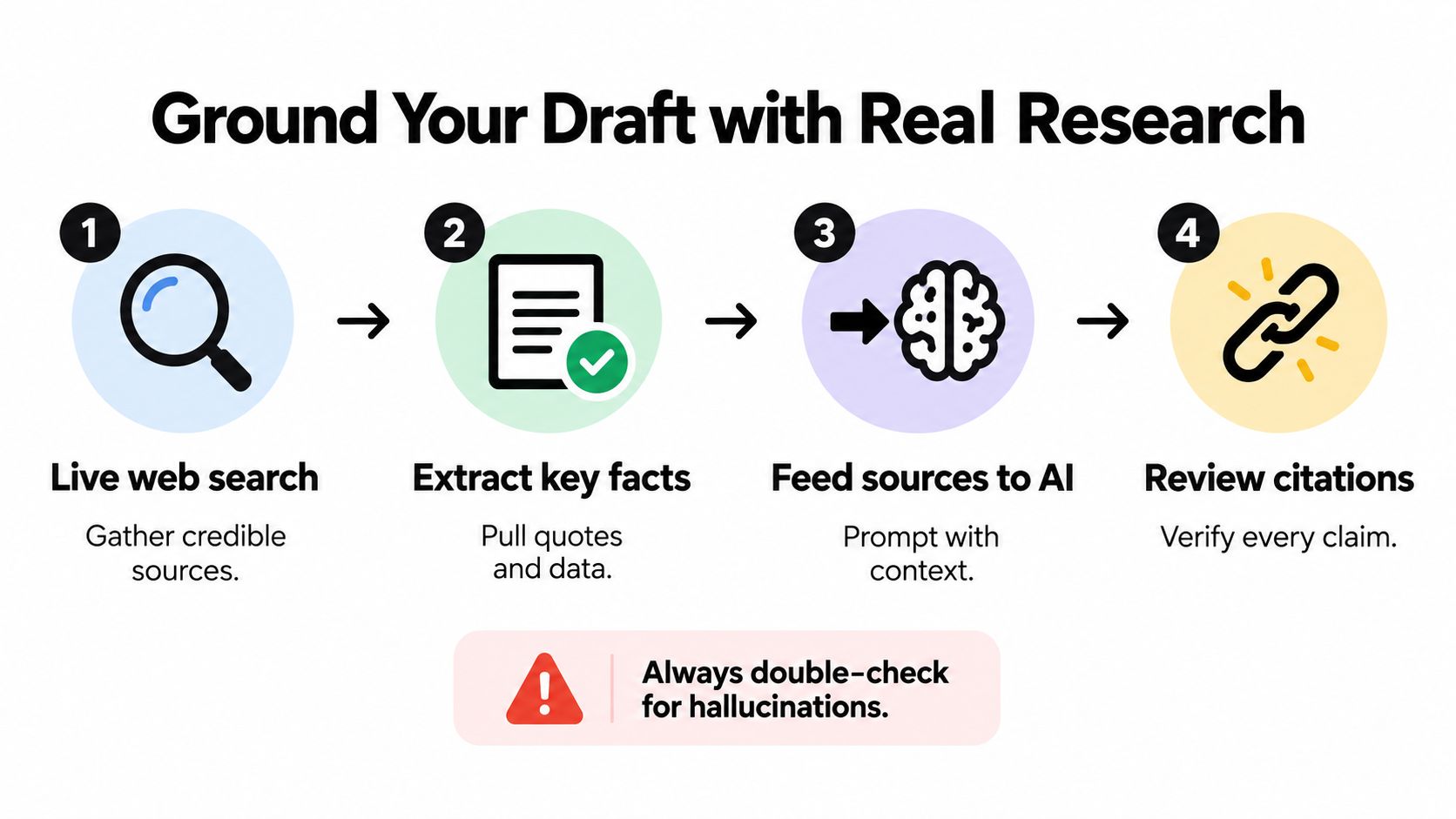
Begin with a focused research request:
Find primary or authoritative sources about [topic]. Prioritize official documentation, original studies, and recognized institutions. For each source, provide the title, publisher, date if available, URL, and the exact claim it supports. If you can't verify a claim, label it unresolved rather than guessing.
Then inspect the results yourself. Open the source, check that it says what the summary claims, and record the useful passage or data point in a research note. Don't save only a link. Links outlive context surprisingly well, and future-you may not remember why a particular page mattered.
Feed verified notes back into the drafting prompt:
Use only the research notes below for factual claims. Keep citations attached to the sentences they support. Don't combine findings from separate sources unless the relationship is explicit. Mark unsupported statements with [VERIFY]. Preserve uncertainty and don't turn correlation into causation.
Library and Projects can help organize source documents, notes, and conversations around one topic. Deep Research and Live Mode can support web-based investigation and real-time questioning, but neither removes the need to read important sources. Ask the AI to identify conflicts between documents, not to quietly choose whichever claim makes the paragraph sound smoother.
A reliable citation check asks four questions:
The AI fact-checking workflow is useful for building this habit into your writing process. It's also worth keeping a separate “unverified” list while drafting. That list prevents a half-remembered figure from sneaking into the final version just because it fit the paragraph beautifully.
Research synthesis is where human judgment matters most. You decide which sources deserve attention, which disagreement is meaningful, and what the evidence actually allows you to say. AI can help compare and summarize. It can't take responsibility for a citation that doesn't hold up.
The first draft is where AI saves time. The editing pass is where you protect your identity.
AI revision can change more than grammar. A 2026 analysis warned that LLM-based revision can make large changes to content and meaning, while a systematic review found that much of the existing evidence remains descriptive and that stronger causal research is still needed to determine how generative AI affects writing quality across time and genres, as detailed in the ERIC-hosted analysis. In plain English, a sentence can become smoother while becoming less true to what you meant.
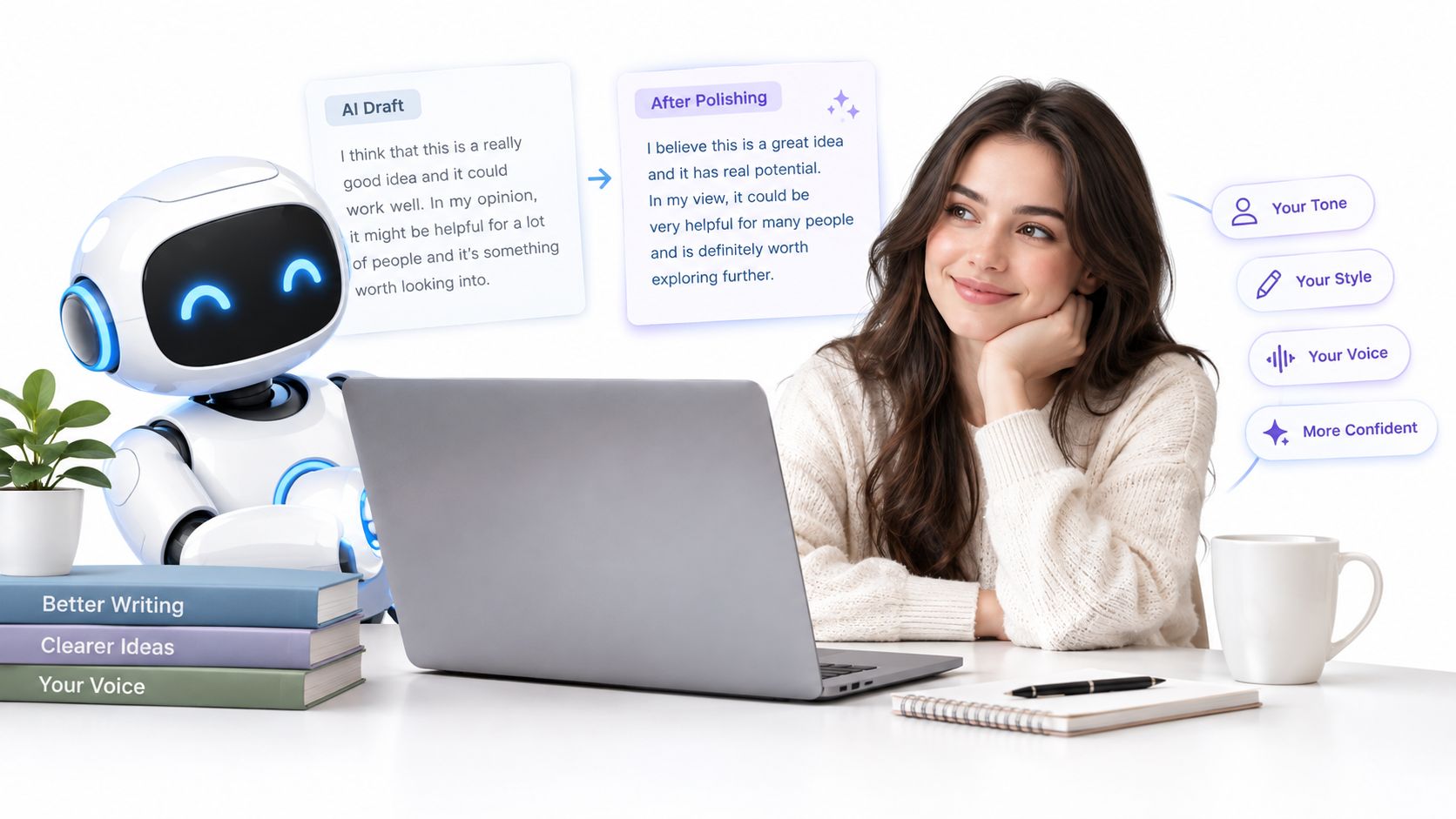
Read the draft once without asking AI to change anything. Mark the places where the argument feels weak, the examples feel generic, or the tone sounds like a company handbook discovered adjectives.
Then work from the largest issue to the smallest:
Give the AI narrow requests. “Make this sound like me” is too broad unless you've already supplied examples and rules. Try:
Rewrite this paragraph in a conversational, practical tone. Keep the first-person experience, the uncertainty, and the criticism. Don't add enthusiasm, metaphors, statistics, or stronger claims. Give me two options.
Or:
Rephrase only the second sentence for clarity. Keep its meaning, level of certainty, and understated humor. Do not revise the surrounding sentences.
Your voice often lives in details an AI editor considers inefficient. A short sentence. A mild complaint. A specific comparison. A phrase that isn't perfectly symmetrical but sounds like something you would say.
Voice preservation rule: If an edit improves polish but removes personality, it isn't an improvement yet.
Zemith's Smart Notepad can support targeted work such as rephrasing, style adjustment, autocomplete, and converting bullet points into polished paragraphs. Use those features as local tools, not as a permission slip to replace every sentence. Keep the original beside the revision so you can compare what changed.
A quick final pass catches semantic drift:
Read the finished piece aloud. Your ear notices corporate fog faster than your eyes do. If you wouldn't say the sentence to a smart colleague over coffee, either rewrite it yourself or give the AI a much smaller assignment.
The shortcut mindset says that if the prose looks clean, the job is finished. It isn't. Before publishing, you need to check not only whether the writing works, but also whether your use of AI fits the rules governing the assignment, institution, client, or publication.
A 2026 systematic review found that 67% of institutional guidance targets faculty, while only 17.8% provides direct student frameworks for ethical boundaries and appropriate use, according to the Frontiers review. That gap leaves students and knowledge workers guessing, especially when policies change faster than practical guidance.
Some publications require human authorship and explicit acknowledgment of generative AI assistance, including the tools used, prompts given, and sections enhanced by AI. The Core Publications generative AI policy also says peer reviewers may not use generative AI to assist with review reports because unpublished work could be exposed.
Elsevier's policy similarly says reviewers shouldn't upload submitted manuscripts into AI tools because of confidentiality, proprietary rights, and data privacy concerns. It permits supportive uses such as language polishing or background literature searching, with disclosure in review reports, as described in Elsevier's journal policy.
Detection tools don't solve the ethics question. One validation study found GPTZero classified mixed-generated writing with 89% to 93% accuracy, and fully human or fully AI-written text with 95% to 99% accuracy, as reported in the validation study. Another study found wide variation among detectors, including true positive and true negative rates of 93.9% and 98.7%, alongside false positive and false negative rates of 1.3% and 6.1%, from the same research record. Detection is evidence with limitations, not a substitute for a clear policy or honest disclosure.
For students and researchers, ethical use can also mean documenting the prompts, drafts, and edits that shaped the final work. If you need to restate source material, use a careful AI paraphrasing workflow without plagiarism, then compare the result with the original and cite the source. The safest principle is simple: use AI to assist your work, not to hide who made the decisions.
Zemith brings multi-model writing, Smart Notepad editing, Document Assistant support, research tools, and organized Projects into one workspace, so you can move from rough notes to verified draft without losing the thread. Visit Zemith to build a voice-preserving AI writing workflow that helps you publish faster while keeping the final words your own.
Pay less than one AI subscription and get GPT, Claude, Gemini and more, plus 50+ AI tools.







Trusted by teams at






The top models, plus image, video and voice tools, in one plan.
Without Zemith
ChatGPT PlusUS$20.00Claude ProUS$20.00Google AI ProUS$19.99SuperGrokUS$30.00Perplexity ProUS$20.00 MidjourneyUS$10.00
 ElevenLabsUS$6.00Le Chat ProUS$14.99
 RunwayUS$15.00Kling StandardUS$8.80
 Gamma PlusUS$12.00
 Otter ProUS$16.99
 QuillBot PremiumUS$19.95
 Photoroom ProUS$12.99
 Quizlet PlusUS$7.99
Total if paying separatelyUS$234.70/mo
"I love the way multiple tools they integrated in one platform. Going in the right direction."
— simplyzubair
"The quality of data and sheer speed of responses is outstanding. I use this app every day."
— barefootmedicine
"The credit system is fair, models are perfect, and the discord is very responsive. Quite awesome."
— MarianZ
"Just works. Simple to use and great for working with documents. Money well spent."
— yerch82
"The organization of features is better than all the other sites — even better than ChatGPT."
— sumore
"It lives up to the all-in-one claim. All the necessary functions with a well-designed, easy UI."
— AlphaLeaf
"The team clearly puts their heart and soul into this platform. Really solid extra functionality."
— SlothMachine
"Updates made almost daily, feedback is incredibly fast. Just look at the changelogs — consistency."
— reu0691
Hand off the research, writing, design and follow-ups. Zemith picks the tools it needs and brings back finished work.
Search the web, run deep research, read files, create images and run code with GPT, Claude, Gemini, Grok and more.
Zemith keeps working in the cloud and pings you when it's done.
Notion, Linear, Canva, Airtable and more. It asks before it creates or changes anything.
Docs, slides, sheets and PDFs, ready to send.
Chain models and tools on a visual canvas, from one prompt to a finished promo video.
Briefings, reports and reminders run on a schedule and are ready when you need them.
Real-time voice that can see your camera or screen.
The best image and video models, in one studio.
Turn PDFs, links and YouTube videos into podcasts, quizzes, flashcards and mind maps.














 Podcast
 Quiz
Quiz Flashcards
 Mind map
 Infographic