


Every top model, with tools built in.
Search the web, run deep research, read files, create images and run code with GPT, Claude, Gemini, Grok and more.
Unlock your full potential with these 10 actionable multimodal learning strategies. Boost retention and engagement with research-backed techniques and tools.
Let's be real: staring at a wall of text is about as exciting as watching paint dry. Your brain, that magnificent supercomputer between your ears, craves variety. It’s not a one-trick pony designed to process endless lines of monochrome text. If you’ve ever felt your focus drift while reading a dense report or zoning out during a lecture, it’s not you… it’s the method. Welcome to the world of multimodal learning strategies, a scientifically-backed approach that uses a mix of senses (sight, sound, touch, and interaction) to help you learn faster, understand deeper, and remember more.
Think of it as upgrading from a diet of plain crackers to a full-course sensory meal for your mind. When you engage multiple pathways to your brain, information doesn't just get stored; it gets interconnected, creating a stronger, more resilient web of knowledge. This isn't just about making learning more fun (though it definitely does that). It's about aligning how we consume information with how our brains are naturally wired to work. So, are we talking about the best multimodal learning strategies for students? Yes. For professionals? Absolutely. For anyone who doesn't want their brain to turn into mush? You bet.
So, are you ready to ditch the boredom and unlock a more brilliant way of working and learning? We’ve rounded up 10 powerful and practical multimodal learning strategies that you can implement immediately, whether you're a developer, a content creator, a student, or a team lead. Each one comes with a clear breakdown: what it is, why it works, and exactly how to put it into action. And because we're all about smart workflows, we'll even show you how a versatile AI-powered tool like Zemith.com can be your secret weapon for bringing these techniques to life. Let's get this party started.
Ever tried explaining a complex idea and found yourself instinctively drawing it out while you talk? That’s the magic of visual-auditory integration in action. This powerhouse strategy combines what we see with what we hear, tapping into two of our most dominant senses to create a learning experience that’s more than the sum of its parts. By pairing visual information like charts, diagrams, or videos with auditory input like lectures or discussions, you engage different parts of the brain simultaneously.
This dual-channel approach isn't just a neat trick; it’s a core principle behind some of the most effective multimodal learning strategies. It reduces cognitive load because the brain isn’t struggling to interpret information through a single, overworked sense. Instead, the visual and auditory inputs complement and reinforce each other, building stronger, more durable neural connections. Think of it like a buddy system for your brain cells.
The brain is wired to process information from multiple sources at once. When visuals and audio are synchronized, like in a well-produced documentary or a Khan Academy video, comprehension and retention skyrocket. The visual provides context and structure, while the audio provides explanation and nuance. This synergy helps learners form a richer, more detailed mental model of the subject matter.
Ready to give it a try? Here's a simple, actionable workflow:
By thoughtfully combining sight and sound, you create a dynamic and sticky learning experience that caters to how our brains naturally operate.
Have you ever noticed how you use your hands to talk, especially when explaining something tricky? That's not just a habit; it's your brain hard at work. Gesture-based learning harnesses this natural tendency, turning physical movements, hand gestures, and body language into powerful tools for understanding and retention. It’s a strategy rooted in embodied cognition, the idea that our minds aren't just in our heads but are deeply connected to our physical bodies and experiences.
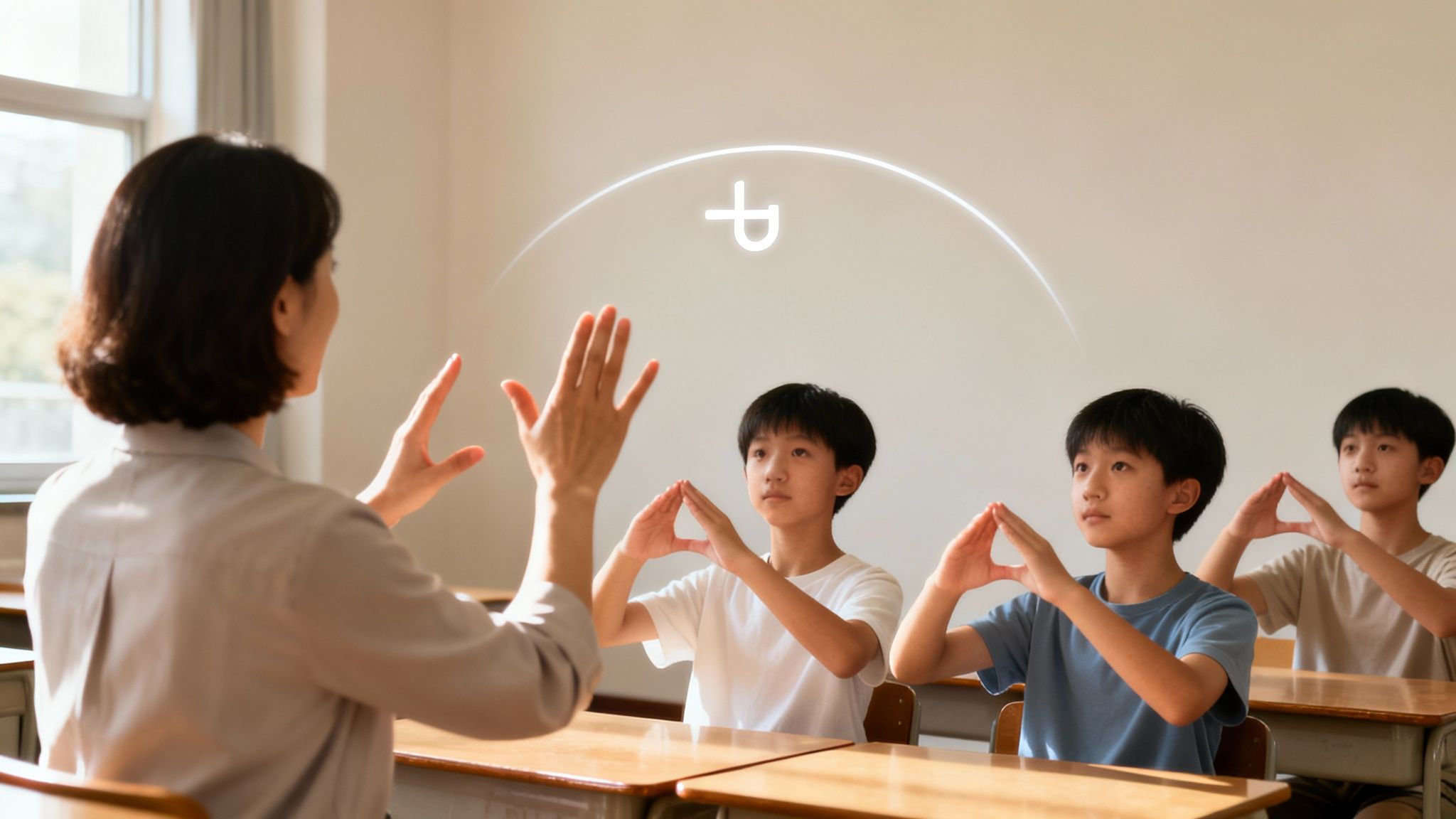
This dynamic approach transforms abstract concepts into tangible actions, making them easier to grasp and recall. By physically "acting out" an idea, you're not just thinking about it; you're living it. This is one of the most hands-on multimodal learning strategies you can employ, literally. It creates a stronger memory trace by linking motor activity with cognitive processing. Think of it as giving your brain a high-five every time you learn something new.
When learners gesture, they offload some of their cognitive load to their bodies, freeing up mental bandwidth to process complex information more effectively. This physical engagement helps to internalize concepts, moving them from short-term to long-term memory. It's particularly effective for spatial or abstract ideas, like a math teacher using hand motions to illustrate the slope of a curve or a programmer tracing the flow of data through a system with their fingers.
Ready to get moving? Here’s a practical workflow to bring gesture-based learning into your routine:
Remember staring at a dense spreadsheet, feeling your eyes glaze over? Now, imagine that same data transformed into a dynamic map you can click, filter, and explore. That’s the power of interactive infographics and data visualization, a strategy that turns passive data consumption into an active learning adventure. This approach uses visual representations like charts, maps, and dashboards to make complex information digestible and engaging.
This method is one of the most compelling multimodal learning strategies because it leverages our brain's natural ability to process visual information rapidly. Instead of just reading numbers, learners can see patterns, explore relationships, and draw their own conclusions by directly manipulating the data. It’s like giving someone a key to a locked room of insights instead of just describing what's inside.
Our brains are hardwired to spot trends and outliers in visual information far more quickly than in text or tables. Interactive elements add another layer of learning by inviting curiosity and exploration. When a learner can filter a dataset or hover over a point to get more detail, they move from being a spectator to a participant. This active engagement strengthens comprehension and makes the information far more memorable.
Ready to bring your data to life? Here’s a workflow to create an interactive learning experience:
By transforming static data into an interactive playground, you empower learners to uncover insights for themselves, creating a much deeper and more lasting understanding.
Remember those dreaded word problems in math class? Imagine if instead of just text, you had videos, interviews, and interactive maps to solve a real-world city planning issue. That’s the core idea of Problem-Based Learning (PBL) with multiple modalities. It tosses learners into the deep end with an authentic, complex problem and provides a rich toolkit of diverse media to help them swim to a solution.
This approach transforms learning from a passive spectator sport into an active investigation. Instead of just memorizing facts, learners must research, collaborate, and apply knowledge using various formats like case studies, audio recordings of expert interviews, simulations, and hands-on prototypes. It’s one of the most effective multimodal learning strategies for developing critical thinking and practical skills because it mirrors how we solve problems in the real world: with every resource we can get our hands on.
Our brains are hardwired for stories and challenges, not for abstract data dumps. When learning is framed around solving a tangible problem, engagement skyrockets. The different modalities (text, video, simulations) provide multiple entry points for understanding, catering to diverse learning preferences and reinforcing concepts through different channels. This contextual, hands-on process ensures knowledge isn’t just learned; it’s understood and retained.
Ready to turn your learners into problem-solving detectives? Here’s a workflow to get you started:
By grounding learning in authentic challenges supported by diverse media, you create a powerful and memorable educational experience that prepares learners for the complexities of their future careers.
Ever wished you could walk on the moon or perform open-heart surgery without, you know, the years of training and astronomical risk? That's where immersive VR and AR step in, transforming learning from a passive activity into a full-body experience. This cutting-edge strategy uses technology to build entire worlds, overlaying digital information onto our physical environment (AR) or plunging us into completely virtual ones (VR). By engaging our visual, auditory, and even haptic (touch) senses, it enables learning scenarios that would be otherwise impossible, dangerous, or just plain expensive.
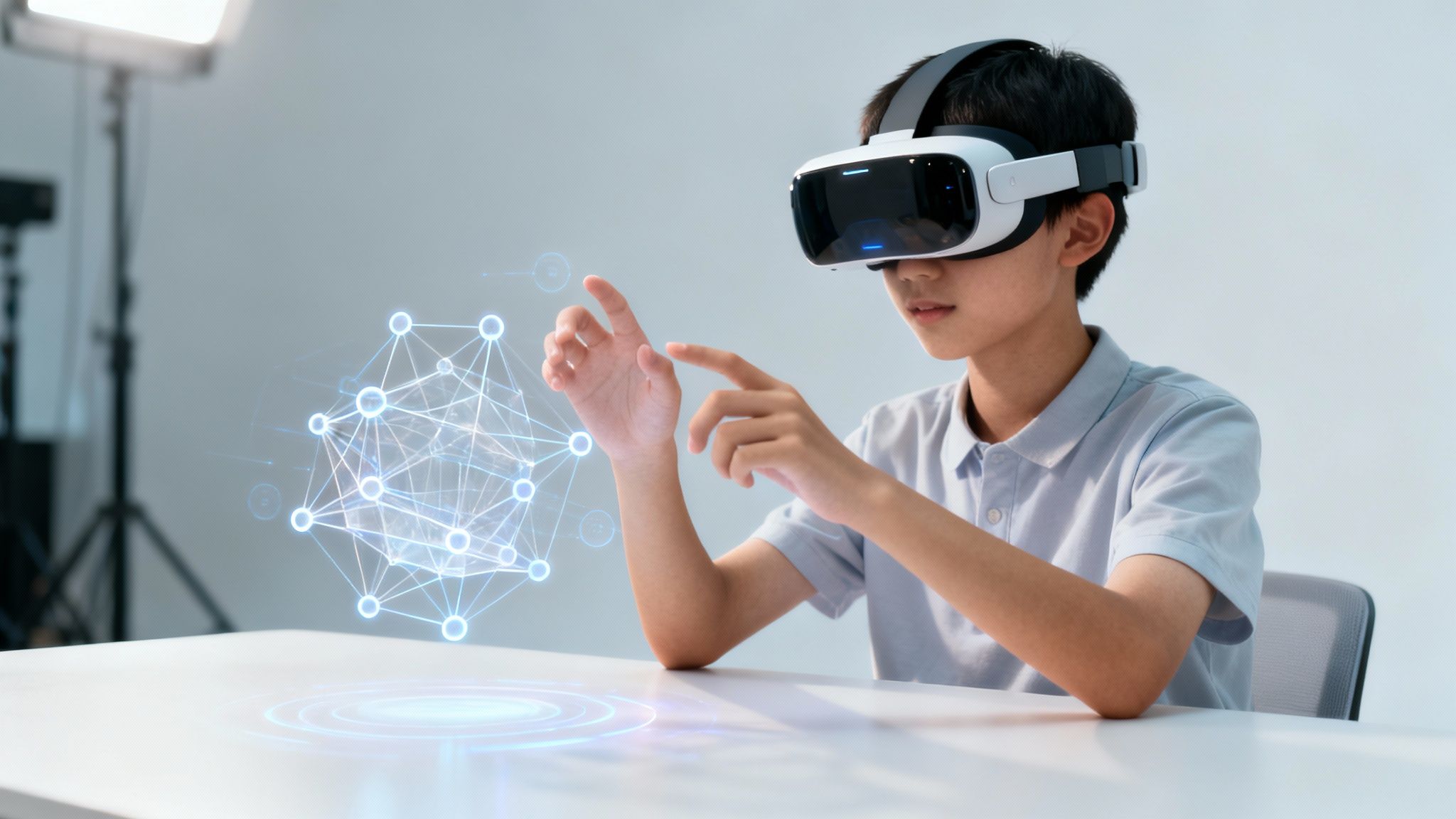
This isn’t just about cool gadgets; it's one of the most powerful multimodal learning strategies because it facilitates "learning by doing" on an epic scale. Instead of reading about a Roman city, you can walk through its virtual streets. Instead of looking at a diagram of an engine, you can take it apart piece by piece. This hands-on, experiential approach creates visceral memories and a much deeper, more intuitive understanding of complex systems.
Our brains are designed to learn from interacting with our environment. VR and AR hijack this natural process, tricking the brain into believing a simulated experience is real. This leads to incredible engagement and retention because the learning is tied to action and spatial memory. From military flight simulations to medical students practicing procedures on virtual patients, these tools allow for safe, repeatable practice where failure is a learning opportunity, not a catastrophe.
Ready to step into a new dimension of learning? Here’s a basic workflow:
Humans are hardwired for stories. Long before we had textbooks or slideshows, we learned through narratives passed down around a campfire. Multimedia case studies and storytelling tap into this ancient learning mechanism, wrapping complex concepts in compelling narratives that use video, audio, text, and images to make information stick. This strategy transforms abstract ideas into concrete, memorable experiences by leveraging emotional engagement and authentic scenarios.
This narrative-driven approach is a cornerstone of effective multimodal learning strategies because it provides context and emotional resonance. Instead of just presenting dry facts, it shows those facts in action through a human-centered lens. The combination of different media types creates a rich, immersive world for the learner, making the content not just understandable but relatable and unforgettable. It's the difference between reading a bulleted list of symptoms and watching a mini-documentary about a patient's journey.
Stories activate the brain in a unique way. When we engage with a narrative, our brains don't just process language; they simulate the experiences being described, firing up sensory and motor cortices. This creates a powerful, full-brain learning event. By combining emotional appeal with rigorous content accuracy, as seen in formats like HuffPost's multimedia long-form journalism, learners build deeper connections to the material and can more easily recall it later.
Ready to become a master storyteller for your learners? Here’s a simple workflow:
By wrapping your lessons in a good story, you don't just teach a subject; you create an experience that resonates on a human level.
What if learning felt less like a chore and more like an epic quest? That’s the core idea behind gamified multimodal learning. This strategy borrows elements from game design-things like points, leaderboards, badges, and narrative missions-and applies them to educational content that is delivered through various modes. It transforms the learning process into an engaging experience that taps into our natural desire for achievement, competition, and fun.
By embedding learning objectives into a game-like framework, you can present information through visuals, audio, text, and interactive challenges simultaneously. This approach doesn't just make learning more enjoyable; it uses multiple channels to reinforce concepts, making it one of the most effective multimodal learning strategies for boosting motivation and long-term retention. Think of it as leveling up your brain instead of just your character.
Gamification works because it triggers intrinsic motivators like mastery, autonomy, and purpose. When learners earn points for watching a video tutorial, unlock a new level by completing an interactive quiz, or collaborate on a challenge, they receive immediate, positive feedback. This creates a powerful feedback loop that encourages persistence. The multimodal aspect ensures that the content is accessible and engaging for different learning preferences, preventing cognitive burnout.
Ready to press start on gamified learning? Here's a simple workflow:
By strategically applying game mechanics, you can create a dynamic and highly motivating learning environment that keeps users coming back for more.
Remember those late-night study groups fueled by pizza and panic? That was social learning in its rawest form. Multimodal collaborative learning is the supercharged, digital evolution of that concept. This strategy is all about learning together, using a rich mix of tools and communication channels to co-create knowledge and solve problems as a team. It moves beyond solo work, emphasizing peer interaction, group discussion, and shared creation.
By combining different modes of communication like video conferencing, shared documents, text-based chat, and interactive whiteboards, groups can leverage each member's strengths. This approach is a cornerstone of modern multimodal learning strategies, reflecting how real-world projects actually get done. It's not just about dividing and conquering; it's about building something better together than anyone could alone.
Learning is fundamentally a social activity. When we discuss, debate, and teach concepts to others, we process information on a much deeper level. This strategy harnesses that social power by creating a dynamic environment where ideas can be built upon in real-time. Platforms like Google Docs for text, GitHub for code, or Slack for ongoing discussion allow for a continuous, multi-threaded conversation that accommodates different communication styles and schedules.
Ready to build a collaborative learning powerhouse? Here’s how you can set it up:
By weaving social interaction through multiple modalities, you create a vibrant and supportive learning ecosystem that mirrors the collaborative nature of the modern workplace.
Imagine a learning platform that acts like a personal tutor, knowing exactly when to show you a video, assign a hands-on project, or present a short quiz. That’s the core idea behind adaptive personalized learning paths. This high-tech strategy uses AI and data analytics to create a unique educational journey for every single learner, dynamically adjusting the content, pace, and even the modality based on real-time performance and preferences. It’s a truly bespoke approach to education.
This data-driven method moves beyond one-size-fits-all content. Instead of forcing everyone through the same linear sequence, it curates the experience. If a learner excels with visual examples but struggles with dense text, the system will prioritize videos and infographics. This makes it one of the most sophisticated and responsive multimodal learning strategies available today, ensuring learners receive the right information in the right format at the right time.
Adaptive learning works because it directly addresses individual cognitive needs and learning gaps. By analyzing interaction data, such as quiz scores, time spent on a task, and even click patterns, the system builds a detailed profile of each learner. This allows it to pinpoint areas of weakness and reinforce them with targeted, modality-specific interventions. Platforms like ALEKS for math or Knewton's adaptive technology use this principle to guide students through complex subjects, preventing them from getting stuck or bored.
Ready to build a smarter learning journey? Here’s how you can start integrating adaptive principles:
Ever feel like your brain has too many tabs open? In a world of shrinking attention spans, microlearning is the answer. It’s a strategy that delivers focused, bite-sized learning content in short, manageable bursts. But the real magic happens when you mix in multiple formats, creating a rich tapestry of multimodal learning strategies that cater to learning on the go. This approach isn't about long, drawn-out lessons; it's about delivering quick, impactful knowledge through short videos, infographics, audio snippets, or interactive quizzes.
This method respects our busy schedules and leverages the power of spaced repetition. Think of the way Duolingo serves up five-minute lessons or how an educational TikTok can teach you a new skill in under 60 seconds. By presenting the same core concept in different formats over time, you build stronger, more flexible understanding and combat the dreaded forgetting curve. It’s like getting a series of helpful, friendly nudges for your brain instead of one giant shove.
Microlearning with varied formats works because it aligns perfectly with how our brains naturally process and retain information in the digital age. Short bursts of focused learning prevent cognitive overload, making it easier to absorb new concepts. When you present that concept as a quick video one day, an audio summary the next, and an interactive quiz later, you engage different neural pathways. This repetition in multiple modes solidifies memory and makes recall more efficient.
Ready to create a learning experience that sticks without overwhelming? Here's how to do it:
By delivering learning in small, varied, and repeated doses, you create a powerful, flexible system that fits into the cracks of any busy day.
And there you have it, ten powerful, brain-friendly, and dare we say, fun multimodal learning strategies designed to pull you out of the single-channel rut. We've journeyed from integrating simple visuals and audio to creating immersive VR experiences and building entire gamified learning ecosystems. The days of staring at a wall of text until your eyes glaze over are officially numbered.
The core lesson weaving through each of these techniques is that learning isn't a passive act of consumption. It’s an active, dynamic process of connection-building. When you combine modalities, you’re not just learning a concept; you're experiencing it, internalizing it, and building a more resilient, interconnected web of knowledge in your brain. This isn't just about passing a test or remembering a fact. It’s about cultivating a more agile, creative, and adaptable mind, which is the ultimate superpower in today's rapidly changing world.
Let's distill this down. If you walk away with anything from this guide, let it be these key ideas:
Feeling overwhelmed by the options? Don't be. You don't need to implement all ten multimodal learning strategies by tomorrow. The goal is to start small and build momentum.
Here’s your challenge for this week:
The future of productivity, education, and personal growth is unequivocally multimodal. The ability to learn, process, and create using a diverse set of inputs and outputs is no longer a "nice-to-have" skill, it's an essential one. By adopting these multimodal learning strategies, you're not just improving your learning efficiency; you're future-proofing your skills and unlocking a more creative and resourceful version of yourself. Your toolkit is now stocked. The only question left is, what will you build first?
Ready to put these strategies into action with a tool built for the multimodal world? Zemith integrates document editing, AI-powered image generation, audio creation, and coding assistance into a single, seamless workspace. Stop juggling a dozen different apps and start building your knowledge with an all-in-one co-pilot by trying Zemith today.







Trusted by teams at






The top models, plus image, video and voice tools, in one plan.
Without Zemith
ChatGPT PlusUS$20.00Claude ProUS$20.00Google AI ProUS$19.99SuperGrokUS$30.00Perplexity ProUS$20.00 MidjourneyUS$10.00
 ElevenLabsUS$6.00Le Chat ProUS$14.99
 RunwayUS$15.00Kling StandardUS$8.80
 Gamma PlusUS$12.00
 Otter ProUS$16.99
 QuillBot PremiumUS$19.95
 Photoroom ProUS$12.99
 Quizlet PlusUS$7.99
Total if paying separatelyUS$234.70/mo
"I love the way multiple tools they integrated in one platform. Going in the right direction."
— simplyzubair
"The quality of data and sheer speed of responses is outstanding. I use this app every day."
— barefootmedicine
"The credit system is fair, models are perfect, and the discord is very responsive. Quite awesome."
— MarianZ
"Just works. Simple to use and great for working with documents. Money well spent."
— yerch82
"The organization of features is better than all the other sites — even better than ChatGPT."
— sumore
"It lives up to the all-in-one claim. All the necessary functions with a well-designed, easy UI."
— AlphaLeaf
"The team clearly puts their heart and soul into this platform. Really solid extra functionality."
— SlothMachine
"Updates made almost daily, feedback is incredibly fast. Just look at the changelogs — consistency."
— reu0691
Hand off the research, writing, design and follow-ups. Zemith picks the tools it needs and brings back finished work.
Search the web, run deep research, read files, create images and run code with GPT, Claude, Gemini, Grok and more.
Zemith keeps working in the cloud and pings you when it's done.
Notion, Linear, Canva, Airtable and more. It asks before it creates or changes anything.
Docs, slides, sheets and PDFs, ready to send.
Chain models and tools on a visual canvas, from one prompt to a finished promo video.
Briefings, reports and reminders run on a schedule and are ready when you need them.
Real-time voice that can see your camera or screen.
The best image and video models, in one studio.
Turn PDFs, links and YouTube videos into podcasts, quizzes, flashcards and mind maps.














 Podcast
 Quiz
Quiz Flashcards
 Mind map
 Infographic