10 Game-Changing Rapid Prototyping Techniques to Use in 2026

Discover 10 powerful rapid prototyping techniques to accelerate your projects. From 3D printing to AI code generation, learn how to innovate faster.

rapid prototyping techniquesproduct developmentagile methodologyux designmvp development

Ever had a brilliant idea but felt paralyzed by the thought of actually building it? You're not alone. The journey from a spark of inspiration to a tangible product can feel like trying to cross the Grand Canyon on a unicycle. It seems risky, slow, and probably ends in a spectacular, dusty failure. So, how do you make the leap?

What if you could build a solid bridge as you walked across? That’s the magic of modern rapid prototyping techniques.

This isn't just about making stuff; it's about learning, iterating, and validating ideas at lightning speed. Forget those soul-crushing, multi-year development cycles that burn through cash and motivation like a teenager with their first credit card. We're talking about going from a concept scribbled on a napkin to getting real user feedback in days, sometimes even hours. For creators building digital products, learning to accelerate this process is critical; a comprehensive mobile apps prototype guide for idea validation can be an invaluable resource to get started.

In this ultimate guide, we’ll break down 10 of the most impactful rapid prototyping techniques, covering everything from physical gadgets with 3D printing to cutting-edge software with AI. We'll explore not just what they are, but how you can use them today, complete with pros, cons, and insider tips to turn your 'what if' into 'what is.' We’ll even show you how a powerhouse AI tool like Zemith can act as your ultimate cheat code, supercharging every single one of these methods to get you to market faster. Ready to stop dreaming and start building? Let's dive in.

1. 3D Printing (Additive Manufacturing)

If you’ve ever wished you could just pull a physical object out of your computer screen, 3D printing is basically that wish granted by a friendly tech genie. Formally known as additive manufacturing, this technique constructs three-dimensional objects layer-by-layer from a digital file (like a CAD model). Think of it as a hot glue gun with a computer brain, meticulously building an object from the ground up using materials like plastic, resin, or even metal.

This method is the undisputed king of fast, physical iteration. It's one of the most accessible and versatile rapid prototyping techniques available, letting you turn a design into a tangible, hold-it-in-your-hand prototype in a matter of hours, not weeks.
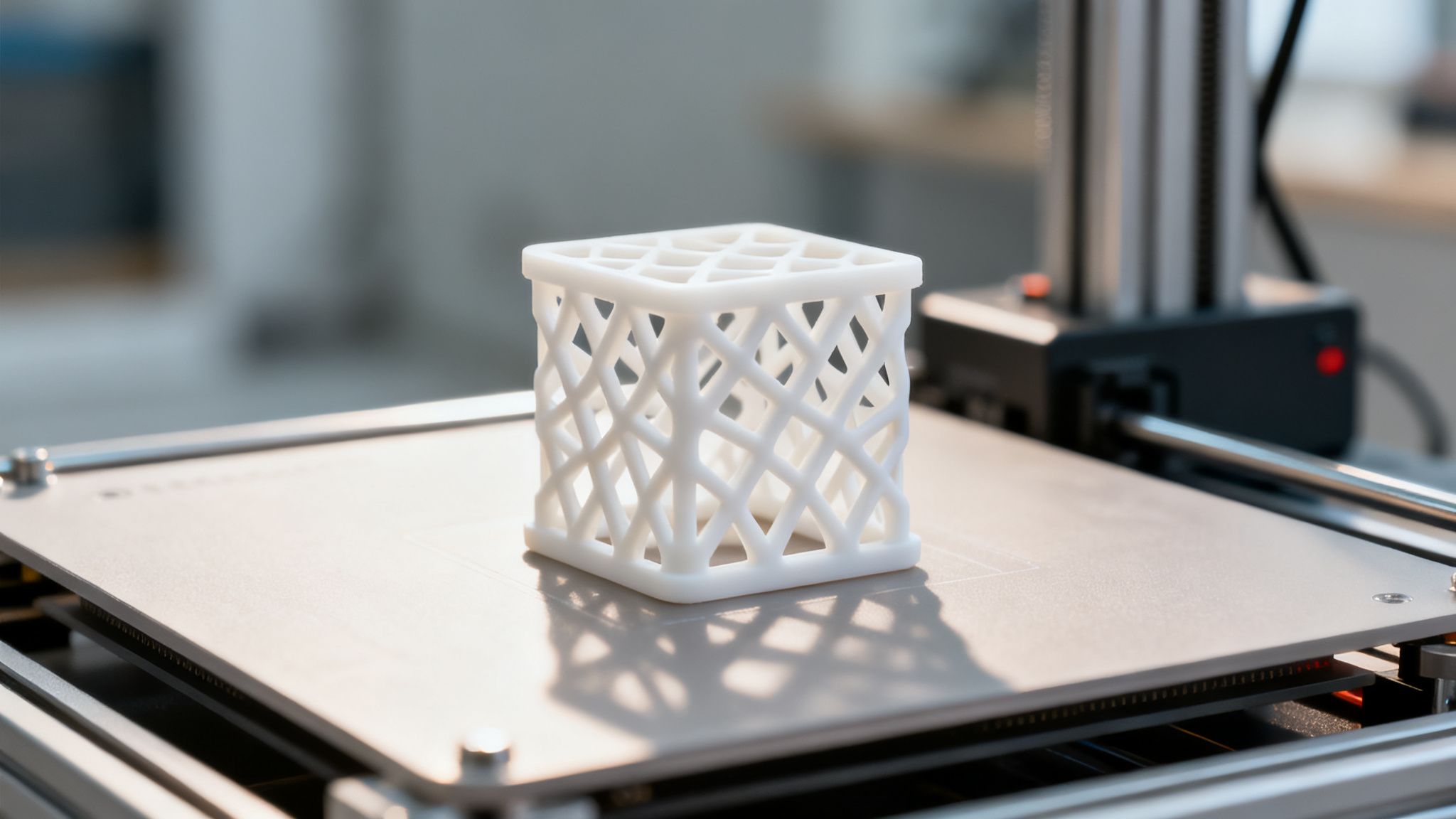
A white, lattice-patterned 3D printed object sits on a 3D printer's build plate.

Why It's a Go-To Technique

The beauty of 3D printing lies in its speed and relatively low cost for single parts, which is perfect for an iterative design process. Automotive giants like those working with Stratasys use it to prototype everything from door handles to engine components, drastically cutting development time. Similarly, medical device companies can print and test surgical instrument prototypes for ergonomic feel and function before committing to expensive tooling.

Actionable Tips for Getting Started

  • Start with FDM: For your first foray, grab a desktop Fused Deposition Modeling (FDM) printer. They're affordable and great for quickly checking form and fit.
  • Optimize Your CAD: Before you hit "print," run your designs through an AI optimization tool. For instance, integrating your workflow with Zemith can help you analyze and refine your CAD file, saving you from a stringy, failed print and a whole lot of sadness.
  • Design for Finishing: Remember that 3D prints often need post-processing. Design your model with support material removal in mind to avoid a finishing nightmare.
  • Test Different Materials: Don't just stick to one plastic. Print your prototype in various materials (like PLA for form, PETG for strength) to test different physical properties.

2. Wireframing and Low-Fidelity Mockups

If 3D printing is pulling a physical object from a screen, wireframing is like sketching its soul on a napkin first. This technique creates simplified, schematic blueprints of digital interfaces. Using basic shapes and placeholder text, these low-fidelity mockups focus entirely on structure, layout, and user flow, intentionally ignoring aesthetics like colors or fonts. It’s the digital equivalent of an architect’s initial floor plan before they start picking out paint colors.

This approach is the champion of conceptual speed. As one of the most fundamental rapid prototyping techniques, wireframing lets you map out and test an entire application's user experience with almost zero technical overhead, allowing for lightning-fast changes based on early feedback. It’s all about the "what" and "where," not the "how it looks."
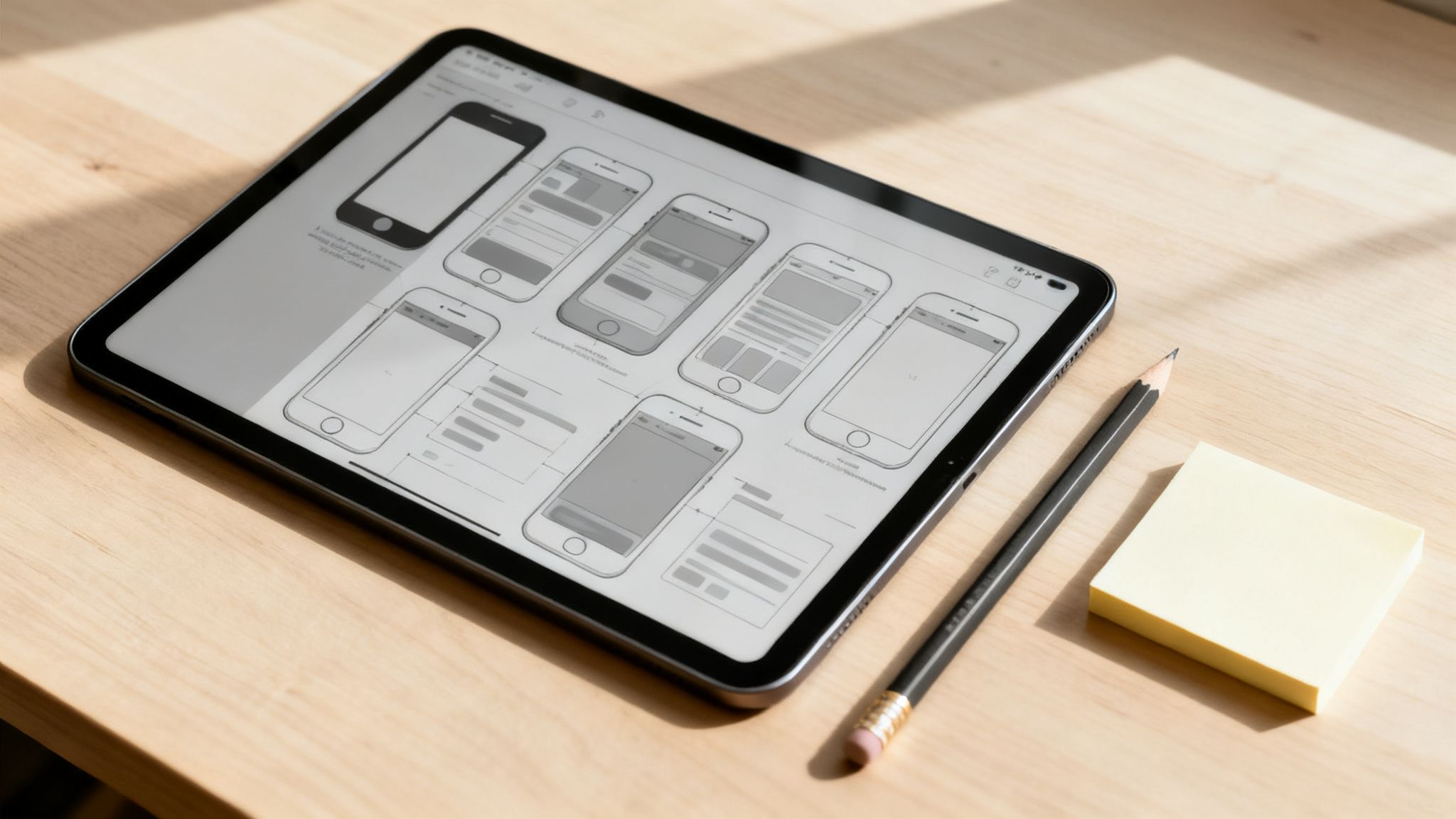
A tablet displays mobile app wireframes and UI designs, next to a pencil and sticky notes on a wooden desk.

Why It's a Go-To Technique

The power of wireframing is in its simplicity and cost-effectiveness. It separates the conversation about functionality from the conversation about visual design, preventing stakeholders from getting stuck on the wrong shade of blue. Spotify famously uses this process to refine navigation structures, ensuring users can find their doom-scrolling playlists effortlessly. It allows teams to fail fast and cheap, testing dozens of layout ideas before a single line of code is written.

Actionable Tips for Getting Started

  • Go Analog or Digital: Start with a pen and paper or jump into a tool like Balsamiq or Figma. The medium doesn't matter as much as the speed of getting ideas down. Explore some collaborative whiteboard apps to see which fits your team’s flow.
  • Focus on Flow, Not Features: Don't just draw screens; map out the user's journey. What happens when they click this button? Where do they go next? Solve their core problems first.
  • Test with Real Humans: Grab a colleague or a potential user and ask them to "use" your wireframes. Their confusion is your most valuable feedback at this stage.
  • Generate High-Fidelity Concepts: Once your layout is solid, export your wireframes as images. You can then use these as prompts for an AI image generator in Zemith to quickly explore high-fidelity visual directions without needing a designer.

3. Clickable Prototypes and Interactive Mockups

If physical prototypes are about testing how something feels, clickable prototypes are about testing how an experience flows. This technique stitches static design screens (wireframes or high-fidelity mockups) together with interactive hotspots, transitions, and logic. The result is a simulation of a final app or website that users can click through as if it were the real thing, but without a single line of backend code. It’s like a movie set—looks real, but don't peek behind the curtain.

This method is the backbone of modern UX/UI design and a cornerstone of digital rapid prototyping techniques. It allows you to validate user journeys, test navigation, and gather crucial feedback on usability long before development kicks off. It's the difference between asking a user "Would this button make sense here?" and watching them actually try to use it.

Why It's a Go-To Technique

The power of clickable prototypes is in their ability to uncover usability issues cheaply and early. Companies like Uber use them to prototype and test new driver and rider flows, ensuring a seamless experience before committing massive engineering resources. Similarly, an e-commerce platform can build an interactive mockup of its checkout process to identify friction points that might cause users to abandon their carts, directly impacting the bottom line.

Actionable Tips for Getting Started

  • Focus on the Core Journey: Don't try to make every single button clickable at first. Map out the "critical path" a user must take (e.g., signing up, making a purchase) and build that first.
  • Use the Right Tools: Platforms like Figma, Framer, and the open-source Penpot are industry standards for creating interactive prototypes. They make linking screens and adding animations surprisingly easy.
  • Test with Real Humans: The whole point is to get feedback. Conduct moderated user testing sessions where you watch people try to complete tasks with your prototype. Awkward silences are where the insights live.
  • Document and Summarize Feedback: After a user testing session, you'll have a mountain of notes. Use a tool like Zemith’s document assistant to transcribe your session recordings and generate summaries of key user feedback, saving you hours of manual work and helping you spot patterns faster.

4. Agile Sprint-Based Development

If you've ever built something piece-by-piece, getting feedback as you go, you've experienced the core of Agile. This approach organizes development into short, fixed-duration cycles called sprints (usually 1-4 weeks). In each sprint, a cross-functional team builds, tests, and iterates on a small, functional slice of the final product. It’s like building a car by first delivering a working skateboard, then a scooter, then a bicycle, instead of waiting months to deliver the whole car at once.

Agile sprints are one of the most powerful rapid prototyping techniques for software and digital products. This method transforms the development process into a continuous loop of building, measuring, and learning, ensuring the final product actually solves the user's problem.

Why It's a Go-To Technique

The magic of sprints is the rapid feedback cycle. Instead of waiting six months to find out a core feature is unwanted, you find out in two weeks. Spotify famously scaled this with their squad-based model, and Amazon's "two-pizza teams" use sprints to deliver new features with incredible speed. This iterative nature minimizes risk, prevents wasted effort, and keeps the team hyper-focused on delivering value. For teams new to this structure, engaging with dedicated Agile sprint-based development services can help establish a strong foundation.

Actionable Tips for Getting Started

  • Define Clear Sprint Goals: Don't just work on a random list of tasks. Start each sprint with a single, clear goal, like "Users can successfully create an account."
  • Keep a Tidy Backlog: Your product backlog is your roadmap. Keep it prioritized so the team always pulls the most valuable work into the next sprint.
  • Leverage AI for Planning: Use an AI-powered tool for your sprint planning and retrospectives. For instance, Zemith’s collaborative whiteboard is perfect for brainstorming user stories and organizing your sprint board without the mess of physical sticky notes.
  • Automate Everything You Can: Set up automated testing to run with every new piece of code. This catches bugs early and frees up your team to focus on building, not fixing.
  • Generate Reports Instantly: At the end of a sprint, use an AI assistant to create your sprint summary. Zemith’s document assistant can pull data from your sprint board and generate a comprehensive report, saving you from a tedious, soul-crushing admin task.

5. Paper Prototyping and Sketching

Before you write a single line of code or open a complex CAD program, reach for the most powerful and ancient prototyping tool known to humankind: a pen and paper. Paper prototyping is the art of creating hand-drawn, tangible mockups of interfaces, products, or user flows. It’s the ultimate back-to-basics approach that puts speed and collaborative ideation above all else.

This method is the heart and soul of ultra-low-fidelity iteration. It’s one of the fastest and cheapest rapid prototyping techniques for testing core concepts, user journeys, and fundamental layouts. You can literally go from a vague idea to a testable "product" in the time it takes to brew a pot of coffee.

Why It's a Go-To Technique

The sheer simplicity of paper prototyping makes it incredibly powerful. It strips away all technical barriers, inviting everyone on the team, from developers to marketers, to contribute. Design consultancies like IDEO famously use it in workshops to get immediate feedback. Even Google’s early Android interface concepts began as simple sketches, allowing them to explore countless ideas without getting bogged down by digital tools. It's perfect for validating an MVP concept before you even think about building it.

Actionable Tips for Getting Started

  • Make It a Team Sport: Gather your team for a brainstorming session. Give everyone paper and markers and set a timer to generate as many different screen variations or user flows as possible.
  • Test with Real Humans: Don't just show your sketches to your team. Sit down with potential users and have them "interact" with the paper prototype. You can act as the "computer," swapping out screens as they tap on buttons.
  • Digitize and Document: Photograph your sketches to preserve and share them. Better yet, transition your proven ideas into a digital whiteboard. You can recreate the collaborative feel of paper sketching in a tool like Zemith and use its smart notepad to instantly capture and organize the crucial feedback from your user tests.
  • Know When to Move On: Paper is for testing core ideas, not pixel-perfect details. Once you've validated the fundamental concept and user flow, it’s time to level up to a digital wireframing or design tool.

6. Minimum Viable Product (MVP) Development

Instead of building a physical object, imagine building the absolute bare-bones version of a software product to test a core idea. That’s the essence of Minimum Viable Product (MVP) development. Popularized by Eric Ries in "The Lean Startup," this approach involves creating a version of a new product that allows a team to collect the maximum amount of validated learning about customers with the least effort. It's about getting a functional-but-basic product into the hands of real users as fast as possible.

An MVP isn't a clunky, half-finished product; it's a strategic experiment. As one of the most powerful rapid prototyping techniques for software and business models, it prioritizes real-world feedback over perfecting every feature. It answers the critical question: "Should we even build this thing?" before you sink millions into development.

Why It's a Go-To Technique

The MVP approach is all about speed and learning. It drastically reduces the risk of building something nobody wants. Dropbox famously started not with code, but with a simple explainer video demonstrating its file-syncing concept. The video drove thousands of sign-ups overnight, proving people wanted the product before a single line of code was commercially deployed. Similarly, Airbnb’s MVP was just a basic website with photos of the founders' own apartment to test if people would pay to stay in a stranger’s home.

Actionable Tips for Getting Started

  • Solve One Problem: Don't try to boil the ocean. Identify the single, most painful problem your target user has and build your MVP to solve only that.
  • Define Success Now: Before you build, determine what success looks like. Is it 100 active users? 10 paying customers? A 5% conversion rate? Set clear, measurable goals.
  • Talk to Your Users: Your MVP isn't built in a vacuum. Use a tool like Zemith to organize user research, map out customer needs, and ensure your core hypothesis is actually something people care about.
  • Track Everything: Implement basic analytics from day one. Watch how users interact with your MVP to get unbiased data on what's working and what isn't. This will guide your next iteration.

7. AI-Powered Code Generation and Development

Imagine having a seasoned pair programmer who never sleeps, knows nearly every programming language, and can whip up a functional code snippet from a simple English sentence. That’s the magic of AI-powered code generation. This technique uses large language models to automatically write, complete, and even debug code, effectively acting as a supercharged assistant for developers. It's not about replacing programmers; it's about giving them superpowers.

This method has quickly become one of the most transformative rapid prototyping techniques for software development. By automating the tedious, boilerplate parts of coding, developers can focus on the complex logic and creative problem-solving needed to bring a digital product to life at lightning speed.

A computer monitor displays programming code on a dark screen, with a keyboard on a white desk.

Why It's a Go-To Technique

The core benefit of AI-powered development is raw speed. GitHub famously reported that developers using its Copilot tool write code up to 55% faster. This acceleration is crucial for rapid prototyping, where the goal is to build a Minimum Viable Product (MVP) quickly to test an idea. Instead of spending a week setting up a database and API endpoints, an AI assistant can generate that foundational code in minutes, letting teams build and validate their concepts faster than ever before.

Actionable Tips for Getting Started

  • Target the Tedious: Use AI to generate boilerplate code first. Think API fetches, database connection strings, or basic UI components. This is its low-hanging fruit.
  • Be a Great Prompt Engineer: Your AI is only as good as your instructions. Be specific and clear. Instead of "make a login button," try "create a responsive React component for a login button with email/password fields and form validation."
  • Always Review the Code: AI can hallucinate or introduce subtle bugs. Treat its output like code from a junior developer: a great starting point that needs your expert review and testing.
  • Integrate It Into Your Workflow: For a seamless experience, use tools designed for this process. Zemith's AI-native features, for instance, are built to understand your project's context, providing highly relevant code suggestions that save you from constant copy-pasting. You can even learn more about using ChatGPT for coding to get a foundational understanding.
  • Use it for Documentation: Stuck on explaining a complex function? Ask your AI assistant to generate comments or documentation for it. It’s a fantastic way to keep your codebase clean and understandable.

8. User Testing and Feedback Loops

If you build a prototype in the forest and no one is around to test it, does it even make sense? User testing is the critical process of putting your prototype, no matter how rough, in front of actual users to see how they react. It’s a reality check that moves you from "we think users want this" to "we know users need this."

This method is one of the most powerful rapid prototyping techniques for digital and physical products because it closes the gap between your assumptions and user reality. By creating a rapid feedback loop, you systematically gather insights, identify fatal flaws, and validate good ideas before you’ve spent a fortune building the final product.

Why It's a Go-To Technique

The real value of user testing is its ability to save you from building the wrong thing. Apple is legendary for its obsessive, iterative user testing, which ensures their products feel intuitive from the first touch. Similarly, digital giants like Netflix continuously test UI variations on small user groups to optimize engagement, ensuring every tweak improves the user experience before it rolls out globally. This constant feedback is the engine of user-centered design.

Actionable Tips for Getting Started

  • Test Early, Test Ugly: Don't wait for a polished prototype. Get feedback on sketches, wireframes, or even a simple paper mockup. Early feedback is cheaper and easier to implement.
  • Mix Your Methods: Combine moderated tests where you can ask follow-up questions with unmoderated tests (using platforms like UserTesting) to gather quantitative data and observe natural behavior.
  • Record and Transcribe: With permission, record your sessions. Reviewing them later helps catch subtle cues you missed. To speed things up, use Zemith's document assistant to transcribe and summarize your session notes, pulling out key insights without the manual grunt work.
  • Recruit Smart: Find users who truly represent your target audience, not just your friends and family (unless they’re your target market, of course). Aim for a diverse group to avoid biased feedback. For a deeper dive, learn how to conduct usability testing effectively to get the most out of every session.

9. Design Thinking and Iterative Prototyping

This technique is less about a specific tool and more about a powerful mindset. Design thinking is a human-centered problem-solving framework where you empathize with users, define their needs, brainstorm solutions, and then rapidly prototype and test those ideas. It's the "why" behind the "what," forcing you to build prototypes with purpose.

Rather than just making a thing, design thinking ensures you're making the right thing. It treats prototyping not as a final step, but as a core part of the learning process. This makes it one of the most strategic rapid prototyping techniques, focusing on validating concepts with real user feedback from the earliest stages.

Why It's a Go-To Technique

The power of design thinking is in its ability to de-risk innovation. By embracing a "fail fast, learn faster" mentality, it saves immense time and resources. IDEO famously used this process to redesign the shopping cart experience, and healthcare systems now use it to improve patient care pathways. It's about building low-fidelity prototypes quickly to test assumptions before a single line of production code is written or a single mold is made.

Actionable Tips for Getting Started

  • Prototype Early, Prototype Ugly: Your first prototype's job is to test a core idea, not win a beauty contest. A sketch, a role-playing scenario, or a few linked screens are perfect starting points.
  • Embrace Collaborative Chaos: Get your team together for an ideation session. Using a collaborative tool like Zemith’s virtual whiteboard can help capture every wild idea and organize thoughts visually without losing momentum.
  • Conduct Real User Research: Don't guess what your users want. Get out of the building (or on a Zoom call) and talk to them. Ask open-ended questions to uncover genuine needs and pain points.
  • Document Everything: Use a smart notepad to capture insights from user tests and team discussions. Tagging these notes as you go makes it easy to find key feedback when you're iterating on your next prototype. For a deeper dive, check out this guide on the design thinking process steps.

10. Generative AI and Prompt-Based Design

Ever felt like you have a million-dollar idea in your head but can't quite draw or code it into existence? Generative AI is like having a team of tireless, lightning-fast junior designers and developers at your beck and call. This approach uses AI models, like those from OpenAI or Midjourney, to generate designs, code, and content from simple text descriptions, also known as prompts.

This isn't just a sci-fi dream; it's one of the most transformative rapid prototyping techniques for the digital age. Instead of spending days mocking up a concept, you can type a description and get dozens of variations in minutes. It's the ultimate tool for exploding the "ideation" phase and exploring creative directions you might never have considered otherwise.

Why It's a Go-To Technique

The sheer speed of variation is what makes generative AI so powerful. A product team can generate descriptions for multiple wireframe layouts to A/B test concepts before a single line of code is written. Marketing teams use it to brainstorm entire campaigns, generating ad copy, slogans, and visual concepts in a single afternoon. It dramatically lowers the barrier to entry for creating initial drafts, whether it's for an app interface, a blog post, or a product's visual identity.

Actionable Tips for Getting Started

  • Master the Prompt: Your results are only as good as your instructions. Learning the art of crafting detailed, specific prompts is key to getting what you want from the AI. If you're new to this, a solid guide on what is prompt engineering can get you up to speed.
  • Use AI as a Co-pilot, Not a Pilot: Don't expect the first output to be perfect. Use AI to generate a wide range of initial ideas and then apply your human creativity and strategic judgment to refine the best ones.
  • Integrate for Efficiency: Instead of jumping between ten different AI tools, look for platforms that bring them together. For example, Zemith integrates multiple generative models, allowing you to access the best AI for any given task-from text generation to complex problem-solving-all in one place.
  • Iterate on Your Prompts: Think of it as a conversation. If you don't like the output, tweak your prompt. Add more context, specify the style, or tell the AI what to avoid. A small change can lead to a massively different (and better) result.

10-Point Comparison of Rapid Prototyping Techniques

Method🔄 Implementation Complexity⚡ Resources & Speed⭐ Expected Outcomes📊 Ideal Use Cases💡 Key Advantages / Tips
3D Printing (Additive Manufacturing)Medium–High: CAD skills + printer setupHigh resource (equipment & materials); ⚡ Fast for small parts, slow for large builds⭐⭐⭐⭐ Physical, high-detail prototypes for form/fit; limited final-material parityPhysical product iteration, functional-fit testing, medical & automotive prototypesUse desktop FDM for quick iterations; resin for aesthetics; design for support removal
Wireframing & Low-Fidelity MockupsLow: minimal tooling and skillVery low resources; ⚡ Extremely fast to produce⭐⭐ Quick validation of layout, hierarchy, and flows (low visual fidelity)Early UX/layout validation, stakeholder alignment, information architectureFocus on user flows first; annotate clearly; use Figma/Balsamiq or paper
Clickable Prototypes & Interactive MockupsMedium: tooling and interaction designModerate resources/time; ⚡ Faster than full dev but slower than static wireframes⭐⭐⭐ Tests interaction patterns and navigation; realistic user flow validationUsability testing, stakeholder demos, pre-development interaction checksPrototype core journeys, include edge states; use Figma/Framer; document feedback
Agile Sprint-Based DevelopmentMedium–High: process discipline and team coordinationHigh team resources; ⚡ Continuous delivery cadence (1–4 week cycles)⭐⭐⭐⭐ Working software increments and validated features with rapid feedbackSoftware feature delivery, iterative product development, cross-functional teamsDefine clear sprint goals, prioritize backlog, automate tests, run retrospectives
Paper Prototyping & SketchingVery Low: no tools required, quick sketchesMinimal resources; ⚡ Fastest for idea exploration⭐ Low-fidelity concept validation and rapid ideationEarly brainstorming, workshop ideation, quick user-flow testsRun group sessions, create many variations, photograph sketches for documentation
Minimum Viable Product (MVP) DevelopmentMedium: strict prioritization & metricsModerate focused resources; ⚡ Fast to market if scoped tightly⭐⭐⭐ Validates core hypothesis and product-market fit with real usersStartups, early-market testing, hypothesis validationIdentify single core problem, define success metrics, involve target users early
AI-Powered Code Generation & DevelopmentLow–Medium: tooling + prompt/context setupLow developer time for boilerplate; ⚡ Very fast prototyping (needs review)⭐⭐⭐ Generates functional code quickly but requires human review for quality/securityBoilerplate code, rapid feature scaffolding, junior developer supportUse for routine code; provide clear prompts; always review and test generated code
User Testing & Feedback LoopsMedium: recruiting, test design, analysisModerate resources and time; iterative cadence varies⭐⭐⭐⭐ High-quality insights into actual user behavior and usability issuesUsability validation, feature prioritization, UX improvementTest early and often, mix moderated/unmoderated, record sessions, recruit diverse users
Design Thinking & Iterative PrototypingHigh: facilitation, cross-functional engagementResource-intensive and time-consuming; ⚡ Slower but thorough⭐⭐⭐⭐ Human-centered, innovative solutions validated through iterationComplex problems, service design, cross-disciplinary innovationConduct real user research, prototype early, involve diverse perspectives, embrace failing fast
Generative AI & Prompt-Based DesignLow–Medium: prompt skill and model integrationLow resources; ⚡ Instant generation of multiple concepts⭐⭐⭐ Rapid concept and content generation; requires curation for qualityIdeation, content drafts, multiple concept exploration, marketing creativesDevelop prompt engineering skills, iterate prompts, combine AI outputs with human judgment

Stop Planning and Start Prototyping

We've just sprinted through a packed toolbox of rapid prototyping techniques, from the satisfyingly tangible feel of a 3D-printed model to the mind-bending speed of AI-generated code and design. We've sketched on paper, built clickable mockups, and even framed entire products as Minimum Viable Products (MVPs). If you take one thing away from this deep dive, let it be this: the most successful creators and innovators are not fortune tellers; they are masters of rapid learning.

The core purpose of every single method we discussed is to shrink the dangerous, expensive gap between a brilliant idea and real-world feedback. It’s about replacing the old "waterfall" model of spending months (or years!) building in a silo with a cycle of quick, informed, and iterative loops. You build a little, test a lot, learn even more, and repeat. This is how you outmaneuver the competition and avoid building something nobody actually wants. Remember that disastrous product launch from that one company? Yeah, they probably skipped the prototyping phase.

Your Prototyping Swiss Army Knife

The beauty of this list is that you don't need to become an expert in all ten techniques at once. The real skill is knowing which tool to pull out for the job at hand. Think of it as a troubleshooting guide for innovation:

  • Got a clunky user flow? Don't write a single line of code. Grab some paper or a digital whiteboarding tool and start with Paper Prototyping or Low-Fidelity Mockups. It’s the fastest, cheapest way to find and fix foundational problems.
  • Struggling to convey a feeling or interaction? A static image won't cut it. This is where Clickable Prototypes come in, giving stakeholders and users a tangible experience to react to.
  • Facing a complex coding challenge or a tight deadline? Let go of the "I have to write it all myself" ego. Leverage AI-Powered Code Generation to handle the boilerplate, suggest solutions, and accelerate your development sprints.
  • Is your idea a physical product? Before you invest thousands in manufacturing, fire up a 3D printer. Holding a physical version of your concept, even a rough one, provides insights that a digital model simply cannot.

The overarching theme is a bias for action. The tools are here, they are more accessible than ever, and they are begging you to stop over-analyzing and start doing.

Integrating AI: The Ultimate Prototyping Accelerator

One of the most powerful threads weaving through modern rapid prototyping is the integration of artificial intelligence. From Generative AI helping you brainstorm initial concepts to AI assistants writing and debugging code, this technology acts as a massive force multiplier. It automates the tedious, accelerates the complex, and opens up creative avenues you might not have considered.

This is where having a centralized, AI-native workspace becomes a game-changer. Instead of juggling a dozen different apps for research, writing, coding, and collaboration, you can consolidate your entire prototyping workflow. Think about it: you can use an AI to brainstorm user personas, generate wireframe descriptions, write the code for a clickable element, and then draft the user testing script, all in one place. This isn't just about being faster; it's about being smarter, more cohesive, and more creative.

Ultimately, the best rapid prototyping techniques are the ones you actually use. Choose your starting point, embrace the idea of "good enough for now," and get your idea out of your head and into the world. Your next great breakthrough is just one quick prototype away.


Ready to unify your workflow and supercharge your creative process? Zemith is the all-in-one, AI-powered workspace designed to help you research, write, and code faster, making it the perfect companion for all your rapid prototyping needs. Stop switching between tabs and start building your next big idea by visiting Zemith today

Explore Zemith Features

Introducing Zemith

The best tools in one place, so you can quickly leverage the best tools for your needs.

Zemith showcase

All in One AI Platform

Go beyond AI Chat, with Search, Notes, Image Generation, and more.

Cost Savings

Access latest AI models and tools at a fraction of the cost.

Get Sh*t Done

Speed up your work with productivity, work and creative assistants.

Constant Updates

Receive constant updates with new features and improvements to enhance your experience.

Features

Selection of Leading AI Models

Access multiple advanced AI models in one place - featuring Gemini-2.5 Pro, Claude 4.5 Sonnet, GPT 5, and more to tackle any tasks

Multiple models in one platform
Set your preferred AI model as default
Selection of Leading AI Models

Speed run your documents

Upload documents to your Zemith library and transform them with AI-powered chat, podcast generation, summaries, and more

Chat with your documents using intelligent AI assistance
Convert documents into engaging podcast content
Support for multiple formats including websites and YouTube videos
Speed run your documents

Transform Your Writing Process

Elevate your notes and documents with AI-powered assistance that helps you write faster, better, and with less effort

Smart autocomplete that anticipates your thoughts
Custom paragraph generation from simple prompts
Transform Your Writing Process

Unleash Your Visual Creativity

Transform ideas into stunning visuals with powerful AI image generation and editing tools that bring your creative vision to life

Generate images with different models for speed or realism
Remove or replace objects with intelligent editing
Remove or replace backgrounds for perfect product shots
Unleash Your Visual Creativity

Accelerate Your Development Workflow

Boost productivity with an AI coding companion that helps you write, debug, and optimize code across multiple programming languages

Generate efficient code snippets in seconds
Debug issues with intelligent error analysis
Get explanations and learn as you code
Accelerate Your Development Workflow

Powerful Tools for Everyday Excellence

Streamline your workflow with our collection of specialized AI tools designed to solve common challenges and boost your productivity

Focus OS - Eliminate distractions and optimize your work sessions
Document to Quiz - Transform any content into interactive learning materials
Document to Podcast - Convert written content into engaging audio experiences
Image to Prompt - Reverse-engineer AI prompts from any image
Powerful Tools for Everyday Excellence

Live Mode for Real Time Conversations

Speak naturally, share your screen and chat in realtime with AI

Bring live conversations to life
Share your screen and chat in realtime
Live Mode for Real Time Conversations

AI in your pocket

Experience the full power of Zemith AI platform wherever you go. Chat with AI, generate content, and boost your productivity from your mobile device.

AI in your pocket

Deeply Integrated with Top AI Models

Beyond basic AI chat - deeply integrated tools and productivity-focused OS for maximum efficiency

Deep integration with top AI models
Figma
Claude
OpenAI
Perplexity
Google Gemini

Straightforward, affordable pricing

Save hours of work and research
Affordable plan for power users

openai
sonnet
gemini
black-forest-labs
mistral
xai
Limited Time Offer for Plus and Pro Yearly Plan
Best Value

Plus

1412.99
per month
Billed yearly
~2 months Free with Yearly Plan
  • 10000 Credits Monthly
  • Access to plus features
  • Access to Plus Models
  • Access to tools such as web search, canvas usage, deep research tool
  • Access to Creative Features
  • Access to Documents Library Features
  • Upload up to 50 sources per library folder
  • Access to Custom System Prompt
  • Access to FocusOS up to 15 tabs
  • Unlimited model usage for Gemini 2.5 Flash Lite
  • Set Default Model
  • Access to Max Mode
  • Access to Document to Podcast
  • Access to Document to Quiz Generator
  • Access to on demand credits
  • Access to latest features

Professional

2521.68
per month
Billed yearly
~4 months Free with Yearly Plan
  • Everything in Plus, and:
  • 21000 Credits Monthly
  • Access to Pro Models
  • Access to Pro Features
  • Access to Video Generation
  • Unlimited model usage for GPT 5 Mini
  • Access to code interpreter agent
  • Access to auto tools
Features
Plus
Professional
10000 Credits Monthly
21000 Credits Monthly
Access to Plus Models
Access to Pro Models
Access to FocusOS up to 15 tabs
Set Default Model
Set Default Model
Access to Max Mode
Access to Max Mode
Access to code interpreter agent
Access to auto tools
Access to Live Mode
Access to Live Mode
Access to Custom Bots
Tool usage i.e Web Search
Deep Research Tool
Deep Research Tool
Creative Feature Access
Video Generation
Video Generation
Document Library Feature Access
50 Sources per Library Folder
Prompt Gallery
Prompt Gallery
Set Default Model
Set Default Model
Auto Notes Sync
Auto Notes Sync
Auto Whiteboard Sync
Unlimited Document to Quiz
Access to Document to Podcast
Custom System Prompt
Access to Unlimited Prompt Improver
Access to On-Demand Credits
Access to latest features

What Our Users Say

Great Tool after 2 months usage

simplyzubair

I love the way multiple tools they integrated in one platform. So far it is going in right dorection adding more tools.

Best in Kind!

barefootmedicine

This is another game-change. have used software that kind of offers similar features, but the quality of the data I'm getting back and the sheer speed of the responses is outstanding. I use this app ...

simply awesome

MarianZ

I just tried it - didnt wanna stay with it, because there is so much like that out there. But it convinced me, because: - the discord-channel is very response and fast - the number of models are quite...

A Surprisingly Comprehensive and Engaging Experience

bruno.battocletti

Zemith is not just another app; it's a surprisingly comprehensive platform that feels like a toolbox filled with unexpected delights. From the moment you launch it, you're greeted with a clean and int...

Great for Document Analysis

yerch82

Just works. Simple to use and great for working with documents and make summaries. Money well spend in my opinion.

Great AI site with lots of features and accessible llm's

sumore

what I find most useful in this site is the organization of the features. it's better that all the other site I have so far and even better than chatgpt themselves.

Excellent Tool

AlphaLeaf

Zemith claims to be an all-in-one platform, and after using it, I can confirm that it lives up to that claim. It not only has all the necessary functions, but the UI is also well-designed and very eas...

A well-rounded platform with solid LLMs, extra functionality

SlothMachine

Hey team Zemith! First off: I don't often write these reviews. I should do better, especially with tools that really put their heart and soul into their platform.

This is the best tool I've ever used. Updates are made almost daily, and the feedback process is very fast.

reu0691

This is the best AI tool I've used so far. Updates are made almost daily, and the feedback process is incredibly fast. Just looking at the changelogs, you can see how consistently the developers have ...

Available Models
Plus
Professional
Google
Google: Gemini 2.5 Flash Lite
Google: Gemini 3 Flash
Google: Gemini 2.5 Pro
OpenAI
Openai: Gpt 5 Nano
Openai: Gpt 5 Nano
Openai: Gpt 5 Mini
Openai: Gpt 5 Mini
Openai: Gpt 5
Openai: Gpt 5
Openai: Gpt 5.1
Openai: Gpt 5.1
Openai: Gpt Oss 120b
Openai: Gpt 4o Mini
Openai: Gpt 4o Mini
Openai: Gpt 4o
Openai: Gpt 4o
Anthropic
Anthropic: Claude 4.5 Haiku
Anthropic: Claude 4 5 Sonnet
Anthropic: Claude 4.1 Opus
DeepSeek
Deepseek: V3.1
Deepseek: V3.1
Deepseek: R1
Deepseek: R1
Perplexity
Perplexity: Sonar
Perplexity: Sonar
Perplexity: Sonar Reasoning
Perplexity: Sonar Pro
Mistral
Mistral: Small 3.1
Mistral: Small 3.1
Mistral: Medium
Mistral: Medium
xAI
Xai: Grok 4 Fast
Xai: Grok 4 Fast
Xai: Grok 4
Xai: Grok 4
zAI
Zai: Glm 4.5V
Zai: Glm 4.5V
Zai: Glm 4.6
Zai: Glm 4.6

















