


Every top model, with tools built in.
Search the web, run deep research, read files, create images and run code with GPT, Claude, Gemini, Grok and more.
Tired of confusing search results? Our guide on semantic search vs keyword search breaks down how AI is changing SEO and how you can get ahead of the curve.
Let's cut to the chase. The difference is simple: keyword search is like a stubborn robot that only understands exact words. Semantic search is like your super-smart friend who actually gets what you mean. It’s the difference between a system that follows literal commands and a seasoned expert who knows what you're really trying to accomplish.

Ever searched for something and gotten a page of results that technically had your words but was totally useless? Welcome to the wonderful world of keyword search. It’s a rigid system, laser-focused on finding character-for-character matches.
Imagine walking into a coffee shop and saying, "I need a big caffeinated morning drink." A barista running on keyword search would just stare blankly, waiting for you to say the magic words, "Venti Pike Place." They can't connect your intent ("big caffeinated morning drink") to a product unless you use the precise, pre-programmed terms. Is there anything more frustrating? (Don't answer that.)
This is exactly why old-school search felt like a guessing game. You had to learn to think like a machine just to find what you were looking for.
Semantic search completely flips that script. It acts like an expert barista who hears "big caffeinated morning drink," nods knowingly, and starts pouring a large coffee. It uses artificial intelligence to understand context, synonyms, and the subtle relationships between ideas.
This shift from simply matching text to actually understanding concepts is one of the biggest leaps in search technology. If you want to really get the full picture, it helps to understand the evolution of search retrieval from keyword matching to AI.
This smarter way of doing things powers everything from Google's uncanny ability to answer your questions to the intelligent systems inside modern business tools. It's what allows a platform like Zemith to handle complex queries and deliver genuinely useful results—because it's built to understand meaning, not just words. For example, our intelligent document processing software leans on these principles to pull meaningful data from messy, unstructured text.
The fundamental leap is from a search engine that finds documents containing your words to one that finds answers to your questions. It's the difference between a dictionary and a conversation.
Before we get into the nitty-gritty, here’s a quick cheat sheet to nail down the core differences.
As you can see, we're talking about two completely different philosophies. One is about hunting for words; the other is about understanding ideas. Let's dive deeper.
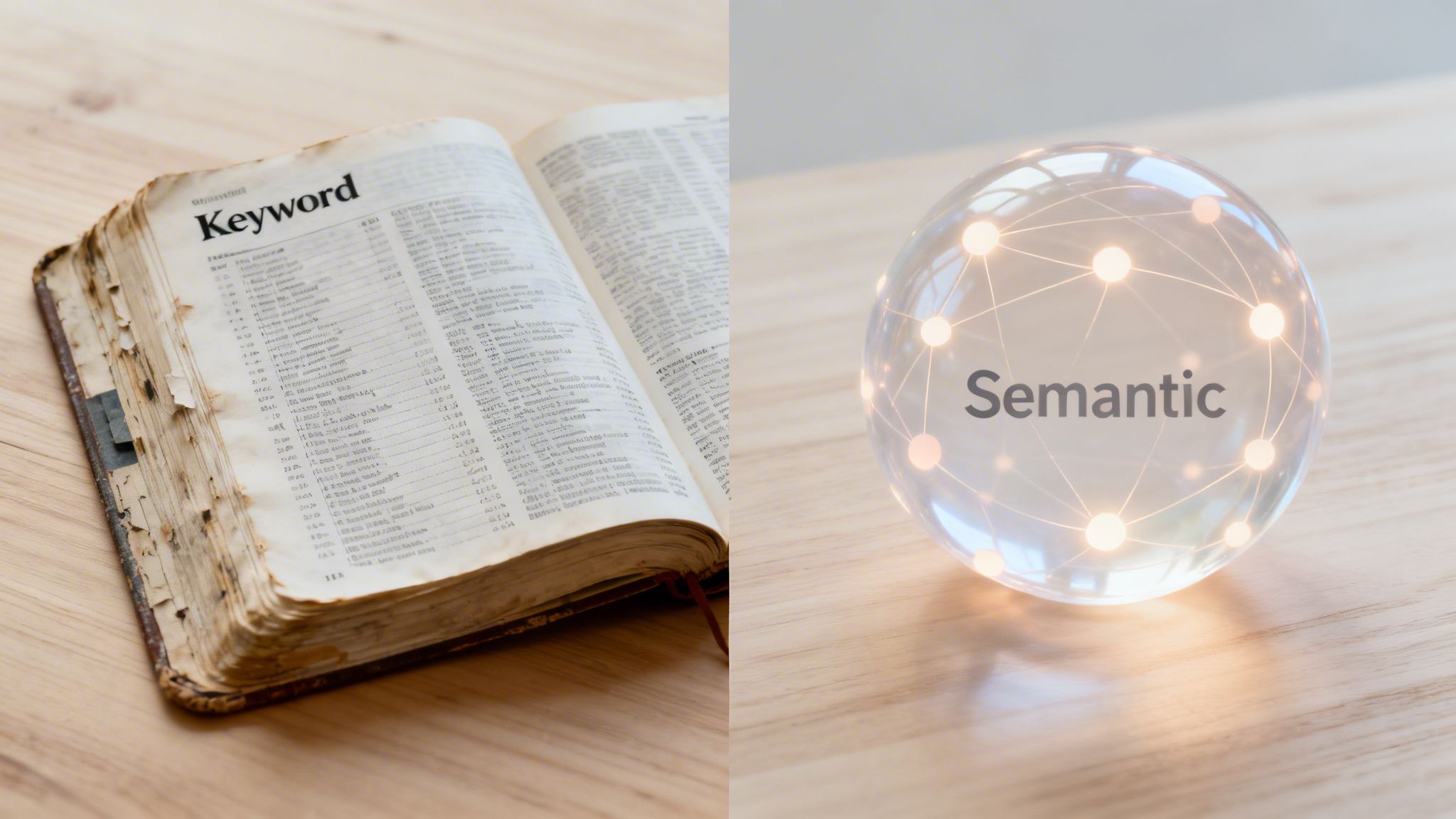
Alright, let's pop the hood. No dense, academic jargon here—just the stuff that matters. Getting this is key to understanding the huge gap between semantic search and keyword search.
Think of keyword search like a librarian using an old-school card catalog. You need the exact title or author to find the right book. It's a literal, methodical process that relies on proven, if somewhat dated, techniques.
This traditional approach isn't really "thinking." It's just a highly efficient system for counting and matching. It’s incredibly fast if you know precisely what you're looking for, but it completely falls apart the second you throw any human ambiguity into the mix.
At its core, keyword search is about word frequency and placement. One of the classic algorithms behind it is called TF-IDF (Term Frequency-Inverse Document Frequency). Sounds way more complex than it is.
It just asks two simple questions:
So, a word like "the" appears constantly but is too common to be meaningful. A phrase like "vector embeddings," on the other hand, is far less common, making it a stronger signal that a document is relevant. This system was a big deal back in the day, but it's still just a sophisticated way of counting words.
Way back in 2013, Google’s Hummingbird update was the first major step away from this rigid model. Before that, search engines were easily confused, giving you results for "Java" the island when you were clearly looking for "Java" the programming language. Oops.
This is where search gets really cool. Semantic search doesn't just match words; it tries to figure out the actual meaning and intent behind your query. This is the domain of modern AI, especially Natural Language Processing (NLP). You can see just how powerful this tech is by exploring these other Natural Language Processing applications.
Instead of just scanning for keywords, a semantic system uses a few key technologies to understand the bigger picture.
By blending these tools, a semantic system can figure out what you mean, even if your phrasing is a bit clunky. It connects the dots for you, just like another person would.
Let's put the technical differences side-by-side. Imagine you’re choosing the search technology for your own app.
This fundamental split is why a platform like Zemith can offer such advanced Deep Research capabilities. We don't just find documents that contain your words. Our system understands the concepts you're exploring, letting it surface related ideas you might have missed completely. To really get how this works, it's worth understanding the role of the underlying Large Language Models (LLMs). They are the engines that power the nuanced understanding at the heart of semantic search.
Alright, enough theory. How does this semantic vs. keyword search battle actually change the way you get things done? This isn't just an abstract debate for engineers—it has a direct impact on your productivity.
The move from simple word-matching to truly understanding intent is making our tools smarter, faster, and more intuitive. Whether you're a marketer, a developer, or a researcher, this shift is a big deal.
If you're in marketing, you know the drill: hours spent poring over keyword research tools, hunting for that perfect phrase with high search volume. Keyword search basically forces you to think like a robot, guessing the exact terms your audience might be typing. It's like fishing with a single hook.
Semantic search, on the other hand, is like fishing with a giant net. It encourages you to think in terms of topics, not just keywords.
Let's say you're building a content plan for an e-commerce client.
This is a game-changer. You don't just get a list of slightly different keywords; you uncover an entire topic cluster of related ideas. With an actionable tool like Zemith's Deep Research, you can map out a comprehensive content strategy that answers a dozen user questions instead of just one, positioning your brand as a true authority.
Semantic search gives you credit for covering a topic thoroughly, not just for stuffing a keyword into your text. It rewards expertise, which is exactly what your audience wants.
We've all used an app where the search bar is useless unless you type the exact product name. That’s the hallmark of a clunky keyword search system, and it's a surefire way to frustrate your users.
Semantic search lets you create far more intuitive, human-friendly search experiences inside your own applications. You can finally meet users where they are instead of forcing them to guess the right jargon.
Imagine you're building a knowledge base for customer support.
This is exactly the kind of intelligence Zemith is built on. Our Document Assistant, for instance, allows users to literally "talk" to their documents in plain English. You can ask, "What were the main findings of this report?" instead of being forced to search for a specific phrase like "key conclusions." The time savings are incredible.
For anyone who has to sift through mountains of information—academics, analysts, you name it—the difference is night and day. Keyword search is painfully literal. If you're digging through a database for "AI impact on marketing," you'll miss every paper that talks about "machine learning's effect on advertising."
Semantic search tears down those walls by understanding the web of connections between concepts. It pulls up contextually relevant data even if it doesn't use your exact terms. This is a massive leap forward in how we conduct research. To get the most out of it, you can learn more about how to improve your research skills in our detailed guide.
When you use a tool with deep research capabilities, like those in Zemith, you’re not just finding documents. You're uncovering insights that a keyword-based tool would have left completely buried. Ask complex questions and get back nuanced answers pulled from multiple sources, turning a tedious chore into an efficient process of discovery.
So, when it comes to semantic search vs. keyword search, which one comes out on top? Plot twist: neither. This isn’t a cage match; it's about picking the right tool for the job. Thinking one is always superior is like arguing a hammer is better than a screwdriver—it completely misses the point.
Each search method has a specific role where it really shines. Try to force one to do the job of the other, and you're in for a bad time.
Despite all the hype around AI, old-school keyword search is still the undisputed champ when you need absolute precision. When there's zero room for interpretation, keyword search is your go-to. It’s fast, direct, and doesn't try to guess what you really mean.
It’s the clear winner for tasks like these:
Error 503, you need results with that exact code, not articles about "common server problems."SKU-8675309 in your inventory system, you want that specific item, not a list of "similar-looking products."In these situations, any ambiguity is a liability. The "flaw" of keyword search—its literal-mindedness—becomes its greatest strength. It gives you exactly what you ask for, no more, no less.
This decision tree helps visualize how different professionals can decide which search type best fits their immediate task.
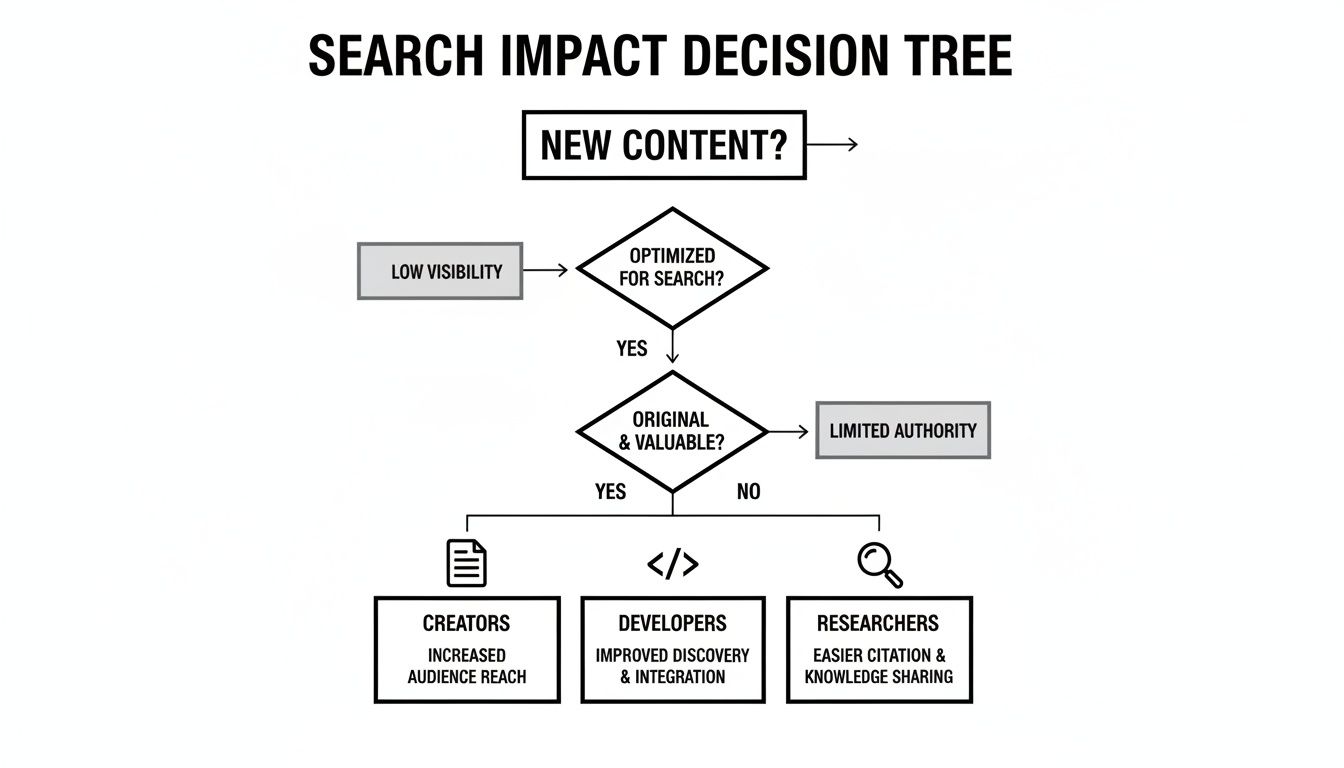
Semantic search is built for the exact opposite environment: when your query is complex, conversational, or not fully baked. It’s designed for exploration, discovery, and deep-dive research. If you're trying to wrap your head around a topic or get new ideas, semantic search is your best bet.
Think about these common scenarios:
This is where the magic happens. Semantic search doesn't just match your words; it understands your intent. It acts more like a research assistant, bringing you relevant information you might have missed otherwise.
For platforms like Zemith, which offer deep research powered by real-time web search and fact-checking, this is a game-changer. It allows developers and researchers to ask questions in plain English and get back context-aware results that span synonyms and related concepts. For anyone building out a large internal database, getting this right is critical, as we cover in our guide to knowledge base management systems.
Alright, enough theory. How does this actually make your work life easier? It's one thing to understand the difference between semantic and keyword search, but it’s another to apply it and see real results.
The good news? You don't need a Ph.D. in data science. Modern tools, like those built into Zemith, do the heavy lifting for you. Let's break down how you can weave semantic search into your daily routine.
Stop chasing individual keywords. In a semantic world, you win by owning entire topics. That means shifting from a narrow focus to building a web of interconnected content that answers every possible question your audience has.
This is where Zemith's Smart Notepad and Deep Research tools really shine. Instead of just plugging in a keyword, you can start with a broad idea and let the AI map out the entire semantic neighborhood for you.
This strategy perfectly mirrors how modern search engines think. You’re not just writing an article; you're building a knowledge graph that Google loves. It's a huge advantage if you want to build a knowledge base that actually ranks.
If you've ever spent hours CTRL+F-ing your way through a dense report, you know the pain. You type in a term and just hope for the best. Semantic search flips that whole process on its head.
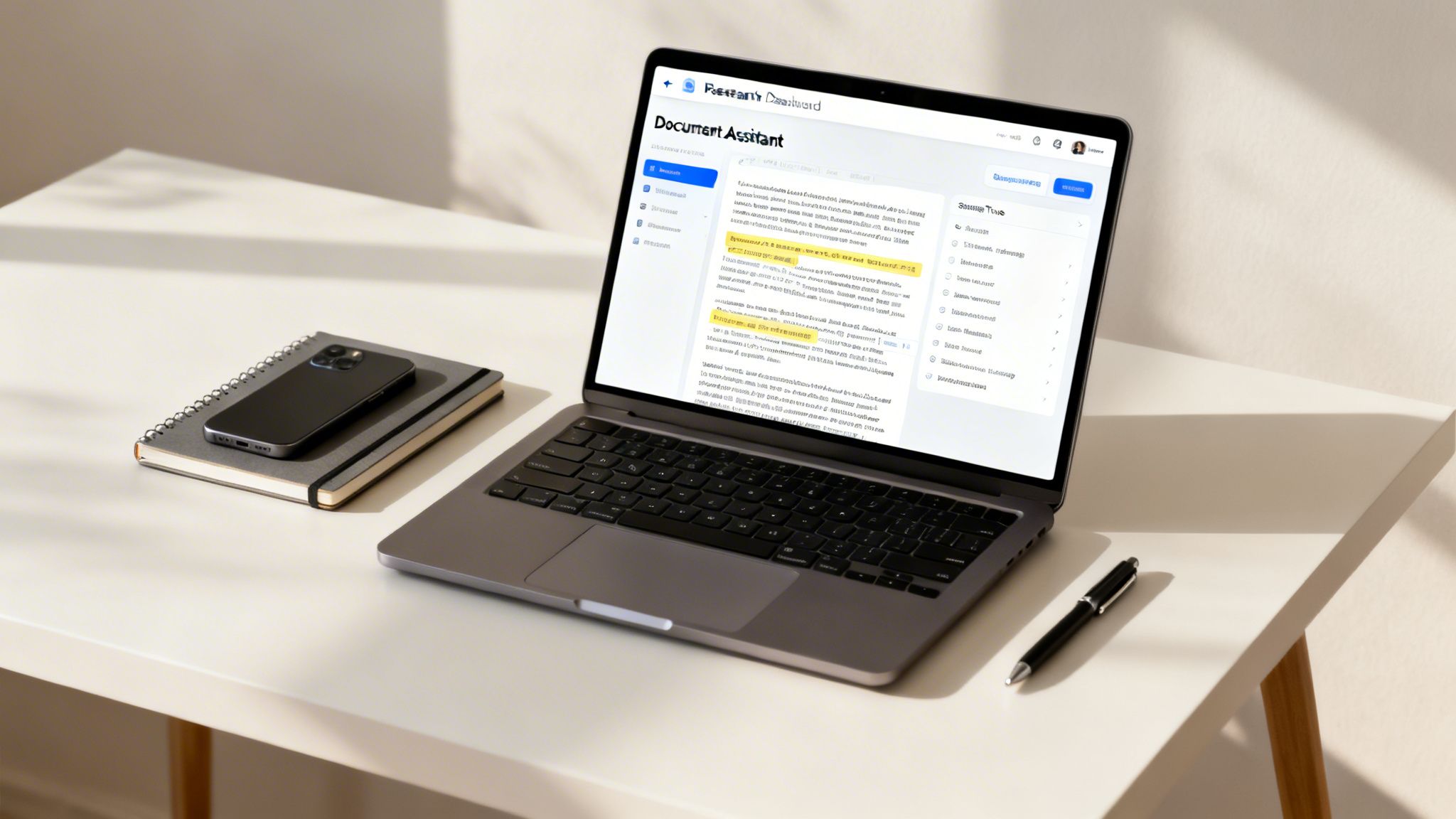
With a tool like Zemith's Document Assistant, you can literally have a conversation with your documents. Just upload a research paper, a legal contract, or a financial report, and start asking questions.
Actionable Example: Getting straight to the point in project research Imagine you’re sifting through a 100-page market research report.
This is more than a convenience; it’s a massive productivity boost. The business impact is huge. Just look at Rakuten, the e-commerce giant serving over 90 million users. They saw a 5% sales uplift after implementing semantic search. It solved the classic problem where a user searching for "running shoes comfortable" would miss products listed as "cushioned joggers"—a disconnect that contributes to cart abandonment rates as high as 70%. You can read more about Rakuten’s experience with semantic search and see just how powerful this shift can be.
Even coding is a form of semantic communication. You're trying to translate your intent into instructions a machine can understand. A tool that gets the context of your code, not just the syntax, can save you an unbelievable amount of time.
This is applied semantic understanding in action. When you use Zemith's Coding Assistant, you're not getting a one-size-fits-all snippet. The AI looks at the surrounding code in your project to give you a solution that actually fits.
For instance, if you ask it to "create a React component to fetch and display user data," the code it generates will:
It gets your intent within the specific context of your work, making the generated code way more useful than a random snippet from the web. It's the difference between being handed a generic Lego brick and getting the exact piece you need to finish your build.
We've unpacked a ton about the differences between keyword and semantic search. It's totally normal for a few questions to pop up. Let's tackle some of the most common ones.
Not even close. Think of it more like keyword research got an advanced degree and came back a whole lot smarter. The old-school approach of zeroing in on a single, exact-match keyword is definitely in the rearview mirror, but understanding what your audience is looking for is more critical than ever.
These days, modern keyword research is really topic research. Instead of hunting for one perfect phrase, the goal is to map out an entire universe of related ideas.
You might start with a "head term" like "project management software," but the magic happens when you explore the cloud of concepts around it, like:
Keyword research isn't dead; it just grew up. It’s no longer about finding words to trick an algorithm. It's about understanding the entire conversation your audience is having and creating content that comprehensively answers their needs.
This shift is exactly why tools that can dig deep and understand context are so valuable now.
Optimizing for semantic search is less about finding clever SEO loopholes and more about just being genuinely helpful. Search engines have gotten incredibly sophisticated at rewarding high-quality, comprehensive content that actually solves a real person's problem.
So, what does that look like in practice?
At the end of the day, it's about shifting your mindset. Stop obsessing over individual keywords and start thinking about entire topics.
That's a great question, and the answer is a firm no. Think of them as perfect partners. It's not about replacement; it's about upgrading your entire process.
Here’s a simple way to look at it: your traditional SEO tools (like Ahrefs or SEMrush) are brilliant for the diagnostic and tracking phase. They’re built to:
They tell you what's happening and where your opportunities are.
An AI platform like Zemith, on the other hand, is designed to supercharge the research and creation phase. It helps you act on those insights by making it easy to:
So, you might use your SEO tool to discover that "AI for small businesses" is a valuable topic. Then, you’d jump into Zemith to explore that topic from every angle, generate a detailed outline, and write a comprehensive article that nails user intent. One tool finds the target; the other gives you the firepower to hit it.
Ready to stop guessing and start understanding? Zemith is your all-in-one AI platform for deep research, powerful writing, and unmatched productivity. Stop juggling multiple subscriptions and see how a single, integrated workspace can change the way you work. Discover what you can build with Zemith today.







Trusted by teams at






The top models, plus image, video and voice tools, in one plan.
Without Zemith
ChatGPT PlusUS$20.00Claude ProUS$20.00Google AI ProUS$19.99SuperGrokUS$30.00Perplexity ProUS$20.00 MidjourneyUS$10.00
 ElevenLabsUS$6.00Le Chat ProUS$14.99
 RunwayUS$15.00Kling StandardUS$8.80
 Gamma PlusUS$12.00
 Otter ProUS$16.99
 QuillBot PremiumUS$19.95
 Photoroom ProUS$12.99
 Quizlet PlusUS$7.99
Total if paying separatelyUS$234.70/mo
"I love the way multiple tools they integrated in one platform. Going in the right direction."
— simplyzubair
"The quality of data and sheer speed of responses is outstanding. I use this app every day."
— barefootmedicine
"The credit system is fair, models are perfect, and the discord is very responsive. Quite awesome."
— MarianZ
"Just works. Simple to use and great for working with documents. Money well spent."
— yerch82
"The organization of features is better than all the other sites — even better than ChatGPT."
— sumore
"It lives up to the all-in-one claim. All the necessary functions with a well-designed, easy UI."
— AlphaLeaf
"The team clearly puts their heart and soul into this platform. Really solid extra functionality."
— SlothMachine
"Updates made almost daily, feedback is incredibly fast. Just look at the changelogs — consistency."
— reu0691
Hand off the research, writing, design and follow-ups. Zemith picks the tools it needs and brings back finished work.
Search the web, run deep research, read files, create images and run code with GPT, Claude, Gemini, Grok and more.
Zemith keeps working in the cloud and pings you when it's done.
Notion, Linear, Canva, Airtable and more. It asks before it creates or changes anything.
Docs, slides, sheets and PDFs, ready to send.
Chain models and tools on a visual canvas, from one prompt to a finished promo video.
Briefings, reports and reminders run on a schedule and are ready when you need them.
Real-time voice that can see your camera or screen.
The best image and video models, in one studio.
Turn PDFs, links and YouTube videos into podcasts, quizzes, flashcards and mind maps.














 Podcast
 Quiz
Quiz Flashcards
 Mind map
 Infographic