A Dev's Guide to Software Architecture Design Patterns
A practical guide to software architecture design patterns. Learn to choose and implement patterns like Microservices and CQRS with real-world examples.
Software architecture design patterns are essentially proven, reusable solutions to common problems we all face when building software. They aren't finished code you can just copy-paste. Think of them more like blueprints or well-tested recipes from your favorite cookbook. They give you a solid framework for structuring your application so it's reliable, scalable, and won't make you tear your hair out six months down the line.
Even better, they create a shared language. When you say "let's use a microservices approach," everyone on the team immediately has a mental model of how the system will be structured, which is a superpower for collaboration.
Why Your Code Looks Like Spaghetti Without a Plan

Have you ever opened up a codebase and felt like you were trying to untangle a giant knot of headphone cables you just pulled out of your pocket? You know the feeling—one wrong pull and the whole thing gets tighter. That’s exactly what happens when a project grows without a solid architectural plan.
It’s an easy trap to fall into. Teams start building, adding features organically. This works fine for a quick prototype, but as the application gets bigger and more people join the project, it descends into what we affectionately call a "Big Ball of Mud." It's a fragile, confusing mess that nobody fully understands, and everyone is afraid to touch. Suddenly, you're the one asking, "What does this software architecture pattern do again?" in a panic.
The Cost of Architectural Chaos
This kind of mess isn't just ugly; it costs you real time and money. Development grinds to a halt because every small change breaks something unexpected. Fixing bugs becomes a detective story, and adding a new feature feels like performing surgery in the dark. You end up reinventing a slightly different, wobbly wheel every time a new challenge pops up.
This is where design patterns completely change the game. They provide the blueprint that gets your whole team on the same page. It’s the difference between building a house from a detailed architectural plan versus just stacking bricks and hoping it doesn’t fall over. (Spoiler alert: the second one never ends well).
By adopting a well-suited architectural pattern, teams can reduce development time and improve maintainability, leading to a more resilient and scalable product over the long term.
Setting the Stage for Success
Consider this guide your map for escaping the spaghetti code jungle. We’re not going to drone on with dry, academic definitions. Instead, we’ll dig into the practical ‘why’ behind each pattern, showing you how they bring order to the chaos you’re trying to tame.
Making these big architectural decisions early can save you from a mountain of technical debt later on. But if you’re already in deep, don't worry. Understanding these patterns is the first step in planning your escape. For a deeper dive on that, check out our guide on .
The patterns we’ll explore are battle-tested strategies for building software that’s actually a pleasure to work on. From the old-school classics to the modern powerhouses, you'll walk away with the confidence to pick the right blueprint for your next project. You can even use a tool like Zemith's AI Whiteboard to visually map out different patterns and debate the trade-offs with your team before a single line of code gets written. It's the perfect way to get everyone aligned and avoid those "I thought we were doing it the other way" conversations.
Understanding Foundational Architectural Patterns
Before we jump into the complex, distributed systems that run so much of the modern web, we need to tip our hats to the classics. These foundational software architecture patterns are the bedrock on which everything else is built. And they're far from outdated—these reliable workhorses still offer elegant, powerful solutions for a ton of projects.
Let's start with one you've probably heard of: the Layered, or N-Tier, architecture. Think of it like a perfectly made lasagna. Each layer has a specific job and only talks to the layers directly above and below it. That strict separation of concerns is its superpower.
The Ever-Reliable Layered Architecture
For a typical web application, this usually breaks down into three distinct layers, which keeps things incredibly neat and tidy.
- Presentation Layer: This is everything the user sees and interacts with—the user interface (UI). Its job is to display data and capture input, but it has no idea where that data actually comes from. It just makes things look pretty.
- Business Logic Layer: This is the brains of the whole operation. Sitting in the middle, it handles all the application's core logic, processes data, and makes decisions based on specific business rules.
- Data Access Layer: Down at the bottom, this layer is responsible for all communication with the database. It takes care of storing, retrieving, and updating data, effectively shielding the rest of the application from the nitty-gritty details of the database.
This strict separation makes the whole system much easier to build, test, and maintain over time. A developer working on the UI doesn't need to be a database guru, and the database expert doesn't have to mess with front-end code. This clear division of labor is precisely why the pattern has been a go-to for decades. This is a great example of common software architectural patterns that provide immediate structure.
The evolution of layered architecture tells a story about system design itself. What started as single-tier systems back in the 1960s grew into two-tier models in the 1980s. Then, the web boom of the 1990s popularized the three-tier model we see so often today, neatly dividing systems into UI, Business Logic, and Data Storage. This history laid the groundwork for the more advanced patterns that followed.
Reconsidering the Mighty Monolith
Alright, let's talk about the monolith. The word itself often gets a bad rap, conjuring up images of a terrifying "Big Ball of Mud"—a messy, tangled codebase that’s a nightmare to manage. But what if we thought about it differently?
Enter the Modular Monolith.
Instead of a tangled mess, picture a well-organized bento box. Everything is contained within a single package (meaning a single deployment), but each component is neatly separated into its own compartment. Each module has a clear boundary and a specific job, like managing users, handling payments, or processing orders.
The Modular Monolith gives you the organizational benefits of microservices—like clear boundaries and independent teams—without the immense operational complexity of managing a distributed system.
This approach is a fantastic starting point for many applications. You get the simplicity of a single codebase and a straightforward deployment pipeline while still enforcing a clean internal structure. Then, if (and only if) a specific module becomes a bottleneck or needs to scale on its own, you can pull it out into a separate service. This strategy helps you avoid the trap of premature optimization and all the overhead that comes with it.
The key to making this work is maintaining those strict boundaries between modules. Communication should only happen through well-defined public APIs or interfaces, never by reaching directly into another module's internal code. Upholding these principles is a core part of building software that lasts. In fact, you can to really nail down these crucial habits.
Choosing a foundational pattern like a Layered or Modular Monolith architecture can be an incredibly smart move, especially for new projects or small-to-medium-sized teams. They provide structure and simplicity, letting you build robust applications without unnecessary complexity. To see how these foundational ideas have evolved, you might want to explore a more modern pattern like .
Choosing a Modern Architecture for Complex Systems
Alright, let's move past the cozy world of single-deployment apps and wade into the deep end. We're talking about the exciting, sometimes chaotic, but always powerful realm of distributed systems. This is where modern software architecture patterns truly come into their own, powering the massive, resilient applications we all use every day.
When your system starts getting complicated, a traditional monolith can feel like you're trying to assemble a Swiss watch with a sledgehammer. The tool just doesn't fit the job. You need a more specialized toolkit, and that's exactly what these modern patterns offer.
The Specialized Surgical Team of Microservices
First up, the pattern everyone's talking about: Microservices. The hype is definitely real, but so is the learning curve. The best analogy I've found is to think of a highly specialized surgical team. Instead of one family doctor trying to do everything from heart transplants to setting a broken bone, you have a team of experts, each a master of their specific field.
In a microservices world, you break your application into a collection of small, independent services. Each one is laser-focused on a single business capability—one handles user logins, another manages the product catalog, and a third processes payments. They are essentially tiny, self-contained applications with their own databases and release schedules.
This gives you some incredible advantages:
- Independent Deployment: Need to update the payment service? Go for it. It won't affect the user service one bit. This leads to much faster and safer releases.
- Technology Freedom: Does your authentication service need the raw speed of Go, while your reporting service would benefit from Python's data science libraries? No problem. You can use the best tool for each specific job.
- Fault Isolation: If the product catalog service has a bad day and crashes (and trust me, it will), it doesn't take the entire application down with it. The rest of the system can hum along, which is a huge win for reliability.
Of course, it’s not a free lunch. Juggling all these tiny services adds a ton of operational complexity. You're not just deploying one app anymore; you're orchestrating a small army of them.
Microservices hand you immense power and scalability, but that power comes with the great responsibility of managing a complex distributed system. It’s a trade-off you absolutely must be ready for.
If you're heading down this path, you'll need a solid blueprint. A tool like Zemith's AI Whiteboard is perfect for mapping out where your service boundaries should be and how they'll talk to each other before you're knee-deep in code. To really nail the execution, getting familiar with is time well spent.
Event-Driven Architecture: The Ultimate Town Crier
Next up, let's look at Event-Driven Architecture (EDA). If microservices are a surgical team, an EDA is more like a news agency or an old-school town crier. Instead of services directly calling each other and waiting for a response, they communicate by broadcasting "events." An event is just a simple, factual record of something that happened, like a "UserSignedUp" or "OrderPlaced" message.
Other services in the system can then "subscribe" to the events they care about and react when they happen. When an "OrderPlaced" event is published, the inventory service hears it and deducts stock, the shipping service hears it and preps a label, and the notification service hears it and sends a confirmation email.
The real magic here is decoupling. The order service has no clue that the shipping or notification services even exist. It just shouts, "Hey, an order happened!" into the ether, trusting that whoever needs that information will pick it up. This creates an incredibly flexible and resilient system where you can add new functionality (like a fraud detection service) just by having it listen to the same event, all without ever touching the original order service. This is a prime software architecture design pattern for real-time applications.
Hexagonal Architecture: Building Bomb-Proof Apps
Now for a pattern with a seriously cool name: Hexagonal Architecture, which you'll also hear called Ports and Adapters. The whole idea is to build a protective barrier around your core application logic, shielding it from the messy, ever-changing outside world. Think of your application's core as a castle, with your ports and adapters acting as the drawbridges and gatekeepers.
Your business logic—the truly valuable stuff—lives safely inside the "hexagon." It has no idea if it's being controlled by a user through a web API, a script from a command-line tool, or a suite of automated tests. It also couldn't care less if its data is stored in a SQL database, a NoSQL document store, or is being delivered by a carrier pigeon with a tiny scroll.
- Ports: These are just interfaces that define how the outside world is allowed to interact with your application core. Think of them as the electrical sockets on a wall.
- Adapters: These are the concrete implementations that plug into those ports. You’ll have a REST API adapter, a database adapter, and maybe even that silly carrier pigeon adapter if you really want one.
This strong separation makes your application incredibly flexible and a dream to test. You can swap out your entire database or bolt on a new UI without rewriting a single line of your core business logic.
This handy flowchart can help you decide on a foundational pattern when you're kicking off a new project.
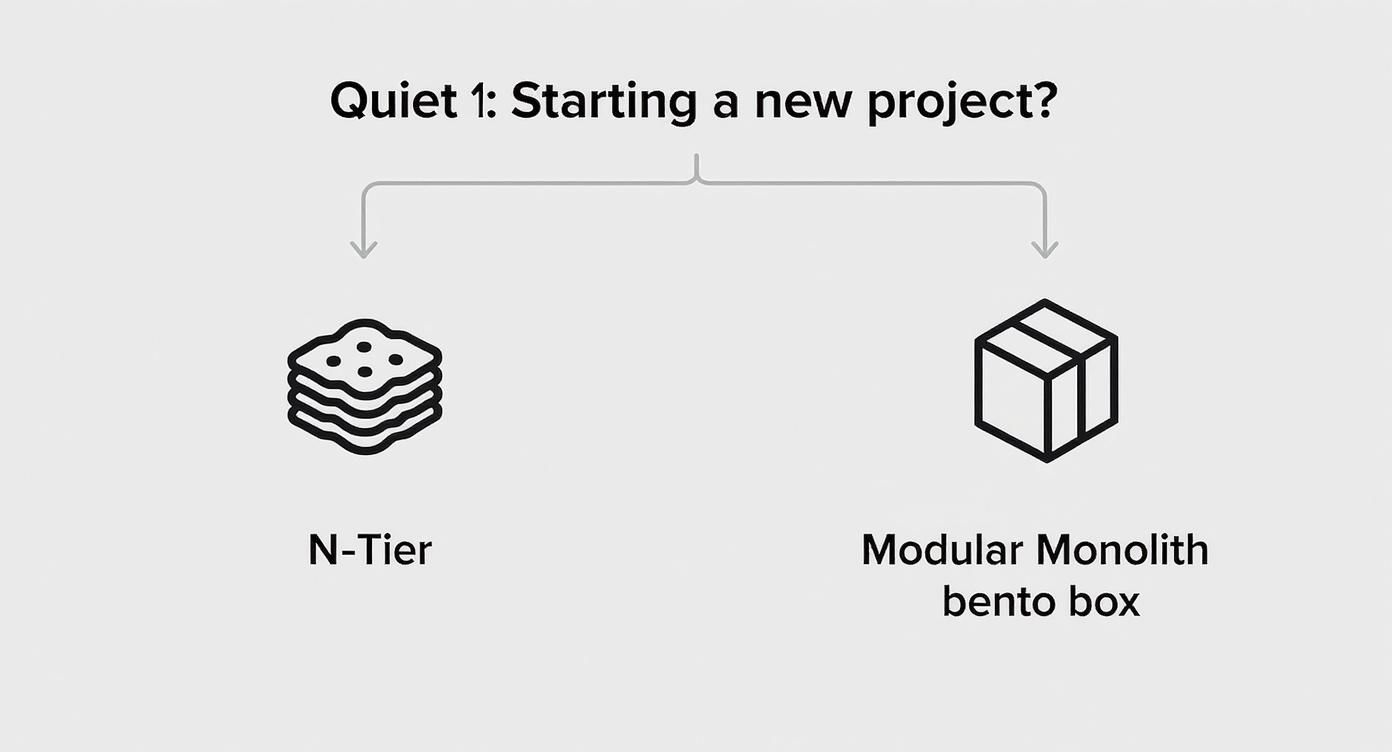
As you can see, sometimes a well-structured monolith is a much more pragmatic starting point than immediately jumping into the complexity of distributed systems.
Which Modern Architecture Pattern Should You Use?
Feeling a bit overwhelmed? That's normal. Here's a quick-glance comparison to help you decide which modern pattern best fits your project's needs based on a few key characteristics. Let's break down some common software architecture design patterns examples.
This table isn't a silver bullet, but it's a great starting point for your thought process. Pick the pattern that solves the biggest problems you anticipate having, not just the one that sounds the coolest.
CQRS: Separating the Writers from the Readers
Finally, let's unpack Command Query Responsibility Segregation (CQRS). It sounds like a mouthful, but the concept behind it is pure genius. It’s built on a simple observation: the way you write data into a system is often fundamentally different from the way you read it back out.
So, CQRS splits your application into two distinct sides:
- The Command Model: This half handles all the "write" operations—creating, updating, and deleting things. It’s optimized for handling complex business rules, data validation, and ensuring everything stays consistent.
- The Query Model: This half handles all the "read" operations. It’s optimized for one thing: retrieving data as fast as humanly possible. This often involves using denormalized data structures perfectly tailored for what the UI needs to display.
Think about an e-commerce site. The "write" side (placing an order) involves a ton of logic: checking inventory, validating payment, calculating tax, and updating a customer's order history. But the "read" side (viewing your order history) just needs to display that information as quickly as possible. By separating them, you can scale each side independently and achieve some truly mind-boggling performance gains.
When you're ready to get your hands dirty with a pattern like this, Zemith's Coding Assistant can be a real game-changer. It can generate the initial boilerplate for your command handlers and query models, freeing you up to focus on the business logic that actually matters. And if you're keen to go deeper on microservices specifically, be sure to check out our detailed guide to .
Bringing Your Architectural Vision to Life

Let's be real for a second. Even the most brilliant architecture diagram is just expensive wallpaper if it never leaves the wiki. A beautiful drawing of a microservices layout doesn't actually process a single payment. This is where the rubber meets the road—the moment you have to turn that carefully chosen pattern into living, breathing, bug-free (we can dream, right?) code.
This jump from theory to reality is where so many great plans fall apart. It's where communication breaks down, tiny misunderstandings balloon into massive technical debt, and the pressure starts to build. But this is also where having the right tools can feel like having a seasoned co-pilot, helping you navigate the inevitable turbulence.
From Whiteboard Chaos to Collaborative Clarity
Before anyone writes a single line of code, the whole team needs to be on the same page. This is doubly true for complex patterns like microservices or event-driven architecture, where you’re not just building one application but trying to orchestrate an entire fleet of them.
Think about trying to map out every step of an "Order Placed" event on a physical whiteboard. It gets messy fast. Now try doing that with a remote team. It's a recipe for confusion.
This is where a tool like Zemith’s AI Whiteboard becomes your command center. You can collaboratively drag and drop services, define API contracts, and visualize the entire flow of events in real time. Everyone can see the big picture taking shape, debating the trade-offs and catching potential snags before they ever become code. It’s all about turning a chaotic brainstorming session into an actionable, agreed-upon blueprint.
A shared visual understanding is the single best way to avoid the "Wait, I thought we were doing it this way..." conversation three months down the road.
Generating Code Without Losing Your Mind
Once the blueprint is solid, it's time to build. But honestly, setting up the initial boilerplate for a new service or a CQRS handler is mind-numbing. It’s the digital equivalent of filling out paperwork—you know it has to be done, but it’s a total drain on your creative energy.
This kind of repetitive setup work is the perfect job for an AI partner. Instead of losing half a day writing the same repository interface or API gateway configuration you've written a hundred times before, you can delegate.
With Zemith’s Coding Assistant, you can toss it a prompt like, "Generate the boilerplate for a new C# microservice to manage user profiles, including a basic controller and data model." In seconds, it can spit out that foundational structure, letting you skip the grunt work and dive straight into the interesting part: the actual business logic. This is how you apply architecture patterns directly to your codebase without the tedious setup. The same goes for the data side of things—a solid grasp of both architecture and is what makes a system truly robust.
Keeping Your Documentation Alive
Finally, let’s talk about the ghost that haunts every software project: outdated documentation. Your architecture is only as good as your team's ability to understand it, and that perfect diagram from six months ago is probably a work of historical fiction by now.
The answer isn't just to write more documentation; it's to create living documentation that actually evolves with the system. Manually keeping docs synced with the code is a losing battle that nobody wants to fight.
This is another spot where an AI assistant can be a lifesaver. Tools like Zemith's Document Assistant can bridge this gap. You feed it the design docs from your whiteboard session and the code you've generated, and it can produce clear, concise technical documentation. It can explain what a service does, outline its API endpoints, and describe its dependencies. When you make a change, you simply regenerate the docs. Just like that, documentation goes from being a chore to a natural byproduct of your development workflow.
Common Architectural Pitfalls and How to Dodge Them
Picking a software architecture isn't like grabbing a new JavaScript framework to mess around with over the weekend. It's a serious commitment, kind of like getting a tattoo of your partner’s name. You better be absolutely sure, because fixing a bad choice later is painful, expensive, and almost always leaves a scar.
This section is all about helping you avoid that kind of architectural regret. We'll walk through the common traps that even experienced developers fall into, so your brilliant design doesn't become a cautionary tale whispered about during sprint retrospectives.
Resisting Résumé-Driven Development
Let's start with one of the most tempting traps out there: "résumé-driven development." It's the siren song of using the hottest new technology—hello, microservices!—for a project that really, really doesn't need it. Sure, slapping "scaled a globally distributed microservices architecture" on your LinkedIn profile feels good, but did your personal blog actually need that kind of firepower?
The hard truth is that sometimes, a simple, well-structured monolith is the best tool for the job. Over-engineering a straightforward problem just piles on massive complexity for no real business benefit. Don't let your ego write checks that your operational budget can't cash.
The best architecture is the simplest one that gets the job done and gives you a clear path to evolve later. Complexity is a debt you pay with every single deployment.
Understanding the True Cost of Distributed Systems
Another huge pitfall is drastically underestimating the operational nightmare that distributed systems can become. It's easy to think, "I'll just spin up a few containers." But in the real world, it’s never as simple as docker-compose up. Suddenly, you're the proud owner of a whole new universe of problems:
- Network Latency: What's your plan for when a service is slow to respond?
- Service Discovery: How do your services even find each other to begin with?
- Observability: How on earth do you trace a single user's request across ten different services?
- Data Consistency: How are you going to handle transactions that span multiple databases?
Each one of these is a deep, thorny subject on its own. If you ignore them, you're building a system that's brittle, impossible to debug, and guaranteed to fail in the most mysterious ways. This is where solid become absolutely non-negotiable.
Avoiding Brittle Contracts and Stagnant Design
A final pair of traps revolves around how your components talk to each other and how your architecture grows over time. When one service changes its API contract without warning, it can trigger a domino effect of failures across the entire system. This is precisely why having clear, versioned contracts is so critical.
It’s also important to accept that the architecture that worked for your MVP probably won't cut it at enterprise scale. Your design has to be able to evolve. While people started formalizing software architecture back in the 1960s, the concepts really took hold in the 1990s. The legendary 'Gang of Four' book in 1994 gave us a common vocabulary right as the internet boom created a massive need for scalable systems, cementing just how important these patterns are for avoiding common design flaws. You can check out a cool visual timeline of .
To sidestep these issues, make architectural reviews a regular habit. Don't be afraid to refactor. Use a tool like Zemith's Whiteboard to map out potential changes and debate their impact as a team. This helps keep your design grounded in reality, not just whatever’s trending on social media.
Your Software Architecture Questions Answered
Still got some questions rattling around in your head? You're not the only one. The world of software architecture is huge, and it’s perfectly normal to be wrestling with a few concepts. We’ve pulled together some of the most common questions we hear from developers and laid out some straight-up, no-fluff answers.
Is There a Single Best Architectural Pattern?
Ah, the million-dollar question. The honest, simple answer is a hard no.
If there were one "best" pattern, we could have saved ourselves a lot of time and written a much shorter article. The reality is, the right architecture is all about context.
It's like picking a vehicle. You wouldn't take a Formula 1 car to haul groceries, right? It’s a marvel of engineering, but it’s the completely wrong tool for that job. In the same way, building a simple blog with microservices is just asking for a headache, while trying to run a global streaming service on a basic layered monolith would be a disaster.
The right choice always boils down to your situation:
- Your Team: Do you have the people and skills to manage the complexity of a distributed system? Or is your team small and nimble?
- Your Business Needs: Are you chasing extreme scalability and resilience? Or is getting a simple product out the door the top priority?
- Your Timeline: How fast do you need to ship an MVP? Some patterns are way quicker to get started with than others.
How Often Should I Revisit My Architecture?
Your architecture isn't something you carve in stone. Think of it as a living part of your system—it needs to evolve as your application and business grow.
A good rule of thumb is to sit down for a formal architecture review at least once a quarter. You should also trigger one anytime a major new business requirement lands on your plate.
This doesn't mean you need to be constantly ripping things apart and rewriting them! It's more about proactive check-ins. Ask your team questions like, "Is this pattern still making our lives easier?" or "Are we seeing new bottlenecks that need a different approach?"
An architecture that isn't regularly reviewed is an architecture that's quietly piling up technical debt. Make it a recurring conversation to stay ahead of the game.
When Should a Monolith Be Broken Up?
This is the classic "when do we go microservices?" debate. There’s no magic number or single trigger, but there are definitely some strong signals that it’s time to start thinking about it.
It's probably time to consider a change when you feel these pains:
- Developer Gridlock: Teams are constantly tripping over each other's work. Merging code has become a slow, painful ritual that everyone dreads.
- Scaling Pains: You're forced to scale the entire application just because one small, resource-hungry feature is getting hammered. It’s expensive and wildly inefficient.
- Deployment Fear: Pushing code to production feels so risky and takes so long that everyone avoids it. Innovation grinds to a halt.
When you start seeing these signs, it’s a great time to grab a tool like Zemith's AI Whiteboard and start sketching out which pieces of your monolith could be carefully carved out into their own services.
Can I Mix Different Architectural Patterns?
Absolutely! In fact, most large, real-world systems do exactly that. They're hybrids.
It's pretty common to see a system where a core set of microservices chat with each other over an event-driven backbone. Zoom in, and you might find that one of those microservices internally uses a Hexagonal pattern to keep its business logic clean and isolated.
The trick is to be intentional. Don't just throw patterns together because they sound cool. Have a solid reason why a specific part of your system needs a different architectural style. For instance, using CQRS for just the high-traffic reporting part of a larger layered application can be a really smart, targeted solution.
Ready to turn these ideas into actual code? Don't let a great architectural vision get lost in translation. With Zemith, you can go smoothly from a brainstorm on the AI Whiteboard, to generating boilerplate with the Coding Assistant, to creating documentation that actually stays up-to-date. It’s the all-in-one platform built to help you build better software, faster. .
Explore Zemith Features
Every top AI. One subscription.
ChatGPT, Claude, Gemini, DeepSeek, Grok & 25+ more








Always on, real-time AI.
Voice + screen share · instant answers
What's the best way to learn a new language?
Immersion and spaced repetition work best. Try consuming media in your target language daily.
Voice + screen share · AI answers in real time
Image Generation
Flux, Nano Banana, Ideogram, Recraft + more

Write at the speed of thought.
AI autocomplete, rewrite & expand on command
Any document. Any format.
PDF, URL, or YouTube → chat, quiz, podcast & more
Video Creation
Veo, Kling, Grok Imagine and more

Text to Speech
Natural AI voices, 30+ languages
Code Generation
Write, debug & explain code
Chat with Documents
Upload PDFs, analyze content
Your AI, in your pocket.
Full access on iOS & Android · synced everywhere
Your infinite AI canvas.
Chat, image, video & motion tools — side by side

Save hours of work and research
Transparent, High-Value Pricing
Trusted by teams at






Free
No credit card required
- 100 credits daily
- 3 AI models to try
- Basic AI chat
Plus
- 1,000,000 credits/month
- 25+ AI models — GPT, Claude, Gemini, Grok & more
- Agent Mode with web search, computer tools and more
- Creative Studio: image generation and video generation
- Project Library: chat with document, website and youtube, podcast generation, flashcards, reports and more
- Workflow Studio and FocusOS
Professional
- Everything in Plus, and:
- 2,100,000 credits/month
- Pro-exclusive models (Claude Opus, Grok 4, Sonar Pro)
- Motion Tools & Max Mode
- First access to latest features
- Access to additional offers
What Our Users Say
Great Tool after 2 months usage
"I love the way multiple tools they integrated in one platform. Going in the right direction."
— simplyzubair
Best in Kind!
"The quality of data and sheer speed of responses is outstanding. I use this app every day."
— barefootmedicine
Simply awesome
"The credit system is fair, models are perfect, and the discord is very responsive. Quite awesome."
— MarianZ
Great for Document Analysis
"Just works. Simple to use and great for working with documents. Money well spent."
— yerch82
Great AI site with accessible LLMs
"The organization of features is better than all the other sites — even better than ChatGPT."
— sumore
Excellent Tool
"It lives up to the all-in-one claim. All the necessary functions with a well-designed, easy UI."
— AlphaLeaf
Well-rounded platform with solid LLMs
"The team clearly puts their heart and soul into this platform. Really solid extra functionality."
— SlothMachine
Best AI tool I've ever used
"Updates made almost daily, feedback is incredibly fast. Just look at the changelogs — consistency."
— reu0691