


Every top model, with tools built in.
Search the web, run deep research, read files, create images and run code with GPT, Claude, Gemini, Grok and more.
Best AI image prompt library guide: 10 curated collections, copy-ready templates and tuning tips for Stability Diffusion & Imagen on Zemith.
You've got a killer image in your head. You type cool dragon, cinematic, hit Generate, and get soup with wings. Meanwhile, the thumbnail still needs finishing, the client wants a cleaner product shot, and your reference folder has become a museum of things you'll definitely organize someday.
Stop staring at a blank prompt box. A useful AI image prompt library gives you something concrete to change: a composition, a lighting setup, a visual medium, or a prompt attached to an image you like. It won't make every generation behave, but it's a better starting point than adding masterpiece until your keyboard files a complaint.
These picks cover copyable prompts, style references, community galleries, and guides for portraits, products, anime, photorealism, and more. For campaign-friendly starting ideas, keep this collection of prompt inspiration for social creators nearby.
Zemith brings those image models into one workspace, so you can compare adaptations without maintaining a separate workflow for every generator. You don't need subscriptions to every inspiration platform below just to collect ideas. Pick the library that fits the job, then make the prompt your own.
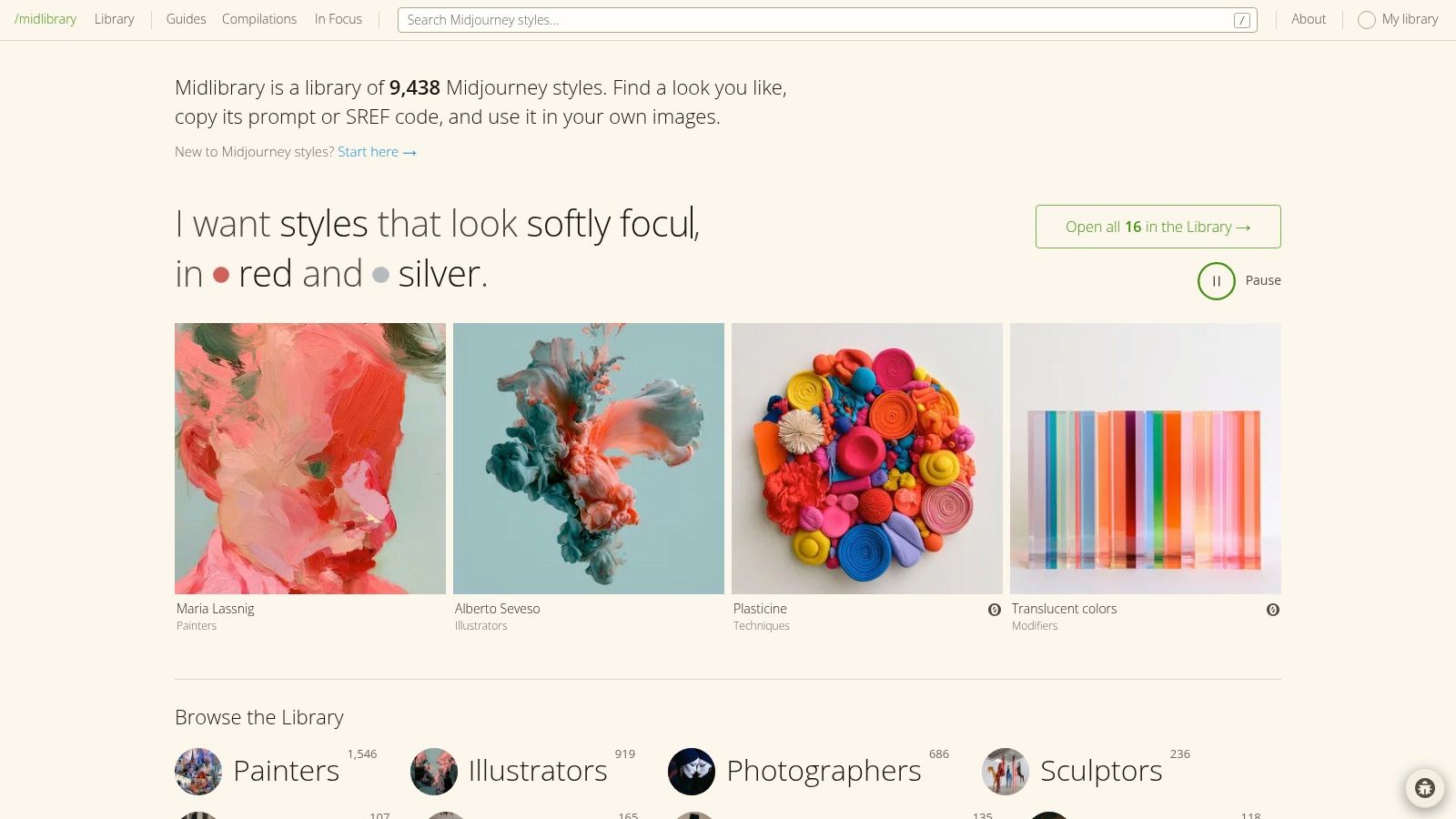
Best for choosing a visual direction before writing the full prompt. Midlibrary's collection of 9,438 styles spans painters, illustrators, photographers, techniques, and other visual categories.
Searchable examples make it easier to compare aesthetics than a pile of style names would. You can copy prompts or Midjourney SREF codes and save promising references to personal collections, which is handy when you're developing a consistent campaign rather than chasing unrelated pretty pictures.
Midlibrary is primarily a Midjourney resource. Don't expect an SREF code to become a portable style instruction when pasted into another model.
Instead, describe what you can see: grainy paper, restrained colors, flattened perspective, hard shadows, or loose ink contours. That gives you editable language rather than a reference token tied to another platform.
Practical rule: Translate a style into visible properties before moving it between image models.
Try this original starting point:
Editorial illustration of a cyclist riding through a rainy city, loose ink contours, muted teal and rust palette, textured paper, simplified buildings, generous empty space above the subject.
The trade-off is that a style reference isn't a complete production prompt. You still need the subject, framing, intended use, and constraints. Zemith's image prompt generator guide is a useful companion when you've found the look but haven't figured out the scene.
A search for portrait can send you toward fashion photography, fantasy characters, or something that looks like a perfume advertisement from another dimension. PromptHero is useful when that breadth helps rather than distracts.
It's a community-oriented prompt platform covering Midjourney, Stable Diffusion, and other categories, including video. Model and creative-category browsing help narrow the results, while associated images let you inspect what the prompt was trying to accomplish.
For an AI image prompt library for portraits, inspect how each example handles the face, pose, background, and light. Don't confuse a long prompt with a well-controlled portrait.
A portrait template worth adapting is Editorial portrait of [person], relaxed expression, shoulders angled slightly away from camera, soft window light from the left, neutral plaster background, natural skin texture, muted clothing.
PromptHero's strengths are variety and visual context. Its weakness is the same community breadth: submissions vary in completeness, and a compelling example doesn't establish that the prompt will behave consistently elsewhere.
The mobile app supports browsing inspiration and creating images, but some pages also blend discovery with generation features. If you want more focused structures before testing in Zemith, use these AI image prompt examples to separate useful instructions from decorative clutter.
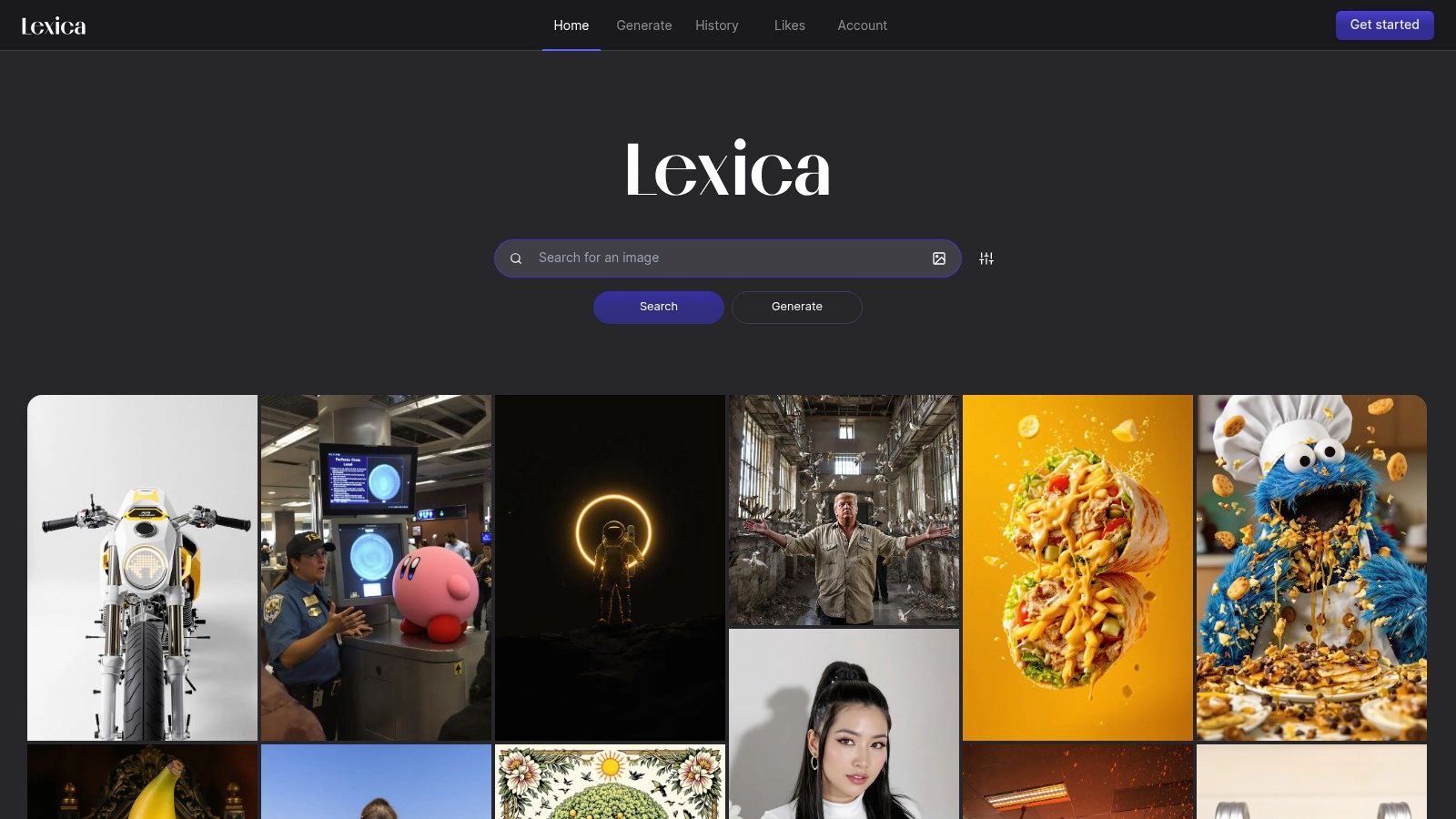
Start with the image, then interrogate the text. Lexica connects searchable images with their associated prompts and also offers generation, making it useful for studying the gap between what someone typed and what appeared.
That distinction matters for photorealistic AI image prompts. A prompt might mention dramatic lighting, but the useful discovery could be the low camera position or uncluttered background visible in the result.
Take a promising example and rewrite its scene without looking at the original prompt. Then compare your description with the supplied text to identify details you missed and instructions that don't visibly matter.
A beautiful image is evidence that an image was generated, not proof that you can reproduce it with the text alone.
For a photorealistic starting point, try Documentary photograph of a neighborhood bakery before opening, flour on a wooden workbench, warm interior light against cool dawn light through the window, believable materials, eye-level composition.
Lexica's paid plans include generation credits and commercial-use provisions. Privacy deserves attention: Starter and Pro generations appear in Lexica search, while Max plan images are private.
That makes it less straightforward for confidential client exploration. Its plans also center on Lexica generation, not library access alone, and copied prompts won't necessarily reproduce the examples elsewhere.
For your own references, Zemith's image-to-prompt workflow offers another starting point: generate an editable description, then correct what the analysis missed.
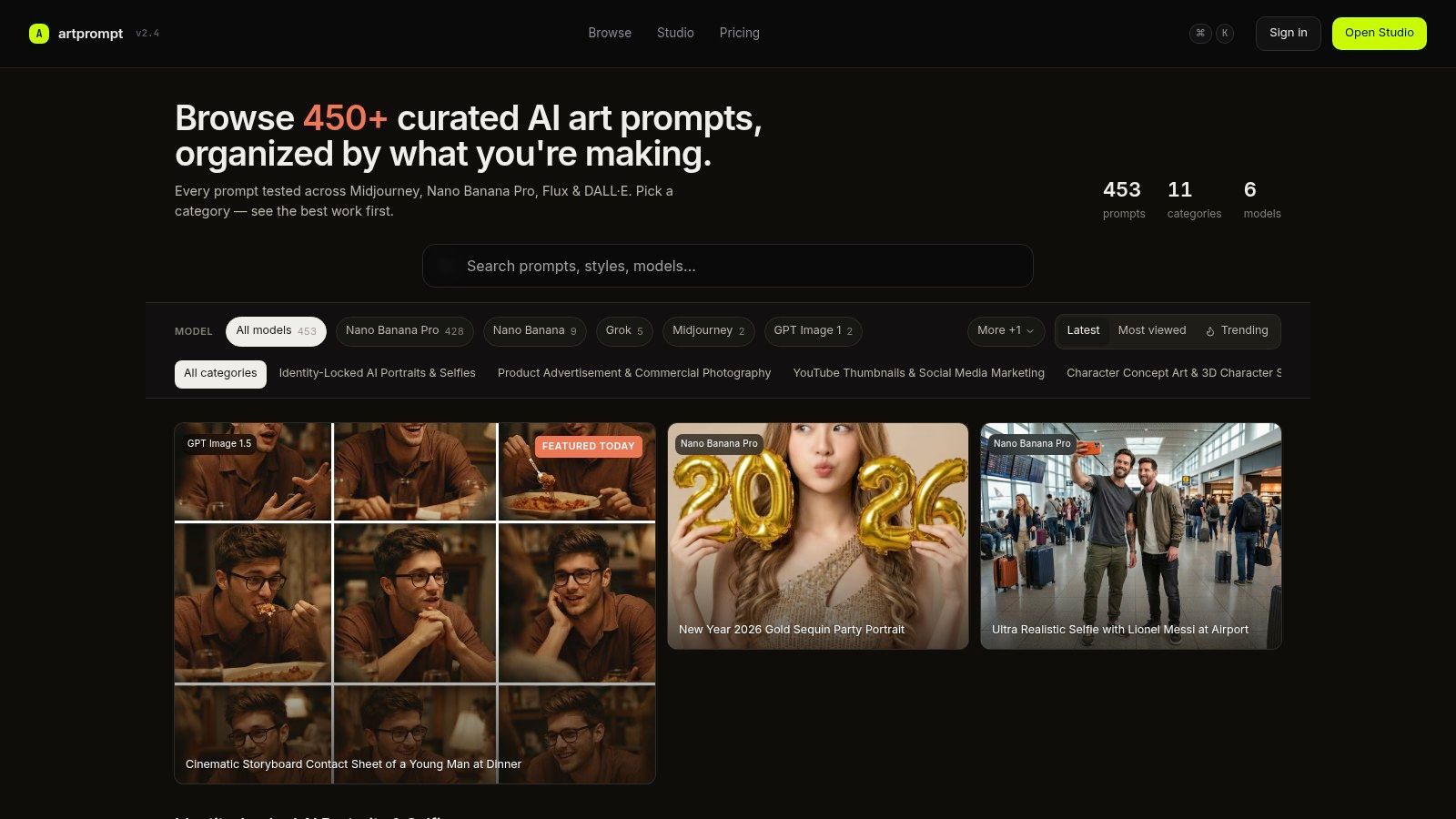
Need a product advertisement rather than an open-ended inspiration spiral? ArtPrompt organizes prompts around practical tasks, including product advertising, portraits, editorial imagery, thumbnails, character concepts, and technical visuals.
You can browse and copy without an account. Search, category browsing, model filters, example outputs, and prompt-page settings make it easier to find something relevant to an actual deliverable.
For product work, define what must remain correct before choosing the atmosphere. A gorgeous bottle with the wrong silhouette is still the wrong bottle, just more confidently lit.
Use this as an original product-shot template:
ArtPrompt's model labels and settings are more actionable than an unlabeled screenshot. Community submissions can also introduce approaches you wouldn't have considered.
The collection is smaller than a large open community gallery, and availability can change. Copying an example doesn't guarantee the same result, even when the original settings are shown.
When adapting a prompt in Zemith, keep the product description fixed and change the lighting separately. Otherwise, you won't know whether your improvement came from the light, the background, or an accidental redesign of the product.
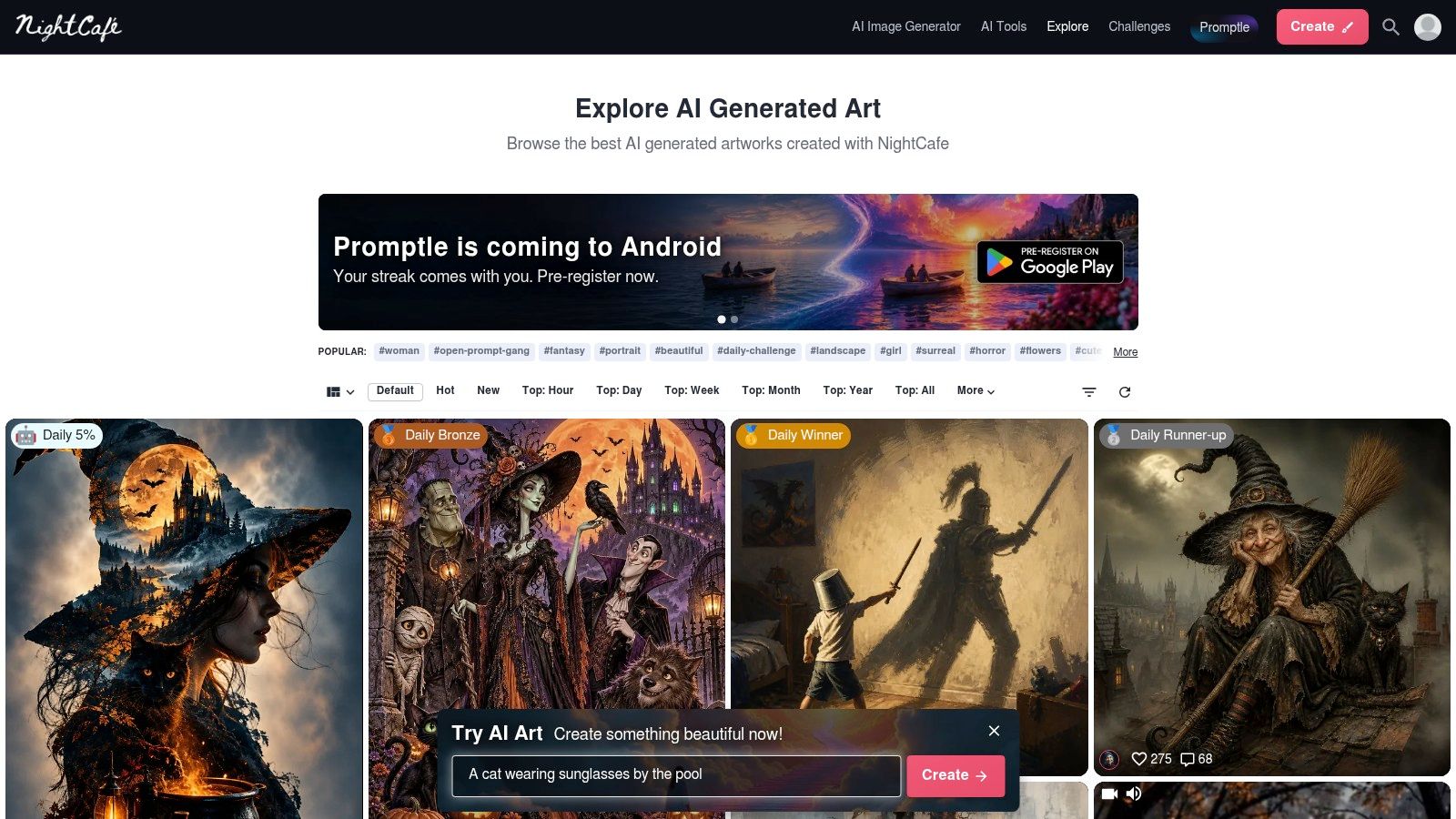
Some creators build meticulous scene descriptions. Others appear to have challenged the generator to a poetry duel. NightCafe Explore gives you a public view of those different approaches through its community gallery.
You can browse without logging in, sort by newest, hottest, or popularity over selected periods, and filter by model or creation type. Many creation pages expose prompts and generation settings, with collections and community interactions providing more context.
Choose a model and a subject before judging the feed. Otherwise, you're comparing wildly different workflows and calling the prettiest result the best prompt.
For anime character concepts, a starting template could be Anime character sheet of a traveling botanist, practical layered clothing, botanical field bag, clear silhouette, restrained cel shading, plain light background, consistent outfit details.
The gallery's strength is its range of real creator approaches. Its limitation is that not every image exposes reusable instructions, and quality varies.
Popularity can help you discover appealing work, but it doesn't establish repeatability. Browse broader ideas for getting more from AI if useful, then return to a specific test: can you preserve the outfit, pose, and framing after changing the setting?
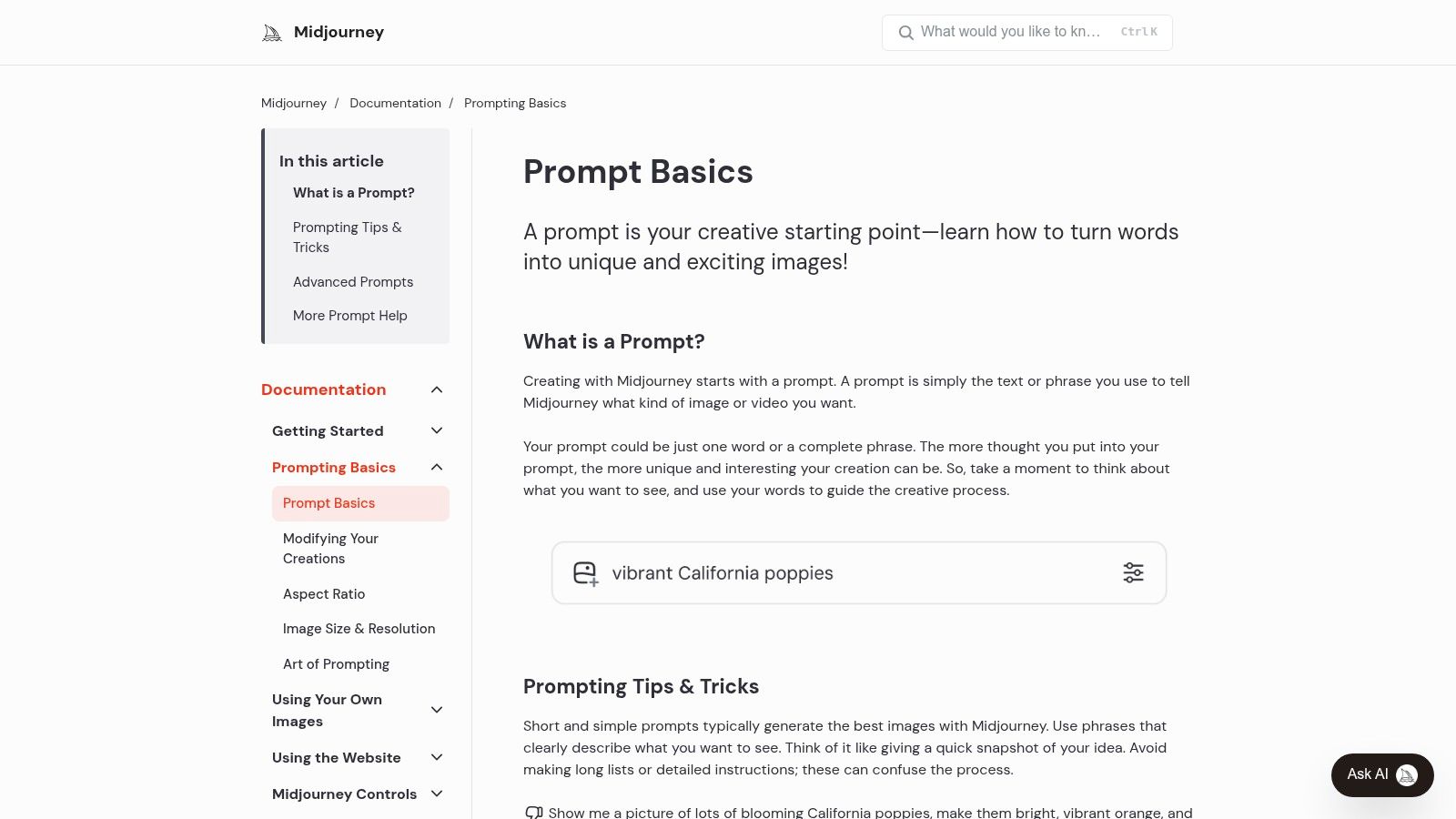
Not every useful prompt resource is a gallery. The Midjourney Official Prompt Guides explain how to construct prompts through subjects, mediums, environments, lighting, colors, mood, and composition.
The basics guide includes examples and routes into more advanced documentation. That makes it a stronger choice for learning prompt anatomy than for finding a ready-made advertisement for your very specific ceramic soap dish.
Compare beautiful cinematic kitchen with Interior photograph of a compact kitchen, pale oak cabinets, morning light through a side window, understated styling, eye-level view, quiet domestic mood.
The second gives you details you can evaluate and change. If the room feels too cold, adjust the palette or light instead of adding another synonym for beautiful.
The advantage is first-party guidance built for how Midjourney handles prompts. The limitation is that its examples and platform-specific advice don't automatically transfer to another generator.
Use the descriptive framework elsewhere, but leave unsupported parameters behind. Zemith's GPT image generation guide provides another model-oriented workflow to explore.
For cross-model testing, preserve the scene's intent rather than insisting on identical wording. You're directing an image, not protecting a sacred sentence.
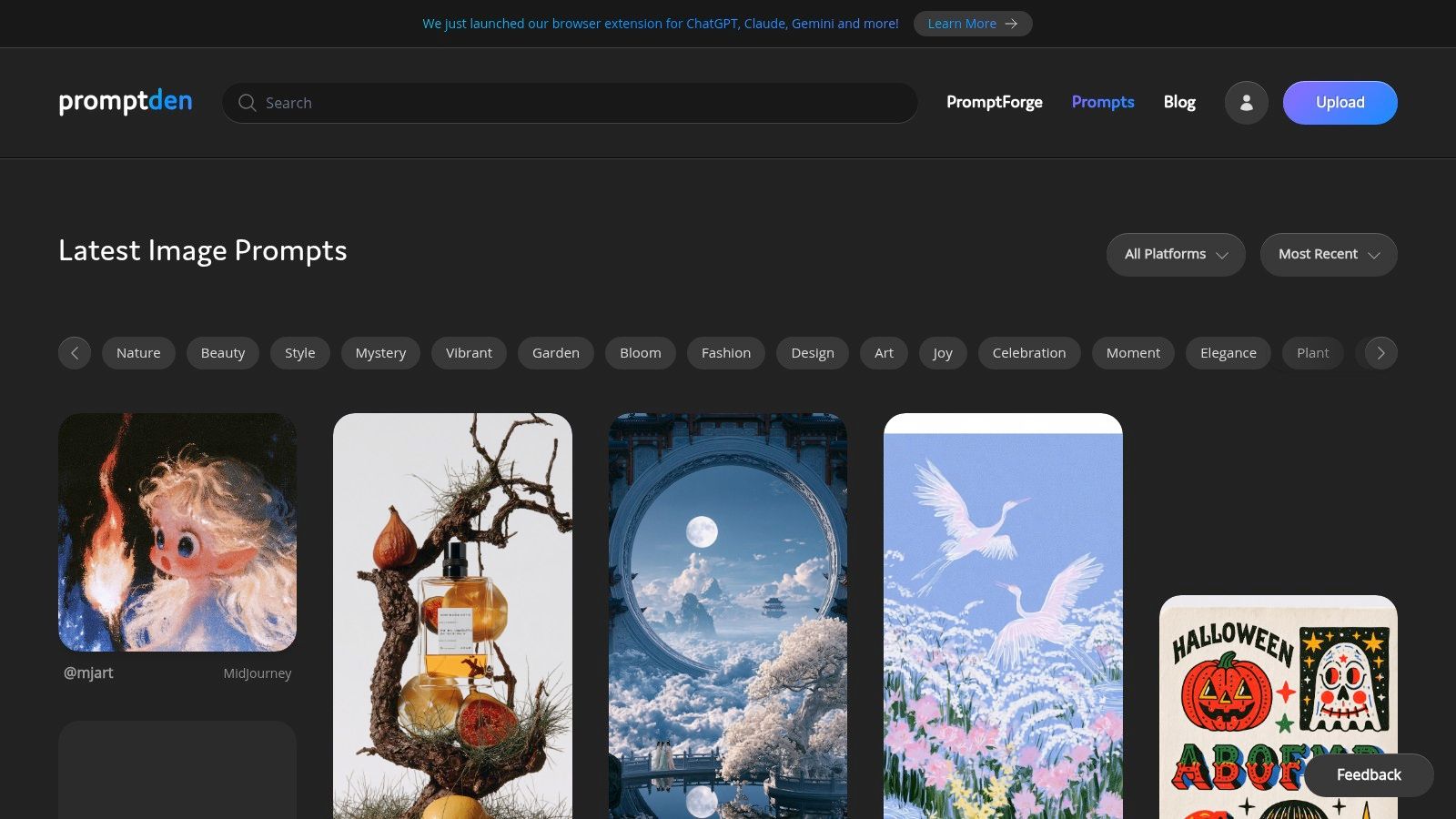
Already know which platform you want inspiration from? PromptDen Inspiration offers filters for DALL·E, Firefly, Midjourney, and Stable Diffusion, alongside recent and popular community submissions.
That platform-first browsing is useful when a general search keeps returning examples built for a different workflow. The wider site also includes prompt tools, a marketplace, and developer resources, so distinguish the inspiration feed from those other offerings.
Choose a post whose composition fits your task, then separate its content from its aesthetic. A dramatic outdoor scene can suggest useful lighting for a thumbnail without requiring you to borrow its entire mountain range.
Thumbnail illustration of a tiny explorer facing an enormous abandoned greenhouse, strong size contrast, bright focal subject, dark simplified surroundings, clear empty area for headline placement.
That's an original template, not an extracted community prompt. Adapt the subject while preserving the visual hierarchy, then add headline text during layout rather than making the generation carry every production task.
PromptDen is good for discovering approaches across platforms. It isn't presented as a curated, independently verified benchmark, and prompt completeness varies.
Before copying, check whether the post includes the usable text or only an appealing image and partial description. Also inspect which details you're permitted to reuse.
In Zemith, try the same scene brief with different model-specific wording. Judge whether the subject remains readable at thumbnail size, not merely whether the full-size image looks impressive.
Buying a prompt can be reasonable when it addresses a narrow recurring task. Buying a mysterious paragraph because the preview looks expensive is a less convincing business strategy.
PromptBase's art and illustration marketplace offers specialized templates across photography, illustration, logos, graphic design, and other categories. Listings identify models and prices, with free options available alongside individual purchases and the selected catalog accessible through PromptBase Select.
A worthwhile listing should make it clear what you can change and what outcome the template is intended to preserve. For client work, a reusable composition may matter more than an elaborate style you can't meaningfully adapt.
The marketplace's category and model filters help narrow a search. Independent sellers also mean quality varies, and repeated purchases can become a cost without giving you a coherent working library.
Buying a prompt doesn't establish commercial-use rights for the resulting images. Treat licensing and authorship as separate questions.
If you adapt a purchased template in Zemith, retain the seller's terms and your changes in project notes. Don't assume that purchasing access gives you permission to republish the template in a public prompt collection.
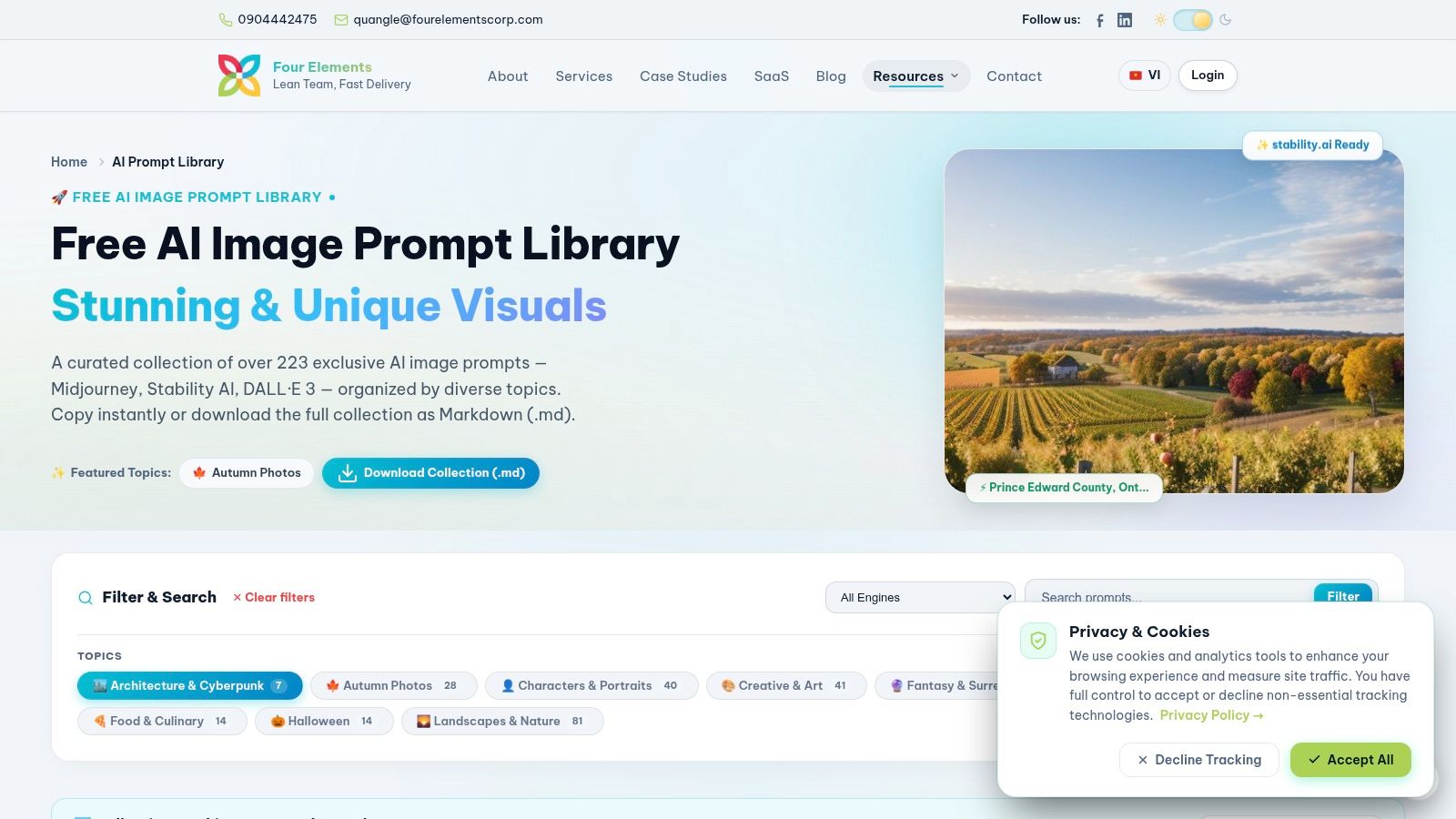
If your preferred creative tool is a tidy text file, this one makes sense. The Four Elements AI Image Prompt Library contains more than 223 prompts, with free browsing, copying, and Markdown download.
Topics include portraits, creative art, fashion, food, scenery, and architecture. Search and filters by topic and image engine help you narrow the collection without turning inspiration into an afternoon-long side quest.
The Markdown download is its most practical distinction. You can keep a personal reference file and annotate prompts with your own observations instead of relying on browser bookmarks.
For food imagery, try this original adaptation: Editorial food photograph of [dish] on handmade ceramic, side window light, visible ingredient texture, restrained table styling, close framing, natural color.
The collection is smaller than large community platforms, and some wording may depend on model conventions that need updating. Any provider claim that prompts are tested should remain a provider claim, not an independent reliability rating.
Zemith's guide to building a prompt library is a useful next step for organizing those adaptations. A downloaded collection becomes valuable when your notes explain which entries actually suit your work.
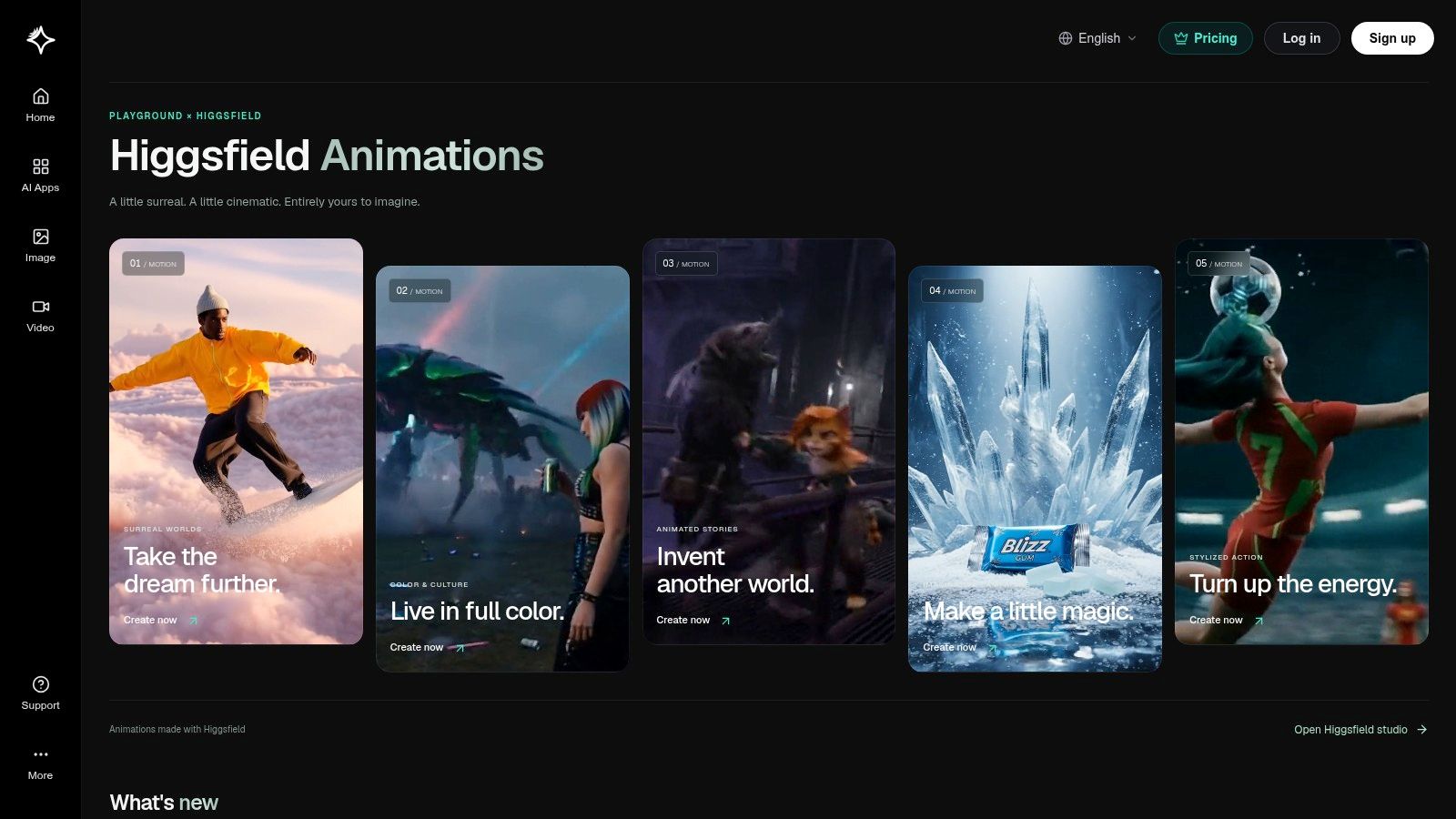
Sometimes the useful starting point is a visual effect, not a paragraph. Playground combines curated image references and effects with image creation and editing tools.
That makes it prompt-adjacent rather than a conventional searchable archive of complete, copyable prompts. It suits creators who want to explore a look and move directly into experimentation, but it's less suitable when exporting reusable prompt text is the main requirement.
When an example catches your attention, describe its visible components before trying to recreate it elsewhere. Separate material, illumination, background, and composition rather than labeling everything dreamy.
For a stylized object image, try Translucent glass sculpture of [object], soft colored light passing through the material, clean studio background, gentle surface reflection, centered composition.
Ask what's doing the work. Is the appeal coming from the glass material, the colored lighting, or the empty background?
Pricing and credit use appear in the product workflow, so inspect them before experimenting. Illustrative examples aren't guarantees of matching results.
If you take the visual idea into Zemith, bring your own description of it. A portable scene brief is more useful than trying to reverse-engineer an effect name.
Don't hoard prompts until your bookmarks become an archaeological site. Pick a reference that solves the job in front of you, whether that's a readable thumbnail, a believable portrait, or a product image with space for approved copy.
Run the idea twice in Zemith: once with Stability Diffusion 3.5 and once with Imagen 3. Treat that as an initial comparison, not proof of repeatability, and start with the same subject, composition, and intended output.
For a starting Stability Diffusion 3.5 version, try a compact description: Studio photograph, amber glass skincare bottle, matte cream plinth, soft light from the left, subtle contact shadow, warm neutral background, empty space on the right.
For an Imagen 3 version, try an explicit scene description: Create a studio product photograph of an amber glass skincare bottle on a matte cream plinth. Light it softly from the left and leave clear space on the right for a headline.
These are alternative formulations to test, not promises that either model requires a particular writing style. If a version works, keep it; if it flops, change a specific instruction rather than pouring more adjectives into the blender.
Save the conditions that produced a useful image, not just the sentence you happened to like.
A broader test needs more than a lucky output. The ACM study on prompt wording and coherence recommends testing three to nine seeds to get a more representative view of a prompt's results, where seed controls are available.
Save the winner to your Zemith Prompt Gallery, and keep model details, settings, outputs, and failure notes alongside your working records. Don't assume that every control available in the original library will also be exposed in your generation interface.
Finally, keep evidence of your human creative work. The U.S. Copyright Office's copyrightability report explains that prompts alone generally don't establish authorship of generated output, while human-authored contributions may be protectable case by case.
Your next remix might be the keeper. The useful habit is knowing what you changed, why you changed it, and whether the result is ready for the actual deliverable.
Zemith offers multi-model image generation, prompt-generation tools, and a Prompt Gallery in one workspace. Visit Zemith to adapt a library prompt for Stability Diffusion 3.5 and Imagen 3, compare the results, and start building a collection you'll reuse.
Pay less than one AI subscription and get GPT, Claude, Gemini and more, plus 50+ AI tools.







Trusted by teams at






The top models, plus image, video and voice tools, in one plan.
Without Zemith
ChatGPT PlusUS$20.00Claude ProUS$20.00Google AI ProUS$19.99SuperGrokUS$30.00Perplexity ProUS$20.00 MidjourneyUS$10.00
 ElevenLabsUS$6.00Le Chat ProUS$14.99
 RunwayUS$15.00Kling StandardUS$8.80
 Gamma PlusUS$12.00
 Otter ProUS$16.99
 QuillBot PremiumUS$19.95
 Photoroom ProUS$12.99
 Quizlet PlusUS$7.99
Total if paying separatelyUS$234.70/mo
"I love the way multiple tools they integrated in one platform. Going in the right direction."
— simplyzubair
"The quality of data and sheer speed of responses is outstanding. I use this app every day."
— barefootmedicine
"The credit system is fair, models are perfect, and the discord is very responsive. Quite awesome."
— MarianZ
"Just works. Simple to use and great for working with documents. Money well spent."
— yerch82
"The organization of features is better than all the other sites — even better than ChatGPT."
— sumore
"It lives up to the all-in-one claim. All the necessary functions with a well-designed, easy UI."
— AlphaLeaf
"The team clearly puts their heart and soul into this platform. Really solid extra functionality."
— SlothMachine
"Updates made almost daily, feedback is incredibly fast. Just look at the changelogs — consistency."
— reu0691
Hand off the research, writing, design and follow-ups. Zemith picks the tools it needs and brings back finished work.
Search the web, run deep research, read files, create images and run code with GPT, Claude, Gemini, Grok and more.
Zemith keeps working in the cloud and pings you when it's done.
Notion, Linear, Canva, Airtable and more. It asks before it creates or changes anything.
Docs, slides, sheets and PDFs, ready to send.
Chain models and tools on a visual canvas, from one prompt to a finished promo video.
Briefings, reports and reminders run on a schedule and are ready when you need them.
Real-time voice that can see your camera or screen.
The best image and video models, in one studio.
Turn PDFs, links and YouTube videos into podcasts, quizzes, flashcards and mind maps.














 Podcast
 Quiz
Quiz Flashcards
 Mind map
 Infographic