


Every top model, with tools built in.
Search the web, run deep research, read files, create images and run code with GPT, Claude, Gemini, Grok and more.
Discover chat gpt paraphrase techniques to turn AI rewrites into natural, engaging content—prompts, tricks, and expert tips to boost quality.
You can absolutely use ChatGPT to paraphrase. A simple "Rewrite this for me" will get you an answer, but the real magic happens when you get specific. How you ask the AI to rewrite something is the difference between a clumsy synonym swap and a truly sophisticated rework of your text. It's like the difference between asking a chef to "make food" versus giving them a recipe for your grandma's legendary lasagna. One gets you fed, the other gets you a masterpiece.
Let's be real, "ChatGPT paraphrase" has become a massive buzzword. It’s the go-to for students, writers, and marketers, and it's lightyears ahead of those awful article spinners from back in the day. Remember those? The ones that would just swap out words until your content made about as much sense as a screen door on a submarine. Yeah, we've come a long way.

This new generation of AI isn't just about sidestepping plagiarism checkers; it’s about genuine transformation. It's that "Aha!" moment when a clunky, lifeless paragraph suddenly becomes clear, polished, and actually enjoyable to read. It's the digital equivalent of finding the perfect words you were searching for all along.
The reason for all the hype is simple: modern AI gets the context. It doesn't just see a collection of words; it understands the intent behind them. That’s the secret sauce to a great paraphrase. You can tell it to:
This ability to pick up on nuance is what makes it so powerful. It’s what separates a true writing assistant from a glorified thesaurus. This leap forward is all thanks to huge strides in conversational AI, which you can dive into deeper in our guide on what is conversational AI.
The growth has been nothing short of astonishing. After its launch, ChatGPT rocketed to 1 million users in just five days. Fast forward to mid-2024, and an incredible 23% of consumers were using it specifically for writing and editing, proving just how essential paraphrasing has become.
While marketers and content creators were the early adopters, its reach is far wider now. Students, for example, have found countless ways to integrate AI into their learning process. If you want to see how it's being used in academia, it’s worth checking out some of the best AI study tool options available.
The real power of AI paraphrasing isn't just in rewriting—it's in unlocking clarity. It helps you find better ways to say what you mean, making it a creative partner, not just a content spinner.
And when you bring this capability into a tool like Zemith, you multiply its power. You're no longer stuck in a single chat window. You can manage entire projects, test your prompts across different AI models, and refine your work in a Smart Notepad—taking raw ideas to finished drafts all in one place. It’s a game-changer for anyone tired of juggling ten different tabs.
So, you're ready to start paraphrasing with ChatGPT. It’s easy to just dump your text in, type "rewrite this," and cross your fingers. And sometimes, that actually works! But more often, you get back something that just sounds… off. A little too robotic, a little too formal. You know the vibe.
The real trick to getting a great paraphrase isn't just about the AI—it’s about the instructions you feed it.
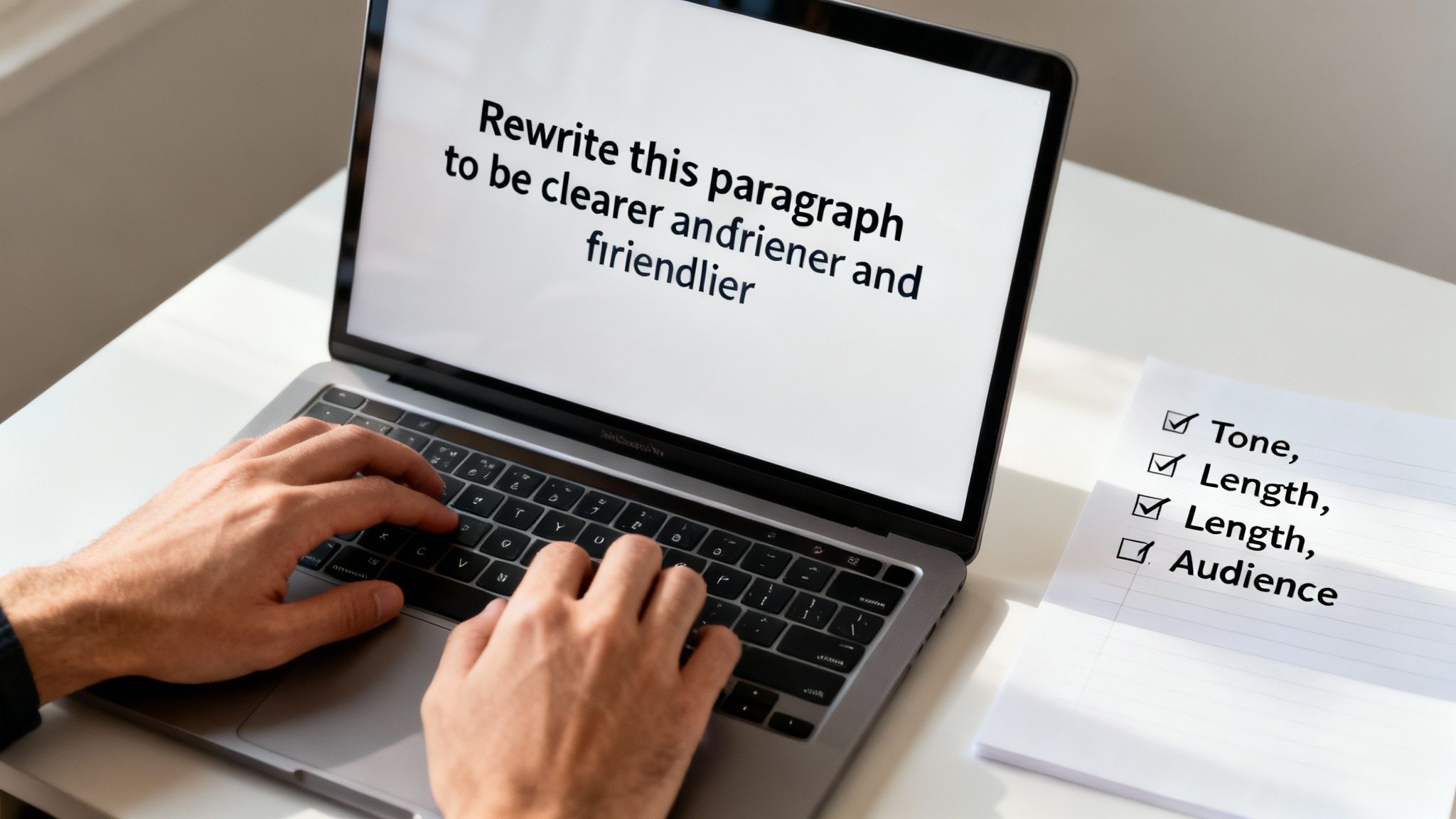
Think of it like this: you're the director, and the AI is your actor. A vague command like "act sad" might get you a droopy face, but it won't be a memorable performance. Now, if you say, "act like you just dropped your favorite coffee mug," you’ve given the actor a specific scenario to work with. That's where the magic happens.
The same idea applies here. Tiny, specific tweaks to your prompt can completely change the quality of the output.
Your first attempts at using a chat gpt paraphrase tool will probably start with a few simple commands. These are your foundational tools, and each one has a specific job. The most common mistake I see is being too vague. Don't just say "change this." Get explicit about what kind of change you're after.
To get you started, here’s a quick-reference guide showing which simple prompt to use for different rewriting goals. It's a great way to choose the right command for your specific needs.
Picking the right starting command immediately points the AI in the right direction. It's the first step toward getting a result you can actually use without a ton of extra editing.
Let's put this into practice. Imagine you're stuck with this sentence from a business report:
Original: "The utilization of our innovative synergy-driven methodologies has resulted in a substantial enhancement of our quarterly operational efficacy."
Yikes. It's a mouthful of corporate nonsense. If you just ask ChatGPT to "rewrite this," you might get something that's still pretty stuffy. We need to be more specific.
Prompt: "Paraphrase this sentence to sound clear and direct, for a non-expert audience. Avoid business jargon."
Now, watch what happens.
After: "Using our new methods helped us work much more effectively this quarter."
Big difference, right? Just by adding a little direction about the audience and tone, we got a much more human and useful result. This is the heart of effective prompting. If you want to go deeper on this, our guide on what is prompt engineering is a great place to build your foundation before we get into the more advanced stuff.
And if you’re working inside a tool like Zemith, this entire workflow becomes second nature. The Smart Notepad lets you instantly test these prompts, compare how different AI models handle them, and refine everything without ever leaving your document. No more copy-paste-panic.
Okay, so you've got the basics down. Now it's time to stop just asking the AI to "rewrite this" and start really conducting the orchestra. Advanced prompts are where you take the wheel, turning ChatGPT from a simple paraphraser into a precision tool that crafts text exactly the way you hear it in your head.
This isn't just about asking for a rewrite anymore; it's about giving surgical instructions. You can dictate the tone, the complexity, and even the exact vocabulary the AI uses. It’s the difference between getting a generic cover song and a completely fresh arrangement of your favorite tune.
One of the most powerful moves you can make is injecting a specific personality into the text. Let's be honest, the default AI tone can be a bit… bland. We can fix that.
Before you write your prompt, think about who this is for and what you want them to feel. Are you drafting an email to your boss or a caption for Instagram? The core message might be the same, but the delivery has to be completely different.
Here are a few templates I use to get the vibe right:
Getting this right is a huge part of modern content creation. It's no wonder that 57% of content marketers now use AI mainly for drafting content, with a massive 71% calling it their go-to tool. Its ability to adapt a single piece of content for a blog, then social media, then an ad is what makes it so valuable. If you want to dive deeper into the numbers, the full 2024 report on ChatGPT usage is worth a read.
Sometimes, what you don't want in a rewrite is just as important as what you do. Advanced paraphrasing is also about setting boundaries—telling the AI what to avoid. This is how you steer clear of overused corporate jargon, repetitive words, or phrases that just don't match your brand's voice.
The real art of prompt engineering is building a fence around the AI's creativity. You give it a defined space to play in, which ironically leads to more creative and useful results.
Think of it like handing a writer a style guide. You’re setting the rules of the game to get a much more refined and useful output.
Here’s an example prompt with constraints:
"Paraphrase the following paragraph.
Rules:
Adding these guardrails guides the AI toward a far more specific and intentional result. It’s a crucial skill for anyone who wants to master how an AI can rewrite text effectively.
Of course, typing out these complex prompts over and over again can be a real drag. That’s where a platform like Zemith makes a huge difference. Its Smart Notepad has built-in functions to change tone, formality, and length with just a click. You can apply these advanced techniques without manually writing a new prompt every single time. Plus, you can test your prompts across different models like GPT and Claude to see which one delivers the best rewrite for your needs, all in one place.
Let's get this out of the way, because it's the elephant in the room. Is using a chat gpt paraphrase tool just a fancy new way to cheat? Or worse, is it just plagiarism with extra steps? These are heavy questions, but we need to tackle them head-on.
Honestly, the answer isn't a simple yes or no. It really boils down to how you're using the tool. If you’re using AI to smooth out a clunky sentence or find a fresher way to say something complex, that’s just smart editing. But if you’re just copying, pasting, and letting the AI do all the real work without adding any of your own thought, you’re definitely stepping into a gray area.
Here’s how I like to think about it: AI-generated text is a launchpad, not the finished rocket. Its job is to give you a solid starting point, offer a new angle you hadn't considered, or help you bust through a nasty case of writer's block.
The final piece, however, has to be yours. That means weaving in your unique insights, your personal experiences, and your own critical thinking.
The real trap isn't the tool itself, but becoming totally dependent on it. When you let the AI take the wheel completely, your writing starts to sound generic and soulless. You lose your voice. Even more importantly, you rob yourself of the chance to actually get better as a writer.
The goal of AI paraphrasing should be to augment your intelligence, not replace it. If you're not contributing your own ideas and critical analysis, you're not writing—you're just curating.
This is a massive deal in academic settings. AI can be an incredible research assistant, but passing off its output as your own is a huge ethical no-go. If you're putting together a paper, it's worth checking out some expert research paper writing tips to make sure you're using your sources and tools the right way.
To stay on the right side of the ethical line, here's a simple framework I follow. It’s less about hard-and-fast rules and more about being intentional with your process.
This conversation goes way beyond paraphrasing, too. It’s interesting to look at the ethical debate around AI translation tools and see the parallels. The principle is the same: technology is just a tool, and it's the user's intent that makes it ethical or not. When you use a platform like Zemith that gives you access to multiple powerful models, that responsibility gets amplified. More power means you need to be more mindful.
Let’s be honest, juggling a dozen browser tabs and AI tools is a massive pain. You finally get the hang of prompt engineering and ethical guidelines, only to get bogged down by a clunky, inefficient process. It's time to stop the madness.
Instead of copying and pasting text back and forth, let's look at how you can weave these powerful AI techniques directly into your writing flow inside Zemith. This is about getting rid of the tab-switching chaos that absolutely murders creativity.
The core of this whole operation is Zemith's Smart Notepad. Picture it as your writing canvas and your AI co-pilot, all in one seamless interface. You can jot down your ideas, draft your content, and then run paraphrasing commands without ever leaving the document.
Got a messy list of bullet points that needs to become a smooth, flowing paragraph? There’s a built-in function for that. Need to flip the tone from buttoned-up corporate to friendly and casual? One click. It’s all the advanced prompting we’ve been talking about, just without the hassle.
This is the kind of ethical, human-in-the-loop workflow we’re aiming for, and it’s exactly what Zemith is built to do.
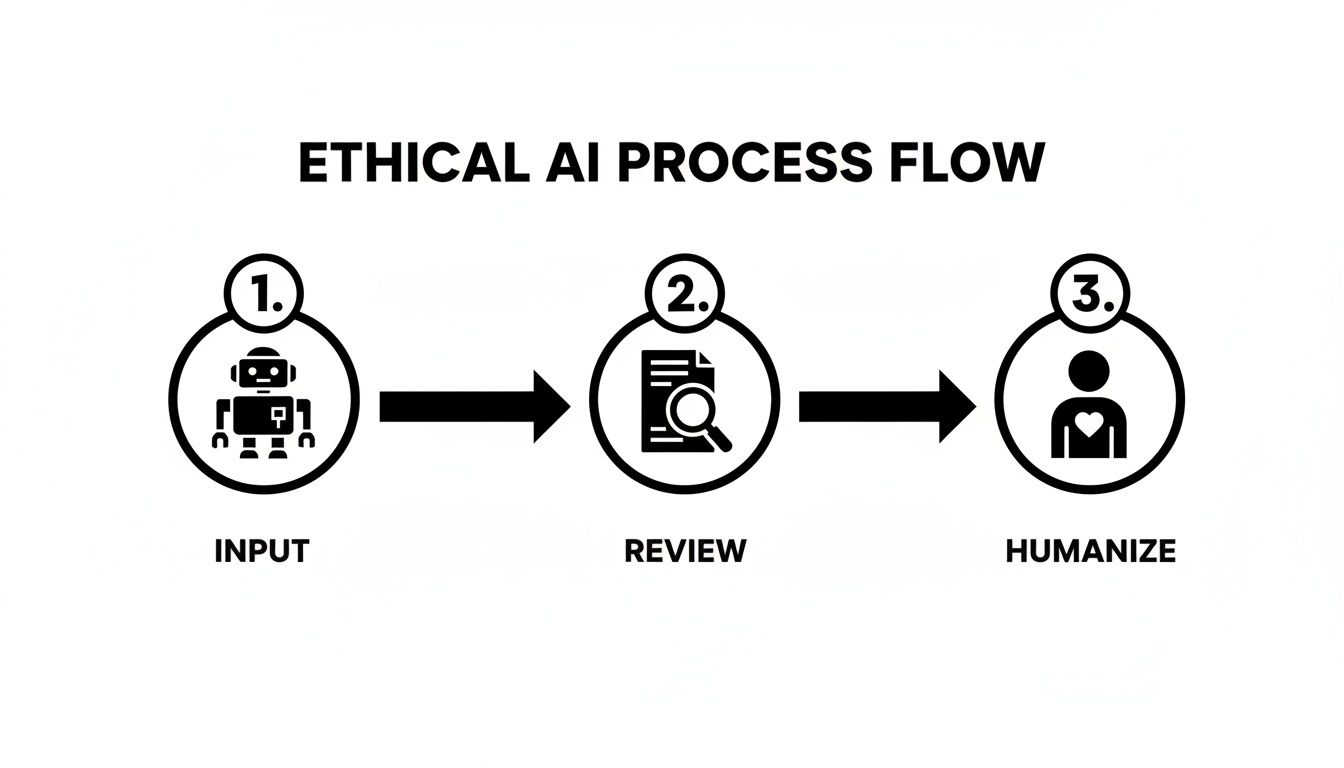
This process keeps you in the driver's seat, making sure the final output has your unique touch. It's no surprise that workflows like this are catching on. A recent study showed 35% of U.S. consumers now turn to ChatGPT for answers over traditional search, and 23% are already using it for rewriting tasks.
Inside Zemith, you get that same power—plus access to models like Claude and Gemini—all under one roof. It makes quick work of tasks like summarizing dense reports or even generating flashcards from your notes.
Have you ever found yourself wondering if Claude might give you a better rewrite than GPT-4 for a particular piece of text? Normally, you'd have to open two different chat windows, paste your content, and run the same prompt twice. It's tedious.
Zemith lets you test prompts across multiple AI models, right next to each other. This is a huge advantage for dialing in the perfect paraphrase. You’ll quickly learn which model nails your brand's witty tone and which one is better for straightforward, technical explanations.
With this multi-model setup, you can:
The best writers don't just use tools; they use the right tools. Zemith puts an entire AI toolkit at your fingertips, letting you pick the perfect one for every sentence.
This isn't just about polishing existing text, either. It’s about creating better first drafts and speeding up the entire writing cycle. Being able to iterate quickly is what separates good content from great content. For a deeper dive into that idea, check out our guide on how to write blog posts faster. By bringing everything into one place, you spend less time wrestling with tools and more time actually creating.
So, you're looking into how to use ChatGPT to paraphrase text, but a few questions are probably popping up. It's smart to be asking them. Let's dig into some of the most common concerns I hear.
The short answer? Sometimes. AI detection tools are getting pretty sophisticated, and if you just copy and paste what ChatGPT gives you, there's a good chance it could get flagged.
But that’s not really the right way to use these tools anyway. The trick is to stop thinking of the AI's output as the final product. It's just a starting point—a rough first draft.
Your job is to take that draft and make it human. Here’s how:
When you collaborate with the AI this way, the final piece becomes yours. It's no longer just "AI content"; it's "AI-assisted content," and that's much harder for any tool to detect.
You've got to be a better director. A lazy prompt like "rephrase this" will get you an equally lazy, robotic response. You need to give the AI specific instructions on how you want it to sound.
Think of yourself as a film director giving an actor their motivation. Instead of a bland command, try giving it some personality:
Giving the AI stylistic guardrails is the secret sauce for getting writing that actually sounds like it was written by a person.
This one’s a no-brainer: always feed the AI whole paragraphs or even entire sections. If you do it sentence by sentence, the AI is flying blind. It has zero context for what came before or what’s coming next. The result? A choppy, disjointed mess that feels completely unnatural.
Giving the AI the full context is like letting it see the whole puzzle before it starts placing the pieces. It helps maintain a consistent flow and logical structure, which is crucial for good writing.
Letting the model see the bigger picture will always give you a much smoother and more coherent rewrite.
Ready to stop juggling tabs and start paraphrasing efficiently? Zemith integrates all these advanced AI capabilities into a single Smart Notepad, letting you test models, refine your tone, and turn messy drafts into polished content faster than ever. Start your free trial at Zemith.com and see the difference for yourself.







Trusted by teams at






The top models, plus image, video and voice tools, in one plan.
Without Zemith
ChatGPT PlusUS$20.00Claude ProUS$20.00Google AI ProUS$19.99SuperGrokUS$30.00Perplexity ProUS$20.00 MidjourneyUS$10.00
 ElevenLabsUS$6.00Le Chat ProUS$14.99
 RunwayUS$15.00Kling StandardUS$8.80
 Gamma PlusUS$12.00
 Otter ProUS$16.99
 QuillBot PremiumUS$19.95
 Photoroom ProUS$12.99
 Quizlet PlusUS$7.99
Total if paying separatelyUS$234.70/mo
"I love the way multiple tools they integrated in one platform. Going in the right direction."
— simplyzubair
"The quality of data and sheer speed of responses is outstanding. I use this app every day."
— barefootmedicine
"The credit system is fair, models are perfect, and the discord is very responsive. Quite awesome."
— MarianZ
"Just works. Simple to use and great for working with documents. Money well spent."
— yerch82
"The organization of features is better than all the other sites — even better than ChatGPT."
— sumore
"It lives up to the all-in-one claim. All the necessary functions with a well-designed, easy UI."
— AlphaLeaf
"The team clearly puts their heart and soul into this platform. Really solid extra functionality."
— SlothMachine
"Updates made almost daily, feedback is incredibly fast. Just look at the changelogs — consistency."
— reu0691
Hand off the research, writing, design and follow-ups. Zemith picks the tools it needs and brings back finished work.
Search the web, run deep research, read files, create images and run code with GPT, Claude, Gemini, Grok and more.
Zemith keeps working in the cloud and pings you when it's done.
Notion, Linear, Canva, Airtable and more. It asks before it creates or changes anything.
Docs, slides, sheets and PDFs, ready to send.
Chain models and tools on a visual canvas, from one prompt to a finished promo video.
Briefings, reports and reminders run on a schedule and are ready when you need them.
Real-time voice that can see your camera or screen.
The best image and video models, in one studio.
Turn PDFs, links and YouTube videos into podcasts, quizzes, flashcards and mind maps.














 Podcast
 Quiz
Quiz Flashcards
 Mind map
 Infographic