


Every top model, with tools built in.
Search the web, run deep research, read files, create images and run code with GPT, Claude, Gemini, Grok and more.
Learn how to run competitor analysis AI step by step: build a matrix, verify claims with sources, and turn findings into decisions.
You've got a rival's pricing page open, a changelog in another tab, and a strategy deck that was already out of date when you saved it. That's exactly where competitor analysis AI helps, and exactly where it can mislead you. The fix isn't a fancier prompt. It's a routine where every claim carries a source, a date, and a confidence label you can defend.
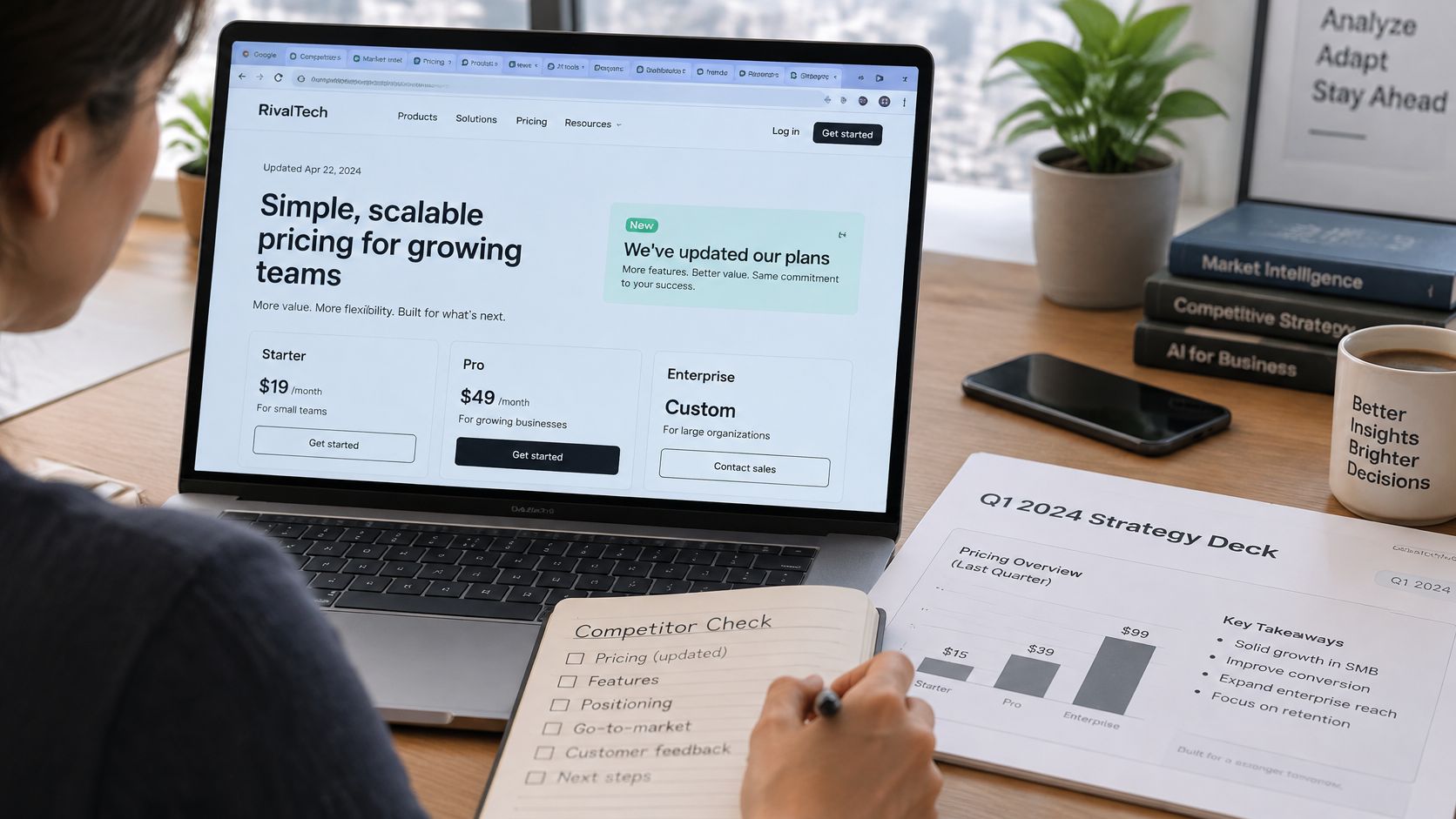
Twelve browser tabs. One rival changed pricing last Tuesday. Your deck still shows last quarter's plans, and someone in leadership is about to quote them as fact. If your tabs had tabs, you'd be home by now.
You're not alone in reaching for AI here. The 2024 State of Competitive Intelligence report found that 81% of competitive-intelligence practitioners were already using AI or planned to begin using it soon, and 67% of adopters used it to summarize competitor content and produce key takeaways.
The wider market moved just as fast. Stanford University's 2025 AI Index Report says 78% of organizations reported using artificial intelligence in 2024, up from 55% in 2023. Your rivals aren't only researching with AI. They're using it in support, marketing, and product work too.
Summarizing is what AI does best, and it's also the trap. A neat summary can mix up two similarly named companies, repeat a marketing claim as a proven capability, and skip the date entirely. A summary is not a verified answer.
What follows gives you a matrix to fill in this week, a six-step pass, a way to verify claims, and fixes for the failures you'll hit first. Pair it with a solid market research AI tool workflow and you'll have insights you can check before they shape a decision. The matrix comes next.
Ask an AI to "compare these tools" and you'll get a different structure every run. One week it's features, the next it's vibes and adjectives. A fixed grid forces the same fields, in the same order, so rows stay comparable across competitors and across months.
That's the core of reliable competitor analysis with AI for small teams and large ones alike. You decide the fields once. The AI fills them with evidence, or it leaves them marked unresolved.
Product capabilities and target segment tell you what they're selling and who it's for. Pricing and integrations are where deals get won and where AI guesses do real damage. Distribution shows how buyers find them.
The last two fields aren't admin. An evidence date and a confidence label are what separate a finding from a guess in a nice font. A row without them shouldn't travel into a deck, a battlecard, or a pricing meeting.
If a row has no date and no confidence label, treat it as unwritten. Fill it properly or delete it.
Pricing, security, legal, and performance claims need a human check every time, no matter how confident the model sounds. Everything else still needs a source a colleague could open.
If you're comparing dedicated competitor benchmarking tools alongside a general AI workspace, run both against this same matrix. You'll spot quickly which one gives you evidence and which one gives you prose.
Keep the finished matrix in a shared sheet or a workspace project with the underlying sources attached. Your next quarterly review should start from the last verified version, not from a blank prompt and crossed fingers.
Run this the same way every time and AI competitor analysis stops being a one-off research sprint. It becomes a habit you can finish without opening those twelve tabs again.
The flow below shows the shape of the pass before we get into the detail.
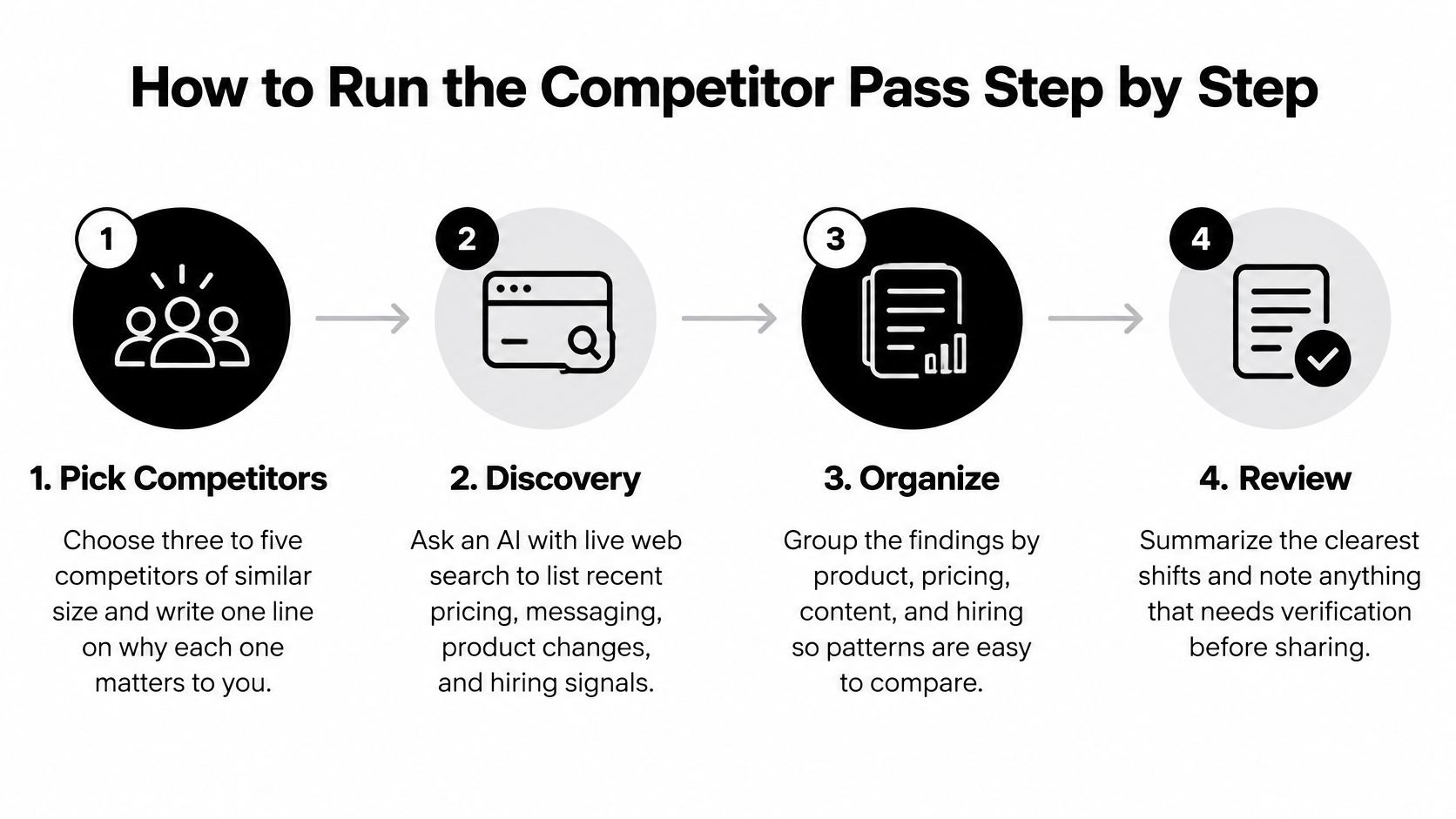
This short video walkthrough shows the pass in motion if you'd rather watch before you run it.
A finished pass looks boring in the best way. No empty evidence dates. No unloved sources. Just a completed matrix, three findings you can trace, and a short list of unresolved items to chase next time.
Most AI competitor reports don't fail at writing. They fail at verification, usually because the model treated a rival's marketing page as sworn testimony. A competitor that ranks well for its own name and publishes huge benchmark numbers can look far stronger than it is. Search visibility is not market strength, and polished nonsense in a confident little hat is still nonsense.
The checklist below keeps that ranking front of mind while you work.
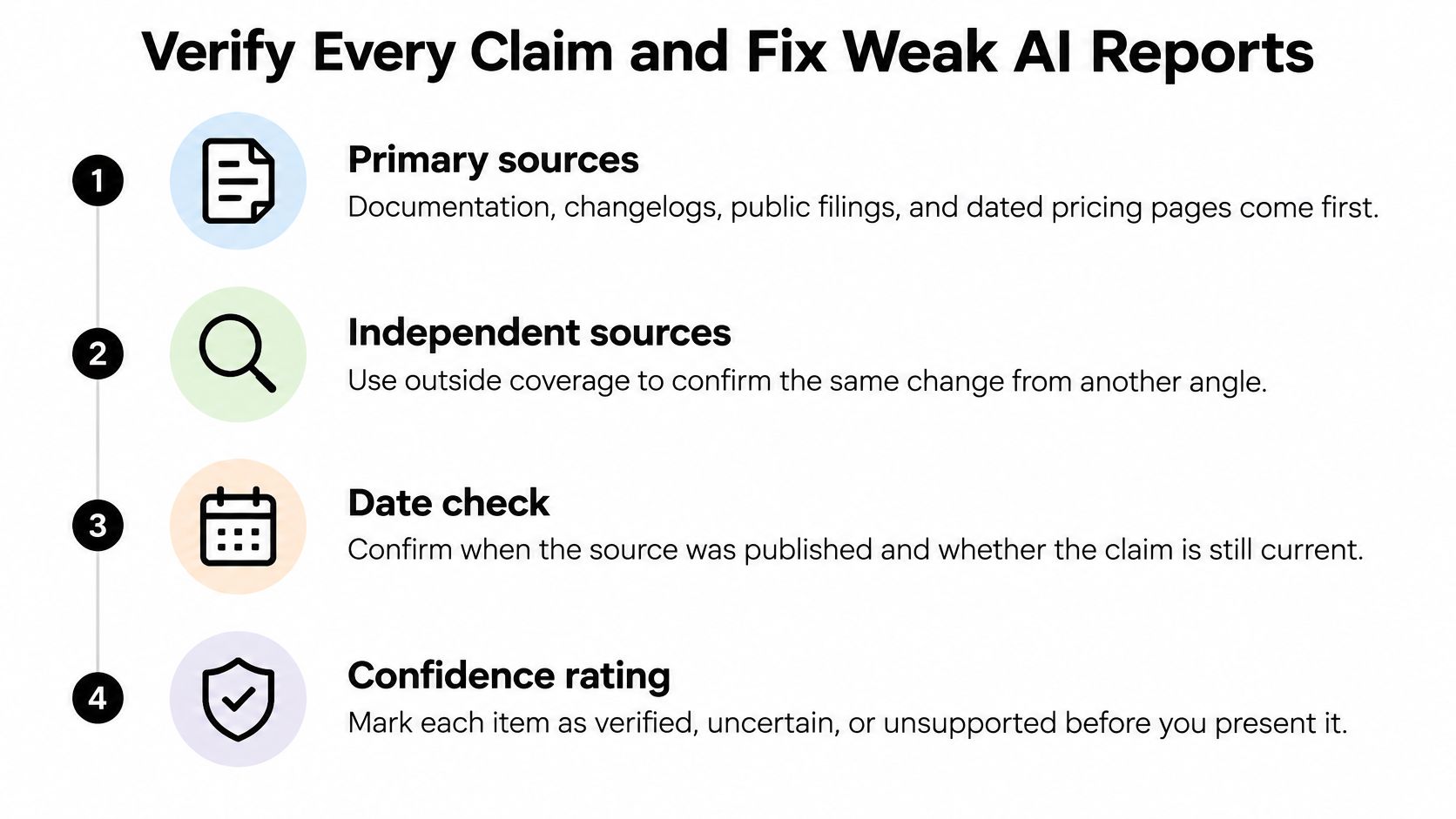
Match your confidence bar to the risk. Pricing, security certifications, legal claims, and performance figures need near-perfect confidence and a second source before they go anywhere near a plan. A straightforward feature comparison can run on one solid primary source, as long as you note that's all you've got.
Freshness matters just as much. Flag anything older than a month for a fast-moving product as stale, and treat unresolved as a useful label rather than a failure. An honest unresolved beats a confident guess every time, and it tells the next person exactly where to dig. Building this discipline into your routine is the practical side of fact-checking AI output before it reaches a stakeholder.
Before any claim enters a plan, run four quick checks. Confirm the capture date is recent, the source type is strong enough for the claim, one contrary search came back empty, and the confidence label matches the evidence. If one check fails, the claim waits.
There's solid method behind working at claim level. Google DeepMind's SAFE method decomposes long answers into individual facts and uses multi-step web searches, achieving 72% agreement with crowdsourced human judgments across roughly 16,000 facts, and in 100 disagreements SAFE was preferred 76% of the time. Checking single facts beats grading whole paragraphs on feel.
Most of these are quick repairs. Outdated pricing takes a day to re-pull and confirm. Rebuilding a competitor's whole evidence base from scratch can take a month, which is why saving sources as you go matters so much.
Once a quarter, have an expert label 100 to 300 claims as supported, contradicted, or insufficiently evidenced, then track precision, recall, and F1 against those labels. The OpenFactCheck framework evaluates factuality with precision, recall, and F1 across 6,480 examples spanning 482 domains, with explicit true, false, and unknown labels. That unknown category is the point. "Not enough evidence" should be measurable, not turned into a guess without notice. A pipeline that looks thorough because it invents broadly will show it in precision fast.
Verified facts aren't insights yet. An insight is a judgment, and judgments need their workings shown. Split every finding into two parts before anyone acts on it.
Observed facts come first, each with its source and date. Inferred strategy follows, with the reasoning spelled out. Keeping them separate stops a plausible story from dressing itself up as evidence.
Say a competitor ships a Slack integration and posts three sales engineer roles in the same month. Those are your observed facts, pulled from a changelog and a jobs page, both dated. The reasonable inference is that they're pushing into mid-market teams that live in Slack and need technical help during evaluation.
That conclusion stays marked inferred until something firmer confirms it, such as a pricing tier aimed at that segment or a customer story from a mid-sized company. Until then, it's a strong hypothesis. Labelling it transparently doesn't weaken it. It tells your team how much weight to put on it.
This is the view your synthesis should end up looking like, with facts and interpretation side by side.
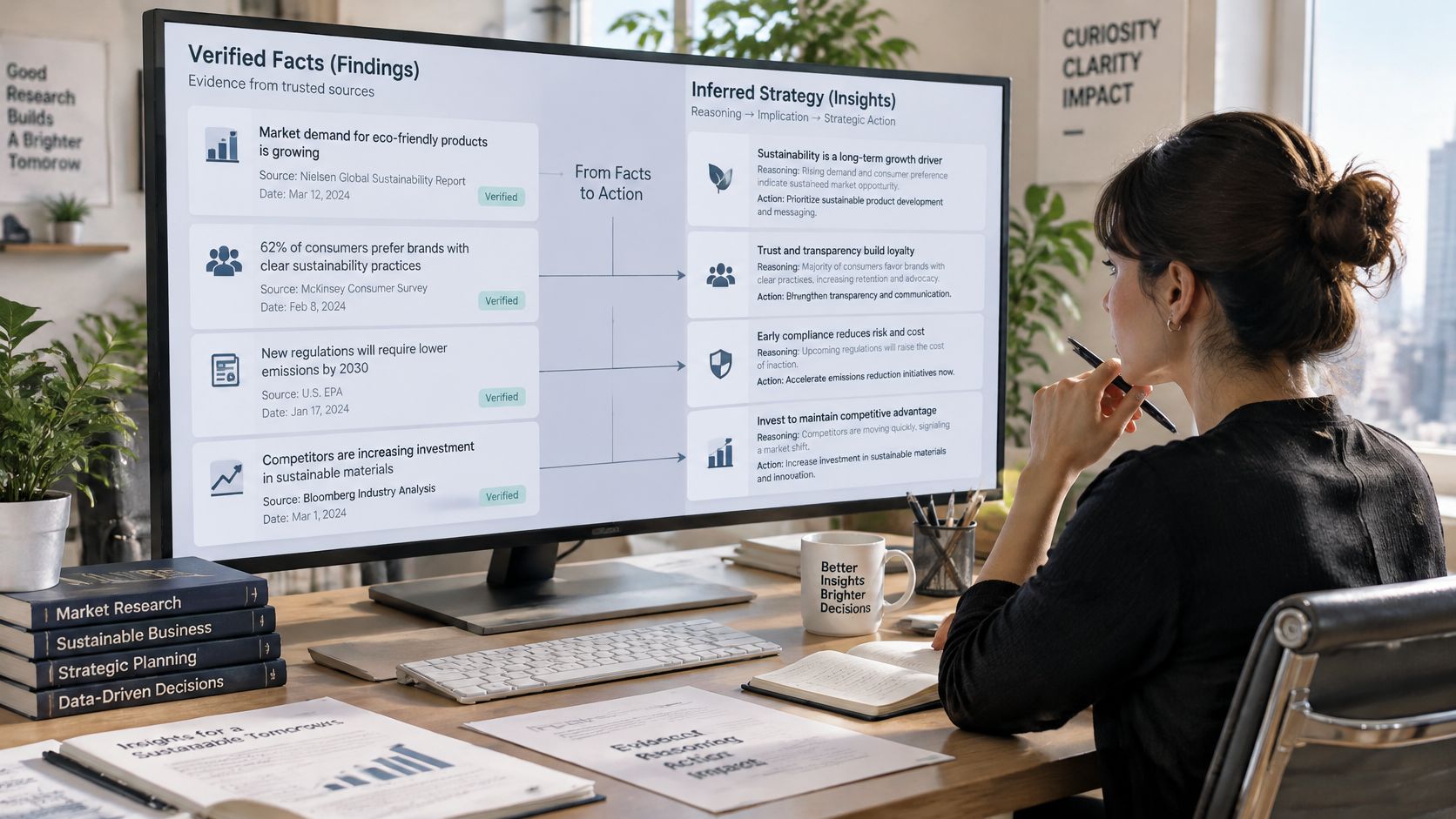
That one prompt does most of the heavy lifting in defensible competitor analysis. Run it after every finding and force out two or three alternative explanations. Maybe the Slack integration came from a partnership deal rather than a segment push. Maybe the hiring is a one-off spree after a funding round, replacing contractors instead of expanding.
A competitor insight you cannot trace back to a source is a rumour with better formatting.
Then rank your findings by their impact on pricing, product, or marketing decisions. A high-impact finding with low confidence goes to a human for a second look before it enters any plan. Low-impact, high-confidence findings can move straight into a brief. A structured competitive analysis framework helps keep that ranking consistent from one quarter to the next.
Try it now with a single finding. Write the observed facts, the inference, and what would change your mind, then attach the evidence. Three short parts, one insight you can defend in a room full of sceptics.
You don't need a quarter, a new hire, or enterprise data infrastructure to start using AI for competitor research on a budget. Three focused days gets you a working first pass.
Day one is setup. Pick three competitors, write your one line on why each matters, and fill the first two matrix fields from sources you already trust.
Day two is discovery and extraction. Gather primary sources for every rival, save each one with its capture date, and fill the remaining fields with quotes attached. This is also where a habit of evidence-based decision making starts to form, because the evidence sits right next to every claim.
Day three is verification. Re-check pricing directly, and give any security or legal claims a second source. Mark what's left as unresolved and move on without guilt.
Then keep it fresh without manual monitoring. Confirm your plan includes scheduled tasks first, then set one up. We can run a scheduled weekly task that checks competitor changelogs and sends you a short summary, and our web search and deep research tools sit alongside chat with files, scheduled tasks, and the rest of the workspace so your sources stay next to your notes.
One fair caveat. Credit costs may change based on upstream providers, so leave some budget headroom if you're planning heavy research runs.
The best competitor analysis is one you can check on a Tuesday afternoon.
Run the pass on your own three competitors this week and compare what survives verification with what your last AI summary told you. That gap is where insight lives.
Ready to run your first verified pass without the twelve-tab chaos? At Zemith you can gather competitor sources with deep research and web search, keep them beside your matrix in one workspace, and schedule weekly changelog checks so your findings stay fresh. Start with three competitors today and build competitor insights you can trace, date, and defend.
Pay less than one AI subscription and get GPT, Claude, Gemini and more, plus 50+ AI tools.


Trusted by teams at






The top models, plus image, video and voice tools, in one plan.
Without Zemith
ChatGPT PlusUS$20.00Claude ProUS$20.00Google AI ProUS$19.99SuperGrokUS$30.00Perplexity ProUS$20.00 MidjourneyUS$10.00
 ElevenLabsUS$6.00Le Chat ProUS$14.99
 RunwayUS$15.00Kling StandardUS$8.80
 Gamma PlusUS$12.00
 Otter ProUS$16.99
 QuillBot PremiumUS$19.95
 Photoroom ProUS$12.99
 Quizlet PlusUS$7.99
Total if paying separatelyUS$234.70/mo
"I love the way multiple tools they integrated in one platform. Going in the right direction."
— simplyzubair
"The quality of data and sheer speed of responses is outstanding. I use this app every day."
— barefootmedicine
"The credit system is fair, models are perfect, and the discord is very responsive. Quite awesome."
— MarianZ
"Just works. Simple to use and great for working with documents. Money well spent."
— yerch82
"The organization of features is better than all the other sites — even better than ChatGPT."
— sumore
"It lives up to the all-in-one claim. All the necessary functions with a well-designed, easy UI."
— AlphaLeaf
"The team clearly puts their heart and soul into this platform. Really solid extra functionality."
— SlothMachine
"Updates made almost daily, feedback is incredibly fast. Just look at the changelogs — consistency."
— reu0691
Hand off the research, writing, design and follow-ups. Zemith picks the tools it needs and brings back finished work.
Search the web, run deep research, read files, create images and run code with GPT, Claude, Gemini, Grok and more.
Zemith keeps working in the cloud and pings you when it's done.
Notion, Linear, Canva, Airtable and more. It asks before it creates or changes anything.
Docs, slides, sheets and PDFs, ready to send.
Chain models and tools on a visual canvas, from one prompt to a finished promo video.
Briefings, reports and reminders run on a schedule and are ready when you need them.
Real-time voice that can see your camera or screen.
The best image and video models, in one studio.
Turn PDFs, links and YouTube videos into podcasts, quizzes, flashcards and mind maps.













 Podcast
 Quiz
 Flashcards
 Mind map
 Infographic