


Every top model, with tools built in.
Search the web, run deep research, read files, create images and run code with GPT, Claude, Gemini, Grok and more.
Master resource allocation optimization with proven models, algorithms, and real-world examples. Learn to prototype, test, and scale smarter decisions.
Your calendar says the week is manageable. Then a client moves a deadline, a researcher needs the same specialist you've already booked, and an urgent request lands while your team is halfway through planned work. The hours haven't changed, but the decisions have.
Resource allocation optimization is the practice of choosing how to distribute limited resources, such as people, time, equipment, money, or computing capacity, so you can meet priorities without ignoring real constraints. It turns “Who can take this?” into a decision you can examine, explain, and revise. The aim isn't to cram every hour full. It's to make trade-offs visible before they become missed deadlines or exhausted people.
The same problem appears in very different places. A factory decides which products to make with limited machine time. A cloud platform assigns compute capacity to incoming tasks. A marketing team chooses which campaigns get budget, while a research group decides which questions receive scarce expert attention. The nouns change, but the underlying challenge stays familiar: competing demands, finite capacity, and consequences when the wrong work gets priority.
The field has deep roots. In 1947, George B. Dantzig developed the simplex method while working on planning problems for the U.S. Air Force. The method gave planners a systematic way to maximize or minimize an objective, such as output or cost, while respecting limits on labor, materials, budgets, and equipment. By 1951, the general method had been programmed for the U.S. Bureau of Standards' SEAC computer, and interest had spread into industry, as Britannica's history of optimization describes.
That history matters because it shows optimization isn't a shiny software feature. It's a way to represent many connected choices in one model, then compare what those choices mean under the same rules. Work by Leonid Kantorovich and Tjalling Koopmans on allocating resources was later recognized with the 1975 Nobel Prize in Economic Sciences. Their ideas still inform production planning, logistics, staffing, budgeting, and supply-chain decisions.
The useful question isn't “How do we keep everyone busy?” It's “Which allocation best serves our priorities, given the limits we can't wish away?”
You don't need a doctorate to ask that question well. Start by naming the result you want, the choices you control, and the limits you must respect. Even a clear spreadsheet model can expose a trade-off that a crowded calendar hides. The craft becomes more technical as the problem grows, but the reasoning is learnable.
Every allocation problem starts with a choice. Say a small restaurant has a fixed food budget and needs to decide how much of that budget goes to ingredients for different dishes. The owner wants to serve the most profitable mix, but demand, ingredient supply, staff time, and kitchen capacity all limit what's possible. That simple setup contains the essential parts of a formal model.
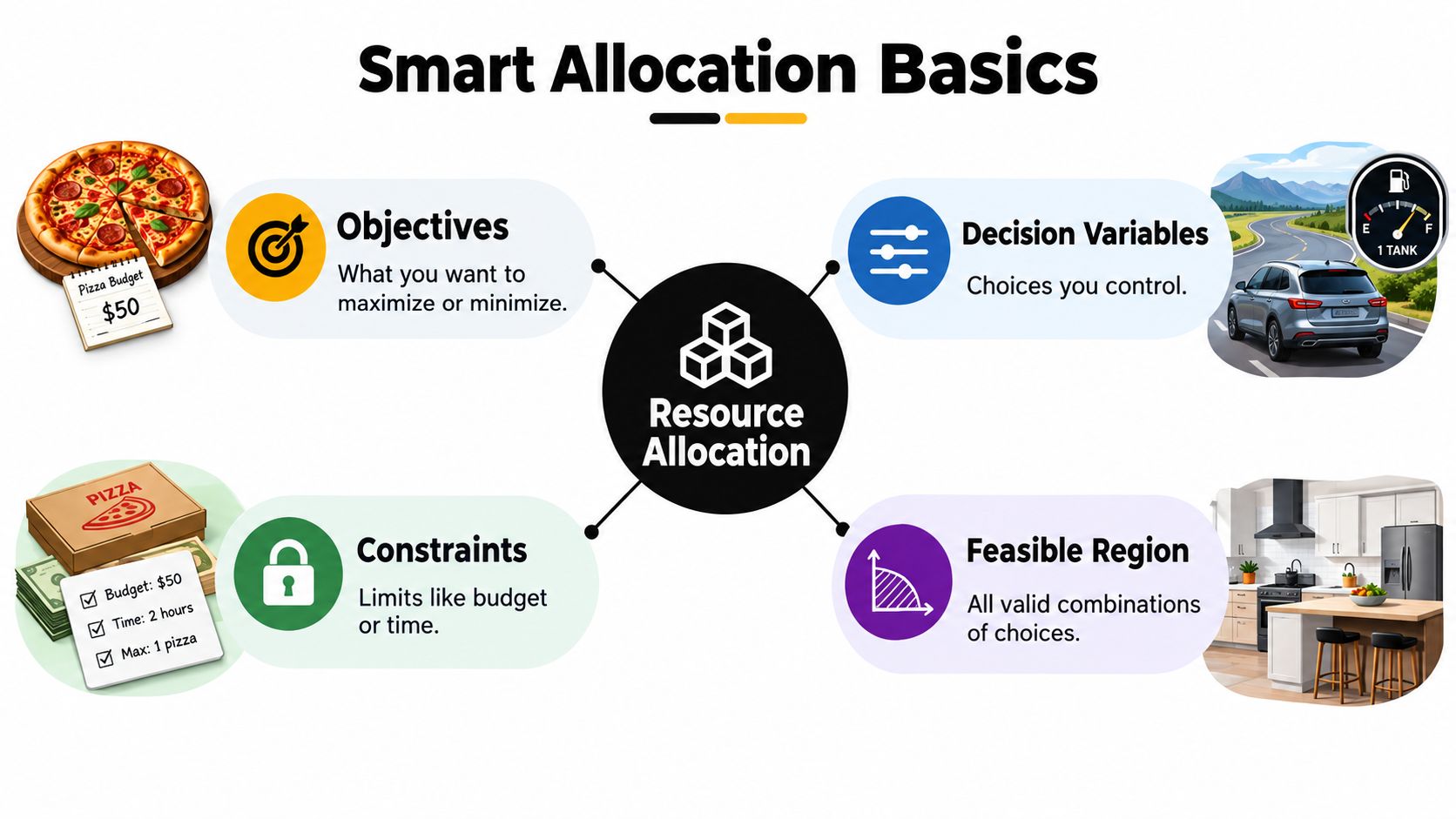
A road trip makes the same idea easier to feel. With one tank of gas, you can choose your route and stops, but not every possible detour fits the fuel constraint. In a kitchen with two burners and four pans, you can prepare several dishes, but not all at once. The model helps you distinguish a good-sounding plan from one the available resources can support.
For a practical example outside the kitchen, how to manage restaurant capacity is a useful companion when thinking about the gap between demand and what a service team can deliver. For knowledge work, the same structure helps teams make task priorities explicit. Zemith's guide to prioritizing tasks at work can help turn that priority list into a clearer starting point for allocation.
The simplest model may use linear programming, where relationships between decisions and outcomes can be expressed with linear equations or inequalities. If your choices must be whole numbers, such as assigning one person rather than a fraction of a person, an integer model may fit better. Either way, the core habit is the same: state the objective and constraints before debating the answer.
Think of optimization methods as tools on a workbench. You wouldn't use a screwdriver to measure a board, and you shouldn't reach for a complicated algorithm just because it has an impressive name. The right choice depends on the shape of the decisions, how quickly you need an answer, and whether a near-best solution is acceptable.
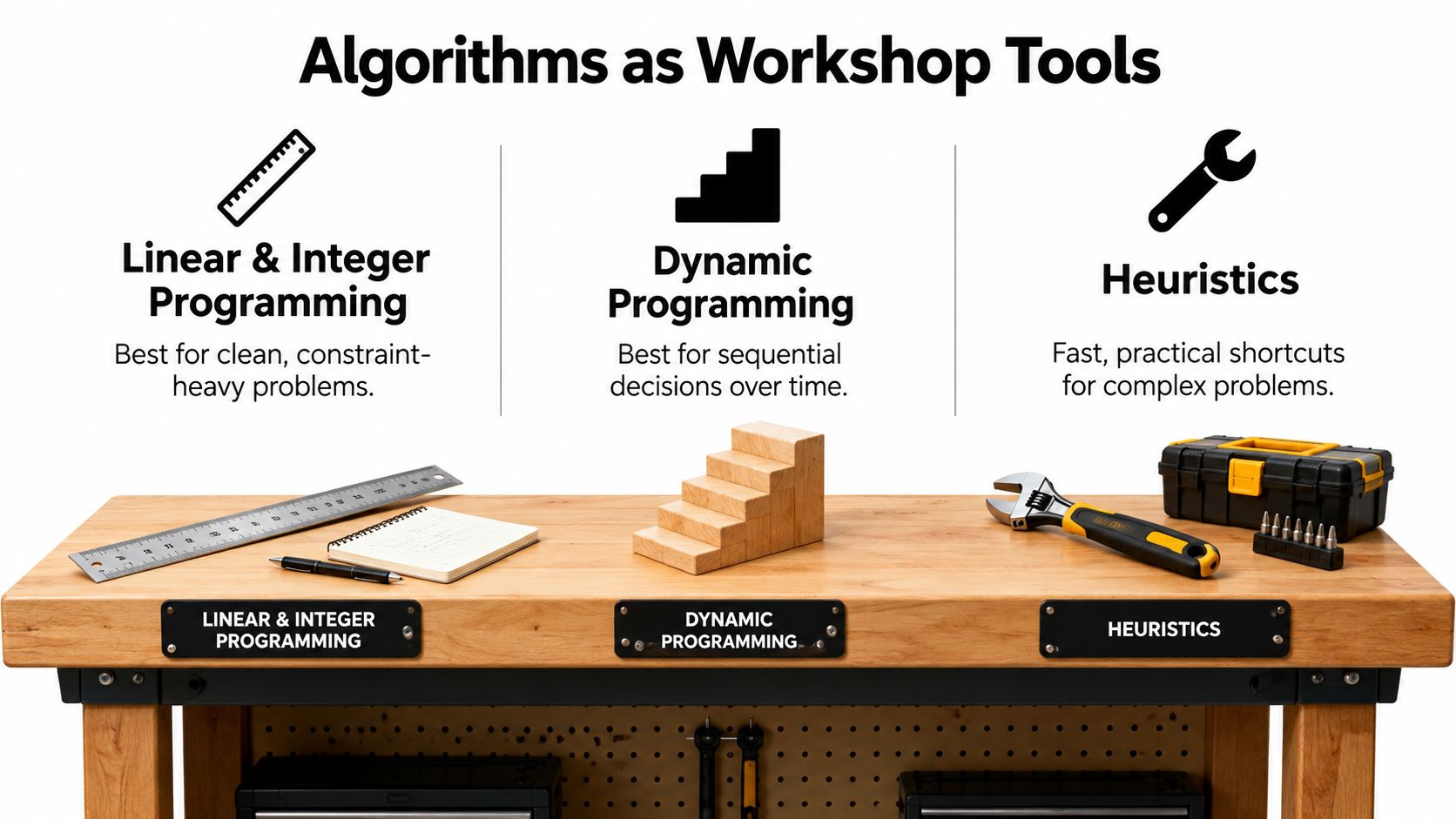
Linear programming works well when decisions and constraints form a clean mathematical model. It can help decide how to distribute production across products while respecting limits on materials, labor, and equipment. Integer programming adds whole-number choices, useful for assignments such as which shifts to staff or which projects to accept.
When choices unfold over time, dynamic programming breaks the problem into connected stages. A team planning inventory, for example, may need to account for how today's order affects what can be served later. The method is a natural fit when each decision changes the options available in the next step.
If the search space gets unwieldy, metaheuristics such as genetic algorithms and particle swarm optimization explore promising possibilities without checking every possible plan. They can be useful when the model is complicated and a strong answer delivered quickly matters more than a proof that it's mathematically best. A software-scheduling comparison found that a particle-swarm method reached 252 resource-utilization units, versus 183.6 in the original plan; the same study compared it with other multiobjective methods and conventional resource leveling (software-engineering scheduling study).
For a route-planning problem with people working across a changing territory, practical canvassing route-optimization tips can help clarify the kind of constraints a formal model needs to represent. For larger data questions, Zemith's guide to data analysis techniques offers another way to think about preparing information before choosing a method.
An exact solver can find the best answer for a well-defined model, but some problems are so large or change so often that waiting for an exact answer isn't practical. A heuristic trades proof of optimality for speed. Reinforcement learning can be relevant when an agent needs to adapt its choices as conditions shift, though it still needs clear objectives, reliable feedback, and safeguards.
The important distinction is not “advanced versus basic.” It's whether the method fits the decision. First build a small, honest model. Then test whether an exact solver can handle it. If it can't, compare heuristic approaches against a baseline and measure both the quality of the allocation and the time it takes to produce.
A dashboard can make a bad plan look excellent if it reports only the number that improved. Utilization, for instance, tells you how much capacity is assigned, but it doesn't say whether work finishes on time, whether customers get acceptable service, or whether the team has room to absorb a surprise.
A real-world cluster evaluation shows what a more balanced scorecard can look like. An approach combining workload prediction and dynamic allocation reported 78.4% resource utilization, 2.3% SLA violations, 25.8% lower average task-completion time, and 15.1% lower energy consumption against production-grade baselines (cluster allocation evaluation). The point isn't to copy those target values into every system. It's that the team measured performance, service reliability, speed, and energy together.
Add forecast error, queueing delay, and variation in outcomes to the scorecard. An average can conceal a group of tasks that consistently wait too long, just as an overall utilization figure can hide one overloaded specialist and another person with room to help.
A metric is useful when it helps you choose. It's dangerous when the team starts treating the metric as the whole goal.
Before changing a model, ask who selected its objectives and who can challenge its recommendations. A model can calculate a trade-off without deciding whether that trade-off is fair or acceptable. Zemith's article on evidence-based decision-making is a useful prompt for documenting the evidence behind those choices.
A factory's allocation model can save money only if its schedules respect real limits: machines need downtime, and labor capacity is finite. A manufacturing-focused linear-programming study reported a 15% reduction in production costs alongside improved labor and machine efficiency (manufacturing optimization study). The model's practical job was to distribute limited inputs across products, processes, or time periods while staying within operational constraints.
The same study examines supply-chain and energy-management decisions, including production quantities, transportation flows, inventory, equipment use, and energy deployment. Those choices interact. Changing one in isolation can move a bottleneck elsewhere, like clearing one lane of traffic only to create a jam at the next intersection.
At Budweiser Korea, an inventory case combined demand forecasting with optimization. In April 2020, the average out-of-stock rate fell from 0.69% to 0.37%, a decline of 0.32 percentage points and an approximately 46% improvement relative to the original rate, according to the same operations research study. Forecasting estimated customer demand; optimization turned that estimate into inventory decisions. If the forecast misses or the inventory constraints are stale, the allocation can still miss the mark.
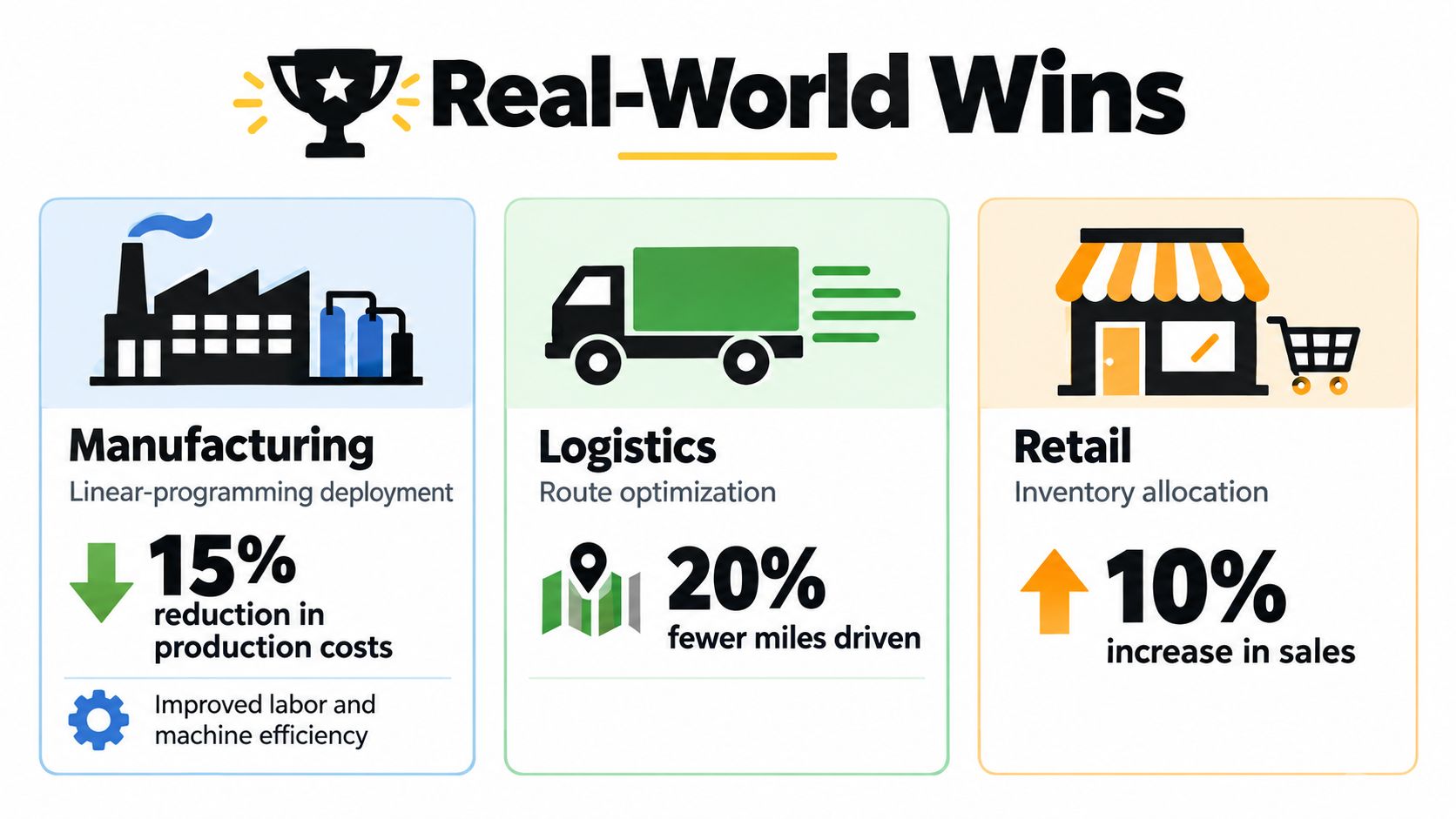
Cloud workflows offer another example, with a different kind of coordination problem: assigning tasks across computing resources while balancing completion time and energy use. A study combined graph neural networks with proximal-policy-optimization deep reinforcement learning and evaluated the approach across benchmark datasets. On a moderate-sized dataset, it reported a 689.22-second makespan, compared with 800.72 seconds for the second-best method, and an improvement of up to 13.92% over heuristic baselines, while consuming 10,964.45 joules (cloud-workflow scheduling study).
These findings show what a model can achieve under tested conditions, not what every operation should expect. Real deployments add coordination overhead, changing inputs, and people who need to review or override recommendations. Start with a baseline, expose the assumptions, and compare recommendations with actual outcomes. A tidy dashboard can report a good score while a missed constraint disrupts the work.
A useful prototype doesn't need to begin with a perfect database or an elaborate dashboard. Start with a small decision that causes recurring friction, such as how to assign requests across a team or when to schedule batch work. Gather a modest set of real tasks, available capacity, deadlines, and skills. Write down what a good outcome means before asking any tool to suggest one.
Here's a practical build loop using Zemith's workspace tools:
The tools don't replace validation. Ask the prototype to explain why it recommends an assignment, record confidence or uncertainty, and let a responsible person override the result. Keep assumptions versioned so the team can compare what changed when an outcome improves or goes sideways. Zemith's guide to AI workflow optimization can help you think about where AI assistance fits into a repeatable process.
For a more technical prototype, use this sequence: define one objective, add only the constraints you can verify, run a baseline allocation, and compare the recommendation with the current process. Then ask a teammate who understands the work to find the model's blind spot. A tiny notebook that exposes a flawed assumption is more useful than a polished presentation that hides it.
You can use the video below as another view of Zemith's workspace before deciding whether it fits your research and prototyping process.
The most common modeling mistake isn't choosing the wrong algorithm. It's pretending that nominal capacity equals usable capacity. People coordinate, search for information, attend meetings, handle interruptions, and recover from work that was estimated badly. If the model counts every hour as direct delivery time, its answer may be mathematically tidy and operationally impossible.
An APQC survey of 982 full-time knowledge workers found that employees spend only 30 of a 40-hour week on productive work. The remaining time includes an average of 3.6 hours managing internal communication, 2.8 hours searching for or requesting information, and 2.2 hours in unnecessary or unproductive meetings (APQC's survey findings). Those categories explain why a plan that assigns every nominal hour can fail before anyone misses a deadline. Shared documents and decisions can reduce some of the searching, but no workspace can make coordination disappear.
The human side matters just as much. A 2025 study of AI and project governance identifies data-quality concerns, ethical dilemmas, and the need for human oversight as barriers to AI-driven allocation (study of AI and project governance). If an automated recommendation repeatedly gives a team, region, or person less favorable assignments, someone should be able to inspect the assumptions, challenge the decision, and escalate the issue.
Slack is not wasted capacity when it protects the system from ordinary surprises.
Use a rolling-horizon process: update forecasts as conditions change, preserve capacity for urgent work, and limit how often an automated system can reshuffle people's commitments. Keep a record of allocation decisions and review who benefits or absorbs the cost. Zemith's discussion of labor cost reduction can support a broader conversation about cost decisions without reducing workers to line items.
Scaling isn't about making a model harder to understand. It's about building habits that help people trust and correct it.
This week, choose one recurring allocation decision, write down its constraints, and compare the current approach with a small, auditable model. Zemith can provide a shared workspace for research, documents, coding, and planning, so the reasoning doesn't get scattered across six apps.
Zemith brings research, document assistance, coding support, and collaborative planning tools into one workspace, giving you a place to prototype and document allocation decisions. If you're ready to test a clearer way to plan limited capacity, visit Zemith.







Trusted by teams at






The top models, plus image, video and voice tools, in one plan.
Without Zemith
ChatGPT PlusUS$20.00Claude ProUS$20.00Google AI ProUS$19.99SuperGrokUS$30.00Perplexity ProUS$20.00 MidjourneyUS$10.00
 ElevenLabsUS$6.00Le Chat ProUS$14.99
 RunwayUS$15.00Kling StandardUS$8.80
 Gamma PlusUS$12.00
 Otter ProUS$16.99
 QuillBot PremiumUS$19.95
 Photoroom ProUS$12.99
 Quizlet PlusUS$7.99
Total if paying separatelyUS$234.70/mo
"I love the way multiple tools they integrated in one platform. Going in the right direction."
— simplyzubair
"The quality of data and sheer speed of responses is outstanding. I use this app every day."
— barefootmedicine
"The credit system is fair, models are perfect, and the discord is very responsive. Quite awesome."
— MarianZ
"Just works. Simple to use and great for working with documents. Money well spent."
— yerch82
"The organization of features is better than all the other sites — even better than ChatGPT."
— sumore
"It lives up to the all-in-one claim. All the necessary functions with a well-designed, easy UI."
— AlphaLeaf
"The team clearly puts their heart and soul into this platform. Really solid extra functionality."
— SlothMachine
"Updates made almost daily, feedback is incredibly fast. Just look at the changelogs — consistency."
— reu0691
Hand off the research, writing, design and follow-ups. Zemith picks the tools it needs and brings back finished work.
Search the web, run deep research, read files, create images and run code with GPT, Claude, Gemini, Grok and more.
Zemith keeps working in the cloud and pings you when it's done.
Notion, Linear, Canva, Airtable and more. It asks before it creates or changes anything.
Docs, slides, sheets and PDFs, ready to send.
Chain models and tools on a visual canvas, from one prompt to a finished promo video.
Briefings, reports and reminders run on a schedule and are ready when you need them.
Real-time voice that can see your camera or screen.
The best image and video models, in one studio.
Turn PDFs, links and YouTube videos into podcasts, quizzes, flashcards and mind maps.














 Podcast
 Quiz
Quiz Flashcards
 Mind map
 Infographic