


Every top model, with tools built in.
Search the web, run deep research, read files, create images and run code with GPT, Claude, Gemini, Grok and more.
Learn how SaaS integrations work, compare eight connection methods, spot security risks and keep synced data accurate without the constant copy-paste.
It's 2 a.m. and your invoice sync has been failing quietly since Tuesday. Nobody notices until accounting asks why last week's deals still aren't billed.
A SaaS integration is a connection that lets two cloud apps share data or trigger actions in each other automatically. Most of these connections run through APIs or webhooks, which makes them production systems: they need an owner, a plan for when they fail, and a yearly budget to keep credentials current and data in step.
The useful question isn't just whether you can automate a workflow. It's who owns the connection, what a broken sync costs you, and what you'll spend keeping it alive.
[blocked]
A sales rep closes a deal in the CRM, copies it into a spreadsheet, retypes the client's billing details into an invoicing tool, then pastes the same notes into a project board. All before lunch. Nobody hired them to be a human clipboard, but here we are.
Connecting those applications removes the handoffs, not the need for judgment. The billing workflow still needs to distinguish an approved contract from an enthusiastic sales note, and somebody still needs to notice if an invoice never appears.
[blocked]
Treat disconnected applications as a workflow problem before treating them as a shopping problem. For each handoff, identify:
For everyday administrative work, this guide to using AI to automate daily tasks can help you identify candidates. Don't automate a confusing process unchanged. You'll just receive confusing results more efficiently.
Practical rule: Remove unnecessary handoffs before building reliable versions of unnecessary handoffs.
Duct tape may hold the modern office together, but it shouldn't be your data architecture. List the three copy-paste tasks you repeat each week, including who performs them and what goes wrong when they forget. Keep that list beside you while comparing methods.
[blocked]
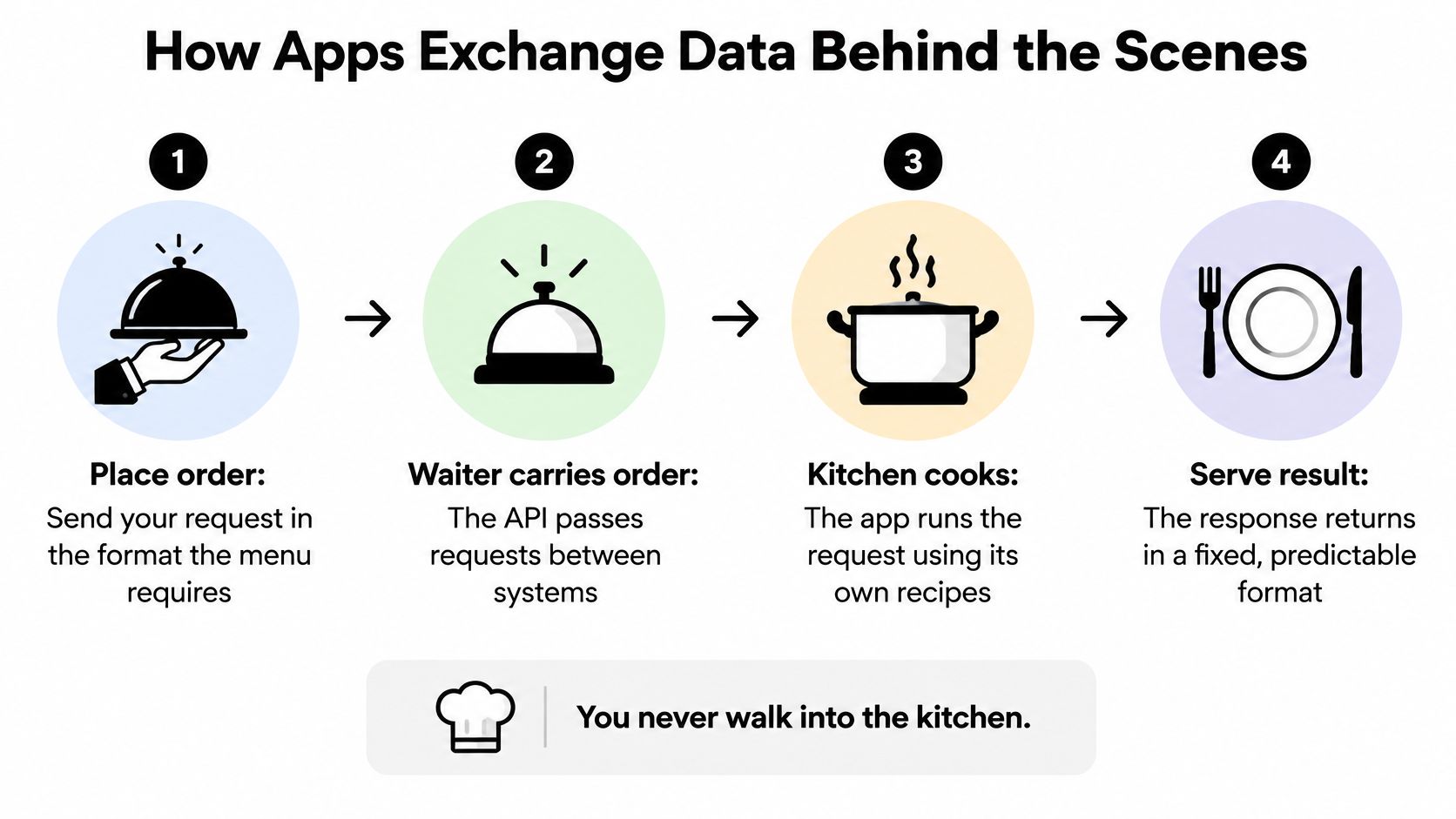
Think of an application as a kitchen with its own recipes. Its API, or application programming interface, is the waiter with a fixed menu: you submit an allowed request rather than walking into the kitchen and rearranging the cupboards.
The restaurant metaphor makes the boundary easier to see.
[blocked]
company_name might map to Organization.Those status codes aren't a substitute for checking the response body. An accepted request and a completed business action aren't necessarily the same thing.
[blocked]
Webhooks push event notifications when something happens. Polling repeatedly asks whether anything has changed, including when the answer is nothing. Webhooks suit event-driven work; polling can be a useful fallback when event delivery or provider support is incomplete.
Cloudflare's API risk assessment report supports treating API connections as production infrastructure rather than disposable scripts. The connection can stop at authorization or encounter a provider's rate limit after sending valid data.
An AI agent adds a decision-making layer, not a replacement for these mechanics. Understanding how AI agents work helps separate choosing an action from executing it safely.
[blocked]
Start with the least expensive method that preserves the data you need. Build custom code when the workflow's logic, volume, or governance requirements justify owning it.
Before choosing, list the applications involved, inspect their native field mappings, and test any missing behavior in a limited workflow. Record the method and its owner together. “The vendor handles it” doesn't identify who investigates your missing customer records.
[blocked]
These are planning estimates and common billing patterns, not vendor commitments. Security review, historical imports, and custom fields can change the schedule considerably.
[blocked]
A native connector is fine until it omits the field your billing team really needs. No-code automation is convenient, but task-based charges can grow with retries, branching, and volume. Custom code offers control, along with a permanent obligation to understand it.
For AI-centered work, an AI workflow builder is worth evaluating alongside conventional automation. Consolidating documents, notes, and model access can remove handoffs rather than maintain them.
That doesn't guarantee a route into your CRM or warehouse. Verify export options and supported connections separately.
Does the data need to move between systems, or does the work need to happen in the same place?
[blocked]
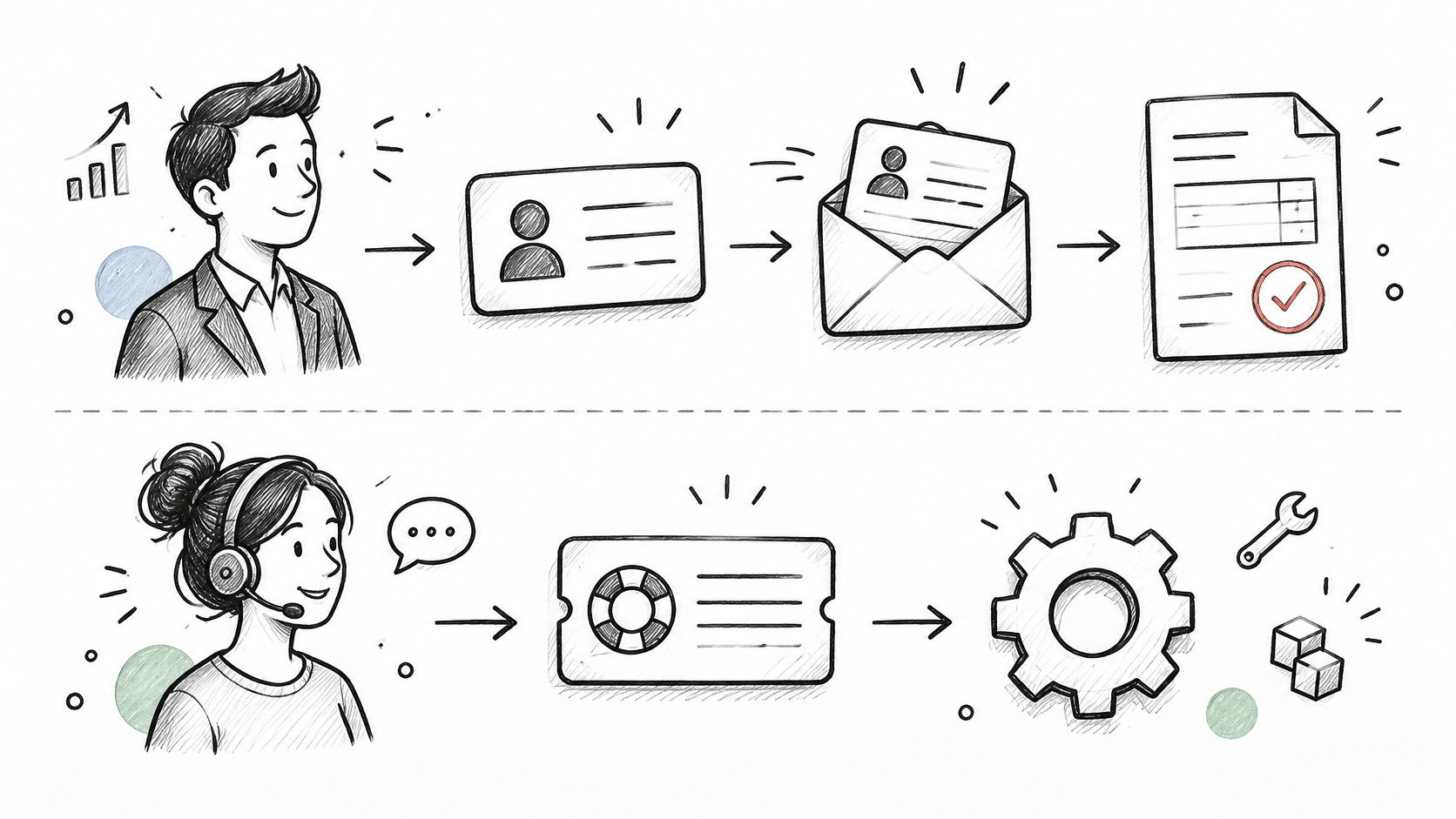
The strongest SaaS integration use cases have a recognizable business outcome, not merely a successful API response. A closed deal should become a correct billing record, for example, rather than just another notification nobody reads.
These workflows show where the outcome matters:
The distinction between onboarding and support becomes clearer when you map each as a business process.
[blocked]
Prioritize a workflow when it repeats at least weekly, crosses application boundaries, and a mistake would cost money or customer trust. The discussion of AI agents for business workflows is useful when the task involves interpretation as well as moving fields.
In Partner Fleet's 2024 survey of more than 100 SaaS leaders, 92% of surveyed B2B SaaS companies said customers using integrations were less likely to churn. That's reported association, not proof that adding connectors causes retention.
Run your repeated tasks through the qualification test before choosing the most impressive-looking automation.
[blocked]
An automation assistant can carry keys to several doors in your software stack. That's useful when it needs to complete work across applications, but you should decide which doors it may open before giving it the key ring.
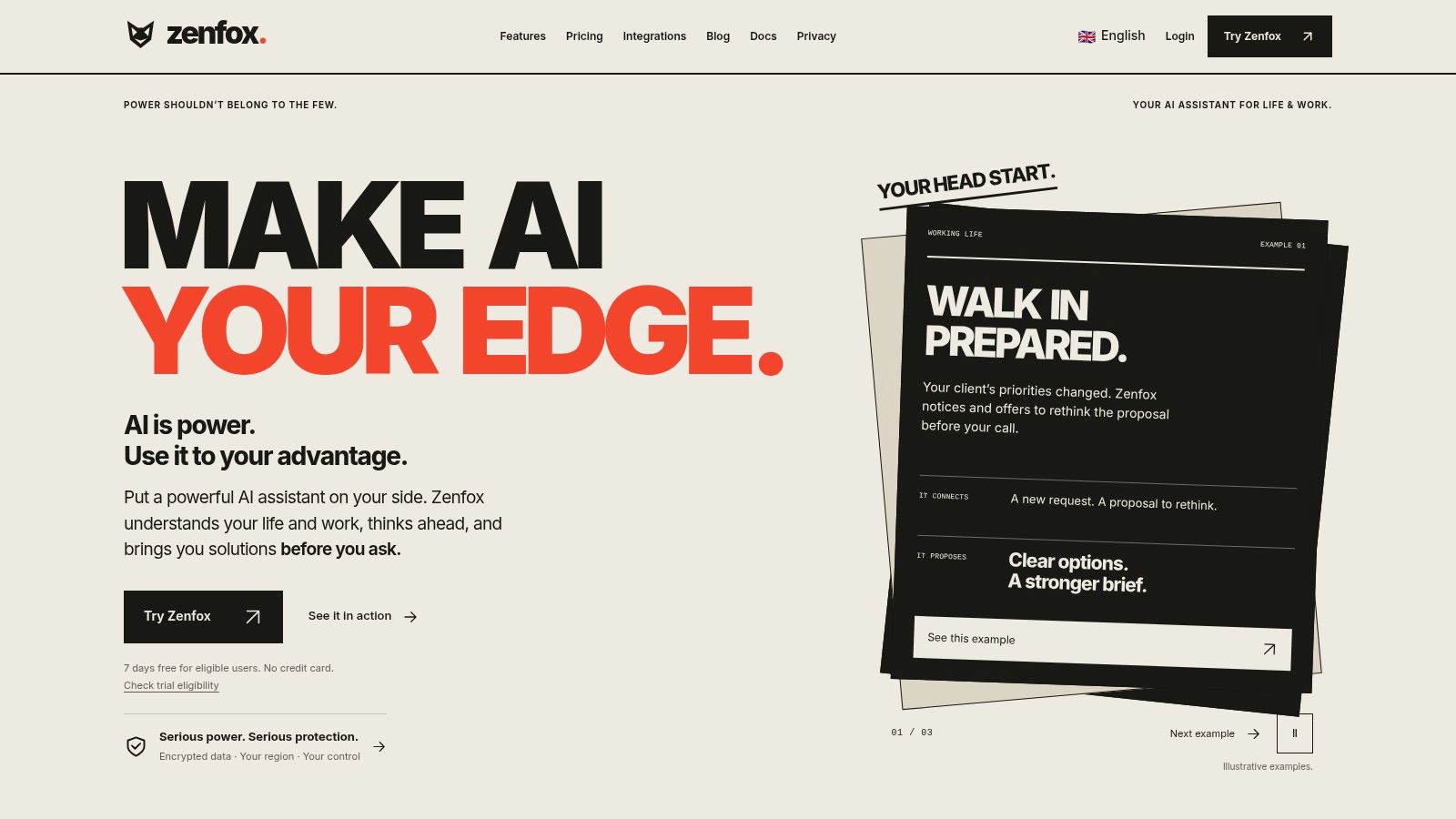
Zenfox.ai is an AI-powered automation assistant designed to learn context around projects, clients, and previous work, then take actions across connected tools. Its described workflows include sending follow-up emails, updating CRMs, generating weekly reports, and preparing competitive briefings.
The interface is relevant when you want to describe an outcome in plain English instead of maintaining each workflow visually.
[blocked]
For teams assessing Gmail, Slack, HubSpot, Drive, and broader application coverage, the Zenfox integrations directory is a useful starting point. Check the required action, not just whether an application's logo appears.
Its described capabilities include an autonomous agent, self-coding automations, deep research, topic monitoring, competitive intelligence, API connections by name or specification, and instant app generation. It also describes indexed search across documents, email, and databases, plus access through web, Telegram, Discord, and SMS.
That makes it a candidate for cross-application work that needs context and decisions. It's less compelling when a deterministic native connector already handles the job correctly.
[blocked]
Start with a reversible internal task. Autonomous execution is useful; autonomous surprises are harder to put in a quarterly report.
[blocked]
A connector installed in twenty minutes can spend years holding a key to your customer data. Broad access makes setup easy, and it also widens what a stolen credential or a confused automation can touch.
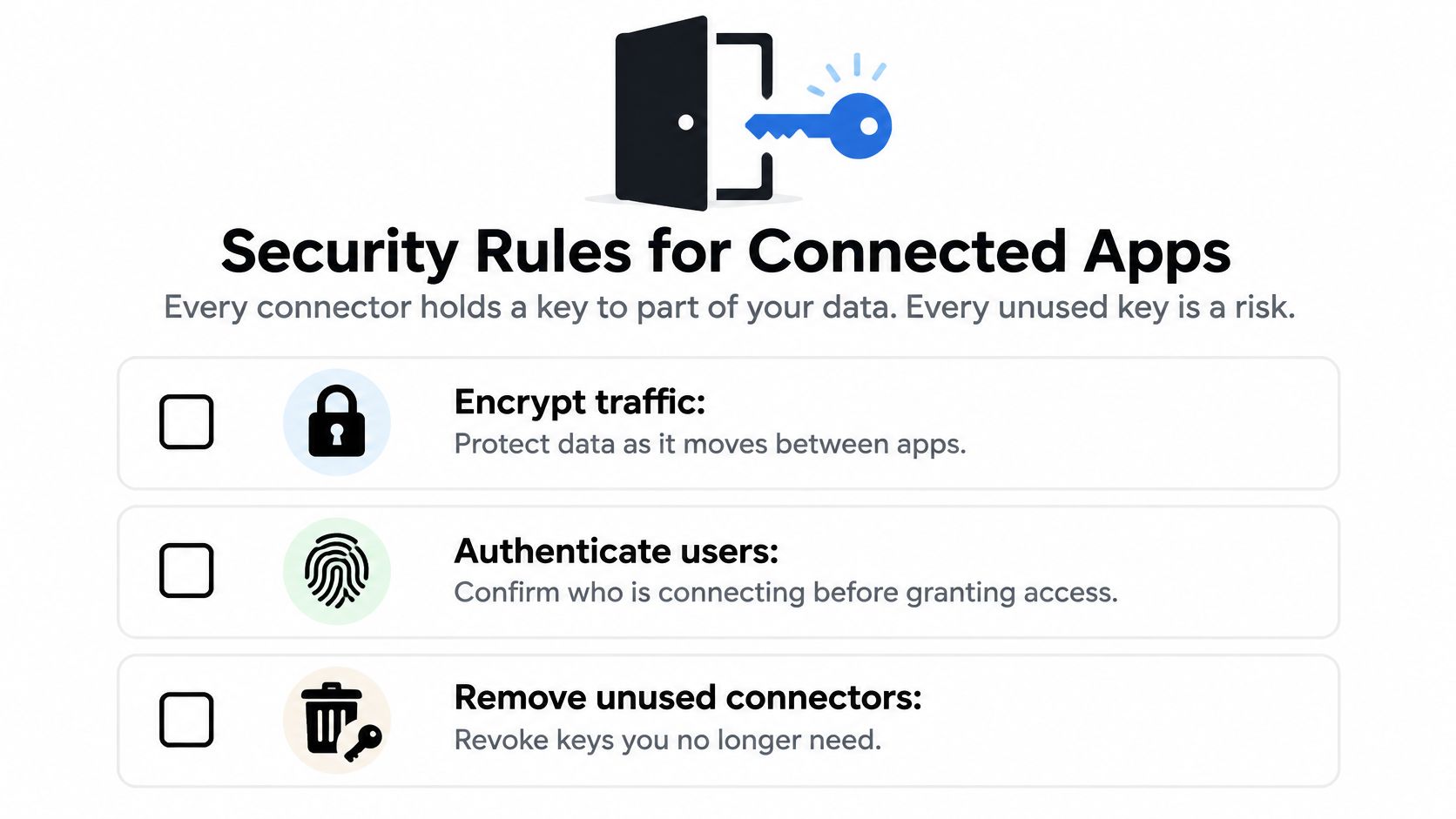
Treat each connector as a separate trust boundary. Confirm who can act, what they can reach, and how you will revoke that access before you need to.
This visual summarizes the baseline controls.
[blocked]
Authentication establishes identity. Authorization determines allowed actions. Run both checks before returning detailed validation errors, which can otherwise leak information to unauthenticated callers.
Standard API security practice covers encrypted traffic, validation of requests and responses, and resource controls such as rate limits and timeouts. For a formal checklist, NIST's guidance on API protection is a useful reference.
User OAuth involves a person granting application access. Machine credentials let a service account act without that person being present. Both need a named operational owner, secure credential custody, and an explicit revocation process.
Machine identities are where teams lose track. A service account created for a quick sync gradually accumulates scopes, the person who created it moves on, and eighteen months later nobody can say what it can still reach. A vendor's good reputation does nothing to limit the permissions you granted.
[blocked]
This is not a one-time gate. Scopes creep as workflows grow, so fold a connector review into the same yearly upkeep you budget for the sync itself. An integration nobody audits is an integration with an unknown permissions footprint.
The accompanying video offers another way to review connected-app security.
Ownership test: If the employee who installed a connector leaves, somebody else must know how to inspect it, disable it, and prove what it accessed.
[blocked]
A fast API response doesn't prove that both applications agree. Decide how much stale or conflicting data each workflow can tolerate before selecting its synchronization design.
Activity feeds and search indexes can often update asynchronously. Authoritative invoices, customer status, and permissions need stronger safeguards because another process may act on the value immediately.
[blocked]
An idempotent write produces the same intended result when repeated rather than creating another record. Add version numbers, conflict detection, and reconciliation, a comparison of both systems that finds and repairs differences.
Consider a hypothetical invoice request that succeeds downstream but times out before the sender receives confirmation. Retrying a plain insert can create another invoice; retrying with the same idempotency key should resolve to the original operation, where the provider supports that behavior.
[blocked]
Upsert means updating an existing record or inserting it when absent. Contract tests check that the provider's response still matches the structure your integration expects.
A PostgreSQL replication benchmark discussed by ClickHouse found that stronger consistency generally increased latency and reduced throughput under its tested conditions. That database result isn't a universal SaaS performance forecast, but it illustrates why consistency shouldn't be treated as free.
Track replication lag, retry rate, duplicate-event frequency, and recovery time alongside response latency. Define an acceptable limit for each workflow and name who gets alerted when it's exceeded. A green endpoint with yesterday's customer status is still a broken business process.
[blocked]
A connector ships, the project closes, and the upkeep bill starts arriving in small, unglamorous installments: a renamed field here, an expired token there, a security review nobody scheduled. Treat every integration as ongoing operations work, with a named owner, a failure cost someone can describe out loud, and a yearly maintenance line in the budget.
[blocked]
Build a multiyear estimate with separate entries for:
That last category is the one most estimates skip. Every connection creates credentials, and those credentials outlive the people who created them. When the admin who wired two systems together leaves, their tokens keep running until something breaks or an auditor finds them. Budget the annual cleanup, or pay for it during an incident instead.
Estimate each entry from a pilot and your own incident history, then convert expected annual labor into cost using internal rates. Invented precision is worse than an honest range.
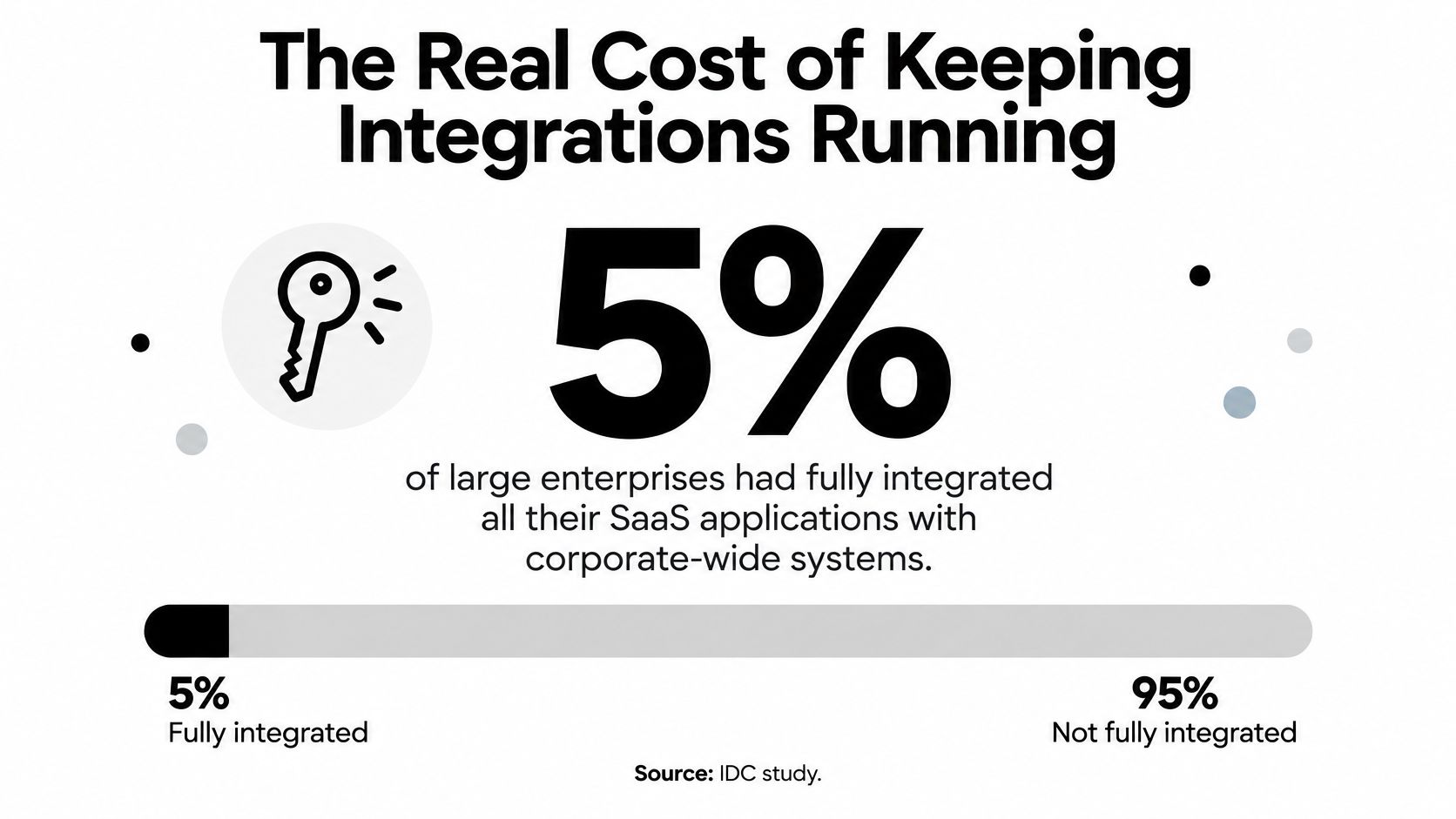
How common is the unfinished version of this work? In a 2018 IDC InfoBrief sponsored by Oracle, only 5% of large enterprises, defined there as organizations with at least 10,000 employees, reported that their SaaS applications were fully integrated with corporate-wide systems. A snapshot that old cannot price your maintenance bill today, but it shows the durable pattern: buying software and keeping it interoperable are separate line items, and the second one never went away.
Newer surveys and vendor evaluation guides reach similar conclusions from different samples: a large share of subscribed applications stays unconnected, and hybrid setups tend to run longer than cloud-only ones. The samples and methods vary enough that any single figure is directional at best, so treat published percentages as a prompt for your own measurement rather than a forecast.
A connector's upkeep bill includes the person who stops their normal work when it breaks.
Before approving the expense, ask: What happens when the API changes? Who pays for monitoring? Who owns the credentials after the admin leaves? How would we exit if we switched tools? If nobody can answer, the estimate isn't finished.
[blocked]
Start with the connections you already depend on, including the small automations people installed and forgot. A modest stack may fit into an afternoon review; a larger estate will need continuing discovery rather than a heroic spreadsheet session.
The useful output is an inventory someone can operate, not a collection of application logos.
[blocked]
[blocked]
Keep connections that carry authoritative data. Consolidate connections that merely shuttle work between AI tools and documents. Add another connector only when the repeated task justifies both its failure exposure and its upkeep.
For consolidated work, keep chats, files, notes, and project context together where practical. Retain a carefully governed connection for information that genuinely must reach the CRM, accounting system, or warehouse.
Pick a copy-paste workflow from your original list this week. Name its owner, define what a correct result looks like, and either automate the handoff or move the work into a shared workspace. Test a failed request before calling it done, and record who will maintain it when the original builder is on holiday.
Pay less than one AI subscription and get GPT, Claude, Gemini and more, plus 50+ AI tools.







Trusted by teams at






The top models, plus image, video and voice tools, in one plan.
Without Zemith
ChatGPT PlusUS$20.00Claude ProUS$20.00Google AI ProUS$19.99SuperGrokUS$30.00Perplexity ProUS$20.00 MidjourneyUS$10.00
 ElevenLabsUS$6.00Le Chat ProUS$14.99
 RunwayUS$15.00Kling StandardUS$8.80
 Gamma PlusUS$12.00
 Otter ProUS$16.99
 QuillBot PremiumUS$19.95
 Photoroom ProUS$12.99
 Quizlet PlusUS$7.99
Total if paying separatelyUS$234.70/mo
"I love the way multiple tools they integrated in one platform. Going in the right direction."
— simplyzubair
"The quality of data and sheer speed of responses is outstanding. I use this app every day."
— barefootmedicine
"The credit system is fair, models are perfect, and the discord is very responsive. Quite awesome."
— MarianZ
"Just works. Simple to use and great for working with documents. Money well spent."
— yerch82
"The organization of features is better than all the other sites — even better than ChatGPT."
— sumore
"It lives up to the all-in-one claim. All the necessary functions with a well-designed, easy UI."
— AlphaLeaf
"The team clearly puts their heart and soul into this platform. Really solid extra functionality."
— SlothMachine
"Updates made almost daily, feedback is incredibly fast. Just look at the changelogs — consistency."
— reu0691
Hand off the research, writing, design and follow-ups. Zemith picks the tools it needs and brings back finished work.
Search the web, run deep research, read files, create images and run code with GPT, Claude, Gemini, Grok and more.
Zemith keeps working in the cloud and pings you when it's done.
Notion, Linear, Canva, Airtable and more. It asks before it creates or changes anything.
Docs, slides, sheets and PDFs, ready to send.
Chain models and tools on a visual canvas, from one prompt to a finished promo video.
Briefings, reports and reminders run on a schedule and are ready when you need them.
Real-time voice that can see your camera or screen.
The best image and video models, in one studio.
Turn PDFs, links and YouTube videos into podcasts, quizzes, flashcards and mind maps.














 Podcast
 Quiz
Quiz Flashcards
 Mind map
 Infographic