


Every top model, with tools built in.
Search the web, run deep research, read files, create images and run code with GPT, Claude, Gemini, Grok and more.
Tired of paperwork? Learn what is document automation, how it works, and why it's the secret to boosting efficiency, cutting errors, and reclaiming your time.
Let's be real—drowning in paperwork is nobody's idea of a good time. If your desk looks like a paper recycling bin exploded on it, you're in the right place. Document automation is your digital lifeboat, a smart assistant that takes over the soul-crushing job of creating, filling out, and managing documents so you can focus on work that actually requires a human brain.
Imagine you're baking a cake. You have a recipe (that's your template) and your ingredients (that's your data, like a client's name or address). Instead of measuring and mixing everything by hand every single time, you use a stand mixer that does the heavy lifting for you.
Document automation is that stand mixer for your paperwork.
You set up smart templates for your most-used documents—contracts, invoices, reports, you name it. Then, you connect a data source, like a simple spreadsheet or your CRM. When it's time to create a new document, you just provide the new "ingredients." The system automatically pulls it all together, error-free, in seconds.
At its heart, document automation—sometimes called document assembly—is all about doing more with less effort. The goal is to separate the static parts of a document (the boilerplate text) from the dynamic parts (the data that changes each time). This is a lifesaver for structured documents like legal agreements or financial reports, which are notoriously time-consuming and ripe for human error when done the old-fashioned way.
This isn't a new concept, but technology has made it incredibly powerful. If you're wondering what is the main purpose of document automation, it's to free you from the copy-paste-pray cycle forever.
But modern document automation goes way beyond a simple mail merge. It's a key piece of a much larger puzzle: smarter business operations. To get the full picture of what automation can do, especially when you mix in AI, this complete beginner's guide to AI workflow automation is a great resource. It helps connect the dots between automating a single task and building faster, more intelligent processes.
Think about the last time you had to copy and paste a client's name into ten different onboarding forms. Did you make a typo in at least one? Of course you did; you're human.
Document automation removes that risk. It ensures consistency, accuracy, and compliance by creating a single source of truth for your data and applying it perfectly every time.
This simple shift saves an incredible amount of time and mental energy. Instead of being professional copy-pasters, your team can put their brainpower toward client relationships, strategic planning, or creative problem-solving. And with a tool like Zemith, you can take this even further by using AI to not only create documents but also analyze and extract insights from them, turning a tedious task into a real strategic advantage.
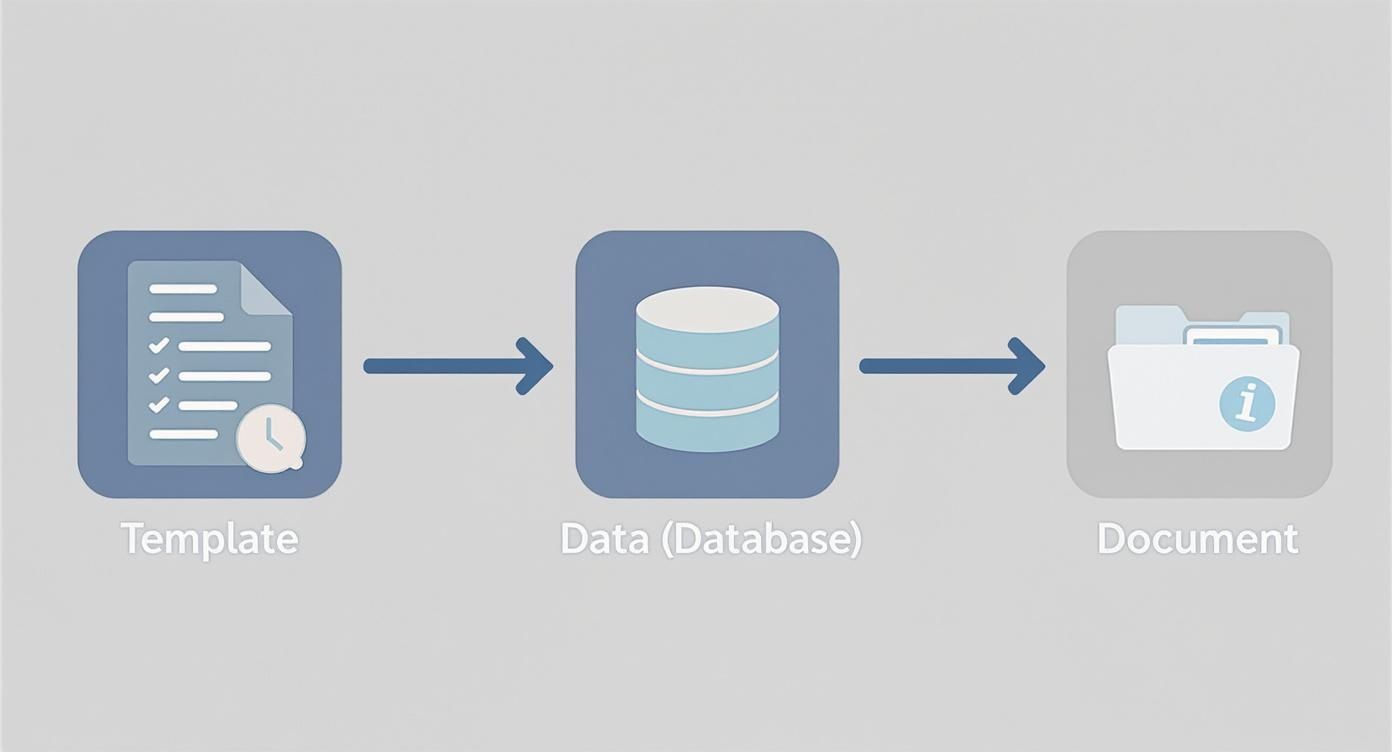
So, how does this all actually work? It’s less like digital magic and more like a well-oiled assembly line for your documents. Think of it as a simple three-step process: you create the mold, pour in the details, and out pops a perfectly finished product. Best of all, you don't need a computer science degree to get it running.
The whole system is built on intelligent templates. These aren’t your grandma’s static Word documents; they're dynamic blueprints filled with placeholders for information that changes from one document to the next—think a client's name, an invoice number, or a contract start date.
With your template ready, you just need to connect it to your data sources. This could be anything from a simple Google Sheet to a full-blown CRM like Salesforce. The system needs to know where to grab the "ingredients" to fill in those placeholders, which is what ultimately brings your documents to life.
This is where things get really cool. You set up simple rules, often called "triggers," that tell the system exactly when to jump into action. These rules are the real engine driving your document automation. A classic example would be: "When a deal is marked as 'Won' in our CRM, automatically generate and send the welcome packet."
You can also get more sophisticated with conditional logic, which is just a fancy way of saying "if-this-then-that." For instance, you could tell your template: "IF the client is based in California, THEN include the CCPA privacy clause." This ensures every single document is customized and compliant without you lifting a finger. It's how you answer the question, how does an automated document control system improve compliance.
This whole process—from the template and data to the final document—is much simpler than it sounds. Here's a quick visual to put it all together.
Saving a few minutes here and there is nice, but let's talk about the changes that truly make a difference. The real magic of document automation isn't just about speed. It creates a domino effect of positive change across your business, touching everything from your budget to your team's stress levels.
We're talking about tangible, bottom-line results that everyone from the C-suite to the front lines can get behind.
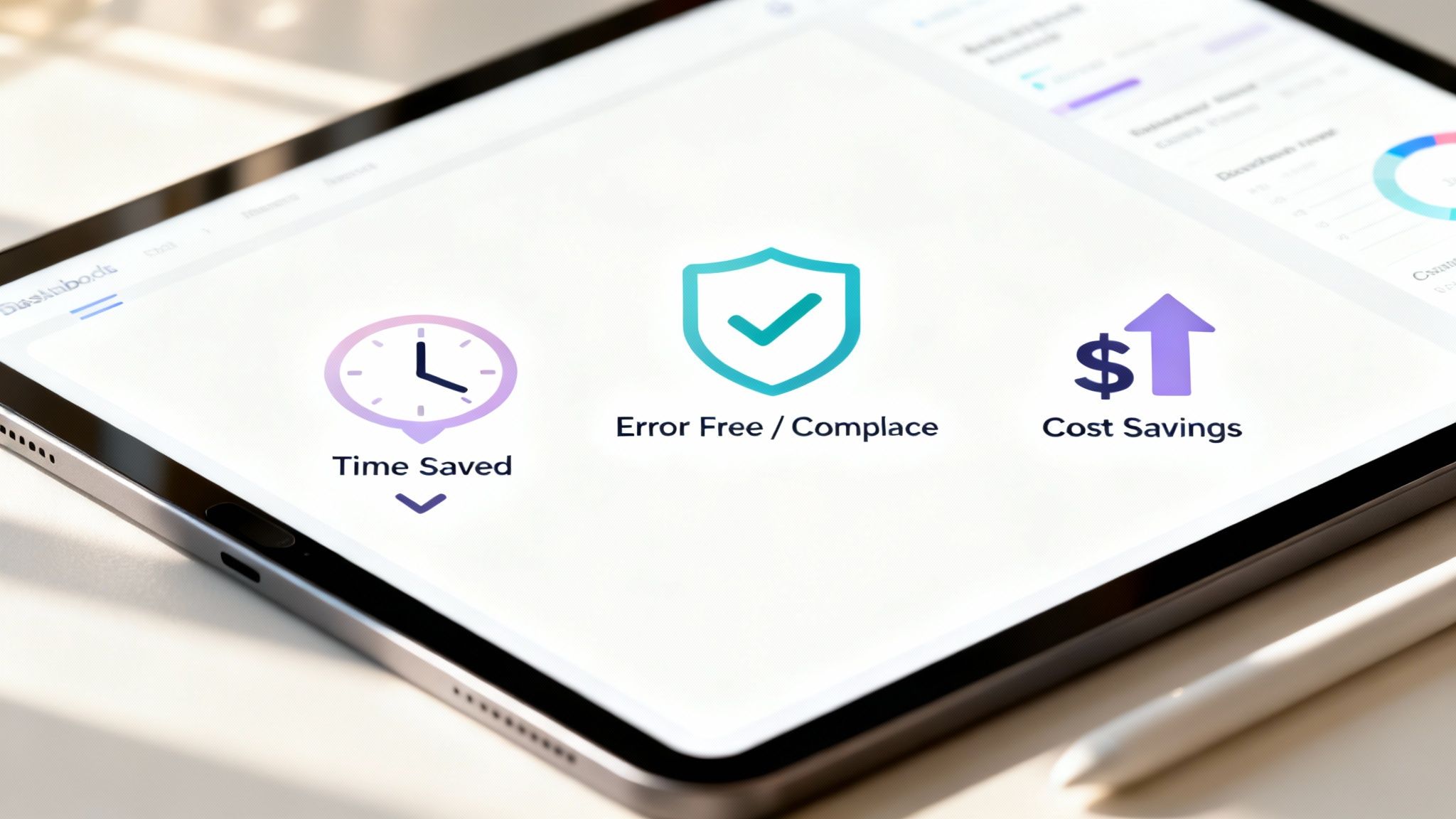
This shift is a big deal. The global market for this kind of tech is exploding and projected to hit USD 9.06 billion by 2025. Why? Because companies that adopt it are reporting they can process documents up to four times faster.
Let's be real. We've all sent an email with a typo or copied the wrong client name into a form. It happens. But when that same mistake creeps into a legal contract or a financial report, the consequences can be a lot more serious.
Manual data entry is just asking for trouble. One misplaced zero or an outdated clause can create massive compliance issues or sink a deal.
Document automation all but eliminates this risk. It pulls data directly from a single source of truth, like your CRM or a company database, ensuring every document is consistent and accurate. No more "oops" moments—just clean, correct paperwork, every single time.
Take a second and think about how much time your team spends on manual document work. Now, multiply that by their hourly rate. The number is probably a bit shocking, right?
This isn't just about salaries, either. It’s about the opportunity cost. What could your team be doing instead of playing "find the right template"?
Automation gives that time back. Instead of manually hammering out NDAs or invoices, your team can focus on client strategy, creative problem-solving, or business development—the high-value work that actually drives growth.
For a deeper dive into how this works in practice, check out our guide on perfecting your https://www.zemith.com/blogs/document-workflow-automation. The advantages also go way beyond just paperwork; you can explore broader business process automation benefits to see the full impact.
Staying compliant isn't optional, but it's often a huge pain. With manual processes, it's nearly impossible to be sure everyone is using the latest, legally-vetted version of a document. An old contract template floating around in someone's inbox is a lawsuit waiting to happen.
Automation puts you back in control. You have one set of approved templates, and the system does the rest.
This creates a clear, consistent audit trail, making it infinitely easier to prove you're following the rules. When the auditors show up, you’re not scrambling through shared drives. You have a clean, organized, and defensible record of every document ever created. This is how you turn compliance from a source of anxiety into just another part of your workflow.
You might think document automation is some complex, futuristic tech just for massive corporations with huge IT budgets. The reality is, it's a practical tool that businesses of all shapes and sizes are using right now to solve real-world headaches. From solo lawyers to enterprise HR teams, people are finding clever ways to win back their workday.
Let's pull back the curtain and see who's really winning with this technology and how they're pulling it off. These examples might just spark a few ideas for your own business.
The legal world is practically built on paperwork. Contracts, non-disclosure agreements (NDAs), and court filings all demand an insane level of detail where one tiny mistake can have massive consequences.
This is where automation is a game-changer. Lawyers and paralegals are setting up smart templates that can generate a perfectly tailored, client-specific contract in minutes, not hours. By using conditional logic—think "if-then" rules—they ensure the right clauses are automatically included every single time. It's like having a junior associate who never gets tired, never makes a mistake, and is always on call.
Remember your first day at a new job? You were probably handed a massive stack of papers: offer letters, tax forms, policy acknowledgments. It’s a lot for a new hire to take in, and for the HR team, it's a repetitive and surprisingly error-prone task.
Smart HR departments have completely automated this onboarding flow. A new hire is entered into the system, and bam—a complete, personalized packet of documents is generated, sent out for e-signature, and tracked until it’s all done. It creates a smooth, professional welcome for new employees from the moment they say "yes."
The core principle here is turning a chaotic, multi-step process into a single, automated event. This approach ensures consistency, compliance, and a much better first impression.
In the world of finance and accounting, accuracy isn't just important—it's everything. Manually cranking out hundreds of invoices, purchase orders, or financial reports is just asking for typos and costly mistakes. We all know how one misplaced decimal point can cause a world of pain.
Finance teams are now connecting their accounting software directly to their document templates. When a sales order is marked "fulfilled," a perfectly accurate invoice is instantly created and sent out. Come quarter-end, financial reports can pull data automatically, guaranteeing the numbers are right, every time.
These examples are just the tip of the iceberg. Marketing teams are personalizing sales proposals at scale, and research teams are automating the generation of complex reports. By centralizing these processes, you're not just creating documents; you're building one of the best knowledge management systems for your organization's most critical information. And with a platform like Zemith, you can take it a step further by connecting AI to these workflows, allowing you to not only create documents but also analyze what’s inside them for deeper insights.
So, you're ready to jump in? Smart move. A little planning now will save you a world of chaos later. The good news is that getting started with document automation doesn't have to be some massive, intimidating project. The secret is to start small, score a quick win, and build from there.
The first step is always the most important: find the pain. Pinpoint the single most annoying, repetitive document workflow you have. You know the one—it's the task everyone complains about, the one that’s a magnet for mistakes, and the one that just eats up time. That’s your perfect candidate.
Once you've zeroed in on your target, it's time to put a simple plan in place. Don't overcomplicate it. Just follow these key steps, and you'll be on your way to a much smoother process.
Choose the Right Tool: Look for a platform that’s built for ease of use, not one that requires a team of engineers to figure out. You need something intuitive that your whole team can actually use. You can check out some of the best document automation software to see what features matter for your needs. A tool like Zemith, for instance, is designed to make this process straightforward and integrates powerful AI features from day one.
Map Your Current Workflow: Before you can automate a process, you have to truly understand it. Grab a whiteboard (or a napkin, we don't judge) and sketch out the current workflow from beginning to end. Who touches the document? Where does the data come from? What are all the little steps involved? This map is gold—it will reveal all the hidden bottlenecks you can now fix.
Launch a Pilot Project: Whatever you do, don't try to automate your entire company overnight. Just pick that one painful workflow you identified and make it your pilot project. This small-scale test lets you work out the kinks, prove the value of the tool, and get a quick, satisfying victory under your belt.
Get Team Buy-In: Your shiny new system is only as good as the people using it. Show your team how it will make their lives easier—not by replacing them, but by getting rid of their most mind-numbing tasks. When they see it in action, they'll become your biggest fans.
The goal is to make this feel achievable, not overwhelming. By breaking it down into these manageable steps, you can deliver real results quickly and build excitement for what's next.
This approach is fast becoming the standard. In fact, by 2025, it's expected that over 75% of enterprises will have intelligent document processing integrated into their core systems. A huge reason for this shift is regulatory compliance, which a whopping 60% of organizations cite as a primary driver for adoption. You can learn more about these document processing statistics and trends on SenseTask.com. Starting small and scaling up is simply the best way to get ahead of the curve.
Standard document automation is a huge step up, no doubt. But when you layer Artificial Intelligence on top, you're not just making things faster—you're making them smarter. It's the difference between a faster horse and a brand-new car.
This is where you stop just speeding up old, tedious tasks and start unlocking entirely new ways of working.

AI-powered systems can do so much more than just plug data into a template. They read and understand context, pull specific information from messy, unstructured documents like emails or long PDFs, and can even help you draft entirely new content from a simple prompt. And this is exactly where Zemith shines.
What if you could ask a 50-page contract, "Hey, what are the biggest risks in here?" and get a clear, concise answer in seconds? That’s not some far-off dream; it's what AI-powered document automation makes possible right now.
Zemith’s Document Assistant was built from the ground up to do just that. It turns your passive document storage—that digital filing cabinet where files go to be forgotten—into an active, intelligent partner you can interact with. It's like having a conversation with your entire document library.
With an interface designed for natural language questions, you can ask for summaries, pinpoint specific clauses, or find data without ever having to manually scan a single page again. This isn’t just about getting work done faster; it’s about making better, more informed decisions.
You start spotting opportunities you might have missed before and gain a much deeper understanding of your own business data, all because the information is finally at your fingertips.
AI elevates document automation from a simple efficiency tool to a strategic intelligence engine. It’s about working smarter, not just faster.
This blend of AI and automation is already making waves in every field, from legal teams reviewing contracts to finance departments analyzing reports. To get a feel for how these pieces fit together in the real world, it’s worth exploring the most effective AI workflow automation tools on the market. With Zemith, you're not just organizing paperwork; you're uncovering the valuable insights buried inside it.
Got questions? We've got answers. If you're just dipping your toes into the world of document automation, you're not alone. Let's clear up a few of the most common things people ask.
Absolutely. In fact, it’s often a big step up in security compared to the old way of doing things. Reputable platforms like Zemith use advanced encryption and strict access controls to keep your data locked down tight.
Think about it: the biggest security risk is usually human error. How many times has someone accidentally emailed a sensitive file to the wrong person? Automation pretty much eliminates that risk by ensuring the right documents go to the right people, following the rules you set, every single time. No more of those "oops, wrong attachment" heart attacks.
Way less than you'd think! The days when you needed a computer science degree to automate a process are long gone. Modern, no-code platforms are built for regular business users, not just the IT department.
With intuitive tools like Zemith's Document Assistant, you can use plain English commands and simple drag-and-drop interfaces. You'll be building powerful, time-saving workflows without writing a single line of code. If you can write an email, you can automate a document.
Yes, and that’s actually one of its biggest strengths. Modern systems are built specifically to tackle the kind of complexity that makes manual work such a headache.
They can easily manage documents with things like:
It’s designed to handle the messy, complicated stuff so you don’t have to.
Ready to stop asking questions and start automating? Zemith integrates all these capabilities and more into a single, AI-powered workspace. See how you can transform your document chaos into streamlined success.







Trusted by teams at






The top models, plus image, video and voice tools, in one plan.
Without Zemith
ChatGPT PlusUS$20.00Claude ProUS$20.00Google AI ProUS$19.99SuperGrokUS$30.00Perplexity ProUS$20.00 MidjourneyUS$10.00
 ElevenLabsUS$6.00Le Chat ProUS$14.99
 RunwayUS$15.00Kling StandardUS$8.80
 Gamma PlusUS$12.00
 Otter ProUS$16.99
 QuillBot PremiumUS$19.95
 Photoroom ProUS$12.99
 Quizlet PlusUS$7.99
Total if paying separatelyUS$234.70/mo
"I love the way multiple tools they integrated in one platform. Going in the right direction."
— simplyzubair
"The quality of data and sheer speed of responses is outstanding. I use this app every day."
— barefootmedicine
"The credit system is fair, models are perfect, and the discord is very responsive. Quite awesome."
— MarianZ
"Just works. Simple to use and great for working with documents. Money well spent."
— yerch82
"The organization of features is better than all the other sites — even better than ChatGPT."
— sumore
"It lives up to the all-in-one claim. All the necessary functions with a well-designed, easy UI."
— AlphaLeaf
"The team clearly puts their heart and soul into this platform. Really solid extra functionality."
— SlothMachine
"Updates made almost daily, feedback is incredibly fast. Just look at the changelogs — consistency."
— reu0691
Hand off the research, writing, design and follow-ups. Zemith picks the tools it needs and brings back finished work.
Search the web, run deep research, read files, create images and run code with GPT, Claude, Gemini, Grok and more.
Zemith keeps working in the cloud and pings you when it's done.
Notion, Linear, Canva, Airtable and more. It asks before it creates or changes anything.
Docs, slides, sheets and PDFs, ready to send.
Chain models and tools on a visual canvas, from one prompt to a finished promo video.
Briefings, reports and reminders run on a schedule and are ready when you need them.
Real-time voice that can see your camera or screen.
The best image and video models, in one studio.
Turn PDFs, links and YouTube videos into podcasts, quizzes, flashcards and mind maps.














 Podcast
 Quiz
Quiz Flashcards
 Mind map
 Infographic