


Every top model, with tools built in.
Search the web, run deep research, read files, create images and run code with GPT, Claude, Gemini, Grok and more.
Curious what is markdown? Learn what it does, how the syntax works, common flavors, and how to use it for clean, portable writing across tools.
[ ]
Markdown is a lightweight plain-text format created in 2004 that uses simple punctuation to represent document structure, and it can be converted into HTML and other formats. If you've ever watched a neatly formatted note turn into a mess after one copy-paste, you already know why that matters.
You paste a polished paragraph from one app into another, and suddenly the heading loses its size, the bullets turn into weird spacing, and your link styling decides to take a vacation. That's usually the moment people go looking for a format that doesn't panic the second it leaves one tool.
Markdown exists for that exact annoyance. It gives you a way to write in plain text, keep the source readable, and let software handle the final presentation. John Gruber created it with Aaron Swartz, and the original implementation, Markdown.pl, was last updated on December 17, 2004 according to the CommonMark spec.
The appeal is boring in the best possible way. You don't need a button-heavy editor to make a heading, a list, or a link, and you don't need to hand-write messy HTML tags either.
That's why developers, writers, and researchers keep bumping into Markdown in the wild. It works as a calm middle ground, especially when you're drafting notes, outlining an article, or moving content between tools. If you've ever wanted a cleaner writing workflow for technical docs, this technical documentation guide is a useful companion.
Practical rule: if the content needs to survive copy, paste, export, and a second export, plain text usually ages better than rich text.
A lot of beginner confusion comes from thinking Markdown is only for programmers. It isn't. It's just a compact way to keep structure visible while you're still writing, which is why it feels so natural in editors, wikis, research tools, and note apps. If your brain likes “write now, style later,” Markdown gets it.
You open the same document in a notes app, a code editor, and a publishing tool. The text remains readable in each place because Markdown stores structure with ordinary characters instead of hiding it inside a visual editor.
Markdown is a lightweight, plain-text authoring language. Its symbols describe document structure: a hash sign can mark a heading, asterisks can mark emphasis, and hyphens can begin a list, as described in the CommonMark specification.
A Markdown file is therefore more than text decorated with symbols. A parser reads the source, identifies its blocks and inline elements, and builds a structured representation. That representation can then be rendered as HTML, plain text, or another output format. This HTML generation guide shows the web-facing part of that conversion process.
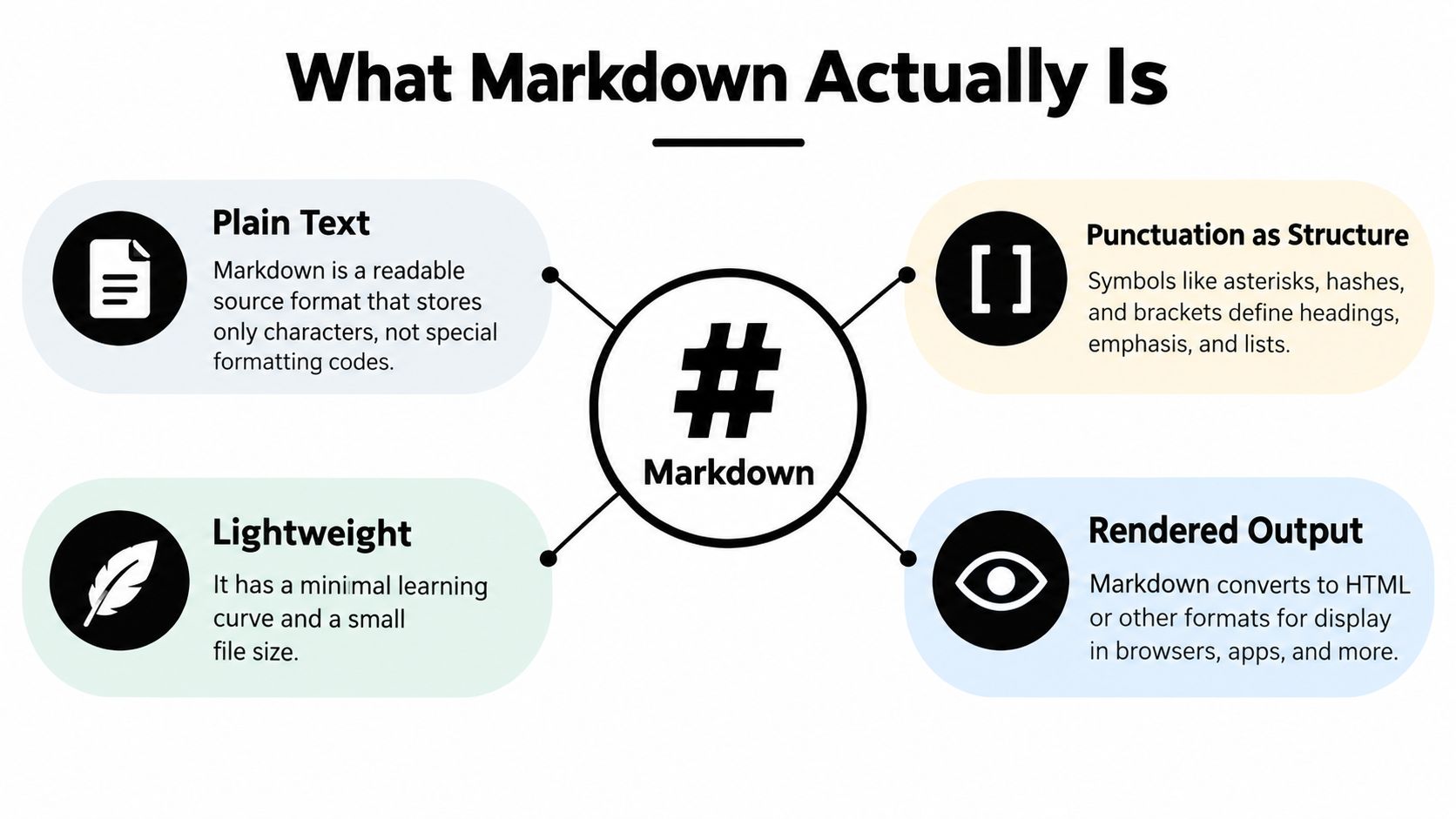
Markdown began as a practical compromise. Authors could use familiar text conventions, keep the source readable, and let publishing software transform it into web content as the CommonMark history explains.
The IETF registered text/markdown as a media type in RFC 7763, and the media type registration gives Markdown a formal place in internet documentation. In plain English, it is a structured interchange format, not merely a visual layer added to a document.
That portability has limits. A file may open in several tools while rendering differently in each one, because tools support different Markdown flavors and extensions. The source travels easily, but the final presentation still depends on the parser.
CommonMark-compliant parsers generally work in two stages. They first identify block structure, such as paragraphs, headings, block quotes, and list items. They then parse inline content inside those blocks, including emphasis, code spans, and links.
This explains why the chosen dialect matters. CommonMark, GitHub Flavored Markdown, and app-specific variants can interpret the same characters differently. A heading may transfer cleanly, while a table, task list, or embedded feature may change or disappear.
Developer shorthand: Markdown is a structured source format first and a rendered format second.
Accessibility follows the same principle. Markdown can produce well-structured HTML, but it does not guarantee accessible output by itself. The converter, theme, HTML attributes, image alt text, heading order, link labels, and other implementation choices still matter. Markdown gives tools useful structure to work with. It does not make every result accessible automatically.
Markdown uses a small set of repeatable patterns.
# Main title
Use # for headings, **bold** and *italic* for emphasis, and label for links. Lists begin with - or 1., blockquotes with >, images with ``, and fenced blocks with backticks. Four leading spaces can turn copied text into code. For clear paragraph structure, read the better paragraphs guide.







Trusted by teams at






The top models, plus image, video and voice tools, in one plan.
Without Zemith
ChatGPT PlusUS$20.00Claude ProUS$20.00Google AI ProUS$19.99SuperGrokUS$30.00Perplexity ProUS$20.00 MidjourneyUS$10.00
 ElevenLabsUS$6.00Le Chat ProUS$14.99
 RunwayUS$15.00Kling StandardUS$8.80
 Gamma PlusUS$12.00
 Otter ProUS$16.99
 QuillBot PremiumUS$19.95
 Photoroom ProUS$12.99
 Quizlet PlusUS$7.99
Total if paying separatelyUS$234.70/mo
"I love the way multiple tools they integrated in one platform. Going in the right direction."
— simplyzubair
"The quality of data and sheer speed of responses is outstanding. I use this app every day."
— barefootmedicine
"The credit system is fair, models are perfect, and the discord is very responsive. Quite awesome."
— MarianZ
"Just works. Simple to use and great for working with documents. Money well spent."
— yerch82
"The organization of features is better than all the other sites — even better than ChatGPT."
— sumore
"It lives up to the all-in-one claim. All the necessary functions with a well-designed, easy UI."
— AlphaLeaf
"The team clearly puts their heart and soul into this platform. Really solid extra functionality."
— SlothMachine
"Updates made almost daily, feedback is incredibly fast. Just look at the changelogs — consistency."
— reu0691
Hand off the research, writing, design and follow-ups. Zemith picks the tools it needs and brings back finished work.
Search the web, run deep research, read files, create images and run code with GPT, Claude, Gemini, Grok and more.
Zemith keeps working in the cloud and pings you when it's done.
Notion, Linear, Canva, Airtable and more. It asks before it creates or changes anything.
Docs, slides, sheets and PDFs, ready to send.
Chain models and tools on a visual canvas, from one prompt to a finished promo video.
Briefings, reports and reminders run on a schedule and are ready when you need them.
Real-time voice that can see your camera or screen.
The best image and video models, in one studio.
Turn PDFs, links and YouTube videos into podcasts, quizzes, flashcards and mind maps.














 Podcast
 Quiz
Quiz Flashcards
 Mind map
 Infographic