


Every top model, with tools built in.
Search the web, run deep research, read files, create images and run code with GPT, Claude, Gemini, Grok and more.
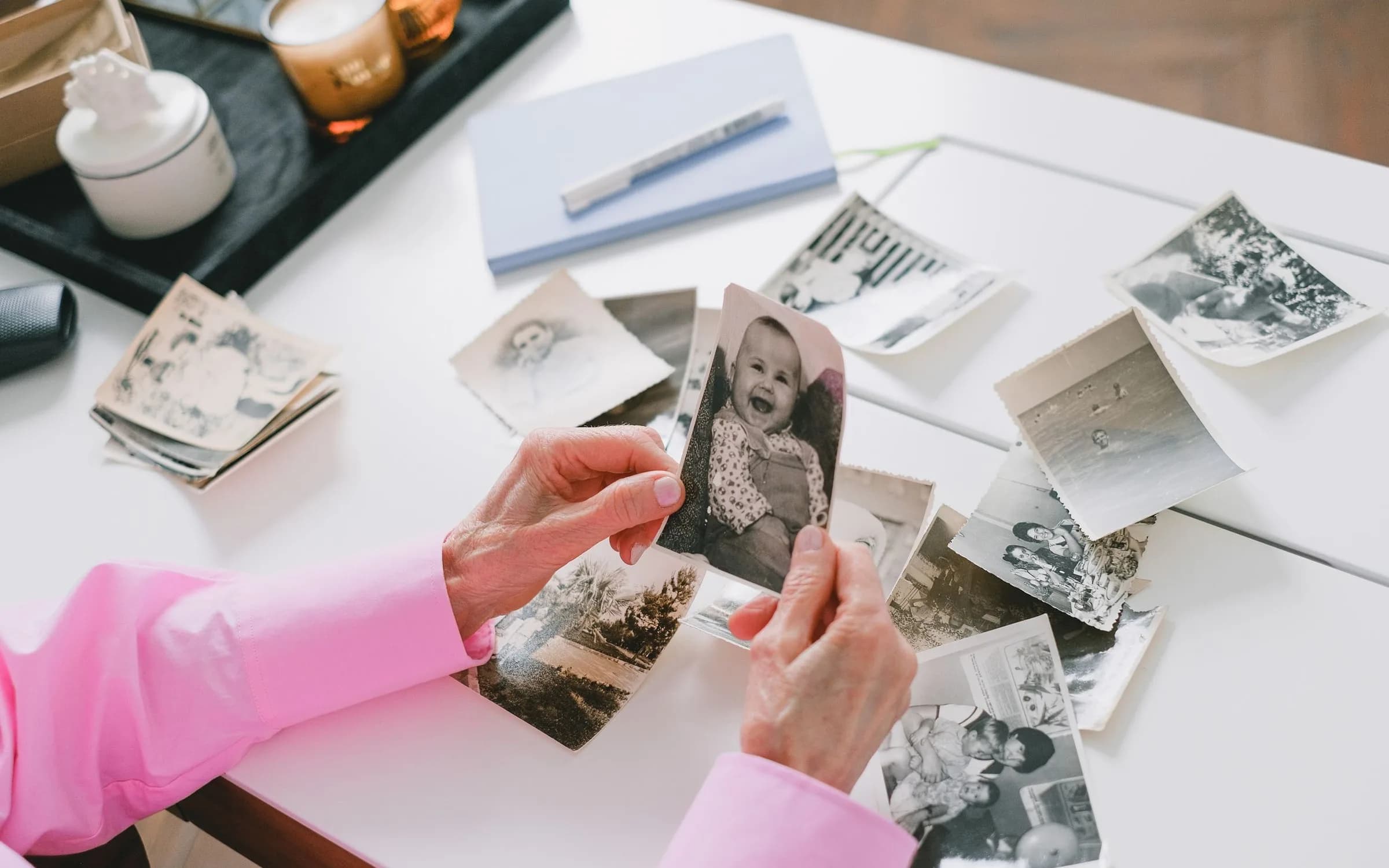
Copy-paste Gemini photo editing prompts for Nano Banana that keep your face: 80s and 90s looks, professional headshots, couple and family photos.
To edit a photo in Gemini without losing your face, choose Create images in the Gemini tools menu, upload a clear photo, and start your prompt with what must stay the same: "keep my face, features, skin tone and expression exactly as in the photo." Describe the change after that, one change at a time. Gemini's image model, Nano Banana, draws a new picture from your upload, so anything you don't pin down can drift.
The 20 Gemini photo editing prompts below follow that rule. They cover the looks people ask Gemini for most: 1980s and 1990s photos, professional headshots, couple and family photos, portraits for men and women, and background fixes. Copy one, fill in the brackets and paste it with your photo. They work in ChatGPT too, and in Zemith's Image editor on the same Nano Banana models.
Pick the edit, fill in a field or two, and copy a prompt that tells the model to keep your face exactly as it is.
What do you want to change?
Paste it into ChatGPT or Gemini with your photo attached, or open it in Zemith and add your photo there. Face swap and Characters keep one face locked across many images.
Here is the base prompt every one below is built on, if you want to write your own:
Use the uploaded photo as the reference. Keep the person's face, facial structure, eyes, nose, lips, skin tone, hairline and expression exactly the same, at the same age, and keep their body shape. Don't beautify, slim or smooth the face. Change only this: [the new look, outfit, setting or era]. Match the light on the face to the new scene. Photorealistic, natural skin texture, sharp eyes, natural hands.The retro looks are the most requested Gemini edits right now, and the 80s photo prompt leads them.
1. 80s portrait studio with a laser backdrop
Use the uploaded photo as the reference and keep the person's face, facial features, skin tone and expression exactly the same. Turn it into a 1980s portrait studio photo: a blue and pink laser-beam backdrop, a soft-focus glow, big voluminous hair, a bright windbreaker or a blazer with shoulder pads. Light the face with a direct front flash and add a colored back light. Finish with warm film grain and the slightly faded colors of an 80s print. Head and shoulders, vertical.2. 80s roller rink couple photo
Use both uploaded photos as references. Keep each person's face, facial features, skin tone and body shape exactly as in their own photo, and show only these two people. Put them side by side at a 1980s roller rink, arms around each other and laughing: neon lights, a glossy wooden floor, matching satin jackets and high-waisted jeans. Shoot it like an on-camera flash photo from 1985, with soft grain and slightly saturated colors.3. 90s disposable camera party shot
Use the uploaded photo as the reference and keep every person's face, facial features, skin tone and body shape exactly the same. Don't add or remove anyone. Make it look like a 1990s house party photo taken on a disposable camera: harsh direct flash, slightly overexposed faces, a dark background and an orange date stamp in the bottom right corner that reads "97 6 14". Dress them in 90s clothes such as baggy jeans, flannel shirts and chokers. Keep the same poses.4. 90s school picture day
Use the uploaded photo as the reference and keep the person's face, facial features, skin tone and expression exactly the same, at the same age. Turn it into a 1990s school picture: a mottled gray-blue backdrop, a turtleneck under a denim vest, a center-parted hairstyle, soft front light and a light soft-focus haze. Add fine grain and the matte finish of a printed school photo. Head and shoulders, centered, vertical.5. Retro saree portrait
Use the uploaded photo as the reference and keep the woman's face, facial features, skin tone and expression exactly the same. Dress her in a flowing [color] chiffon saree with a matching blouse, small gold earrings and jasmine flowers in her hair. Place her against a plain warm-toned wall lit by late-afternoon sun from one side, with soft shadows and gentle film grain, like a portrait in a 1970s film magazine. Half-length, vertical.These turn a casual photo into something you can use on LinkedIn, a CV or a company page. The "don't smooth the face" line matters most here: a headshot that doesn't look like you defeats the point.
6. Studio headshot
Use the uploaded photo as the reference and keep the person's face, facial features, skin tone, hairstyle and expression exactly the same. Don't slim, smooth, whiten or age the face. Turn it into a professional studio headshot: a plain mid-gray background, soft even light from the front with a gentle fill, a charcoal blazer over a plain [white / light blue] shirt. Head and shoulders, centered, camera at eye level. Photorealistic, natural skin texture.7. Outdoor business portrait
Use the uploaded photo as the reference and keep the person's face, facial features, skin tone and body shape exactly the same. Place them on a quiet city street in the morning, buildings softly out of focus behind them, wearing smart-casual work clothes in navy and beige. Use soft natural daylight from the side. Waist-up framing, shot like an 85mm lens at f/2. Photorealistic, natural skin texture, no retouching.8. Clean CV photo
Use the uploaded photo as the reference and keep the person's face, facial features, skin tone, hairstyle and expression exactly the same. Make a simple CV photo: a plain white background, even light with no harsh shadows, a neat collared shirt, shoulders square to the camera and a calm, friendly expression as in the original. Head and shoulders, centered. Photorealistic.For a couple shot from two separate photos, upload both and say how many people should appear. Gemini sometimes merges two faces into one; "keep each face as in its own photo" helps.
9. Couple as kids, from two childhood photos
I'm uploading two childhood photos, one of each of us. Keep each child's face, facial features, skin tone and age exactly as in their own photo. Show the two children playing together in a sunny backyard in the [1990s / 2000s], sitting on the grass with a red ball between them. Shoot it like a family snapshot from that decade: warm colors, soft grain, a slightly faded print. Only these two children in the picture.10. Couple under an umbrella in the rain
Use both uploaded photos as references and keep each person's face, facial features, skin tone and body shape exactly as in their own photo. Show the two of them sharing one clear umbrella on a city street at night in light rain, glowing shop windows and wet pavement behind them, looking at each other and smiling. Cinematic, soft reflections, shallow depth of field. Only these two people.11. Anniversary studio portrait
Use the uploaded photo as the reference and keep both people's faces, facial features, skin tones and body shapes exactly the same, in the same pose. Turn it into an anniversary studio portrait: a warm beige backdrop, soft window-style light from the left, coordinated outfits in cream and dark green. Keep their expressions from the photo. Half-length, photorealistic, natural skin texture.12. Black-and-white portrait
Use the uploaded photo as the reference and keep the man's face, facial features, beard or stubble, skin tone and expression exactly the same. Make it a moody black-and-white portrait: a dark background, one hard light from the side that leaves half the face in shadow, a plain black T-shirt. High contrast, fine grain, sharp eyes. Head and shoulders, vertical.13. Streetwear portrait at night
Use the uploaded photo as the reference and keep the person's face, facial features, hairstyle, skin tone and body shape exactly the same. Place them on a city street at night under neon signs with no readable text, wearing an oversized bomber jacket, a hoodie and clean white sneakers. Light the face with a soft colored glow from the signs. Full-body framing, slight low angle, shallow depth of field. Photorealistic.14. Soft editorial portrait with flowers
Use the uploaded photo as the reference and keep the woman's face, facial features, skin tone, hairstyle and expression exactly the same. Make it a soft editorial portrait: a pastel backdrop, an armful of white and peach flowers held near the shoulder, a simple linen dress, diffused daylight from a large window. Natural skin texture, no heavy makeup added. Half-length, vertical.15. Café window portrait
Use the uploaded photo as the reference and keep the person's face, facial features, skin tone, hairstyle and body shape exactly the same. Seat them at a small café table by a big window on a rainy afternoon, a cup of coffee in their hands, a knit sweater, soft gray daylight on the face and warm lights inside. Shot like a 50mm lens, shallow depth of field. Photorealistic, candid.16. Family studio portrait
Use the uploaded photo as the reference. There are [number] people in it: keep every one of them, each with the same face, facial features, skin tone, body shape and position, and don't add or remove anyone, including pets. Turn it into a family studio portrait: a soft gray backdrop, matching outfits in white and denim, even studio light, everyone looking at the camera. Photorealistic, natural skin texture.17. Garden picnic at grandparents' house
Use the uploaded photo as the reference and keep every person's face, facial features, skin tone and body shape exactly the same, with the same number of people. Move the family to a sunny garden picnic: a checked blanket on the grass, a fruit basket, a big tree giving dappled shade. Keep everyone's expressions. Warm afternoon light, photorealistic.18. New background, same person
Use the uploaded photo as the reference. Don't change the person at all: same face, body, pose, clothes and hair. Replace only the background with [a beach at sunset / a modern office / a snowy mountain view], and relight the person so the light direction and color match the new background. Keep the edges of the hair natural.19. Remove people from the background
Use the uploaded photo as the reference. Keep the main person exactly as they are: same face, body, pose and clothes. Remove the other people in the background and fill the space with the surroundings that would be behind them, matching the light and perspective. Don't change anything else in the photo.20. Enhance an old or blurry photo without changing the face
Use the uploaded photo as the reference. Restore and sharpen it: remove scratches, dust and blur, fix faded colors, and reduce noise. Keep every face exactly as it is: same features, proportions, skin tone, expression and age. Don't add details that aren't in the original, don't beautify anyone, and keep the original clothes and background.Gemini changes your face because Nano Banana generates a new image rather than retouching yours, and every instruction is a chance to "improve" something you didn't ask about. The fix is to send it back to the original with a narrow instruction. Paste this into the same chat when a result drifts:
The face in your last image doesn't match my photo. Go back to the original photo I uploaded, keep the face identical to it (same eyes, nose, mouth, jawline, skin tone and age) and apply only this change again: [the change]. Don't alter anything about the face.If it still drifts after two tries, start a new chat with the same prompt: changes pile up when you keep editing an edited image. Also check the photo itself. A small, tilted or heavily filtered face gives the model less to hold on to than a sharp, front-facing one. And list features by name: "keep the face shape, eyes, nose and skin tone" works better than "keep my face."
No prompt makes a face pixel-identical. When you need the exact same face across many pictures, a tool built for identity, like a saved character or a face swap, does it more reliably than a longer prompt.
Both handle these prompts, and our ChatGPT photo editing prompts post covers ChatGPT's side. The Gemini details that matter, as of November 2026:
If you'd rather not juggle a Gemini plan for images and a ChatGPT plan for everything else, Zemith puts both model families in one subscription. Open the Image editor in Creative Studio, attach your photo, paste any prompt above and pick the model per edit:
Creative Studio shows the exact credit cost before each run. Zemith Plus is $15.99 a month with 1.5 million credits, enough for about 118 Nano Banana 2 edits at the base price, and the same plan covers chat with GPT, Claude, Gemini and Grok. For comparison, Google AI Pro is $19.99 a month and ChatGPT Plus is $20, so paying for both comes to $39.99. Need more edits in a busy month? Top-ups start at $10 for 800,000 credits that never expire.
Want the same face in many scenes? Save it once as a Character and tag it in new prompts, or place your face into a reference shot with Face Swap, instead of fighting drift prompt by prompt. The AI image generator page lists every image model in Creative Studio, and our Nano Banana Pro guide goes deeper on Google's image models.
If none of the 20 fits, Zemith's free AI prompt generator writes one. Pick Photo edit under Prompt for, describe the change in a few words ("us as a 1950s couple at a diner"), open More options and set Written for to Gemini, then click Generate prompt. You get a full prompt plus three variations, each written to keep your face and everyone in the photo.
Going the other way, with a picture whose look you want to copy? Upload it to the free image to prompt generator and it writes a prompt from its lighting, framing and style.
Edit photos of yourself, or of people who agreed to it. Google's help page asks you not to violate others' privacy rights and says images that break its terms may be removed. Zemith's prompt generator won't write prompts that undress or sexualize anyone, put a real person into a celebrity's likeness, or fake documents or news events.
The first sentence of the prompt does most of the work. Point Gemini at your uploaded photo, list what stays the same, then ask for one change. Copy one of the 20 prompts above, build your own in the free Photo edit generator, or run the same prompts on Nano Banana 2 and Pro in Zemith Creative Studio, next to every other model you use, on one plan.
Pay less than one AI subscription and get GPT, Claude, Gemini and more, plus 50+ AI tools.


Trusted by teams at





The top models, plus image, video and voice tools, in one plan.
Without Zemith
ChatGPT PlusUS$20.00Claude ProUS$20.00Google AI ProUS$19.99SuperGrokUS$30.00Perplexity ProUS$20.00 MidjourneyUS$10.00
 ElevenLabsUS$6.00Le Chat ProUS$14.99
 RunwayUS$15.00Kling StandardUS$8.80
 Gamma PlusUS$12.00
 Otter ProUS$16.99
 QuillBot PremiumUS$19.95
 Photoroom ProUS$12.99
 Quizlet PlusUS$7.99
Total if paying separatelyUS$234.70/mo
"I love the way multiple tools they integrated in one platform. Going in the right direction."
— simplyzubair
"The quality of data and sheer speed of responses is outstanding. I use this app every day."
— barefootmedicine
"The credit system is fair, models are perfect, and the discord is very responsive. Quite awesome."
— MarianZ
"Just works. Simple to use and great for working with documents. Money well spent."
— yerch82
"The organization of features is better than all the other sites — even better than ChatGPT."
— sumore
"It lives up to the all-in-one claim. All the necessary functions with a well-designed, easy UI."
— AlphaLeaf
"The team clearly puts their heart and soul into this platform. Really solid extra functionality."
— SlothMachine
"Updates made almost daily, feedback is incredibly fast. Just look at the changelogs — consistency."
— reu0691
Hand off the research, writing, design and follow-ups. Zemith picks the tools it needs and brings back finished work.
Search the web, run deep research, read files, create images and run code with GPT, Claude, Gemini, Grok and more.
Zemith keeps working in the cloud and pings you when it's done.
Notion, Linear, Canva, Airtable and more. It asks before it creates or changes anything.
Docs, slides, sheets and PDFs, ready to send.
Chain models and tools on a visual canvas, from one prompt to a finished promo video.
Briefings, reports and reminders run on a schedule and are ready when you need them.
Real-time voice that can see your camera or screen.
The best image and video models, in one studio.
Turn PDFs, links and YouTube videos into podcasts, quizzes, flashcards and mind maps.










 Podcast
 Quiz
 Flashcards
 Mind map
 Infographic