Variance notes, models and board reports for finance professionals
Upload the numbers and Zemith drafts the analysis, the Excel sheet and the commentary. You review each figure and make the decisions. Zemith does not give financial advice.
- Budget vs actual lines explained, with a chart
- A first-draft model in Excel with an assumptions tab
- Company research with citations to the filings
4.6on the App Store and Google Play

Explain the budget vs actual variances in this export
Marketing and cloud costs drive most of the gap. Commentary for each line over 5% is in the sheet.
Variance analysis - Q3.xlsx
Four jobs finance teams hand to Zemith
Open the tool, paste the prompt and attach your file. The calculations are shown so you can verify them.
Explain the variances, line by line
Upload budget and actuals and get the biggest drivers, a chart and draft commentary to check and edit.
Prompt to tryCompare Q3 budget to actuals in this file. List every line off by more than 5% and draft a one-line explanation for each.
Build a first draft of the model
Describe the assumptions and get an Excel model with the structure in place, ready for you to review.
Prompt to tryBuild a three-statement model in Excel for a SaaS company from these assumptions, with a separate assumptions tab.
Research a company with sources
Deep research reads about two dozen pages, such as filings and news, and returns a cited brief you can verify.
Prompt to tryResearch this company's last three years: revenue trend, margins, major deals and risks mentioned in public filings.
Get the board pack out the door
Turn the month's numbers into a Word report or PowerPoint deck with the key charts and a short summary.
Prompt to tryTurn this month's P&L and cash flow into a six-slide board deck with a one-paragraph summary up front.
Research with the sources listed
A screenshot from Zemith.
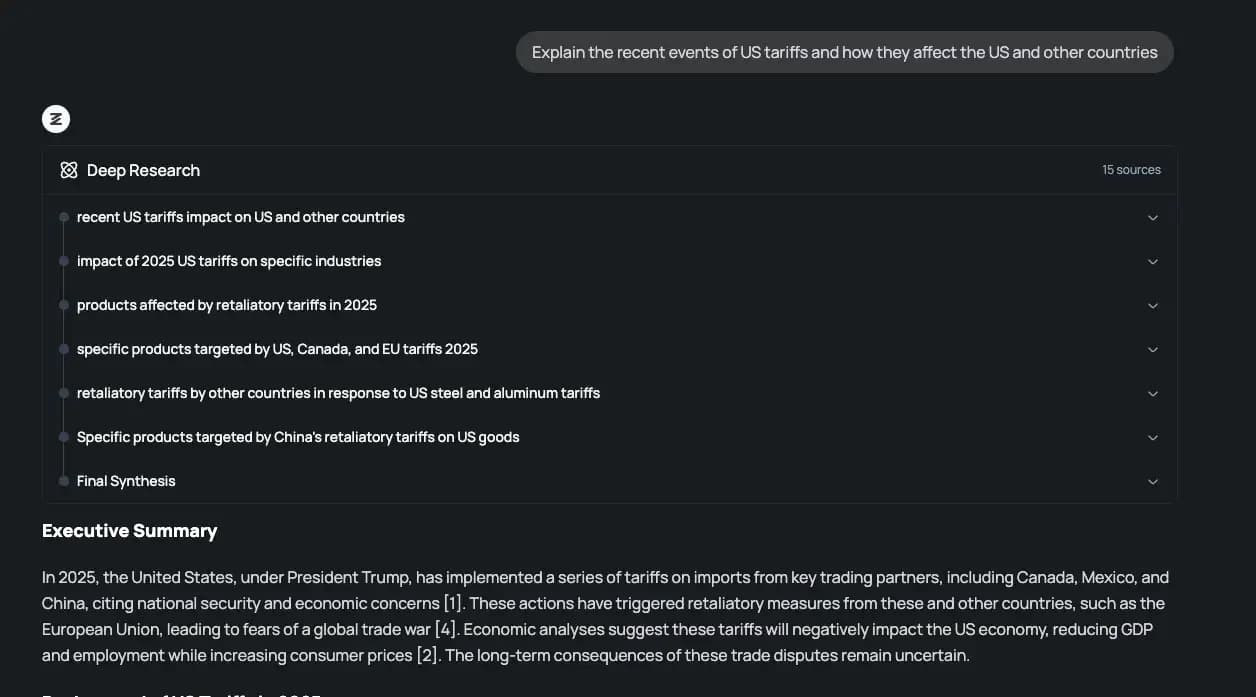
Each search and the number of sources read are visible, and the summary carries numbered citations.
Pricing
The sandbox, files and research on one plan
Zemith Plus is $15.99 a month with 1.5M credits and includes the Python sandbox, Excel, Word and PowerPoint file creation, deep research and the Microsoft 365 plugin for Excel, Outlook and OneDrive. A deep research run costs 100,000 credits.
The Free plan is chat with the free models. Tools, files and Creative Studio need Plus.
- $15.99a month for Zemith Plus
- 1.5Mcredits every month
- $10for a top-up of 800k credits. Top-ups never expire.
What Our Users Say
Great Tool after 2 months usage
"I love the way multiple tools they integrated in one platform. Going in the right direction."
— simplyzubair
Best in Kind!
"The quality of data and sheer speed of responses is outstanding. I use this app every day."
— barefootmedicine
Simply awesome
"The credit system is fair, models are perfect, and the discord is very responsive. Quite awesome."
— MarianZ
Great for Document Analysis
"Just works. Simple to use and great for working with documents. Money well spent."
— yerch82
Great AI site with accessible LLMs
"The organization of features is better than all the other sites — even better than ChatGPT."
— sumore
Excellent Tool
"It lives up to the all-in-one claim. All the necessary functions with a well-designed, easy UI."
— AlphaLeaf
Well-rounded platform with solid LLMs
"The team clearly puts their heart and soul into this platform. Really solid extra functionality."
— SlothMachine
Best AI tool I've ever used
"Updates made almost daily, feedback is incredibly fast. Just look at the changelogs — consistency."
— reu0691
Questions, answered
Can Zemith analyze financial spreadsheets?
Yes. Upload Excel or CSV files and Zemith analyzes them with Python in a sandbox, builds charts and shows the calculations it used.
Does Zemith give financial advice?
No. Zemith drafts analysis, models and research for you to check. Decisions and final numbers stay with you.
Can Zemith build Excel models?
Yes. Zemith creates Excel sheets you can download and edit, along with Word reports, PowerPoint decks and PDFs.
Can Zemith research public companies?
Yes. Deep research reads many sources, such as filings and news, and returns a report with citations you can check.
What finance teams open next
Features
Also made for


Ready when you are.
Start free on the web, iOS or Android.
Get Started for Free →No credit card required