Competitor Analysis Report That Actually Drives Decisions
Learn how to build a competitor analysis report that turns research into action. Steps, templates, metrics and Zemith AI workflows inside.
You probably have one right now. A competitor deck with way too many tabs, screenshots from six months ago, a half-finished SWOT, and a final slide that says something noble like “next steps” without naming a single actual decision.
I've shipped versions of that deck. Many have. The problem usually isn't effort. It's that the report turns into a scrapbook instead of a decision tool.
A useful competitor analysis report should help you answer practical questions fast. Where are rivals winning attention. What are they saying that buyers repeat back. Which gaps matter enough to change your content, pricing, product priorities, or sales narrative. If the document can't do that, it's not analysis. It's admin with better fonts.
Why Most Competitor Analysis Reports Collect Dust
Monday morning. Sales wants a battlecard update before two prospect calls. Product wants proof that a competitor's new launch matters. Leadership wants the “latest comp intel” for the weekly meeting. Someone opens the report and finds a 38-slide PDF full of screenshots, feature checkmarks, and observations nobody can trace back to a real decision.
That is how these reports die. Not because the research was lazy. Because the output was built for presentation, not use.
A report people return to does one job well. It helps the team choose what to change. Sprinklr makes a similar point in its guide to competitive intelligence reports, framing the report as a tool for action across product, marketing, and leadership, not a storage unit for market notes.
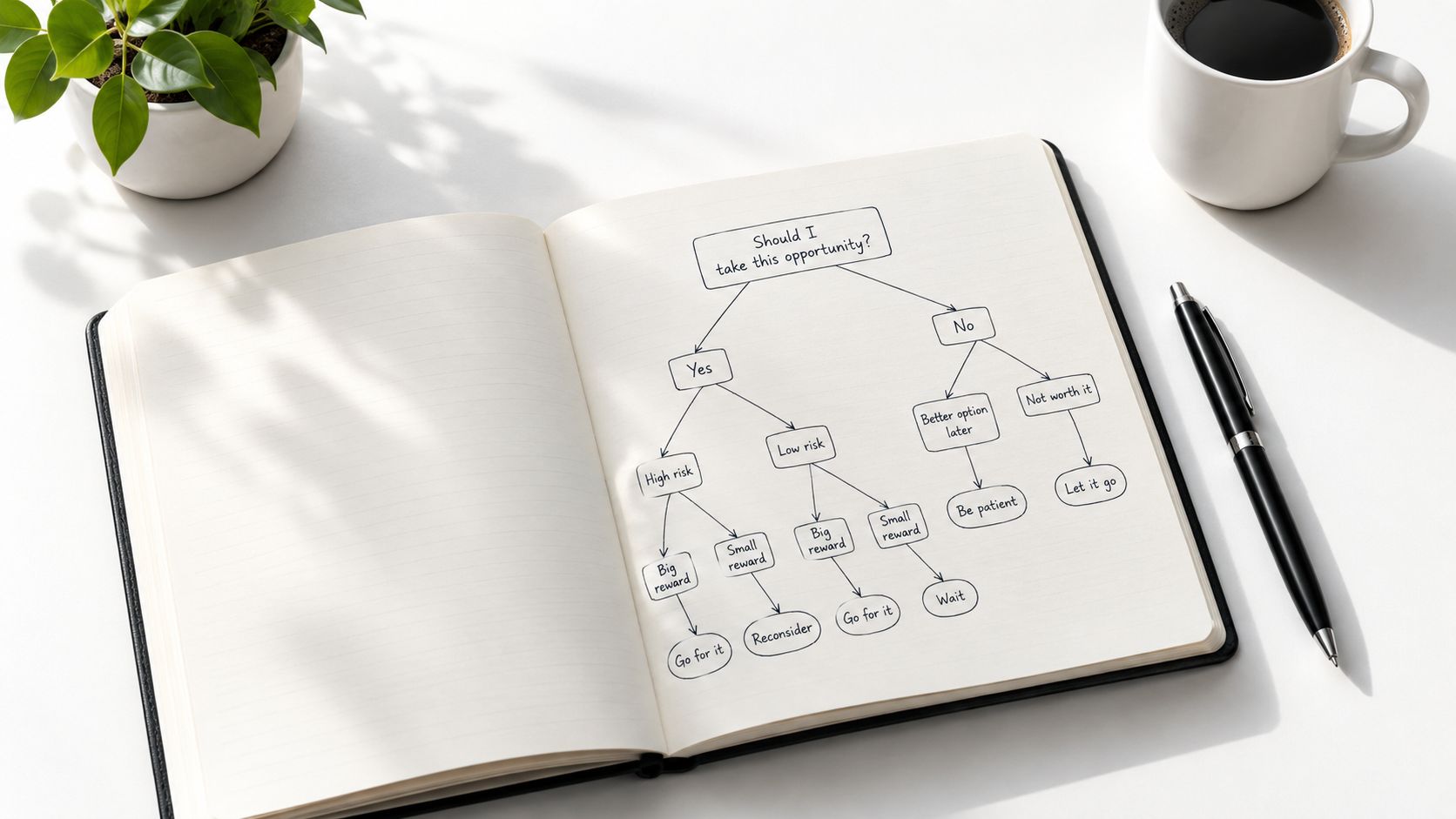
Pretty slides are not the goal
The reports that collect dust usually break in the same few places.
- They track too much: every rival, every feature, every ad, every channel.
- They age fast: pricing changes, homepage copy shifts, and nobody updates the screenshots.
- They stop at description: “Competitor B launched X” is logged, but no one states whether you should respond.
- They live as a dead file: PDF exported, shared once, forgotten.
I have made this mistake myself. A polished deck can create the illusion of rigor while dodging the hard part, which is choosing what matters and what gets cut.
My rule is simple. If a finding cannot influence messaging, content priorities, sales handling, pricing discussion, or product focus, it probably does not belong in the main report.
The shift from feature matrix to gap analysis
Feature matrices still have a place. They are useful for onboarding, sales enablement, and quick side by side checks. They are weak at explaining why a competitor keeps showing up in deals, search results, analyst mentions, or AI answers.
The better frame is gap analysis.
Start with message gaps. What pain points or outcomes are competitors hammering that you barely mention. Then look at visibility gaps. Where are they getting discovered across search, review sites, comparison pages, partner ecosystems, or social proof loops while you are absent. Then check AI-discovery gaps. If buyers ask ChatGPT, Perplexity, or Google's AI results for options in your category, which brands get named, and what language gets repeated.
That is the kind of analysis that changes work on Monday.
If you want an SEO-focused companion to this approach, SemDash's competitor intelligence guide is a solid reference. The same discipline also applies to internal decision-making. Teams make better calls when claims are traceable, current, and tied to action, which is the logic behind evidence-based decision-making.
The other reason reports collect dust is cadence. A one-off PDF asks everyone to admire the effort and then start from scratch next quarter. A monthly workflow inside Zemith works better. Keep the same competitors, the same fields, the same evidence standard, and update only what changed. That turns competitor analysis from a presentation into an operating habit.
What to Include Before You Research a Single Competitor
A messy competitor report usually starts with a messy brief.
Sales wants battlecards. SEO wants rankings. Product wants feature comparisons. Leadership wants a tidy slide with a winner and loser. If nobody sets the rules first, the team spends a week collecting screenshots and still ends up arguing about what the report was supposed to answer.
Set that up before you research a single company.
Pick a competitor set that matches the decision
The right list depends on what you need the report to do. A deal-support report and a category-positioning report should not use the same cast of characters.
For a working monthly report, I keep the set small enough to maintain and broad enough to show patterns. Usually that means:
- Direct competitors: Brands your prospects bring up in real deals
- Indirect competitors: Tools or services solving the same problem from a different angle
- Aspirational competitors: Companies shaping buyer expectations, even if they do not lose deals to you head-to-head
The U.S. Chamber of Commerce guidance, summarized in Leadfeeder's write-up of competitor analysis methods, recommends comparing a focused group across the same fields in a spreadsheet. That advice holds up. Once the list gets too large, quality drops. You stop analyzing and start hoarding tabs.
One more rule. Keep the competitor set stable for a few cycles. Swapping half the list every month kills trendlines and turns the report into trivia.
Define the fields before you collect evidence
This is the part that saves hours later.
If the team invents fields as it goes, one competitor gets judged on pricing, another on review sentiment, and a third on whatever somebody noticed in a LinkedIn post. That is how bad decks happen.
I set the comparison fields first, then force every company through the same frame. A useful starting point looks like this:
That structure keeps the report tied to decisions. It also reflects how buyers discover and compare vendors now. Features still matter, but feature tables alone miss the reason a competitor keeps showing up in shortlists.
If you want a more structured planning template, this competitive analysis framework gives you a clean way to set categories and scoring rules before the research pile starts.
Decide what counts as evidence
A homepage claim, a review-site complaint, and a note from a live sales call are not equal. Treating them as equal creates fake confidence.
I usually label evidence by type and intent:
- Visibility evidence: where a competitor is discoverable
- Message evidence: what they claim and how consistently they repeat it
- Proof evidence: reviews, case studies, analyst mentions, testimonials
- Conversion evidence: pricing friction, demo paths, CTAs, trial setup, sales motion clues
Then I tag each item with a date, source, audience, and funnel stage. Boring? Yes. Worth it? Also yes. It prevents the classic problem where someone pastes a screenshot from nine months ago and everyone discusses it like it happened yesterday.
Good reports separate signal from decoration.
Set comparison rules so the report stays fair
A startup with a lightweight self-serve tool should not be judged by the same expectations as an enterprise suite with a services team. That comparison can still be useful, but only if the report says what is being compared and why.
Write the rules down up front:
- Compare companies serving a similar buyer or use case
- Use the same evidence window for every competitor
- Separate observed facts from team interpretation
- Mark unknowns instead of filling gaps with guesses
- Note whether each finding is one-off or repeated across sources
This is also where I decide what will get updated monthly inside Zemith. Usually that means keeping the fields and competitors fixed, then refreshing only the evidence that changed. The result is less glamorous than a giant quarterly PDF, but far more useful. Teams can spot new message gaps, visibility gaps, and AI-discovery gaps without rebuilding the report from scratch every time.
A good competitor analysis report starts as a disciplined input sheet, not a pretty output. That is the difference between a document people skim once and a workflow people use.
How to Gather and Make Sense of Competitor Data Without Drowning
Monday morning, someone drops 37 screenshots into Slack, half from competitor homepages, half from review sites, and one from a salesperson's phone because the pricing page changed during a demo. By Friday, nobody remembers what mattered or what was old. That is how competitor research turns into digital attic junk.
The fix is a collection system with filters. A competitor analysis report should help a team spot gaps worth acting on, especially message gaps, visibility gaps, and AI-discovery gaps. It should not become a scrapbook of random findings.
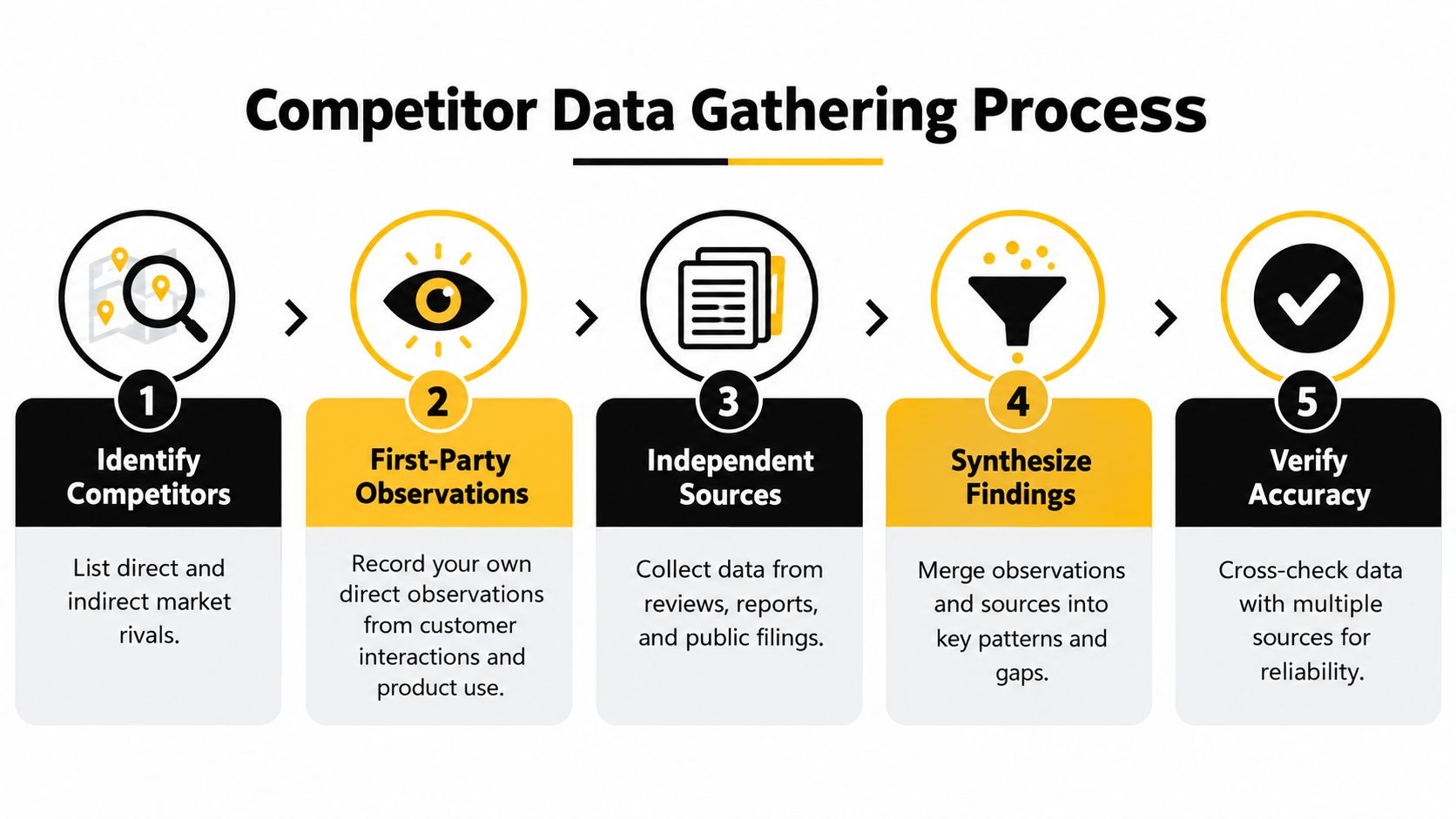
Start with first-party observation
I start with what the team already hears and sees in the wild, before opening a single research tool. That material is usually messier than published content, but it is also closer to buying reality.
Capture observations like these:
- Sales objections: What prospects say when they compare you to a rival
- Demo friction: Where competitor onboarding feels smoother or clunkier
- Message recall: Which competitor claims buyers repeat back unprompted
- Switch reasons: Why customers leave a rival or leave you for one
This source set has one big advantage. It reveals what sticks in a buyer's head, not just what a marketing team published on a polished page.
Add outside sources, but rank them by trust
Competitor websites, newsletters, review platforms, independent comparisons, support docs, launch posts, and call notes all have value. They do not deserve equal value.
I assign a trust level before I log anything. If a claim comes from a homepage, I treat it as positioning. If it shows up across reviews, sales calls, and onboarding walkthroughs, I treat it as a pattern. That small habit saves a lot of bad debates later.
If your team wants help processing documents and external material faster, AI tools for competitive analysis can speed up summarizing and structuring the evidence. Your team still has to judge what deserves action.
Organize evidence so patterns show up fast
A giant notes column is where good research goes to die.
Tag each item with a small set of fields your team will use:
- Funnel stage
- Channel
- Audience
- Date
- Business objective
I also like adding one more field: gap type. Message, visibility, AI-discovery, product, pricing, or sales motion. That single label makes monthly review much easier because the team can filter for the kind of gap it wants to fix, instead of rereading every note from scratch.
With that structure, patterns become obvious. You can tell whether a competitor is winning because their homepage copy is clearer, because they dominate comparison queries, because they keep showing up in niche communities, or because AI assistants keep naming them and skipping you.
Look for gaps in demand capture
Feature matrices still have a place. They are useful for product marketing, procurement battles, and the occasional exec who wants to see boxes checked. They are weak at explaining why a comparable product keeps winning attention.
A better question is this: where is demand leaking away?
That usually shows up in three places:
- Message gap: Competitors describe the problem in language buyers recognize right away, while your copy sounds internal and forgettable.
- Visibility gap: They appear in search topics, comparison pages, regional content, newsletters, communities, or partner ecosystems where your brand is missing.
- AI-discovery gap: AI systems mention them in category-level answers and leave you out.
I have seen plenty of teams lose to a competitor with a worse product and a cleaner story. Annoying, yes. Also common.
Prioritize what can change a decision
Interesting findings are cheap. Useful findings are selective.
Run each pattern through a basic filter:
- Does this affect pipeline, adoption, retention, or positioning?
- Can the team respond through content, packaging, pricing, product, or sales enablement?
- Is this showing up repeatedly, or is it tied to one campaign or one loud review?
- Can we refresh this monthly in Zemith without rebuilding the whole report?
That last question matters more than people think. If the process only works as a one-off PDF, it usually dies after the first presentation. If the evidence is structured well enough to refresh every month, the report turns into a working system. That is how teams keep up with changing claims, shifting visibility, and new AI-discovery gaps without living in tab chaos.
Building a Report People Will Actually Use and Share
A competitor report usually dies the same way. Someone exports a 40-slide deck, presents it once, then the team forgets where the file lives.
That happens when the report is built like a museum exhibit instead of a working document. If people need ten minutes to figure out what matters, they will not use it. If the report stops at feature comparisons, they will nod politely and go back to whatever was already on the roadmap.
The version that gets shared does something simpler. It shows where you are losing attention, where competitors are easier to find, and what the team should change this month.
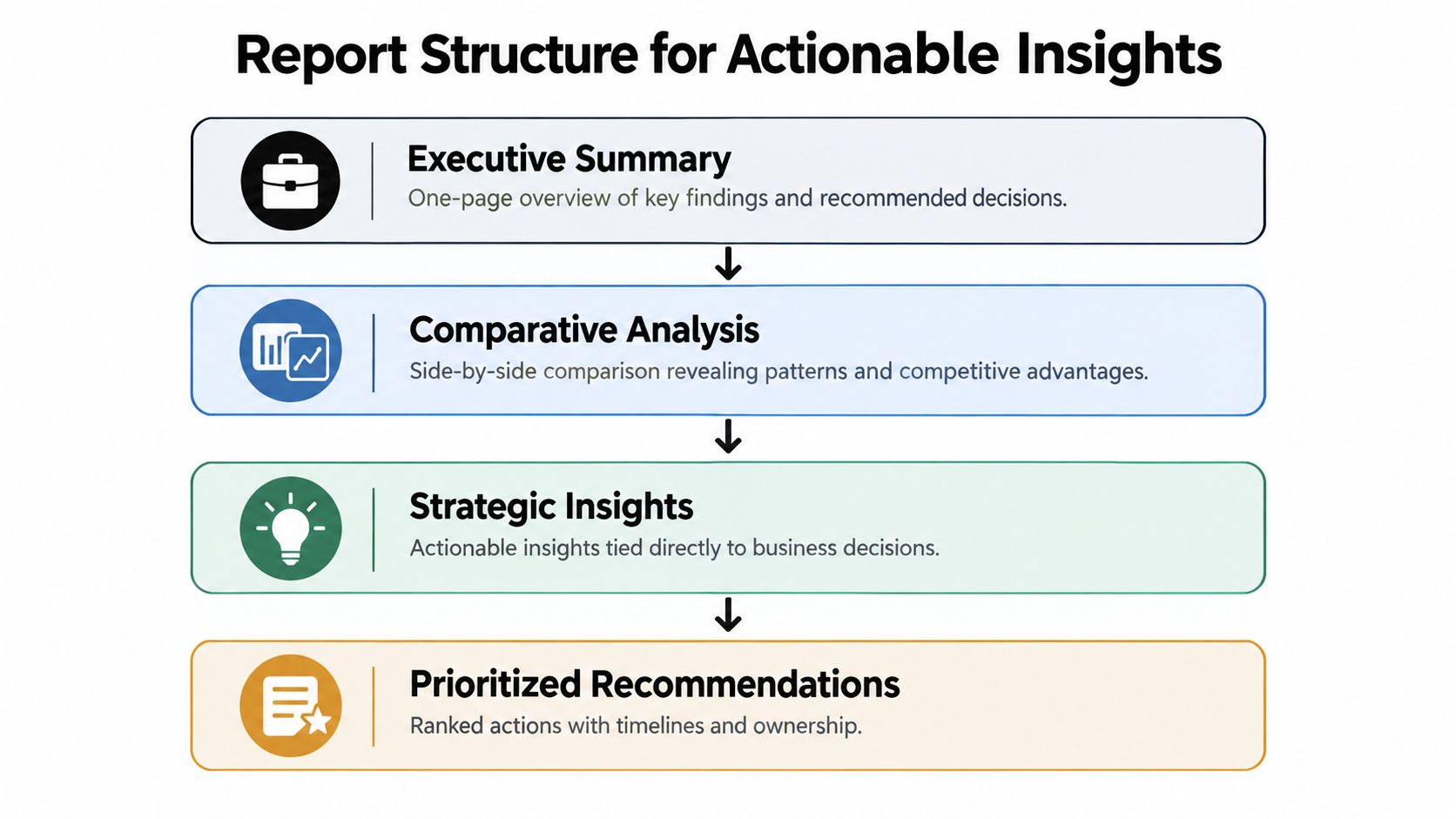
Use a four-part report skeleton
I keep the structure boring on purpose. Fancy layouts are fun right up until nobody can find the recommendation for sales, content, or product.
A practical model from River Editor's guide to writing competitive analysis reports works well here: an executive summary, a comparative analysis that reveals patterns, strategic insights tied to decisions, and prioritized recommendations with next steps. They also suggest reviewing it live in a stakeholder meeting instead of emailing it into the void. Good advice.
Each part has a clear job:
- Executive summary: What changed since the last review, which gaps matter now, and what needs a decision.
- Comparative analysis: Patterns across competitors. I care less about a giant feature matrix and more about message gaps, visibility gaps, and AI-discovery gaps.
- Strategic insights: Why those gaps matter for pipeline, adoption, retention, or positioning.
- Prioritized recommendations: What to change, who owns it, and how soon it ships.
Make every page earn its keep
A useful report does not just document findings. It helps a team choose.
I use a simple filter on every section: can a PMM, content lead, SEO lead, or sales manager read this page and know what to do next? If not, it probably belongs in the appendix or in working notes.
This format keeps the report honest:
One rule helps a lot. No slide stays unless it creates a decision, a task, or a change in priority.
Organize for comparison, not decoration
Teams usually overstuff these reports. I have done it too. Twenty competitors, endless screenshots, six color-coded scoring systems. It feels thorough and reads like drywall.
A tighter report gets used more. Focus the main report on a small set of direct competitors and keep the wider watchlist somewhere else. For each rival, use the same categories in the same order so people can compare quickly without re-learning the layout every few pages.
A few choices make a big difference:
- One profile per competitor: Easier to scan in meetings and easier to update next month.
- Same section order every time: Messaging, visibility, AI mentions, proof points, risks, recommended response.
- Screenshots only when wording matters: A homepage headline, pricing page claim, or comparison-page angle is worth showing. Generic UI shots usually are not.
- Action boxes near the evidence: Do not make readers hunt for the takeaway three pages later.
If you want a good model for turning rough research into a readable document, these technical report writing habits transfer well. Clear headings, consistent structure, and short summaries beat pretty slides every time.
Build for monthly reuse
The best competitor report is not the prettiest one. It is the one your team can refresh without cursing your name.
That means writing sections as modules, not as one-off commentary. Keep recurring fields consistent. Label evidence cleanly. Separate raw observations from interpretation. If a claim changes next month, the owner should be able to swap the evidence, update the implication, and keep moving.
That is also why I prefer gap-based reporting over a giant feature matrix. Features change. Gaps show where the market is pulling away from you, and they are much easier to operationalize in a monthly workflow inside Zemith than in a PDF everyone stops opening after week one.
Streamlining Everything Inside Zemith Without the Tab Chaos
Monday morning usually looks the same. One pricing page open in tab 14, a half-finished spreadsheet, screenshots on the desktop named "final-v2-really-final," and a Slack message asking, "Do we have the latest competitor notes?" That is how a useful competitor analysis report turns into a scavenger hunt.
The fix is not more research discipline. It is a tighter operating setup. If the report is meant to support monthly decisions, the work has to live in one place where sources, notes, drafts, and updates stay attached to each other.
Manual workflow versus consolidated workflow
Here's the difference in practice.
I use Zemith for this kind of workflow because the pieces that usually get split across five tools sit together. Deep Research and real-time web search help gather current evidence. Fact-checking helps catch weak claims before they make it into the report. The Document Assistant is useful for source files and transcripts. Smart Notepad turns rough observations into usable writeups, and Library and Projects keep recurring competitor work from becoming a folder cemetery.
That matters because the job is not building a prettier feature matrix. The job is tracking gaps you can act on. Which competitor is out-positioning you on the homepage. Which one is showing up in search and AI answers where your brand is absent. Which claims keep repeating across launch pages, pricing pages, and comparison content.
Set up the workspace around gaps, not pages
A good Zemith setup stays narrow on purpose. Valona's guidance recommends focusing on meaningful, decision-driving metrics rather than exhaustive scraping. That holds up in practice.
I'd structure the workspace like this:
- Three to five active competitor profiles: Enough depth to spot patterns without creating upkeep debt
- A gap tracker: Message gaps, visibility gaps, and AI-discovery gaps in separate fields
- Change folders: Pricing updates, launches, comparison pages, and homepage rewrites
- Current evidence only: Replace stale screenshots and archive old ones, so nobody cites a six-month-old headline by accident
One practical rule helps a lot. Every note should answer one of two questions: what changed, or what should we do about it? If it answers neither, it is probably clutter.
This is also where a shared workspace beats a PDF. Product can review claim changes. Content can pick up missed topics. Sales can grab current comparison points without asking marketing to resend the deck. The report stops being a quarterly artifact and starts acting like a monthly operating system.
Keeping Your Report Fresh and Turning Insights Into Action
Friday afternoon is when competitor reports usually die. Someone exports a PDF, drops it in Slack, gets two emoji reactions, and by Monday the team is back to arguing from memory.
A report stays useful when it runs on a cadence and ends in decisions. I treat it like a monthly operating review with a few event-based check-ins between cycles. Nutshell's guidance on competitor analysis for sales strategy lines up with that approach. Faster categories need monthly monitoring. Calmer categories can get by with quarterly review, as long as someone still watches for meaningful changes in between.
What counts as meaningful? Usually not another tiny feature badge.
The updates that matter are the ones that create a gap you can act on:
- Message gaps: A competitor starts framing the category in a way your team has not answered yet
- Visibility gaps: They begin owning query clusters, comparison terms, or review surfaces where you used to compete
- AI-discovery gaps: Their claims keep showing up in AI answers, summaries, and buyer research flows while your brand stays invisible
- Commercial shifts: Pricing, packaging, trial terms, and sales motion change enough to affect win rates
That framing keeps the review honest. A homepage rewrite is only interesting if it changes positioning. A launch is only interesting if it creates pressure on pipeline, search visibility, or buyer perception.
I also like pairing competitor tracking with your own decay checks. If rankings or conversions slip, use resources that help you identify decaying pages in GSC. That separates two very different problems. Sometimes the competitor got better. Sometimes your page just got old and nobody touched it for eight months.
Then measure whether the report changed behavior. Earlier in the article, I cited research showing stronger intelligence teams track ROI instead of treating reporting as a filing exercise. That is the part worth copying. Track a small set of outcomes: which gaps got assigned, which pages got updated, which sales objections got new proof, which comparison terms improved, and which AI mentions started appearing after the update.
Keep the operating loop simple:
- Review the top changes once a month: 30 minutes is enough if the evidence is organized
- Choose one or two gaps to act on: Usually one messaging fix and one visibility fix is plenty
- Assign an owner and due date: No owner means it goes back into the content graveyard
- Check results next cycle: Did the update change traffic, pipeline quality, win-loss notes, or AI visibility
Inside Zemith, this works better as a living workspace than a final document. Notes, source pages, screenshots, and decisions stay in one place, so the team can return to the actual evidence instead of rebuilding context every month. If you want a good model for that habit, Zemith's post on data-driven insights gets the mindset right. Research should lead to action, not another folder full of very polished screenshots.
That is the finish line. Not a prettier competitor deck. A repeatable workflow that spots message gaps, visibility gaps, and AI-discovery gaps early enough for the team to do something useful with them.
Explore Zemith Features
Every top AI. One subscription.
ChatGPT, Claude, Gemini, DeepSeek, Grok & 25+ more








Always on, real-time AI.
Voice + screen share · instant answers
What's the best way to learn a new language?
Immersion and spaced repetition work best. Try consuming media in your target language daily.
Voice + screen share · AI answers in real time
Image Generation
Flux, Nano Banana, Ideogram, Recraft + more

Write at the speed of thought.
AI autocomplete, rewrite & expand on command
Any document. Any format.
PDF, URL, or YouTube → chat, quiz, podcast & more
Video Creation
Veo, Kling, Grok Imagine and more

Text to Speech
Natural AI voices, 30+ languages
Code Generation
Write, debug & explain code
Chat with Documents
Upload PDFs, analyze content
Your AI, in your pocket.
Full access on iOS & Android · synced everywhere
Your infinite AI canvas.
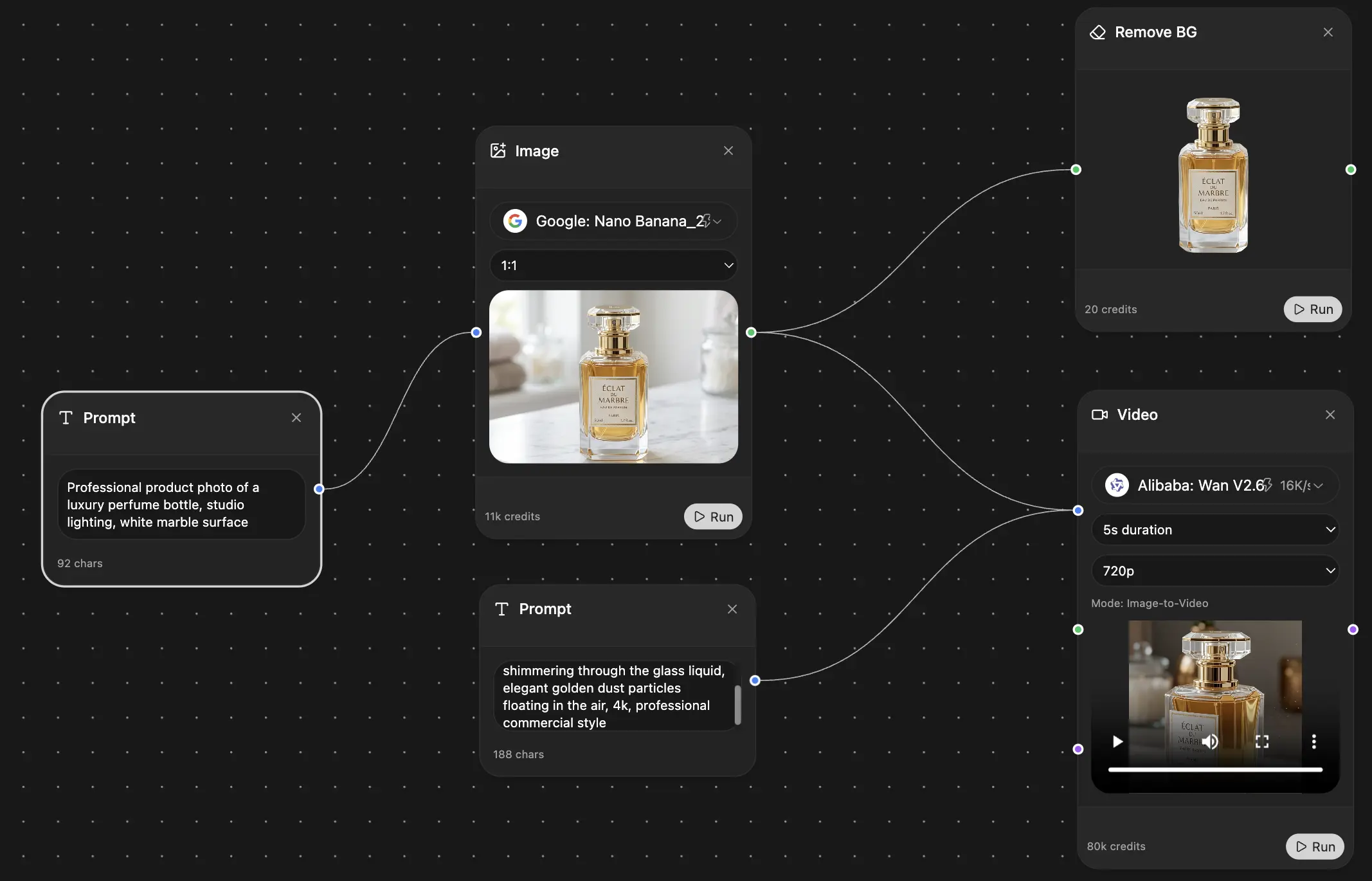
Chat, image, video & motion tools — side by side
Save hours of work and research
Transparent, High-Value Pricing
Trusted by teams at






Free
No credit card required
- 100 credits daily
- 3 AI models to try
- Basic AI chat
Plus
- 1,000,000 credits/month
- 25+ AI models — GPT, Claude, Gemini, Grok & more
- Agent Mode with web search, computer tools and more
- Creative Studio: image generation and video generation
- Project Library: chat with document, website and youtube, podcast generation, flashcards, reports and more
- Workflow Studio and FocusOS
Professional
- Everything in Plus, and:
- 2,100,000 credits/month
- Pro-exclusive models (Claude Opus, Grok 4, Sonar Pro)
- Motion Tools & Max Mode
- First access to latest features
- Access to additional offers
What Our Users Say
Great Tool after 2 months usage
"I love the way multiple tools they integrated in one platform. Going in the right direction."
— simplyzubair
Best in Kind!
"The quality of data and sheer speed of responses is outstanding. I use this app every day."
— barefootmedicine
Simply awesome
"The credit system is fair, models are perfect, and the discord is very responsive. Quite awesome."
— MarianZ
Great for Document Analysis
"Just works. Simple to use and great for working with documents. Money well spent."
— yerch82
Great AI site with accessible LLMs
"The organization of features is better than all the other sites — even better than ChatGPT."
— sumore
Excellent Tool
"It lives up to the all-in-one claim. All the necessary functions with a well-designed, easy UI."
— AlphaLeaf
Well-rounded platform with solid LLMs
"The team clearly puts their heart and soul into this platform. Really solid extra functionality."
— SlothMachine
Best AI tool I've ever used
"Updates made almost daily, feedback is incredibly fast. Just look at the changelogs — consistency."
— reu0691