How to Streamline Business Processes Using AI Automation
Learn how to streamline business processes using AI and automation. This guide offers actionable strategies and real-world examples to boost your efficiency.
Are you tired of feeling like your business is stuck in a loop of repetitive tasks? The constant manual data entry, the never-ending email chains, and the juggling act between disconnected software—it all creates bottlenecks that bring progress to a halt. It's time to move past these outdated methods. This guide will provide actionable insights on how to use AI-powered platforms like Zemith.com to create a smarter way to work.
2. Ditching Manual Workflows for Good

Manual workflows are the silent productivity killers lurking in most companies. They’re not just slow; they're magnets for human error, a source of frustrating delays, and they keep your talented team from focusing on the high-impact work that actually moves the needle. The goal isn't just about doing things faster—it's about building a more resilient and agile business.
By bringing in an AI-powered platform like , you can fundamentally change how work gets done. You’ll shift from just managing tasks to strategically redesigning your entire operational flow. The actionable step is to create a system where work moves seamlessly and information is always where it needs to be, right when it's needed.
The first real step is to stop accepting that "this is just how we do things." You have to acknowledge that a better, automated way exists before you can start making meaningful changes. This mindset shift is the prerequisite to effectively using a tool like Zemith.
The Hidden Costs of Old-School Methods
The trouble with inefficient manual processes is that they’re often so baked into daily routines that we stop seeing them. But the impact is very real.
Think about these all-too-common scenarios:
- Approval Chasing: A manager wastes hours every week hunting down signatures for expense reports or project plans. Actionable Insight: Use a platform like Zemith to build an automated approval flow that sends reminders and escalates if needed.
- Copy-Paste Chaos: An employee manually transfers customer details from an email to your CRM, then re-enters it into the accounting software. Actionable Insight: Implement an automation that parses new customer emails and automatically populates both your CRM and accounting software, eliminating human error.
- Tool Sprawl: The marketing team uses one app for social media, another for email campaigns, and a third for analytics. Actionable Insight: Connect these tools through a central hub like Zemith to create a unified dashboard and automate reporting.
Invoice processing is a classic example of a manual bottleneck. If this sounds familiar, learning can be a great starting point for seeing the benefits of automation firsthand.
Let's look at how AI automation changes the game for common business pain points.
Manual vs. Automated Process Outcomes
As the table shows, the AI-powered approach consistently delivers more reliable, faster, and less error-prone results, freeing up your team for more strategic work.
Why Automation Is No Longer Optional
The market is already making the choice for us. The business process automation (BPA) market was valued at $14.87 billion in 2024 and is expected to more than double to $29.59 billion by 2029. This isn't just a trend; it's a direct response to the urgent need for greater efficiency and lower operational costs.
A huge part of this shift involves tackling paperwork. If your office is buried in documents, you’ll find that implementing a system for smart document handling offers a massive return. Our guide on is a fantastic resource to get you started. This is exactly where a tool like Zemith can deliver an immediate and noticeable impact.
How to Map Your Existing Business Processes

Here's a hard truth I've learned over the years: you can't fix what you can't see. Before you even think about optimizing your business, you absolutely need a clear, honest picture of how things work right now.
Diving straight into automation without this groundwork is a classic mistake. It's like building a house without a blueprint. You'll just end up automating existing flaws. The whole point of process mapping is to create a visual guide of a workflow, from its very first trigger to the final result. This isn't just about drawing diagrams; it's a discovery mission to find the hidden inefficiencies, the redundant tasks, and the bottlenecks that are secretly holding your team back.
Start with the People on the Ground
Your most valuable intel comes from the people who live and breathe these processes every single day. They know the unofficial workarounds, the real pain points, and all the "unwritten rules" that aren't in any company manual.
To get this information, you need to engage them directly. Here's an actionable approach:
- Shadowing Sessions: Sit with a team member and watch them go through a whole workflow, like onboarding a new client. Note every click, every copy-paste, and every time they switch between apps. These details are your automation opportunities.
- Focused Interviews: Ask targeted, open-ended questions. "What's the most frustrating part of this for you?" or "If you could eliminate one manual step with a tool like Zemith, what would it be?" This frames the problem in terms of a solution.
The insights you get from these chats are pure gold. I've seen a single 30-minute conversation uncover a systemic issue that was quietly costing a company dozens of hours every single week. This is the raw material for building powerful automations in Zemith.
Get It All on a Whiteboard
Once you've gathered all that intel, it’s time to visualize it. A visual map turns a complicated process into something anyone can understand. You don't need fancy software—a whiteboard or a simple online flowchart tool is more than enough to get started.
As you start mapping it out, be sure to identify these key components:
- The Trigger: What single event kicks the whole thing off? (e.g., A prospect fills out a contact form on your website).
- The Steps: What are the individual actions taken, in order? (e.g., The form data is manually copied into a spreadsheet).
- The Handoffs: Where does the task move from one person or department to another? (e.g., The sales manager assigns the new lead to a specific rep).
- The Tools: What software is being used at each step? (e.g., Your website's form builder, , , the company CRM).
This map is your foundation. It’s what allows a tool like to be truly effective. With a clear visual of your workflow, you can see exactly where to introduce automation to solve the right problems. This is how you transform a clunky, manual process into a smooth, efficient operation. The map doesn't just show you what you're doing now; it shows you exactly what Zemith could be doing for you.
Finding Your High-Impact Automation Opportunities

Alright, with your process map laid out, the real fun begins. You've moved past guesswork and now have a bird's-eye view of your operations. The next move is to zero in on exactly where automation will give you the biggest bang for your buck.
Let's be honest, not every task is a good candidate for automation. The key is to hunt for the "quick wins"—those high-impact opportunities that deliver immediate, tangible results. Nailing these early on is how you get your team excited and build momentum for deploying a platform like Zemith more widely.
The Four Pillars of Prioritization
So, how do you find these golden opportunities? I always tell people to analyze their process map using a simple four-part framework. Look for tasks that are:
- Frequent: How often does this really happen? Automating a daily sales report is going to deliver compounding value day after day.
- Time-Consuming: Be ruthless here. How many human hours does this process eat up every single week? That complicated, multi-step workflow is a prime candidate for a Zemith automation.
- Error-Prone: Where do things constantly go wrong? Manual data entry and copy-pasting between systems are classic culprits that automation can wipe out completely.
- Low-Value: Does this task require human creativity or critical thinking? If the answer is no, it's a repetitive job that a machine would be much better at.
This approach forces you to focus your energy where it truly counts. Seeing some can really help connect these ideas to what's happening in your own business.
Using AI to Uncover Hidden Gems
Sometimes, the best opportunities aren't the most obvious ones. This is where a modern platform like Zemith really shines. Once your process is mapped out, you can leverage its AI engine to analyze the entire workflow. It’s designed to spot patterns and bottlenecks that the human eye might miss, suggesting high-value automation points based on the data.
The real power comes from moving beyond automating single tasks to optimizing entire workflows. For instance, instead of just automating invoice creation, a tool like Zemith can automate the whole sequence: from generating the invoice when a project is marked complete, to sending it to the client, and even creating follow-up reminders.
The move toward this kind of automation is happening fast. Research shows that around 45% of routine business tasks are automatable, and it's not just for show. Companies that lean in often see an ROI between 30% and 200% in the first year alone.
Ultimately, the goal is to fine-tune your operations in a way that creates real, measurable value. If you're looking to go deeper on this, our article on how to is a great next step. This is how you build a business that's not just more productive, but more resilient and ready for whatever comes next.
Putting AI to Work: How to Automate Your First Workflow
Alright, this is where the rubber meets the road. We've mapped our process and picked a high-impact task. Now, let's build something real. I'm going to walk you through creating a practical automation from the ground up using a modern platform like Zemith. You'll see just how actionable this can be.
The best part about the tools available today is that you don't need a computer science degree to automate business processes. The whole point of Zemith is to get your everyday apps—your CRM, your project manager, your team chat—to talk to each other and handle the grunt work for you.
This visual gives you a good sense of the journey from first look to fine-tuning.
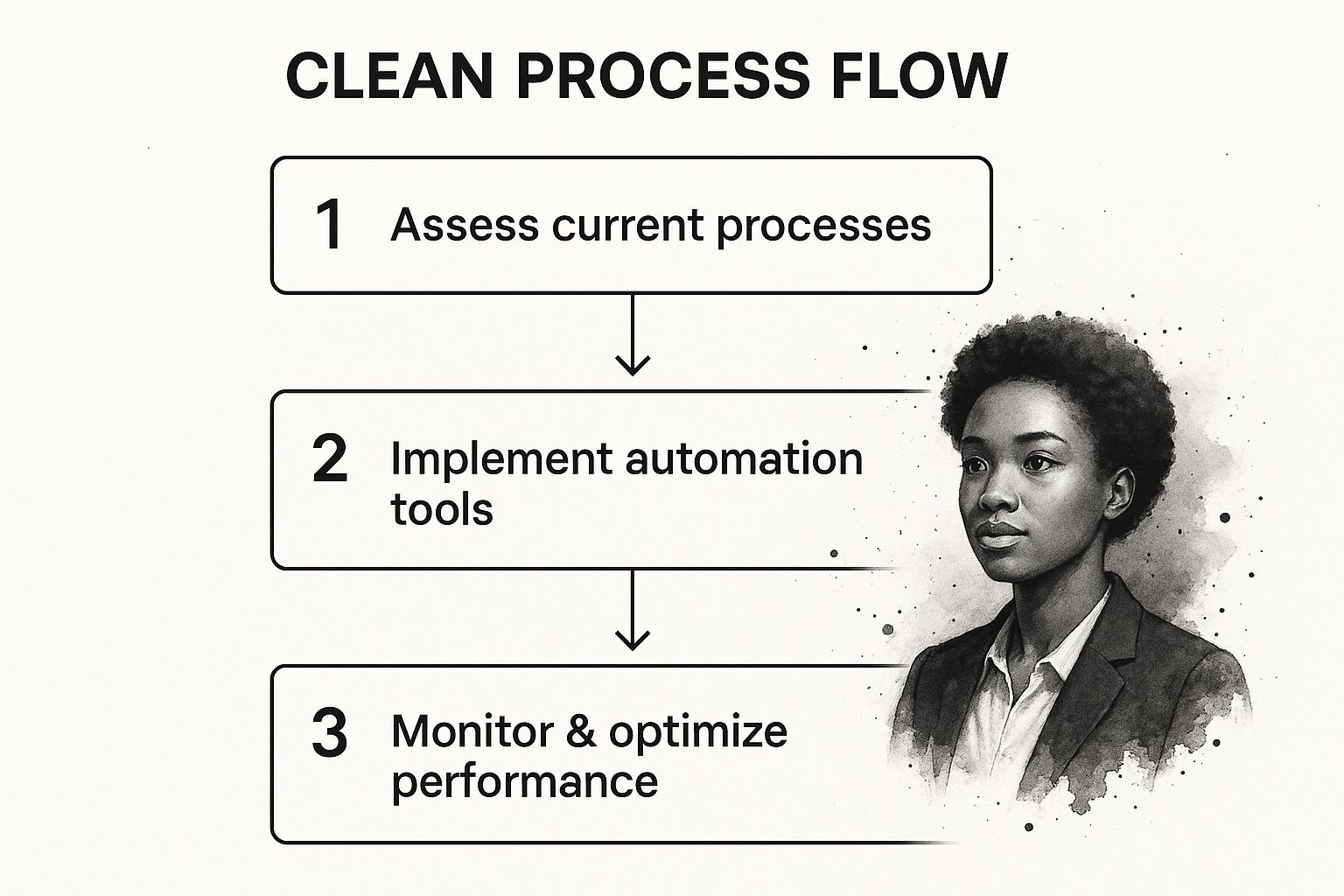
As you can see, successful automation isn't a one-and-done deal. It’s a loop: you assess, you build, and then you keep refining it over time.
Let’s Build a Real Automation in Zemith
Let’s get our hands dirty with a classic business bottleneck: the handoff between sales and project management. When a deal closes, someone has to manually create a project, copy-paste all the details, and kick things off. It’s slow and prone to mistakes. We can fix that with Zemith.
Our Goal: The moment a sales deal is marked "Won" in our CRM, we want Zemith to automatically create a new project brief in our project management tool.
This simple automation connects two separate systems, saving a ton of time and making sure no critical details fall through the cracks.
This entire process boils down to a simple but incredibly effective concept: defining a trigger (the event that kicks things off) and an action (what the automation actually does). This trigger-and-action model is the heart of no-code platforms like Zemith.
Here's how this plays out inside a tool like Zemith:
Set the Trigger: First, you connect your CRM to Zemith. Then, you tell it what to watch for. In our case, the trigger is "When a Deal Stage is Updated." We’ll add a filter so it only runs when the stage changes specifically to "Won."
Map the Data: Next, you connect your project management app (like Trello, Asana, or Jira). This is where the magic happens. In Zemith’s visual interface, you map the data from your CRM deal—client name, deal value, contact info—to the corresponding fields in a new project brief template.
Define the Action: Finally, you set the action to "Create a New Project." Once the trigger fires, Zemith instantly grabs the mapped data, generates the project brief, can assign it to the right person, and even drop a notification in a Slack channel.
Accounting for Real-World Messiness
Of course, business is rarely that straightforward. What if bigger projects need a more detailed brief? This is where conditional logic comes into play, a key feature in a robust platform like Zemith.
You can easily build rules into your workflow. For instance: "IF the Deal Value is over $10,000, THEN use the 'Large Project' template AND send an approval request to the department head." This takes a basic automation and turns it into a smart, flexible system that adapts to your actual business needs.
Getting this right is a big deal. The global industrial automation market is projected to hit $226.8 billion in 2025, but nearly 70% of digital transformation projects fail—often because the implementation wasn't thought through carefully enough. You can find more insights on why it's crucial to the right way.
Platforms like Zemith are built for this kind of detailed, real-world logic.
This is the kind of clean, visual interface where you can connect your apps and build out these workflows without touching a single line of code. To see these principles applied in a different but equally powerful context, check out this .
Measuring Your Success and Scaling Automation
Getting your first automation up and running is a great feeling, but that’s really just the starting line. The real, lasting value comes when you treat automation as an ongoing strategy. To get long-term growth, you must constantly measure what’s working, tweak your approach, and then be smart about how you scale.
I like to think of it like this: launching an automation is like planting a seed. You can't just walk away. You have to monitor its performance, make adjustments, and help it grow stronger. If you don't, even the best automations can become outdated as your business evolves.
The point isn't to set it and forget it. The goal is to build a cycle of continuous improvement. You want every workflow you automate in Zemith to get smarter, faster, and more valuable over time. This is how you turn small victories into a real operational advantage.
Defining Your Key Performance Indicators
Before you can improve anything, you need to know what you’re measuring. Vague metrics are useless. You need to connect your measurements directly back to the business problems you were trying to solve. A good platform, like , will have analytics dashboards built right in, which makes tracking these KPIs much easier.
Here are the critical metrics I always recommend watching:
- Cycle Time Reduction: This is the total time a process takes from beginning to end. Measure "before" and "after" to prove exactly how much faster things are. If client onboarding used to take three days and now it’s done in four hours via a Zemith workflow, that’s a huge win.
- Error Rate Elimination: Look at how often mistakes happened when the process was manual versus how often they happen now. For data entry or reporting, aiming for a 0% error rate with automation is completely achievable and incredibly powerful.
- Hours Reclaimed: This is the one metric everyone understands. Calculate how many team hours per week you've freed up for strategic work. This number is a direct line to proving better productivity and is a key selling point for expanding your use of automation.
From a Single Task to an Entire Department
Once you’ve got solid results from your first few automations, it's time to scale strategically. Scaling isn't about randomly automating tasks all over the place. It requires a clear roadmap.
A great place to start is by looking for connections between the processes you’ve already automated. Let's say you automated lead intake from your website and new project creation. The obvious next step is to link them together in a single, end-to-end workflow. Now you have one seamless flow, from lead to project, without anyone touching it. This is how you shift from automating tasks to optimizing an entire department's operations.
Tools like Zemith are built for exactly this kind of expansion. You can start with a simple two-step workflow and, piece by piece, build it into a sophisticated, multi-app system that runs an entire customer journey—from the first hello to the final invoice—all from one place. This approach means your automation capabilities can grow and adapt right alongside your business.
Answering Your Questions About Business Process Automation
It's completely normal to have questions when you're looking at changing the way your business runs. Bringing in automation is a big step. Let's tackle some of the big questions I hear all the time with actionable, straight-to-the-point answers.
Will Automation Replace My Team?
This is usually the first thing people ask. The goal isn't replacement—it's elevation. Automation is expected to create a net gain of 78 million jobs globally by 2030.
The actionable insight here is to reframe the conversation. Tools like are built to handle repetitive, low-impact work—manual data entry, sending follow-up emails, or pulling together the same report week after week. This frees your people up to focus on the things that actually require a human touch: creative problem-solving, strategic planning, and building customer relationships. It’s about getting the boring stuff off their plate so they can do more meaningful work.
The way I see it, automation does the machine work so your people can do the human work. You end up with a more engaged, more capable team that can focus on growing the business.
Is This Going to Be Expensive?
While there's an investment, modern automation platforms have made this technology much more accessible. The key is to think about the return on that investment (ROI), not just the price tag. It's not uncommon to see an ROI between 30% and 200% in the first year alone. A tool like Zemith can pay for itself very quickly.
Where does that return come from?
- Lower Operating Costs: You're simply paying for fewer person-hours on mundane tasks.
- Fewer Human Errors: Automation doesn't make typos or forget a step, which saves you the cost of fixing mistakes.
- Better Efficiency: Your team can get more done without working longer hours.
Most modern platforms, Zemith included, offer pricing that can scale with you. The actionable plan is to start by automating one or two high-pain-point processes, prove the ROI, and then expand. When you do the math, the cost of sticking with slow, manual processes is almost always higher than the cost of a good automation tool.
Do I Need to Be an IT Guru to Use This?
Not at all. The new generation of no-code platforms like Zemith puts the power in the hands of the people who actually know the processes best—your operational teams.
If you can map out a process on a whiteboard, you can build an automation in Zemith. These tools use visual, drag-and-drop interfaces that feel more like putting together a flowchart than writing code. The actionable step for your team is to identify a process owner and empower them to build their first workflow. While a massive, company-wide system overhaul might need some IT support, most of the high-impact workflows can be designed and managed by the very people who use them every day.
Ready to move from just managing tasks to truly optimizing how your business works? With its powerful, no-code interface and integrated AI tools, Zemith gives you everything you need to map, automate, and scale your most important workflows. .
Explore Zemith Features
Every top AI. One subscription.
ChatGPT, Claude, Gemini, DeepSeek, Grok & 25+ more








Always on, real-time AI.
Voice + screen share · instant answers
What's the best way to learn a new language?
Immersion and spaced repetition work best. Try consuming media in your target language daily.
Voice + screen share · AI answers in real time
Image Generation
Flux, Nano Banana, Ideogram, Recraft + more

Write at the speed of thought.
AI autocomplete, rewrite & expand on command
Any document. Any format.
PDF, URL, or YouTube → chat, quiz, podcast & more
Video Creation
Veo, Kling, Grok Imagine and more

Text to Speech
Natural AI voices, 30+ languages
Code Generation
Write, debug & explain code
Chat with Documents
Upload PDFs, analyze content
Your AI, in your pocket.
Full access on iOS & Android · synced everywhere
Your infinite AI canvas.
Chat, image, video & motion tools — side by side

Save hours of work and research
Transparent, High-Value Pricing
Trusted by teams at






Free
No credit card required
- 100 credits daily
- 3 AI models to try
- Basic AI chat
Plus
- 1,000,000 credits/month
- 25+ AI models — GPT, Claude, Gemini, Grok & more
- Agent Mode with web search, computer tools and more
- Creative Studio: image generation and video generation
- Project Library: chat with document, website and youtube, podcast generation, flashcards, reports and more
- Workflow Studio and FocusOS
Professional
- Everything in Plus, and:
- 2,100,000 credits/month
- Pro-exclusive models (Claude Opus, Grok 4, Sonar Pro)
- Motion Tools & Max Mode
- First access to latest features
- Access to additional offers
What Our Users Say
Great Tool after 2 months usage
"I love the way multiple tools they integrated in one platform. Going in the right direction."
— simplyzubair
Best in Kind!
"The quality of data and sheer speed of responses is outstanding. I use this app every day."
— barefootmedicine
Simply awesome
"The credit system is fair, models are perfect, and the discord is very responsive. Quite awesome."
— MarianZ
Great for Document Analysis
"Just works. Simple to use and great for working with documents. Money well spent."
— yerch82
Great AI site with accessible LLMs
"The organization of features is better than all the other sites — even better than ChatGPT."
— sumore
Excellent Tool
"It lives up to the all-in-one claim. All the necessary functions with a well-designed, easy UI."
— AlphaLeaf
Well-rounded platform with solid LLMs
"The team clearly puts their heart and soul into this platform. Really solid extra functionality."
— SlothMachine
Best AI tool I've ever used
"Updates made almost daily, feedback is incredibly fast. Just look at the changelogs — consistency."
— reu0691