


Every top model, with tools built in.
Search the web, run deep research, read files, create images and run code with GPT, Claude, Gemini, Grok and more.
Tired of long videos? Learn how a YouTube AI summary tool saves you hours. This guide covers how to choose the best tool and get perfect summaries every time.
Ever found yourself staring at a 45-minute YouTube video, knowing the one golden nugget you need is buried somewhere between the creator's coffee sponsor and their cat's cameo? A YouTube AI summary is your secret weapon. It’s a clever tool that uses artificial intelligence to scan a video and spit out the key points, highlights, and a quick overview.
Think of it as the ultimate time-saver, turning that long-winded tutorial into scannable, digestible notes. Less watching, more doing.
Let's be real: your "Watch Later" list on YouTube is probably where good intentions go to die. It's packed with videos you were genuinely excited about, but now they just sit there, a digital monument to your lack of free time. You’re not lazy; you're just trying to drink from a firehose of content.
Trying to keep up with it all manually is a battle you'll never win. The amount of content is just wild—with an estimated 20 million videos uploaded daily, nobody can possibly watch everything. This is precisely why AI-powered tools have become so essential for actually getting through the content that matters to you.
This is where a solid YouTube AI summary tool that generates actionable insights, like Zemith, completely changes the game. It acts like your personal content filter, saving you from that frustrating moment of watching an entire video only to discover the useful bit was in the last two minutes. We've all been there.
Instead of content being a time-drain, it becomes a genuine advantage. Picture these situations:
A good summary tool doesn’t just make a video shorter; it pulls out the value for you. It separates the important stuff from the fluff, handing you back your most valuable asset: time. With a tool like Zemith, you get actionable insights, not just a wall of text.
To really get a feel for how powerful these tools are, it’s helpful to see how they fit into the bigger picture of how to use AI in marketing and business strategy. It's all part of a larger shift toward working smarter, not harder.
The idea is to make technology serve you, not the other way around. When you bring smart platforms into your workflow, you're not just saving a few minutes here and there—you're building a more efficient and effective process from the ground up. To explore this further, take a look at our guide on other great AI tools for productivity that can help you win back your day.
Jumping into the world of YouTube AI summary tools feels a bit like walking into a massive ice cream shop. You’ve got the free sprinkles (browser extensions), the single-scoop cups (standalone apps), and the all-you-can-eat sundaes with all the toppings (integrated platforms like Zemith).
Not all options are created equal, and picking the right one depends on what you actually want to accomplish.
Some tools spit out a block of text that’s barely more useful than the raw video transcript. Others, however, deliver structured gold. It's the difference between getting a messy list of ingredients and being handed a perfectly baked cake. When you're picking your AI sidekick, you need to know if you're looking for a quick glance or a deep, actionable analysis.
Are you just trying to figure out if a 30-minute video is worth watching? A free browser extension might be enough. These are the lightweight options that give you a basic gist without much fuss. They're great for casual use but often lack the features needed for serious work. You wouldn't use a spork to perform surgery, right?
But what if you need more? If you're a marketer analyzing competitor content or a student creating a study guide, you need details. This is where comprehensive platforms like Zemith shine. They don't just summarize; they provide timestamped key moments, sentiment analysis, and can even identify action items from a meeting recording. This is the upgrade your workflow has been crying out for.
This deeper level of insight is powered by complex processes you can learn more about through the world of natural language processing applications.
When selecting the best AI summarizer for your workflow, a key preliminary step involves assessing your AI readiness to ensure the tool aligns with your specific needs and workflow. Understanding what you truly need will prevent you from picking a tool that’s either too simple or overly complicated for your goals.
This simple decision tree can help you decide if you're drowning in content and need a lifeline.
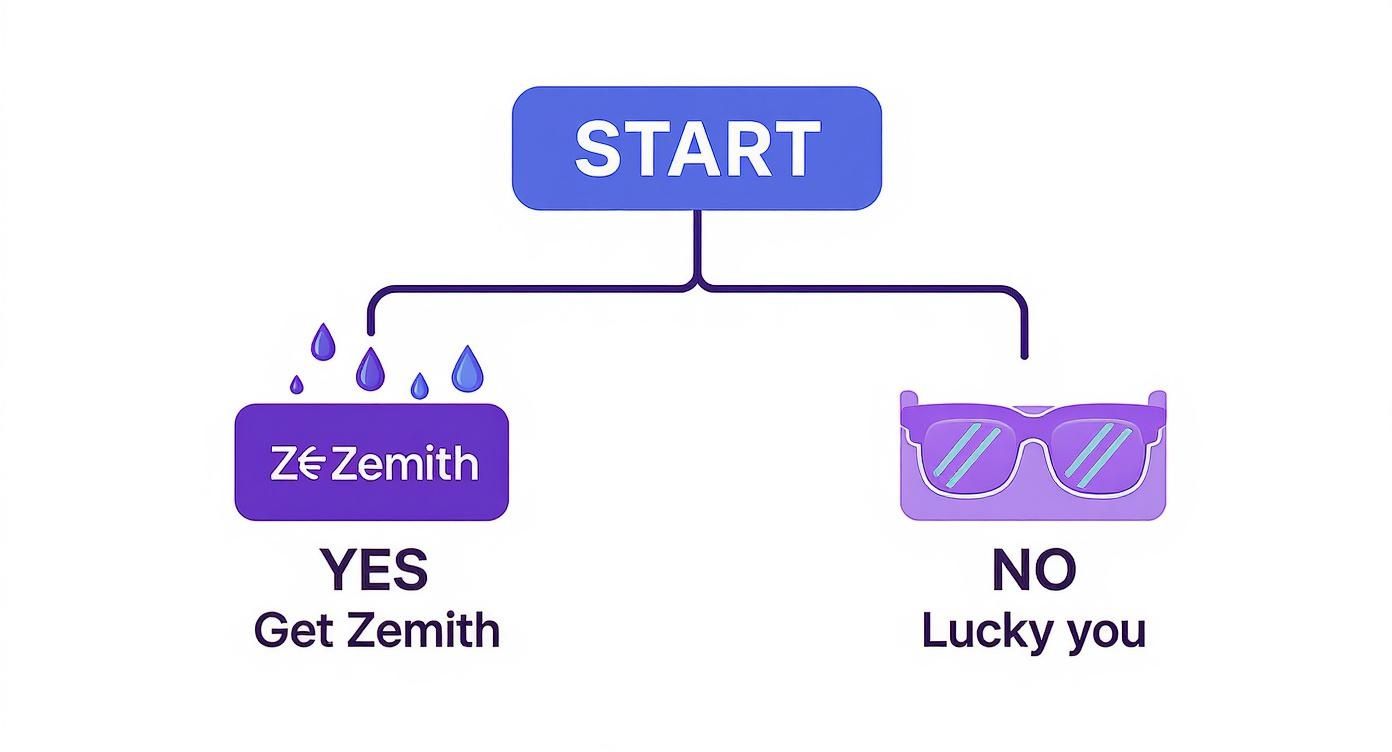
The visualization makes it clear—if your content consumption feels overwhelming, a powerful, integrated tool is the logical next step.
To make this crystal clear, let’s break down the typical choices you'll face. Think of this as the nutritional facts for your AI tool selection, helping you see at a glance which option packs the most punch for your specific use case.
As the table shows, there's a big difference in capability. The right choice for you really hinges on what you need the summary for.
A basic tool tells you what was said. A great tool like Zemith tells you what mattered, why it mattered, and what to do next. It’s all about getting those actionable insights.
Choosing the right tool ultimately comes down to your ambition. If you just want to save a few minutes, the free options are fine. But if you want to turn video content into a strategic asset for your business, studies, or personal growth, investing in a platform that offers deep analysis is a no-brainer.
Alright, let's get our hands dirty and see how this actually works. Ready to finally conquer that "Watch Later" list that’s been staring you down? We're going to walk through generating your first YouTube AI summary with timestamps using Zemith, and I promise it’s easier than assembling most IKEA furniture.
To make this real, let's use a common scenario. Imagine there's a dense, one-hour marketing webinar that’s been haunting your open browser tabs for a week. You know there are golden nuggets in there, but finding a solid hour feels impossible. Let's tackle that video right now.
First things first, just grab the URL of the video you want to summarize. Then, pop over to Zemith and find the YouTube summarizer tool. You'll see it’s designed to be incredibly straightforward—no need to click through a maze of confusing menus.
Here’s a peek at the clean interface you’ll be working with.
As you can see, there’s a big, obvious spot to paste your link and let the magic happen.
Once you paste the URL and hit go, Zemith gets to work. It’s not just scraping a transcript and calling it a day. The AI is actually analyzing the content, figuring out the main topics, and structuring the information in a way that’s actually useful. In just a few moments, you’ll have the first draft of your summary.
But here’s where it gets really good. That initial summary is a great starting point, but you can easily adjust how detailed it is. Think of it like a camera lens—you can zoom in for a close-up or pull back for the bigger picture.
You can tweak the output to get exactly what you need:
This level of control is what makes a tool like this genuinely useful. A generic summary is a shot in the dark; it doesn’t know what you care about. With Zemith, you get to guide the AI to focus on what’s important for your goals, whether that’s research, creating new content, or just learning something new.
Now you’ve got a summary that’s tailored to you. You can stop there, or you can fine-tune it. Maybe you want to rephrase a specific point or jot down your own thoughts. Zemith’s smart notepad makes this a breeze. You can edit the text directly, and the AI can even help you polish your notes or expand on a bullet point if you get stuck.
Once you’re happy with it, it's time to put that summary to work. Don't let it just sit in the app. You can export your notes in a bunch of different formats, like a clean text file or a PDF.
The goal isn’t just to shorten a video; it’s to make the knowledge inside it portable and actionable. An exported summary becomes a study guide, a brief for your team, or the foundation for your next blog post.
This whole process is so effective because it flips the script on how we consume video. You go from being a passive watcher to an active knowledge-gatherer. It also helps you bridge the gap between video and text. For example, you can take a video summary and immediately start working with it in a document. If you want to explore this idea further, we have a whole guide on how to convert YouTube videos to text for more advanced uses.
And just like that, you've gone from being overwhelmed by a long video to having a concise, actionable set of notes you can actually use. You're now ready to summarize anything YouTube throws your way. Go on, clear out that "Watch Later" list. You’ve got this.
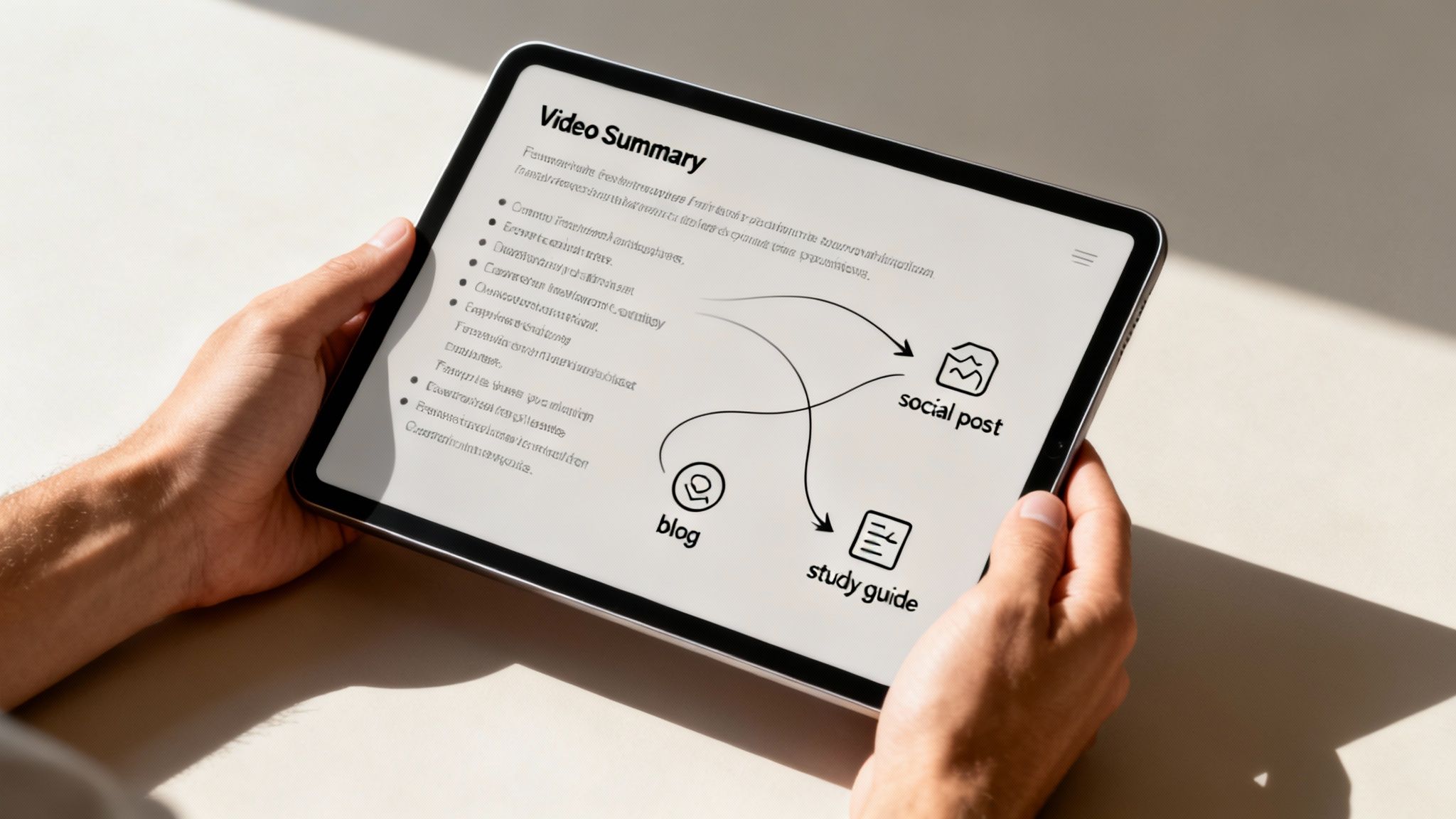
So, you've mastered the basics and your "Watch Later" list is finally starting to look manageable. Awesome! Now, it's time to graduate from Padawan to Jedi Master. This is where your YouTube AI summary tool graduates from being a simple time-saver to a powerhouse for creating new content.
The real shift happens when you stop seeing the summary as the end goal. Think of it as the raw material for everything else you want to make. It’s like having a top chef prep all your ingredients—now you get to do the fun part of cooking.
Ever had a professor upload an entire course as a massive YouTube playlist? Instead of grinding through hours of lectures, you can use a tool like Zemith to process the whole series in one go. It’s a total game-changer for effective studying.
Just grab the links for each video in the playlist and let the tool do its thing. In a few minutes, you’ll have a single, clean document with all the key concepts, important definitions, and core examples from the entire course. Boom—an instant, custom-built study guide.
This trick is also a lifesaver if you're teaching yourself a new skill, like coding or digital marketing, where tutorials are almost always broken into a long series.
Stop taking notes; start creating knowledge bases. By summarizing an entire playlist, you're not just saving time—you're building a connected, searchable resource that you can reference long after the final exam.
Okay, this is where the real magic kicks in. That fresh YouTube AI summary for content creation you just got from Zemith is the perfect launchpad for spinning up all sorts of new content. It's already done the hard work of pulling out the core ideas for you.
Here’s how you can run with it:
This is the heart of working smarter, not harder. For a much deeper look, we have a whole guide on powerful content repurposing strategies. You'll quickly see how one video can fuel your content calendar for weeks.
The key is to change your perspective. Stop seeing a video as a single piece of content and start seeing it as a goldmine of ideas. A YouTube AI summary isn't just for watching less; it's for creating more. It hands you the shovel—now go dig.
Let’s get right to it: is a paid tool for summarizing YouTube videos actually worth the money, or is it just another subscription bleeding your bank account dry? It’s a fair question. Free tools are out there, and they seem to get the job done... ish. But once you start looking at what you get back for your investment, the story changes.
For anyone who relies on video content for their work—creators, researchers, marketers—the time saved is more than just a nice perk. It’s billable hours you just clawed back. Imagine you need to break down a competitor's one-hour webinar. Doing that by hand? You're easily looking at another hour of watching, rewinding, and frantic typing.
That's a full hour you could have spent on strategy, talking to a client, or, you know, actually creating your own stuff.
Let's do some quick and dirty math. If you value your time at, say, $50/hour, a tool like Zemith basically pays for itself after it saves you a couple of hours a month. Summarize just a few competitor videos or internal meetings, and you're already coming out ahead.
But it’s not just about saving time; it's about amplifying what you can do. The insights you can pull from five summarized videos in an hour are exponentially more valuable than what you'd get from slogging through just one. You're not just working faster; you're working smarter.
This isn't really about buying another piece of software. It's about investing in a system that boosts your efficiency and the quality of your output. You're literally buying back your most valuable asset: time.
The good news is that these tools have gotten surprisingly affordable. While some enterprise-level platforms will make your wallet cry, the cost for AI video summarization is coming down to earth. For example, some API providers charge as little as $2.70 for 1,000 summaries, while others might be ten times that. This huge price range shows the technology is becoming accessible to everyone, not just massive companies. You can learn more about the best YouTube summary APIs of 2025 to see what’s out there.
Look, if you're summarizing a video once in a blue moon, a free tool will probably be fine. No need to over-complicate things. But if video is a core part of your workflow, a dedicated platform like Zemith is a total no-brainer.
The real value of a great YouTube AI summary tool isn't just the text it spits out. It's what that summary empowers you to do next—the blog posts you can write in half the time, the market research you can knock out in minutes, and the creative ideas you can spark on demand. That’s an ROI that’s pretty hard to argue with.

You’ve got questions, and I’ve got answers. It’s totally normal to be a bit curious (or even skeptical) about letting an AI handle your research and content needs.
Let’s tackle some of the most common queries I hear about using AI to summarize YouTube videos, from data privacy to how accurate these things really are. No jargon, just straight talk.
Yes, it’s completely legal! Using a YouTube AI summary tool doesn't violate YouTube's terms of service. These tools simply process publicly available information, much like you would if you were sitting there taking notes.
Think of it as a super-fast research assistant. The key is how you use the summary. It's perfect for learning, analysis, and creating new, original work. Just don't copy-paste the summary and pass it off as your own without crediting the original video creator. That’s just bad form, and it defeats the purpose. Be cool.
Honestly, they’ve gotten scarily good. Advanced platforms like Zemith can grasp context, pull out key data, and understand the core arguments of a video with incredible precision.
While they might miss a subtle joke or a sarcastic comment here and there, they are incredibly reliable for factual information.
Plus, the best tools provide timestamps. This means you can instantly jump to the original video segment to double-check any critical points yourself. It’s the best of both worlds—speed and verification.
The accuracy isn't just about what was said, but understanding the hierarchy of information. A great summary knows the difference between a main argument and a funny side story.
Absolutely, and this is where it gets really interesting. Many modern AI summarizers are built on language models that can process dozens of languages. Platforms like Zemith can help you finally understand that viral presentation from a creator in Germany or a market analysis from Japan.
This is also fantastic for anyone working with audio files in different languages. If you're curious about the tech behind it, our guide on AI audio to text conversion breaks it down. Just be sure to check a tool's specific list of supported languages before you dive in.
The possibilities are endless, and I've seen some clever applications.
It essentially turns passive video content into an active business intelligence tool. It’s an efficiency machine. And a tool like Zemith is designed to make that machine run smoothly for your whole team.
Ready to stop drowning in videos and start extracting value? Zemith provides the powerful, accurate, and versatile AI tools you need to turn any YouTube video into actionable insights.







Trusted by teams at






The top models, plus image, video and voice tools, in one plan.
Without Zemith
ChatGPT PlusUS$20.00Claude ProUS$20.00Google AI ProUS$19.99SuperGrokUS$30.00Perplexity ProUS$20.00 MidjourneyUS$10.00
 ElevenLabsUS$6.00Le Chat ProUS$14.99
 RunwayUS$15.00Kling StandardUS$8.80
 Gamma PlusUS$12.00
 Otter ProUS$16.99
 QuillBot PremiumUS$19.95
 Photoroom ProUS$12.99
 Quizlet PlusUS$7.99
Total if paying separatelyUS$234.70/mo
"I love the way multiple tools they integrated in one platform. Going in the right direction."
— simplyzubair
"The quality of data and sheer speed of responses is outstanding. I use this app every day."
— barefootmedicine
"The credit system is fair, models are perfect, and the discord is very responsive. Quite awesome."
— MarianZ
"Just works. Simple to use and great for working with documents. Money well spent."
— yerch82
"The organization of features is better than all the other sites — even better than ChatGPT."
— sumore
"It lives up to the all-in-one claim. All the necessary functions with a well-designed, easy UI."
— AlphaLeaf
"The team clearly puts their heart and soul into this platform. Really solid extra functionality."
— SlothMachine
"Updates made almost daily, feedback is incredibly fast. Just look at the changelogs — consistency."
— reu0691
Hand off the research, writing, design and follow-ups. Zemith picks the tools it needs and brings back finished work.
Search the web, run deep research, read files, create images and run code with GPT, Claude, Gemini, Grok and more.
Zemith keeps working in the cloud and pings you when it's done.
Notion, Linear, Canva, Airtable and more. It asks before it creates or changes anything.
Docs, slides, sheets and PDFs, ready to send.
Chain models and tools on a visual canvas, from one prompt to a finished promo video.
Briefings, reports and reminders run on a schedule and are ready when you need them.
Real-time voice that can see your camera or screen.
The best image and video models, in one studio.
Turn PDFs, links and YouTube videos into podcasts, quizzes, flashcards and mind maps.














 Podcast
 Quiz
Quiz Flashcards
 Mind map
 Infographic