AI Image Background Removal That Actually Works
Master AI image background removal with practical workflows, edge-case fixes, and batch tips using Zemith's creative tools. Cut clean images faster.
You've got a launch date, a folder full of product photos, and every marketplace wants the same thing: a clean subject with no distracting room, table, or mystery cable in the background. One image is manageable. A catalog turns that “quick edit” into the job.
AI image background removal changes the task from manual masking to a repeatable production step. The useful question isn't only, “How do I cut out this product?” It's, “What should happen to the cutout next?” A transparent asset can become a marketplace listing, an email banner, a social graphic, a print layout, or a branded lifestyle scene.
Why Background Removal Matters More Than Ever
A marketer preparing a product launch may have hundreds of images waiting for clean treatment. If each file needs a white background, a consistent crop, and a usable export, the delay usually comes from repetition, not creative difficulty. Manual selection makes every photo a separate appointment with the same tiny scissors.
AI background removal identifies the main subject, separates it from the surrounding pixels, and creates a transparent cutout or a replacement background. In practice, the output is commonly a transparent PNG, although production systems can also deliver formats such as PNG, WEBP, HEIF/HEIC, and TIFF, as documented by Imgix's background removal documentation.
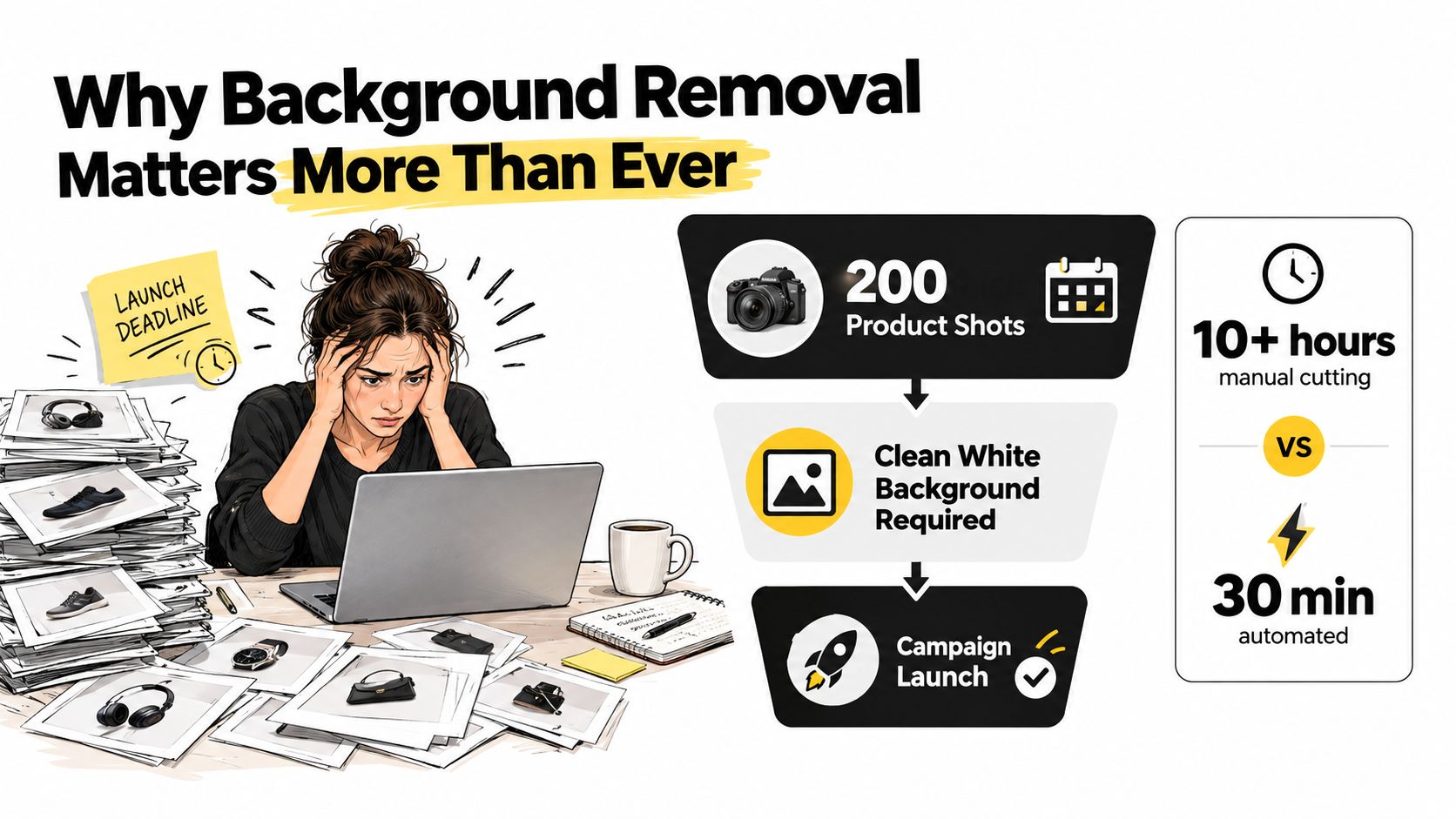
The cutout is only the first mile
Treat the transparent subject as a master asset, not the finished campaign image. From that one file, your team can create:
- Marketplace versions: Place the product on an approved solid background.
- Marketing layouts: Add the subject to email headers, landing pages, and paid social designs.
- Catalog assets: Keep the product isolated so layout teams can position it without asking for another edit.
- Creator content: Build thumbnails, short-form video stills, and promotional composites quickly.
- Sales materials: Drop the same cutout into presentations and proposal decks.
That workflow matters because ecommerce listings increasingly travel across several channels, while creator-led brands need visual updates without a retoucher sitting on permanent standby. Short-form video also creates a steady stream of still images that need to look intentional rather than like screenshots rescued from a chaotic desktop.
The category has grown beyond a specialist editing function. One 2026 image background remover market estimate valued the market at USD 1.40 billion in 2025, projected USD 1.51 billion in 2026 and USD 2.34 billion by 2032. Canva's Magic Studio, which includes background and object removal, had been used more than 16 billion times since its 2023 launch, according to coverage of AI image generation and editing adoption.
A better operating question
Before processing anything, decide where the image will go. A transparent PNG is ideal for design composition, but a marketplace may need the subject flattened onto white. A social ad may need a colored brand backdrop, while a product detail page may need a consistent shadow.
For a practical perspective on resale workflows, this guide to AI background removal for secondhand sellers is useful because it treats the cutout as part of listing preparation, not as an isolated visual trick. Zemith's wider AI-powered creative tools fit the same production mindset: remove the background once, then reuse the clean asset wherever the campaign needs it.
How AI Background Removal Actually Works
The software isn't “seeing” a product in the human sense. It's estimating which pixels belong to the subject and how strongly each boundary pixel belongs there. A computer-vision model analyzes shapes, color relationships, texture, and context, then produces a mask or alpha matte.
A hard mask makes a binary decision. Keep this pixel, remove that one. An alpha matte preserves partial transparency, which is why it can represent wispy hair, soft fur, glass edges, or a sheer veil more naturally. Most consumer tools hide these distinctions behind a single button, but the difference becomes obvious when you place the result over a dark background.
The model families you'll encounter
Semantic segmentation might label a whole shirt or sky. Instance segmentation goes further by identifying separate objects. Trimap matting gives the model an explicit uncertain zone, while deep learning matting networks learn the visual patterns that distinguish a subject from its surroundings.
The trade-offs show up in familiar places. Hair may develop a colored fringe from the original wall. A glass bottle may become an opaque silhouette. A patterned backdrop can confuse the model when its texture resembles the subject. A product photographed against a similar-colored surface may lose small details because the boundary has little visual contrast.
Practical rule: Judge the edge against the background where the asset will actually appear, not only against the tool's checkerboard preview.
What to test before choosing a tool
Use a small representative set containing hard-edged products, hair or fur, translucent materials, patterned backgrounds, and fine printed details. Evaluate edge fidelity, output resolution, processing consistency, and whether the result preserves partial transparency.
A quick online background removal tool can be useful for a one-off comparison, but production decisions need more than a pretty first preview. A published comparison tested 45 images, counted a result as clean only when edges and fine details survived, and measured latency separately. The leading result achieved 42/45 clean cutouts at about 450 ms per image, while the next result reached 24/45 at about 600 ms. A SAM-based baseline scored 0/45 in that specific test because it wasn't configured for one-click background removal. See PhotoRoom's technology comparison for the evaluation details.
For deeper image evaluation, Zemith's AI image analysis workflow offers a useful companion approach. Analyze the source first, then decide whether the image belongs in an automatic queue or a manual review lane.
Cutting Out a Single Image with Zemith
Start in the Zemith workspace with the highest-quality original you have. Drop in the source image or import it from your asset location, then choose the AI background removal action. Don't begin with a tiny thumbnail if a full-resolution product photo is available. Fine edges can't be recovered from pixels that were discarded before processing.
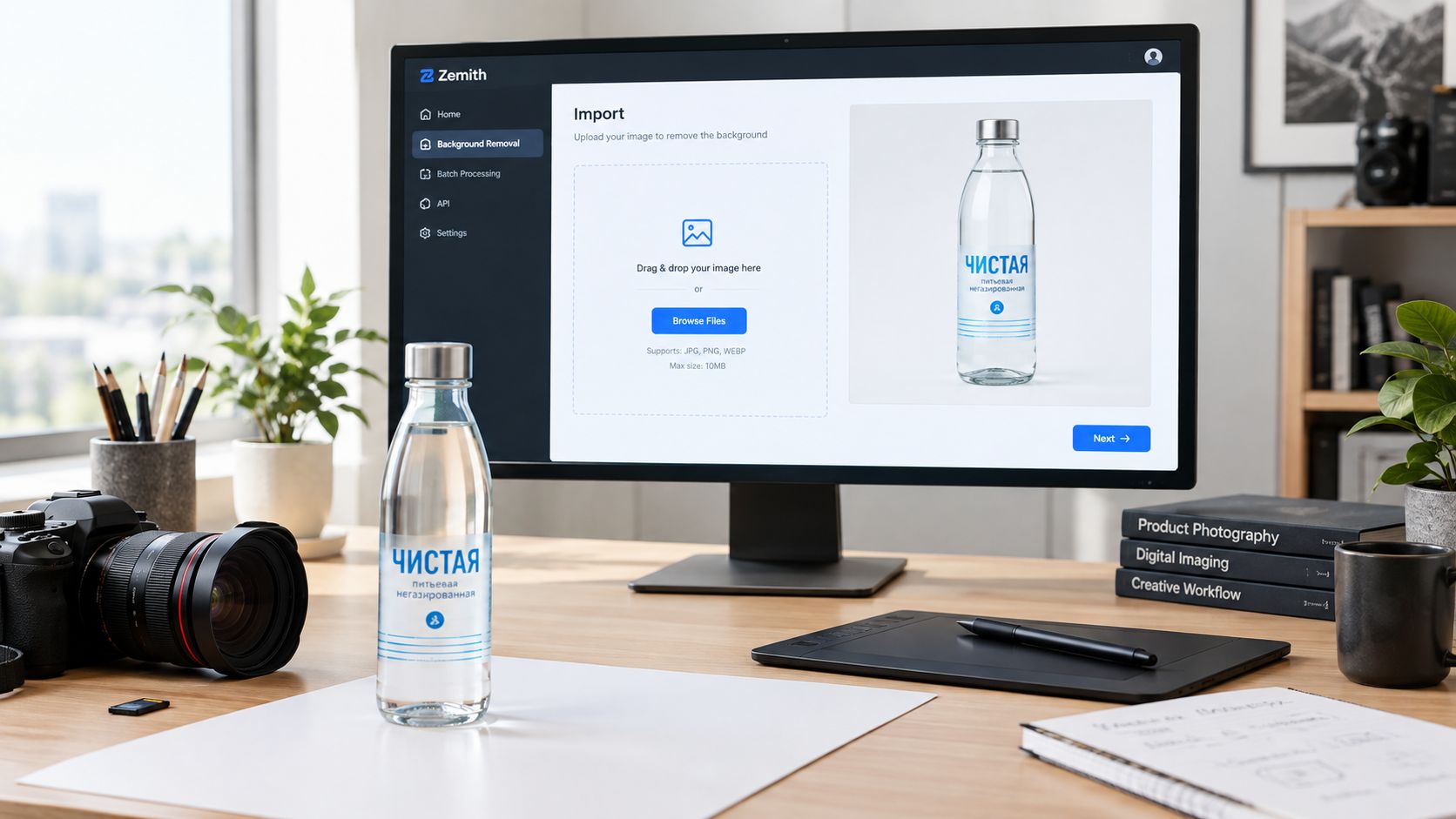
The first preview should be checked over a checker pattern. That makes missing areas and stray fragments easier to spot than a plain white preview. Zoom into the hairline, fingers, handles, thin cables, and any pointed corners. The AI may be right about the big shape while eating a button, a strap, or half a leaf. Tiny omissions have a habit of becoming enormous once the image is placed in a banner.
Switch from the checkerboard to a solid swatch, especially white if the asset is headed for ecommerce. A subject can look clean over transparency and still carry a pale halo when placed on white. Try a dark swatch too. If the edge suddenly shows a gray or colored outline, you've found a cleanup problem before your customer does.
Choose the export for the destination
The export decision should follow the next use, not personal preference.
- PNG with alpha: Use this when the subject needs to sit over different backgrounds in design, advertising, presentations, or branded layouts.
- JPG on a chosen background: Use this when the destination rejects transparency. Flattening onto white or another approved color prevents the blank areas from turning into an unexpected default.
- Original resolution: Keep it for master assets and future repurposing.
- Downscaled variant: Create it for previews, lightweight review links, or channels with smaller display requirements.
Keep the original untouched and save a versioned output. A filename such as SKU123_front_original.jpg paired with SKU123_front_cutout_v01.png is dull, reliable, and much better than final-final-new.png. If a later edit removes the shadow or changes the crop, you'll want the source available.
Don't skip shadow retention. A natural contact shadow can keep a product grounded on a white ecommerce background, while the same shadow may look dirty on a dramatic lifestyle scene. The AI image editing guide from Zemith is a useful reference for treating removal as part of the larger edit rather than the finish line.
Handling Batches Without Losing Your Mind
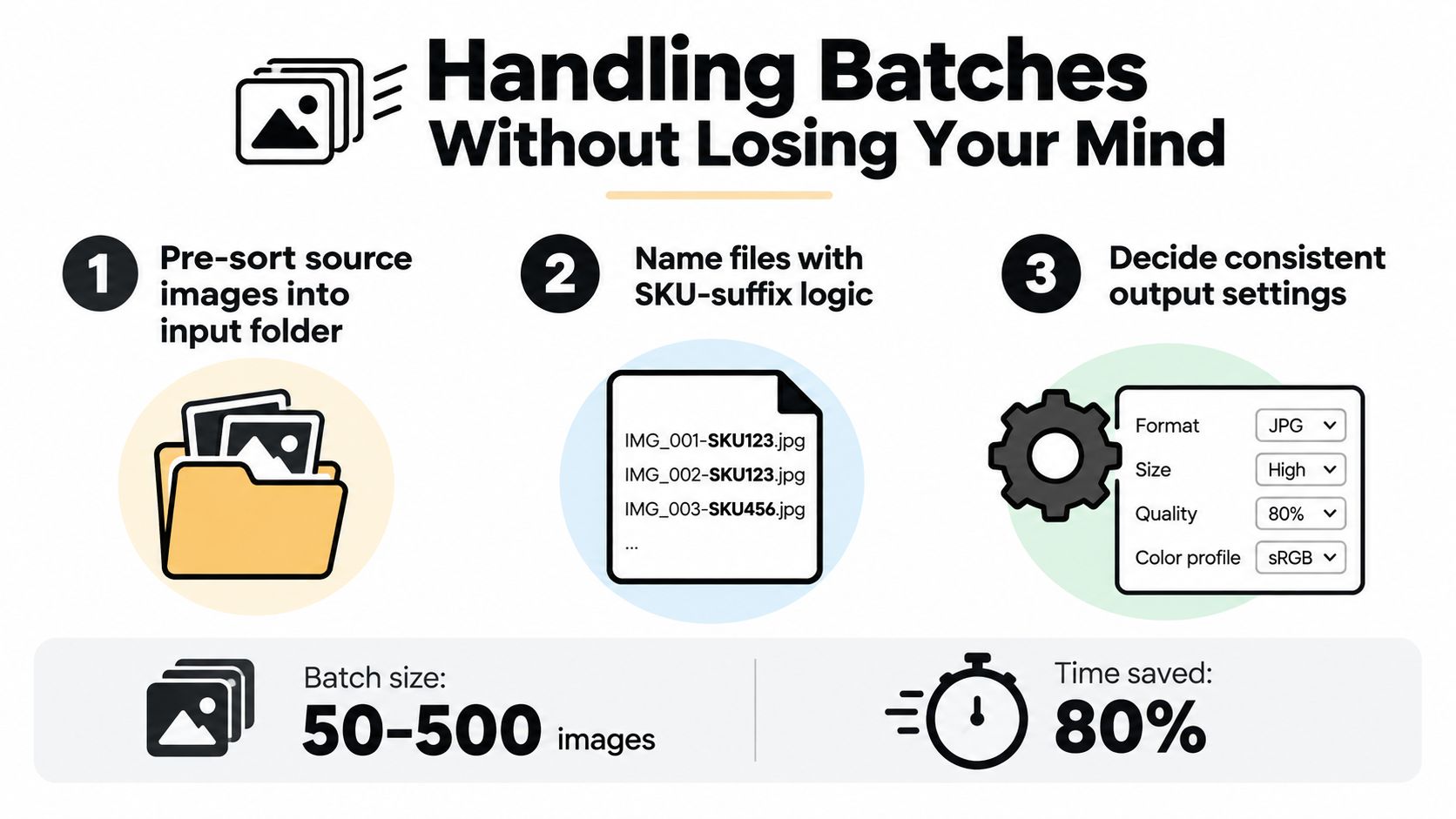
Batch processing works when the images are organized before the AI sees them. Put source files in a clean input folder, separate rejects or unusual compositions, and use filenames that preserve the relationship between the original and the output.
A simple naming pattern is SKU_view_variant. For example, MUG204_front_black.jpg can become MUG204_front_black_cutout.png. The suffix tells the next person, script, or asset manager what happened without requiring a detective and three coffees.
Set the rules before the queue starts
Choose one output policy for the batch. Use PNG when transparency must survive. Use JPG when every image will be flattened onto the same approved background. Decide whether shadows stay, whether the subject is centered, and whether the output keeps the original dimensions.
Before you process the full set in Zemith, run a small sanity check across five deliberately different images:
- Bright image: Look for pale halos and missing highlights.
- Dark image: Check whether black edges disappear into the background.
- Hair image: Inspect flyaways and soft strands.
- Text image: Confirm that printed labels and small lettering remain intact.
- White-background image: Test whether the model can distinguish the subject from its surroundings.
Confirm that the transparency threshold and edge-smoothing choices behave consistently across those examples. A batch can be technically successful and visually inconsistent, which is the most annoying kind of success.
Prevent the quiet batch failures
Mixed lighting conditions often produce uneven edge behavior. In one photo the subject has a crisp studio outline, and in another it blends into a warm wall. Mixed aspect ratios can also create inconsistent framing even when the masks look good.
Check transparency over both light and dark backgrounds before delivery. A cutout that looks fine on white may reveal leftover pixels on charcoal. Also verify that output files retain the correct SKU and view names. There's no glory in processing a folder quickly if the blue shoe is delivered under the red shoe's filename.
For repeatable task design, Zemith's guidance on automating repetitive tasks is relevant beyond background removal. The same folder discipline can support resizing, format conversion, background replacement, and other post-cutout operations.
When APIs and Automation Start to Make Sense
An API earns its place when background removal happens as part of a system, not when it merely replaces a few clicks. If new product photos arrive every day, a DAM needs a cutout on upload, or a commerce platform regularly receives fresh SKU images, automation can remove the handoff between “file received” and “asset ready.”
The setup becomes worthwhile when the same cutout pattern runs repeatedly. A watch folder or webhook receives the image, the workflow calls Zemith's background removal endpoint, a naming or metadata rule records the result, and the finished asset lands in the DAM, storefront, or delivery bucket. Each component has a simple job. The value comes from keeping the handoffs predictable.
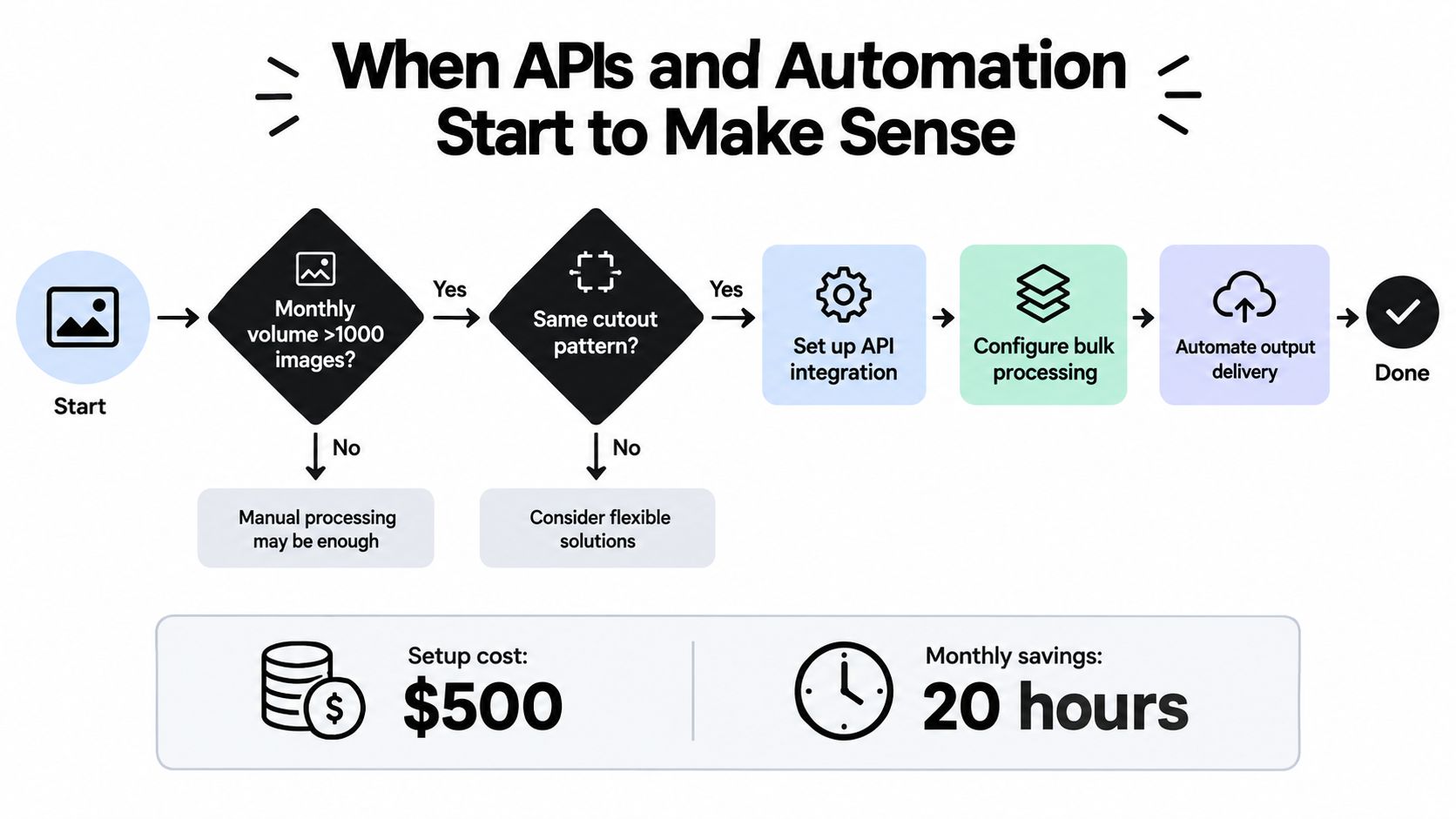
Use volume and repetition as your trigger
Ask these questions before wiring anything:
- Does the same rule repeat? Automation likes stable instructions. If every campaign needs a different edge treatment, a human review stage may be faster overall.
- Does the image arrive through a predictable event? New SKU uploads, DAM imports, and webhook notifications are strong candidates.
- Does the team need metadata with the image? Store the original filename, processing status, output format, and review flag alongside the asset.
- Does a failed result have a clear destination? Send uncertain images to a review queue instead of letting them disappear into a log.
APIs are usually overkill for one-off creative work, a short seasonal campaign with a small image set, or a workflow whose retouching rules change every week. Manual control wins when taste and composition matter more than repetition.
For developers planning the connection, Zemith's AI platform for developers provides useful context for evaluating where an endpoint belongs in a broader creative pipeline. Keep the first version small. Receive, process, name, deliver, and record failure states. Fancy orchestration can wait until the boring version proves it saves real effort.
One implementation detail deserves attention: transparency thresholds. Imgix documents a bg-remove-transparency-threshold control from 0.0 to 1.0, with 0.2 as the default, meaning removal is skipped when 20% or more of the source image is already transparent. See the Imgix transparency threshold reference before applying removal blindly to assets that already contain transparency.
Edge Cases That Trip Up Every Tool
The default button struggles most where the subject doesn't have a clean, opaque boundary. Hair, fur, glass, veils, and reflective packaging aren't failures of user patience. They're cases where a binary “keep or delete” decision throws away useful information.
Recover the boundary, not the whole image
Flyaway hair needs a softer alpha treatment than a hard plastic box. Start with the automatic cutout, then soften the alpha threshold around the strands and use a light feathering brush. If the tool lets you refine locally, work only around the hairline. Painting the entire subject back in is how a five-minute fix turns into an afternoon.
Glassware needs a different mindset. The glass itself may contain little visible color, while its outline depends on refraction, highlights, and whatever sits behind it. A straight cutout often creates an empty bottle-shaped hole. A luminance or color-difference matte gives you a better chance of preserving the highlights and partial transparency.
Busy backgrounds benefit from containment. Loosely mark the subject, rerun the model on that region, and then inspect the result. Asking a model to solve a patterned background, an overlapping object, and a low-contrast edge in one pass is optimistic. AI is clever, but it hasn't earned the right to be smug.
Know when to stop refining
Wedding veils and soft fur can absorb endless cleanup time with little visible benefit at the destination size. Refine the parts that affect the final composition, then stop chasing invisible pixels.
The evaluation evidence supports that discipline. A benchmark discussion of background removal quality recommends combining Intersection over Union, Dice coefficient, and pixel accuracy with boundary-sensitive measures such as Boundary IoU, Human Correction Effort, and Weighted F-measure. On a custom anime dataset, fine-tuning improved pixel accuracy from 95.3% to 99.5%, showing why domain-specific training can matter when images differ from general-purpose examples.
A clean edge is not the same as a mathematically perfect mask. For a white marketplace image, the contact shadow and halo matter more than a single hidden strand. For a hero composite, hair and translucency deserve more attention because viewers will see the subject against a contrasting scene.
Putting It All Together and What Comes Next
A dependable background removal workflow can fit on a small field card:
- Inspect the original: Zoom tightly enough to understand the true edge, then preserve the untouched source.
- Check the transparency: Use a checkerboard, then test the cutout against light and dark solid colors.
- Dry-run the batch: Process five varied images before sending the rest into the queue.
- Scale only after validation: Move to an API or scheduled automation when the rule is stable and the review path is clear.
For a catalog, pair Zemith's single-image cutout with its batch queue so unusual images can leave the automatic lane without holding up straightforward products. Reserve API automation for clear triggers such as new SKU uploads or webhook-based asset pipelines. That keeps the system useful instead of building a miniature spaceship to remove three backgrounds on Friday.
Quality control should also reflect the destination. Export the transparent master at the largest size the channel accepts, then create channel-specific variants. Keep PNG or another transparency-preserving format when the asset will be reused, and flatten only when the destination requires a solid background. Imgix's documented support for PNG, WEBP, HEIF/HEIC, and TIFF illustrates why output format belongs in the pipeline design rather than as an afterthought.
The category is moving beyond simple removal. On-device processing is becoming more practical, real-time video matting is moving toward an expected capability, and prompt-driven background replacement is shifting the conversation from “delete the room” to “place this product in a useful scene.” That makes the cutout even more valuable as a reusable layer.
For the next stage, pair clean assets with deliberate composition advice such as this guide to how AI boosts image ad conversion. The goal isn't perfect pixels trapped in review forever. It's a clean subject, a sensible brand backdrop, the right export, and a file your team can use within minutes.
Zemith gives you an AI-powered background remover inside a broader creative workspace, so you can create transparent cutouts, replace backgrounds, and continue editing without juggling separate tools. Try the workflow on a small product batch first, then visit Zemith to turn the process into a repeatable part of your content pipeline.
Explore Zemith Features
Every top AI. One subscription.
ChatGPT, Claude, Gemini, DeepSeek, Grok & 25+ more








Always on, real-time AI.
Voice + screen share · instant answers
What's the best way to learn a new language?
Immersion and spaced repetition work best. Try consuming media in your target language daily.
Voice + screen share · AI answers in real time
Image Generation
Flux, Nano Banana, Ideogram, Recraft + more

Write at the speed of thought.
AI autocomplete, rewrite & expand on command
Any document. Any format.
PDF, URL, or YouTube → chat, quiz, podcast & more
Video Creation
Veo, Kling, Grok Imagine and more

Text to Speech
Natural AI voices, 30+ languages
Code Generation
Write, debug & explain code
Chat with Documents
Upload PDFs, analyze content
Your AI, in your pocket.
Full access on iOS & Android · synced everywhere
Your infinite AI canvas.
Chat, image, video & motion tools — side by side
Save hours of work and research
Transparent, High-Value Pricing
Trusted by teams at






Free
No credit card required
- 100 credits daily
- 3 AI models to try
- Basic AI chat
Plus
- 1,000,000 credits/month
- 25+ AI models — GPT, Claude, Gemini, Grok & more
- Agent Mode with web search, computer tools and more
- Creative Studio: image generation and video generation
- Project Library: chat with document, website and youtube, podcast generation, flashcards, reports and more
- Workflow Studio and FocusOS
Professional
- Everything in Plus, and:
- 2,100,000 credits/month
- Pro-exclusive models (Claude Opus, Grok 4, Sonar Pro)
- Motion Tools & Max Mode
- First access to latest features
- Access to additional offers
What Our Users Say
Great Tool after 2 months usage
"I love the way multiple tools they integrated in one platform. Going in the right direction."
— simplyzubair
Best in Kind!
"The quality of data and sheer speed of responses is outstanding. I use this app every day."
— barefootmedicine
Simply awesome
"The credit system is fair, models are perfect, and the discord is very responsive. Quite awesome."
— MarianZ
Great for Document Analysis
"Just works. Simple to use and great for working with documents. Money well spent."
— yerch82
Great AI site with accessible LLMs
"The organization of features is better than all the other sites — even better than ChatGPT."
— sumore
Excellent Tool
"It lives up to the all-in-one claim. All the necessary functions with a well-designed, easy UI."
— AlphaLeaf
Well-rounded platform with solid LLMs
"The team clearly puts their heart and soul into this platform. Really solid extra functionality."
— SlothMachine
Best AI tool I've ever used
"Updates made almost daily, feedback is incredibly fast. Just look at the changelogs — consistency."
— reu0691