


Every top model, with tools built in.
Search the web, run deep research, read files, create images and run code with GPT, Claude, Gemini, Grok and more.
Discover how to set up and master Chat GPT Voice on any device. Learn practical tips and real-world prompts for more natural and productive AI chats.
Remember that first time you used ChatGPT and thought, "Wow, this is the future"? Well, the future just got an upgrade. Now, imagine having that same incredible power, but with a voice. ChatGPT voice isn't some novelty feature—it's a massive leap forward that transforms the tool from a text-based assistant into a genuine conversational partner you can talk to anywhere.
It makes interacting with AI feel less like typing commands and more like, well, actually talking to someone. Someone who never gets tired of your endless questions.

Let's face it: typing can be slow and clunky. It tethers you to a screen and keyboard, forcing you to organize your thoughts before you even get them down. But what if you could brainstorm your next big idea while pacing your office, or get a quick summary of a report while grabbing a coffee? That’s exactly what voice interaction unlocks.
This shift from typing to talking is a huge reason why ChatGPT has exploded in popularity. The platform is on track to hit 800 million weekly active users by July 2025 and already handles over 2.5 billion daily queries. Those numbers tell a clear story: people want to interact with technology more naturally, and voice is the key.
Here's a quick breakdown of the practical differences and why switching to voice can supercharge your productivity. Ever had a brilliant idea vanish by the time you found your keyboard? Voice fixes that.
Ultimately, voice turns a one-way command into a two-way dialogue, which is a far more powerful way to work.
Switching to voice does way more than just free up your hands. It fundamentally changes how you think and create. Speaking allows for a natural, stream-of-consciousness flow that typing often kills. You can work through complicated ideas, practice a presentation, or even draft an entire blog post without the pressure of a blank page staring back at you.
It’s all about making AI feel like a true collaborator in your life, not just another tool you have to operate. This is the heart of what’s known as conversational AI. It has huge implications for how we get things done.
"AI isn't replacing my thinking. I bring the insights, the strategy, the real life examples. Then, AI handles the research, writing mechanics, and formatting."
This mindset turns a simple query into an active brainstorming session. You can explore different angles, ask follow-up questions, and fine-tune your ideas on the fly. We're already seeing this play out in specialized fields, with great examples of how law firms can leverage AI like ChatGPT to improve their workflows.
And for those who want to push the boundaries even further, integrating these powerful voice features into a dedicated AI workspace like Zemith can unlock a whole new level of productivity by letting your voice command documents, data, and more.
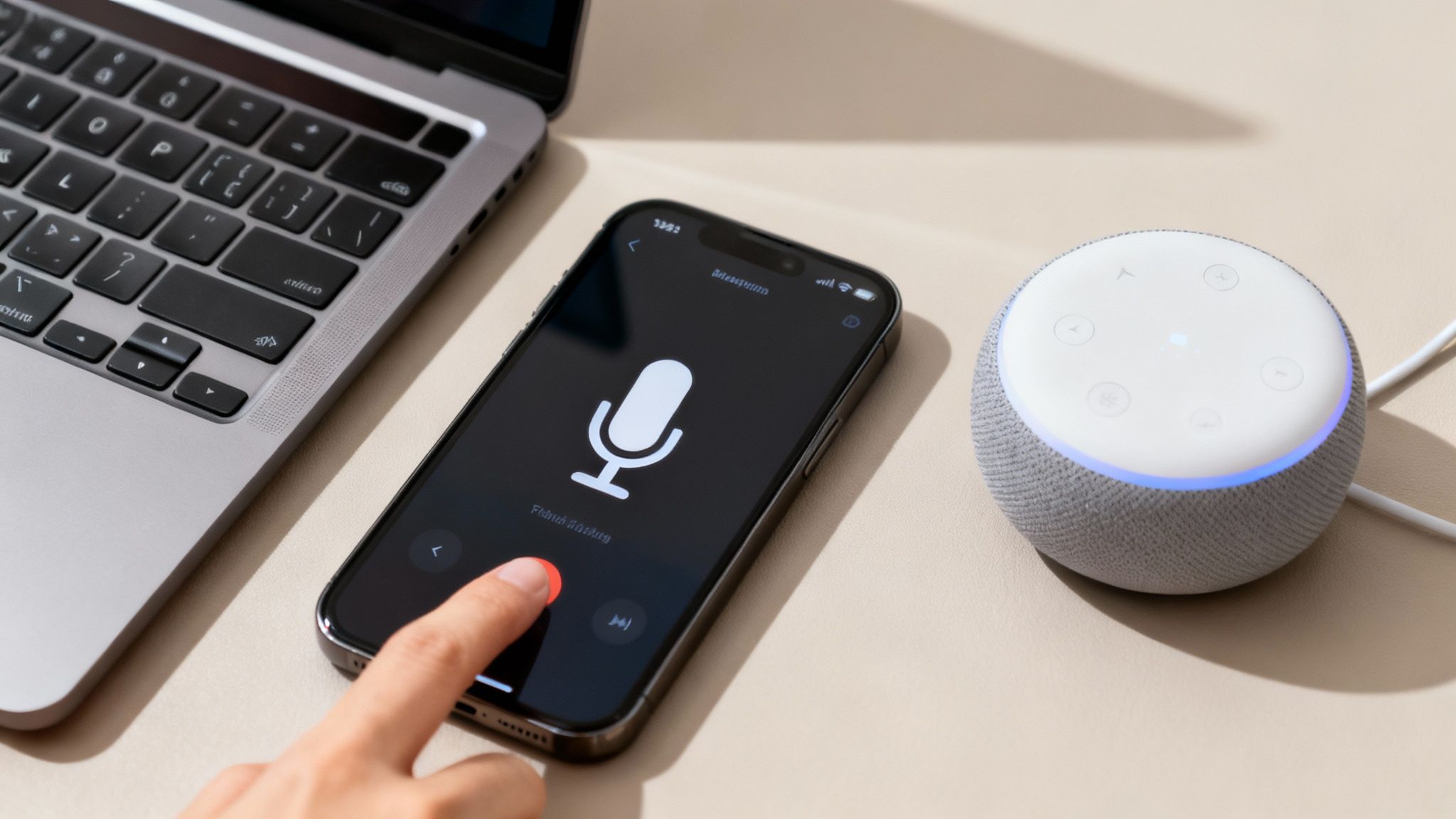
Alright, let's give your thumbs a break and get your AI talking. Getting the ChatGPT voice feature up and running is surprisingly straightforward, whether you're on the go with your phone or sitting at your desk. Think of this as your "no-headache" guide to starting a real conversation with your AI.
Right now, the best place to use ChatGPT's voice chat is in the official mobile app. This is where the magic really happens, turning your phone into a walkie-talkie to the future. If you're a desktop user, you're a bit behind on this one—the native voice feature isn't a standard part of the web version just yet.
But don't despair! There are still ways to have a vocal chat with your AI right from your computer.
This is the easiest route and where OpenAI has put most of its focus. The experience is pretty much identical whether you're on an iPhone or an Android.
First things first, make sure you have the latest version of the ChatGPT app. You can grab it from your app store. Old versions get grumpy and might not have the voice feature.
Once you're in the app:
That's really all there is to it. You’re now in a live conversation. When you're finished, just tap the screen to end the session.
Before you get too deep into conversation, you get to pick the voice you want to hear. Let's be real, this is the fun part. Are you looking for a cheerful "Juniper" or a calm and cool "Sky"?
To set it up, head into the app's Settings, then find the 'Voice' option. From there, you can listen to samples of all the available voices—like Ember, Cove, and Breeze—and pick the one that sounds best to you.
Pro Tip: The voice you choose can subtly affect how you interact. From my experience, a more energetic voice is great for brainstorming sessions, while a calmer one is perfect when I'm dictating long-form content. It's worth experimenting to see what fits your workflow.
If you find yourself dictating a lot of content and want to create something more polished, you might want to check out our guide on how to turn text into a professional-sounding podcast. It's a great way to take your raw ideas to the next level.
While a native, built-in ChatGPT voice button isn't a standard feature on the web interface, you're not completely out of luck. Most modern operating systems have excellent dictation tools built right in.
Win + H to pop open the dictation toolbar.Microphone key (or a custom shortcut you've set up) to start dictating.You can use these to speak your prompts directly into the ChatGPT text box. It’s more of a one-way dictation than a real two-way conversation, but it still saves a ton of typing. For a truly interactive experience on your desktop that blends voice, text, and even document analysis, a platform like Zemith is designed to fill that gap perfectly, letting you talk to your documents directly.

Alright, you've got your AI's voice set up. What's next? This is where the real fun begins. It’s time to move past basic questions and start having a genuine dialogue.
The secret is to stop treating it like a glorified search engine. Think of it more like an incredibly smart collaborator you can brainstorm with anytime. Instead of just asking for facts, you'll get so much more by giving it a role, a little context, and just talking things out. This is exactly where the chat gpt voice feature shines—it lets you explore ideas naturally, without having to stop and type everything out.
Forget those short, one-line commands. To really get the most out of a voice chat, you have to frame your prompts to encourage a back-and-forth. This is the heart of what's called prompt engineering, a skill that's becoming super valuable. If you want to go deeper, check out our guide on what is prompt engineering and see how it can completely change how you use AI.
Here are a few ways I’ve leveled up my own voice prompts:
This conversational style isn't just a gimmick; it’s how pros are getting actual work done. The adoption of ChatGPT in the business world has been massive, with over 80% of Fortune 500 companies now using the platform in some capacity.
Let's get practical. To make this work smoothly, you first need to dial in your setup, which means properly configuring speech-to-text functionality so the AI understands you clearly. Once you’ve got that sorted, you can do some amazing things.
Imagine you're a developer who's been staring at a buggy piece of code for an hour. You could just talk to the AI, explaining the problem line by line as if you were talking to a coworker. It's a classic technique called "rubber duck debugging," and it works wonders.
Or maybe you're a student rehearsing a big presentation. You could ask the AI to act as your audience, giving you real-time feedback on your clarity, pacing, and tone.
This method is effective because talking engages a different part of your brain than typing. It frees you from the pressure of a blinking cursor and lets ideas flow more organically. Whether you're brainstorming a proposal on your morning walk or summarizing a dense report while stuck in traffic, the chat gpt voice feature turns that dead time into productive time.
And for professionals who need to combine this with document analysis or real-time audio workflows, a platform like Zemith can bring all of those multi-modal capabilities together in one place, creating a truly unified workspace.

Using ChatGPT's voice feature is incredible, don't get me wrong. It really is like having a brilliant co-pilot you can talk to.
But sometimes, it feels like that co-pilot is sitting in the passenger seat with a blindfold on. They can talk, but they can't see the map, check the fuel, or glance at your documents.
For anyone juggling multiple tasks, a simple voice chat just doesn't cut it. You end up constantly switching between apps, pasting text, and trying to feed the AI context it just doesn't have. It's the digital version of trying to cook a meal while someone shouts the recipe at you from another room. Annoying, right?
This is the point where you graduate from a single tool to a fully integrated AI command center. It’s about moving beyond just talking and starting to command an entire workflow.
Imagine being able to talk to your spreadsheets. No, seriously. Picture asking, "Hey, can you pull the Q3 sales data for the West region and create a bar chart?" and watching it happen. Or uploading a dense, 50-page PDF and simply saying, "Give me a five-minute audio summary of the key findings."
This isn't science fiction anymore. This is the actionable next step for power users. When voice capabilities are deeply integrated into a workspace, this becomes reality. This is the core idea behind platforms like Zemith, which combine advanced voice with the power to analyze your documents, write code, and conduct deep research—all in one place.
Instead of just being a conversational partner, the AI becomes an active participant in your work, capable of interacting with your files and data directly.
This shift is happening for a reason. Voice interaction has become a normal part of how we get things done. With an estimated 8 billion AI-powered voice assistants expected by 2026 and 50% of U.S. mobile users already using voice search daily, the demand for more capable voice tools is exploding. You can dive deeper into these voice search trends and explore the data for yourself.
So, what's the real difference between a standalone voice chat and an AI workspace with voice built right in? Let's compare the standalone voice chat experience with the powerhouse capabilities of a multi-modal platform like Zemith.
As you can see, an integrated platform like Zemith acts as a central hub, pulling all your productivity tools together. It's designed to stop the digital gymnastics of jumping between ten different tabs. The actionable insight here is simple: if you find yourself constantly copy-pasting into ChatGPT, it's time to upgrade your workspace to something that can handle your files directly.
Even the smartest AI has its off days. One minute you’re in a great back-and-forth conversation, and the next, the ChatGPT voice feature goes completely silent. It’s frustrating, I know. But before you get too annoyed, let’s run through a few simple fixes that usually get things working again.
Nine times out of ten, the culprit is something surprisingly basic. Is the app fully updated? Is your Wi-Fi or cellular connection stable? You might have also accidentally denied microphone access when you first installed the app. A quick trip into your phone’s settings to check app permissions for the microphone solves this problem 90% of the time.
If that doesn’t do the trick, try the age-old "turn it off and on again" solution. Completely close the app from your recent apps list and then reopen it. Sometimes all it needs is a fresh start to re-establish the connection.
Now, let's talk about the elephant in the room: privacy. It's totally normal to wonder if your AI is listening in on everything you say. The short answer is no, not in the way you might be picturing. ChatGPT isn't constantly eavesdropping; it only starts processing audio once you tap the button to speak.
Your voice recordings get turned into text for the conversation. By default, OpenAI might use these conversations to help train and improve its models, but the good news is you have a say in the matter.
Key Takeaway: You can—and absolutely should—manage your data settings. Just head to the 'Data Controls' section in your account settings and you can opt out of having your chats used for training. This is a simple step to keep your conversations private.
Keeping your chat history tidy is another good habit. You can easily delete specific conversations you no longer need or even clear out your entire history right from the app. This gives you peace of mind, especially if you've been brainstorming sensitive ideas or just having personal chats.
For professionals who need more fine-grained control and advanced audio processing, it's important to understand how different platforms handle your data. Our detailed guide on AI-powered audio-to-text solutions digs much deeper into these considerations.
Ultimately, while the standard ChatGPT voice features are fantastic for everyday use, platforms like Zemith provide a more integrated and secure environment. Here, advanced voice commands can interact directly with your documents and data, creating a powerful, private workspace where you can manage your workflow by voice without the privacy headache.
Got a few more questions rattling around in your head? You're definitely not the only one. It's smart to get the full picture before you start having daily chats with your new AI assistant. Let's run through some of the most common things people ask about ChatGPT voice.
Think of this as the FAQ, but without the corporate jargon.
Yes, you can! The basic voice chat feature is available for free on the mobile apps, which is fantastic. You can get started and have a full conversation without ever pulling out your wallet.
That said, if you use it a lot, you’ll probably notice a difference with a paid plan. ChatGPT Plus subscribers get priority access to the newer, snappier models. This usually translates to a smoother, more responsive voice interaction with less awkward pausing. For the absolute best experience, the subscription is worth a look.
ChatGPT is a solid choice, but it’s definitely not the only game in town. Google Gemini has some seriously powerful voice features, and its deep integration into the Android ecosystem is a major win for those users.
For professionals who need more than just a chatbot, a dedicated AI workspace like Zemith is the clear frontrunner. It’s the difference between a simple walkie-talkie and a full command center. Zemith brings multiple AI models (including GPT's) under one roof and lets you combine voice commands with document analysis, coding tools, and other complex workflows. It’s a complete productivity setup, not just a chatbot.
This is the fun part, and it couldn't be easier. On your mobile app, just pop into Settings > Voice. You'll see a handful of different voice options—like Juniper, Sky, and Ember. Give them a listen and pick the one you think you'll get along with best.
As for the language, the AI is pretty clever and will typically figure out what you're speaking on its own. If you want to force it to stick to one language for consistency, you can usually set your preference in the main app settings.
This is a big one, and for good reason. By default, OpenAI might use the text transcripts of your voice chats to help train and improve its models. But—and this is important—you have control.
You can easily opt out of this. Just navigate to your account's 'Data Controls' settings and turn it off. It's always a good idea to spend a minute reviewing your privacy settings to make sure you're comfortable. A quick check gives you total peace of mind. And once you're set up, if you're looking for inspiration, we put together a guide on some interesting questions to ask an AI.
Ready to go beyond simple voice chats and command an entire AI workspace? Zemith integrates multi-model voice capabilities with document analysis, coding assistants, and real-time audio workflows to truly supercharge how you work. Learn more about Zemith's capabilities.







Trusted by teams at






The top models, plus image, video and voice tools, in one plan.
Without Zemith
ChatGPT PlusUS$20.00Claude ProUS$20.00Google AI ProUS$19.99SuperGrokUS$30.00Perplexity ProUS$20.00 MidjourneyUS$10.00
 ElevenLabsUS$6.00Le Chat ProUS$14.99
 RunwayUS$15.00Kling StandardUS$8.80
 Gamma PlusUS$12.00
 Otter ProUS$16.99
 QuillBot PremiumUS$19.95
 Photoroom ProUS$12.99
 Quizlet PlusUS$7.99
Total if paying separatelyUS$234.70/mo
"I love the way multiple tools they integrated in one platform. Going in the right direction."
— simplyzubair
"The quality of data and sheer speed of responses is outstanding. I use this app every day."
— barefootmedicine
"The credit system is fair, models are perfect, and the discord is very responsive. Quite awesome."
— MarianZ
"Just works. Simple to use and great for working with documents. Money well spent."
— yerch82
"The organization of features is better than all the other sites — even better than ChatGPT."
— sumore
"It lives up to the all-in-one claim. All the necessary functions with a well-designed, easy UI."
— AlphaLeaf
"The team clearly puts their heart and soul into this platform. Really solid extra functionality."
— SlothMachine
"Updates made almost daily, feedback is incredibly fast. Just look at the changelogs — consistency."
— reu0691
Hand off the research, writing, design and follow-ups. Zemith picks the tools it needs and brings back finished work.
Search the web, run deep research, read files, create images and run code with GPT, Claude, Gemini, Grok and more.
Zemith keeps working in the cloud and pings you when it's done.
Notion, Linear, Canva, Airtable and more. It asks before it creates or changes anything.
Docs, slides, sheets and PDFs, ready to send.
Chain models and tools on a visual canvas, from one prompt to a finished promo video.
Briefings, reports and reminders run on a schedule and are ready when you need them.
Real-time voice that can see your camera or screen.
The best image and video models, in one studio.
Turn PDFs, links and YouTube videos into podcasts, quizzes, flashcards and mind maps.














 Podcast
 Quiz
Quiz Flashcards
 Mind map
 Infographic