


Every top model, with tools built in.
Search the web, run deep research, read files, create images and run code with GPT, Claude, Gemini, Grok and more.
Learn what an enterprise data catalog really does, why 60% of companies use one, and how to roll out your own without the usual headaches.
Monday morning starts with a familiar message: “Which revenue table should I use?” The analyst searches the warehouse, checks a shared drive, scrolls through old documentation, and asks the one person who usually knows where things live. That person is on holiday. A near-duplicate table wins by default, and the number in the executive report is wrong.
Nobody intended to mislead the CEO. The analyst made a reasonable decision with incomplete context. The failure happened earlier, when the company had no dependable way to show which data is authoritative, what it means, who owns it, how fresh it is, and what depends on it.
An enterprise data catalog addresses that knowledge problem. It isn't just a list of tables, and it won't rescue a team that refuses to maintain definitions or act on quality failures. The useful question isn't whether your organization can deploy catalog software. It's whether people can use it to make better decisions under pressure.
[blocked]
The finance analyst has three candidate assets:
revenue_dailyrevenue_finalAll three contain a column labelled “revenue.” One excludes refunds, another includes them, and the spreadsheet reflects a manual adjustment that nobody documented. The analyst chooses the table with the clearest name, joins it to a customer file, and sends the result to the CEO.
The meeting goes badly. Finance uses one definition, sales uses another, and the data team spends days reconstructing the calculation. The argument isn't really about arithmetic. It's about meaning, ownership, lineage, and trust.
[blocked]
Teams often try to solve this with another spreadsheet. Then they create a data dictionary describing the spreadsheet, a wiki page explaining the dictionary, and a Slack channel where someone posts corrections. Each fix works briefly because a small group still remembers the context.
Distributed systems make that approach brittle. Data may sit in a warehouse, a lake, operational applications, cloud storage, BI tools, departmental databases, and personal workspaces. Every new pipeline can create another copy, another naming convention, or another undocumented transformation.
The result is tribal knowledge. A senior engineer knows that revenue_final is obsolete, an analyst knows that a dashboard applies a hidden filter, and a compliance lead knows that a particular customer field requires restricted access. New employees don't know any of that, and experienced employees eventually move roles or leave.
Practical rule: If a decision depends on asking one person where the “real” data lives, the organization already has a catalog problem.
An enterprise data catalog creates a shared inventory of data assets and the context around them. It can connect business definitions to technical objects, record owners and stewards, map lineage, expose quality indicators, and show access information. The catalog becomes the place where a user evaluates data before using it, rather than a directory that merely points to storage.
[blocked]
Enterprise catalogs grew out of metadata management and data governance, then expanded as organizations adopted distributed architectures. By 2023, approximately 60% of enterprises were reported to use a data catalog, suggesting that cataloging had moved from a specialist capability toward a mainstream governance and analytics practice, as documented in this enterprise data catalog adoption overview.
That figure needs careful interpretation because different surveys count different capabilities. A searchable inventory and a full governance platform may both be called a catalog. The broader point still holds: companies need a common way to make scattered data findable and understandable.
A strong implementation tackles three questions:
The answer to the first question is a connected knowledge layer. The answer to the second is usually workflow friction. The answer to the third is not the number of assets indexed, but whether people find approved data, understand its limitations, and use it successfully.
[blocked]
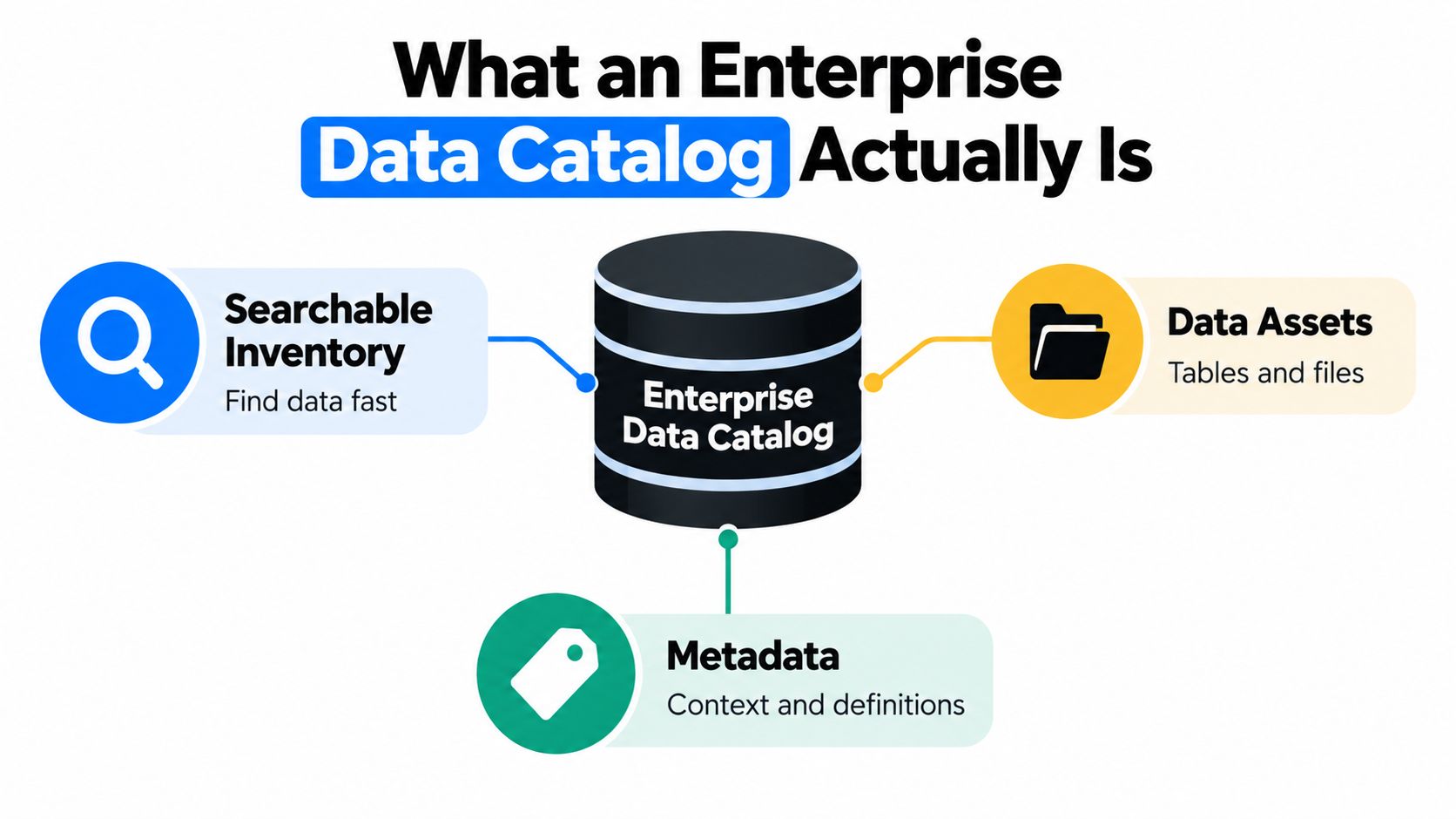
The simplest definition is this: an enterprise data catalog is a searchable, opinionated inventory of an organization's data assets and the metadata that explains how to use them.
“Opinionated” matters. A raw inventory tells you that a table exists. A useful catalog helps you decide whether that table is suitable for a particular question. It connects the table to definitions, owners, lineage, quality signals, classifications, usage information, and access rules.
[blocked]
Think of a company library.
The data assets are the books, journals, maps, and digital documents. They might be database tables, files, dashboards, reports, models, or feature sets.
The metadata is the catalog card. It records the title, subject, author, edition, location, and related material. For a dataset, metadata may include the schema, business definition, source system, update pattern, owner, classification, and known limitations.
The search experience is the librarian. It helps a user translate “customers who renewed after a support interaction” into relevant assets instead of forcing them to guess technical table names.
The governance layer is the lending policy. It determines who can access sensitive data, what uses are allowed, what approval is required, and when an asset should be retired or downgraded.
A spreadsheet containing table names is like a library shelf labelled “books.” It proves that something exists, but it doesn't help much with selection or responsible use.
[blocked]
A governance-grade enterprise data catalog usually brings together:
The catalog should connect these layers across warehouses, lakes, operational systems, cloud platforms, BI tools, pipelines, and SaaS applications. A user searching for “net revenue” should find the approved metric, its physical implementation, its transformation history, and the reports that depend on it.
Data discovery consumes real working time. One industry compilation reports that data engineers devote 34% of their working time to discovering, validating, and preparing information before analysis can begin, according to this catalog and lineage statistics review. A catalog doesn't eliminate that work, but it can preserve answers that otherwise have to be rediscovered.
[blocked]
A data dictionary usually defines fields and terms. A catalog can contain a dictionary, but it also connects definitions to physical assets, owners, lineage, quality, and access.
A metadata manager focuses on collecting and organizing metadata. A catalog turns that metadata into a user-facing discovery and governance experience.
A lineage tool shows how data moves and changes. A catalog uses lineage as one part of a broader asset context.
A data observability platform monitors pipeline health and data behavior. A catalog can display those signals, but it shouldn't pretend that a description alone proves reliability.
A practical one-sentence explanation is: an enterprise data catalog is a governed map of company data that helps people find the right asset, understand its meaning and limits, and use it under the right conditions.
Teams building a broader internal knowledge layer can also apply the same principle to policies, research, and documents through an AI contextual library for connected knowledge work.
[blocked]
A vendor demo can make almost any catalog look impressive. The harder test is whether a finance analyst can find an approved metric, understand its limitations, request access, and trace it back to source without opening six other tools.
Start with the six capabilities below.
[blocked]
The catalog should extract metadata from the systems your teams use, including databases, warehouses, lakes, BI tools, transformation pipelines, and operational platforms. Manual entry has a place for business context, but it can't be the primary mechanism for discovering every schema and relationship.
Ask vendors to show how the catalog handles new tables, renamed columns, failed connectors, and metadata refreshes. Automation isn't valuable because it sounds modern. It's valuable because stale inventories become dangerous.
[blocked]
A glossary definition that lives in a separate wiki won't resolve the “revenue” argument. The term should connect directly to the tables, columns, metrics, dashboards, and reports where it applies.
Ownership matters here. Someone needs authority to approve the definition, explain exceptions, and retire terms that no longer reflect business practice.
[blocked]
Table-level arrows are a start, but they're inadequate for sensitive metrics. A user should be able to trace “net revenue” from a dashboard through transformation models to the raw source, then see which downstream assets could change if a source column or rule changes.
Lineage supports auditability and change management. A documented case involving PT Bank Central Asia describes automated metadata retrieval, lineage display, a data dictionary, and a glossary that helped users trace information back to its original source with less effort. The PT Bank Central Asia metadata and lineage case study shows why lineage should be tested through real audit and impact-analysis scenarios, not admired as a decorative diagram.
[blocked]
An engineer may search for schemas, dependencies, and pipeline failures. A marketer may search for certified customer segments and permitted campaign use. Both need the same underlying knowledge, but not necessarily the same ranking, labels, or actions.
Test searches with real language, including ambiguous terms and business phrases. A catalog that only works when users know exact table names has preserved the technical problem instead of solving it.
[blocked]
Every important asset needs visible evidence about reliability. Show the last successful update, known quality checks, freshness expectations, issue status, and certification level where those signals exist.
Don't label an asset “trusted” merely because it is popular. Popular data can be wrong, duplicated, or convenient rather than authoritative.
[blocked]
Owners should be able to approve definitions, assign stewards, certify assets, respond to quality issues, and mark data as deprecated. The workflow should connect to access requests and identity controls, so users don't have to leave the catalog to start a long email chain.
Independent benchmarking reports found that 77% of evaluated software providers achieved high grades for automated metadata generation, 78% for technical lineage management, and 74% for self-service discovery, as reported by ISG's data catalog analysis. These capabilities are increasingly baseline evaluation criteria, not reasons to overlook weak ownership or poor user experience.
[blocked]
Use document analysis alongside live demos when comparing technical documentation, policy requirements, and integration claims. A tool such as chat with PDF for technical document review can help a team turn scattered vendor material into a consistent question set, but the final decision still belongs to people who understand the operating environment.
[blocked]
A catalog becomes valuable when it connects systems that already hold different parts of the truth. Without those connections, the organization creates another silo, this time with better search.
[blocked]
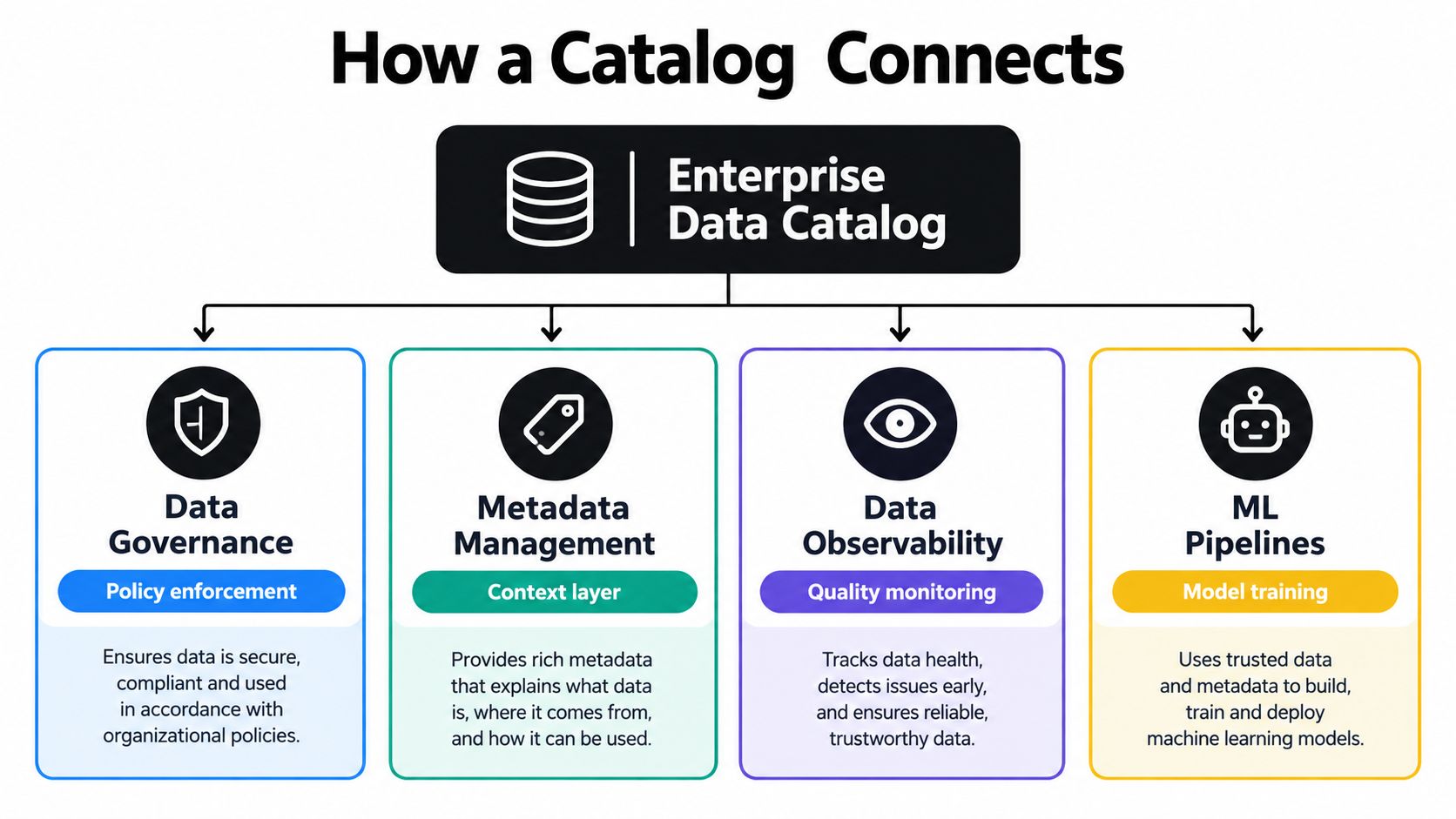
Governance policies often live in documents, access platforms, ticketing systems, and team conversations. The catalog should connect those policies to assets through classifications, ownership, permitted uses, approval workflows, and access conditions.
That lets a user answer practical questions: Can I use this customer field for analysis? Who approves access? Which reports contain restricted information? What happens when the owner changes?
A governance program documented in an enterprise case included source-system connections, security management and access controls, metadata modelling, a business glossary, automated metadata enrichment, and links among datasets, documents, and applications. Those elements form a useful implementation checklist because governance becomes actionable only when it attaches to the objects people use.
[blocked]
Technical, business, operational, and governance metadata should not sit in separate repositories that users have to reconcile manually. A graph model can connect a business term to a column, a column to a transformation, a transformation to a dashboard, and a dashboard to an owner.
That structure supports questions that ordinary search cannot answer. Which reports depend on this field? Which source feeds this regulatory metric? Which datasets use the same definition of “active customer”?
[blocked]
A catalog can tell users what an asset is supposed to mean. Observability helps show whether the asset is behaving as expected.
Connect freshness checks, schema-drift alerts, pipeline status, volume anomalies, and quality rules to the catalog page. The user shouldn't need a separate dashboard to discover that an apparently certified table stopped updating or changed shape.
Data quality deserves special attention. A 2025 survey of data and AI leaders identified data quality as the top pain point for 41% of respondents, while data discovery was a top priority for 28%, and data observability, reliability, and quality also ranked at 28%, according to the Team8 Data Village survey report.
[blocked]
Machine learning teams need to know where training data came from, which transformations were applied, what restrictions govern reuse, and which model or feature depends on the data. A catalog can represent datasets, feature definitions, model cards, evaluations, and training lineage in one asset model.
This is especially important when someone asks, “Where did this model learn from?” A schema won't answer that. The organization needs provenance, ownership, usage constraints, and a record of change.
More metadata can make decisions worse when it increases the number of searchable assets without revealing reliability or context. Teams should connect discovery to quality controls, stewardship, and policy enforcement, then downgrade or suppress assets when evidence deteriorates.
For practical guidance on turning technical material into an AI-supported analysis workflow, see how to analyze data with AI.
[blocked]
Cataloging an asset and licensing an asset are different jobs. An enterprise catalog helps a company understand what it has. SourceX helps eligible suppliers evaluate, prepare, authorize, contract, and deliver operational datasets to AI labs and other data buyers.
That distinction matters when your data has potential commercial value but cannot be uploaded to a marketplace. SourceX begins with a fit assessment without requiring uploads, then supports structured mapping across systems and historical records. It can create a private inventory covering source, depth, fields, and availability for exports from platforms such as Zendesk, Salesforce, GitHub, Jira, SharePoint, and Google Workspace.
[blocked]
SourceX addresses the messy middle between “we have valuable operational records” and “a buyer can lawfully use them.” Its workflow includes:
The supplier retains control by design. Nothing is shared before explicit authorization, and permitted uses are embedded in the signed agreement. SourceX also supports compatibility across operational, support, sales, engineering, document, and finance platforms.
The right resource for readers comparing these concerns with ordinary cataloging is this enterprise data catalog guide from SourceX. It helps clarify the difference between discovering internal assets and preparing rights-cleared data for an external transaction.
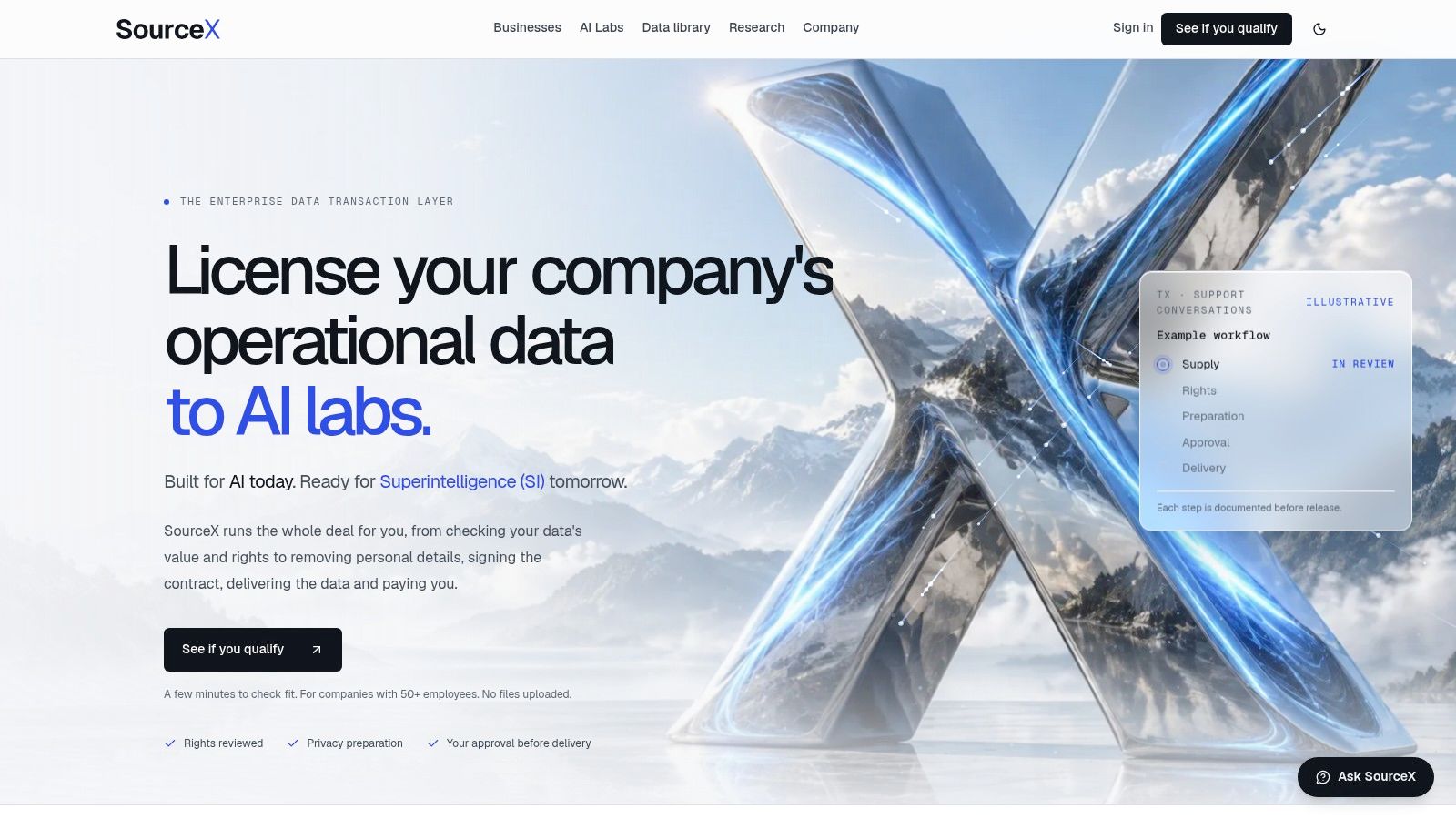
SourceX is a fit when the central problem is data licensing, provenance, privacy preparation, and buyer coordination, rather than internal search alone. If your need is to help analysts find an approved warehouse table, start with a catalog. If your need is to turn fragmented operational exports into a controlled, buyer-ready dataset without surrendering ownership, SourceX solves a different problem.
[blocked]
A catalog can be deployed successfully and still fail. The software connects to the warehouse, assets appear in search, and leadership announces the launch. Three months later, analysts still ask colleagues for links because the catalog takes too long to use or returns results nobody trusts.

The central adoption problem is user workflow, not catalog deployment. Tool complexity was reported as a challenge for 43% of survey respondents, while lack of user adoption and insufficient integration were each cited by 39%, according to preliminary data catalog adoption findings.
[blocked]
The common reflex is to index every table, view, extract, and report. Coverage looks impressive, but a large inventory can increase uncertainty. Users see dozens of similarly named assets, incomplete descriptions, stale owners, and no clear signal about which object deserves confidence.
A smaller set of well-governed assets often creates more value. Start with the datasets that support executive reporting, regulatory obligations, customer operations, or repeated analyst requests. Give those assets clear definitions, owners, lineage, quality evidence, and access paths before expanding.
Certification tiers help:
These labels are useful only when they reflect evidence. A Gold badge should be removed or downgraded when freshness fails, a definition changes, or an owner stops maintaining the asset.
The uncomfortable test: Can a user find an approved dataset quickly enough to affect a live decision, or will they bypass the catalog and message a colleague?
[blocked]
Treat the catalog like an internal product. Interview analysts, engineers, governance leads, and business users. Watch them search for real assets. Record failed searches, abandoned access requests, irrelevant results, and the point where they open another tool.
Then improve the workflow. Integrate search into the places users already work. Reduce unnecessary metadata forms. Automate access requests. Show quality warnings before users download or query an asset. Make the first successful task easier than the old Slack-based workaround.
A catalog's value depends less on inventory size than on the time and uncertainty between a question and a defensible answer. Resources designed for data analysts and their workflows can support the research and documentation side, but adoption still depends on a catalog that respects the user's working day.
Use this video as a prompt for an adoption discussion, not as a substitute for observing your own users.
[blocked]
A polished search screen tells you very little. Evaluate the catalog against your actual systems, users, governance policies, and maintenance capacity.
[blocked]
List the warehouses, lakes, BI tools, transformation platforms, SaaS systems, identity providers, and access tools your teams use. Ask each vendor to connect to a representative slice, including the awkward system that rarely appears in reference architecture diagrams.
Check whether ingestion captures technical metadata, business context, usage, permissions, and change history. A connector that imports table names but misses lineage or access status may create the appearance of coverage without the context users need.
[blocked]
Run concrete scenarios:
Table-level diagrams may be sufficient for a simple environment. Complex enterprise reporting usually needs more detail.
[blocked]
The catalog should work with identity, access, policy, and ticketing tools. It should also expose metadata through APIs or export mechanisms so your organization can use the information elsewhere.
Ask who can edit a definition, approve a certification, change a classification, or retire an asset. Then ask how those actions are audited.
[blocked]
Include licensing, implementation, connectors, integration work, stewardship time, training, support, and ongoing curation. A low subscription price can become expensive if every definition requires manual maintenance or every access request becomes a custom workflow.
Score three options against your own requirements rather than relying on a generic market ranking. Open-source projects such as OpenMetadata and Amundsen, cloud-native catalogs, and best-of-breed platforms can all be reasonable choices in the right environment. The deciding factor is fit, not category prestige.
A documented governance implementation connected source systems, defined security and access controls, modelled metadata, created a business glossary, enriched metadata automatically, and linked related datasets, documents, and applications. Use that as a practical benchmark for what “integrated” should mean.
[blocked]
Carrefour Brazil's catalog program reported more than 20 governance domains, over 30 assigned data owners, glossary terms standardized across more than 700 tables, coverage of over 650 tables and 500 dashboards, and more than 500 users, with Bronze, Silver, and Gold certification levels, according to the Carrefour Brazil catalog case study.
The numbers aren't a target for every company. The operating pattern is the useful part: assign owners, standardize language, certify assets, connect quality checks, and track people using the system.
[blocked]
A rollout should begin with a decision or workflow that already matters. “Catalog the enterprise” is too broad to guide action. “Help finance select the approved revenue dataset for monthly reporting” is specific enough to measure.
[blocked]
Choose one or two high-value domains. Name accountable data owners and working stewards. Define the minimum metadata required for a certified asset:
Connect one source system that matters to each stakeholder group. Write a few glossary entries by hand and test whether users understand them. Avoid spending the first month designing a perfect taxonomy that nobody can search.
[blocked]
Add lineage, quality signals, and glossary relationships for the selected assets. Publish Bronze, Silver, and Gold criteria in language users can understand. Train the first user group around real tasks, such as finding a certified dataset, checking freshness, or requesting access.
Create a feedback route for failed searches. If users can't find what they need, fix the result ranking, synonyms, metadata, or source coverage before expanding the inventory.
[blocked]
Open self-service access requests for approved use cases. Provide role-aware search for the first personas. Instrument the workflow, including searches that lead to successful access, repeated queries, abandoned requests, and assets that users continue to bypass.
Track useful measures:
A large rollout can grow from this pattern. Carrefour Brazil's experience demonstrates how ownership, glossary standardization, certification, and user reach can operate together, but your first release should remain small enough to learn from.
[blocked]
What if owners don't respond? Assign an escalation path and downgrade assets when ownership is inactive.
Should every asset receive a quality score? Start with priority assets and define the evidence behind each score.
Do we need a separate training team? Not necessarily. Use short task-based guidance, examples, and role-specific playbooks.
How can documentation work scale? A document assistant and research workspace can turn governance policies into summaries, checklists, and training material. A starting point for organizing that work is Zemith's getting started guidance, used here as a productivity layer rather than a replacement for the catalog.
[blocked]
The first ten days should produce visible behavior, not another steering committee deck.
[blocked]
Raw catalog coverage is easy to inflate. Better measures connect the platform to user outcomes:
A centralized Data Quality Center of Excellence paired with an enterprise catalog has been used to identify, manage, and resolve quality issues consistently, alongside an iterative framework for maintaining business-defined expectations. The data governance and quality operating model case study supports a practical conclusion: quality belongs to an operating function with roles and escalation, not a one-time catalog cleanup.
[blocked]
How is a catalog different from data observability? Observability monitors whether data systems and datasets behave as expected. A catalog explains what assets mean, who owns them, how they relate, and how users may access or apply them. The two work best together.
Does a small team need an enterprise data catalog? A small team may not need a large platform. It may still need a lightweight, governed inventory if data is spread across systems, definitions are disputed, or access decisions carry risk. Start with the smallest workflow that produces a clear benefit.
How long does a real rollout take? A useful first release can be planned around a 30-60-90 day cycle, but broader adoption depends on source complexity, ownership, integrations, and user behavior. Don't confuse the first connected assets with a finished enterprise program.
How do we recover from stalled adoption? Stop expanding coverage. Observe real users, remove irrelevant results, simplify required metadata, fix access friction, and certify a smaller set of high-value assets. Invite users to test the revised workflow before announcing another launch.
An enterprise data catalog is a living control plane for data knowledge. It earns trust when owners maintain it, observability supplies evidence, governance defines consequences, and users can complete real work without detouring through tribal knowledge.
If your team is comparing catalog platforms, cleaning up governance documentation, or designing a 30-60-90 day rollout, use Zemith to research vendor capabilities, analyze technical PDFs, organize source material, and turn policies into practical playbooks in one workspace. Visit Zemith to build a clearer, more usable data-governance workflow.







Trusted by teams at






The top models, plus image, video and voice tools, in one plan.
Without Zemith
ChatGPT PlusUS$20.00Claude ProUS$20.00Google AI ProUS$19.99SuperGrokUS$30.00Perplexity ProUS$20.00 MidjourneyUS$10.00
 ElevenLabsUS$6.00Le Chat ProUS$14.99
 RunwayUS$15.00Kling StandardUS$8.80
 Gamma PlusUS$12.00
 Otter ProUS$16.99
 QuillBot PremiumUS$19.95
 Photoroom ProUS$12.99
 Quizlet PlusUS$7.99
Total if paying separatelyUS$234.70/mo
"I love the way multiple tools they integrated in one platform. Going in the right direction."
— simplyzubair
"The quality of data and sheer speed of responses is outstanding. I use this app every day."
— barefootmedicine
"The credit system is fair, models are perfect, and the discord is very responsive. Quite awesome."
— MarianZ
"Just works. Simple to use and great for working with documents. Money well spent."
— yerch82
"The organization of features is better than all the other sites — even better than ChatGPT."
— sumore
"It lives up to the all-in-one claim. All the necessary functions with a well-designed, easy UI."
— AlphaLeaf
"The team clearly puts their heart and soul into this platform. Really solid extra functionality."
— SlothMachine
"Updates made almost daily, feedback is incredibly fast. Just look at the changelogs — consistency."
— reu0691
Hand off the research, writing, design and follow-ups. Zemith picks the tools it needs and brings back finished work.
Search the web, run deep research, read files, create images and run code with GPT, Claude, Gemini, Grok and more.
Zemith keeps working in the cloud and pings you when it's done.
Notion, Linear, Canva, Airtable and more. It asks before it creates or changes anything.
Docs, slides, sheets and PDFs, ready to send.
Chain models and tools on a visual canvas, from one prompt to a finished promo video.
Briefings, reports and reminders run on a schedule and are ready when you need them.
Real-time voice that can see your camera or screen.
The best image and video models, in one studio.
Turn PDFs, links and YouTube videos into podcasts, quizzes, flashcards and mind maps.














 Podcast
 Quiz
Quiz Flashcards
 Mind map
 Infographic