


Every top model, with tools built in.
Search the web, run deep research, read files, create images and run code with GPT, Claude, Gemini, Grok and more.
Learn how to conduct literature review efficiently with a step-by-step guide to searching, selecting, and synthesizing sources.
A literature review is your deep dive into the existing research on your topic. It’s a systematic process of finding, pulling together, and critically examining the scholarly work that's already out there. The whole point is to map out the key themes, ongoing debates, and crucial gaps in knowledge, which is how you find the perfect spot for your own research to fit in. And trust me, it's more of an art than a science.

Alright, let’s be real. You’re staring at a mountain of academic papers, your coffee has gone cold, and you're probably wondering, "Why did I choose this life?" Welcome to the literature review trenches! It can feel a bit dramatic, so let's ditch the stuffy, formal definitions for a second.
Think of a literature review as your chance to play detective. It’s so much more than a boring summary of what other people have already said. It's a critical look at the ongoing scholarly conversation around a topic. Your mission, should you choose to accept it, is to prove you understand the lay of the land before you start building your own castle on it.
I like to think of a literature review as drawing a map of the research territory. A good map shows you all the major landmarks (the foundational studies), the disputed borders (the big academic debates), and, most importantly, the unexplored areas. That uncharted territory? That’s the research gap—the missing piece of the story that your work is going to fill. It's the "here be dragons" part of the map, and you're the hero going in.
Without this map, you're just lost, wandering down one research rabbit hole after another. The process of creating it forces you to sharpen your focus and nail down a research question that will act as your North Star, guiding every single step of your project. For a really solid walkthrough of this entire process, check out this practical, step-by-step guide on how to write a literature review.
Before you even think about downloading your first PDF, a little prep work will save you from a world of chaos later on. Getting organized from day one is non-negotiable. Seriously, Future You will thank you.
Here are a few things to sort out right at the beginning:
A well-executed literature review isn't just a box you have to tick; it's the very foundation of your entire research project. It shows you know your stuff and proves that your work is a genuine contribution, not just a random idea you had in the shower.
Here's an actionable tip: The moment I start a new project, I create a dedicated space for it. I always start a new ‘Project’ in Zemith, for instance. It gives me a central hub to dump all my ideas, notes, and sources. This simple step keeps everything in one place and helps avoid that dreaded feeling of having notes scattered across ten different apps and notebooks. It’s all about building a solid foundation so you can get to the exciting part—the actual discovery.
If you’re working on a more structured project, like for a medical study, it’s also worth getting familiar with the specifics of a systematic literature review methodology for an even clearer roadmap.
Alright, you've nailed down your research question. Now comes the treasure hunt: finding the academic papers, reports, and books that will become the foundation of your literature review.
But where do you even start? Just throwing a few keywords into Google Scholar is like trying to find a specific grain of sand on a very, very large beach. You'll get millions of results, but most of them won't be what you need. It’s the academic equivalent of doomscrolling.
To avoid drowning in irrelevant papers, you need a plan. This isn't about working harder; it's about searching smarter. We're going to build a strategy that acts like a powerful magnet, pulling in the exact sources you need while pushing away all the noise.
Think of your search query as a precise command you're giving to a database. The clearer your command, the better the results. This is where a researcher's secret weapon comes in: Boolean operators. These are simple words—AND, OR, NOT—that totally transform your search. They're like cheat codes for research.
“climate change” AND “urban planning” ensures every result is about the intersection of those two topics.“social media” OR “online networks” will pull articles that use either term, so you don't miss anything.“artificial intelligence” NOT “ethics” will filter out papers on ethical considerations, letting you focus purely on the technology.The real power comes from stringing these together. A well-crafted query like
(“renewable energy” OR “solar power”) AND “policy” NOT “China”is incredibly targeted. It finds papers on renewable energy or solar power that also discuss policy, but it specifically excludes any focused on China.
Learning to build these strings is one of the most important skills for conducting a literature review for your thesis that is both comprehensive and manageable.
Below is a quick reference table to help you build more effective search queries from the get-go.
Think of these as recipes. You can mix and match the ingredients to get exactly the results you're looking for.
Not all databases are created equal. The best place to search depends entirely on your field. While Google Scholar is a great first pass, specialized databases almost always give you higher-quality, more relevant results.
Here’s a quick breakdown of the heavy hitters:
A pro tip? Spend an hour exploring your university library's database subscriptions. They pay for access to incredible resources you simply can't get for free. It’s like having an all-access pass to the best academic concert in town.
Now, imagine doing all this with an AI assistant at your side. This is where Zemith’s ‘Deep Research’ feature really shines. Instead of manually plugging your complex search strings into a dozen different databases, you can just give your research question directly to Zemith.
The AI doesn't just run a simple keyword search. It intelligently scours academic databases, understands the context of your query, and delivers a synthesized summary with a list of fact-checked sources. It's like having a research assistant who never sleeps or asks for coffee.
This can cut your initial information-gathering time from an entire afternoon down to just a few minutes, letting you jump straight into analyzing the literature. Many of the top AI tools for researchers are built to handle this kind of heavy lifting, freeing you up for the critical thinking that really matters.
Remember, building a great search strategy is an iterative process. You’ll start with a query, check the results, and then tweak it. Don't be afraid to experiment until you find that sweet spot where you're consistently getting high-quality, relevant papers.
You’ve done it. You’ve wrestled with databases, crafted brilliant search queries, and now your downloads folder is overflowing. Your desktop looks like a digital warzone, littered with dozens, maybe hundreds, of PDFs. So… now what?
This is the exact point where the excitement of research can quickly turn into pure overwhelm. Staring at that mountain of papers feels impossible, but this is also where you can gain a massive advantage with a smart workflow. Forget the old-school advice of reading every single word from start to finish; that’s a direct path to burnout. Ain't nobody got time for that.
The goal here is to screen, select, and synthesize without losing your mind. It’s about turning that chaotic pile of documents into a coherent, organized narrative that actually supports your research.
Before you dive deep into any single paper, you need to triage. Think of yourself as an emergency room doctor for your research—your job is to quickly assess which papers are critical, which are stable, and which can be discharged. The key is to master the art of skimming the abstract and introduction.
In just a few minutes, you should be able to answer these questions for any paper:
If the answer to most of these is "no," move it to a "maybe" folder and forget about it for now. Be ruthless. A 2021 study found that researchers spend, on average, just 24 minutes on a single paper, which shows that efficient reading is the norm, not the exception. Your initial screening should be much faster than that.
Don’t get attached to papers you’ve downloaded. The goal isn't to read everything; it's to find the right things. A smaller, highly relevant set of sources is infinitely more valuable than a massive library of barely-related articles.
Once you have your "keepers," the real work begins. This stage is not about creating a simple list of summaries ("Author A said this, then Author B said that…"). That’s a book report, not a literature review. Your task is to synthesize, which means finding the connections—the themes, ongoing debates, and critical gaps—that link different studies together.
Once you've gathered a substantial number of articles, the next challenge is processing them efficiently. Learning effective note-taking strategies is crucial for making sense of this mountain and pulling out the key insights. For an in-depth guide on creating a system that works, explore our post on how to organize research notes.
This diagram illustrates how a simple, three-step process—identifying keywords, combining them logically, and executing the search—forms the foundation for gathering the papers you'll eventually need to synthesize.
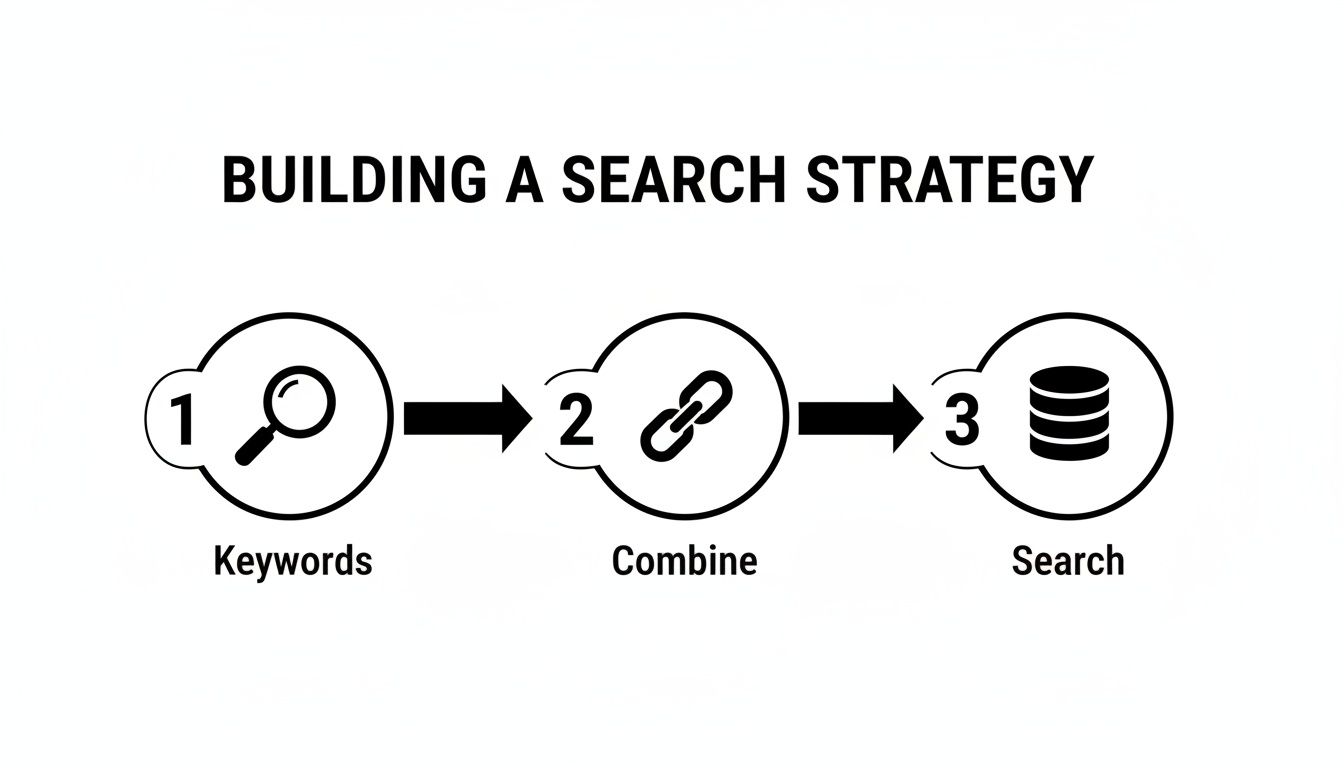
This workflow directly feeds into the screening and synthesis phase, highlighting just how important that initial search strategy really is.
Manually highlighting PDFs and typing up notes is a slow, painful process. This is where modern tools can completely change the game. Instead of drowning in paper, you can use an AI-powered assistant to do the heavy lifting.
This is exactly what Zemith is built for. First, you can upload all your PDFs directly into Zemith’s ‘Library’, creating a centralized, searchable database for your project. No more hunting for files scattered across your computer. It's like giving your research its own cozy, organized home.
Once they're in the Library, the ‘Document Assistant’ becomes your personal research aide. Instead of re-reading a 30-page article to find one specific detail, you can just ask questions directly.
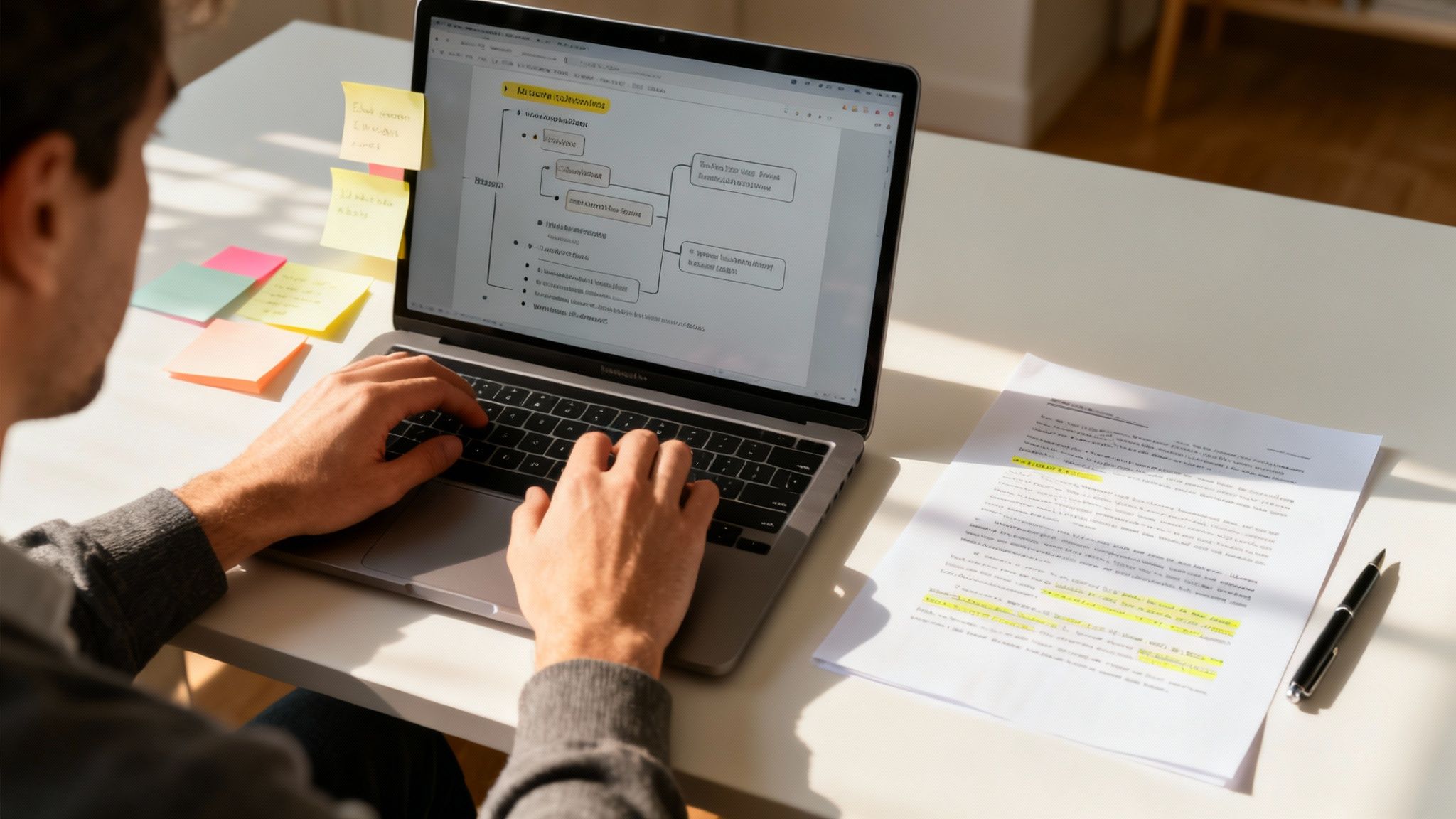
The image above shows how you can interact with a document, asking Zemith's Document Assistant to pull out key information like the main argument or methodology. This capability allows you to extract crucial data points in seconds rather than minutes.
You can ask things like:
This interactive approach transforms reading from a passive activity into an active investigation. It helps you quickly pull the arguments, data, and themes you need to build your synthesis, turning that mountain of papers into a manageable and meaningful part of your research journey. You’re no longer just reading; you’re interrogating your sources.
Alright, you've done it. The research is complete, your notes are a beautiful, organized mess, and you’ve climbed the mountain of academic papers. Now for the final ascent: turning all that hard work into a story people actually want to read.
Let's be real—most literature reviews are a total snoozefest. They read like a laundry list of who said what: "Smith (2020) found this. Jones (2021) argued that. Brown (2022) concluded..." This approach completely misses the point. Your goal isn't just to report what others have found; it's to weave those findings into a conversation, with you as the expert moderator.
A great literature review has a logical flow. It guides the reader from the big picture down to the specific gap your research is poised to fill. Think of it as a story with a clear beginning, middle, and end.
The Introduction (The Hook): This is your shot to grab your reader's attention from the get-go. Kick things off by establishing why this topic matters. Then, give a quick tour of the major themes and debates you'll be covering. Most importantly, wrap up the intro with a sharp thesis statement that spells out your main argument and hints at the research gap.
The Body (The Conversation): Here's the heart of your review. The golden rule is to organize by theme, not by author or by date. Each section should tackle a specific concept or debate, pulling together findings from multiple sources to show how they agree, clash, or build on one another.
The Conclusion (The Payoff): Don’t just let your review fizzle out. A strong conclusion quickly recaps the key takeaways, highlighting the major points of consensus and conflict in the literature. This is your moment to explicitly state the research gap you've identified and show exactly how your study will step in to address it. This is the mic-drop moment.
A well-structured review does more than just present information; it builds a compelling argument. It convinces the reader that a gap exists and that your research is the crucial next step.
Staring at that blinking cursor on a blank page can be downright terrifying, especially when all you have is a jumble of notes, quotes, and half-baked ideas. This is prime writer's block territory. The trick is to have a tool that can bridge the chasm between messy brainstorming and clean, structured writing.
This is where Zemith's Smart Notepad becomes your co-writer. You can dump all your extracted quotes, chaotic bullet points, and random thoughts directly into it. From there, you can use its AI to organize those thoughts by theme, group related points, and even spin those rough notes into fully formed paragraphs.
Imagine highlighting a few bullet points and asking Zemith to "Turn these into a paragraph about the debate on renewable energy policy." Instantly, you get a coherent paragraph with solid transitions, crushing writer's block before it even has a chance to set in. Getting this right is fundamental, and for more tips, check out our guide on how to write better paragraphs.
Even with the best tools, it’s surprisingly easy to fall into some classic writing traps. We've all been there. To help you steer clear, I've put together a quick table of the most common mistakes I see and how to fix them.
This is by no means an exhaustive list, but avoiding these three big ones will put you leagues ahead of the pack. The key is moving from being a reporter of facts to becoming an interpreter of the bigger academic conversation.
Let’s talk about the nightmare of last-minute citation wrangling. We've all experienced that unique form of academic torture: scrambling to find a source for a specific claim an hour before a deadline. Please, do yourself a massive favor and manage your citations from day one.
Every single time you pull a piece of information, a quote, or a key finding, immediately attach the citation to it right there in your notes.
This is where Zemith is a total lifesaver. Every note you take and every PDF you analyze is part of an organized project. You can instantly link your notes back to the original source in your Library, creating an unbreakable chain of evidence. You'll never have to ask, "Where on earth did I read that?" This one simple habit will save you from a world of pain and frantic searching down the road.
You’ve wrestled with your research, wrangled your sources, and finally, you have a complete draft. Go ahead, take a moment. Do a little victory dance. You've definitely earned it.
But before you even think about hitting that "submit" button, it's time for the final, and frankly, most critical step: editing. This is where you transform a solid draft into a polished, professional piece of scholarship that truly stands out.
This stage is about so much more than a quick spell-check. It’s about sharpening your arguments, smoothing out the narrative flow, and making sure every single sentence pulls its weight. It's about taking what you said and refining how you say it.
When you sit down to edit, you need to switch hats. You’re no longer the writer; you’re the most critical reader. Forget the small stuff for a moment and focus on the big picture—the clarity and strength of your entire argument.
Here’s a practical checklist to guide you past basic grammar:
For a deeper look at this process, check out our comprehensive guide on how to edit writing for more advanced techniques.
Let's be honest. We’ve all been lost in the digital chaos of files named things like this:
LitReview_Draft_v2_final.docxLitReview_Draft_v2_final_REVISED.docxLitReview_Draft_v2_final_FINAL_I_swear.docx
It’s a recipe for a late-night disaster. Sending the wrong version to your supervisor or accidentally deleting your most brilliant paragraph is a rite of passage nobody wants. Messy version control doesn't just create clutter; it creates chaos, especially when you're getting feedback from multiple people.
This is where a central hub for your work becomes a total game-changer. A literature review is a living, breathing document, and you need a system that can keep up with its evolution without driving you crazy.
A tool like Zemith is built to handle this exact problem. By keeping all your drafts and notes within a single, unified project, you create one source of truth. You can easily track changes over time, manage different versions, and keep the feedback loop with collaborators or supervisors neat and tidy. No more hunting through old emails to find that one crucial comment from three weeks ago.
These final touches—a sharp, critical edit and a smart version control system—are what separate a good literature review from an exceptional one. They ensure all your hard work is presented in the most persuasive and professional way possible.
You’ve wrestled with databases, sifted through studies, and put words on the page. You're in the home stretch, but a few questions probably still keep you up at night. Let's tackle some of the most common ones I hear from researchers.
One of the first things everyone wants to know is, "How many sources do I really need?" Is there a magic number? Five? Fifty? Five hundred? Honestly, no. The answer is... it depends. For a PhD dissertation, you might be looking at over 100 sources, but for a class paper, a solid 15-20 might be perfect.
The real goal isn't a number; it's reaching a point of saturation. You’ll know you’re there when you keep seeing the same names, the same studies, and the same arguments popping up over and over again. When new searches don't turn up any new major themes, you can feel pretty confident you've done your due diligence.
You're digging through the literature and find two major studies that say the complete opposite of each other. Great. Don't sweat it—this is actually where things get interesting. This is your chance to really shine.
Your job isn't to play referee and declare a winner. Instead, you need to put on your detective hat.
Conflicting studies aren't roadblocks; they're opportunities. They let you demonstrate critical thinking and carve out a meaningful space for your own contribution to the conversation.
The academic world moves fast. New papers come out every single day, and it’s easy to feel like you're falling behind. Here's a secret: you will never, ever read everything. It’s impossible. So give yourself a break.
Your literature review is a snapshot of the field at a specific moment. So, set a clear cut-off date for your searching and stick to it. Once you're done with the heavy lifting, you can set up alerts on platforms like Google Scholar for your most important keywords. That way, you’ll get a heads-up if a truly game-changing paper drops, but you won't get sucked back down the research rabbit hole.
Ready to conquer your next research project without the usual chaos? Zemith brings together an entire suite of AI-powered tools—from a Document Assistant that answers questions about your PDFs to a Smart Notepad that turns messy notes into polished paragraphs. Stop juggling multiple apps and start streamlining your workflow by visiting https://www.zemith.com today.







Trusted by teams at






The top models, plus image, video and voice tools, in one plan.
Without Zemith
ChatGPT PlusUS$20.00Claude ProUS$20.00Google AI ProUS$19.99SuperGrokUS$30.00Perplexity ProUS$20.00 MidjourneyUS$10.00
 ElevenLabsUS$6.00Le Chat ProUS$14.99
 RunwayUS$15.00Kling StandardUS$8.80
 Gamma PlusUS$12.00
 Otter ProUS$16.99
 QuillBot PremiumUS$19.95
 Photoroom ProUS$12.99
 Quizlet PlusUS$7.99
Total if paying separatelyUS$234.70/mo
"I love the way multiple tools they integrated in one platform. Going in the right direction."
— simplyzubair
"The quality of data and sheer speed of responses is outstanding. I use this app every day."
— barefootmedicine
"The credit system is fair, models are perfect, and the discord is very responsive. Quite awesome."
— MarianZ
"Just works. Simple to use and great for working with documents. Money well spent."
— yerch82
"The organization of features is better than all the other sites — even better than ChatGPT."
— sumore
"It lives up to the all-in-one claim. All the necessary functions with a well-designed, easy UI."
— AlphaLeaf
"The team clearly puts their heart and soul into this platform. Really solid extra functionality."
— SlothMachine
"Updates made almost daily, feedback is incredibly fast. Just look at the changelogs — consistency."
— reu0691
Hand off the research, writing, design and follow-ups. Zemith picks the tools it needs and brings back finished work.
Search the web, run deep research, read files, create images and run code with GPT, Claude, Gemini, Grok and more.
Zemith keeps working in the cloud and pings you when it's done.
Notion, Linear, Canva, Airtable and more. It asks before it creates or changes anything.
Docs, slides, sheets and PDFs, ready to send.
Chain models and tools on a visual canvas, from one prompt to a finished promo video.
Briefings, reports and reminders run on a schedule and are ready when you need them.
Real-time voice that can see your camera or screen.
The best image and video models, in one studio.
Turn PDFs, links and YouTube videos into podcasts, quizzes, flashcards and mind maps.














 Podcast
 Quiz
Quiz Flashcards
 Mind map
 Infographic