


Every top model, with tools built in.
Search the web, run deep research, read files, create images and run code with GPT, Claude, Gemini, Grok and more.
Visual content creation explained for 2026, from formats and workflows to AI tools, accessibility rules, and metrics that actually matter.
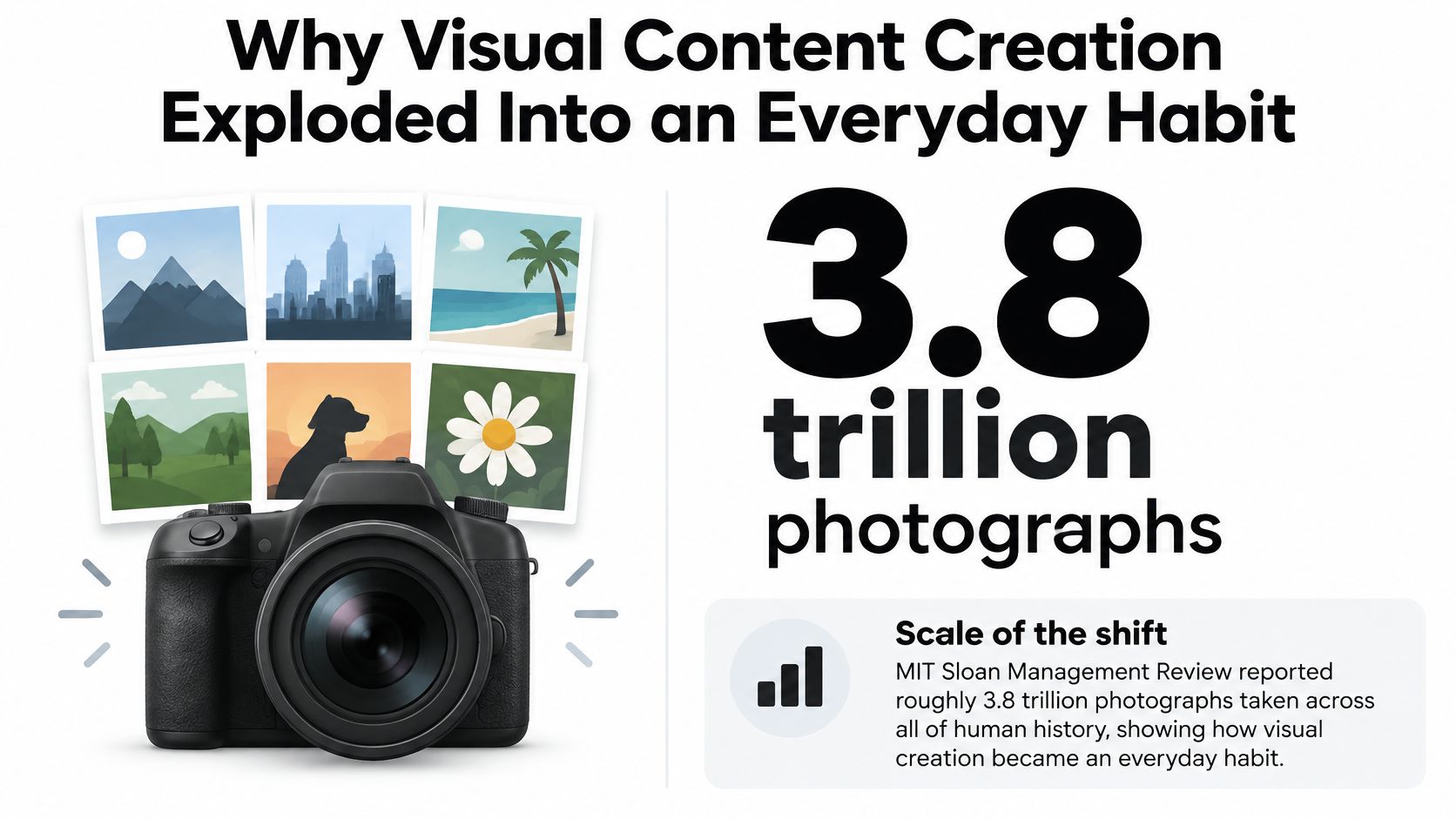
People took approximately 3.8 trillion photographs across all of human history through mid-2011, then roughly 1 trillion in 2015 alone, according to the historical estimates summarized in this account of photography's digital expansion. Creating an image stopped being the hard part. Making something useful, recognizable, accessible, and ready for its actual placement became the job.
That's why practical visual content creation needs more than good taste and a generous prompt box. It needs a production system, including the unglamorous checks that keep a beautiful graphic from becoming an unreadable thumbnail, an oversized download, or a copyright headache.
A creator sits down to make a launch graphic. Before anything gets published, they need the right product screenshot, approved wording, a recognizable style, and exports that survive cropping. The challenge isn't finding a way to produce pixels. It's making decisions without losing the message.
The historical comparison above explains the scale of that shift. A single year's photographic output approached a quarter of the cumulative total estimated through mid-2011. That's a useful reminder when another stakeholder suggests that publishing more images is a strategy by itself.
The scale is easier to grasp visually.
Between 2008 and 2011, mobile devices increasingly connected image capture directly to editing, messaging, and publishing; by 2010, Facebook users uploaded approximately 2.5 billion photographs per month, compared with about 20 million videos, as documented in this history of networked photography. Distribution became part of creation rather than a separate technical chore.
For working creators, that changes what deserves attention. A perfectly retouched image isn't particularly helpful if nobody knows which campaign it belongs to. A distinctive illustration doesn't solve anything if the approved version lives only in somebody's downloads folder.
Production reality: Your most useful creative asset might be the file you can find, verify, and adapt without starting over.
Treat every recurring visual as part of a repeatable operation:
These are the pressures that shape a modern workflow: speed, consistency, findability, and trust. Better tools help, but they can't make those decisions for you.
Visual content creation means producing images, graphics, video, or interactive visuals that communicate something to a specific audience. The output might explain a product, teach a process, support an argument, or help someone decide what to do next.
Visual content is communication first and decoration second.
The formats overlap, but the message should remain clear.
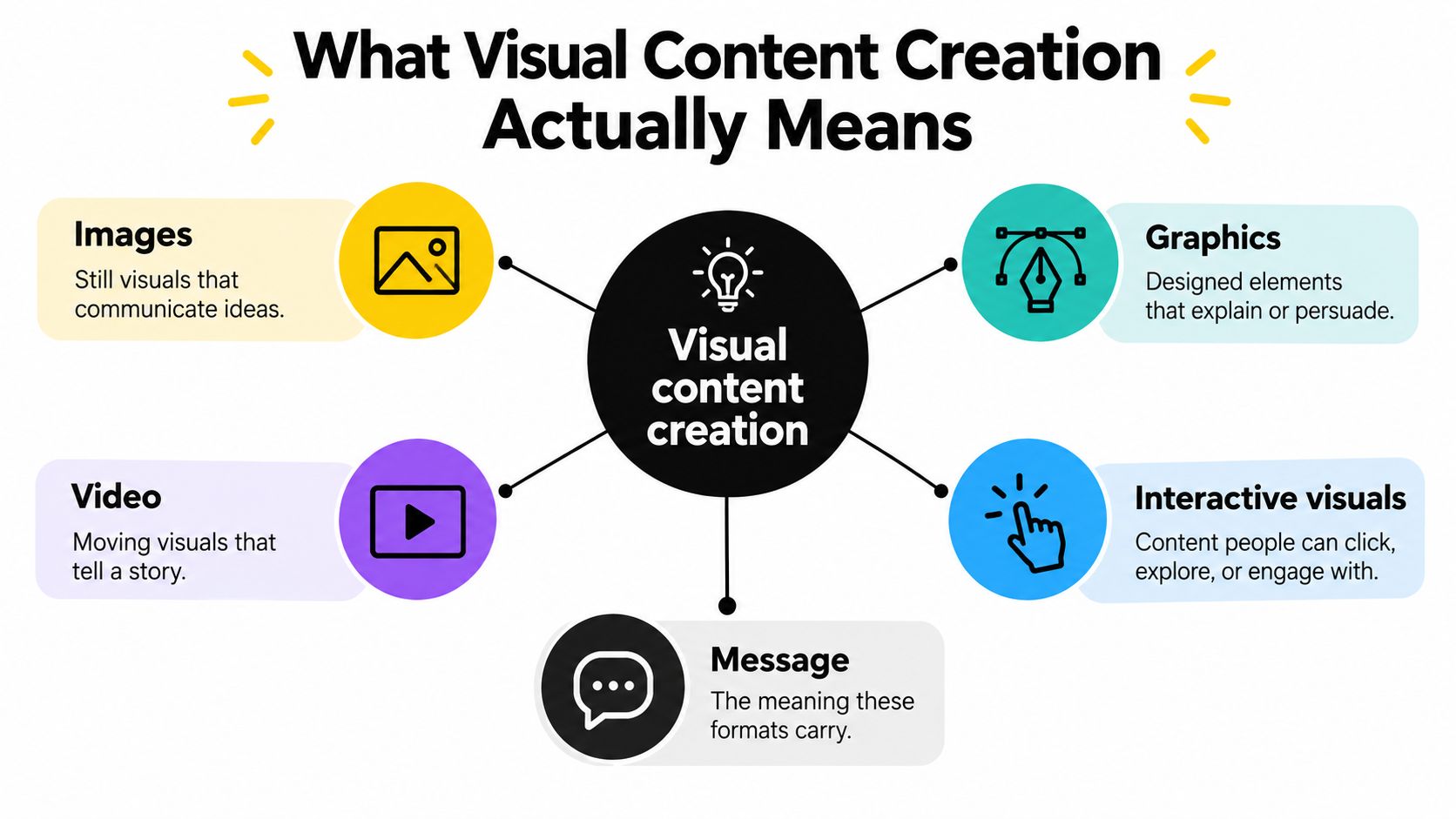
These are example jobs, not rigid departments. A tutorial can combine screenshots, animation, diagrams, and interactive controls. What matters is whether each element helps the reader understand the task.
Photography handles capture. Graphic design handles composition, typography, and visual hierarchy. Video editing handles sequence and timing. Visual content creation includes those crafts, but also the decisions around purpose, approval, distribution, and maintenance.
You don't need to perform every specialist task yourself. You do need to know who owns each decision, especially when a freelancer, automation script, or image generator produces part of the work.
For repeatable implementation work, RenderIO's developer guide to content automation is a relevant companion resource. Define the rules before automating the output, including the visual standards documented in your brand guidelines.
For a video-based perspective, this companion resource offers another way into the topic.
The practical boundary is simple: hand off execution where it makes sense, but retain responsibility for whether the finished asset communicates the right thing.
The expensive mistake isn't always a bad image. Sometimes it's discovering, after approval, that the image never addressed the actual task. A production workflow should catch that mismatch before anyone starts polishing shadows.
Use this process map as a checkpoint rather than a rigid assembly line.
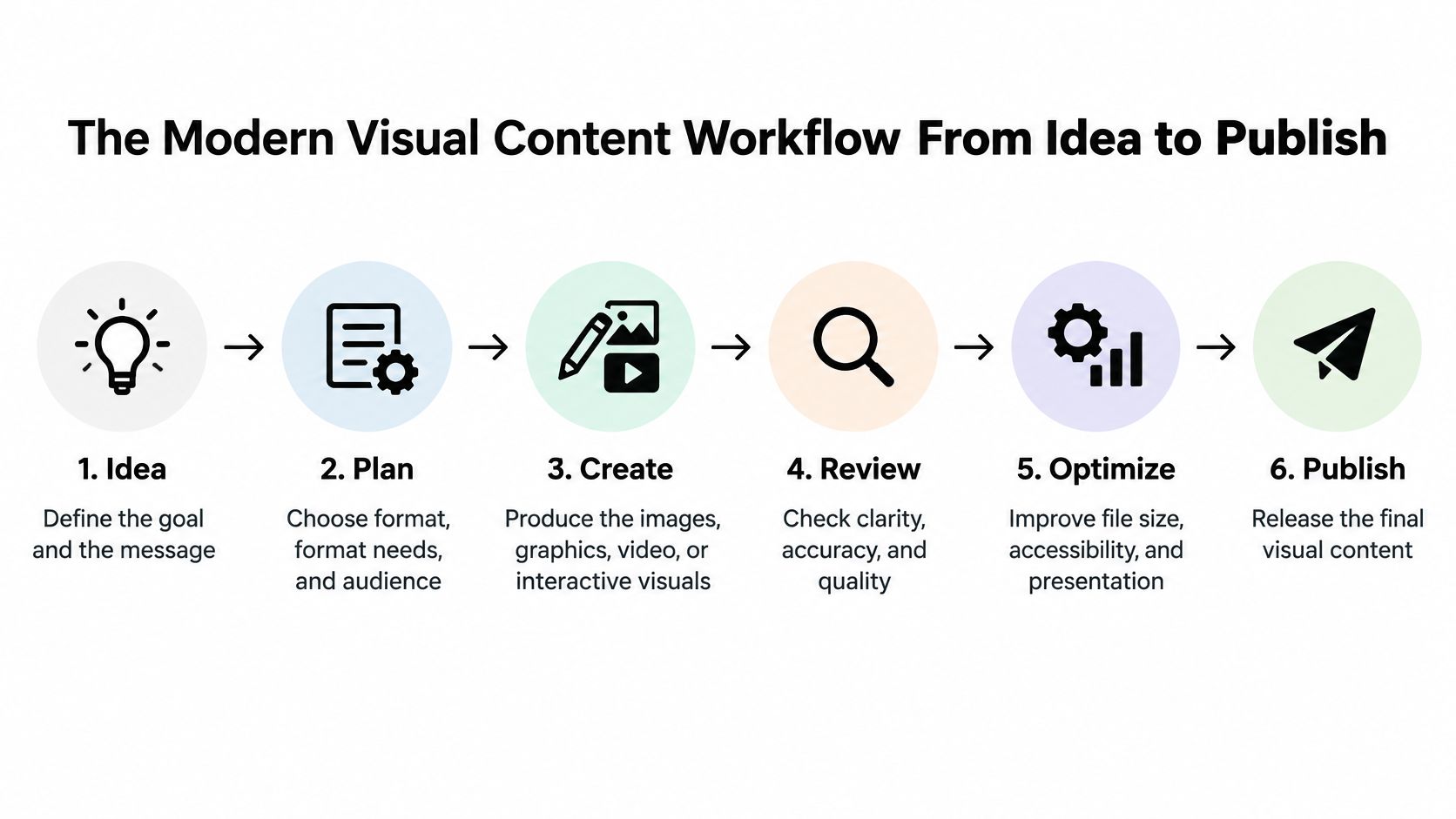
Brief and intent: Use a document or project workspace to name the audience, message, desired action, and approval owner. Without this, reviewers end up debating whether something feels premium rather than whether it solves the problem.
Ideation and reference gathering: Use a research tool, moodboard, or whiteboard to collect visual directions and explain why they fit. Record what you like about each reference, such as composition or lighting, instead of treating it as something to copy.
Generation or capture: Choose an image generator, camera, screen recorder, or illustration tool according to the subject. Product evidence should come from the product itself; an invented interface isn't a substitute for documentation.
Editing and compositing: Use an editor to fix composition, combine elements, and establish hierarchy. Review factual details here, before a flawed draft becomes the basis for every derivative asset.
Placement adaptation: Use layout templates and export tools to create channel-specific versions. Don't approve a campaign based only on the largest, most flattering preview.
Publishing with metadata: Use your CMS or asset library to attach descriptive filenames, ownership information, approval status, and relevant publishing text. Otherwise, the finished asset becomes difficult to identify later.
Batch exports, naming conventions, and template population are good automation candidates. Message selection, factual review, and final approval still deserve human attention.
A handoff should include the current version, its status, and the next owner. Sending an attachment with “thoughts?” isn't a workflow. It's an invitation to collect incompatible opinions.
For campaigns built around existing footage, StreamGen's resource on how to repurpose video content for social media is useful context for planning derivatives. Decide which moments deserve their own asset before exporting clips indiscriminately.
Approve the message before multiplying the files. Fixing a weak idea in a master draft is manageable; fixing it across an entire campaign is considerably less charming.
A screenshot can explain a software setting better than a polished illustration. A chart can support a comparison better than a cinematic video. Format selection should follow the viewer's task, not whichever tool you opened first.
Ask where the asset will appear, how much attention the viewer can give it, and what action should follow. A blog reader studying a process has different needs from someone scanning a social feed.
A carousel works when the sequence helps explain the idea. It doesn't automatically improve a message that would fit comfortably on a static card. Similarly, animation earns its place when movement demonstrates a change, not when the designer happens to enjoy making things wobble.
Start with the placement's shape and likely interface overlays. Keep essential text, faces, and product details away from edges that might be cropped or covered. Preview the asset at its intended display size, not just enlarged on a design canvas.
A blog hero can tolerate visual breathing room. A documentation screenshot needs enough interface context to orient the reader, but not so much that the relevant control becomes microscopic. Presentation slides need labels that survive viewing from a distance.
Build variants from a master composition rather than stretching a finished export. Move the subject, shorten the headline, or simplify supporting elements when the placement changes. Resizing and redesigning aren't interchangeable.
For recurring social work, use this guide to creating social media content alongside a placement sheet that records channel requirements. Keep that sheet editable because publishing interfaces and specifications can change.
Choose the least complicated format that communicates the idea properly. If a labeled screenshot does the job, you don't need an animated brand universe with its own weather system.
Accessibility belongs in the approval pass, not in an apology after launch. The useful question is whether someone can obtain the same information when they can't see the image clearly, distinguish its colors, or use the page in the expected way.
Keep a short checklist beside the export controls.
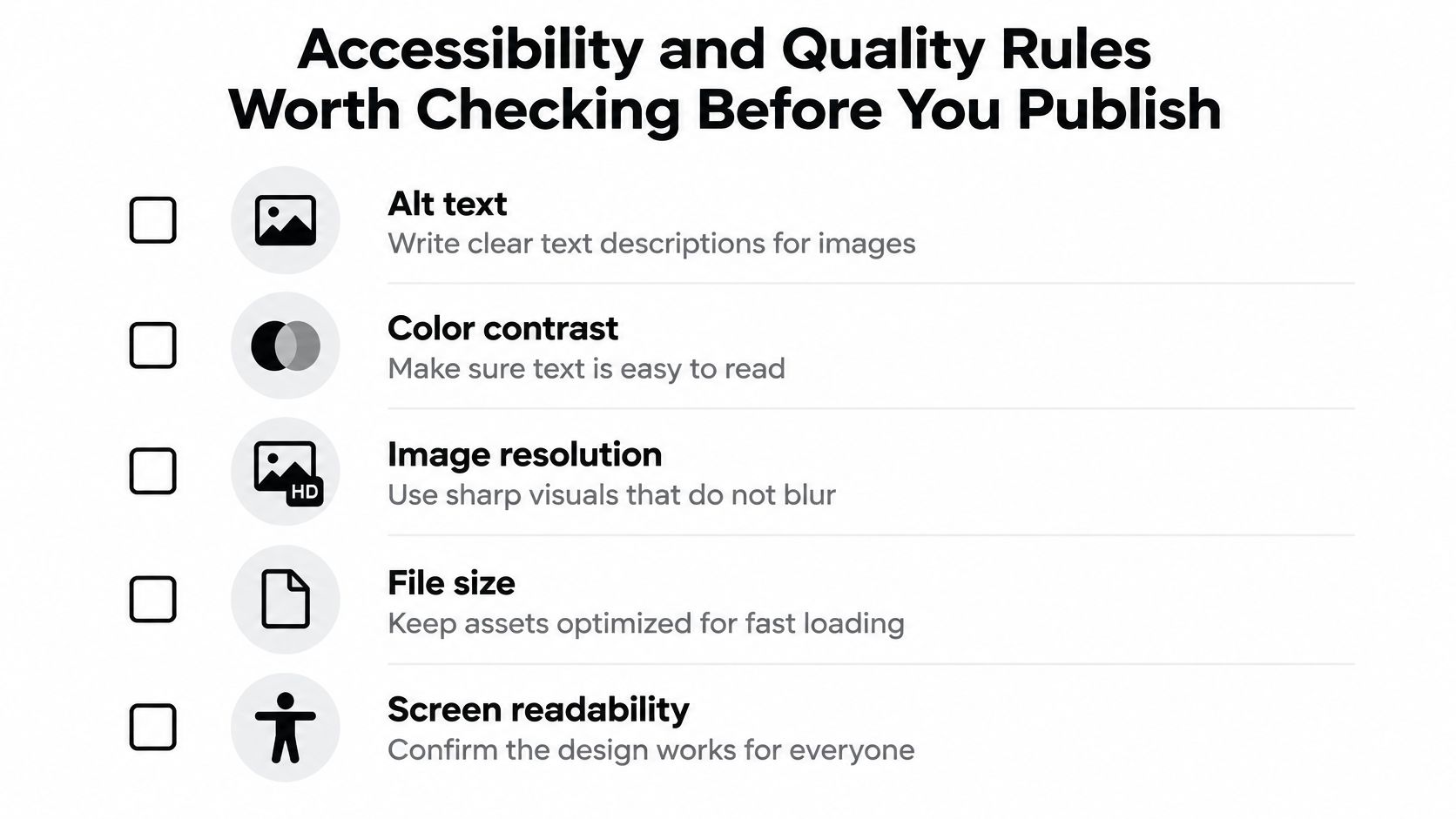
alt="" when an image contributes no additional information, consistent with W3C guidance on image alternatives.For the checking process itself, Font Checker Pro's guide to contrast ratio testing is a practical companion. When drafting alternatives, use this resource on how to describe an image, then edit for the image's role in context.
Hide-the-image test: Read the alternative text and surrounding copy without looking at the visual. Can you still understand the point or complete the action?
Inspect text edges, compression artifacts, unintended transparency, and the crop in the published layout. An export can look fine in the editor and still fail once the CMS processes it.
Export the clearest version the placement needs, not the heaviest master you possess. Google notes that images are often the largest contributor to page size and recommends responsive images and optimization alongside sharp, high-quality visuals in its Google Images publishing guidance.
Provide appropriately sized variants and check the compressed result before publishing. A beautifully detailed image nobody waits to load is mostly a gift to your storage provider.
Creative AI adoption and confidence aren't the same thing. Adobe's 2025 survey of more than 16,000 creators across eight markets reported 86% using creative generative AI, while 69% worried about unauthorized training use; barriers included cost at 38%, unreliable quality at 34%, and training uncertainty at 28%, and related findings reported 45% of creative professionals would never fully trust AI with final assets and 83% supported compensating training-data artists, according to the Adobe Creators' Toolkit report.
The practical response isn't to avoid generation altogether. It's to make the origin, review, and authorship of an asset inspectable.
Create an asset record containing the source files, permissions, prompt, model used, generated drafts, editing decisions, and approval owner. Keep the record attached to the project rather than relying on somebody remembering how the image happened.
Before uploading client material or unpublished work, inspect the tool's applicable terms and data settings. Check what they say about retention, training, commercial use, and uploaded assets. If the answer is unclear, don't resolve the uncertainty by clicking faster.
A resource on AI image generation and editing can help with execution, but generation settings don't replace these decisions.
A platform's commercial-use permission doesn't automatically establish copyright ownership. The U.S. Copyright Office's AI registration guidance explains that protection depends on human creativity, applicants must disclose more-than-minimal AI-generated content, and AI-generated portions should be excluded from the registration claim.
Human selection, arrangement, modification, and other expressive contributions may be protectable. That makes editing records useful evidence of what the person contributed, although documentation alone doesn't guarantee protection.
A prompt starts the work. It doesn't settle authorship, permissions, or whether the finished image is honest.
Add meaningful human direction after generation: revise the composition, make deliberate expressive choices, and document the finished arrangement. For important commercial questions, get jurisdiction-specific legal advice rather than asking an image generator to moonlight as counsel.
Separate tools aren't automatically a problem. A specialist editor may offer the precise masking, compositing, or color controls a project needs. A dedicated video application may be necessary for timeline work that a general workspace doesn't handle adequately.
The trouble starts when moving between tools takes more effort than the creative decision itself. Copying context, locating references, and explaining previous edits are production tasks, even when nobody includes them in the budget.
Don't assume consolidation saves money. Compare actual subscriptions, usage allowances, required specialist features, and the time your team spends transferring work. A cheaper interface that can't produce the required deliverable isn't cheaper in practice.
Test a real campaign, not a feature checklist. Can a reviewer locate the brief? Can a creator recover the approved direction? Can somebody else understand why a draft changed?
Zemith is one consolidated option: its interface includes image-generation access to Flux 1.1 Pro Ultra, Stability Diffusion 3.5, and Google Imagen 3, alongside object and background removal and image analysis. Its Library organizes documents and chats with contextual memory across files, Projects centralizes campaign knowledge, and its whiteboard supports collaborative brainstorming.
The useful comparison isn't whether a workspace replaces every specialist application. It's whether keeping research, references, conversations, and creative work together removes unnecessary handoffs. Review the available AI-powered creative tools against the tasks your team performs.
For a solo creator shipping a narrow range of formats, a lightweight setup may be enough. As more people contribute and the weekly format mix expands, shared context and approval visibility deserve more weight.
Keep a specialist tool when it solves a concrete production requirement. Consolidate when moving information between applications has become a recurring task in its own right. Your downloads folder shouldn't be the unofficial project manager.
Those metrics connect audience response with production effort and asset usefulness, rather than treating raw visibility as success. Open one workspace, add a real brief, and finish an asset end to end before introducing another tool.
Zemith brings research, image generation, editing tools, and organized project context into a shared workspace for visual content production. Visit Zemith, bring a real campaign brief, and test the workflow from initial reference to reviewed export before moving your whole stack.
Pay less than one AI subscription and get GPT, Claude, Gemini and more, plus 50+ AI tools.







Trusted by teams at






The top models, plus image, video and voice tools, in one plan.
Without Zemith
ChatGPT PlusUS$20.00Claude ProUS$20.00Google AI ProUS$19.99SuperGrokUS$30.00Perplexity ProUS$20.00 MidjourneyUS$10.00
 ElevenLabsUS$6.00Le Chat ProUS$14.99
 RunwayUS$15.00Kling StandardUS$8.80
 Gamma PlusUS$12.00
 Otter ProUS$16.99
 QuillBot PremiumUS$19.95
 Photoroom ProUS$12.99
 Quizlet PlusUS$7.99
Total if paying separatelyUS$234.70/mo
"I love the way multiple tools they integrated in one platform. Going in the right direction."
— simplyzubair
"The quality of data and sheer speed of responses is outstanding. I use this app every day."
— barefootmedicine
"The credit system is fair, models are perfect, and the discord is very responsive. Quite awesome."
— MarianZ
"Just works. Simple to use and great for working with documents. Money well spent."
— yerch82
"The organization of features is better than all the other sites — even better than ChatGPT."
— sumore
"It lives up to the all-in-one claim. All the necessary functions with a well-designed, easy UI."
— AlphaLeaf
"The team clearly puts their heart and soul into this platform. Really solid extra functionality."
— SlothMachine
"Updates made almost daily, feedback is incredibly fast. Just look at the changelogs — consistency."
— reu0691
Hand off the research, writing, design and follow-ups. Zemith picks the tools it needs and brings back finished work.
Search the web, run deep research, read files, create images and run code with GPT, Claude, Gemini, Grok and more.
Zemith keeps working in the cloud and pings you when it's done.
Notion, Linear, Canva, Airtable and more. It asks before it creates or changes anything.
Docs, slides, sheets and PDFs, ready to send.
Chain models and tools on a visual canvas, from one prompt to a finished promo video.
Briefings, reports and reminders run on a schedule and are ready when you need them.
Real-time voice that can see your camera or screen.
The best image and video models, in one studio.
Turn PDFs, links and YouTube videos into podcasts, quizzes, flashcards and mind maps.














 Podcast
 Quiz
Quiz Flashcards
 Mind map
 Infographic