


Every top model, with tools built in.
Search the web, run deep research, read files, create images and run code with GPT, Claude, Gemini, Grok and more.
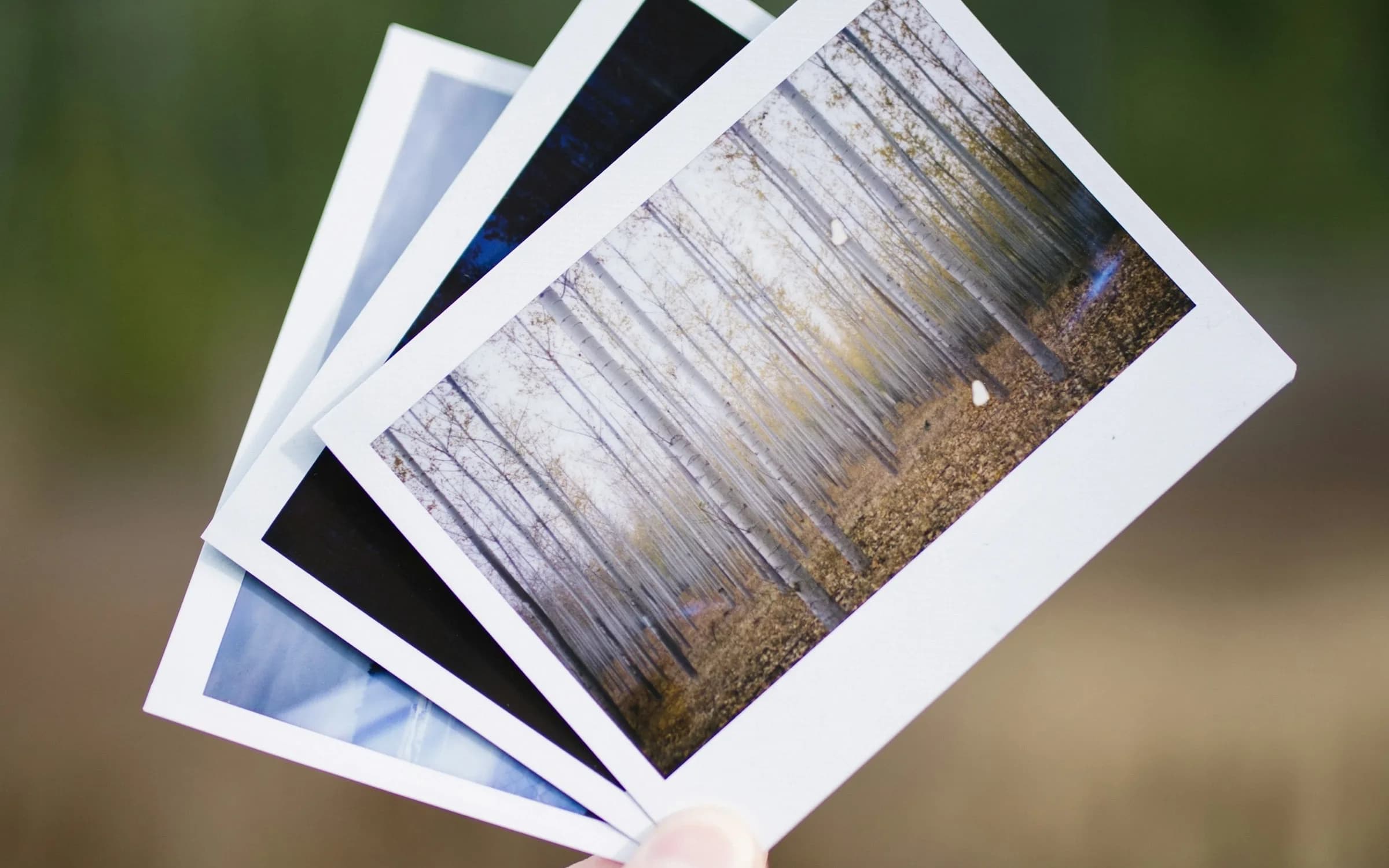
20 copy-paste ChatGPT photo editing prompts that also work in Gemini: 1980s yearbook, anime, LinkedIn headshot, Christmas card. Each keeps your face.
To restyle your own photo in ChatGPT or Gemini, upload the photo and paste a prompt that does two things in order: first it says what must stay the same (your face, your features, your skin tone and everyone in the picture), then it describes the change. Most ChatGPT photo editing prompts that go wrong skip the first part, and the face drifts until it looks like a stranger. Below are 20 copy-paste prompts built that way, grouped by look. If your idea isn't here, Zemith's free AI prompt generator writes one for it.
Image models like ChatGPT's and Gemini's don't retouch your photo the way an editing app does. They draw a new image, using your upload as a reference. Anything you don't pin down is up for grabs, and the face is the first thing to wander: eyes get a little bigger, the jaw gets a little softer, the skin gets airbrushed.
So every prompt below opens with the same move. It points at the uploaded photo, lists what to keep, and only then says what to change. Here's the bare template if you'd rather write your own:
Using the uploaded photo as the reference, keep the person's face, facial features, identity, skin tone and body shape exactly the same, along with their hairstyle and expression unless I change them below. If there is more than one person, keep every one of them and don't add or remove anyone. Change only this: [the new look, setting, outfit, era or style, with lighting and colors]. Photorealistic, natural skin texture, no distorted faces or hands.Swap "Photorealistic" for the style you want when the change is a painting, an anime frame or a 3D render. The person should still be recognizable in that style.
1. 1980s yearbook portrait
Using the uploaded photo as the reference, keep the person's face, facial features, identity, skin tone and expression exactly the same. Turn it into a 1980s American high school yearbook portrait: a mottled blue-gray studio backdrop, shoulders turned slightly, soft front light with a warm fill. Give them era details: big feathered hair with volume, a pastel collared shirt or a sweater with a thin chain. Finish with 35mm film grain, slightly faded contrast and the look of a scanned yearbook page. Vertical head-and-shoulders framing.2. 1970s film snapshot
Using the uploaded photo as the reference, keep every person's face, facial features, identity, skin tone and body shape exactly the same, and don't add or remove anyone. Restyle it as a 1970s family snapshot shot on warm consumer film: faded orange and brown tones, soft focus at the edges, a little light leak in one corner. Dress them in 1970s clothes such as wide collars, corduroy and knit vests, in a wood-paneled living room with afternoon sun through the window. Keep the same poses.3. 1990s mall glamour shot
Using the uploaded photo as the reference, keep the person's face, facial features, identity and skin tone exactly the same. Make it a 1990s mall-studio glamour portrait: heavy soft-focus glow, a hazy purple and teal backdrop, a denim jacket with the collar popped, big hair with lots of volume. Light it with a bright beauty dish from the front and a colored rim light behind. Add the slightly over-polished look of a 1990s print, with soft grain. Head-and-shoulders, vertical.4. 1920s black-and-white portrait
Using the uploaded photo as the reference, keep the person's face, facial features, identity and expression exactly the same. Turn it into a 1920s studio portrait in black and white: finger waves or slicked-back hair, a dark suit with a tie or a beaded dress with a long necklace, a painted canvas backdrop. Use soft window light from one side with deep shadows on the other. Add silver gelatin print texture, gentle vignetting and a slightly warm sepia tone at the edges.5. Hand-drawn anime film still
Using the uploaded photo as the reference, keep the person recognizable: same face shape, eyes, nose, hairstyle, skin tone and expression, and the same people if there are several. Redraw the image as a frame from a hand-drawn Japanese animated film in the style of Studio Ghibli: soft painted backgrounds, clean line art, gentle cel shading, warm afternoon light, a breezy countryside setting with tall grass and drifting clouds. Keep their clothes and pose from the photo.6. Watercolor portrait
Using the uploaded photo as the reference, keep the person's face, facial features, identity, skin tone and expression clearly recognizable. Repaint it as a loose watercolor portrait on textured cotton paper: soft washes of color that bleed at the edges, a few crisp pencil lines around the eyes and mouth, white paper showing through in the highlights. Keep the background simple, a pale wash in colors that suit the outfit. Keep the framing from the photo.7. 3D animated movie character
Using the uploaded photo as the reference, keep the person recognizable: same face shape, eye color, hairstyle, skin tone, glasses or facial hair, and expression. Turn them into a character from a modern 3D animated family movie: slightly stylized proportions, big expressive eyes, soft subsurface skin, detailed hair strands. Put them in a colorful, softly lit version of the setting in the photo, with a shallow depth of field. Keep the same clothes, simplified into the 3D style.8. Classic oil painting
Using the uploaded photo as the reference, keep the person's face, facial features, identity, skin tone and expression exactly the same. Repaint it as a classical oil portrait: visible brushstrokes, rich dark background, warm candle-like light from the upper left, a high-collared jacket or a velvet dress in deep green or burgundy. Add the fine craquelure and slight varnish shine of an old canvas, and frame it as a half-length seated portrait.9. LinkedIn headshot
Using the uploaded photo as the reference, keep the person's face, facial features, identity, skin tone, hairstyle and expression exactly the same; don't slim, smooth or age the face. Turn it into a professional LinkedIn headshot: a plain light-gray studio background, soft even light from the front with a gentle fill, a navy blazer over a plain shirt. Frame it as head and shoulders, centered, camera at eye level. Photorealistic, natural skin texture, no retouching beyond tidy hair.10. Business profile photo in an office
Using the uploaded photo as the reference, keep the person's face, facial features, identity, skin tone and body shape exactly the same. Place them in a bright modern office, softly out of focus behind them, with large windows and plants. Dress them in smart-casual work clothes in neutral colors. Use natural window light from the side and a slight smile if the photo already has one. Waist-up framing, shot like an 85mm lens at f/2. Photorealistic, natural skin texture.11. Speaker or author photo
Using the uploaded photo as the reference, keep the person's face, facial features, identity, skin tone and expression exactly the same. Make it an editorial-style portrait for a speaker bio: a dark, softly lit background with a subtle warm gradient, a dark crewneck or open-collar shirt, arms relaxed. Use a single soft key light from the side for gentle contrast. Half-length framing with space on one side for text. Photorealistic, natural skin texture, no distorted hands.12. Christmas family photo
Using the uploaded photo as the reference, keep every person's face, facial features, identity, skin tone, body shape and position exactly the same, and don't add or remove anyone, including pets. Move the group to a cozy living room at Christmas: a decorated tree with warm string lights behind them, a fireplace, matching red and green knit sweaters. Light it with warm lamp light and soft bokeh from the tree. Keep everyone's expressions from the photo. Photorealistic, natural skin texture.13. Snowy holiday card
Using the uploaded photo as the reference, keep every person's face, facial features, identity, skin tone and body shape exactly the same, and keep the same number of people. Place them outdoors on a snowy evening in front of a small cabin with glowing windows, wearing winter coats, scarves and knit hats. Light falling snow, soft blue dusk light with warm light from the windows. Leave clear sky at the top for a greeting. Photorealistic.14. Halloween costume
Using the uploaded photo as the reference, keep the person's face, facial features, identity, skin tone and expression exactly the same, with no face paint unless I ask for it. Dress them as [costume, for example a vampire, an astronaut or a witch] for a Halloween party: a detailed costume, a dim room with orange string lights, carved pumpkins and a little fog at floor level. Light their face with a warm glow from the pumpkins. Photorealistic.15. Golden-hour couple portrait
Using the uploaded photo as the reference, keep both people's faces, facial features, identities, skin tones and body shapes exactly the same, and keep them close in the same pose. Move them to an open field at golden hour: low sun behind them, warm rim light in their hair, long grass and a soft hazy background. Keep their outfits but make the colors warmer. Shot like an 85mm lens with a shallow depth of field. Photorealistic, natural skin texture.16. Magazine cover
Using the uploaded photo as the reference, keep the person's face, facial features, identity, skin tone and expression exactly the same. Turn it into a glossy fashion magazine cover: a clean studio background in a bold color, crisp beauty lighting, a stylish outfit. Add a large masthead at the top that reads "WEEKEND" and two short cover lines in small type down the side. Use a made-up magazine name only; no real brand or logo. Vertical cover framing.17. Vintage film photo
Using the uploaded photo as the reference, keep every person's face, facial features, identity, skin tone and body shape exactly the same, and don't add or remove anyone. Make it look like a photo taken on expired color film decades ago: muted greens, warm yellowed highlights, visible grain, a slight blur from an old lens, and a soft white border like a printed snapshot. Keep the same setting, clothes and poses.18. Boxed action figure
Using the uploaded photo as the reference, keep the person's face, facial features, hairstyle and skin tone recognizable at toy scale. Turn them into a collectible action figure inside a clear plastic blister pack on a cardboard backing. Give the figure the same outfit as in the photo and add three small accessories that fit them, [for example a laptop, a coffee cup and running shoes], in their own slots. Print the name "[YOUR NAME]" at the top of the box. Clean product-photo lighting.19. Movie poster
Using the uploaded photo as the reference, keep the person's face, facial features, identity, skin tone and expression exactly the same. Turn it into a poster for an imaginary adventure film: the person in the foreground lit by a dramatic orange and teal light, a vast desert canyon and stormy sky behind them, dust in the air. Add a short made-up title in bold letters at the bottom and no other text. Cinematic, vertical poster framing.20. Meeting your younger self
I'm uploading two photos of myself: one recent and one from childhood. Using both as references, keep my adult face, features and skin tone exactly as in the recent photo, and keep the child's face exactly as in the childhood photo. Show my adult self and my younger self sitting side by side on a park bench in soft afternoon light, smiling at each other. Keep both outfits from the photos. Photorealistic, natural skin texture, no distorted faces or hands.For prompts that need two photos, attach both in the same message. Gemini's help page says you can upload several images and ask it to combine them.
Because it redraws the whole picture rather than painting over yours, and every instruction it gets is a chance to "improve" something you didn't mention. Three habits help more than any magic phrase:
No prompt guarantees a pixel-perfect face. If you need the original face untouched, use an editor that changes only a selected area. ChatGPT has a Select tool for this: OpenAI's help page says you can highlight part of an image and describe the change for that area.
The prompts above work in both. The differences that matter, as of October 2026:
Both cap free use, and the caps change often, so check the limit message in each app rather than trusting a number from a blog.
If none of the 20 fits, you don't have to write one from scratch. Zemith's free AI prompt generator has a Photo edit option built for exactly this:
Every prompt it writes starts from your uploaded photo, keeps your face, your features and everyone in the picture, and changes only the rest. It won't write edits that undress or sexualize someone or make them look like a famous person. It's free to try with no sign-up, with a few free prompts a day.
Prefer to stay in one place? The Edit your photo button on the result opens Zemith's Image Editor in Creative Studio with the prompt already filled in; you add your photo there. The Image Editor is on Zemith's paid plans, from Plus at $15.99 a month as of October 2026, and lets you pick the model per edit, including Google's Nano Banana 2 (from 12,700 credits an edit), Nano Banana Pro and OpenAI's GPT Image 2. Plus includes 1.5 million credits a month, so roughly a hundred Nano Banana 2 edits at that starting price, and Creative Studio shows the exact cost before it generates. The AI image generator page has the full model list, and our Midjourney vs Nano Banana comparison goes deeper on Google's model.
Have the opposite problem, a finished picture whose prompt you want to copy? That's what Image to Prompt is for.
Edit photos of yourself, or of people who've said yes. Turning a friend, a coworker or an ex into something they didn't agree to is a fast way to hurt someone, even as a joke. OpenAI's usage policies rule out non-consensual intimate content and using someone's likeness without consent in ways that could confuse people about what's real, and Google's help page says it may remove images that break its Terms of Service or Prohibited Use Policy. Zemith's generator won't write prompts that undress someone, sexualize them or make them look like a celebrity, and it won't fake documents, injuries or news events either.
The prompt matters less than its first sentence. Point at the uploaded photo, list what stays the same, then describe the change, and both ChatGPT and Gemini will give you something that still looks like you. Copy one of the 20 above, or describe your own idea in the Photo edit generator and paste what it writes.







Trusted by teams at






The top models, plus image, video and voice tools, in one plan.
Without Zemith
ChatGPT PlusUS$20.00Claude ProUS$20.00Google AI ProUS$19.99SuperGrokUS$30.00Perplexity ProUS$20.00 MidjourneyUS$10.00
 ElevenLabsUS$6.00Le Chat ProUS$14.99
 RunwayUS$15.00Kling StandardUS$8.80
 Gamma PlusUS$12.00
 Otter ProUS$16.99
 QuillBot PremiumUS$19.95
 Photoroom ProUS$12.99
 Quizlet PlusUS$7.99
Total if paying separatelyUS$234.70/mo
"I love the way multiple tools they integrated in one platform. Going in the right direction."
— simplyzubair
"The quality of data and sheer speed of responses is outstanding. I use this app every day."
— barefootmedicine
"The credit system is fair, models are perfect, and the discord is very responsive. Quite awesome."
— MarianZ
"Just works. Simple to use and great for working with documents. Money well spent."
— yerch82
"The organization of features is better than all the other sites — even better than ChatGPT."
— sumore
"It lives up to the all-in-one claim. All the necessary functions with a well-designed, easy UI."
— AlphaLeaf
"The team clearly puts their heart and soul into this platform. Really solid extra functionality."
— SlothMachine
"Updates made almost daily, feedback is incredibly fast. Just look at the changelogs — consistency."
— reu0691
Hand off the research, writing, design and follow-ups. Zemith picks the tools it needs and brings back finished work.
Search the web, run deep research, read files, create images and run code with GPT, Claude, Gemini, Grok and more.
Zemith keeps working in the cloud and pings you when it's done.
Notion, Linear, Canva, Airtable and more. It asks before it creates or changes anything.
Docs, slides, sheets and PDFs, ready to send.
Chain models and tools on a visual canvas, from one prompt to a finished promo video.
Briefings, reports and reminders run on a schedule and are ready when you need them.
Real-time voice that can see your camera or screen.
The best image and video models, in one studio.
Turn PDFs, links and YouTube videos into podcasts, quizzes, flashcards and mind maps.














 Podcast
 Quiz
Quiz Flashcards
 Mind map
 Infographic